A small business owner working with their IT partner to prepare a CIRCIA‑ready cyber incident response plan.
Many small and midsize business owners assume CIRCIA is aimed only at Fortune 500 companies, but that is a risky assumption. Small and mid‑market organizations can be “covered entities” if they provide critical services or support critical infrastructure, and even those outside scope will feel the ripple effects through clients, insurers, and vendors.
CIRCIA in a Nutshell
CIRCIA (Cyber Incident Reporting for Critical Infrastructure Act) requires covered entities to report substantial cyber incidents to CISA within 72 hours.
Ransomware payments must be reported within 24 hours.
Coverage is based on critical infrastructure role, not just size; small entities can be included if their disruption would impact national or regional security, economy, or public health.
Even if you are not covered, your larger customers and partners may require you to meet CIRCIA-like standards to stay in their supply chain.
Concrete Steps for Owners and IT Teams
Owner-level actions:
Determine your exposure: Identify whether you operate in or support critical infrastructure sectors (healthcare, energy, transportation, government services, etc.).
Review contracts and insurance: Look for new clauses about cyber incident reporting, cooperation, and timelines.
Fund the basics: Approve budget for security monitoring, backups, and an incident response plan; these are now business necessities, not IT “nice‑to‑haves.”
IT / MSP actions:
Perform a security and asset inventory: Know what you have, where it is, and how it is protected.
Implement monitoring and logging: Centralized logs and alerts are essential to detect and investigate incidents fast enough for 72‑hour reporting.
Develop and test an incident response plan: Include decision trees for when to treat an incident as “substantial,” who to notify, and how to collect evidence.
Prepare for CISA reporting, even if “not covered”: Templates and processes for structured incident documentation will help with insurers, regulators, and major customers.
Questions Your Customers May Ask – Answer Set
“Are you compliant with CIRCIA?”
We have implemented incident detection, response, and reporting processes aligned with CIRCIA expectations, and we support our critical-infrastructure customers with the evidence they need.
“If a cyber incident hits you, how will it affect us?”
We maintain backups, response playbooks, and communication plans aimed at minimizing downtime and providing transparent updates.
“Will you tell us quickly if our data is involved?”
Yes. Our procedures require rapid notification to affected customers and support for any regulatory or contractual reporting they must perform.
How Farmhouse Networking Helps SMBs Turn CIRCIA into an Advantage
Farmhouse Networking helps small and midsize businesses use CIRCIA as a catalyst to get modern, business-grade cybersecurity in place:
Determining whether your business or key customers are likely covered entities and what that means for your contracts and obligations.
Implementing security controls—MFA, EDR, monitoring, backups, segmentation—that both reduce incident likelihood and support fast, evidence-based reporting.
Building, documenting, and testing an incident response and communication plan tuned to 72‑ and 24‑hour windows.
Acting as your ongoing IT and security partner so you can answer customer and regulator questions with confidence.
Call to action: Email support@farmhousenetworking.com to find out how Farmhouse Networking can help your small business prepare for CIRCIA and improve your overall cybersecurity resilience.
Penetration testing identifies risks before hackers exploit them
Small and midsize businesses (SMBs) face the same cyber risks as big enterprises—sometimes more. One breach can threaten your business. Penetration testing is proactive protection that keeps you ahead of cybercriminals and in step with regulations.
Practical Action Steps:
Conduct a cybersecurity review of your business systems.
Schedule monthly or at least semi-annual penetration testing to find and fix weaknesses.
Educate employees on safe online behavior.
Maintain records to meet regulatory requirements such as PCI DSS or state privacy laws.
Common Client Q&A: Q: Isn’t our firewall enough? A: No; penetration testing simulates real attacks to discover deeper vulnerabilities.
Q: Are tests only for big companies? A: No; many regulations require SMBs to perform regular risk assessments and penetration testing.
How Farmhouse Networking Helps: We tailor penetration testing to your industry and provide step-by-step guidance—so your business stays protected and compliant.
Take control of your cybersecurity. Email Farmhouse Networking for more information on securing your business.
Strategies securing small business inboxes from phishing and BEC gateway attacks
Email is the backbone of communication for small and medium-sized businesses (SMBs). You use it for everything from sending invoices to internal memos, making your business heavily reliant on this tool. However, this reliance also makes you vulnerable to cyber threats, especially Business Email Compromise (BEC) attacks, which are increasingly targeting SMBs. These attacks can have devastating consequences, but with the right email security measures, you can protect your business from falling victim.
Understanding the Threat: Phishing and BEC
Phishing is a cybercrime that uses deceptive emails to trick individuals into revealing sensitive information or taking harmful actions. These emails often look like they come from legitimate sources, such as banks or well-known companies, but they are actually designed to steal your data.
Business Email Compromise (BEC) is a sophisticated type of phishing attack where cybercriminals impersonate trusted individuals within a company to trick employees into transferring money, sharing sensitive data, or granting access to critical systems. BEC scams often target individuals in finance, human resources, or operations, with the goal of initiating fraudulent transactions or stealing confidential information. According to the FBI, there are five primary types of BEC attacks.
BEC attacks are particularly effective because they exploit human psychology. Attackers rely on impersonating authority figures, creating a sense of urgency, or crafting highly convincing emails to make employees act without questioning.
Email is the number one attack vector, responsible for 90% of phishing incidents. In 2023, BEC attacks led to $3 billion in losses.
Why SMBs are Prime Targets
While large corporations invest heavily in cybersecurity, SMBs are often more vulnerable. Cybercriminals view smaller businesses as easier targets due to their typically less robust security measures and lower awareness of emerging threats.
Here’s why SMBs are at greater risk:
Limited Cybersecurity Resources: Many SMBs have limited budgets for cybersecurity and often lack dedicated IT teams to monitor email systems for suspicious activity.
Employee Vulnerability: Employees in SMBs may not be as well-trained in spotting phishing attempts or recognizing the signs of a BEC scam.
Lack of Email Security Awareness: Small businesses may overlook the importance of securing business email accounts with multi-factor authentication (MFA) and other safeguards, leaving them exposed to attacks.
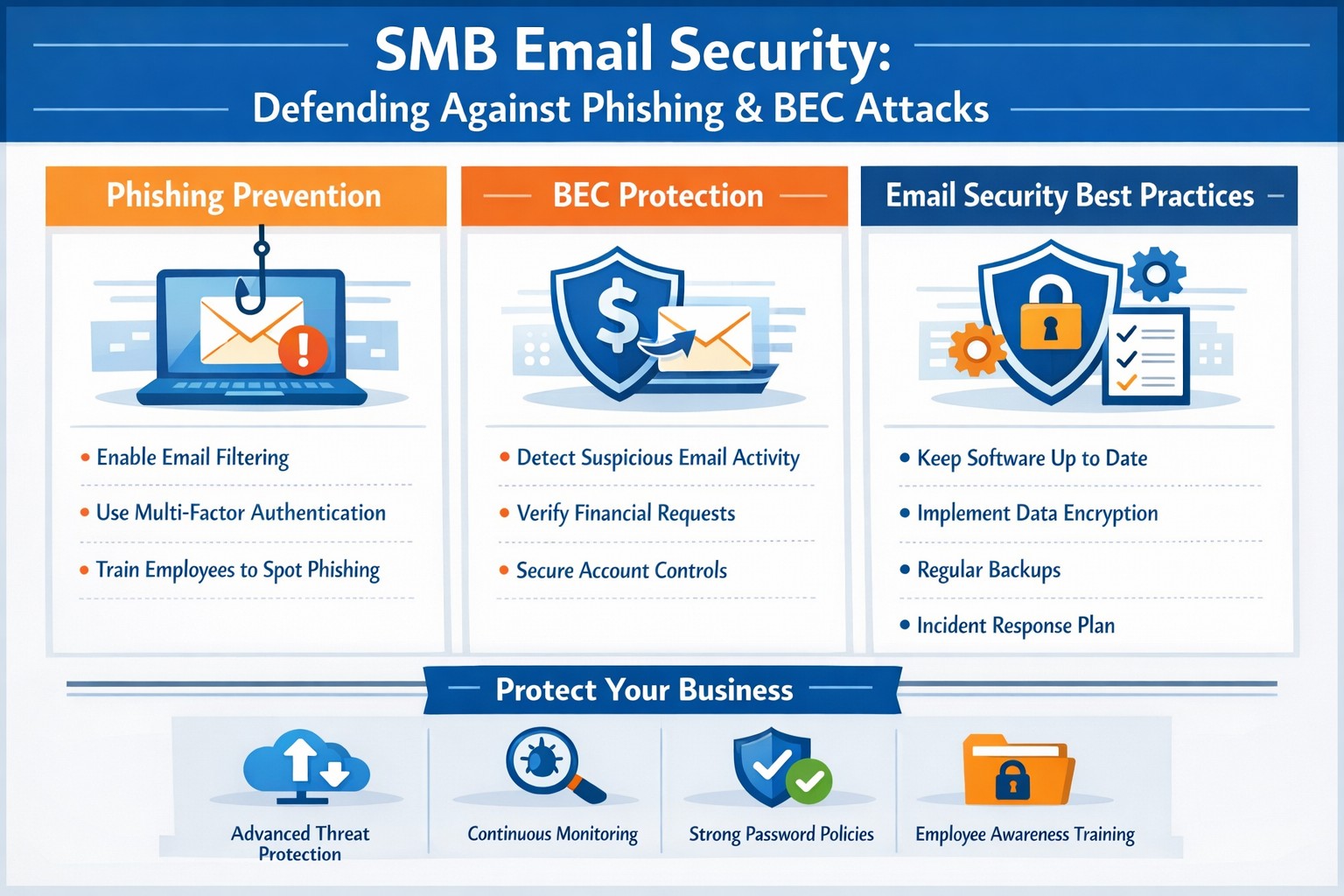
Simple Steps to Bolster Your Email Security
Employee Training: Regularly train employees to recognize and respond to threats. Run security awareness training to help your team spot phishing attempts and other common threats. Use simulated phishing exercises to test their readiness, uncover weak spots, and highlight potential weaknesses.
Multi-Factor Authentication (MFA): Add an extra layer of security to your email accounts with multi-factor authentication (MFA).
Advanced Email Filters: Use advanced spam filters to detect and block phishing emails before they reach your employees’ inboxes. Scan links automatically to spot anything suspicious.
Email Encryption: Encrypt emails, both in transit and at rest, to prevent unauthorized access.
Regular Security Audits: Schedule regular audits to spot vulnerabilities and keep an eye out for unauthorized access. Take time to review your email system’s settings, permissions, and logs for anything unusual.
Incident Response Plan: Prepare for email threats with a clear, actionable response plan. Outline the steps to contain, investigate, and recover from incidents, so your team knows exactly what to do
Cybercrime is a business, not a hobby, and incredibly lucrative. Taking a proactive approach to email security is essential for protecting sensitive information, preventing data breaches, and maintaining trust with your team and clients.
Is your business protected? Contact Farmhouse Networking today for a comprehensive email security solution tailored to your SMB’s unique needs. Don’t let your inbox be a gateway for cybercrime!
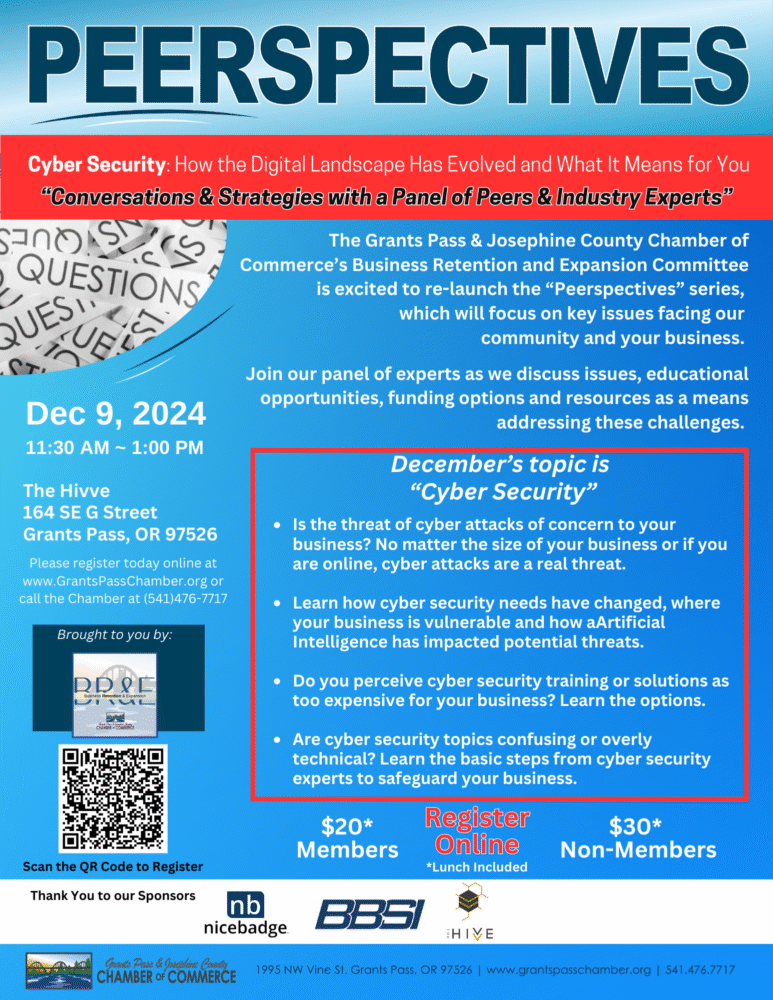
For those that missed us this week, our CEO Scott Carr was one of the guest speaking panel and the event pictured above. During our discussion, the question was asked – “What is the one thing business owners can do to protect themselves from ransomware?” Scott’s answer was – “If you do nothing else, at the very least have a backup of your data. If anything goes wrong you will be able to go back to your previous data and skip paying the ransom.”
Why Backup?
Ransomware attacks have become an increasingly prevalent threat to businesses of all sizes. As cybercriminals continue to evolve their tactics, it’s crucial for organizations to implement robust defense strategies. One of the most effective ways to protect your business from the devastating effects of ransomware is through a comprehensive backup strategy.
The Rising Threat of Ransomware
Ransomware attacks have surged dramatically in recent years, with 2024 seeing unprecedented levels of both frequency and sophistication. In the first half of 2024 alone, the average extortion demand per ransomware attack exceeded $5.2 million, with a record-breaking payment of $75 million in March. These staggering figures underscore the critical need for businesses to fortify their defenses against such attacks.
The Role of Backups in Ransomware Protection
Data backups serve as a crucial line of defense against ransomware threats. They provide a safety net that can help your company prevent irreparable damage in the event of an attack. Here’s why backups are so important:
Added Data Security: By maintaining backups of your critical data, you remove one of the primary vectors for ransomware attacks. If you can still access your data from a backup, hackers lose their leverage in demanding a ransom
Recovery Options: Reliable and well-tested backups give ransomware victims more options. Without backups, organizations have limited choices for recovery. However, with confidence in their ability to restore from backups, businesses can make more nuanced decisions during ransomware recovery and negotiations.
Best Practices for Ransomware-Resilient Backups
To ensure your backups provide effective protection against ransomware, consider implementing these best practices:
Implement the 3-2-1 Backup Strategy: This strategy involves maintaining at least three copies of your data on two different storage types, with one copy kept offsite. This approach significantly reduces the risk of losing all your data in a single attack
Use Immutable Storage: Immutable backups cannot be modified, altered, or deleted for a specified period. This ensures that your backup data remains intact and tamper-proof, protecting against both accidental and malicious changes
Maintain Offline Backups: Keep a secondary offline backup copy that ransomware cannot reach. Network attached storage devices can be an effective method for this purpose.
Increase Backup Frequency: Consider backing up mission-critical data at least once per hour. This reduces the amount of data that could potentially be lost in a ransomware attack.
Employ Endpoint Protection: Use modern endpoint protection platforms that can detect ransomware processes as they begin, even if the type of ransomware is new and unknown.
The Business Impact of Ransomware
The consequences of a ransomware attack extend far beyond the immediate financial loss. Businesses may experience:
Extensive downtime, leading to significant revenue loss
Damaged reputation among customers and partners
Delayed project timelines
Potential loss of sensitive customer data
These impacts underscore the importance of a robust backup strategy as part of your overall cybersecurity plan.
Don’t wait until it’s too late to protect your business from the devastating effects of ransomware. Contact Farmhouse Networking today to develop a comprehensive backup and cybersecurity strategy tailored to your organization’s needs. Our expert team can help you implement robust protection measures, ensuring your business remains resilient in the face of evolving cyber threats. Secure your data, protect your reputation, and safeguard your bottom line—reach out to Farmhouse Networking now.
Businesses of all sizes face unprecedented cybersecurity challenges. Blackpoint Cyber emerges as a leader in providing comprehensive, cutting-edge solutions to protect organizations from cyber threats. Let’s explore why Blackpoint Cyber stands out as the premier choice for business cybersecurity.
Comprehensive Ecosystem of Security Solutions
Blackpoint Cyber offers a fully managed, integrated ecosystem of services centered around their powerful nation-state-grade Managed Detection and Response (MDR) technology. This ecosystem is designed to keep businesses ahead of potential threats by proactively understanding the threat landscape and actively neutralizing adversaries before they can cause harm.
Managed Detection & Response (MDR)
At the core of Blackpoint’s offerings is their purpose-built MDR technology. This solution combines network oversite, malicious activity detection, and endpoint security to rapidly identify and neutralize hacker and virus activities in their earliest stages. By harnessing data around suspicious events, hacker tradecraft, and endpoint activity, Blackpoint’s MDR can stop advanced attacks faster than any other solution on the market.
Cloud Response
With the shift to hybrid and cloud environments, Blackpoint’s Cloud Response extends the power of their MDR service to these critical areas. Their 24/7 Security Operations Center (SOC) actively monitors cloud environments and provides fast responses to threats on platforms like Office 365.
LogIC
LogIC enhances the value of security logs and data collected from networks, turning them into real-time threat hunting and response capabilities. With push-button setup, LogIC allows for quick addition of log sources, generation of compliance reports, and automatic mapping against hundreds of compliance requirements.
Unmatched Threat Awareness and Response Times
Blackpoint Cyber’s proprietary security operations and incident response platform, SNAP-Defense, enables continuous monitoring and response to modern threats. Their SOC, established by former US government cybersecurity operators, leverages deep knowledge of hacker tradecraft to provide 24/7 unified detection and response services.
The company boasts impressive response times, with an average of 7 minutes for cloud incidents and an overall average of 27 minutes. This rapid response capability is crucial in minimizing potential damage from cyber attacks.
Tailored Solutions for Businesses of All Sizes
While Blackpoint Cyber’s technology is enterprise-grade, they specialize in bringing these advanced solutions to small and medium-sized businesses through partnerships with Managed Service Providers (MSPs) like Farmhouse Networking. This approach allows businesses of all sizes to benefit from top-tier cybersecurity protection.
Continuous Innovation and Growth
Blackpoint Cyber continues to invest in growth and innovation. With a recent $190 million investment round and the appointment of industry veteran Manoj Srivastava as Chief Technology and Product Officer, the company is poised for further advancements in their product strategy and technology.
Blackpoint Cyber’s suite of solutions offers businesses a robust, proactive approach to cybersecurity. Their technology, combined with human expertise, provides a level of protection that’s essential in today’s threat landscape.
Ready to elevate your business’s cybersecurity with Blackpoint Cyber’s cutting-edge solutions? Contact Farmhouse Networking today to manage your cyber security needs and implement these powerful tools. Don’t wait for a breach to happen – take proactive steps to protect your business now.
CrowdStrike Falcon update triggers massive IT outage across cloud services
The recent CrowdStrike IT outage on July 19, 2024, caused by a defective update for Windows, serves as a stark reminder of the importance of managing IT infrastructure and proactive measures to prevent system downtime. While no system is entirely immune to outages, there are several strategies businesses can implement to minimize the risk and impact of such incidents.
Key Strategies to Prevent IT Outages
Improve Continuous Integration / Continuous Deployment (CI/CD) Practices: One of the most effective ways to prevent outages caused by software updates is to enhance CI/CD practices. This approach involves:
Automating the testing and deployment process
Implementing rigorous quality assurance checks
Using staging environments to test updates before full deployment
Gradually rolling out updates to detect issues early
By improving CI/CD practices, businesses can catch potential issues before they affect the entire network, reducing the likelihood of widespread outages.
Implement Comprehensive Load / Failure Testing: Regular load testing is crucial to ensure that systems can handle typical use cases and determine their potential in high use scenarios. A game plan should also be put in place for when systems fail to map out the road to recovery. This involves:
Simulating various levels of user activity
Identifying performance bottlenecks
Optimizing system architecture and configuration
Preparing for crisis scenarios, such as partial resource failures
Practice response to system failures before they become reality
Load / failure testing helps businesses understand their system’s limitations and address potential issues before they lead to outages.
Ensure Proper Scalability: As businesses grow, their IT infrastructure must be able to scale accordingly. This includes:
Designing systems with future growth in mind
Utilizing cloud technologies for flexible resource allocation
Regularly reviewing and updating system architecture
Implementing efficient systems that can handle increased business
Proper scalability ensures that systems can continue to function effectively as demand increases, reducing the risk of outages due to overload.
Enable Automatic Updates with Caution: While automatic updates can help keep systems secure and up-to-date, they should be implemented carefully. Best practices include:
Testing updates in a controlled environment before widespread deployment
Staggering updates across different system components
Having a rollback plan in case of issues
Monitoring systems closely after updates are applied
Automatic updates can help prevent security vulnerabilities, but they must be managed carefully to avoid introducing new issues.
Implement Comprehensive Monitoring: A robust monitoring system is essential for detecting and addressing potential issues before they escalate into outages. This includes:
Using a centralized monitoring platform for all IT infrastructure
Outsourcing it management is resources are not available
Setting up alerts for unusual system behavior or performance metrics
Implementing predictive analytics to identify potential issues early
Regularly reviewing and updating monitoring parameters
Comprehensive monitoring allows businesses to take a proactive approach to system management, reducing the risk of unexpected outages.
Conduct Regular Employee Training: Human error is a common cause of IT outages. Regular employee training can help mitigate this risk. Training should cover:
Best practices for system usage
Recognizing and reporting potential security threats
Proper procedures for applying updates and patches
Emergency response protocols in case of system issues
Well-trained employees are less likely to make mistakes that could lead to outages and are better equipped to respond effectively when issues do occur.
Don’t let IT outages disrupt your business. Take action now to protect your company’s technology infrastructure. Call Farmhouse Networking today at (541) 761-9549 to schedule a comprehensive IT assessment and learn how our expert team can implement strategies to prevent costly downtime. Secure your business’s future with proactive IT management.
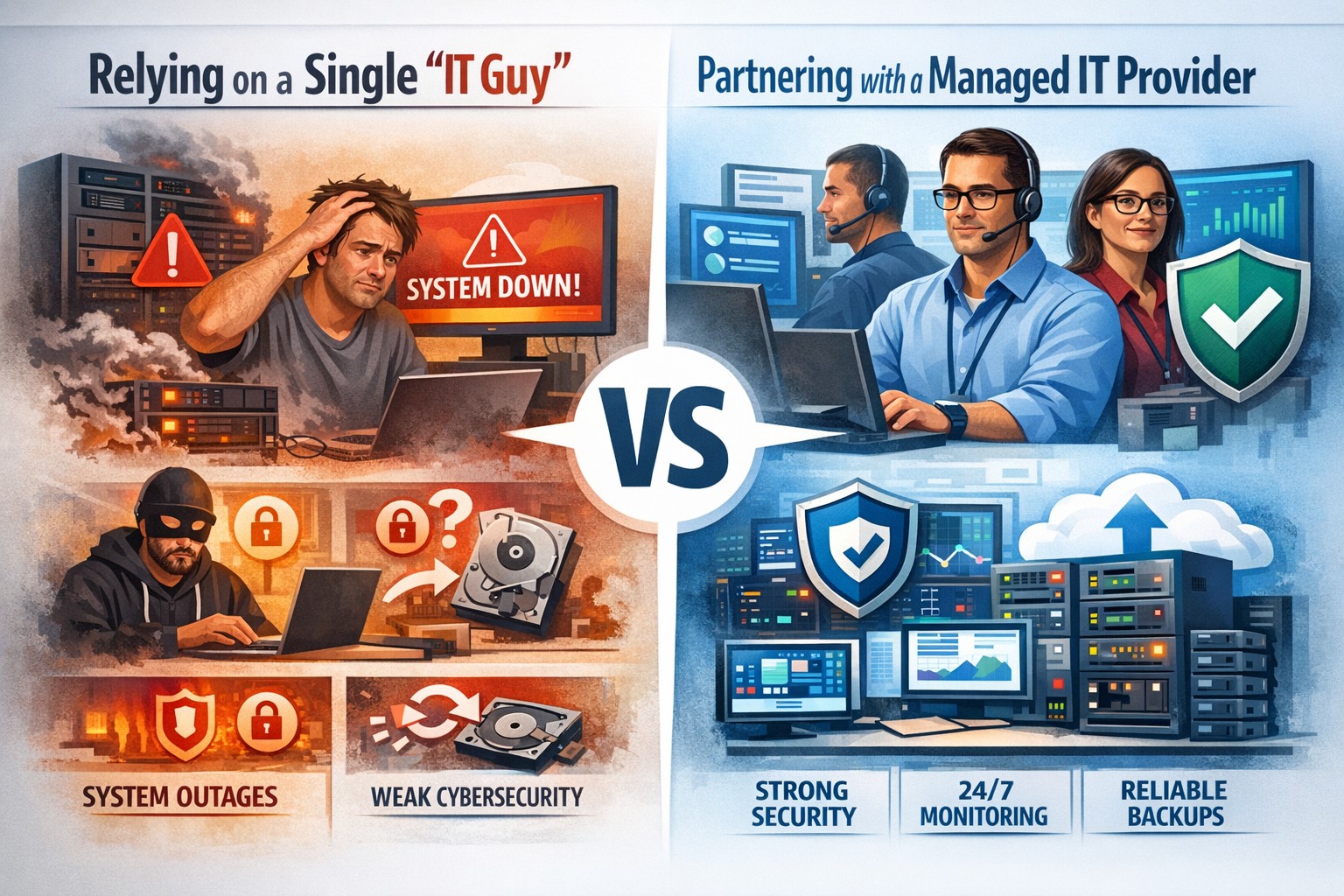
Relying on one IT guy can expose your small business to downtime, data loss, and security vulnerabilities—managed IT services offer stronger protection.
The role of Information Technology (IT) in business success cannot be overstated. IT systems and infrastructure form the backbone of modern businesses, facilitating communication, data management, and efficient workflow. From managing customer databases to ensuring network security, IT plays a crucial role in driving productivity and competitiveness. However, many businesses make the mistake of relying on a single IT guy to handle all their technological needs. In this article, I will discuss the risks associated with this approach and the importance of adopting a team-based approach to IT support.
The risks of relying on a single IT guy
Lack of expertise and knowledge
When you rely on a single IT guy, you are limited to their individual skills and expertise. While they may be knowledgeable in certain areas, they may not possess the breadth of knowledge required to handle all aspects of your business’s IT infrastructure. IT is a vast field that encompasses various domains such as network administration, cybersecurity, software development, and hardware maintenance. By relying on a single guy, you risk missing out on specialized expertise that could greatly benefit your business.
Limited availability and support
Another significant risk of relying on a single IT guy is limited availability and support. IT issues can arise at any time, and if your IT guy is unavailable or overwhelmed with other responsibilities, it can lead to significant downtime and disruptions in your business operations. With a single point of contact, you may have to wait for extended periods before your IT issues are resolved, resulting in decreased productivity and potential financial losses.
Single point of failure
Relying on a single IT guy also means that your business is vulnerable to a single point of failure. If your IT guy falls ill, takes a vacation, or leaves the company, you may be left without any IT support. Singular IT techs often don’t have the time or resources to properly document procedures and critical passwords, so when they go this information is lost. This can be particularly problematic during critical times when you need immediate assistance. Having a backup plan or a team of IT professionals ensures that your business operations can continue uninterrupted, even if one person is unavailable.
The impact of downtime on business operations
Downtime can have severe consequences on your business operations. Every minute your systems are down translates to lost revenue, missed opportunities, and frustrated customers. According to a study conducted by Gartner, the average cost of IT downtime is $5,600 per minute. Imagine the financial implications if your IT guy is unavailable for an extended period. With a team-based approach to IT support, you can minimize downtime and ensure swift resolution of any issues, thereby safeguarding your business’s success.
The importance of a team approach to IT support
Adopting a team approach to IT support offers numerous benefits for your business. Firstly, it provides a diverse set of skills and expertise that can be leveraged to address various IT challenges effectively. Each team member brings their unique knowledge and experience, allowing for comprehensive and well-rounded support. Additionally, with a team, you have the advantage of increased availability and faster response times. By distributing responsibilities among team members, you can ensure that someone is always available to address your IT needs promptly.
The benefits of outsourcing IT support
Outsourcing IT support is a viable solution for businesses looking to avoid the risks associated with relying on a single IT guy. Outsourcing allows you to tap into a pool of talented professionals with specialized expertise in different IT domains. Moreover, outsourcing IT support can often be more cost-effective than hiring a full-time IT staff, especially for small and medium-sized businesses. By partnering with an external IT support provider, like Farmhouse Networking, you can access a wide range of services, including network monitoring, cybersecurity, data backup, and software maintenance, all while enjoying the benefits of a dedicated team.
Finding the right IT support provider
Finding the right IT support provider is crucial to ensuring a successful and secure IT infrastructure. When evaluating potential providers, consider their experience, track record, and the range of services they offer. Look for certifications and qualifications that demonstrate their expertise and commitment to quality. It is also essential to assess their responsiveness and availability to ensure that they can meet your business’s IT needs promptly. Ask them about their record keeping habits, make sure they document everything and keep your information secure with industry standard protocols. By conducting thorough research and seeking recommendations, you can find an IT support provider that aligns with your business goals and requirements.
By adopting a team-based approach to IT support or outsourcing your IT needs, you can mitigate these risks and ensure a successful and secure IT infrastructure. Don’t get stuck when your IT guy no longer responds; contact us to experience the comfort of having a team look after your business IT. With the right IT support provider, you can focus on growing your business while leaving your technological needs in capable hands.
Neglected IT infrastructure quickly turns into costly downtime and data loss, but proactive managed IT services help businesses stay online and protected.
Has your business ever experienced a technology crisis that could have been easily prevented? Learn from the cautionary tale of a non-managed client who recently faced a major setback due to neglected IT infrastructure. This compelling story underscores the importance of proactive IT management and the need for robust backup solutions.
The Story: A Cautionary Tale
Neglected IT Infrastructure: After 5 years of radio silence, a panicked non-managed client reached out to us when their aging computer, hosting their crucial order processing system, malfunctioned.
DIY Mishap: Attempting to fix the issue themselves, the client inadvertently worsened the situation by installing the wrong part, leading to a cascade of problems.
Costly Consequences: The subsequent visit to a local repair shop and improper part replacement led to the corruption of critical files, including the Windows Operating System and the database containing vital client data.
Backup Oversight: The client’s failure to maintain updated database backups exacerbated the crisis, with the only available backup being approximately 5 years old.
The Solution: Managed IT Services
Proactive Maintenance: With managed IT services, critical components like the aged computer would have been promptly replaced before catastrophic failure, averting the entire crisis.
Remote Support: Swift remote intervention by a managed IT provider would have prevented the corruption of the operating system and database, substantially reducing the overall cost of the incident.
Comprehensive Backup Strategy: Every business should prioritize regular, imaged-based backups to safeguard their crucial data, ensuring seamless restoration in the event of a disaster.
Expert Guidance: Embracing managed IT services equips businesses with expert recommendations and proactive measures to avoid potentially devastating technology pitfalls.
Take the Right Step for Your Business!
Don’t let your business fall victim to preventable IT disasters. Embrace the proactive protection and expert guidance offered by a managed IT service provider to ensure uninterrupted business operations.
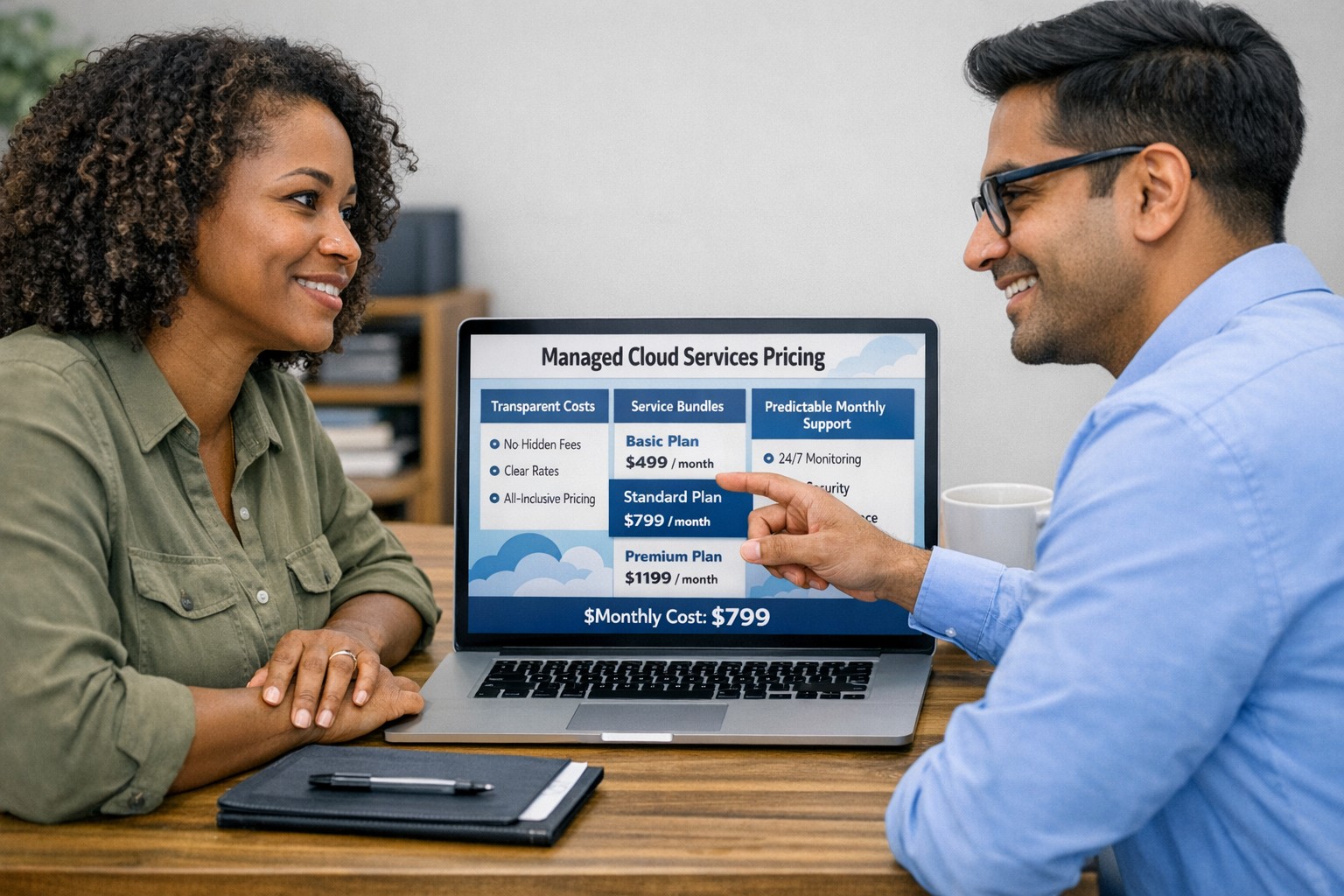
Managed cloud services pricing helps small businesses control IT costs with transparent, predictable monthly cloud support.
We have received numerous inquiries from potential customers regarding our pricing structure. Specifically, they want to know if we offer monthly contracts or if we charge an hourly rate. The answer is Yes.
Hourly Rate
For customers who require a one-time fix or need a project completed, we offer a service based on an hourly rate. Our rate for remote or on-site work that is not covered under a contract is $150 per hour. We bill in 15-minute increments and take pride in our efficiency. For clients with more than 2 service requests per month, we highly recommend signing up for a contract to save money and benefit from our expert oversight.
Monthly Contracts
There are three types of monthly contracts:
Remote Maintenance Contract
This is the package that most of our clients choose. It includes automated maintenance, cyber security protections, and unlimited remote support. Since most problems and questions can be handled remotely, this package offers real value.
Full Service Maintenance Contract
This package is for clients who want complete peace of mind. It includes all services, whether remote or at their offices. Additionally, it provides some additional benefits, such as top priority in our support queue.
Co-Managed IT Contract
This special package is designed for companies that already have a full-time IT employee or IT service companies in need of extra help. It provides them with the necessary automations and tools to make their jobs easier, allowing them to focus on what matters. This package also includes a discount on our remote and on-site services.
All contracts are based on a per-device model, taking into account the number of workstations, printers, servers, switches, etc. on the client’s network. We use this model because the other popular model, per user, is too vague and can easily hide excessive profit margins. Contracts can be month-to-month or a yearly commitment. The difference is that with a yearly commitment, you are protected from price increases for the entire year. We also offer many optional add-ons for our clients, such as Office 365, Employee Security Training, Penetration/Vulnerability Scanning, Mobile Device Management, Compliance, Secure Remote Access, and Security Operations Center.
Are you looking for reliable IT support that suits your business’s unique requirements? Look no further! Our flexible pricing options cater to businesses of all sizes. Whether you require one-time assistance or ongoing support, we have the right plan for you. Ready to take your business IT support to the next level? Contact us today to discuss your needs and find the perfect plan for your business.
A Step-by-Step Guide for When the Internet Goes Out
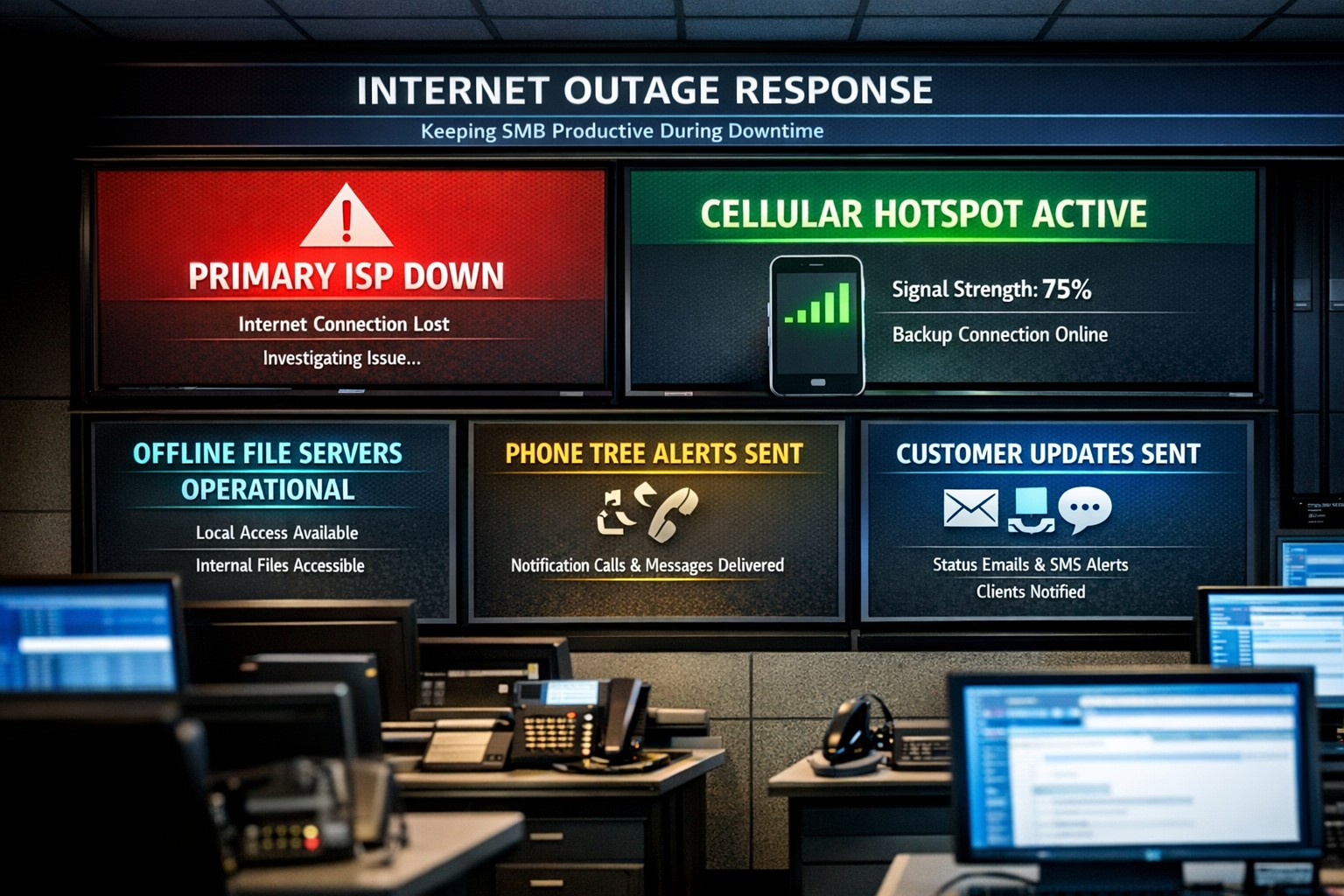
Offline operations dashboard with hotspot failover and local resource access.
Businesses heavily rely on internet access to stay connected and productive. However, what happens when the internet goes out? Whether it’s a temporary outage or a prolonged disruption, losing internet access can have a significant impact on businesses.
We will explore strategies and solutions for navigating the digital apocalypse and ensuring business continuity when the internet goes out. From setting up backup remote access options to implementing offline communication channels, this guide is a must-read for business owners looking to mitigate the impact of internet disruptions and keep their operations running smoothly.
Understanding the Impact
Before we delve into the strategies and solutions for navigating the digital apocalypse, it’s important to understand the potential impact of internet outages on your business. The consequences can be far-reaching and vary depending on the nature of your operations.
Productivity: Productivity can take a major hit when your employees are unable to access crucial online tools and resources. This can result in missed deadlines, delays in client deliverables, and a general slowdown in operations. It’s essential to assess which tasks are entirely dependent on internet connectivity and identify alternative methods to carry them out in the event of an outage.
Customer Satisfaction: If your business relies heavily on online customer interactions, such as e-commerce or customer support, a loss of internet connectivity can lead to frustrated customers, failed transactions, and a tarnished reputation. Having a plan in place to manage customer expectations during an outage is crucial.
Financial Impact: Depending on the duration and severity of the disruption, revenue loss can be substantial. To mitigate this risk, businesses should explore options for data backup, cloud services, and redundancy measures that ensure a seamless transition during an outage.
Preparing for Internet Outages
Backup Plan: One of the most effective ways to ensure business continuity during an internet outage is to have a comprehensive backup plan in place. This involves identifying critical systems and data that need to be accessible offline and regularly backing them up. By doing this, you can minimize the disruption caused by an extended outage and quickly get your business back up and running locally.
Redundancy: This might involve investing in multiple internet service providers (ISPs) or using alternative modes of connectivity, such as mobile hotspot devices or satellite internet. By diversifying your options, you can minimize the risk of a complete loss of internet connectivity. There are even routers that have multiple internet connections with automatic failover or cellular data backups.
Stay Connected
When the internet goes out, it is crucial to have a backup option that allows you to stay connected and continue basic business activities. Mobile hotspots and cellular data can be lifesavers in these situations. Investing in a reliable mobile hotspot device, which uses cellular data to create a Wi-Fi network, can ensure that you have access to the internet even if your primary connection fails. These devices are portable and easy to set up, making them convenient solutions for businesses of all sizes.
Before an outage occurs, it is essential to have a backup cellular plan in place. Assess your cellular service provider options and choose a plan that offers sufficient data, preferably with unlimited options. This will allow your team to continue accessing critical applications, emails, and other online resources without interruption. Furthermore, it is crucial to educate your employees on how to connect and utilize these backup solutions effectively. Inform them about the availability of mobile hotspots and ensure they understand how to use cellular data efficiently without exceeding the limits of the backup data plan.
By incorporating mobile hotspots and cellular data into your backup plans, you can maintain business productivity and minimize the disruption caused by internet outages.
Stabilize Communication
In times of internet outages, it becomes crucial to stabilize communication within your business. Without reliable internet access, VoIP phones and other forms of digital communication with clients and colleagues can become challenging. However, there are alternative solutions that can keep your business running smoothly.
VoIP Routing: Before an outage occurs, take the time to talk to your VoIP phone provider to explore options of how calls will be routed when the internet is out. There are often options that allow calls to be sent to an alternative number or cellphone app during an internet outage.
Mobile Devices: While the office internet may be out it does not necessarily mean that the cellular networks will be down at the same time. Before an internet outage occurs, make sure your team has important digital communication apps installed and that they are familiar with these tools. Provide training sessions or tutorials to ensure everyone is comfortable using them. Additionally, it is essential to have a backup option in case of technical difficulties with the primary tool.
Remote Work Policies
In the midst of a digital apocalypse, it is crucial for businesses to have well-established remote work policies and procedures in place. These policies ensure that employees can continue their work even without internet access, minimizing the impact on productivity. Remote work policies outline expectations for employees when working from home or other offline environments. They should include guidelines for communication, task management, and project deadlines. By establishing clear procedures, businesses can maintain a sense of normalcy and ensure that everyone knows how to navigate through the internet outage.
Additionally, remote work policies should address data security concerns. Employees should be educated on how to handle sensitive information and the appropriate measures to take when working outside the office. Regular training sessions can help reinforce these policies and keep employees up to date with best practices. By implementing remote work policies and procedures, businesses can effectively adapt to the challenges of a digital apocalypse.
Business Continuity Plan
When the internet goes out, having a comprehensive business continuity plan becomes paramount for businesses to minimize disruptions and maintain operations. A business continuity plan outlines the actions and strategies that need to be executed when faced with a digital apocalypse. This plan should include backup communication systems, such as phone lines or walkie-talkies, that can be utilized when the internet is unavailable. Additionally, offline storage and backup systems should be in place to ensure that critical data is available during an internet outage.
Creating a task force dedicated to business continuity can be invaluable during these times. This team can be responsible for implementing and executing the business continuity plan, regularly testing its effectiveness, and making necessary adjustments.
Optimizing remote work infrastructure is essential for seamlessly operating during an internet outage. Contact us today to get prepared before the digital apocalypse occurs.
And God will generously provide all you need. Then you will always have everything you need and plenty left over to share with others. As the Scriptures say,
“They share freely and give generously to the poor. Their good deeds will be remembered forever.”
For God is the one who provides seed for the farmer and then bread to eat. In the same way, he will provide and increase your resources and then produce a great harvest of generosity in you. - 2 Corinthians 9:8-10
We use cookies to ensure that we give you the best experience on our website. If you continue to use this site we will assume that you are happy with it.