Unlocking Deeper Client Value: How Data Analytics and Farmhouse Networking Transform Accounting Firms
Farmhouse Networking data analytics drives client insights and firm growth
Accounting firms are under pressure to go beyond tax preparation and bookkeeping. Clients now expect actionable insights and forward-thinking advisory services. Enter data analytics—the game-changer that empowers accountants to deliver strategic value, not just numbers. But to leverage these tools effectively, you need a trusted partner who understands both technology and the unique needs of accounting firms. That’s where Farmhouse Networking stands out.
Farmhouse Networking: Your Edge in Data-Driven Advisory
While many Managed Service Providers (MSPs) offer IT support, Farmhouse Networking specializes in integrating advanced data analytics solutions tailored for the accounting sector. Unlike generic MSPs, Farmhouse Networking brings:
Industry-Specific Expertise: Deep knowledge of accounting workflows and compliance requirements ensures seamless integration of analytics tools with platforms like QuickBooks and Xero.
Security and Compliance Focus: Robust data governance and security protocols safeguard sensitive financial information, reducing compliance risk.
Scalable Solutions: As your firm grows, Farmhouse Networking ensures your analytics infrastructure evolves with you, supporting everything from small practices to large CPA firms.
Practical Steps Farmhouse Networking Implements for Accounting Firms
Assessment and Customization: Farmhouse Networking starts with a thorough assessment of your current systems and client needs, recommending the best-fit analytics tools.
Seamless Integration: They handle integration with your existing accounting software, ensuring data flows securely and efficiently between platforms like QuickBooks and Xero.
Automation and Reporting: By automating data collection and report generation, Farmhouse Networking frees your team from manual tasks, enabling faster, more accurate insights for your clients.
AI-Powered Insights: Leveraging AI and machine learning, they help you identify trends, forecast cash flow, and uncover client opportunities that drive advisory conversations.
Training and Ongoing Support: Farmhouse Networking provides training for your staff and ongoing technical support, so your team can confidently use analytics tools to deliver value-added services.
Ready to Elevate Your Firm’s Advisory Services?
Don’t let your firm fall behind in the data-driven era. Email us today to discover how Farmhouse Networking can empower your accounting practice with cutting-edge analytics—transforming client relationships and unlocking new revenue streams. Take the first step toward smarter, more strategic advisory services.
TaaS delivers scalable cloud infrastructure for future-ready accounting firms.
The accounting industry is on the cusp of a technological revolution, with emerging trends set to reshape how firms operate and deliver value to their clients. As we look ahead to 2025 and beyond, it’s crucial for accounting practices to stay ahead of the curve and embrace these innovations. Let’s explore the key technologies that are poised to transform the accounting landscape and discuss how firms can prepare for this exciting future.
Artificial Intelligence and Machine Learning
Artificial Intelligence (AI) and Machine Learning (ML) are at the forefront of the accounting technology revolution. The AI in accounting market is expected to reach $4.791 billion by 2024, growing at an impressive compounded annual growth (CAGR) of 48.4%. This rapid growth is driven by AI’s ability to automate repetitive tasks, streamline workflows, and provide valuable insights.
Key applications of AI in accounting include:
Automated data entry and reconciliation
Intelligent fraud detection
Advanced financial forecasting
Natural language processing for document analysis
To prepare for this AI-driven future, firms should invest in AI-powered accounting software and prioritize training programs to help staff leverage these new tools effectively.
Cloud-Based Accounting Solutions
Cloud technology has already transformed the accounting industry, and its importance will only grow in the coming years. The global Cloud Accounting Software market is projected to reach $7567.54 million by 2028, expanding at a CAGR of 10.56%.
Benefits of cloud-based accounting include:
Real-time collaboration and data access
Enhanced data security and backup
Scalability and cost-efficiency
Seamless integration with other business systems
Accounting firms should consider migrating their operations to cloud-based platforms to improve efficiency and provide better service to clients.
Blockchain Technology
While often associated with cryptocurrencies, blockchain technology has far-reaching implications for the accounting industry. The accounting blockchain market is expected to reach $868 million by 2025.
Potential applications of blockchain in accounting:
Enhanced transaction transparency and security
Streamlined auditing processes
Improved record-keeping and data integrity
Simplified reconciliations
Firms should start exploring blockchain technology and its potential applications to stay ahead of this emerging trend.
Data Analytics and Forecasting Tools
As businesses generate more data than ever before, the ability to analyze and derive insights from this information is becoming crucial. Advanced data analytics tools are enabling accountants to provide more strategic advice to their clients.
Key areas where data analytics can add value:
Predictive financial modeling
Risk assessment and management
Performance benchmarking
Identifying cost-saving opportunities
Accounting practices should invest in robust data analytics tools and develop their team’s skills in data interpretation and visualization.
Cybersecurity and Data Protection
With the increasing digitization of financial data, cybersecurity has become a top priority for accounting firms. Protecting sensitive client information is not just a legal requirement but also a crucial aspect of maintaining trust and credibility.
Essential cybersecurity measures:
Implementing multi-factor authentication
Regular security audits and penetration testing
Employee training on cybersecurity best practices
Adoption of managed detection and response technologies
Firms must prioritize cybersecurity investments and stay updated on the latest threats and protection measures.
Robotic Process Automation (RPA)
RPA is set to revolutionize routine accounting tasks by automating repetitive processes. This technology can significantly improve efficiency and reduce errors in areas such as accounts payable, receivable, and financial close processes.
Benefits of RPA in accounting:
Increased accuracy in data entry and processing
Faster completion of routine tasks
Reduced operational costs
Improved compliance and audit trails
Accounting practices should identify processes that can be automated using RPA and implement these solutions to boost productivity.
The Evolving Role of Accountants
As technology automates many traditional accounting tasks, the role of accountants is evolving. Future-focused firms will need to shift their focus from number-crunching to providing high-value advisory services.
Skills for the future accountant:
Strategic financial planning
Data analysis and interpretation
Technology proficiency
Soft skills such as communication and problem-solving
Firms should invest in continuous learning and development programs to help their staff adapt to these changing roles.
Preparing for the Future
To future-proof your accounting practice, consider the following steps:
Conduct a technology audit to identify areas for improvement
Develop a digital transformation strategy aligned with your firm’s goals
Invest in staff training and development to build necessary skills
Stay informed about emerging technologies and industry trends
Collaborate with technology partners to implement new solutions
The accounting industry is on the brink of a technological revolution, and firms that embrace these emerging technologies will be well-positioned for success in the years to come.
Ready to navigate the complex world of accounting technology and future-proof your practice? Contact Farmhouse Networking today. Our expert team can help you assess your current technology stack, identify areas for improvement, and implement cutting-edge solutions tailored to your firm’s unique needs. Don’t let your practice fall behind – take the first step towards a technologically advanced future by reaching out to Farmhouse Networking now.
Modern accounting firm using managed IT services to keep tax software and client data online during busy season
Tax season is when every minute of billable time matters, and even a one-hour outage can cost thousands in lost work, delayed returns, and stressed staff. As a firm owner, the right IT strategy is the difference between a smooth March and a “fire drill” every week.
Why Downtime Is So Costly During Tax Season
Accounting teams regularly work 60+ hour weeks during peak busy season, so any outage hits during extended hours, not just 9–5.
Firms that move from reactive to proactive IT strategies have been able to cut downtime by 60–80%, protecting both billable hours and client trust.
Technology advances have already helped 69% of firms reduce time spent on admin tasks, which means you’re increasingly dependent on always-available systems.
In practice, that means tax software, QuickBooks, email, client portals, and e-file systems must stay fast and available—even at 9 PM on a Saturday in March.
Practical Actions You and Your IT Team Should Take
As the owner, your job is to set expectations, fund the right solutions, and make sure your IT partner or internal team executes before tax season hits.
1. Define Acceptable Downtime and Recovery Targets
Set Recovery Time Objective (RTO) for critical apps (e.g., “tax software back online within 30 minutes”).
Set Recovery Point Objective (RPO) for data (e.g., “no more than 15 minutes of work lost if something fails”).
Require your IT provider to document how their backup and disaster recovery design actually meets those targets.
2. Harden and Modernize Your Infrastructure
Move key workloads (tax apps, file shares, QuickBooks, portals) to scalable cloud or private hosting so performance doesn’t collapse under peak load.
Decommission old servers and unused software that increase failure risk and maintenance overhead.
Implement redundant systems for critical functions—at minimum, dual internet connections from different providers.
3. Automate the “Failure-Prone” Tasks
Enable automated patch management so security and stability updates happen after hours, not manually in the middle of busy season.
Automate data backup verification so someone doesn’t have to remember to check if last night’s backups actually completed.
Use automation for repetitive workflows like recurring invoice generation and batch processing of returns during off-hours.
4. Lock Down Cybersecurity Without Slowing Staff
Enforce multi-factor authentication (MFA) on all remote access, portals, and email accounts that touch client financial data.
Standardize access control (no shared logins, immediate offboarding for departed staff, clear least-privilege rules).
Maintain a written information security plan aligned with IRS Publication 4557 and FTC Safeguards expectations.
5. Demand 24/7 Support and Clear Escalation
Make 24/7 support a non-negotiable during tax season so issues at night or weekends are addressed immediately.
Require defined SLAs (response and resolution times) for any outage that touches tax apps, QuickBooks, or client-facing portals.
Ask your IT provider to test an incident response plan at least annually, including simulated ransomware or major vendor outages (like the July 2024 CrowdStrike event that disrupted 8.5 million devices).
6. Train Your Team to Avoid Preventable Incidents
Run short, focused phishing and security awareness training for staff before busy season.
Provide simple playbooks for “what to do if X happens” (ransomware popup, strange login alert, application freeze).
Make it clear that reporting a problem early is rewarded, not punished—this reduces hidden incidents that later explode into full outages.
Common Client Questions (and Strong Answers You Can Give)
You can turn solid IT preparation into a client trust advantage by proactively answering these questions.
Q1: “What happens to my data if your system goes down during tax season?” A: Our systems are backed up frequently with both onsite and cloud-based, immutable backups, and we have defined recovery objectives so we can restore access quickly even in a worst-case scenario.
Q2: “How do you protect my financial data from hackers?” A: We use multi-factor authentication, strict access controls, encryption, and continuously updated security tools aligned with IRS and FTC guidelines to safeguard your information.
Q3: “Will a cyberattack or outage delay my return filing?” A: We’ve engineered redundancy and disaster recovery around our tax applications, with clear recovery time targets and 24/7 IT monitoring, so even if something happens, we can recover quickly without missing filing deadlines.
Q4: “Can I still access my documents if your office is closed?” A: Yes, our cloud-based portals and systems are designed for secure remote access, allowing us and you to access documents from anywhere as long as there is internet connectivity.
How Farmhouse Networking Helps Accountants Minimize Downtime
Farmhouse Networking specializes in managed IT services for fast-growing accounting and finance firms, with a focus on performance, uptime, and client experience. As a business owner, you get a partner that understands both the technical and regulatory pressures of tax season.
Here’s how Farmhouse Networking can support the action steps above:
Proactive managed IT and cloud services: We design and manage scalable infrastructure and cloud solutions built specifically to handle tax-season peak loads for accounting firms.
Business continuity and disaster recovery: We implement and test backup strategies (including immutable and cloud backups), document RTO/RPO, and prepare runbooks so your team knows exactly what happens when something fails.
Security and compliance alignment: We deploy MFA, patch management, endpoint protection, and network hardening that align with IRS and FTC expectations, helping you protect client data and avoid regulatory headaches.
24/7 monitoring and support: We provide round-the-clock monitoring and responsive support, so your late-night tax work is covered and small issues don’t become revenue-killing outages.
Strategic technology roadmap: We help you decommission legacy systems, plan upgrades, and “future-proof” your practice so each year’s tax season gets easier, not harder.
Take the Next Step Before the Next Busy Season
If you wait until March to “fix IT,” you’re already too late. The easiest way to protect your firm’s revenue, reputation, and sanity is to partner with an IT team that lives and breathes accounting workflows and tax-season realities.
Email support@farmhousenetworking.com for more information about how Farmhouse Networking can help improve your business, minimize downtime next tax season, and give you and your team the confidence to focus on client work instead of fighting technology.
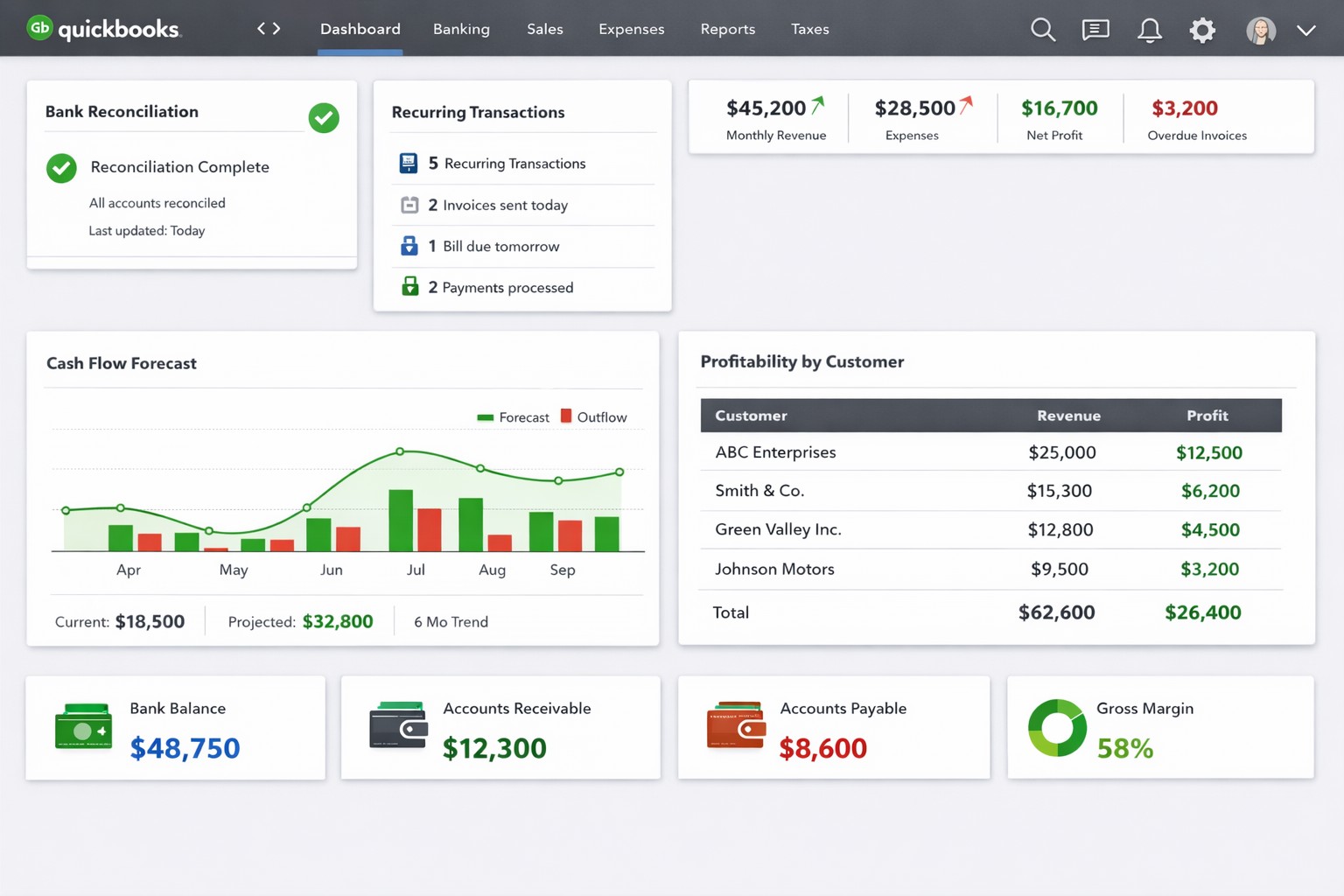
QuickBooks dashboard with automated bank feeds custom reports real-time analytics.
QuickBooks Tips for Business Owners
For business owners, managing finances and keeping track of transactions can be a time-consuming and challenging task. Thankfully, QuickBooks comes to the rescue by simplifying the process and providing valuable insights into the financial health of your business. To help you effectively leverage QuickBooks, here are some essential tips:
Tailor QuickBooks to Your Business
Customize QuickBooks to fit the specific needs of your business. Set up your chart of accounts (might get a professional bookkeeper involved in this one), design invoice templates, and format reports to reflect your company brand, industry, and business structure. This will ensure accurate tracking and reporting of your financial data.
Automate Routine Tasks
Save time and reduce errors by automating routine tasks in QuickBooks. Utilize features like recurring invoices, bill payments, and bank feeds to streamline your financial processes. By automating these tasks, you can focus on more strategic activities and have more accurate data.
Regularly Reconcile Bank Accounts
Reconciling your bank accounts with QuickBooks is crucial for accuracy. Perform bank reconciliations at least monthly if not weekly to ensure that all transactions are recorded correctly, and any discrepancies are resolved promptly (another one you might want the help of a bookkeeper with). This process helps identify errors, fraud, and improves the accuracy of financial reporting.
Utilize Financial Reports
QuickBooks provides a range of financial reports that give you valuable insights into your business’s financial performance. Regularly review reports such as Profit and Loss, Balance Sheet, Cash Flow Statement, and Accounts Receivable/Payable Aging. These reports help in making informed decisions, keep finances on track, and identify areas for improvement.
Take Advantage of Integrations
QuickBooks integrates with a variety of other business tools such as CRM/ERP systems, payment processors, and inventory management software. Explore and leverage these integrations to automatically sync data and improve efficiency. This helps eliminate manual data entry and ensures seamless information flow between different systems.
Backup Your Data
Regularly backup your QuickBooks data to prevent any potential loss due to system failure or data corruption. Utilize both local and cloud-based backup options to keep your information secure. Additionally, test the restore process periodically to ensure that your backup is functional.
Stay Updated and Seek Expert Help
QuickBooks frequently releases updates and new features to enhance user experience and address any issues. Make sure to keep your software version up to date to access the latest improvements. Additionally, if you encounter any complex accounting or technical questions, don’t hesitate to seek help from QuickBooks experts or certified professionals.
Farmhouse Networking has been supporting Quickbooks for our client for many years. We are experts at installing and maintaining Quickbooks in companies that have multiple users.
Had a client with a simple peer-to-peer network of three machines that was using Quickbooks for their accounting and customer database. Their main bookkeeper’s workstation was the “file server” for their network with the rest as “client” workstations on their network. This allowed the secretary to access the customer data while scanning in contracts. Regularly these computers would become disconnected and their secretary was unable to connect properly. It would give a Quickbooks H202 error when trying to open across the network. This was causing multiple files to be created and their bookkeeper was often contacted to “fix” the problem. When I got an opportunity to work on their network there were several issues that needed addressing to properly fix the issue:
In a peer-to-peer environment, hosting should only be enabled on the hosting computer (file server).
On each workstation (not the file server), open QuickBooks and choose File Utilities.
If you see Host Multi-User Access on the list, this computer is not hosting the company file and you can go to the next computer. Note: Don’t change anything if you see Host Multi User Access at your workstation.
If you see Stop Hosting Multi-User Access, select that option.
Click Yes to confirm. In the Company File Must Be Closed window, click Yes.
Repeat steps 1-4 on each computer.
Verify QuickBooks Services
When working with QuickBooks in a multi-user mode, QuickBooks services need to be running on the file server computer.
Make sure the QuickBooksDBXX (XX represents the year of QuickBooks) and QBCFMonitorService services are started.
Click the WindowsStart button.
Press the Windows key + R to bring up the run box.
Type services.msc and press Enter.
In the services window, scroll down and look for the QuickBooksDBXX service. Note: XX represents the year of QuickBooks you are troubleshooting.
If you do not see the QuickBooksDBXX service, open QuickBooks, go to File– Utilities– and make sure hosting is enabled (it should say Stop Hosting Multi User access. If it says Host Multi User mode, click it to enable hosting on the server)
Double-click the QuickBooksDBXX service and make sure the Startup Type is set to Automatic and service status is Started.
Click the Recovery tab.
Click the drop-down menu for First failure and select Restart the Service. This will automatically restart the QuickBooksDB service if it fails. Do the same for Second failure and Subsequent failures:
Click OK to save the changes.
Repeat steps 1-6 above for the QBCFMonitorService.
Open QuickBooks in multi-user mode on each affected workstation. If the issue persists, try to make sure the QuickBooksDBXX service is a member of the administrator group and has the appropriate permissions.
Open the Network Ports QuickBooks Uses to Transmit Data
Perform the following on each computer:
Access Windows Firewall Settings
For Windows 8
Hover the mouse in the upper or lower right-hand corners and select Settings
Click on Control Panel and choose Windows Firewall
On the left, click on Advanced Settings
For Windows Vista/Windows 7/Windows Server 2008
Click the Start menu and enter firewall.
Click on Windows Firewall with Advanced Security.
On the left, right-click on Outbound Rules, and choose New Rule
Note (Windows Vista/Windows 7/Windows Server 2008): It’s a little tricky, you have to left-click Outbound Rules first to highlight it, then right-click on it.
Choose Ports and click Next.
Select TCP and in the specific local ports box, enter in the following ports:
QuickBooks 2016: 8019, 56726, 55368-55372
QuickBooks 2015: 8019, 56725, 55363-55367
QuickBooks 2014: 8019, 56724, 55358-55362
QuickBooks 2013: 8019, 56723, 55353-55357
Click Next and select Allow the Connection.
Click Next to enter a name in the name field (for example, “QuickBooks ports” ) and click Finish.
Repeat steps 1-5 for the Inbound Rules.
Open QuickBooks in multi-user mode.
If you have a third party antivirus/firewall program, you may need to configure any other firewall or antivirus software.
Note: For a temporary solution, you may disable the anti-virus/firewall program to identify it as a problem and make sure to re-enable it when you’re done with the test. If the error persists, continue to step 3 (Ping the Server Computer).
Once these three items are configured properly on each of the network workstations then there should be no problems with connectivity or get any further Quickbooks H202 errors – that is of course as long as the “file server” workstation is not turned off or allowed to go to sleep. Also the file cannot be switched to single user mode on any computer unless it is then set back to multi-user mode once advanced configuration is done. If your company is using Quickbooks for your accounting or customer database and need help getting the network connected to the file, then contact us for assistance.
Found the amazingly easy to use Quickbooks Install Tool that fixed common installation errors after I ran into this issue with a client on two of their new workstations, same model, when trying to install Quickbooks 2014 Premier. The client had previously contacted Quickbooks for remote installation support but the technician was unable to fix it. I tried the installation from scratch using administrative credentials and got an:
Error 1904. Module “C:\Program files\Intuit\Quickbooks 2010\ICWrapper.dll” failed to register.
Which led me to the Quickbooks Support Forums that revealed a new tool in the Quickbooks support arsenal – the Quickbooks Install Tool. This handy tool does a repair of several key components for installing software, reboots the computer, and then restarts the installation before Windows finishes booting completely to avoid any conflicts. It works like a charm.
If your company is using Quickbooks for your accounting or customer database and need help getting Quickbooks Install Tool to fix your installation issues, then contact us for assistance.
And God will generously provide all you need. Then you will always have everything you need and plenty left over to share with others. As the Scriptures say,
“They share freely and give generously to the poor. Their good deeds will be remembered forever.”
For God is the one who provides seed for the farmer and then bread to eat. In the same way, he will provide and increase your resources and then produce a great harvest of generosity in you. - 2 Corinthians 9:8-10
We use cookies to ensure that we give you the best experience on our website. If you continue to use this site we will assume that you are happy with it.