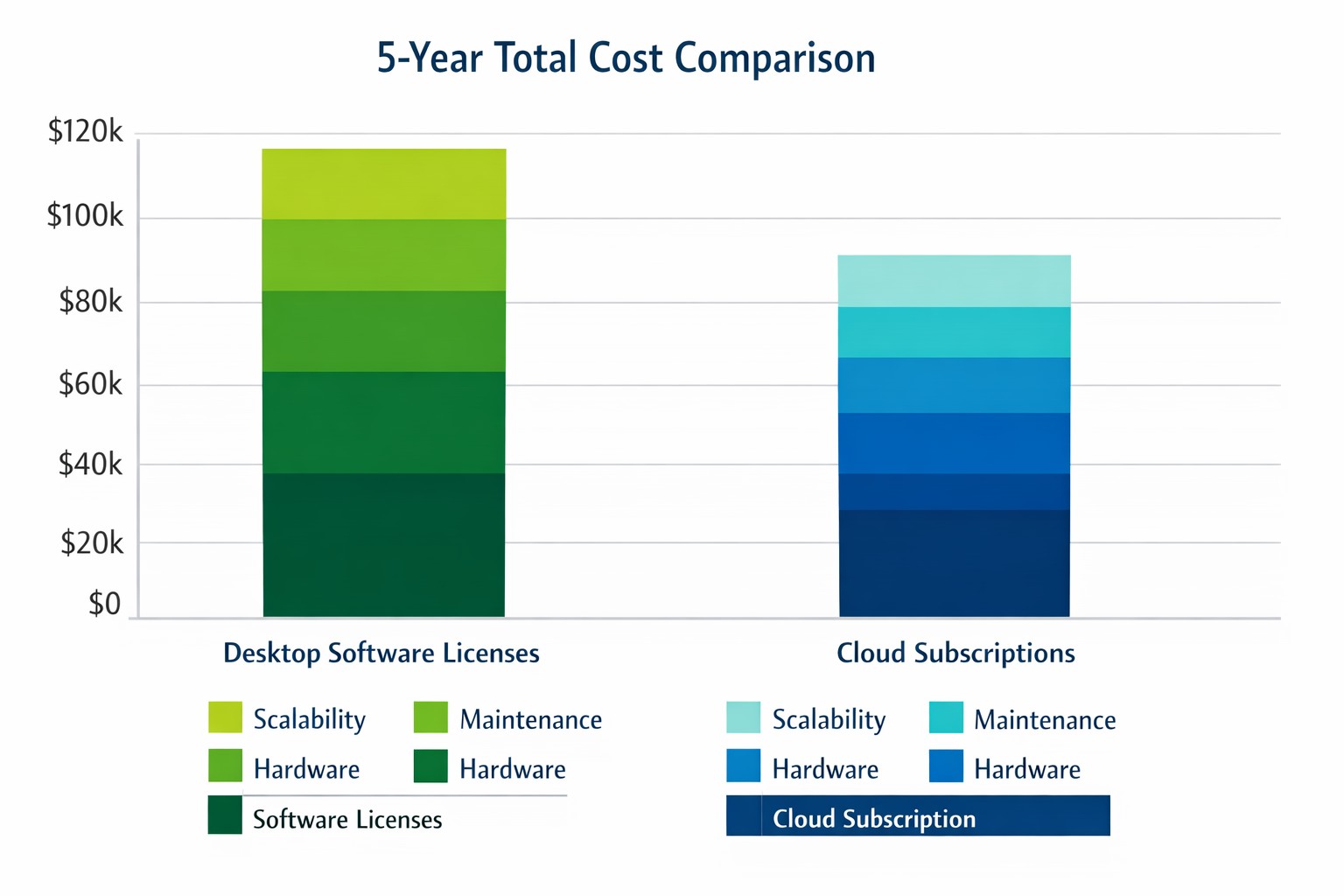
Cloud subscriptions often beat desktop software on long-term TCO and scalability.
Choosing the right productivity software for your company is a critical decision that can impact your bottom line and operational efficiency. The debate between traditional desktop software and cloud-based subscription models is particularly relevant when considering Microsoft Office, a staple in most business environments. Let’s examine the cost implications and benefits of both options to help you make an informed decision for your organization.
Microsoft Office 2024: One-Time Purchase for Business
Microsoft Office 2024 offers a perpetual license option that may appeal to businesses looking to have a single capital expenditure (CAPEX) and value ownership of a product.
Office Home & Business 2024
Price: $249.99 per license
Includes: Word, Excel, PowerPoint, OneNote, and Outlook
End of Life: 5 years from date of publication (October 1st, 2024)
This option provides access to core Office applications without the need for annual renewals. However, it’s important to note that this version lacks some features available in the subscription-based Microsoft 365, such as advanced collaboration tools and continuous updates.
Microsoft 365: Subscription Model for Businesses
Microsoft 365 offers a subscription-based model with more frequent updates and additional features tailored for business needs. This is an option that may appeal to businesses looking to have a gradual operating expenditure (OPEX).
Microsoft 365 Business Standard
Price: $12.50 per user/month (annual commitment)
Includes: All features of Business Basic plus desktop versions of Office apps
Microsoft 365 Business Premium
Price: $22.00 per user/month (annual commitment)
Includes: All features of Business Standard plus advanced security and device management
The subscription model provides more flexibility, allowing users to access Office apps on multiple devices and platforms. It also includes additional services like advanced threat protection and device management tools.
Cost Comparison for Businesses
To illustrate the cost implications, let’s consider a small business with 10 employees over a five-year period:
Office Home & Business 2024: $2,499.90 (10 licenses at $249.99 each)
Microsoft 365 Business Standard: $7,500 (10 users for 5 years at $12.50/user/month)
While the one-time purchase appears more economical initially, it’s crucial to consider the added value of the subscription model, including:
Regular feature updates and security patches
Cloud storage and collaboration tools
Multi-device access
Advanced security features
Scalability as your business grows
Factors to Consider for Business Owners
When making your decision, consider the following:
Growth projections: If you anticipate hiring more employees, the subscription model offers easier scalability.
Collaboration needs: Cloud-based solutions provide better tools for team collaboration and remote work.
IT resources: Subscription models often require less in-house IT management.
Cash flow: While subscriptions are more expensive long-term, they require less upfront investment.
Feature requirements: Evaluate if your business needs the advanced features offered in Microsoft 365.
Making the Right Choice for Your Business
The best option depends on your specific business needs:
If your company requires the latest features, values cloud integration, and needs robust collaboration tools, Microsoft 365 might be the better choice.
If you prefer a one-time purchase, have limited need for updates or cloud services, and have a stable workforce size, Office 2024 could be more cost effective.
Call to Action
Navigating the complexities of software licensing and cloud services can be challenging for business owners. At Farmhouse Networking, we specialize in helping businesses optimize their IT infrastructure and software solutions. Whether you’re considering a switch to cloud-based services or looking to streamline your current setup, our experts can guide you through the process. Contact Farmhouse Networking today to discuss your options and find the best solution for your business needs. Let us help you configure your network for maximum efficiency and cost-effectiveness, ensuring that your software choices align with your business goals and budget.
Outlook Quick Steps automation rules and focused inbox organization.
Are you a business owner who heavily relies on Microsoft Outlook? Here are some pro tips and tricks to help you get the most out of your Outlook experience. Whether you’re a seasoned Outlook pro or just getting started, these tips are guaranteed to improve your productivity and streamline your daily workflow.
Keyboard Shortcuts
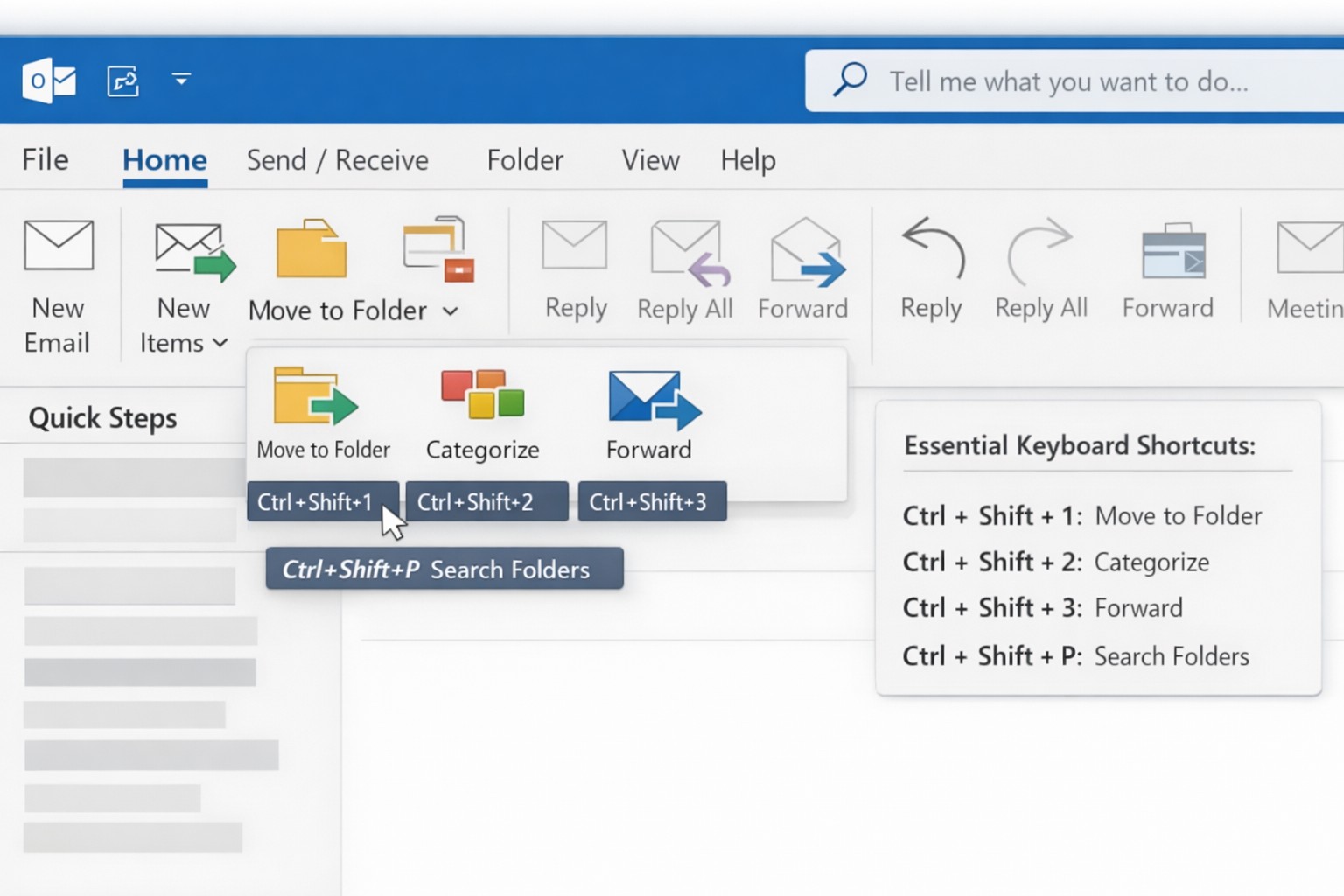
Outlook offers a plethora of keyboard shortcuts that can save you valuable time. Instead of navigating through multiple menus and options, simply memorize a few key strokes:
Ctrl + N: Compose a new email.
Delete: Deletes the currently selected message.
Ctrl + Enter: Sends the current message.
Ctrl + Shift + M: Create a new meeting request.
Ctrl + Shift + A: Create a new appointment.
Ctrl + R: Reply to an email.
Ctrl + Shift + R: Reply All to an email.
Ctrl + F: Forwards the currently selected message.
Ctrl + Shift + V: Move a message to a different folder.
By using keyboard shortcuts you can perform common tasks with lightning speed, getting more done each day. Check out a more complete list here.
Advanced Search Features
With the vast amount of emails and information being managed in Outlook, finding specific messages or attachments can be a frustrating. However, Outlook’s advanced search features can be a lifesaver. By utilizing the “Search” bar at the top of your Outlook window, you can search by sender, recipient, subject, date, and even specific keywords within attachments. By harnessing these powerful search capabilities, you can save time and quickly locate important information.
Email Rules and Filters
Tired of spending precious minutes organizing your inbox manually? Outlook’s email rules and filters to the rescue. By setting up rules, you can automatically sort incoming emails into their respective folders, mark them as read, forward them to specific recipients, or even delete them. This way, your inbox stays clutter-free, and you can easily prioritize or categorize emails based on your needs.
Outlook’s Calendar Features
Managing your schedule and appointments effectively is crucial for any business owner. Outlook’s calendar features can simplify this process. Here are a couple of tips to optimize your calendar usage:
Color-code your appointments: Assign specific colors to different types of appointments (e.g., meetings, conferences, personal events). This visual distinction makes it easier to differentiate between various engagements at a glance.
Share your calendar: Collaborate and stay connected with your team by sharing your calendar. This feature enables everyone to view your availability and schedule meetings accordingly, eliminating unnecessary back-and-forth communication.
Customize Your Outlook
Outlook can be customized to fit your specific work preferences. Take advantage of the following customization options:
Quick Steps: Create customized shortcuts for common tasks and actions.
Quick Access Toolbar: Add frequently-used features to the toolbar at the top for quick access.
Themes and Fonts: Personalize the visual appearance of Outlook to match your style and make it more visually appealing and user-friendly.
By customizing Outlook to align with your work habits, you’ll find yourself navigating the application more efficiently and enhancing your overall productivity.
Want to learn more about Outlook’s advanced features? Reach out to our team of experts today and discover how we can further enhance your business operations with Microsoft Outlook.
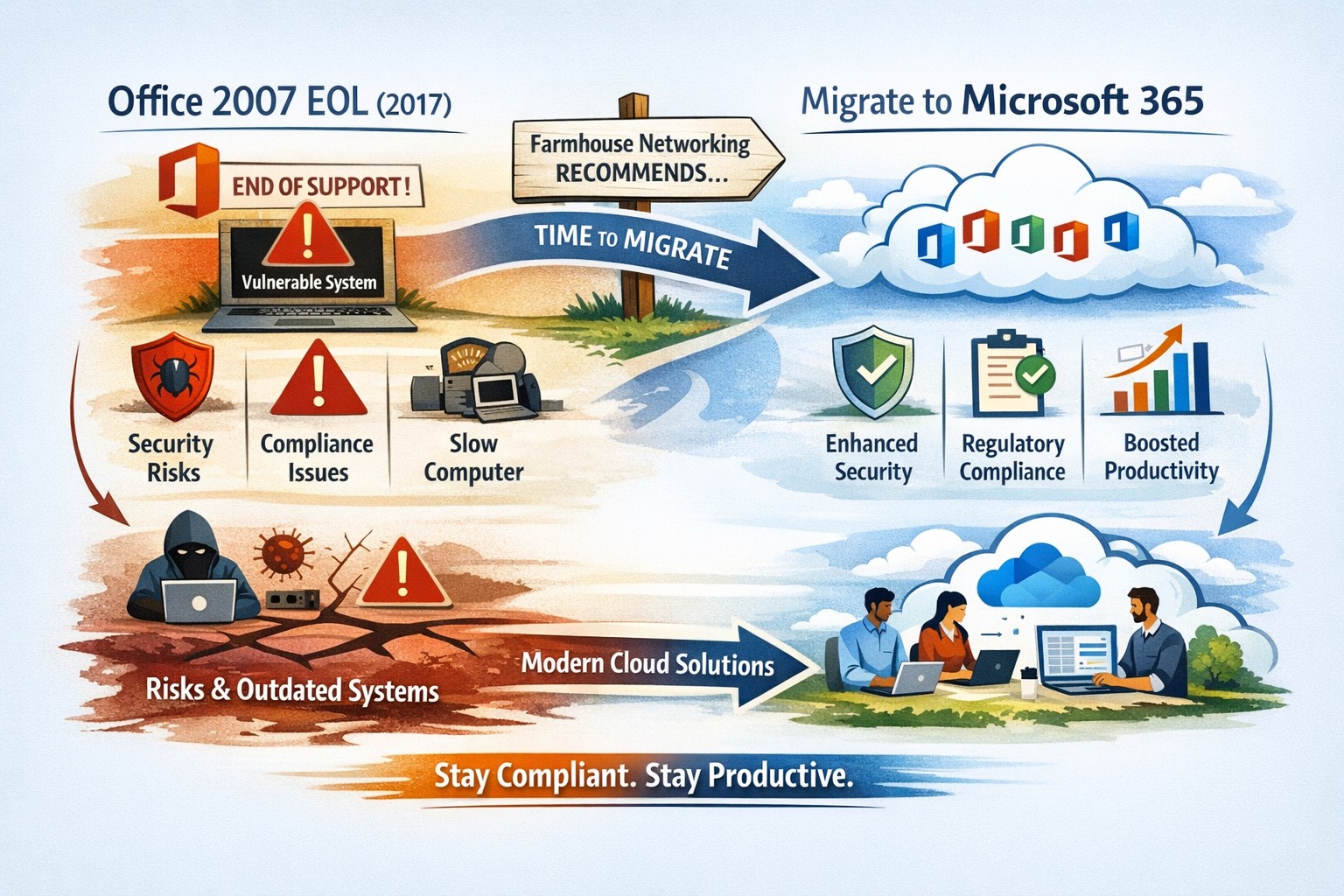
All good things must come to an end and all software will one day reach End-of-Life (EOL). Microsoft Office 2007 EOL is coming in October 2017 as per the Microsoft Support Lifecycle Site. This will mean that all patching and extended support for the product will end and anything new that goes wrong with the product is ignored by Microsoft. This allows malicious hackers to use these flaws to easily infect systems, encrypt data, exfiltrate data or basically have their way with your systems. Now is the time to consider updating your systems to Office 365 which includes the opportunity to use their fabulous new Exchange Online service along with many other useful cloud based services.
And God will generously provide all you need. Then you will always have everything you need and plenty left over to share with others. As the Scriptures say,
“They share freely and give generously to the poor. Their good deeds will be remembered forever.”
For God is the one who provides seed for the farmer and then bread to eat. In the same way, he will provide and increase your resources and then produce a great harvest of generosity in you. - 2 Corinthians 9:8-10
We use cookies to ensure that we give you the best experience on our website. If you continue to use this site we will assume that you are happy with it.