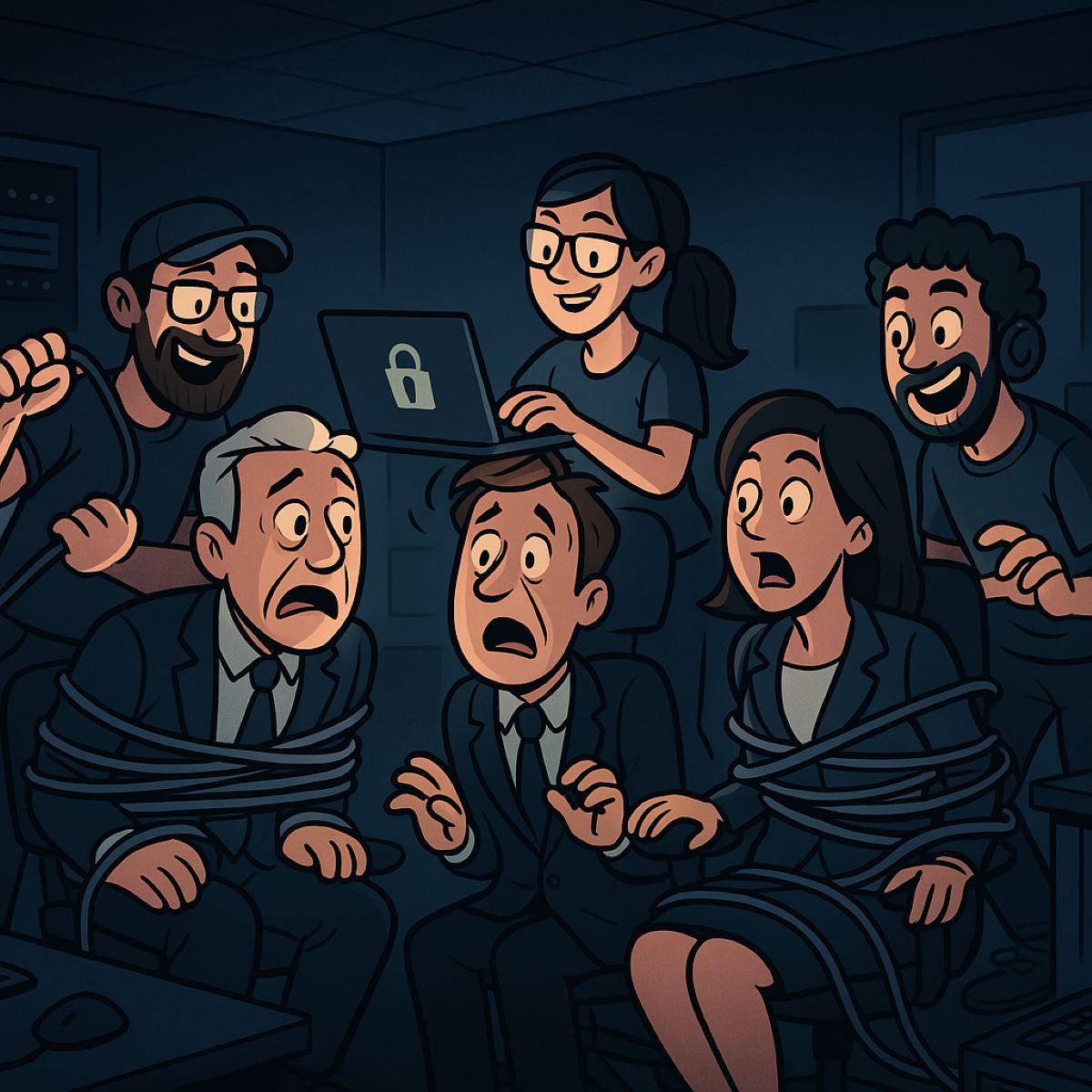
Small businesses rely on professional email security to protect customer and financial data from phishing and hacks.
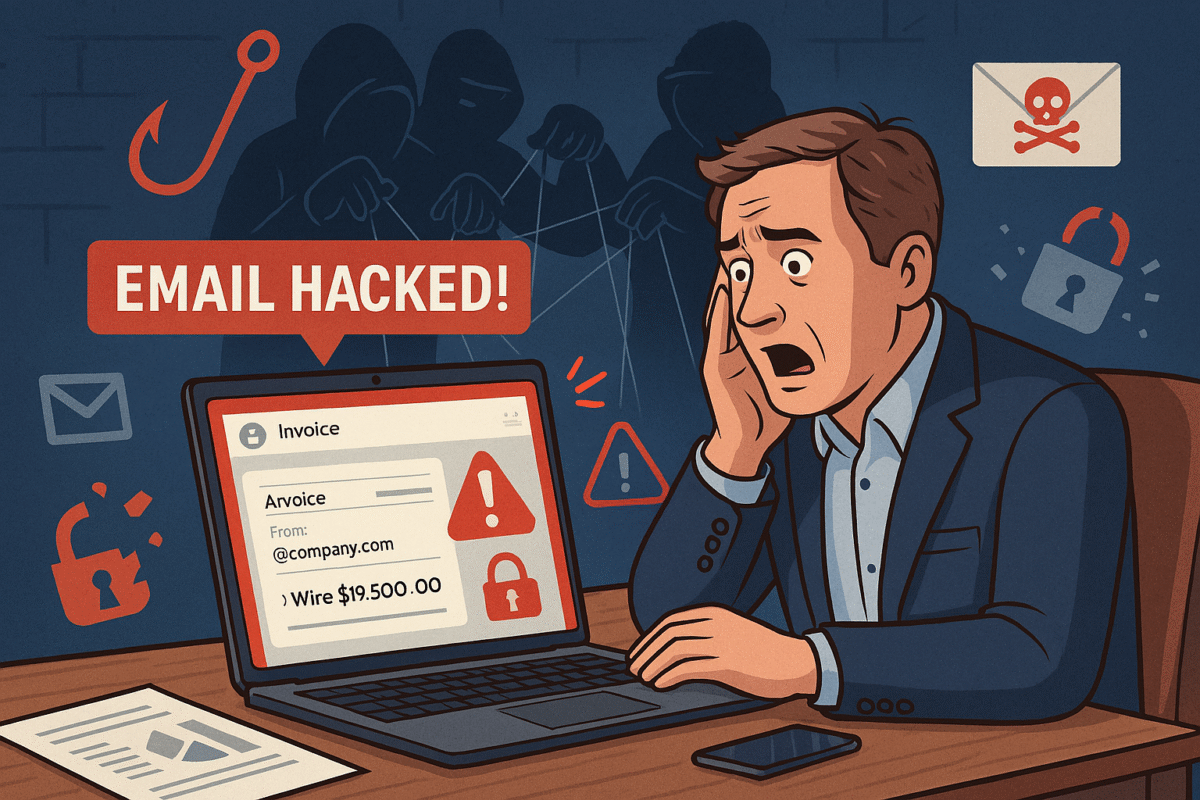
You’re running your business, responding to client messages, when suddenly strange duplicate messages and failed delivery emails flood your inbox. This is what happened to a business owner who discovered her emails—including sensitive financial data—were silently copied to hackers for weeks without her knowledge.
For small and midsized businesses (SMBs), this type of attack can result in financial loss, leaked company secrets, and damaged relationships with clients.
What Happened in This Email Breach
Hackers guessed or stole an email password.
They set up secret rules to forward every incoming message.
Confidential information like Social Security numbers, tax data, and financial records were exposed.
Farmhouse Networking responded by:
Removing malicious rules.
Securing the account with new password protections and recovery options.
Advising the business owner on how to monitor for ongoing fraud.
Practical Steps for SMBs
SMBs aren’t too small to be targeted. In fact, they’re often prime targets. Protect your business with these key actions:
Set strong passwords and enable MFA: Critical first layer of defense.
Regularly review email rules: Look for forwarding or auto-delete actions you didn’t create.
Encrypt sensitive documents: Especially contracts, employee data, and customer details.
Train employees: Staff should recognize phishing emails before they trigger a hack.
Backup systems: Ensure backups of both email and company files are offline-protected.
Have an incident response plan: Know what to do if a breach occurs.
Questions Your Clients May Ask
“Did hackers see my information?” If emails contained contracts, billing, or sensitive attachments—possibly.
“Could this affect my payments or records?” Yes. Compromised invoices or payment requests can be used in fraud scams.
“Can clients continue to trust our company?” By demonstrating enhanced security measures and a clear recovery plan, clients can regain confidence.
How Farmhouse Networking Helps SMBs
Farmhouse Networking empowers SMBs with:
Affordable enterprise-grade email security.
24/7 monitoring for account breaches.
Employee training to reduce phishing success rates.
Scalable security solutions for growing businesses.
Your business reputation is too valuable to be left to chance. Secure your email systems and protect your clients’ trust with Farmhouse Networking. Reach out today at support@farmhousenetworking.com.
Why SMBs Need Smart Network Infrastructure Management
Optimizing SMB network infrastructure for stronger, scalable business networks
For small and midsize business owners, every minute of uptime counts. A slow or vulnerable network isn’t just frustrating—it costs productivity, damages customer trust, and drains revenue. Network Infrastructure Management, guided by CIS (Center for Internet Security) standards, is the key to keeping your technology reliable, secure, and scalable.
Practical Action Steps
Audit Your Current Network: Compare your systems to CIS-recommended controls to uncover risks.
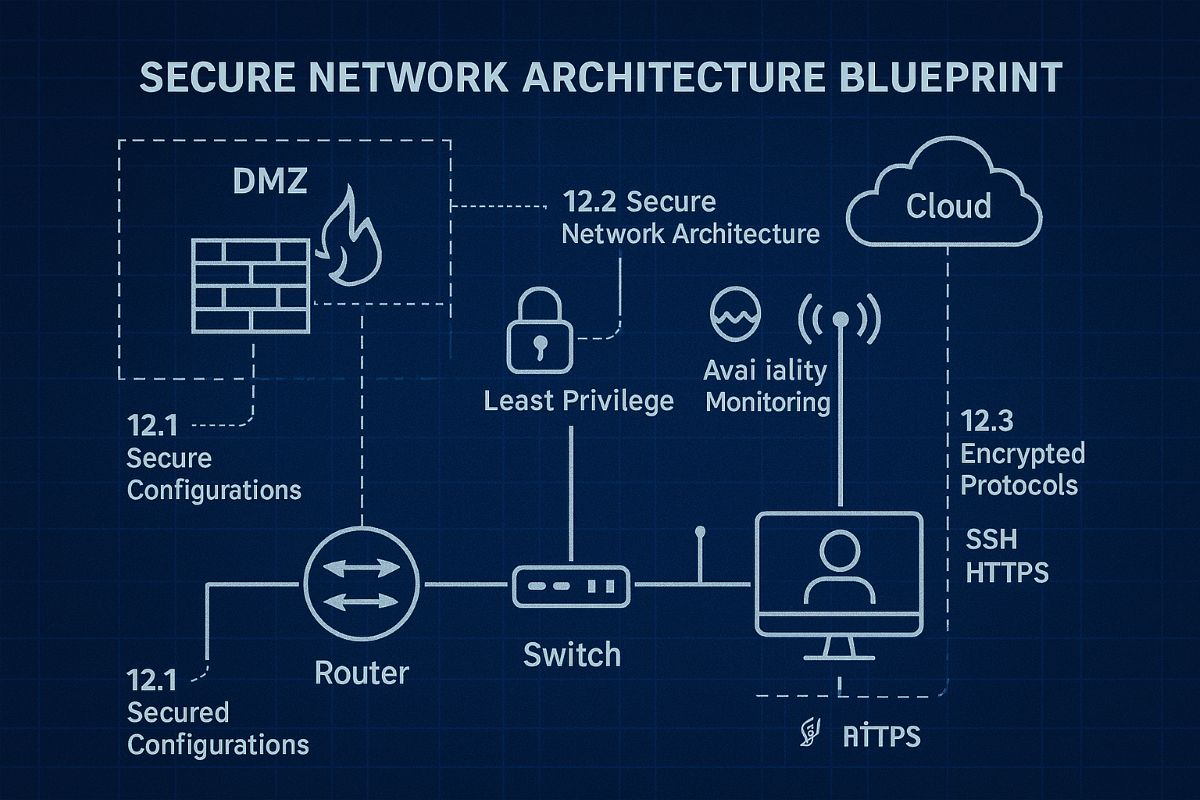
Secure Data Flows: Implement firewalls, intrusion detection, and CIS baseline configurations.
Plan for Growth: Ensure your infrastructure supports cloud, remote work, and future expansion.
Continuous Monitoring: Use real-time alerts to prevent disruption before it happens.
Employee Awareness: Provide staff training on cybersecurity aligned with CIS best practices.
Client Q&A
“Do CIS standards apply to smaller companies?” – Absolutely; they’re designed to scale to all business sizes.
“Will I need to overhaul my whole network?” – Not necessarily. Often, a phased approach is more cost-effective.
“What if I already have an IT person?” – Farmhouse Networking’s role is to extend their expertise, not replace it.
How Farmhouse Networking Helps We align your systems with CIS benchmarks, secure your infrastructure, and monitor it constantly. That means less downtime, stronger client trust, and more bandwidth for business growth.
Call to Action Ready to protect your network and grow confidently? Email us today at support@farmhousenetworking.com to learn how Farmhouse Networking can keep your systems strong and compliant.
Key network monitoring tools every small business needs for optimal performance
As a business owner, you know reputation and customer trust are everything. But cybercriminals don’t discriminate by size—small and midsize businesses (SMBs) are increasingly the targets of ransomware and data theft. CIS Critical Security Control 13 gives you a practical way to stay ahead of attackers and protect your company’s future.
Practical Action Steps for SMBs:
Enable real-time network monitoring: Know immediately if your systems are under attack.
Centralize your logs: Aggregate data to detect issues before they escalate.
Set threshold-based alerts: Don’t wait until damage is visible to respond.
Review reports regularly: Make monitoring part of monthly executive/IT reviews.
Q&A for SMBs:
“Aren’t we too small for hackers to notice?” No—SMBs are now among the most targeted because criminals assume defenses are weak.
“Do I need an in-house IT team for this?” Not necessarily—outsourced experts can cost-effectively handle monitoring for you.
How Farmhouse Networking Helps: Farmhouse Networking provides SMBs with managed network monitoring, advanced alerts, and proactive defense strategies. We scale solutions to fit your size, budget, and growth goals.
Don’t leave your business exposed. Email Farmhouse Networking today and start building stronger defenses for lasting success.
Streamline service provider management: Achieve IT compliance with robust vendor security and risk assessment protocols
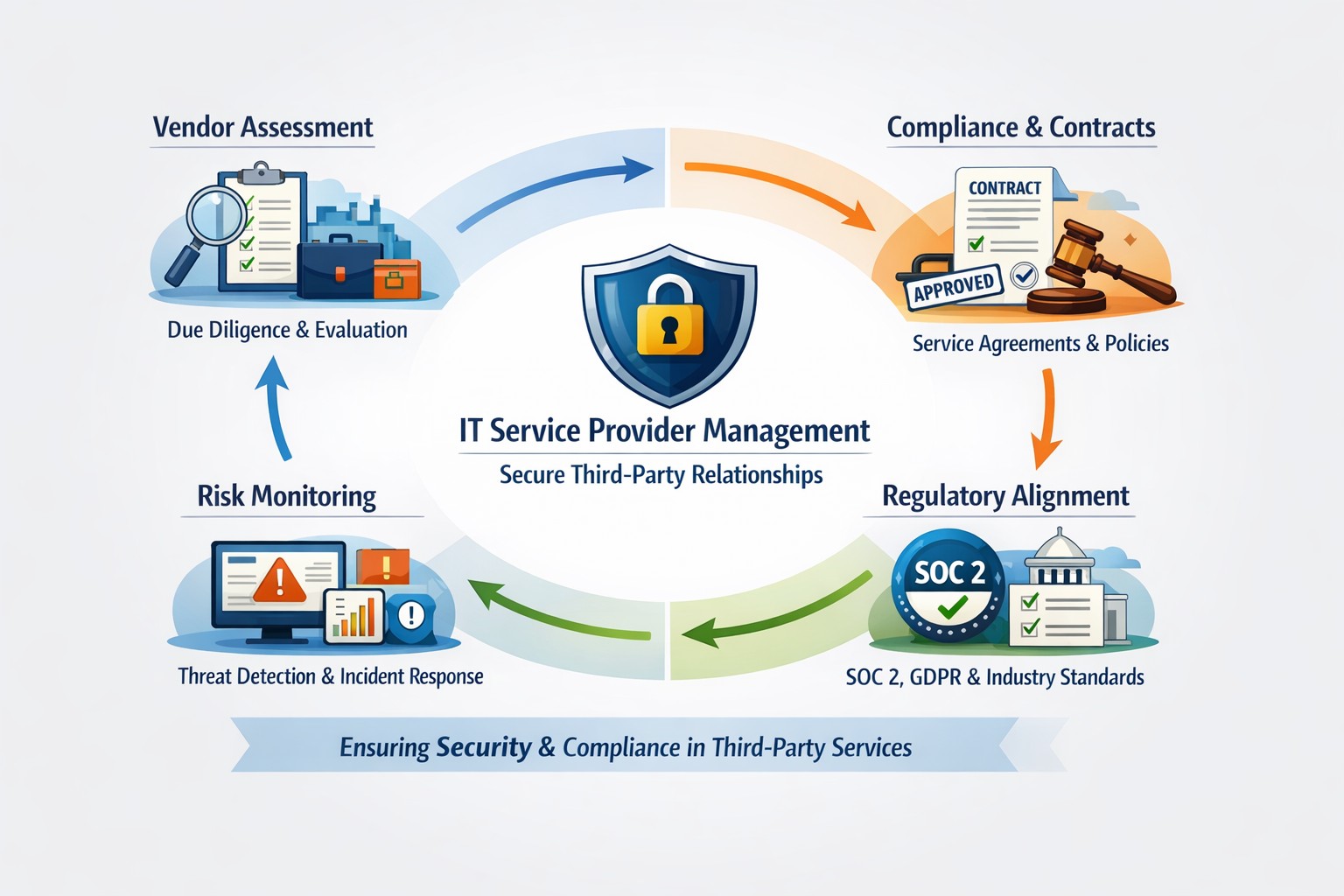
As a business owner, you likely rely on outside vendors for IT, cloud services, or financial software. But if those service providers aren’t properly managed, they can become your greatest security risk. The CIS Controls framework, specifically Control 15 (Service Provider Management), offers a roadmap to protecting your company from third-party threats.
Action Steps You Should Take Now:
Inventory Your Providers – List all third-party vendors with access to your systems and data.
Evaluate Security Practices – Review how vendors secure your data. Do they meet CIS control standards?
Define Contractual Requirements – Update contracts to include security obligations (like encryption or incident response timelines).
Develop an Exit Strategy – Ensure data can be safely transferred or destroyed when contracts end.
Common Questions Business Owners Ask:
“Why does this matter if my provider is well-known?” Even trusted vendors face breaches. CIS Controls ensure you’re not blindly relying on brand reputation.
“Is this too complicated for a small business?” No. By following a structured checklist, SMBs can apply scalable protections.
“What happens if my provider won’t comply?” That’s a red flag. It might be time to reconsider the partnership.
How Farmhouse Networking Helps: At Farmhouse Networking, we help businesses create service provider inventories, negotiate stronger contracts, and set up monitoring strategies aligned with CIS Controls. We act as your vendor management partner so you can focus on growth rather than worrying about third-party risks.
Want to secure your business through smarter Service Provider Management? Email us at support@farmhousenetworking.com to learn how we can build a safer future for your company.
Build your incident response plan: Be ready not sorry with structured IT disaster preparedness for business continuity
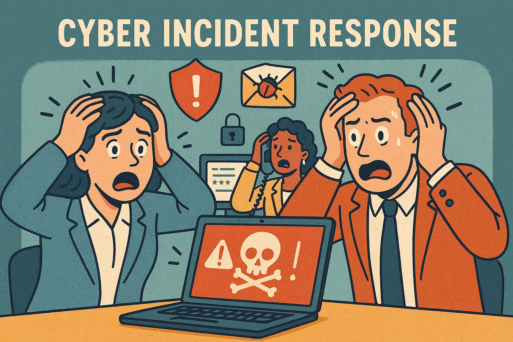
A single cyber incident can halt operations, lose you money, and damage your reputation. Every small business owner should have a tested, up-to-date incident response plan for business continuity in today’s digital landscape.
Action Steps
Identify Key Systems & Vulnerabilities: Map critical assets and conduct risk assessments.
Form a Cross-functional Team: Clarify roles across IT, management, and other departments.
Draft & Document the Plan: Prepare step-by-step procedures for detection, containment, eradication, recovery, and lessons learned.
Schedule Regular Drills: Simulate breaches and review performance; adjust where needed.
Keep Everything Updated: Revise often to reflect new threats and internal changes.
Q&A
Q: What is the biggest challenge? A: Ensuring clear communication and rapid response across departments.
Q: What if something changes in our business? A: Update the plan and retrain your team right away.
How Farmhouse Networking Helps
Farmhouse Networking streamlines every step—custom planning, team training, tabletop exercises, and ongoing consults to keep your business secure.
Penetration testing identifies risks before hackers exploit them
Small and midsize businesses (SMBs) face the same cyber risks as big enterprises—sometimes more. One breach can threaten your business. Penetration testing is proactive protection that keeps you ahead of cybercriminals and in step with regulations.
Practical Action Steps:
Conduct a cybersecurity review of your business systems.
Schedule monthly or at least semi-annual penetration testing to find and fix weaknesses.
Educate employees on safe online behavior.
Maintain records to meet regulatory requirements such as PCI DSS or state privacy laws.
Common Client Q&A: Q: Isn’t our firewall enough? A: No; penetration testing simulates real attacks to discover deeper vulnerabilities.
Q: Are tests only for big companies? A: No; many regulations require SMBs to perform regular risk assessments and penetration testing.
How Farmhouse Networking Helps: We tailor penetration testing to your industry and provide step-by-step guidance—so your business stays protected and compliant.
Take control of your cybersecurity. Email Farmhouse Networking for more information on securing your business.
Strategic business growth planning: Scale operations with robust IT and networking support for sustainable expansion
Whether expanding office space or adding new locations, your business needs a strong, flexible IT setup to keep operations running smoothly. Here’s what every business owner should do.
Practical Steps:
Increase Computing Capacity: Upgrade systems so they can handle more customers, data, and applications without slowing down.
Secure Network Connections: Keep all offices and remote employees safely connected with secure networks.
Implement Collaboration Software: Choose tools that help your teams communicate and work together seamlessly, wherever they are.
Common Client Questions:
How do we keep data secure across multiple sites? Through encrypted connections and reliable security measures like firewalls, VPNs, and antivirus software.
Will adding more users slow down our systems? Proper upgrades and scalable solutions prevent slowdowns and keep efficiency high.
What collaboration tools work best? Simple, widely used platforms offer shared calendars, instant messaging, and file-sharing apps like Microsoft Office 365.
How Farmhouse Networking Can Help:
We help SMBs upgrade IT infrastructure affordably and efficiently, ensuring fast performance, strong security, and smooth collaboration no matter how fast you grow.
Ready to scale your business IT confidently? Email support@farmhousenetworking.com for a free consultation today.
Defend your business WiFi from becoming a hacker target with robust wireless security measures against common threats
Reliable and secure internet access is critical, especially for satellite offices relying on connectivity to central locations. Recently, one of our healthcare clients was nearly shut down by their ISP after the Recording Industry Association of America (RIAA) reported illegal music downloads traced to their IP address. The source? An open guest wireless network left unprotected.
How the Incident Unfolded
The ISP alerted the client via email, having received a complaint from the RIAA alleging that copyrighted music was illegally copied and distributed through BitTorrent on their network. Farmhouse Networking’s investigation pinpointed the activity: at 2 a.m., someone exploited the guest WiFi, which lacked any password protection, to download files illegally.
Had the ISP shut down the internet, this satellite healthcare office would have faced canceled appointments and redirected patients, impacting not only their reputation but costing thousands in lost revenue.
Key Wireless Network Security Lessons for Healthcare Providers
This incident highlights crucial vulnerabilities common in healthcare and other sectors:
Never leave guest WiFi networks open. Any unsecured network is an open invitation to unauthorized use and legal risks.
Use strong encryption and passwords on all wireless networks, including guest access, to block unauthorized connections.
Implement DNS filtering to prevent illicit peer-to-peer activity and block access to unauthorized sites.
Separate guest traffic from internal business-critical networks to safeguard sensitive data and operations.
Regularly audit network access points and update security settings, including changing default passwords on routers and regularly changing the wireless passwords.
Steps Farmhouse Networking Took to Protect the Client’s Wireless Network
Working closely with the healthcare office, Farmhouse Networking:
Secured their wireless network with strong WPA3 encryption and complex passwords.
Added DNS filtering to the guest wireless network to prevent peer-to-peer and similar applications.
Advised on ongoing monitoring and best security practices to safeguard against future misuse.
Emphasized the importance of network segmentation to protect sensitive healthcare data.
Why Wireless Network Security Matters in Healthcare
Beyond avoiding ISP shutdowns and illegal activity accusations, securing wireless networks in healthcare is essential for compliance with regulations like HIPAA, protecting Electronic Protected Health Information (ePHI), and maintaining patient trust.
Protect Your Business WiFi Today
Don’t risk your healthcare practice’s internet access, reputation, or compliance by allowing unsecured wireless access. Contact Farmhouse Networking to perform a comprehensive wireless network security assessment tailored to your industry’s unique needs. Secure your internet, protect your patients, and keep your practice running smoothly.
Stabilize SMB IT costs and eliminate downtime risks with proactive management
Surprise technology bills, emergency repairs, and the high expense of an in-house IT team create a constant strain on business budgets. For owners aiming to grow while staying in control of expenses, these unpredictable costs aren’t just an annoyance—they can derail plans, erode trust, and limit your business’s ability to invest in what really matters.
Why In-House IT Costs So Much
Maintaining your own IT staff is far more expensive than it first appears:
Salaries and Benefits: A modest in-house IT team for a 40-employee business can run upwards of $192,600 per year—about $402 per user per month. This includes wages for technicians, managers, and benefits that typically add 31% or more to the base salary.
Recruitment and Training: The average cost-per-hire for IT roles is about $4,700, not counting the 8 to 26 weeks of ramp-up time. Added to this are regular education costs needed to keep skills up to date in a rapidly changing tech landscape.
Overhead: Beyond staff, you’re paying for hardware, software licenses (ranging from $500–$18,000 monthly), space, insurance, PTO, and infrastructure.
Turnover: IT has one of the highest turnover rates in any industry. Every time someone leaves, you lose critical knowledge and must bear the cost of recruitment, onboarding, and lost productivity—sometimes as much as 200% of annual salary for that position.
Why Unpredictable IT Costs Threaten Your Business
Budget Surprises: Emergency fixes, one-time service charges, and unclear contracts can cause your monthly expenses to swing wildly, making it impossible to forecast cash flow or plan for the year ahead.
Productivity Losses: Downtime due to system failures not only costs thousands in lost business per hour but also damages your reputation and relationships.
Reactive Spending: Fixing problems as they arise is always more expensive than proactively maintaining equipment or systems. Without a predictable monthly IT plan, you’re forced to “rob Peter to pay Paul” when something inevitably breaks.
Take Action: Steps to Regain Control
Conduct an IT Audit: Know exactly what you’re spending, where, and why.
Distinguish Must-Haves: Separate essential services from legacy software or non-critical expenses.
Move to a Managed IT Model: Managed IT services typically cost just $125–$220 per user per month, offering budgeting clarity and reducing surprises.
Schedule Reviews: Revisit IT budgets quarterly and adjust for business changes early.
Consolidate Vendors: Limit the number of external suppliers so that responsibility is clear, and costs are contained.
How Farmhouse Networking Can Help
Farmhouse Networking partners with you to:
Uncover Hidden Savings: Our audits often find areas to cut unnecessary costs.
Flat-Rate Managed IT: We offer comprehensive support—including monitoring, proactive maintenance, cybersecurity, and strategy sessions—for one predictable monthly fee.
Quarterly Reviews and Strategic Planning: Stay ahead of risks and keep your IT spend aligned with your business goals.
Hands-Off Vendor Management: Eliminate redundant contracts and ensure every dollar spent delivers real value.
Ready to End Unpredictable IT Spending?
Take charge of your IT budget and redirect savings to initiatives that drive your business forward. Contact Farmhouse Networking to schedule your complimentary IT cost assessment.
Relieve IT staff burnout with co-managed services, ensuring vacations don’t disrupt business operations
Imagine this: Your trusted IT staff member, the backbone of your business’s technology, needs a well-deserved vacation or calls in sick. Suddenly, your entire operation is at risk—projects stall, security gaps widen, and stress levels spike. For many business owners, this scenario is all too familiar. Relying on a single person for all IT needs can lead to burnout, costly downtime, and vulnerabilities that threaten your success.
Why Co-Managed IT Is the Smart Solution
Co-managed IT is a partnership that blends your in-house IT expertise with the resources and experience of a dedicated IT provider. This approach ensures there’s always IT support, so your business never misses a beat. Here’s why it matters:
Avoid the costs and risks of being understaffed or overburdened.
Gain a trusted team monitoring and managing your systems.
Your IT staff focuses on day-to-day operations and business-specific needs.
The co-managed provider handles monitoring, backups, cybersecurity, and complex projects.
Both teams communicate and collaborate, ensuring seamless coverage and peace of mind.
Practical Steps to Get Started with Co-Managed IT
If you’re ready to future-proof your business, here’s how you and your IT department can take action:
Assess Your Current IT Workload: Identify areas where your IT staff feels stretched thin or lacks specialized expertise.
Pinpoint Critical Systems: List essential operations and data that must remain secure and accessible at all times.
Open the Conversation: Discuss with your IT staff how external support could relieve pressure and enhance performance.
Research Co-Managed IT Providers: Look for partners with a proven track record, strong communication, and a collaborative approach.
Develop a Transition Plan: Work with your chosen provider to outline roles, responsibilities, and communication channels.
How Farmhouse Networking Can Help
Farmhouse Networking specializes in co-managed IT solutions tailored for businesses like yours. We work alongside, not replace, your internal IT team by offering:
24/7 monitoring and rapid response to keep your systems running smoothly.
Advanced cybersecurity to protect your data from evolving threats.
Expert support for complex projects and technology upgrades.
Seamless collaboration that empowers your staff and maximizes efficiency.
Our approach ensures your business is never vulnerable—whether your IT staff is on vacation, out sick, or simply needs an extra set of hands.
Ready to Safeguard Your Business?
Don’t let a single absence put your business at risk. Email us today to discover how Farmhouse Networking can help you achieve uninterrupted operations, reduce IT stress, and drive your business forward with confidence.
And God will generously provide all you need. Then you will always have everything you need and plenty left over to share with others. As the Scriptures say,
“They share freely and give generously to the poor. Their good deeds will be remembered forever.”
For God is the one who provides seed for the farmer and then bread to eat. In the same way, he will provide and increase your resources and then produce a great harvest of generosity in you. - 2 Corinthians 9:8-10
We use cookies to ensure that we give you the best experience on our website. If you continue to use this site we will assume that you are happy with it.