Consumer routers = compliance nightmares for business networks
Even though we recently sent out another email newsletter about this topic, we have to keep raising this issue as the work from home remains a regular occurrence. A German think tank analyzed 127 popular home routers with the majority having at least one flaw (D-Link, Netgear, ASUS, Linksys, TP-Link and Zyxel were affected by 53 critical-rated vulnerabilities each). The biggest problem is that most (91%) are built on top of an old version of Linux operating system and their makers rarely publish updates.
There are several solutions that we can discuss to secure your work from home networks, so contact us for assistance.
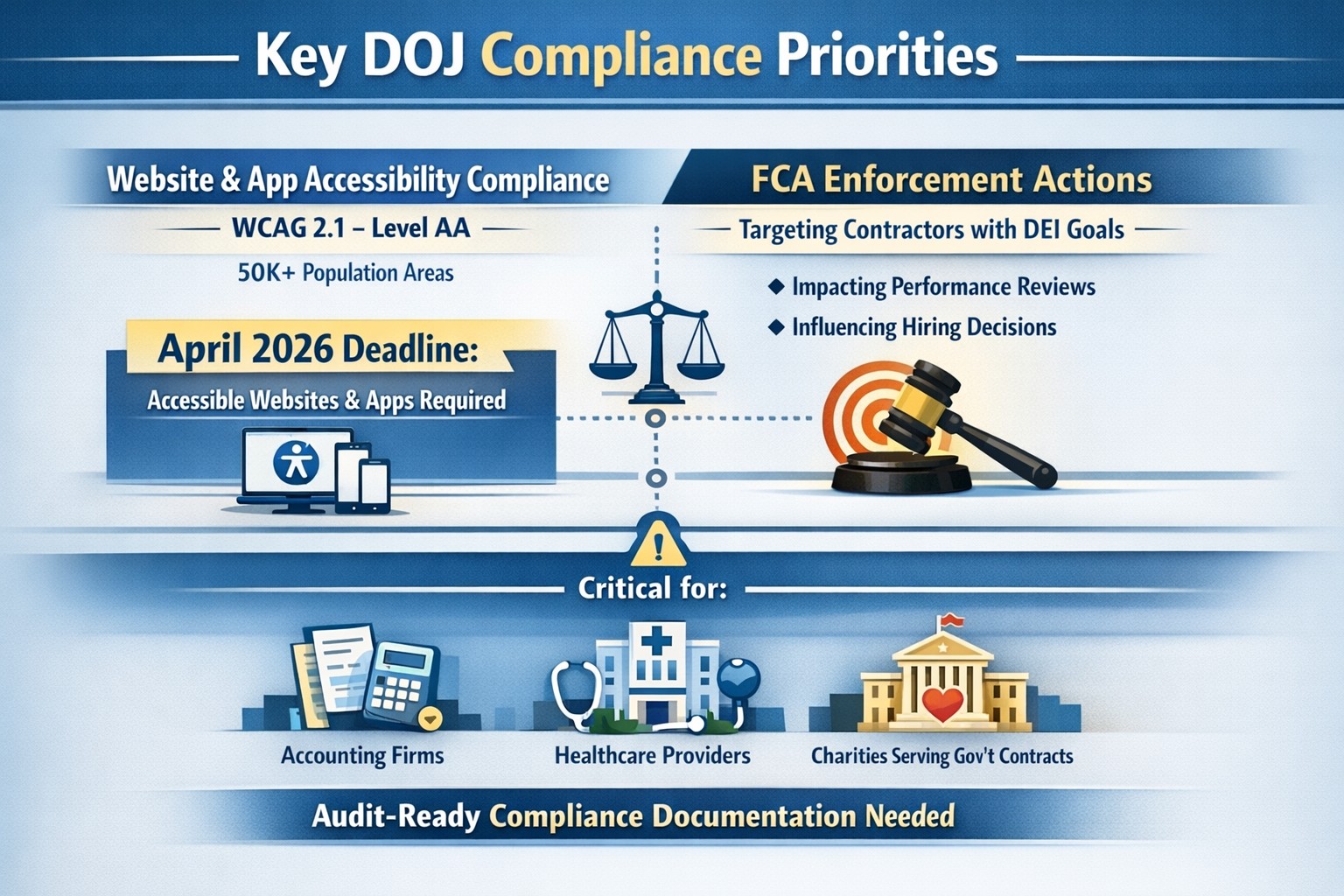
On June 1st, the Department of Justice (DoJ) release further guidance about compliance programs which could effect the way PCI and HIPAA compliance breaches are handled in court.
They state that compliance programs aren’t merely one-and-done snapshots in time, but are instead dynamic programs that get updated regularly to fit changing circumstances.
An article about it states, “the latest guidance issued by DOJ is premised almost entirely on the adequacy of the organization’s risk assessment efforts, an approach well-known and particularly applicable to cybersecurity professionals. Prosecutors are urged to evaluate the quality and effectiveness of an organization’s risk assessment program by examining:
The risk management process, particularly the methodology used to identify, analyze and address the risks an organization faces
Risk-tailored resource allocation, namely whether the organization devotes enough resources to managing risks
Updates and revisions, specifically whether the risk assessment is subject to periodic dynamic reviews
Lessons learned, determining whether the company has a process for tracking and coordinating changes in its risk management program based on its experience
The DOJ also stressed the importance of risk-based training and communications about misconduct as essential parts of how it determines whether the organization’s compliance programs are up to snuff. Finally, the guidance highlights the importance of management support of the organization’s compliance initiatives and the value of extending compliance due diligence to third-party providers.”
If your company is unsure about their compliance program or risk assessment process, then contact us for assistance.
How technology has transformed workplaces: a diverse team using cloud‑based tools and secure connections to collaborate more efficiently
The promise (and the reality) of workplace tech
When most business leaders adopted cloud tools, collaboration platforms, and automation over the last decade, the pitch was simple: technology will make work faster, smoother, and more productive. In many ways, that promise has delivered. Cloud‑based platforms now underpin hybrid work, AI‑driven analytics help you spot bottlenecks, and digital workflows have cut hours of manual effort.
Yet for many mid‑sized business owners, the reality feels messier. Tools are scattered. Systems don’t talk to each other. Employees juggle logins, notifications, and legacy apps that slow them down instead of speeding them up. The real question isn’t whether tech should make work better—it’s how to align your technology stack with your business model, your people, and your growth ambitions.
How technology has already transformed workplaces
Modern workplaces are no longer defined by cubicles and paper; they’re defined by data, connectivity, and automation.
Hybrid and remote work became mainstream, supported by cloud applications, collaboration suites, and secure remote‑access infrastructure.
Cloud adoption now stands at or near saturation for most organizations, enabling scalability, resilience, and faster deployment of new capabilities.
AI and automation are moving from pilot projects to core operations, with 24% of organizations reporting enterprise‑wide AI adoption in 2026—up from 12% in 2025.
Digital‑first workflows have replaced many manual processes, with nearly 90% of companies already relying on cloud technology as a baseline.
For mid‑sized business owners, that means the bar for “modern workplace” is no longer about buying a single tool; it’s about orchestrating a coherent, secure, and scalable technology ecosystem. Failing to manage that ecosystem properly can quietly erode productivity, raise security risks, and slow growth.
Practical steps for you and your IT team
If you’re a mid‑sized business owner, treat your technology stack as a growth‑enabling asset, not just a cost center. Here’s how you and your IT department can turn that promise into results:
1. Audit your current tech stack
Inventory all tools (CRM, accounting, HR, communications, file‑sharing, monitoring, etc.) and map how they connect.
Identify redundancies, unsanctioned tools (“shadow IT”), and gaps in security or integration.
2. Define one source of truth for data
Pick a primary system (e.g., a cloud ERP or CRM) and align reporting, workflows, and user‑experience around it.
Ensure that key systems can sync customer, employee, and financial data so decisions are based on one consistent dataset.
3. Standardize secure access and collaboration
Implement single sign‑on (SSO), multi‑factor authentication (MFA), and role‑based access controls for all cloud and on‑prem systems.
Standardize collaboration tools (e.g., one primary messaging platform and one video‑conferencing suite) to reduce training overhead and context switching.
4. Automate low‑value, repeatable tasks
Identify repetitive workflows (invoices, approvals, ticket handling, onboarding, reports) and automate them using workflow automation or RPA where appropriate.
Measure before and after: time saved per task, error reduction, and impact on customer‑facing SLAs.
5. Invest in continuous training and change management
Treat technology adoption as a change‑management project, not a “one‑and‑done” rollout.
Provide regular training sessions, quick reference guides, and “power‑user” champions in each department to drive adoption.
6. Revisit your security and compliance posture
Ensure cloud‑workload security, data‑retention policies, and endpoint protection keep pace with your growth and regulatory obligations.
Conduct periodic risk assessments and penetration testing, especially as AI‑driven tools and more data‑centric workflows come online.
For mid‑sized owners, these steps should be treated as ongoing disciplines, not one‑time projects. The goal is to build a workplace where technology recedes into the background and employees simply get more done.
Clients’ likely questions—answered
Q: “We already have a lot of tools—why can’t we just keep adding whatever we need?” A: More tools mean more complexity, more security gaps, and more training overhead. Modern mid‑sized businesses get better outcomes by streamlining around fewer, integrated platforms than by stringing together dozens of siloed apps.
Q: “How do we know if our tech is actually improving productivity?” A: Tie technology to measurable KPIs: cycle times, error rates, support‑ticket resolution time, and employee‑time‑spent‑on‑manual‑work. If you can’t quantify the benefit, you’re likely drifting into “tech for tech’s sake.”
Q: “Isn’t AI just hype for bigger companies?” A: AI is now a practical tool for any business that deals with data, workflows, or customer interactions. For mid‑sized firms, it often means automating routine tasks, surfacing insights from operational data, and improving customer service, not building bespoke AI models.
Q: “How do we protect ourselves from ransomware and data breaches while modernizing?” A: Modernization must include proactive security: cloud‑workload protection, endpoint detection and response, secure access controls, and regular backups. A well‑architected environment is actually more secure than a fragmented, legacy‑heavy one.
How Farmhouse Networking can help
Farmhouse Networking partners with mid‑sized business owners to turn technology from a cost center into a competitive advantage. For companies already operating in hybrid or distributed environments, we help:
Map and rationalize your technology stack so tools actually work together instead of against each other.
Design and implement secure, scalable cloud‑enabled workspaces, including secure remote access, SSO, and unified collaboration tooling.
Identify and automate repetitive workflows so your employees spend less time on manual tasks and more time on value‑add work.
Strengthen your security and compliance posture as you adopt AI‑driven tools, cloud services, and new data sources.
We don’t just sell equipment or licenses; we work with your leadership and IT team to align your technology with your business model, culture, and growth plans.
Ready to make technology work for you?
If you’re a mid‑sized business owner and you’ve ever thought, “We all knew tech would make work better—but it still feels like it’s making everything more complicated,” you’re not alone—and you’re in the right place.
In the past couple days there have been press release that show a large number of vulnerabilities in all Cisco Small Business routers and 79 models of the Netgear router line-up. Here are the articles:
The Cisco models are primarily used in small businesses, but the Netgear models include many that are used by home users – this could present a security risk for anyone who is still working from home. Cisco has released patches for the vulnerabilities and the Netgear vulnerabilities remained unpatched.
If your company is still using a “small business” or home based router, then contact us for assistance in checking for updates or replacing them with an business grade router with automatic updates. We also provide network security auditing for both office and home work environments.
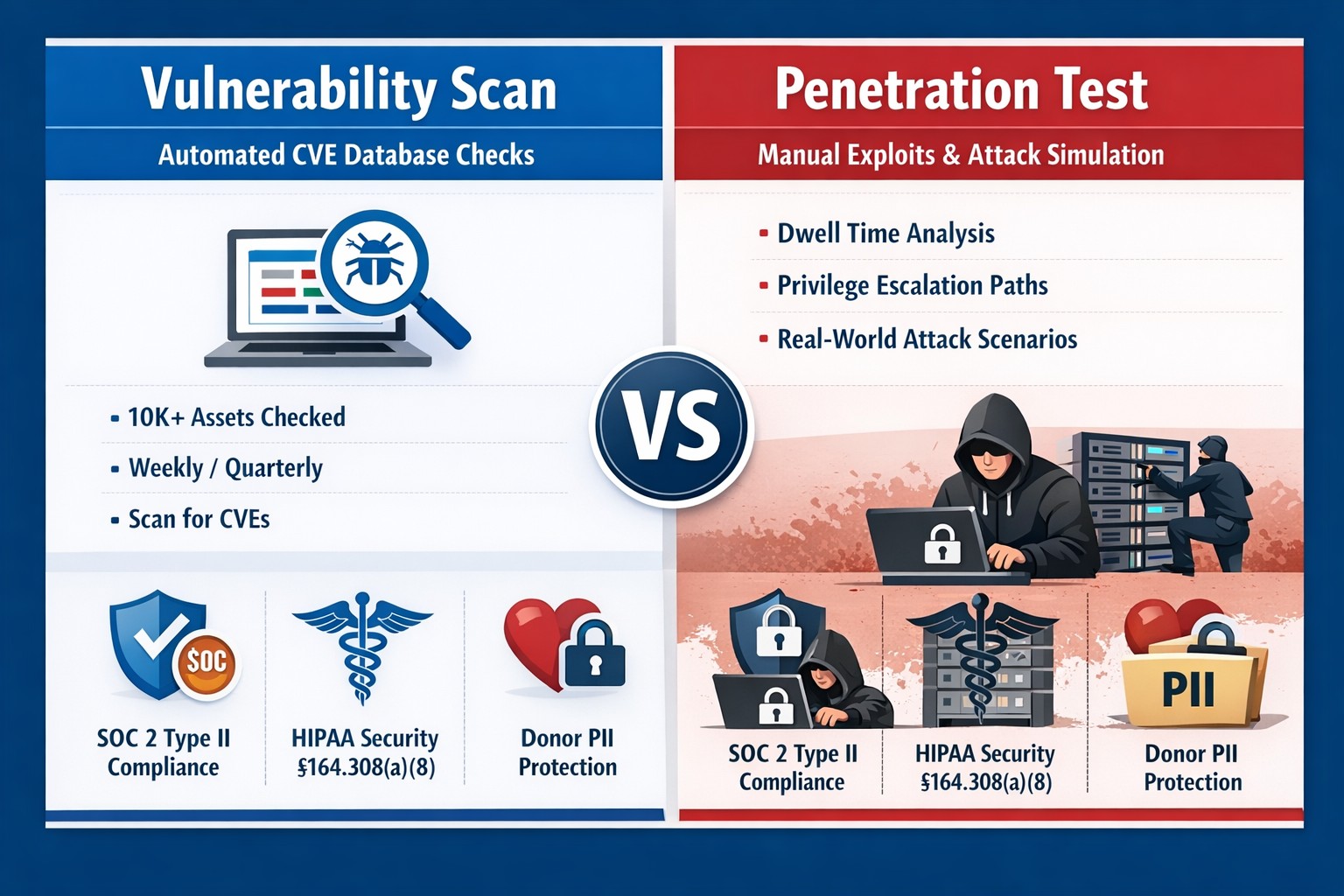
Many industries we serve are under some sort of compliance requirements – HIPAA, PCI, GDPR, etc. and several of these require some sort of vulnerability scans or penetration testing:
HIPAA Section 164.308(a)(1)(ii)(A) states:
RISK ANALYSIS (Required). Conduct an accurate and thorough assessment of the potential risks and vulnerabilities to the confidentiality, integrity, and availability of electronic protected health information held by the [organization].
PCI DSS Requirement 11.3:
The scope of a penetration test, as defined in PCI DSS Requirement 11.3, must include the entire CDE perimeter and any critical systems that may impact the security of the CDE as well as the environment in scope for PCI DSS. This includes both the external perimeter (public-facing attack surfaces) and the internal perimeter of the CDE (LAN-LAN attack surfaces).
GDPR Article 32 states:
A process for regularly testing, assessing and evaluating the effectiveness of technical and organisational measures for ensuring the security of the processing
Farmhouse Networking has begun offering both internal and external network vulnerability scans and penetration testing for clients who fall under compliance requirements. We also provide remediation planning and implementation for any issues found during the scans.
If your company is has compliance requirements for internal or external vulnerability scans or penetration testing, then contact us for assistance.
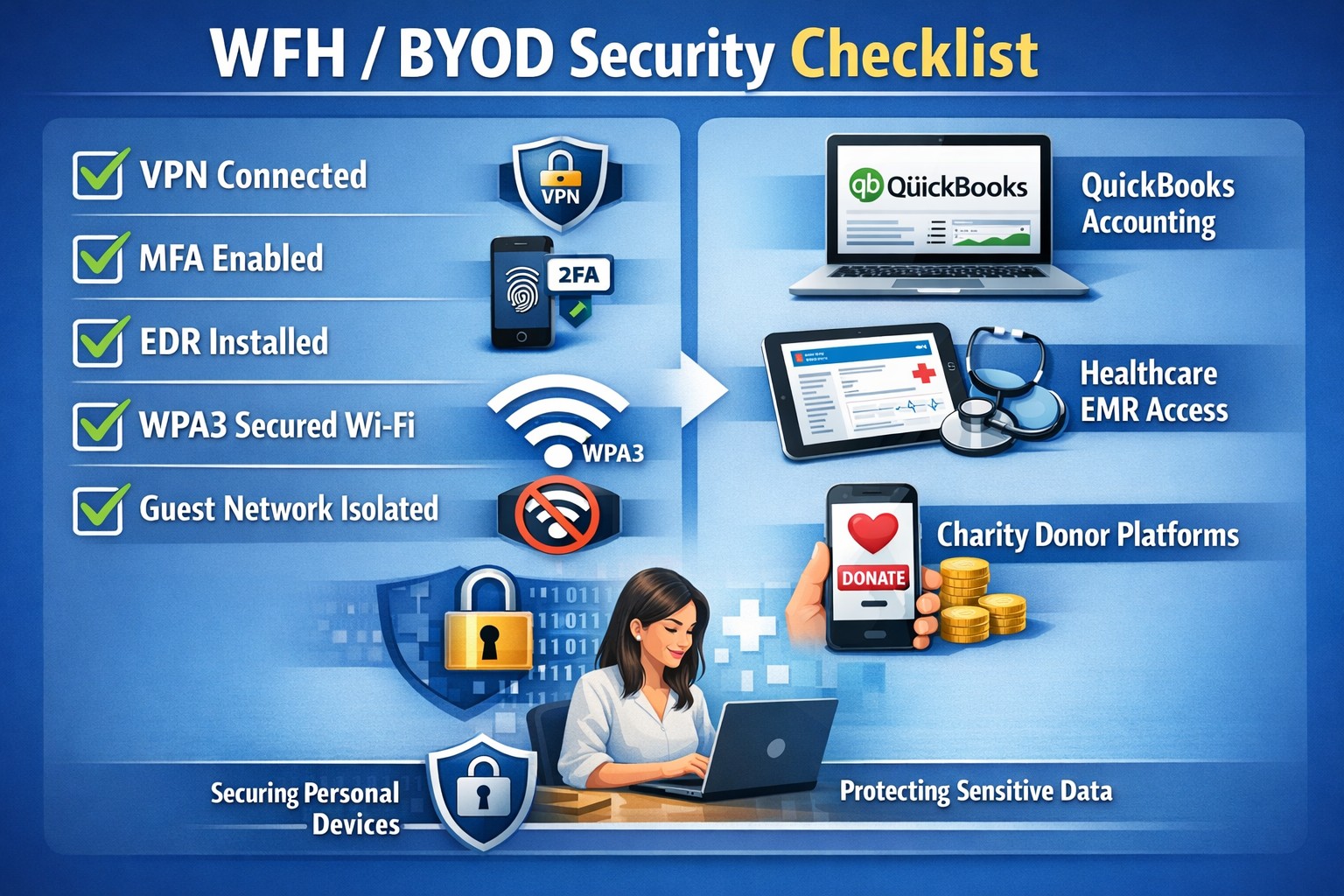
In this unprecedented time that we are currently experiencing, you have had to set your team up to work remotely, often without thinking about how they might actually get work done, let alone security of all things. Our employee checklist and no-cost cybersecurity training course will provide your team with the tools they need to ensure that they are safe and productive – right out of the gate. These free resources are part of our initiative to keep our community safe and working during this time of crisis, without the additional disruption and financial impact of a breach.
Don’t let a change in circumstance allow for a change in cybersecurity standards.
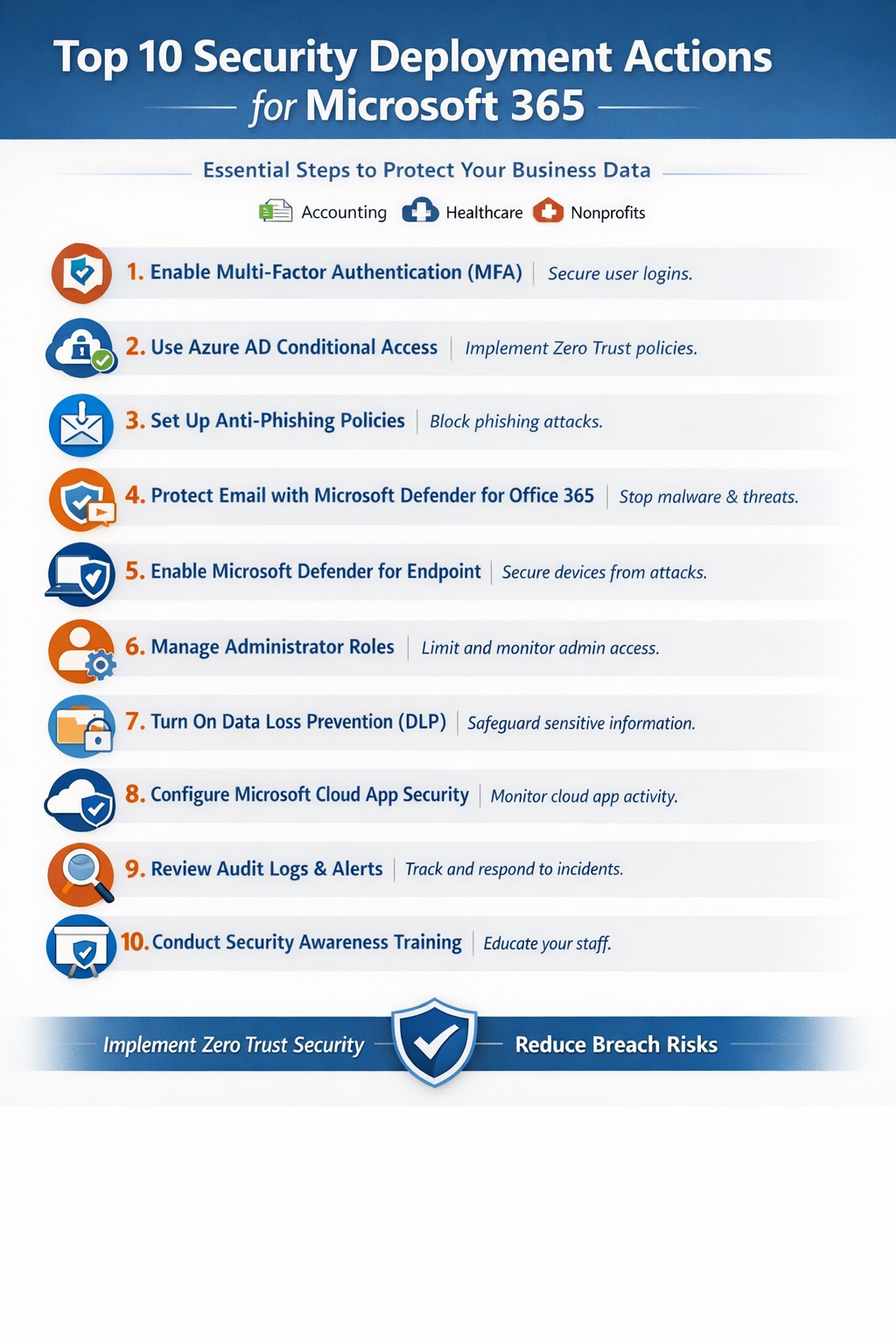
Relying on Microsoft 365 for productivity exposes you to rising cyber threats like phishing and data breaches. Implementing these top 10 security deployment actions fortifies your defenses, protects sensitive data, and ensures compliance—directly impacting your bottom line.
Action Steps for Deployment
Work with your IT team to execute these prioritized steps, drawn from Microsoft-recommended practices. Each targets users, devices, apps, and data for layered protection.
Deploy Azure AD for Unified Identities: Connect on-premises directories to Azure Active Directory (now Entra ID). Create single identities for secure access across resources. Enable in the Microsoft Entra admin center.
Enable Multi-Factor Authentication (MFA): Mandate MFA for all users, prioritizing admins. Use Conditional Access policies to enforce based on location, device, or risk. Start in report-only mode to test.
Set Up Single Sign-On (SSO): Configure SSO in Entra ID for seamless authentication across cloud, devices, and on-premises apps. Reduces password fatigue while enhancing security.
Implement Anti-Phishing Policies: Activate anti-phishing in Microsoft Defender for Office 365. Enable impersonation protection, spoof intelligence, and mailbox intelligence to block targeted attacks.
Configure Data Loss Prevention (DLP): Set DLP policies in Microsoft Purview to classify, label, and protect sensitive data in emails, documents, and Teams. Block sharing of financial or health records.
Enable Safe Links and Safe Attachments: Turn on these Defender features to scan URLs and attachments in real-time. Uses sandboxing to detonate malware safely.
Deploy Microsoft Intune for Devices: Enroll devices in Intune for compliance policies, encryption, and app protection. Integrate with Defender for Endpoint to block threats.
Block Legacy Authentication: Disable POP, IMAP, and SMTP protocols via Conditional Access. Force modern auth to support MFA and cut legacy risks.
Apply Security Baselines and Updates: Use Microsoft security baselines for M365, Exchange, and Windows. Automate patches via Azure Update Manager and monitor compliance.
Monitor with Defender XDR: Activate Microsoft Defender XDR for unified threat detection across endpoints, identity, email, and apps. Review executive reports monthly.
These steps create a zero-trust model, reducing breach risks by up to 99% per Microsoft data.
FAQ: Client Inquiries Answered
How long does implementation take? Most actions deploy in 1-2 weeks for small businesses, starting with MFA and DLP. Full rollout with testing spans 4-6 weeks.
What if we have limited IT staff? Prioritize quick wins like MFA and anti-phishing via the Microsoft 365 Defender portal. Outsource complex configs to experts for speed and compliance.
Does this cover compliance like HIPAA? Yes—DLP and Purview handle healthcare data; Intune ensures device compliance. Audit logs support regulations.
How do we train employees? Use Attack Simulation Training in Defender to run phishing drills. Pair with monthly awareness sessions targeting high-risk users.
What about costs? Core features are in E3/E5 licenses; advanced ones may need add-ons. ROI comes from avoiding $4.45M average breach costs.
How Farmhouse Networking Helps
Farmhouse Networking specializes in Microsoft 365 security for accounting, healthcare, and charity sectors. We audit your tenant, deploy these 10 actions via customized roadmaps, and optimize SEO-friendly sites to attract B2B leads. Our lead gen strategies convert traffic into clients, while branding enhances trust. We’ve helped similar firms cut threats by 80% through Intune and Defender setups.
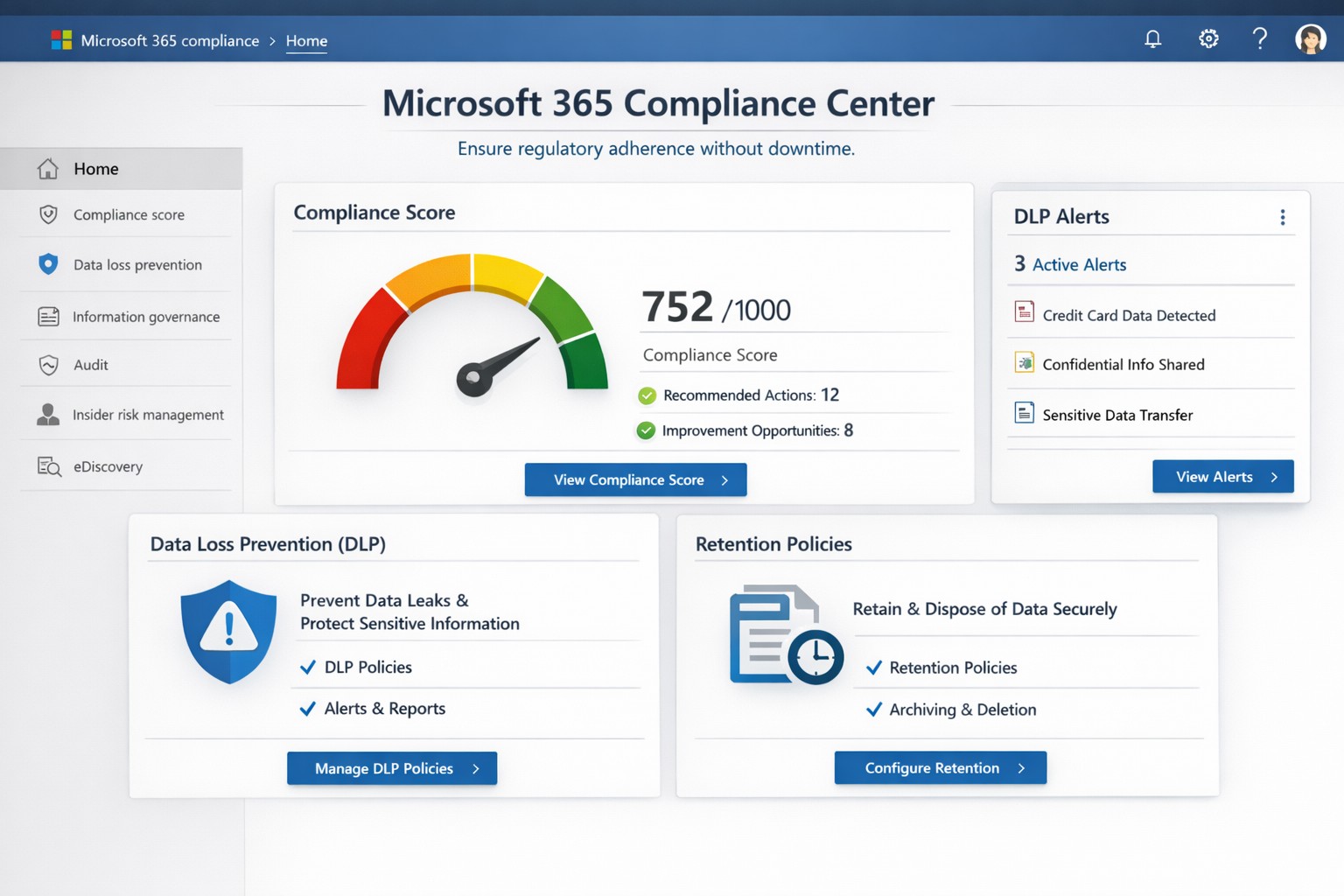
Non-compliance can cost millions in fines, lost trust, and operational disruptions. Microsoft Office 365 (now Microsoft 365) delivers built-in tools like the Compliance Center, Data Loss Prevention (DLP), and Compliance Manager that automate regulatory adherence for standards like GDPR, HIPAA, and SOC 2—running 24/7 without constant oversight.
Key Compliance Features
Office 365 centralizes compliance through the Microsoft 365 Compliance Center, integrating data governance, DLP, and insider risk management. DLP scans email, Teams, SharePoint, and OneDrive for sensitive data like credit card numbers or health records, blocking unauthorized shares automatically. Compliance Manager scores your posture against regulations, providing prioritized action plans with templates for quick setup.
Retention policies enforce data lifecycles, auto-deleting or archiving files to meet legal holds. Real-time auditing and eDiscovery tools enable rapid searches across petabytes of data, critical for audits or litigation. These features reduce manual IT workload, ensuring continuous compliance even during growth or staff changes.
Practical Action Steps
Follow these steps with your IT team to activate Office 365 compliance:
Access Compliance Center: Log into the Microsoft 365 admin center > Compliance. Review your Compliance Score and assign roles (e.g., Compliance Administrator).
Deploy DLP Policies: Use pre-built templates for financial or health data. Define rules (e.g., block external sharing of SSNs), test in audit mode, then enforce. Applies to Exchange, SharePoint, OneDrive, Teams, and endpoints.
Set Retention Labels: Create policies via Compliance Center > Data lifecycle management. Tag documents (e.g., retain contracts 7 years), publish labels to sites/apps.
Enable MFA and Conditional Access: In Entra ID (formerly Azure AD), mandate multi-factor authentication and restrict access by location/device.
Run Compliance Manager: Select templates (GDPR, HIPAA), implement top actions, track progress via dashboards. Schedule monthly reviews.
Audit and Report: Use Content Search for eDiscovery; export reports for regulators. Integrate with Microsoft Purview for advanced analytics.
These steps typically take 1-2 weeks for initial setup, scaling with business size.
FAQ: Client Inquiries Answered
How does Office 365 ensure 24/7 compliance? Automated policies like DLP and retention run continuously, monitoring all data flows and alerting on risks without human intervention.
What regulations does it cover? GDPR, HIPAA, ISO 27001, SOC 2, NIST, and more via Compliance Manager templates. Custom policies handle industry-specific needs.
Is it cost-effective for small businesses? Yes—E3/E5 licenses include core tools; no extra hardware needed. ROI comes from avoiding fines (e.g., GDPR averages $4M per breach).
What if we face an audit? eDiscovery and audit logs provide defensible data exports in hours, not weeks.
Can we customize for healthcare/accounting? Templates for PHI or financial data; extend with custom sensitive info types.
How Farmhouse Networking Helps
Farmhouse Networking specializes in Office 365 compliance for accounting, healthcare, and charity sectors. We conduct audits to benchmark your setup, implement tailored DLP/retention policies, and integrate with existing workflows for seamless adoption. Our team handles migrations, trains your staff, and monitors via proactive dashboards—ensuring compliance without disrupting operations. Past clients in healthcare reduced audit prep time by 70%.
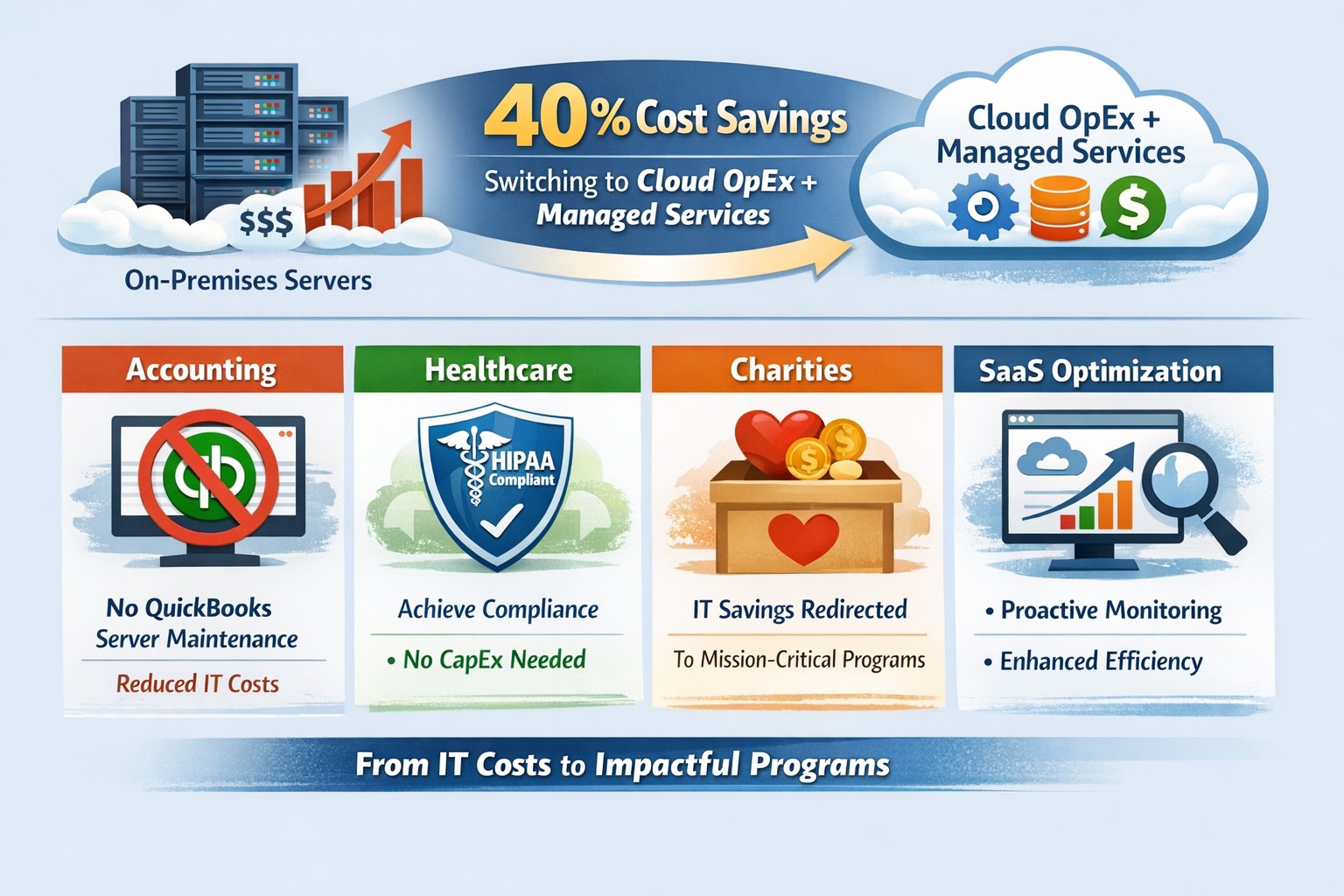
Switch to OpEx IT—slash costs without sacrificing reliability
Here are some quick tips to save money on IT expenses during these tough times.
Ways to cut IT expenses
Software Licensing: Take an inventory of all software licensing that is either auto-renewal or subscription based to determine if you actually need all the features that you are purchasing. There may be a license that is less expensive with less features that you can use instead. It is also good to regularly check for un-used licensing for users that are no longer with the company also. Let us do a full evaluation on your software licensing at no cost.
Paperless: By not printing you save the environment and save on money. Less toner and less paper equal more money in the reserves. It also saves on maintenance or replacement costs on those expensive large multi-function printer devices.
Phone Service: Take a look at the phone bill to see if your carrier has recently changed your pricing from the original discounted price to their standard pricing. Also consider how many lines you have and if they all need separate phone numbers. These kinds of service can often cost more money. It might be time to start shopping for a new vendor to get better rates and Farmhouse Networking is there to help with low rates and no setup charges.
Hardware Consolidation: Multiple servers and extra network equipment due to improper wiring can be an unseen extra expense on the electric bill and increase cooling costs in the office. Using virtual server technology or migrating to the cloud can help lessen the impact of servers in your office. Centralizing / consolidating servers and network equipment will decrease the overall cooling expenses for the building too.
Support Contracts: Are you paying for IT support on a monthly basis? Are you sure you are getting the best deal and only the services you need to keep business functioning? Let us take a look at your contract to see if there are any cuts that can be made to decrease support contract costs.
If your company is going through a tough time financially and looking to save money on IT expenses, then contact us for assistance.
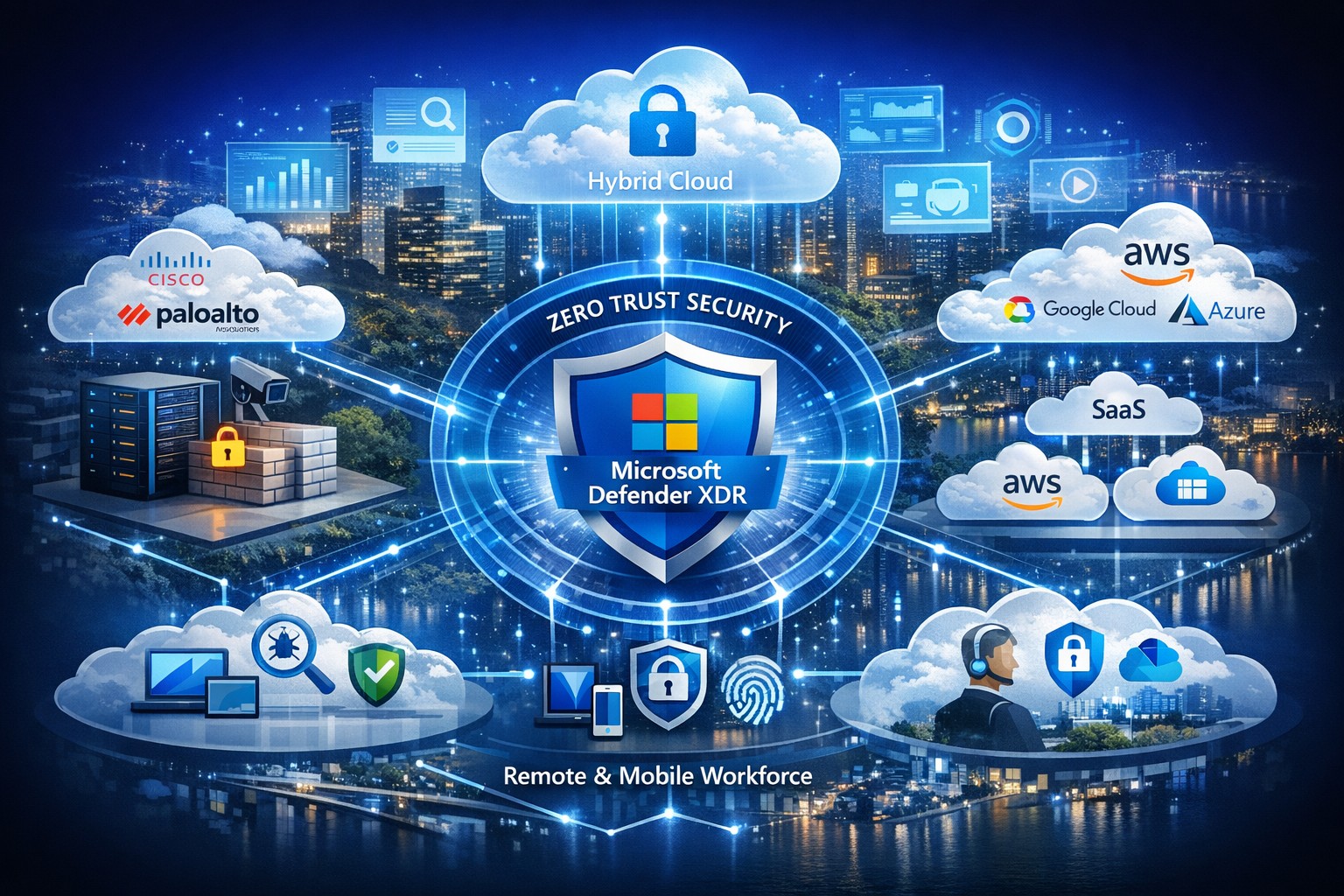
Managing security across solutions from multiple vendors often feels like herding cats—fragmented tools create blind spots, alert fatigue, and compliance headaches. Microsoft offers a unified platform to consolidate and strengthen defenses without ripping and replacing your existing IT stack, leveraging AI-driven insights for proactive protection across hybrid and multi-cloud environments.
Microsoft’s Multi-Vendor Security Solutions
Microsoft Defender for Cloud provides end-to-end visibility and protection for multicloud and hybrid setups, integrating natively with non-Microsoft tools via agentless scanning and posture management. Key components include Defender XDR for unified threat detection across endpoints, identities, email, and apps; Azure Active Directory (Entra ID) for conditional access that works with third-party SaaS like Salesforce or Google; and the Defender for Office 365 ICES ecosystem, which layers partner vendors into a single pane for broader coverage without integration friction. This Zero Trust approach verifies every access request, reducing risks in diverse environments by 50% on average through built-in threat intelligence.
Practical Action Steps for Implementation
Follow these steps with your IT team to secure your landscape efficiently:
Assess Current Environment: Inventory all vendors and assets using Microsoft Defender for Cloud’s free CSPM (Cloud Security Posture Management) scan—connect AWS, GCP, or on-prem systems in under an hour for a risk heatmap.
Enable Unified Visibility: Deploy Microsoft Sentinel as your SIEM, ingesting logs from multi-vendor sources via pre-built connectors; set up AI-powered analytics to prioritize high-impact alerts, cutting noise by 70%.
Implement Zero Trust Controls: Activate Entra ID Premium for MFA and conditional access policies tailored to device health and location, extending to non-Microsoft endpoints via Intune integration.
Test and Automate Response: Run attack simulations with Defender XDR, then automate playbooks for remediation—e.g., isolate compromised endpoints across vendors automatically.
Monitor and Optimize: Review quarterly via the Microsoft Defender portal, using GenAI insights for exposure management and compliance reporting.
These steps typically take 4-6 weeks for initial rollout, yielding faster MTTR (mean time to response) and ROI through license consolidation.
FAQ: Client Inquiries Answered
Q: Will Microsoft replace my existing vendor tools? A: No—Microsoft emphasizes integration, not replacement. Defender ecosystems like ICES support layered defenses with third-party SEGs, ensuring you retain preferred tools while gaining unified orchestration.
Q: How does this handle hybrid/multi-cloud setups? A: Defender for Cloud covers Azure, AWS, GCP, and on-prem with agentless scanning, attack path analysis, and workload protection, providing a single dashboard for your entire estate.
Q: What’s the cost for a mid-sized business? A: Pricing starts at pay-as-you-go (e.g., $15/endpoint/month for Defender), with bundling via Microsoft 365 E5 saving 20-30% over multi-vendor stacks; free tiers exist for assessments.
Q: How secure is data across vendors? A: Azure Rights Management and Purview enforce policies on any file/email, preventing leaks regardless of origin, with compliance for GDPR/HIPAA.
Q: Can we pilot this without commitment? A: Yes—30-day trials via Azure portal let you test integrations risk-free.
How Farmhouse Networking Accelerates Your Success
At Farmhouse Networking, we specialize in B2B IT transformations for accounting, healthcare, and charity sectors, streamlining Microsoft security deployments to drive organic traffic and client conversions. Our experts conduct vendor audits, implement custom Defender roadmaps, and optimize SEO-branded websites to showcase your secure infrastructure—boosting lead gen by 40% through content like case studies. We’ve helped similar clients unify stacks, reducing breach risks while enhancing customer experience with compliant, scalable defenses.
Ready to secure your digital landscape? Email support@farmhousenetworking.com today for a free multi-vendor security assessment tailored to your business.
And God will generously provide all you need. Then you will always have everything you need and plenty left over to share with others. As the Scriptures say,
“They share freely and give generously to the poor. Their good deeds will be remembered forever.”
For God is the one who provides seed for the farmer and then bread to eat. In the same way, he will provide and increase your resources and then produce a great harvest of generosity in you. - 2 Corinthians 9:8-10
We use cookies to ensure that we give you the best experience on our website. If you continue to use this site we will assume that you are happy with it.