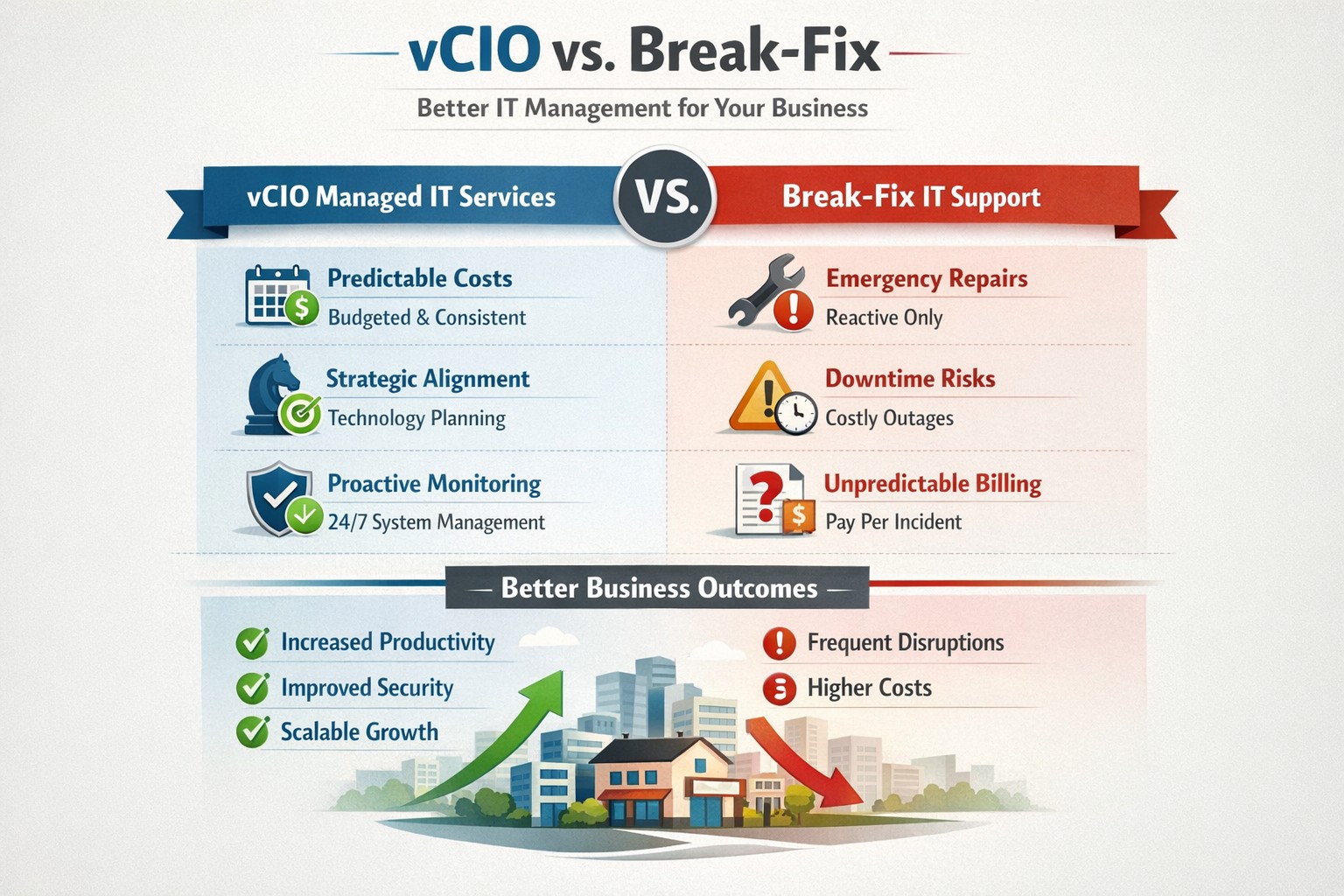
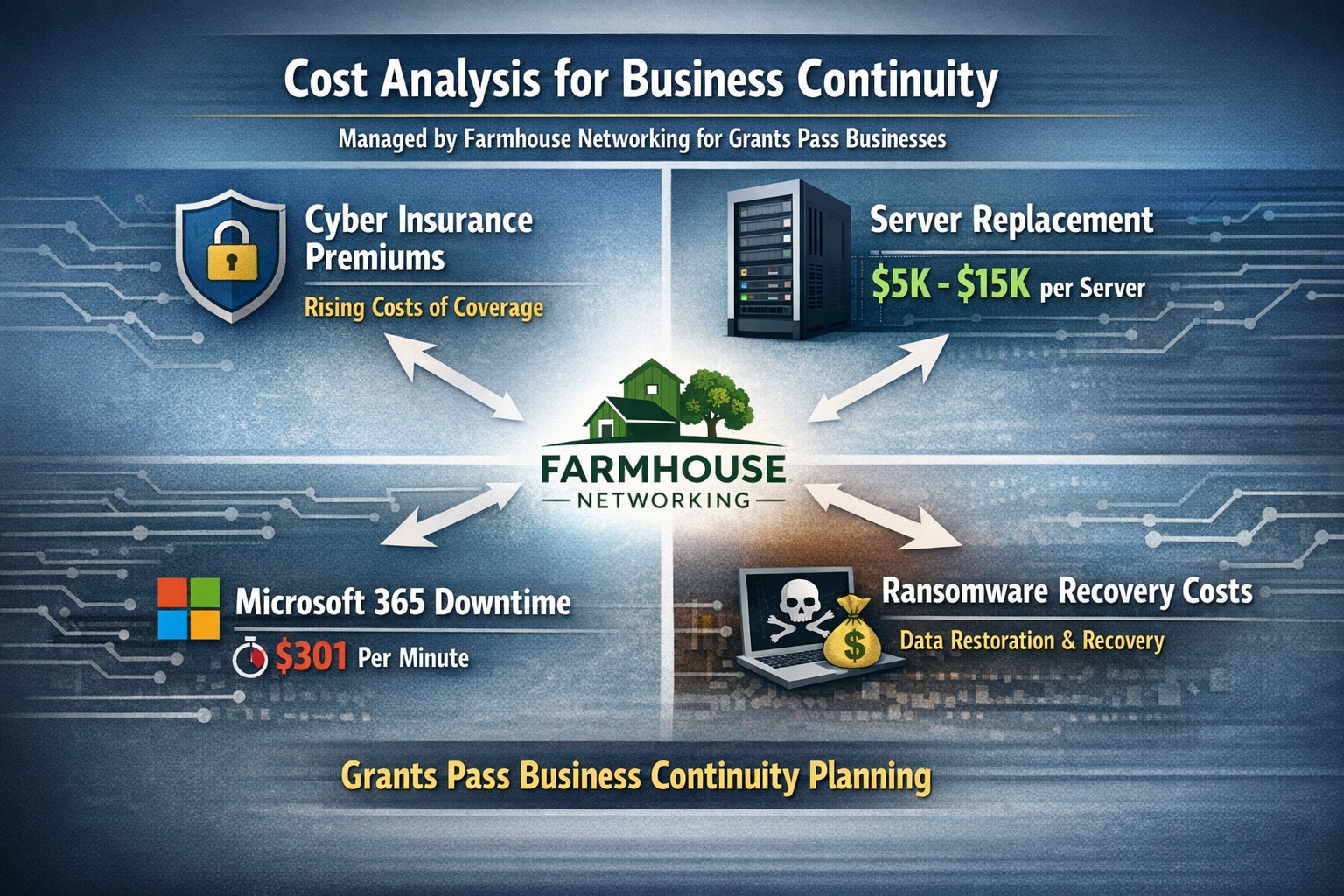
vCIO strategic services vs break-fix reactive IT model performance comparison.
In the ever-evolving world of IT support, two strategic approaches have emerged to address the needs of businesses – vCIO (Virtual CIO) services and break-fix services. Each of these approaches has its own merits and drawbacks, making it crucial for businesses to carefully consider which option best aligns with their goals and IT requirements. So, let’s dive into the comparison between vCIO services and break-fix services and find out which one takes the crown!
vCIO Services: Unleashing the Power of Proactive IT Management
The vCIO model offers businesses a cost-effective and strategic solution to IT management, delivering benefits far beyond simple problem-solving. Here’s a breakdown of what vCIO services bring to the table:
Strategic Technology Planning: A vCIO provides a long-term roadmap for your IT infrastructure, aligning it with your business objectives. They assess your current technology landscape, analyze potential risks, and develop a comprehensive IT strategy to ensure your technology infrastructure drives success.
Proactive IT Monitoring and Management: By constantly monitoring your systems, a vCIO can detect and address issues before they turn into full-blown disasters. They implement proactive measures, such as 24/7 system monitoring, patch management, and security audits to keep your IT environment optimized and secure.
IT Budgeting and Procurement: A vCIO helps you streamline your IT budget by aligning your investment with your business goals. They provide insights into cost-effective technology solutions, negotiate contracts with vendors, and manage IT procurement to help you make informed decisions while optimizing your spending.
Technology Vendor Management: Collaborating with multiple technology vendors can be time-consuming and complex. A vCIO acts as a single point of contact for all your technology vendors, managing relationships and ensuring smooth coordination between various stakeholders.
Break-Fix Services: The Traditional Firefighter Approach
Break-fix services have long been the go-to approach for businesses seeking IT support on an as-needed basis. Here’s a closer look at what break-fix services bring to the table:
Issue-Specific Support: Break-fix services are designed to address specific IT issues as and when they arise. This approach involves fixing problems after they occur, reacting to incidents rather than proactively managing your systems.
Limited Scope of Support: Break-fix services typically focus solely on resolving immediate technical issues. While they can provide quick fixes, they do not offer strategic planning or ongoing support to help prevent future issues or optimize your IT infrastructure.
Variable Costs: Break-fix service costs can be unpredictable, as you are billed per incident or hourly basis. This makes budgeting and financial planning more challenging, especially if you encounter frequent or recurring IT issues.
Less Focus on Prevention: With break-fix services, the emphasis is on remedying existing problems, leaving behind the potential for other underlying issues to remain undetected, ultimately leading to more costly and time-consuming problems down the line.
The Verdict: vCIO Takes the Throne!
While break-fix services may have their place in certain scenarios, vCIO services offer a more comprehensive approach to IT management, aligning your technology with your business goals and providing ongoing support. The proactive nature, strategic planning, and cost optimization provided by vCIO services make it the winning solution for businesses looking to stay ahead of the ever-changing technology landscape. So, without a doubt, the crown firmly sits on the head of vCIO services!
If your company is tired of just calling your IT service company when things are broken, then contact us for vCIO services.
PwC study: MSP strategic users gain 43-point performance premium over cost-focused peers.
A report from PricewaterhouseCoopers based on a survey of over 2,000 business leaders and took it as confirmation of our recent blog post about Why SMBs Need Managed Service Providers (MSPs). Here are some takeaways from the article:
Takeaways:
“Companies that use MSPs for strategic advantage are 1.6 times and 2.4 times more likely to be faster to market as well as more innovative than those focused solely on cost savings, according to the report.”
“Organizations utilizing managed services at a mature level use them to respond more adroitly to changing conditions and potential threats.”
“Most business and IT leaders recognize the pace of innovation is occurring faster than their internal IT teams can absorb. There is always going to be some type of skills shortage. Those skill shortages are ones that MSPs are in the best position to fill.”
If your company is looking to outperform in the marketplace, then contact us to start a partnership.
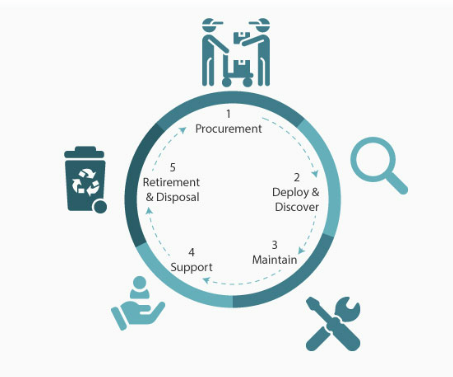
IT lifecycle dashboard tracking device age, refresh cycles, and replacement planning for SMB hardware.
In today’s fast-paced business environment, effectively managing IT equipment throughout its lifecycle has become essential. Equipment Lifecycle Management (ELM) refers to the systematic approach of acquiring, operating, maintaining, and disposing of equipment. By implementing an ELM strategy, businesses can maximize the lifespan and productivity of their equipment, while also minimizing costs and downtime. Let’s explore some of the secret benefits of equipment lifecycle management.
Cost Optimization
IT equipment can represent a significant investment for businesses. Through ELM, companies can optimize costs by planning IT equipment updates and replacements in a strategic manner. With a clear understanding of the IT equipment’s lifespan and maintenance requirements, businesses can budget for these costs well in advance, avoiding unexpected expenses that could negatively impacting their finances.
Increased Equipment Efficiency
One of the primary goals of ELM is to maximize equipment efficiency and productivity. By conducting regular inspections, maintenance, and repairs, businesses can identify and address performance issues before they become major problems. Proactively managing IT equipment ensures that it operates at optimal levels, reducing downtime and improving overall operational efficiency.
Enhanced Asset Tracking and Planning
ELM provides businesses with a comprehensive understanding of their equipment inventory. Through proper record-keeping and asset tracking systems, companies can easily identify the location, condition, and maintenance history of each piece of IT equipment. This information enables businesses to plan for IT equipment updates, replacements, or adjustments based on their lifecycle and performance, ensuring that resources are allocated efficiently.
Sustainable and Environmentally Responsible Practices
Efficient IT equipment management is not only beneficial for businesses but also for the environment. By properly maintaining and disposing of equipment, companies can significantly reduce waste generation and minimize their carbon footprint. Implementing ELM strategies, such as equipment reuse or recycling programs, aligns with sustainable business practices and demonstrates a commitment to environmental responsibility.
Effective equipment lifecycle management is crucial for businesses looking to optimize costs, improve productivity, and minimize their environmental impact. By proactively managing IT equipment throughout its lifecycle, companies can maximize its efficiency, extend its lifespan, and ensure smooth operations. Investing in IT equipment lifecycle management ultimately leads to long-term benefits and a competitive advantage in today’s business landscape.
If you haven’t already, contact us to implement an ELM strategy for your business.
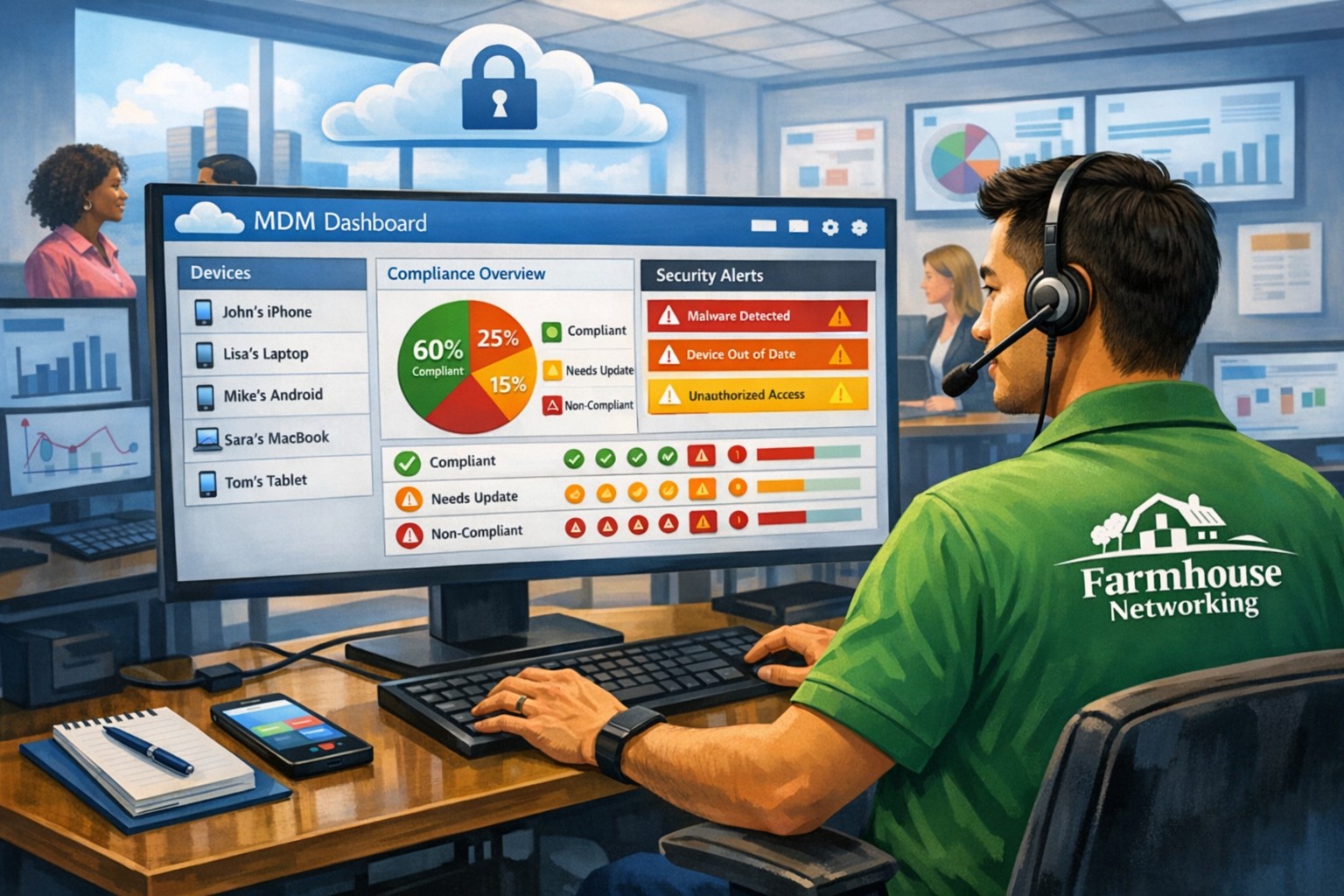
MSP console managing SMB BYOD smartphones and laptops with centralized MDM and security policies.
Small and medium-sized businesses (SMBs) face numerous challenges when it comes to managing their IT. Limited resources (both human and money), lack of expertise, and the need to focus on core business operations often make it difficult for SMBs to understand and manage technology needs. This is where Managed Service Providers (MSPs) come in. In this blog article, we will explore the reasons why SMBs should consider partnering with MSPs to enhance their IT capabilities and drive business growth.
Cost-Effective IT Solutions:
One of the primary reasons why SMBs need MSPs is the cost-effectiveness they offer. By outsourcing their IT needs to MSPs, SMBs can avoid the high costs associated with hiring and training an in-house IT team. MSPs provide a range of services, including network monitoring, data backup and recovery, cybersecurity, and software updates, all at a predictable monthly cost. This allows SMBs to allocate their resources more efficiently and focus on their core business.
Access to Expertise and Advanced Technology:
MSPs are experts in providing IT services and have a team of highly skilled professionals with expertise in variety of technology. By partnering with MSPs, SMBs gain access to the depth of knowledge and experience from IT experts who can handle complex tasks and provide strategic guidance. Additionally, MSPs stay up-to-date with the latest technology trends and can recommend and implement solutions that can help SMBs stay competitive in the market and safe from hackers.
Proactive IT Support and Maintenance:
MSPs offer proactive IT support and maintenance, which is crucial for SMBs. They monitor networks, identify potential issues, and take preventive measures to avoid downtime and disruptions. MSPs also provide regular software updates, security patches, and system maintenance, ensuring that SMBs’ IT remains secure and up-to-date. This proactive approach helps SMBs minimize the risk of costly IT failures and ensures smooth business operations.
Enhanced Data Security:
Data breaches and cyberattacks pose a significant threat to SMBs. MSPs play a vital role in safeguarding SMBs’ sensitive data and protecting them from potential security breaches. They implement robust cybersecurity measures, such as firewalls, antivirus software, and encryption, to ensure data confidentiality and integrity. MSPs can also conduct regular security audits and vulnerability assessments to identify and address any potential weaknesses in the IT infrastructure.
Scalability and Flexibility:
As SMBs grow, their IT needs evolve. MSPs offer scalable solutions that can adapt to changing business requirements. Whether it’s adding new users, expanding storage capacity, or integrating new software, MSPs can quickly and efficiently accommodate these changes. This scalability and flexibility allow SMBs to focus on their growth without worrying about the limitations of their IT infrastructure.
If your company could use the cost-effective solutions, access to expertise, proactive support, enhanced data security, and scalability that come from using a MSP, then contact us for assistance.
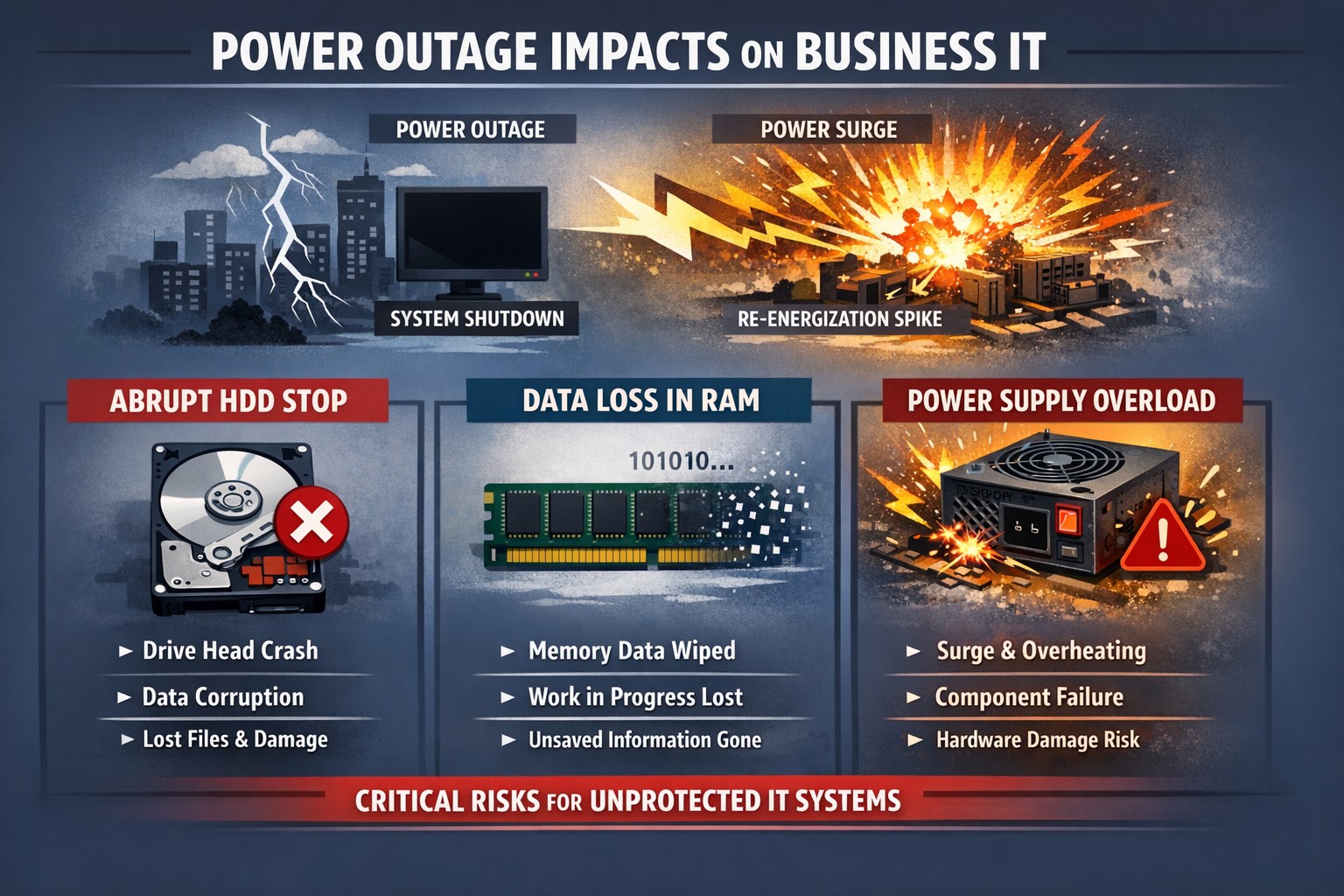
Power outage impacts: hard drive head crash data corruption PSU surge damage.
Power outages are a common occurrence in our area. While they may seem like a minor inconvenience, they can actually have a significant impact on your computer hardware. In this article, we will explore the negative effects of repeated power outages on computer hardware.
Hard Drive Failure
One of the most common negative effects of power outages on computer hardware is hard drive failure. When the power goes out, it can cause the hard drive to stop spinning abruptly. This sudden stop can cause the read/write head to crash into the disk platter, resulting in physical damage to the hard drive. In some cases, the hard drive may become completely unusable, leading to data loss.
Data Corruption
Power outages can also lead to data corruption. When the power goes out, any unsaved data in your computer’s memory is lost. This can cause files to become corrupted or damaged. In some cases, the entire operating system may become corrupted, making it impossible to boot up your computer.
Power Supply Damage
Finally, power outages can cause damage to your computer’s power supply. When the power goes out, it can cause a surge when the power comes back on. This surge can overload your computer’s power supply, causing it to fail. In some cases, the power supply may even catch fire, leading to a potentially dangerous situation.
Conclusion
In conclusion, power outages can have a significant negative impact on your computer hardware. From hard drive failure to data corruption, and power supply damage, there are many potential consequences of repeated power outages. To protect your computer from these negative effects, it’s important to invest in a high-quality uninterruptible power supply (UPS). These devices can help protect your computer from power surges and other electrical disturbances, ensuring that your hardware remains safe and functional.
If your company is not protecting its computers from the damaging effects of power outages , then contact us for assistance.
Farmhouse Networking calculates ransomware, server failure, and cyber insurance costs protecting Oregon SMB digital employees from downtime.
We were discussing the price customers paid for their monthly maintenance of computers and the comparison was brought up about insurance costs. As a business owner with employees, it is necessary these days to offer health insurance as part of their compensation package. If the company has vehicles that are used for business, then the government mandates that they be covered by minimum amounts of insurance. These costs are then built into the price the business owner then charges their clients for products or services.
Insurance Statistics:
According to Business.com, the average cost of health insurance for a single employee was $645 per month and $1,850 per month for a family.
According to NerdWallet.com, the average cost of car insurance was $179 per vehicle per month.
Questions:
So what about the “digital” employees of the company, aka the computers and network equipment that make business possible. How much are business owners paying to “insure” these assets? What are businesses willing to pay to make sure that their computers and network don’t have a sick day? Does the cost of insuring them include preventative care? Who does the business call in case of an accident or breakdown in the middle of the day? Does the cost of insuring include on-site service or transport to a service center?
If your company wants to keep their digital employees healthy and insure them from accidents, then contact us for assistance.
As our business continues to focus on providing white labeled Tier 3 IT support services, RMM as a service, and co-managed IT services this blog will be highlighting tips for Synology resource monitoring. We have developed best practices for alerting on a Synology device for resources like CPU, Memory, and Disk Usage. When these Synology resource monitoring alerts are consistently triggered it show that the device is over utilized or if they remain triggered for long periods of time then it shows there is an issue on the device itself. We also setup weekly Storage Reports to get an accurate view of the changes and growth going on with client storage.
Setup Notifications
Make sure that Notifications are setup on the Synology first
Open Control Panel
Click on Notifications
Check enable email notifications
Choose Service Provider
Login to Gmail or use Custom SMTP server for Office 365 as the sender
Change Subject to indicate name of device
Add recipient email (Best to use one that ties into a PSA or RMM)
Click Apply
Send a Test Email
Setup Synology Resource Monitoring
Open Resource Monitor app
Click on Performance Alarm to the left
Click on Rules tab
Click Create
Create the following Rules one by one
Volume Critical
Select which volume [create multiple rules if more than one volume]
Select Disk I/O utilization
Greater than 90%
Level Critical
Volume Warning
Select which volume [create multiple rules if more than one volume]
Select Disk I/O utilization
Greater than 75%
Level Warning
System Memory Critical
Memory Usage
Greater than 90%
Level Critical
System Memory Warning
Memory Usage
Greater than 75%
Level Warning
System CPU Critical
CPU Usage
Greater than 90%
Level Critical
System CPU Warning
CPU Usage
Greater than 75%
Level Warning
Click Settings and check box to Enable usage history then click Save
Setup Storage Reports
Open Storage Analyzer
Select new location
Create new shared folder named Log Files – hide from network
Go back to Storage Analyzer and select new folder
Set volume usage data to be collected Daily at 2am
Create report task
Send to email (Best to use one that ties into a PSA)
Generate reports at Monday 4am
Keep 60 reports then click Next
Select report items
Volume Usage
Shared Folders
Potential Duplicate Files
Large Files
Least Recently Modified Files then click Next
Analyze all folders then click Next
Leave duplicate file defaults then click Next
Click Done
Close App
Once this is setup you will start getting email alerts sent to you or better yet your PSA / RMM for ticket creation and review.
If your company is a MSP or wants to become one and automation just seems out of reach, then contact us to run your RMM for you.
Farmhouse Networking leads as top-reviewed collaboration consultant optimizing Microsoft Teams for Oregon businesses.
At Farmhouse Networking, we provide professional support for small to medium business networks. Our mission is to bring grass-roots IT support to local and national businesses. We analyze the processes that make business happen, then help you develop long-term plans to ensure that your IT system fosters the growth your business requires to blossom.
For this reason, we proudly share a milestone for Farmhouse Networking. The Manifest has recognized us as a leading and most reviewed global productivity and collaboration company. The Manifest is a business blog and reviews platform aiming to link buyers with vendors that can help them with their ongoing or upcoming projects.
Since our establishment in 2015, we have worked with trusted hardware and software vendors to add the essential elements which provide a nourishing medium to make your business flourish. Since our founding, we have developed the breadth and depth of knowledge required to manage business-class networks properly.
Chief Aircraft Inc, an online aircraft parts retailer, engaged in an ongoing collaboration with us in 2016 for managed IT services. The project started when the client was transitioning, and we stepped in to help modernize their systems and set up a solution to back up and monitor their network properly.
“In upgrading our network and data backups Scott has managed to lower the cost to us on a long-term basis and make everything easier to access as well as more secure.” – Josh Confer, Webmaster, Chief Aircraft Inc
The whole team at Farmhouse Networking would like to use this opportunity to communicate how much we value all our clients and partners. The feedback they’ve written means so much to us and will help us cement our name in the industry. If you need a caring expert to tend to your computers and network while you do business, get in touch with us. Our organic IT support is only a phone call away
This is the seventh in a series about the concept of Zero Trust, which means in the IT sense that you trust nothing and always verify everything surrounding and connected to your network. Today’s discussion will be on software patching.
Software Patching
Software patching is a neccesity because no person who writes code is perfect and hackers are actively looking for these mistakes. The hackers find the mistakes and then develop ways of using these to exploit the software, computer, or whatever else they can gain access to. The only way to combat both the mistakes and the exploits is to discover them before the hackers do and patch the hole in the software. This patch can however lead to unforseen consequences to the software, so a plan for testing and deployment of patches is needed to avoid unexpected downtime to businesses.Here are some questions to ask:
Do you know all of the hardware and software on your network?
Do you check for hardware, operating system, and other software regularly?
How do you check for updates, patches, or upgrades to software?
How do you install these patches? Is it automated?
Are these patches tested before installation?
What happens if a patch causes problems?
Do you have a log of all installed updates?
Are any systems or software on your network no longer supported for updates?
If your company is going to use full disk encryption or has compliance requirements that you need consulting for, then contact us for assistance.
Farmhouse Networking protects Grants Pass businesses from Rogue River floods with secure cloud backups and rapid IT disaster recovery.
Had a client walk into their office to find it flooded with an inch and a half of water on the ground and it got me thinking about what could be done to mitigate the risks associated with this sort of “Act of God” at the office.
Can’t Stop the Flood
It goes without saying that there is no way to realistically prevent a flood besides the usual preventative building maintenance that most businesses are not in control of anyways. It makes sense then to choose an office space where the owner is into proactive repairs on the building, even if it costs a little extra per month. It would also be good to talk to your business insurance provider to make sure that such Acts of God are covered. Clean-up and recovery though usually covered by the building owner can get expensive if your contract doesn’t cover it.
Prepare for the Worst
Practically speaking it may not be possible to keep computers out of the water in a flood. At this particular client we did have the computers up on blocks just in case of this very thing. All network equipment should also be in a safe place, ideally in a locked cabinet high off the ground.
Recovery can happen
If the worst does happen, the first thing to do is shut off the electricity to the building. After that take careful inventory of all that is plugged in and remove it from electrical outlets. If equipment is wet, keep it unplugged for a couple days in a dry environment to make sure it is free from moisture. Once sure it is dry, plug in the equipment and test whether it will come back online. If anything was submerged in water, it is best to plan on replacing it as most water has minerals in it that will stick to components in the computer and could cause and electrical short.
If your company is not ready for the worst, then contact us for assistance.
And God will generously provide all you need. Then you will always have everything you need and plenty left over to share with others. As the Scriptures say,
“They share freely and give generously to the poor. Their good deeds will be remembered forever.”
For God is the one who provides seed for the farmer and then bread to eat. In the same way, he will provide and increase your resources and then produce a great harvest of generosity in you. - 2 Corinthians 9:8-10
We use cookies to ensure that we give you the best experience on our website. If you continue to use this site we will assume that you are happy with it.