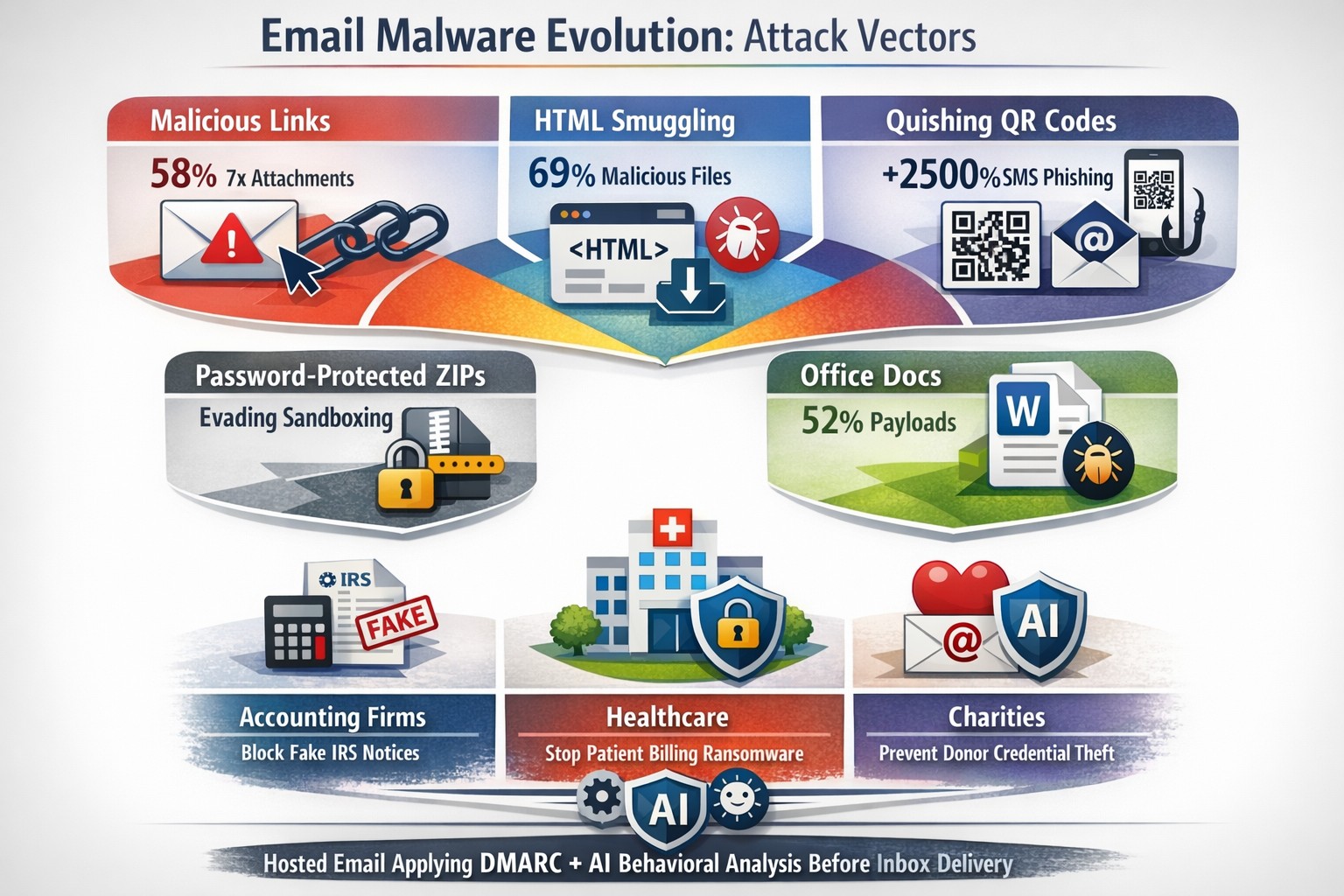
Use DNS Filtering to Stay Safe and Open for Business
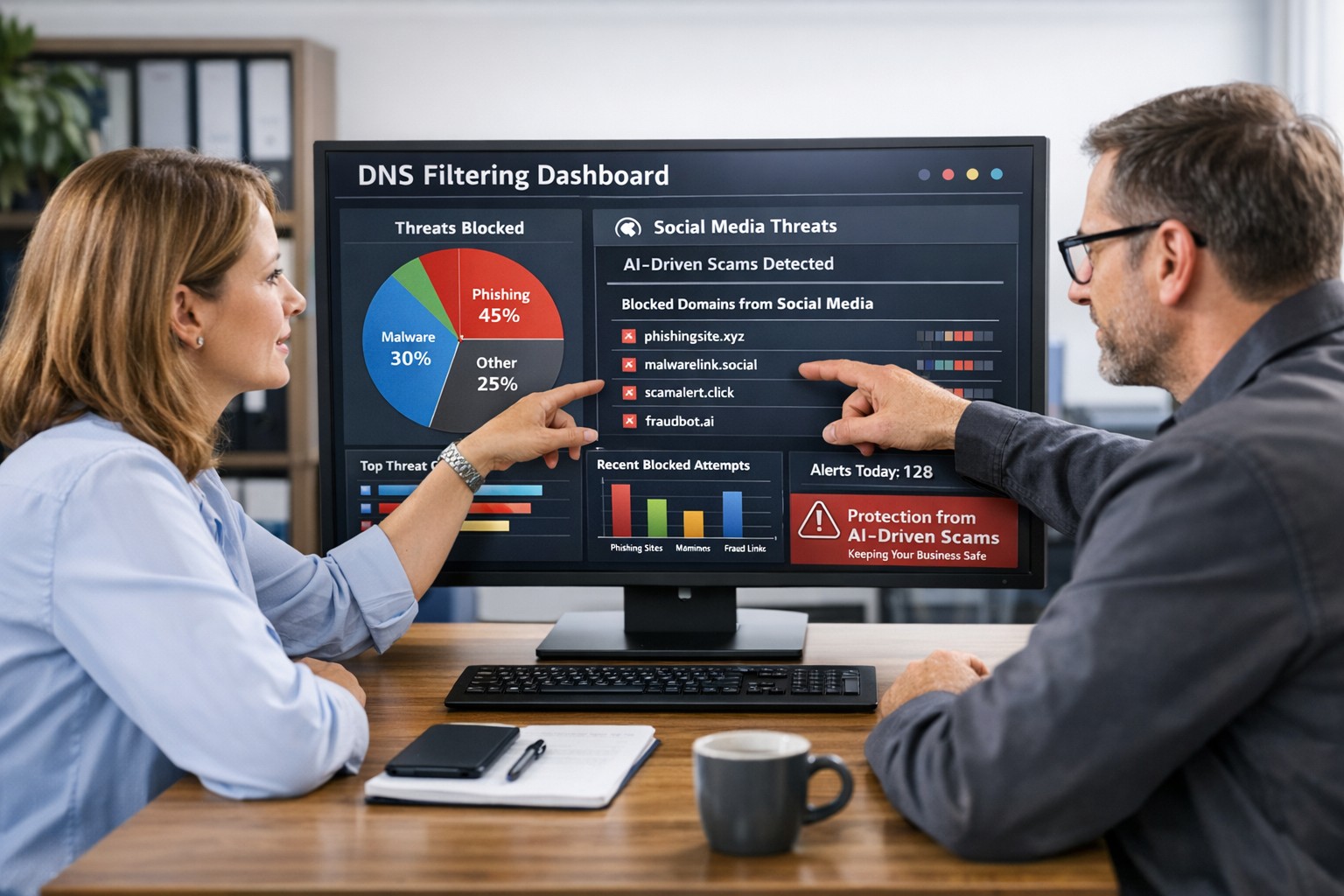
DNS filtering helps small business owners block AI powered social media scams before employees can reach malicious websites
AI tools now let scammers quickly generate deepfake videos, realistic ads, and convincing phishing messages that target small and mid‑sized businesses on social media. These attacks trick employees into clicking malicious links that steal logins, install ransomware, or divert payments, and incident rates and losses are climbing. DNS filtering offers your business a practical, affordable way to block dangerous sites at the network level before a bad click turns into downtime.
Why AI-Driven Social Media Threats Matter for SMBs
AI deepfakes and fake ads can impersonate your brand or suppliers and lead to look‑alike scam sites.
AI-enhanced phishing leverages details from your website and social media to sound like real customers, partners, or executives.
Web‑based phishing and spoofing attempts are rising sharply year over year, driven by generative AI.
What DNS Filtering Does for Your Business
DNS filtering checks where your employees’ devices are trying to connect and blocks known or suspected malicious domains. For SMBs, this:
Prevents access to phishing pages and fake login screens linked from social media or email.
Reduces malware and ransomware risk by blocking communication with malicious servers.
Gives you visibility into risky browsing and helps enforce acceptable‑use policies.
Action Steps for Business Owners and IT
Document where and how your team uses social media for sales, support, and marketing.
Roll out DNS filtering to office networks, remote workers, and any company‑managed laptops or phones.
Integrate DNS filtering logs with your security monitoring to quickly investigate suspicious activity.
Establish a clear process for verifying unusual requests (wire transfers, password resets, gift card purchases) received via social media or email.
Sample Customer Questions and Answers
“Is it safe to click promotions I see about your business on social media?” We recommend visiting our official website or verified profiles directly, because scammers can create fake ads that lead to malicious sites.
“How do you protect my data from online scams?” We use layered security including DNS filtering to block malicious websites, alongside secure payment providers and strong internal controls.
How Farmhouse Networking Helps SMBs
Farmhouse Networking works with you to understand your business, social media use, and risk tolerance, then designs and manages a DNS filtering solution that fits your size and budget. We deploy, configure, and monitor the service, fine‑tune policies over time, and provide clear reports so you always know how your network is being protected. This is included at no additional cost to all our monthly managed IT services clients.
Call to Action: Email support@farmhousenetworking.com for more information about how Farmhouse Networking can help improve your business and defend against AI‑driven social media threats.
Defend your business WiFi from becoming a hacker target with robust wireless security measures against common threats
Reliable and secure internet access is critical, especially for satellite offices relying on connectivity to central locations. Recently, one of our healthcare clients was nearly shut down by their ISP after the Recording Industry Association of America (RIAA) reported illegal music downloads traced to their IP address. The source? An open guest wireless network left unprotected.
How the Incident Unfolded
The ISP alerted the client via email, having received a complaint from the RIAA alleging that copyrighted music was illegally copied and distributed through BitTorrent on their network. Farmhouse Networking’s investigation pinpointed the activity: at 2 a.m., someone exploited the guest WiFi, which lacked any password protection, to download files illegally.
Had the ISP shut down the internet, this satellite healthcare office would have faced canceled appointments and redirected patients, impacting not only their reputation but costing thousands in lost revenue.
Key Wireless Network Security Lessons for Healthcare Providers
This incident highlights crucial vulnerabilities common in healthcare and other sectors:
Never leave guest WiFi networks open. Any unsecured network is an open invitation to unauthorized use and legal risks.
Use strong encryption and passwords on all wireless networks, including guest access, to block unauthorized connections.
Implement DNS filtering to prevent illicit peer-to-peer activity and block access to unauthorized sites.
Separate guest traffic from internal business-critical networks to safeguard sensitive data and operations.
Regularly audit network access points and update security settings, including changing default passwords on routers and regularly changing the wireless passwords.
Steps Farmhouse Networking Took to Protect the Client’s Wireless Network
Working closely with the healthcare office, Farmhouse Networking:
Secured their wireless network with strong WPA3 encryption and complex passwords.
Added DNS filtering to the guest wireless network to prevent peer-to-peer and similar applications.
Advised on ongoing monitoring and best security practices to safeguard against future misuse.
Emphasized the importance of network segmentation to protect sensitive healthcare data.
Why Wireless Network Security Matters in Healthcare
Beyond avoiding ISP shutdowns and illegal activity accusations, securing wireless networks in healthcare is essential for compliance with regulations like HIPAA, protecting Electronic Protected Health Information (ePHI), and maintaining patient trust.
Protect Your Business WiFi Today
Don’t risk your healthcare practice’s internet access, reputation, or compliance by allowing unsecured wireless access. Contact Farmhouse Networking to perform a comprehensive wireless network security assessment tailored to your industry’s unique needs. Secure your internet, protect your patients, and keep your practice running smoothly.
Enhanced DNS filtering protects networks from phishing, malware, and non-compliant content.
This is a quick note to all current and future customers, we have made a business decision to move from our old DNS filter / web filter software (called DNSFilter) to a new provider called DefensX.
Why Does This Even Matter?
We recently performed network inventory for all our Monthly Managed IT Services clients and found that many of them had an issue where the filtering software was in an error state and needed to be re-installed. This started our search for a more reliable partner. We found that DefensX provided all the needed functionality and gave our clients the added benefit of reports to see who is looking at what on the internet – something we think that business owners will find extremely valuable.
What Happens Now?
We are automatically removing the old software and deploying the new software to those who have already signed up for service. If you are Monthly Managed IT Services client and do not currently use our DNS filtering service, then reach out to get started at No Additional Cost!
This new service has many new categories to choose from as well, so if there are any sites being blocked or not blocked that you see in your new reports, then just let us know and we can quickly make those changes.
Don’t wait for a cyber attack to compromise your business. Take proactive steps to safeguard your network today! Contact Farmhouse Networking now to implement our advanced DNS filtering solution. Our experts will tailor a protection plan that fits your unique business needs.
Enhance business cybersecurity defenses using advanced website filtering from Farmhouse Networking.
Businesses are faced with an ever-growing number of cybersecurity threats. One effective method to protect your organization’s sensitive data and network is implementing website filtering. Website filtering solutions offer businesses an essential tool to manage and safeguard their networks, ensuring employees are protected from accessing malicious or inappropriate websites. We will explore the importance of website filtering for business cybersecurity and provide practical insights for implementation.
Understanding Website Filtering:
Website filtering is an advanced security measure that enables organizations to control the websites that can be accessed by their employees. This essential cybersecurity practice helps mitigate risks associated with malware, phishing attacks, and overall data breaches. Through the implementation of website filtering, businesses can proactively manage internet usage, reduce network congestion, and improve productivity.
Benefits of Website Filtering:
Enhanced Network Security: By filtering out potentially harmful websites, businesses can significantly reduce the risk of malware infiltration, phishing attempts, and other cyber threats. Website filtering acts as a vital line of defense, preventing employees from inadvertently accessing websites hosting malicious content and safeguarding sensitive corporate data.
Regulatory Compliance: As the healthcare industry is subject to strict compliance regulations, implementing website filtering can help organizations maintain adherence to industry-specific regulations such as HIPAA. By blocking access to unauthorized websites or content, businesses ensure they are aligning with compliance requirements, reducing the potential for fines or legal repercussions.
Increased Employee Productivity: Unrestricted internet access often leads to time-wasting activities, reducing overall productivity within the organization. With website filtering, businesses can minimize distractions by blocking access to social media platforms, gaming websites, or other non-work-related sites, fostering a more focused work environment.
Bandwidth Optimization: Streaming services and large media files can significantly impact network bandwidth, leading to slower connections and decreased productivity. Website filtering helps alleviate this strain by allowing organizations to control access to bandwidth-intensive websites or file-sharing platforms, optimizing network performance.
Choosing the Right Website Filtering Solution:
When selecting a website filtering solution, organizations should consider the following:
Granular Control: Look for a solution that offers granular control, allowing you to tailor website filtering policies to specific departments or individual users. This flexibility ensures that employees only have access to relevant websites and content necessary for their job roles.
Real-Time Updates: The cybersecurity landscape evolves rapidly, with new threats emerging constantly. Ensure your chosen website filtering solution offers AI powered real-time updates and threat intelligence to protect against the latest risks effectively.
User-Friendly Interface: Implementing a user-friendly website filtering solution simplifies management. Look for a solution with an intuitive interface that enables easy configuration and monitoring of website filtering policies.
Potential Challenges and Mitigation Strategies:
While website filtering can provide numerous benefits, there are potential challenges to consider:
False Positives: Overzealous website filtering policies can sometimes lead to legitimate websites being inaccurately blocked, causing frustration for employees. Regularly review and fine-tune filtering policies to minimize the risk of false positives, striking a balance between security and productivity.
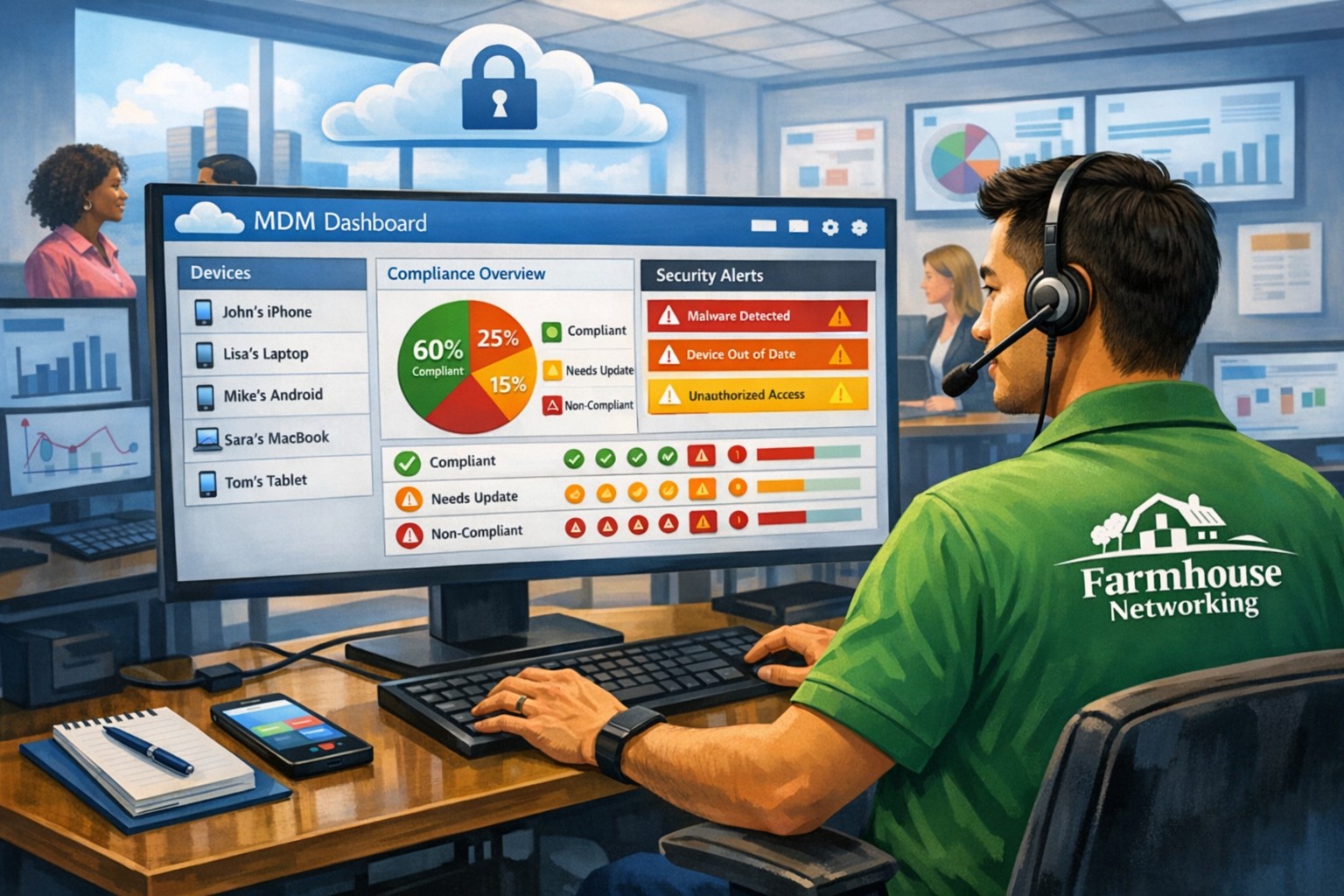
BYOD (Bring Your Own Device) Environments: There is an increasing reliance on personal devices to access corporate networks. Ensure that your website filtering solution extends to cover such devices and effectively enforces security policies, mitigating the risk of potential threats from unsecured devices.
Ongoing Maintenance and Monitoring: Website filtering requires ongoing maintenance and monitoring to ensure optimal performance and adaptability to emerging threats. Assign dedicated IT staff or consider a managed service provider (MSP) like Farmhouse Networking to oversee the implementation, management, and updates of your website filtering solution.
Website filtering is a critical component of any business’s cybersecurity strategy, providing robust protection against web-based threats and enhancing network security. Farmhouse Networking provides website filtering service to all our monthly managed clients at no additional cost. Sign-up today to become cyber secure.
Implement zero trust to safeguard mobile workforce from cyber threats anywhere
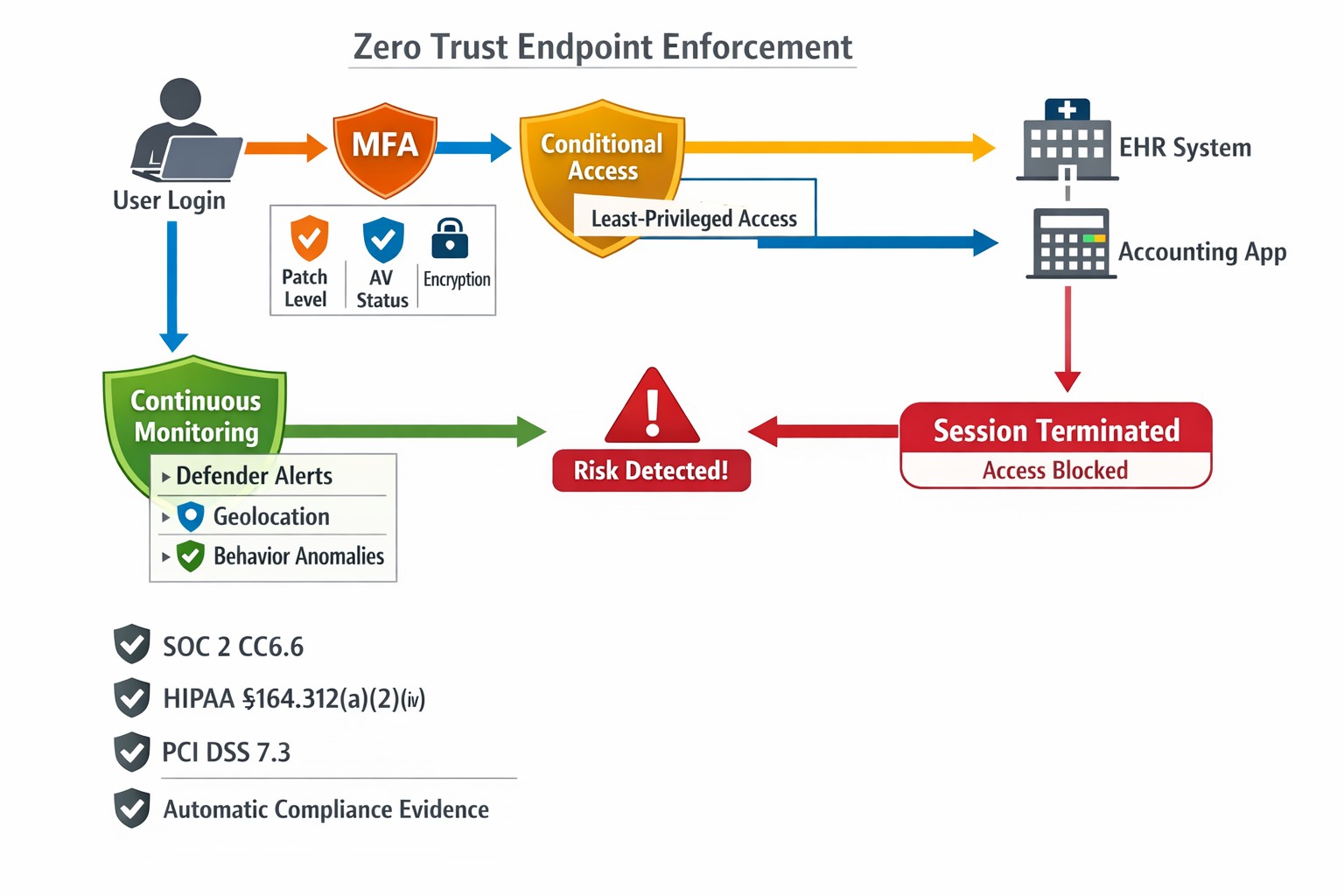
Remote work and mobile devices have become the norm, so ensuring the security of your workforce and sensitive data is paramount. Traditional security measures based on perimeter defense are no longer sufficient to protect against the sophisticated cyber threats that target mobile devices and exploit vulnerabilities in the network. This is where the concept of zero trust comes into play. Zero trust is a security framework that challenges the notion of “trust but verify” and instead adopts a “never trust, always verify” approach. By implementing a zero trust model, organizations can establish a security infrastructure that provides continuous authentication, authorization, and monitoring to safeguard their mobile workforce and sensitive data.
Understanding the Concept of Zero Trust
The concept of zero trust is rooted in the recognition that a one-time authentication and authorization process is not enough to ensure security in today’s dynamic threat landscape. Changes in user behavior, location, and other factors should radically impact access decisions. Zero trust takes a proactive approach to security by enforcing minimal access to resources, requiring continuous security monitoring, risk-based access control, and real-time authentication and authorization based on up-to-date information. Unlike traditional security models that rely on perimeter defense and trust users and devices within the network, zero trust challenges the idea of inherent trust and verifies the authenticity and integrity of every user and device, regardless of their location or network connection.
The Evolution of Zero Trust
The concept of zero trust has evolved over time in response to the increasing risks and challenges posed by mobile devices and remote work. The rapid adoption of mobile devices and the proliferation of internet-connected devices have expanded the attack surface, making traditional perimeter-based security measures inadequate.
Key Security Technologies for Mobile Devices
To enhance the security of mobile devices and implement zero trust, organizations should leverage key security technologies designed specifically for the mobile environment. These technologies include:
Enterprise Mobility Management (EMM): EMM ensures that mobile devices have the necessary policies and configurations in place, including mobile device management for security settings and configurations, as well as remote user access policy implementation. EMM provides a foundation for enforcing security controls and managing mobile devices within the organization.
Mobile Application Vetting (MAV): MAV ensures that applications comply with enterprise policies and do not contain known exploitable vulnerabilities. By vetting applications, organizations can reduce the risk of malicious applications compromising the security of mobile devices and accessing sensitive data.
Mobile Application Management (MAM): MAM focuses on ensuring compliance in deployed applications. It enables organizations to enforce security policies and manage the lifecycle of mobile applications, including app distribution, updates, and revocation. MAM helps organizations maintain control over the applications used by their mobile workforce.
Mobile Threat Defense (MTD): MTD solutions detect and mitigate threats from suspicious user behavior, network activity, and malicious attacks. These solutions leverage advanced analytics and threat intelligence to identify and respond to potential security threats in real time, providing an additional layer of protection for mobile devices.
Secure Containers: Secure containers provide isolation techniques to prevent organizational and personal data from commingling. By creating separate containers for different types of data, organizations can ensure that sensitive information remains secure, even if the device itself is compromised.
The Role of Intelligent Authentication
Intelligent authentication, powered by advanced rule sets and artificial intelligence, can significantly enhance the security of mobile devices in a zero trust environment. By combining biometrics with user behavior analysis, intelligent authentication systems can provide adaptive authentication that adapts to each user interaction, ensuring precise security measures. Integration between EMM, mobile threat defense, and existing logging, monitoring, diagnostic, and mitigation systems further enhances security capabilities.
Developing a Mobile Zero Trust Strategy
Implementing zero trust in the mobile environment requires a tailored approach that aligns with an organization’s specific goals, risks, and infrastructure. Businesses should develop their strategies based on a comprehensive assessment of the risks they face, with granular policies to mitigate those risks. The granularity of continuous authentication should be carefully determined to strike the right balance between security and usability. It’s important to note that technology is only one part of the solution; organizations must also review their mobile use policies and ensure that processes and human factors align with zero trust principles
With an intelligent authentication approach and a tailored mobile zero trust strategy, organizations can safeguard their mobile workforce and data from advanced cyber threats. Farmhouse Networking can make this a reality for your organization.
MSP console managing SMB BYOD smartphones and laptops with centralized MDM and security policies.
Small and medium-sized businesses (SMBs) face numerous challenges when it comes to managing their IT. Limited resources (both human and money), lack of expertise, and the need to focus on core business operations often make it difficult for SMBs to understand and manage technology needs. This is where Managed Service Providers (MSPs) come in. In this blog article, we will explore the reasons why SMBs should consider partnering with MSPs to enhance their IT capabilities and drive business growth.
Cost-Effective IT Solutions:
One of the primary reasons why SMBs need MSPs is the cost-effectiveness they offer. By outsourcing their IT needs to MSPs, SMBs can avoid the high costs associated with hiring and training an in-house IT team. MSPs provide a range of services, including network monitoring, data backup and recovery, cybersecurity, and software updates, all at a predictable monthly cost. This allows SMBs to allocate their resources more efficiently and focus on their core business.
Access to Expertise and Advanced Technology:
MSPs are experts in providing IT services and have a team of highly skilled professionals with expertise in variety of technology. By partnering with MSPs, SMBs gain access to the depth of knowledge and experience from IT experts who can handle complex tasks and provide strategic guidance. Additionally, MSPs stay up-to-date with the latest technology trends and can recommend and implement solutions that can help SMBs stay competitive in the market and safe from hackers.
Proactive IT Support and Maintenance:
MSPs offer proactive IT support and maintenance, which is crucial for SMBs. They monitor networks, identify potential issues, and take preventive measures to avoid downtime and disruptions. MSPs also provide regular software updates, security patches, and system maintenance, ensuring that SMBs’ IT remains secure and up-to-date. This proactive approach helps SMBs minimize the risk of costly IT failures and ensures smooth business operations.
Enhanced Data Security:
Data breaches and cyberattacks pose a significant threat to SMBs. MSPs play a vital role in safeguarding SMBs’ sensitive data and protecting them from potential security breaches. They implement robust cybersecurity measures, such as firewalls, antivirus software, and encryption, to ensure data confidentiality and integrity. MSPs can also conduct regular security audits and vulnerability assessments to identify and address any potential weaknesses in the IT infrastructure.
Scalability and Flexibility:
As SMBs grow, their IT needs evolve. MSPs offer scalable solutions that can adapt to changing business requirements. Whether it’s adding new users, expanding storage capacity, or integrating new software, MSPs can quickly and efficiently accommodate these changes. This scalability and flexibility allow SMBs to focus on their growth without worrying about the limitations of their IT infrastructure.
If your company could use the cost-effective solutions, access to expertise, proactive support, enhanced data security, and scalability that come from using a MSP, then contact us for assistance.
Every modern business has one thing in common – the internet.
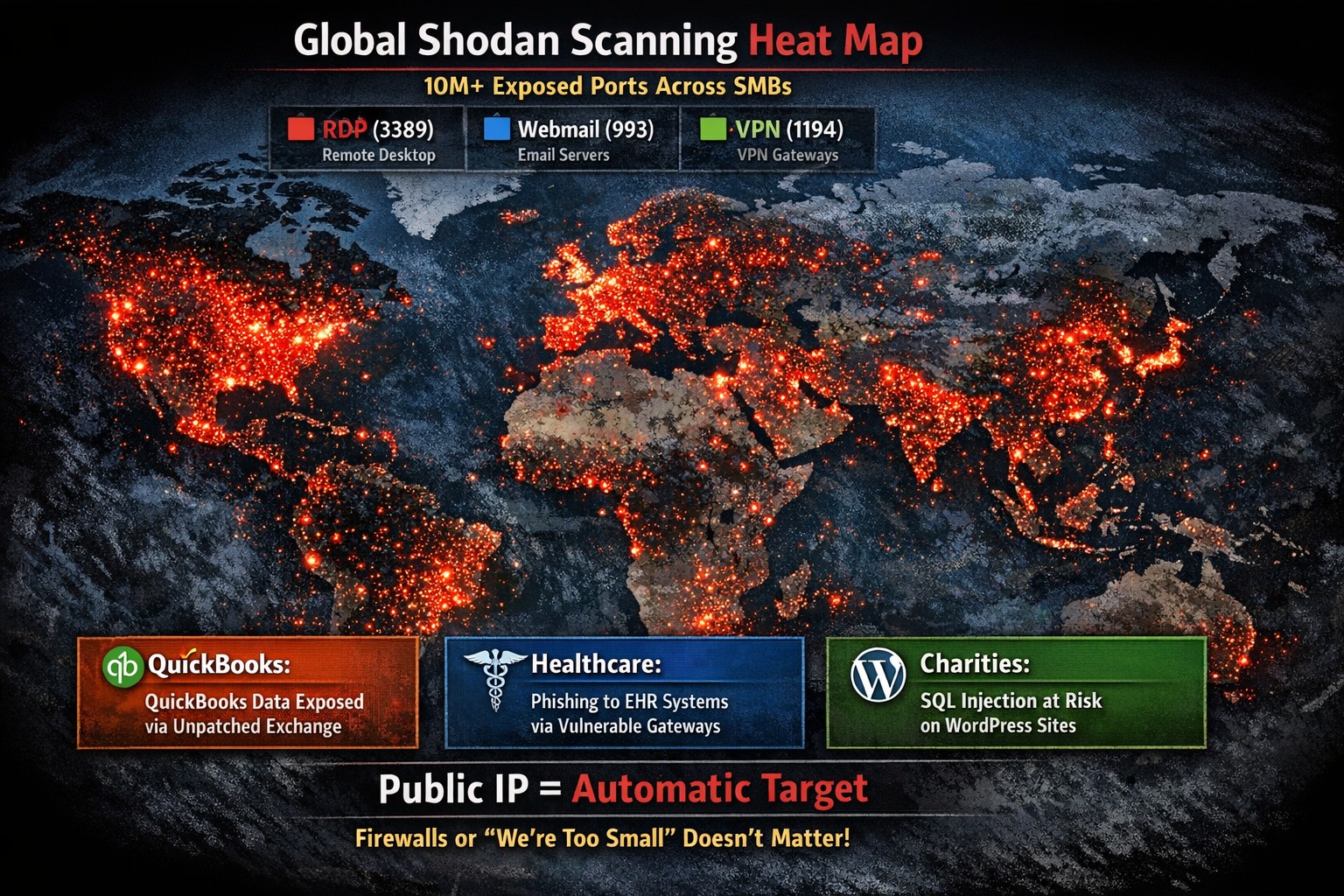
Businesses are using computers, smart phones, tablets, etc. to connect to the internet for research, shopping, advertising, or any number of things. With a connection to the internet comes the need for routers, switches, wireless, and other network hardware to distribute internet connectivity across the company. There are malicious people on the internet that are setting traps and trying to break into companies which necessitate the use of tools like antivirus, internet filtering, spam filtering, and other protective measures. There are also people who work from their homes and need to have a way of tunneling safely into the network to use the resources there.
All of this has to be managed by someone in the company or you can contract with a managed IT service provider.
If your company needs help managing all the things connected to your internet, then contact us for assistance.
Farmhouse Networking’s zero trust security model prevents lateral movement
This is the ninth in a series about the concept of Zero Trust, which means in the IT sense that you trust nothing and always verify everything surrounding and connected to your network. Today’s discussion will be on Network Security.
Network Security
Network Security is having the proper hardware and configuration of that hardware in place to protect the business network. This configuration includes segmenting network traffic to keep specific types of traffic, like guest devices, separate from traffic of business devices. It also includes keeping outsiders out of the network and detecting when they have breached security measures. Here are some questions to ask:
Do you have a business class router / firewall?
Do you have business class switches and access points that support segmentation?
Is your network configured to segment business traffic from guest traffic?
Are devices like VoIP phones and network cameras on their own network?
Is geo-location blocking turned on for non-essential countries?
Is network traffic being analyzed for suspicious activity?
Do you filter internet traffic?
Can your network detect and respond to a breach?
If your company is wanting to lock down network security, then contact us for assistance.
This is the sixth in a series about the concept of Zero Trust, which means in the IT sense that you trust nothing and always verify everything surrounding and connected to your network. Today’s discussion will be on endpoint security.
Endpoint Security
Endpoint security is a fancy term used to describe how the computers on the network are protected. This used to be done by antivirus but due to the complexity of the attacks hackers are using to compromise networks these days, the definition has expanded greatly. This now includes things like Enhanced Detection & Response software, Security Operations Centers, DNS Filtering, employee train and more. Here are some questions that you should be asking yourself:
Are your endpoints protected by antivirus or enhanced detection & response?
Is website traffic being monitored? Restricted?
Are your employees being trained in cyber security?
Are computer logs being monitored for malicious activity?
Would unusual or suspicious activity on a computer be noticed? Alerted on?
Do you have security permissions set on all file shares?
Do you have least privileged access configured on those shares?
Do you keep track of what software is installed on all workstations?
Do you block access to unauthorized software?
Are files encrypted on servers and workstations?
Are your mobile devices managed? Can you wipe them remotely?
Are USB ports blocking removeable storage devices?
Are endpoints set to automatically log-out?
If your company is going to use full disk encryption or has compliance requirements that you need consulting for, then contact us for assistance.
Read a recent study on the origins of malicious software aka malware. Here are the highlights:
Current Malware Statistics
29% – Malware is previously unknown to security vendors due to the continued efforts of malware creators to hide the software or make it undetectable.
88% – Malware is delivered to people’s inboxes and some of it bypassing normal SPAM filters.
8.8 Days – Time before regular antivirus vendors have discovered the malware and added it to their lists for detection.
$50 – The cost of a pre-fabricated malware kit that can be bought currently on the dark web.
“The most common type of malicious attachments were: documents (Word – 31%), archive files (ZIP & RAR – 28%), spreadsheets (Excel – 19%) and executable files (EXE – 17%).”
What can be done?
A multi-tiered approach to security remains the best solution:
Moving from traditional antivirus to Enhanced Detection & Response (EDR) software to go beyond lists of know infections to behavior tracking of software
Moving from traditional SPAM filters to Email Advanced Threat Protection which scans each email and opens each attachment to see if there is any malicious activity cause by them
Moving from traditional router to a business class firewall with Intrusion Prevention System to monitor traffic for suspicious activity
Employee training is also key to keep your staff aware of immerging trends and threats
If your company is looking to enhance your network security posture, then contact us for assistance.
And God will generously provide all you need. Then you will always have everything you need and plenty left over to share with others. As the Scriptures say,
“They share freely and give generously to the poor. Their good deeds will be remembered forever.”
For God is the one who provides seed for the farmer and then bread to eat. In the same way, he will provide and increase your resources and then produce a great harvest of generosity in you. - 2 Corinthians 9:8-10
We use cookies to ensure that we give you the best experience on our website. If you continue to use this site we will assume that you are happy with it.