Neglected IT infrastructure quickly turns into costly downtime and data loss, but proactive managed IT services help businesses stay online and protected.
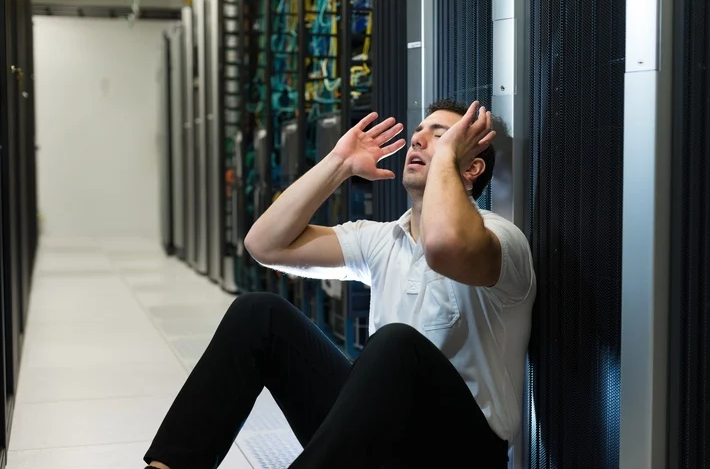
Has your business ever experienced a technology crisis that could have been easily prevented? Learn from the cautionary tale of a non-managed client who recently faced a major setback due to neglected IT infrastructure. This compelling story underscores the importance of proactive IT management and the need for robust backup solutions.
The Story: A Cautionary Tale
Neglected IT Infrastructure: After 5 years of radio silence, a panicked non-managed client reached out to us when their aging computer, hosting their crucial order processing system, malfunctioned.
DIY Mishap: Attempting to fix the issue themselves, the client inadvertently worsened the situation by installing the wrong part, leading to a cascade of problems.
Costly Consequences: The subsequent visit to a local repair shop and improper part replacement led to the corruption of critical files, including the Windows Operating System and the database containing vital client data.
Backup Oversight: The client’s failure to maintain updated database backups exacerbated the crisis, with the only available backup being approximately 5 years old.
The Solution: Managed IT Services
Proactive Maintenance: With managed IT services, critical components like the aged computer would have been promptly replaced before catastrophic failure, averting the entire crisis.
Remote Support: Swift remote intervention by a managed IT provider would have prevented the corruption of the operating system and database, substantially reducing the overall cost of the incident.
Comprehensive Backup Strategy: Every business should prioritize regular, imaged-based backups to safeguard their crucial data, ensuring seamless restoration in the event of a disaster.
Expert Guidance: Embracing managed IT services equips businesses with expert recommendations and proactive measures to avoid potentially devastating technology pitfalls.
Take the Right Step for Your Business!
Don’t let your business fall victim to preventable IT disasters. Embrace the proactive protection and expert guidance offered by a managed IT service provider to ensure uninterrupted business operations.
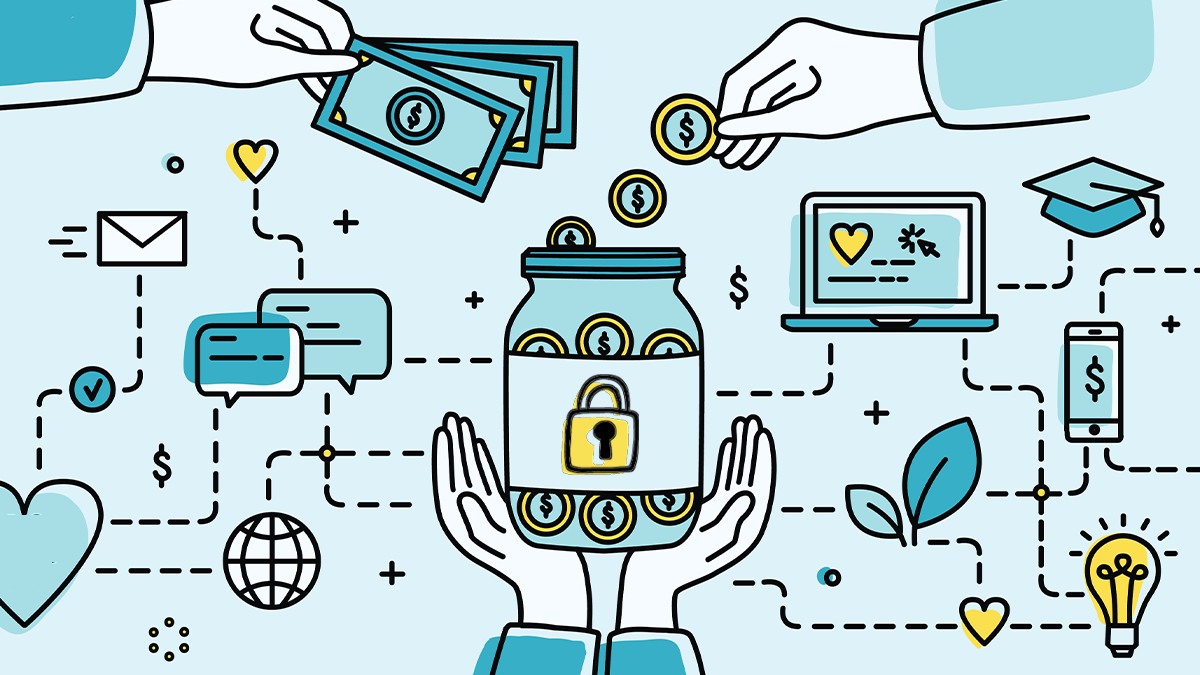
Charities need to prioritize their cybersecurity measures. It’s no longer a matter of if, but when, a cyber attack will occur. This extensive guide outlines the essential steps charities can take to enhance their cybersecurity and protect their valuable data.
Understanding Cybersecurity Risks for Charities
Charities, like all organizations, are at risk of cyber attacks. These attacks can have severe consequences, including data leakage, financial loss, and damage to the charity’s reputation. Understanding these risks is the first step toward effective protection.
– The Reality of Cyber Threats:
Cyber threats are a reality for all organizations, including charities. With the rise of sophisticated cyber attacks, no organization can confidently say they will not be targeted. The aim is to make it as challenging as possible for cybercriminals to penetrate the charity’s defenses.
– The Importance of Cybersecurity in Charities:
The importance of cybersecurity in charities cannot be overstated. Charities hold sensitive data like donor information, employee details, and financial records. A cyber breach could lead to the loss or exposure of this data, damaging the trust of donors, employees, and beneficiaries.
Initial Cybersecurity Measures for Charities
Implementing initial cybersecurity measures can greatly reduce a charity’s vulnerability to attacks. These measures should focus on both end users and the charity’s IT infrastructure.
– Password Policies:
Establishing or revising a company password policy is a crucial first step. Passwords should be required on all devices employees use. They should be changed regularly, and employees should not be allowed to reuse old passwords. Furthermore, consider using multi-factor authentication (MFA) for an added layer of security.
– Cybersecurity Training
Training end users to be aware of various threats is a longer-term effort that can pay dividends. This includes being suspicious of emails requesting credential confirmation, checking website security before visiting, and ensuring sensitive information is transmitted securely.
– Limiting Access
Not all employees need access to all aspects of the charity’s operations. It’s essential to emphasize that limiting access is a critical part of protecting the charity against cyber attacks.
IT Infrastructure-Focused Measures
Charities also need to take measures focused on their IT infrastructure. These actions can further strengthen the charity’s defenses against cyber threats.
– Installing Protection
Installing additional protection, such as firewalls and antivirus software, can help shield the charity’s IT infrastructure against cyber attacks. Regularly updating and patching all software is also essential.
– Backing Up Files
Backing up files is another immediate action charities should take. This can be done offline, using external hard drives, or by backing up to the cloud. Furthermore, encrypting backups can provide an extra layer of security.
– Implementing Security Tools
Implementing security tools like browser management, DNS filtering, network monitoring, and endpoint protection can help detect and prevent cyber attacks.
External Resources for Cybersecurity Guidance
There are many external resources available to help charities improve their cybersecurity. These include government agencies, nonprofit organizations, and specific groups associated with nonprofit verticals.
– Government Agencies
Government agencies like the U.S. Department of Homeland Security Cybersecurity & Infrastructure Security Agency (CISA), the Federal Trade Commission, and the National Institute of Standards and Technology (NIST) offer resources on cybersecurity.
– Nonprofit Organizations
Nonprofit organizations like the Cyber Readiness Institute, Global Cyber Alliance, and the National Council of Nonprofits also offer resources to help charities improve their cybersecurity.
Following the NIST Cybersecurity Framework
The National Institute of Standards and Technology (NIST) has developed a five-part best practices framework to help firms focus resources for cybersecurity protection. These steps include identifying, protecting, detecting, responding, and recovering from cyber attacks. The NIST framework offers a systematic approach to managing cybersecurity risks. It includes identifying all equipment, software, and data used; protecting data with security software and regular backups; detecting unauthorized access; responding effectively to attacks; and recovering after an attack.
Implementing Advanced Cybersecurity Measures
Implementing advanced cybersecurity measures can provide an additional layer of protection for charities. These measures include identity and access management (IAM), securing networks, and moving to the cloud.
– Implementing IAM
Implementing IAM can streamline access for users internally and externally. Features like single sign-on (SSO), social sign-on, and multi-factor authentication (MFA) can make it easier for authorized users to access the charity’s websites and applications.
– Securing Networks
Securing networks business class equipment from trusted brands can boost a charity’s network security. This includes using wired and wireless networking hardware to create a functioning network and protecting against online threats.
– Moving to the Cloud
Moving to the cloud can provide charities with flexibility and resilience. Cloud-hosted systems allow for secure work from anywhere and can help charities bounce back faster after a cyber attack.
Preparing for Cyber Attack Recovery
Preparing for cyber attack recovery is crucial. When defenses fail, charities need the ability to bounce back quickly.
– Data Backup and Restoration
Data backup and restoration is a key part of cyber attack recovery. Charities should regularly back up their data to protect against data-loss disasters. If an attack occurs, they can restore their data and resume operations quickly.
– Developing a Continuity of Operations Plan
Developing a continuity of operations plan can ensure that a charity can continue to serve its community even when disaster strikes. This includes planning for how to keep business operations up and running and reporting the attack to law enforcement and other authorities.
Contact us today to explore how to best setup your cybersecurity efforts, ensuring protection and compliance in an ever-evolving cybersecurity landscape.
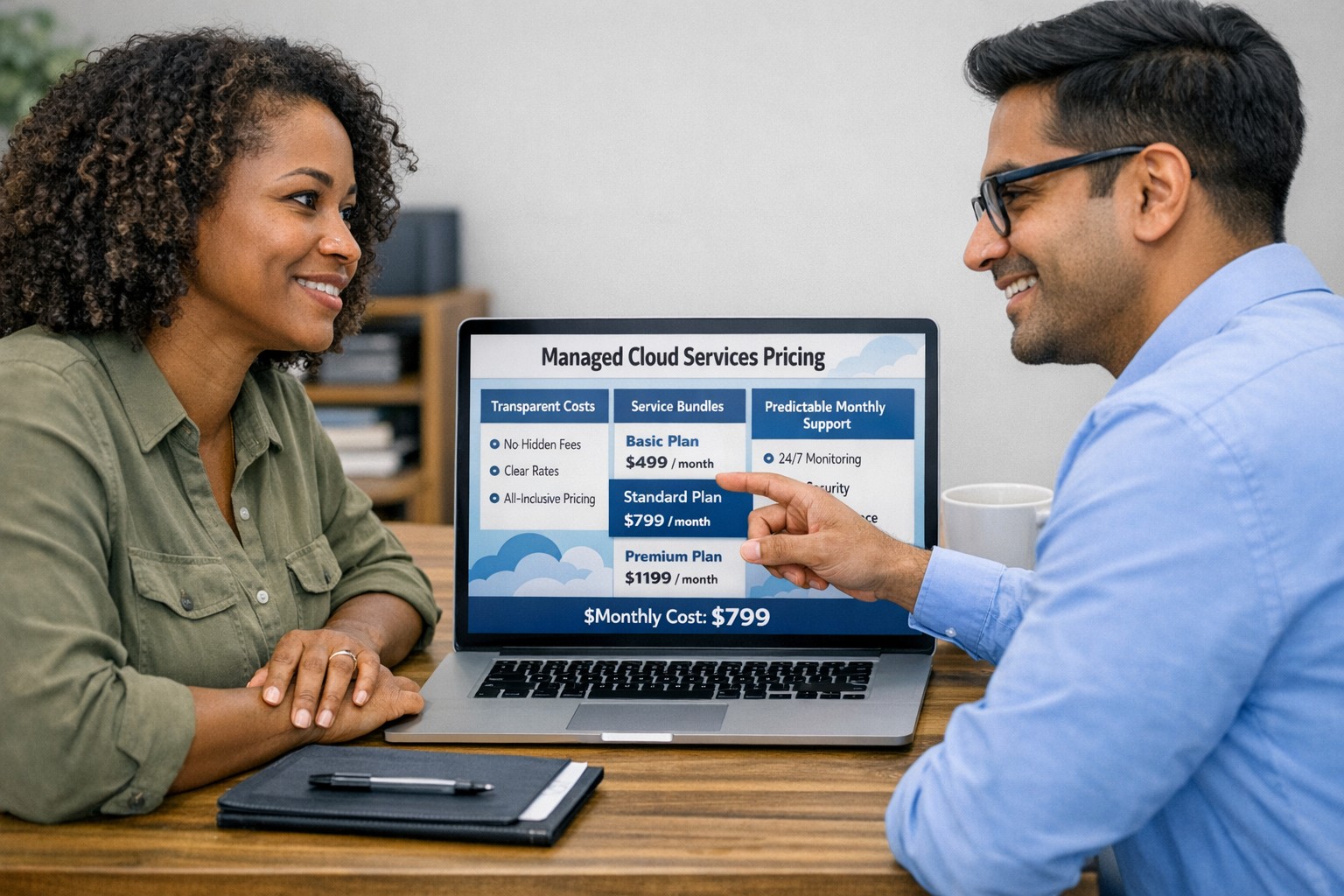
Managed cloud services pricing helps small businesses control IT costs with transparent, predictable monthly cloud support.
We have received numerous inquiries from potential customers regarding our pricing structure. Specifically, they want to know if we offer monthly contracts or if we charge an hourly rate. The answer is Yes.
Hourly Rate
For customers who require a one-time fix or need a project completed, we offer a service based on an hourly rate. Our rate for remote or on-site work that is not covered under a contract is $150 per hour. We bill in 15-minute increments and take pride in our efficiency. For clients with more than 2 service requests per month, we highly recommend signing up for a contract to save money and benefit from our expert oversight.
Monthly Contracts
There are three types of monthly contracts:
Remote Maintenance Contract
This is the package that most of our clients choose. It includes automated maintenance, cyber security protections, and unlimited remote support. Since most problems and questions can be handled remotely, this package offers real value.
Full Service Maintenance Contract
This package is for clients who want complete peace of mind. It includes all services, whether remote or at their offices. Additionally, it provides some additional benefits, such as top priority in our support queue.
Co-Managed IT Contract
This special package is designed for companies that already have a full-time IT employee or IT service companies in need of extra help. It provides them with the necessary automations and tools to make their jobs easier, allowing them to focus on what matters. This package also includes a discount on our remote and on-site services.
All contracts are based on a per-device model, taking into account the number of workstations, printers, servers, switches, etc. on the client’s network. We use this model because the other popular model, per user, is too vague and can easily hide excessive profit margins. Contracts can be month-to-month or a yearly commitment. The difference is that with a yearly commitment, you are protected from price increases for the entire year. We also offer many optional add-ons for our clients, such as Office 365, Employee Security Training, Penetration/Vulnerability Scanning, Mobile Device Management, Compliance, Secure Remote Access, and Security Operations Center.
Are you looking for reliable IT support that suits your business’s unique requirements? Look no further! Our flexible pricing options cater to businesses of all sizes. Whether you require one-time assistance or ongoing support, we have the right plan for you. Ready to take your business IT support to the next level? Contact us today to discuss your needs and find the perfect plan for your business.
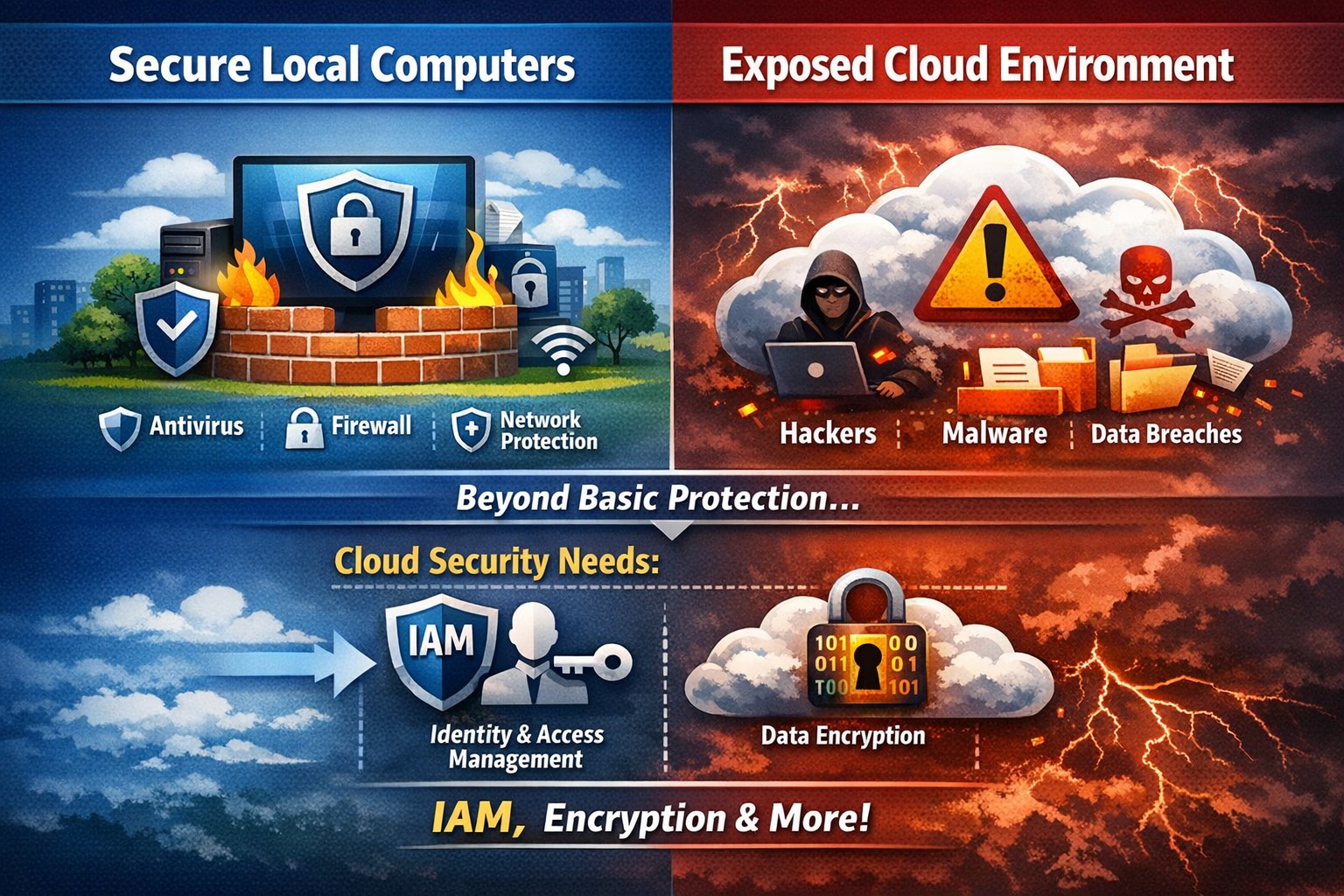
Secure endpoints don’t guarantee cloud safety—address cloud-specific risks now
The ability to store and access data remotely in the cloud has revolutionized the way organizations operate, providing flexibility, scalability, and cost-efficiency. However, with this convenience comes the need for robust security measures to protect sensitive information from cyber threats. This article explores the importance of cloud security and provides strategies to safeguard your company’s data in the cloud.
Understanding Cloud Security
Cloud security encompasses a set of controls, processes, technologies, and policies designed to protect cloud-based systems, infrastructure, and data. It is one part of computer security and information security, aiming to safeguard businesses from financial, legal, and reputational repercussions of data breaches and loss.
Cloud security involves various strategies and best practices to ensure the confidentiality, integrity, and availability of cloud resources. It includes measures such as real-time monitoring, multi-factor authentication (MFA), identity and access management (IAM), cloud-to-cloud backup solutions, systematic off-boarding processes, and anti-phishing training.
Real-time Monitoring
Real-time monitoring is a crucial strategy to detect and respond to suspicious threats promptly. By implementing real-time monitoring tools, businesses can gain visibility into their employee activity and cloud systems to proactively identify any potential cyber attacks. This allows for immediate action to mitigate risks and minimize the impact of data breaches. According to IBM, the global average total cost of a data breach in 2023 was $4.45 million, highlighting the financial implications of inadequate security measures.
Multi-Factor Authentication (MFA)
Traditional username and password combinations are no longer sufficient to protect user accounts from hackers. MFA adds an extra layer of security by requiring users to provide multiple pieces of evidence to verify their identities. This could include a combination of something they know (password), something they have (a mobile device or security key), or something they are (biometric data like a fingerprint or facial recognition). By implementing MFA, businesses can significantly reduce the risk of account compromise attacks and prevent unauthorized access to cloud applications.
Identity and Access Management (IAM)
Identity and access management (IAM) is a critical component of cloud security. It involves assigning proper levels of authorization and access controls to ensure that employees only have access to the information and resources necessary for their roles. IAM not only prevents accidental data breaches but also protects businesses from external threats by limiting the potential attack surface. By implementing IAM solutions, organizations can enforce strict access controls, reduce the risk of unauthorized data access, and maintain data privacy.
Cloud-to-Cloud Backup Solutions
While cloud providers typically have robust data protection measures in place, businesses should not solely rely on them for data backup. Cloud-to-cloud backup solutions provide an additional layer of protection by replicating data from one cloud service to another. This helps mitigate the risk of data loss due to cloud provider mistakes or system failures. Organizations using software-as-a-service (SaaS) applications can benefit from cloud-to-cloud backup solutions, ensuring advanced data protection beyond the basic safeguards provided by the applications themselves.
Systematic Off-boarding Process
When employees leave a company, it is crucial to have a systematic off-boarding process in place to revoke their access rights immediately. According to a survey conducted by Cyberark, “88% of IT workers would take sensitive data with them or abscond with company passwords if they were fired.” Additionally, 50% of ex-employees can still access corporate apps. To prevent unauthorized access and protect sensitive data, organizations should ensure that departing employees’ access rights are promptly revoked. This includes revoking access to systems, data, cloud storage, intellectual property, and consumer information.
Offering Anti-Phishing Training
Phishing remains a prevalent threat in the cybersecurity landscape. Hackers often gain access to secure information by stealing employees’ login credentials or utilizing social engineering techniques. Offering anti-phishing training to employees can help raise awareness about these scams and prevent them from falling victim to phishing attacks. By educating employees on how to identify and report phishing attempts, organizations can safeguard their sensitive data without compromising productivity.
Strengthening Cloud Security Measures
While the above strategies are crucial for securing cloud operations, it is essential to adopt a comprehensive approach to cloud security. Here are additional best practices to strengthen your cloud security measures:
Enforce reliable passwords: Implement password policies that require complex, unique passwords and regular password updates. Encourage the use of password managers to reduce the risk of weak passwords.
Use encryption: Encrypting sensitive data helps protect it from unauthorized access. Implement encryption measures for data at rest and in transit.
Test security continuously: Regularly conduct vulnerability assessments and penetration testing to identify and address security weaknesses in your cloud infrastructure. This proactive approach ensures that potential vulnerabilities are discovered and remediated before they can be exploited.
Ensure local backup: In addition to cloud-to-cloud backup solutions, consider implementing local backups of critical data. This provides an extra layer of protection in case of cloud provider outages or data loss incidents.
Implement additional security measures: Explore additional security solutions such as intrusion detection systems (IDS), firewalls, and data loss prevention (DLP) tools to enhance your overall cloud security posture.
Avoid storage of sensitive data: Minimize the storage of sensitive data in the cloud. Identify and classify data based on its sensitivity and apply appropriate security controls accordingly. This reduces the risk of data breaches and ensures compliance with data protection regulations.
Why Is Cloud Security Important?
Cloud security is crucial for organizations migrating their sensitive data and applications to the cloud. By adopting secure cloud practices, businesses can protect highly sensitive data from hackers and ensure compliance with regulatory requirements. Here are a few reasons why cloud security is important:
Control Access
Cloud security enables organizations to monitor and regulate access to their data. By formulating policies and implementing access controls, businesses can prevent unauthorized users from accessing sensitive information. Cloud management tools provide visibility into user behavior and help maintain strong access controls.
Encrypting Sensitive Data
Encryption plays a vital role in securing data in the cloud. By encrypting data at rest and in transit, organizations can protect it from unauthorized access. Implementing encryption with strong access and control policies minimizes the impact of compromised keys and ensures data confidentiality.
Using Automation
Automation helps minimize human errors and misconfigurations in cloud environments. By automating routine tasks and configurations, organizations can ensure that their infrastructure is deployed and maintained correctly. Cloud automation tools streamline everyday configuration items and provisioning, reducing the risk of security vulnerabilities.
Extend Vulnerability Management Tools
Vulnerability management tools scan networks to identify potential threats or weaknesses that attackers can exploit. These tools help manage and mitigate attacks on the network by suggesting remedies and actions to reduce the prospect of network breaches. Regular scanning and remediation of vulnerabilities are essential to maintain a secure cloud environment.
Implementing Enhancements
Continuous improvement is crucial for maintaining cloud security. Organizations should continuously enhance their security measures throughout the entire lifecycle of their operations. As new threats emerge, businesses must adapt and implement necessary enhancements to safeguard against potential risks.
Deploying Multi-Factor Authentication (MFA)
Deploying MFA increases security and authentication for enterprise applications. Weak or reused passwords are a significant cause of data breaches. By implementing MFA, businesses can protect their cloud applications from unauthorized access attempts. Authorized personnel are granted access, minimizing the risk of data breaches.
Local businesses rely on Farmhouse Networking to simplify their cloud security management and enhance overall security posture. Click here to get started.
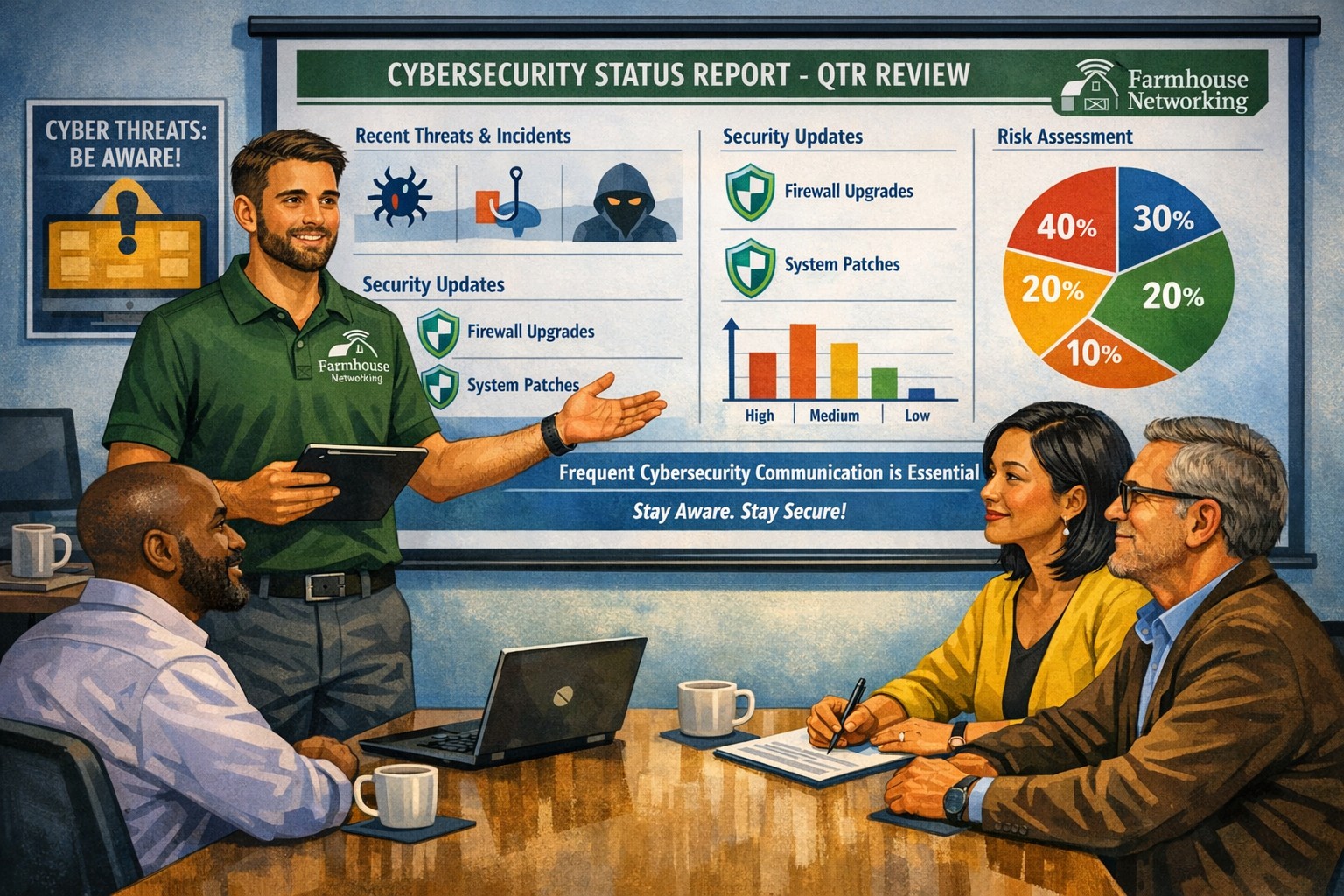
Business meeting between IT provider and client discussing cybersecurity threats and protection strategies
Cyber threats continue to evolve and become increasingly sophisticated, so the importance of robust cybersecurity measures cannot be overstated. Cybersecurity is a critical aspect of any company’s IT infrastructure, as it safeguards company / client data and ensures uninterrupted operations. However, one aspect that often gets overlooked is the proactive communication from IT providers about cybersecurity. This blog article aims to remind IT professionals and decision-makers of the significance of regular discussions with their IT providers regarding cybersecurity, and the potential risks they could be exposed to by neglecting this crucial dialogue.
Importance of Regular Cybersecurity Discussions:
Cybercriminals are continuously developing new attack vectors and exploring vulnerabilities in software, networks, and devices. Cybersecurity is not a one-time fix; it requires ongoing monitoring, updating, and adaptations to counter new threats.
Unfortunately, many organizations assume that by employing an IT provider to manage their systems, they are automatically protected against cyber threats. However, this assumption can lead to complacency, leaving vulnerabilities unaddressed. Regular conversations with your IT provider regarding cybersecurity ensure that your organization is consistently assessing and improving its defense against threats.
Addressing Emerging Threats:
Cybercriminals are constantly adapting their tactics, making it essential for IT providers to stay ahead by implementing proactive security measures. By engaging in frequent discussions, your IT provider can inform you about emerging threats and share strategies to mitigate risk. These discussions should cover topics such as:
Vulnerability Scanning / Penetration Testing: Testing your IT infrastructure to find the weak points is crucial to minimizing the available attack surface for a hacker and decreasing the impact of a breach. Reviewing these findings with your IT provider quarterly is vital to keeping your network safe.
Threat Detection: Standard antivirus software is no longer good enough to stop hackers. Talking with your IT provider about advanced threat detection software to make sure that both local and cloud resources are sufficiently protected from all kinds of attacks.
Patch Management: Ensuring that all software and systems are up-to-date with the latest security patches is crucial. Regular communication will allow your IT provider to inform you about critical patches or upgrades and discuss their implementation to keep your systems secure.
Employee Training: Cybersecurity is a collective effort, and employees play a vital role in maintaining a strong defense. Regular discussions about employee training will ensure that everyone in the organization is aware of best practices, such as identifying phishing emails or avoiding suspicious websites.
Data Backup and Recovery: Regular conversations with your IT company can help you establish and review comprehensive data backup and recovery strategies, minimizing the impact of potential cybersecurity incidents.
Incident Response Planning: In the unfortunate event of a cybersecurity incident, having a well-defined incident response plan is crucial. Meet with your IT provider at least annually to ensure that your plan is up to date, reflecting any changes in your IT infrastructure or evolving threat landscape.
When it comes to cybersecurity, communication is key. If your IT provider has not talked to you recently about cybersecurity, then it is time to call Farmhouse Networking. We are huge on communication and meet regularly with our clients to discuss 42 different IT related categories.
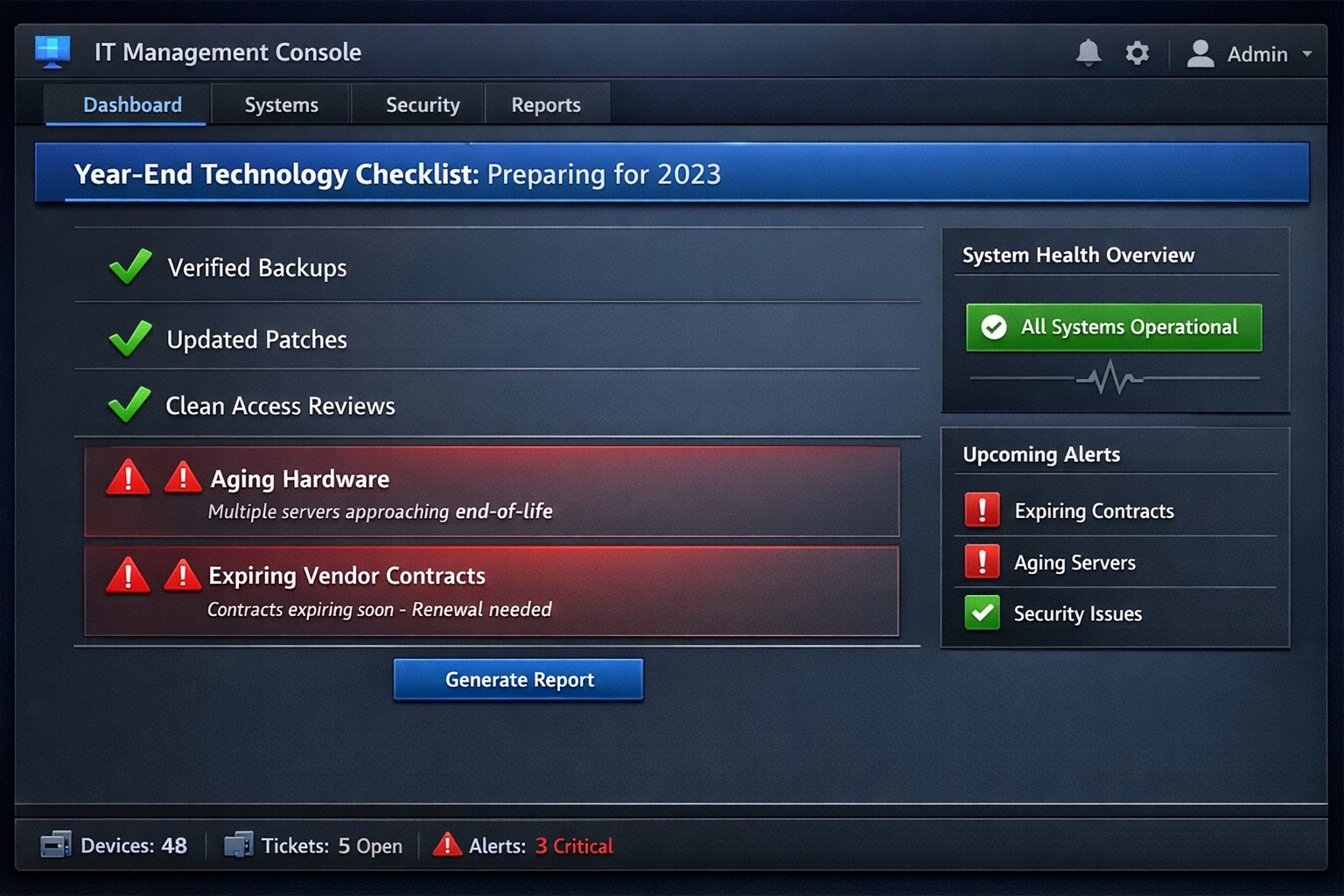
Year-end technology audit dashboard with critical tasks and compliance status.
As the year comes to a close, we at Farmhouse Networking want to ensure that your business technology is in optimal shape for a successful transition into the new year. We’ve put together a checklist to help you wrap up the year on a technologically high note. Some of these items we will work on together, and others will be the responsibility of your team.
Items we will work on together:
Asset Inventory: We have recently conducted a thorough review of your technology assets, including hardware, software, and networking equipment. We updated your inventory list to account for any additions or retirements of assets throughout the year. You should be receiving an invite to our new system called Narmada which gives you constant access to our replacement recommendations.
Password Security: Prompt your team to implement multi-factor authentication for critical systems and applications. This will help to enhance password security. This is not something that should be put off till later. Get it setup on every site possible. It can be made easier with a password manager.
Software Updates: We ensure that standard software applications, operating systems, and antivirus programs are up to date with the latest patches and updates. If you have industry specific software it would be a good time to check with them on the status of your support contract and if there are needed updates.
Data Backups: Verify that your data backup systems are functioning correctly. Test the restoration process to confirm that your business can recover essential data in the event of a disaster. If you don’t have backups in place now is the time to get this critical technology in place.
Security Assessment: Conduct a Security Risk Assessment to identify and address potential vulnerabilities. Ensure that your cybersecurity measures are up to date to protect against evolving threats. Many companies don’t realize that current compliance standards require this.
Employee Training: Provide cybersecurity training to employees to reinforce best practices and raise awareness about potential threats. This should be mandated by your team’s management.
Items you should work on with your team:
Subscription Reviews: Review and audit all software and service subscriptions to ensure they align with your business needs. Cancel any unnecessary subscriptions to optimize costs.
Budget Review: Evaluate your technology budget for the year and identify any areas where adjustments may be needed for the upcoming year.
Technology Roadmap: Develop or update your technology roadmap for the coming year, aligning it with your business goals and objectives.
Compliance Check: Ensure that your technology practices comply with industry regulations and standards applicable to your business.
Communication Plan: Communicate any upcoming changes or upgrades to your team to ensure a smooth transition without disruptions.
Policies & Procedures: Review current documentation to make sure that it includes all needed items like disaster recovery, incident response, computer use, BYOD, and AI usage.
Once you have determined some of your goals and budget, we should meet to discuss the implementation plan for any changes. We will be contacting you in February to setup our next Semi-Annual Business Review (SABR) meetings to discuss this years plan.
If you have any questions or need assistance with any of these items, please don’t hesitate to reach out to our support team. We’re here to help you navigate the year-end process and ensure a seamless start to the new year.
A Step-by-Step Guide for When the Internet Goes Out
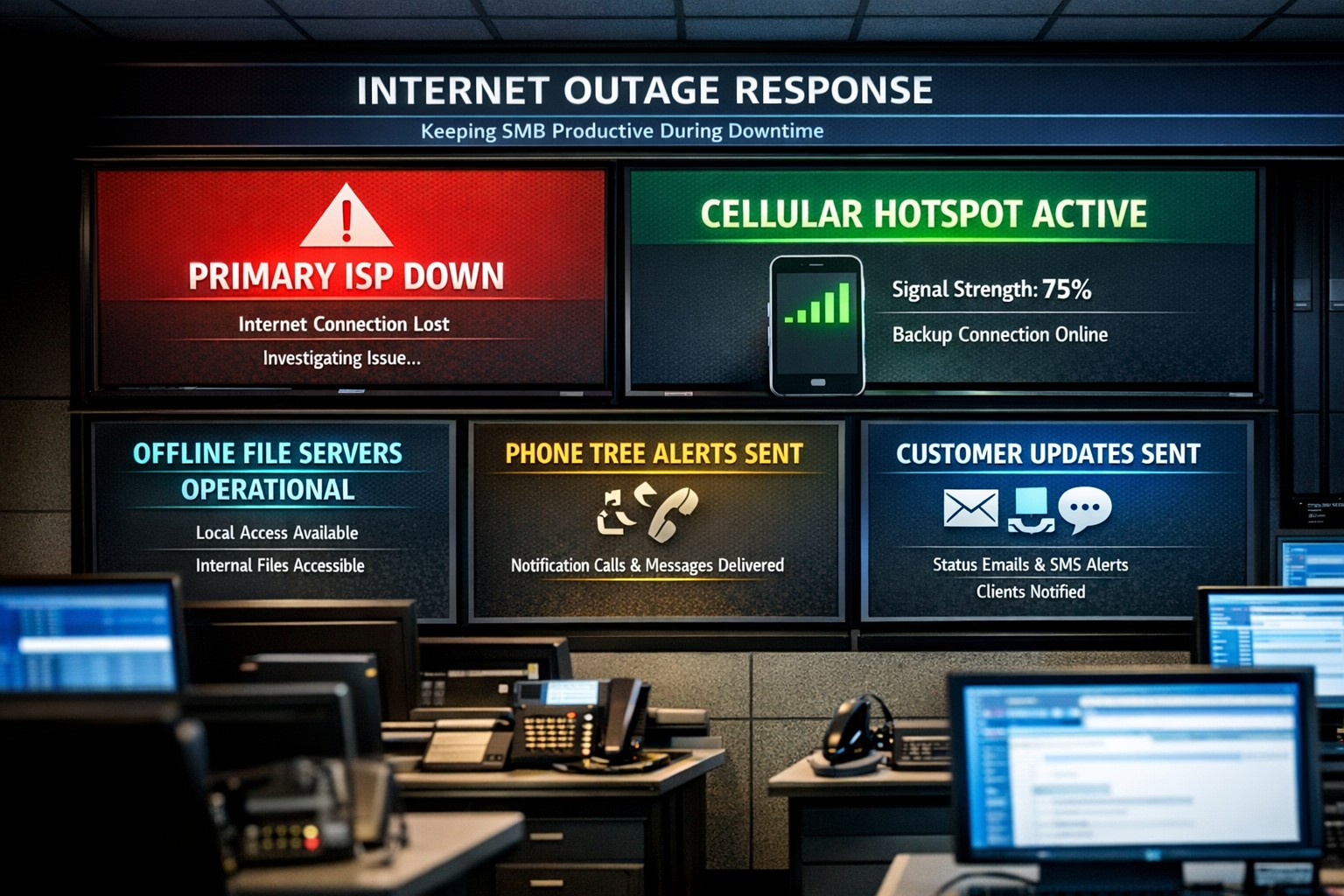
Offline operations dashboard with hotspot failover and local resource access.
Businesses heavily rely on internet access to stay connected and productive. However, what happens when the internet goes out? Whether it’s a temporary outage or a prolonged disruption, losing internet access can have a significant impact on businesses.
We will explore strategies and solutions for navigating the digital apocalypse and ensuring business continuity when the internet goes out. From setting up backup remote access options to implementing offline communication channels, this guide is a must-read for business owners looking to mitigate the impact of internet disruptions and keep their operations running smoothly.
Understanding the Impact
Before we delve into the strategies and solutions for navigating the digital apocalypse, it’s important to understand the potential impact of internet outages on your business. The consequences can be far-reaching and vary depending on the nature of your operations.
Productivity: Productivity can take a major hit when your employees are unable to access crucial online tools and resources. This can result in missed deadlines, delays in client deliverables, and a general slowdown in operations. It’s essential to assess which tasks are entirely dependent on internet connectivity and identify alternative methods to carry them out in the event of an outage.
Customer Satisfaction: If your business relies heavily on online customer interactions, such as e-commerce or customer support, a loss of internet connectivity can lead to frustrated customers, failed transactions, and a tarnished reputation. Having a plan in place to manage customer expectations during an outage is crucial.
Financial Impact: Depending on the duration and severity of the disruption, revenue loss can be substantial. To mitigate this risk, businesses should explore options for data backup, cloud services, and redundancy measures that ensure a seamless transition during an outage.
Preparing for Internet Outages
Backup Plan: One of the most effective ways to ensure business continuity during an internet outage is to have a comprehensive backup plan in place. This involves identifying critical systems and data that need to be accessible offline and regularly backing them up. By doing this, you can minimize the disruption caused by an extended outage and quickly get your business back up and running locally.
Redundancy: This might involve investing in multiple internet service providers (ISPs) or using alternative modes of connectivity, such as mobile hotspot devices or satellite internet. By diversifying your options, you can minimize the risk of a complete loss of internet connectivity. There are even routers that have multiple internet connections with automatic failover or cellular data backups.
Stay Connected
When the internet goes out, it is crucial to have a backup option that allows you to stay connected and continue basic business activities. Mobile hotspots and cellular data can be lifesavers in these situations. Investing in a reliable mobile hotspot device, which uses cellular data to create a Wi-Fi network, can ensure that you have access to the internet even if your primary connection fails. These devices are portable and easy to set up, making them convenient solutions for businesses of all sizes.
Before an outage occurs, it is essential to have a backup cellular plan in place. Assess your cellular service provider options and choose a plan that offers sufficient data, preferably with unlimited options. This will allow your team to continue accessing critical applications, emails, and other online resources without interruption. Furthermore, it is crucial to educate your employees on how to connect and utilize these backup solutions effectively. Inform them about the availability of mobile hotspots and ensure they understand how to use cellular data efficiently without exceeding the limits of the backup data plan.
By incorporating mobile hotspots and cellular data into your backup plans, you can maintain business productivity and minimize the disruption caused by internet outages.
Stabilize Communication
In times of internet outages, it becomes crucial to stabilize communication within your business. Without reliable internet access, VoIP phones and other forms of digital communication with clients and colleagues can become challenging. However, there are alternative solutions that can keep your business running smoothly.
VoIP Routing: Before an outage occurs, take the time to talk to your VoIP phone provider to explore options of how calls will be routed when the internet is out. There are often options that allow calls to be sent to an alternative number or cellphone app during an internet outage.
Mobile Devices: While the office internet may be out it does not necessarily mean that the cellular networks will be down at the same time. Before an internet outage occurs, make sure your team has important digital communication apps installed and that they are familiar with these tools. Provide training sessions or tutorials to ensure everyone is comfortable using them. Additionally, it is essential to have a backup option in case of technical difficulties with the primary tool.
Remote Work Policies
In the midst of a digital apocalypse, it is crucial for businesses to have well-established remote work policies and procedures in place. These policies ensure that employees can continue their work even without internet access, minimizing the impact on productivity. Remote work policies outline expectations for employees when working from home or other offline environments. They should include guidelines for communication, task management, and project deadlines. By establishing clear procedures, businesses can maintain a sense of normalcy and ensure that everyone knows how to navigate through the internet outage.
Additionally, remote work policies should address data security concerns. Employees should be educated on how to handle sensitive information and the appropriate measures to take when working outside the office. Regular training sessions can help reinforce these policies and keep employees up to date with best practices. By implementing remote work policies and procedures, businesses can effectively adapt to the challenges of a digital apocalypse.
Business Continuity Plan
When the internet goes out, having a comprehensive business continuity plan becomes paramount for businesses to minimize disruptions and maintain operations. A business continuity plan outlines the actions and strategies that need to be executed when faced with a digital apocalypse. This plan should include backup communication systems, such as phone lines or walkie-talkies, that can be utilized when the internet is unavailable. Additionally, offline storage and backup systems should be in place to ensure that critical data is available during an internet outage.
Creating a task force dedicated to business continuity can be invaluable during these times. This team can be responsible for implementing and executing the business continuity plan, regularly testing its effectiveness, and making necessary adjustments.
Optimizing remote work infrastructure is essential for seamlessly operating during an internet outage. Contact us today to get prepared before the digital apocalypse occurs.
IT tax deductions: Section 179 bonus depreciation cybersecurity software.
It’s that time of year, business owners need to start thinking about tax deductions and ways to maximize profit protection. One area not to be overlooked is IT expenses since IT plays a crucial role in every business. The good news is that many IT expenses can be deducted from your taxes. From hardware and software purchases to cybersecurity measures and cloud services, there are several essential IT tax deductions that can help you lower your tax bill and keep more money in your profit column.
IT Tax Deductions for Business Owners
As a business owner, it is crucial to recognize the importance of taking advantage of IT tax deductions before the end of the year. These deductions can significantly impact your bottom line. By deducting IT expenses, you are not only reducing your tax liability but also creating funds to re-invest in the growth of your business and upgrading to the latest technology, which positions your business for long-term success.
IT Tax Deductions to Maximize Your Savings
Take advantage of these IT tax deductions to maximize their profit savings:
Software and Hardware Expenses: Deducting the cost of industry specific software and hardware purchases is an excellent way to save on taxes. Whether you invested in new computer systems or upgraded your existing software, remember to include these expenses in your deductions as capital expenditures. Profit savings can be compounded by taking the amount saved through IT tax deductions and spending it on further software and hardware purchases.
Cybersecurity Measures: With the increasing threat of cyberattacks, investing in cybersecurity measures is crucial. These expenses can also be deducted from your taxes. From firewalls to antivirus software, make sure to claim any cybersecurity investments you have made throughout the year.
Cloud Services: Many businesses have moved to using cloud services for their storage and daily operations. These operational expenses are also eligible for tax deductions. Whether you use cloud computing, backup services, or cloud-based software, remember to include these costs in your deductions.
By focusing on these essential IT tax deductions, you will minimize your tax liability and position your business for success in the coming year.
Consulting with a Certified Public Accountant
While it’s important to have a basic understanding of the IT tax deductions for your business, it is equally important to consult with a certified public accountant. A knowledgeable CPA can provide you with personalized financial advice and guidance based on your company’s unique situation.
Tax laws and regulations are constantly changing, and it can be challenging to keep up with all the updates. By working closely with a CPA, you can stay updated on the latest deductions and strategies to maximize your savings while staying compliant with the law. They can review your financial records, identify missed deductions, and help you make informed decisions that positively impact your bottom line.
Remember, seeking advice from a tax professional will not only help you optimize your profit savings but also give you peace of mind knowing that your tax returns are accurate and in line with the regulations.
Keeping Detailed Records
One essential practice for maximizing your IT tax deductions is keeping detailed records of your IT expenses. Maintaining accurate and organized records throughout the year can help you claim all eligible deductions at tax time.
Start by creating a system to track and categorize your IT expenses. This can include items like software and hardware purchases, IT services, website development costs, and data storage fees. Keep receipts, invoices, and any supporting documents for each expense. Having detailed records allows you to easily identify and calculate eligible deductions. It also provides evidence and documentation if you ever face an audit or need to justify your deductions to the IRS.
Consider using accounting software or cloud-based platforms to streamline the record-keeping process. These tools can help you track expenses, generate reports, and ensure accuracy in your financial records. By maintaining detailed records of your IT expenses, you not only ensure that you are taking full advantage of available deductions, but you also create a solid foundation for your overall tax strategy.
Utilizing Section 179 Deductions
Section 179 of the tax code allows businesses to deduct the full purchase price of qualifying equipment and software purchased or financed during the tax year. By utilizing Section 179, you can deduct the entire cost of eligible technology investments in the year they are purchased. This deduction can help reduce your overall tax liability, allowing you to maximize your profit savings.
To qualify for Section 179 deductions, the equipment or software must be used for business purposes more than 50% of the time. This deduction is particularly beneficial for businesses investing in technology upgrades or replacements, as it encourages the adoption of new and improved IT systems. Be sure to consult with a tax professional to determine the eligibility of your IT investments for Section 179 deductions and to ensure you are maximizing this deduction for your business.
Bonus Depreciation for IT Purchases
Business owners can also benefit from bonus depreciation for their IT purchases. Bonus depreciation allows businesses to deduct a percentage of the cost of qualifying assets in the year they are placed in service. Under the Tax Cuts and Jobs Act, businesses can take an 80% bonus depreciation deduction for qualified property acquired and placed into service in 2023, then depreciate the remaining 20% over the course of several years.
To qualify for bonus depreciation, the property must have a recovery period of 20 years or less and be purchased for business use. This deduction is particularly valuable for businesses that are investing in new IT equipment or upgrading their existing technology infrastructure.
By timing your IT purchases strategically, you can take full advantage of bonus depreciation and significantly reduce your tax liability. However, it’s important to note that bonus depreciation is subject to change based on tax laws and regulations, so consulting with a CPA is crucial to ensure compliance and maximize your savings.
Research and Development Tax Credit
While bonus depreciation and Section 179 deductions are great for maximizing your tax deductions when it comes to IT purchases, there is another valuable tax credit that often goes unnoticed – the Research and Development (R&D) tax credit.
The R&D tax credit is designed to incentivize businesses to invest in innovation and development activities. Many business owners mistakenly believe that this credit is only applicable to scientific or technological research. However, the R&D tax credit is much broader than that and can apply to a wide range of industries and activities.
To make the most of the R&D tax credit, it’s important to keep detailed records of your qualifying activities and expenses. Consult with a tax professional who specializes in this area to ensure that you are maximizing your tax savings while staying compliant with the IRS requirements.
To make best use of your IT tax deduction spending, contact us to discuss new purchases and upgrades.
Enterprise managed backup console with real-time monitoring and recovery analytics.
Data is the lifeblood of any business. From customer information to financial records, losing critical data can have devastating consequences for a company. That’s why businesses must have a reliable backup system in place. Managed backup services offer a comprehensive solution for data protection, providing automated backups, off-site storage, and quick data recovery in case of emergencies. In this blog post, we will explore the importance of protecting your business with managed backup services and how they can safeguard your valuable data.
The importance of data protection for businesses
Data protection is a top priority for businesses of all sizes. The importance of safeguarding your valuable data cannot be overstated. In addition to the potential financial losses that can result from data breaches or loss, businesses also face the risk of damaging their reputation and losing customer trust. Managed backup services are an essential part of a comprehensive data protection strategy. With automated backups and off-site storage, businesses can ensure that their data is safe and accessible, even in the event of a disaster. Additionally, quick data recovery capabilities minimize downtime and keep operations running smoothly. By investing in managed backup services, businesses can have peace of mind knowing that their critical data is protected and their business is secure.
Benefits of using managed backup services for your business
Using managed backup services can bring numerous benefits to your business. Let’s explore some of the key advantages that come with implementing managed backup services:
Increased Data Security: With automated backups and off-site storage, your valuable business data is protected from human errors, accidental deletions, or potential disasters. In the event of any mishaps, your data remains safe and easily recoverable.
Enhanced Disaster Recovery: Storing your data off-site ensures that even if your primary business location is compromised, you can still access your data and continue operations seamlessly. This added layer of security is crucial for business continuity.
Time and Cost Savings: The quick data recovery capabilities of managed backup services minimize downtime and save your business from significant financial losses. By swiftly restoring your data, you can maintain productivity and keep customer trust intact.
Peace of Mind: Investing in managed backup services equips your business with reliable and comprehensive data protection, giving you the peace of mind that your critical information is secure.
Factors to consider when choosing a managed backup service provider
When it comes to choosing a managed backup service provider for your business, there are several important factors to consider. Here are six key considerations that will help you make an informed decision:
Reliability and Security: Look for a provider that offers reliable and secure backup solutions. They should have a track record of successfully protecting data and providing seamless disaster recovery.
Scalability: Your business needs may change over time, so it is crucial to choose a provider that can scale its services to meet your evolving backup requirements without hindering performance.
Data Encryption: Ensure that the provider offers strong encryption measures to protect your data during storage and transmission. This will safeguard your sensitive information from unauthorized access.
Monitoring and Support: Opt for a provider that offers proactive monitoring and support services. They should be readily available to address any issues promptly and assist you in restoring your data whenever needed.
Cost and Pricing Model: Consider your budget and choose a provider that offers transparent pricing with no hidden costs. Assess the value of the service and determine if it aligns with your business’s financial objectives.
Backup Reliability: Regular testing and monitoring of your backups is crucial to ensure their effectiveness and reliability. It is important to regularly review and test the backups to verify that they are working correctly.
Taking a proactive approach to backup will provide you with confidence in your data protection strategy. By minimizing downtime and potential risks, you can focus on growing your business and achieving your goals. Invest in managed backup services today and secure your business’s future – contact us to get started
Businesses face a growing number of cybersecurity threats. Cybercriminals are constantly evolving their tactics, making it imperative to prioritize their organization’s security. One crucial step in fortifying your business against potential breaches is conducting a comprehensive security risk assessment. Let’s look at the significance of security risk assessments and how they can shield your valuable data from falling into the hands of malicious actors on the dark web.
Understanding Security Risk Assessments:
A security risk assessment is an in-depth evaluation of your organization’s digital infrastructure, systems, and processes. It aims to identify vulnerabilities and potential threats that could compromise the confidentiality, integrity, and availability of your sensitive data. By analyzing your current security measures, a risk assessment helps you gauge your organization’s resilience to cyber threats, enabling you to implement targeted mitigation strategies.
Why Security Risk Assessments Matter:
Proactive Threat Identification: Hackers often exploit vulnerabilities that go unnoticed until it’s too late. A security risk assessment enables you to proactively identify and address potential weak points in your network, applications, and data storage. By uncovering vulnerabilities before cybercriminals do, you can take preventive measures to mitigate risks and prevent unauthorized access.
Compliance and Regulatory Requirements: Depending on your industry, you may be subject to various compliance regulations that mandate data protection measures. Conducting a security risk assessment ensures that your business aligns with these requirements, helping you avoid costly penalties and reputational damage.
Data Protection and Client Trust: Data breaches can have severe consequences, including financial loss, legal ramifications, and damage to your brand’s reputation. By investing in security risk assessments, you demonstrate your commitment to protecting your clients’ sensitive information, fostering trust and long-term relationships.
Dark Web Threat Mitigation: The dark web has become a thriving marketplace for stolen data, offering cybercriminals a platform to sell and exploit compromised information. By conducting regular security risk assessments, you can identify vulnerabilities that may expose your data to the dark web. This knowledge empowers you to implement robust security measures, reducing the likelihood of your data being discovered and abused in illicit activities.
Securing your organization’s digital assets is of paramount importance. By conducting regular security risk assessments, you gain crucial insights into potential threats and vulnerabilities, which allows you to implement targeted security measures.
Protect your data from ending up on the dark web with a proactive and comprehensive approach. We can help!
And God will generously provide all you need. Then you will always have everything you need and plenty left over to share with others. As the Scriptures say,
“They share freely and give generously to the poor. Their good deeds will be remembered forever.”
For God is the one who provides seed for the farmer and then bread to eat. In the same way, he will provide and increase your resources and then produce a great harvest of generosity in you. - 2 Corinthians 9:8-10
We use cookies to ensure that we give you the best experience on our website. If you continue to use this site we will assume that you are happy with it.