As our business continues to grow our focus is on providing white labeled Tier 3 IT support services, RMM as a service, and co-managed IT services. This blog will be highlighting tips for using PowerShell to deploy Synology Active Backup for Business.
Research
Found a support page from Synology that details how to edit the MSI file and deploy it via a Group Policy Object. We are using a similar method to edit the MSI package and deploy it from a local share to all computers via the RMM. You will need to configure a Synology Active Backup for Business template for PCs and download the MSI installer. We use a software called InstEd to edit the MSI installer as follows:
Click Property in the Tables list on the left. Enter the values for the following properties3:
USERNAME: Enter the username for accessing the Synology NAS.
NO_SHORTCUT: Enter “1” if you want to hide the Active Backup for Business Agent’s icon from the main menu of the end user’s device.
ADDRESS: Enter the IP address of the Synology NAS.
PASSWORD: Enter the password for accessing the Synology NAS.
ALLOW_UNTRUST: Enter “1” if you want to connect to the Synology NAS using an IP address instead of a domain or DDNS.
PROXY_ADDR, PROXY_PORT, PROXY_USERNAME, PROXY_PASSWORD: Enter these values only when users have to access your Synology NAS via proxy.
Click File > Save
Once done, upload to the local network share and take note of the share path – i.e. \\192.168.20.10\Support
Variables
$MSIArguments = This will include full file name of the Synology Active Backup for Business MSI installer – i.e. ‘Synology Active Backup for Business Agent-2.7.0-3221-x64.msi’
Script Snippet
Push-Location -Path '\\192.168.20.10\Support' -StackName 'Backup'
Set-Location -StackName 'Backup'

$MSIArguments = "/i Synology Active Backup for Business Agent-2.7.0-3221-x64.msi"

Start-Process "msiexec.exe" -ArgumentList $MSIArguments -Wait -NoNewWindow
The script will take several seconds to minutes to run based on the speed of the computer. The computers will start populating on their own into the Synology Active Backup for Business app.
If your company is a MSP or wants to become one and automation just seems out of reach, then contact usto run your RMM for you.
Cloud backups enable robust DR and BCP for seamless business operations.
Businesses face numerous threats that can disrupt operations and compromise critical data. From natural disasters to cyberattacks, the potential for catastrophic events looms large. This is where comprehensive disaster recovery and business continuity planning comes into play, offering a lifeline for organizations in times of crisis.
The Importance of Preparedness
Disaster recovery (DR) and business continuity planning (BCP) are essential components of any robust IT strategy. While often used interchangeably, these two concepts have distinct focuses:
Disaster Recovery primarily deals with restoring data access and IT infrastructure after a disaster. It’s about getting systems back online and operational as quickly as possible.
Business Continuity focuses on keeping the business operational during a disaster. It ensures that critical functions can continue even in unfavorable circumstances.
When combined, DR and BCP create a powerful shield against potential disruptions, minimizing downtime and protecting valuable data.
Benefits of a Comprehensive Plan
A well-crafted DR and BCP strategy offers numerous advantages:
Ensures Business Continuity: With a solid plan in place, businesses can quickly restart operations after a disaster, reducing costly downtime.
Enhances System Security: Integrated data protection and backup processes limit the impact of security threats like ransomware and malware.
Improves Customer Retention: A swift response to disasters instills confidence in customers, showcasing the organization’s reliability.
Reduces Recovery Costs: By enabling rapid system restoration, a robust plan helps avoid unnecessary financial losses.
Key Components of an Effective Plan
A comprehensive DR and BCP strategy should include:
Clear Communication Protocols: Ensuring all stakeholders know their roles and responsibilities during a crisis.
Regular Data Backups: Implementing backup solutions with both onsite and offsite aka cloud storage options.
Redundant Infrastructure: Establishing backup systems to maintain operations during primary system failures.
Employee Training: Conducting regular drills and awareness programs to prepare staff for potential disasters.
Regular Testing and Updates: Periodically reviewing and updating the plan to address evolving threats and business needs.
The Role of Managed IT Services
Partnering with a managed IT services provider can significantly enhance your DR and BCP efforts. These experts bring specialized knowledge and resources to:
Develop comprehensive strategies tailored to your business needs
Implement resilient backup and recovery solutions
Provide monitoring and rapid incident response
Conduct regular testing and plan updates
By leveraging managed IT services, businesses can ensure they’re prepared for any eventuality, minimizing the risk of prolonged downtime and data loss.
Don’t wait for disaster to strike before taking action. A proactive approach to DR and BCP can mean the difference between a minor setback and a major catastrophe for your business. Contact Farmhouse Networking today to start developing your comprehensive disaster recovery and business continuity plan. Our team of experts will work with you to assess your unique needs, identify potential risks, and create a tailored strategy to keep your business running smoothly, no matter what challenges arise. Don’t leave your business’s future to chance.
Protecting patient data and ensuring the security of your medical practice’s IT infrastructure is more critical than ever. With cyber threats constantly evolving, implementing strong cybersecurity measures is not just a good practice—it’s essential for maintaining patient trust, complying with regulations, and safeguarding your practice’s reputation.
The Growing Threat to Healthcare
Healthcare organizations are prime targets for cybercriminals due to the valuable nature of patient data. In recent years, the healthcare industry has experienced a surge in cyberattacks, with data breaches affecting millions of patients and costing healthcare providers billions of dollars.
Essential Cybersecurity Measures:
To protect your medical practice from these threats, consider implementing the following cybersecurity essentials:
Firewalls: A robust firewall acts as the first line of defense against unauthorized access to your network. It monitors incoming and outgoing traffic, blocking potential threats before they can infiltrate your systems.
Antivirus Software: Comprehensive antivirus solutions are crucial for detecting and preventing malware, ransomware, and other malicious software that could compromise patient data. Modern antivirus programs use advanced techniques like machine learning to identify and neutralize emerging threats in real-time.
Data Encryption: Encrypting sensitive patient information, both at rest and in transit, ensures that even if data is intercepted, it remains unreadable and unusable to unauthorized parties. This is particularly important for maintaining HIPAA compliance.
Regular Software Updates: Keeping all systems and software up-to-date with the latest security patches is vital for addressing known vulnerabilities and protecting against new threats.
Employee Training: Your staff is often the first line of defense against cyberattacks. Regular cybersecurity training can help employees recognize phishing attempts, practice good password hygiene, and follow proper data handling procedures.
The Role of Managed IT Services
While these measures are essential, implementing and maintaining a comprehensive cybersecurity strategy can be challenging for many medical practices. This is where managed IT services come into play. Managed IT service providers, like Farmhouse Networking, offer expertise and resources to ensure your practice’s cybersecurity measures are robust, up-to-date, and compliant with industry regulations. Here’s how managed IT can protect your patient data:
24/7 Monitoring and Threat Detection: Continuous surveillance of your network to identify and respond to potential threats before they cause damage.
Automated Updates and Patch Management: Ensuring all systems and software are current with the latest security updates.
Data Backup and Disaster Recovery: Implementing comprehensive backup solutions and disaster recovery plans to safeguard patient data in case of a breach or system failure.
Compliance Management: Helping your practice stay compliant with HIPAA and other relevant regulations through regular audits and updates to security protocols.
Advanced Security Solutions: Implementing enterprise-grade security measures that might be out of reach for smaller practices managing IT in-house.
In an era where cyber threats are constantly evolving, partnering with a managed IT service provider is one of the most effective ways to ensure your medical practice’s cybersecurity stays ahead of the curve. Farmhouse Networking offers comprehensive IT solutions tailored specifically for healthcare providers, combining local expertise with cutting-edge technology to keep your patient data safe and your practice secure. Don’t wait for a breach to occur before taking action. Call us at (541) 761-9549 or visit our website at www.farmhousenetworking.com to schedule a consultation.
Cloud solutions streamline charity IT for maximum impact and minimal costs.
Charities and nonprofit organizations can significantly enhance their impact and operational efficiency by optimizing their IT infrastructure. By strategically leveraging technology, these organizations can streamline workflow, improve communication, and ultimately better serve their mission and constituents.
Aligning Technology with Organizational Goals
The first step in optimizing IT infrastructure is to ensure that technology initiatives are aligned with the charity’s overall objectives. This alignment is crucial for several reasons:
– It ensures that technology investments directly contribute to the organization’s mission – It helps prioritize IT projects based on their potential impact – It allows for more effective allocation of limited resources
To achieve this alignment, charities should involve key stakeholders, including staff, volunteers, and board members, in the IT strategy development process. This collaborative approach ensures that diverse perspectives are considered and that the resulting strategy addresses the needs of all parts of the organization.
Assessing Current Infrastructure and Capabilities
Before implementing new technologies, it’s essential for charities to evaluate their existing IT infrastructure. This assessment should cover:
– Hardware and software inventory – Network capabilities – Data storage and management systems – Security measures
By understanding the current state of their IT infrastructure, charities can identify gaps, inefficiencies, and areas for improvement. This information forms the foundation for developing a comprehensive IT strategy that addresses the organization’s specific needs and challenges.
Embracing Cloud-Based Solutions
Many nonprofits are transitioning from legacy on-premise systems to cloud-based services, which offer numerous advantages:
– Scalability: Cloud services can easily grow with the organization – Cost-effectiveness: Pay-as-you-go models reduce upfront costs – Flexibility: Access to data and applications from anywhere – Automatic updates: Ensures the organization always has the latest features and security patches
For example, Microsoft Office 365 provides powerful tools for data analysis and collaboration, enabling charities to gain valuable insights from donor data and improve fundraising strategies.
Prioritizing Security and Data Protection
Given the sensitive nature of the data handled by charities, including donor information and financial records, security should be a top priority in their IT strategy. Key security measures to consider include:
– Implementing robust firewalls and next-gen antivirus software – Regularly updating and patching systems – Encrypting sensitive data – Providing staff training on cybersecurity best practices – Developing and enforcing data privacy policies
By prioritizing security, charities can protect their reputation, maintain donor trust, and avoid costly data breaches.
Implementing Effective IT Governance
To ensure the ongoing success of IT initiatives, charities should establish clear governance structures and support mechanisms. This includes:
– Defining roles and responsibilities for IT management – Creating processes for handling IT requests and incidents – Establishing an IT committee or designating a dedicated IT staff member – Developing policies for technology use and data management – Consider out-sourcing IT management to lower maintenance costs
Effective IT governance helps ensure that technology continues to serve the organization’s needs and that resources are used efficiently.
Addressing Technical Debt
Many nonprofits accumulate technical debt over time by choosing quick or cheap solutions over more sustainable options. To address this issue:
– Conduct regular audits of IT infrastructure – Identify and replace outdated or inefficient systems – Invest in modernization to reduce long-term maintenance costs and security risks
While addressing technical debt may require upfront investment, it can lead to significant cost savings and improved performance in the long run.
Navigating the complex world of IT infrastructure optimization can be challenging, especially for charities with limited resources. That’s where Farmhouse Networking comes in. Our team of experts specializes in helping nonprofit organizations leverage technology to maximize their impact and efficiency.
Ready to transform your charity’s IT infrastructure? Here’s how Farmhouse Networking can help:
Conduct a comprehensive assessment of your current IT setup
Develop a tailored strategy aligned with your organizational goals
Implement cost-effective cloud solutions to enhance flexibility and scalability
Strengthen your cybersecurity measures to protect sensitive data
Provide ongoing support and maintenance to ensure optimal performance
Don’t let outdated technology hold your charity back. Contact Farmhouse Networking today to schedule a free consultation. Together, we can harness the power of technology to amplify your mission and make a greater difference in the world. Call us at (541) 761-9549 or visit www.farmhousenetworking.com to get started on your IT optimization journey.
Let’s empower your charity with the right technology solutions. Reach out now and take the first step towards a more efficient, secure, and impactful future.
Secure your patient data with HIPAA-compliant managed IT: encryption, access controls, and continuous monitoring.
Ensuring the privacy and security of patient information is paramount. The Health Insurance Portability and Accountability Act (HIPAA) sets stringent standards for protecting sensitive patient data. For medical practices, staying compliant with HIPAA regulations can be a daunting task, especially with the increasing complexity of IT systems. This is where a Managed IT Service Provider (MSP) can play a crucial role. In this blog, we’ll explore how partnering with an MSP can help your medical practice remain compliant with HIPAA regulations for data privacy and security.
Understanding HIPAA Compliance
HIPAA compliance involves adhering to a set of rules and regulations designed to safeguard Protected Health Information (PHI). These rules are divided into several key areas:
Privacy Rule: Governs the use and disclosure of PHI.
Security Rule: Establishes standards for protecting electronic PHI (ePHI) through administrative, physical, and technical safeguards.
Breach Notification Rule: Requires covered entities to notify affected individuals, the Secretary of Health and Human Services (HHS), and, in some cases, the media, of a breach of unsecured PHI.
Enforcement Rule: Outlines the penalties for non-compliance and the procedures for investigations and hearings.
The Role of Managed IT in HIPAA Compliance
A Managed IT Service Provider can offer a range of services that help ensure your medical practice remains compliant with HIPAA regulations. Here are some key ways an MSP can assist:
Risk Assessment and Management: HIPAA requires regular risk assessments to identify potential vulnerabilities in your IT systems. An MSP can conduct comprehensive risk assessments to:
Identify and evaluate risks to ePHI.
Implement measures to mitigate identified risks.
Continuously monitor and update risk management strategies.
Data Encryption and Secure Communication: Encrypting ePHI is a critical component of HIPAA compliance. An MSP can implement robust encryption protocols to ensure that data is protected both at rest and in transit. Additionally, they can set up secure communication channels, such as encrypted email, secure messaging platforms, and encrypted file sharing, to protect sensitive information.
Access Control and Authentication: HIPAA mandates strict access controls to ensure that only authorized personnel can access ePHI. An MSP can help by:
Implementing role-based access controls (RBAC).- all users in a group and only specific groups get access to specific things
Setting up multi-factor authentication (MFA) to add an extra layer of security.
Regularly reviewing and updating access permissions.
Backup and Disaster Recovery: Data loss can have severe consequences for HIPAA compliance. An MSP can design and implement a robust backup and disaster recovery plan to ensure that ePHI is regularly backed up and can be quickly restored in the event of data loss or a cyberattack.
Security Awareness Training: Human error is a significant factor in many data breaches. An MSP can provide ongoing security awareness training for your staff to:
Educate them about HIPAA regulations and the importance of data privacy.
Teach best practices for identifying and responding to potential security threats.
Conduct regular phishing simulations to test and improve staff vigilance.
Continuous Monitoring and Incident Response: HIPAA requires continuous monitoring of IT systems to detect and respond to security incidents promptly. An MSP can offer:
24/7 monitoring of your IT infrastructure.
Advanced threat detection and response solutions.
Incident response planning and execution to minimize the impact of security breaches.
Benefits of Partnering with a Managed IT Provider
Partnering with an MSP for HIPAA compliance offers several benefits:
Expertise: MSPs have specialized knowledge and experience in healthcare IT and HIPAA regulations.
Cost-Effectiveness: Outsourcing IT management can be more cost-effective than maintaining an in-house IT team.
Focus on Core Activities: With IT management in the hands of experts, your medical practice can focus on providing quality patient care.
Scalability: MSPs can scale their services to meet the growing needs of your practice.
Ensuring HIPAA compliance is a complex but essential task for any medical practice. By partnering with a Managed IT Service Provider, you can leverage their expertise and resources to safeguard patient data, mitigate risks, and maintain compliance with HIPAA regulations. This not only protects your practice from potential penalties but also builds trust with your patients, knowing their sensitive information is in safe hands. For medical practices looking to navigate the intricacies of HIPAA compliance, a Managed IT Service Provider like Farmhouse Networking can be an invaluable ally in maintaining the highest standards of data privacy and security.
CrowdStrike Falcon update triggers massive IT outage across cloud services
The recent CrowdStrike IT outage on July 19, 2024, caused by a defective update for Windows, serves as a stark reminder of the importance of managing IT infrastructure and proactive measures to prevent system downtime. While no system is entirely immune to outages, there are several strategies businesses can implement to minimize the risk and impact of such incidents.
Key Strategies to Prevent IT Outages
Improve Continuous Integration / Continuous Deployment (CI/CD) Practices: One of the most effective ways to prevent outages caused by software updates is to enhance CI/CD practices. This approach involves:
Automating the testing and deployment process
Implementing rigorous quality assurance checks
Using staging environments to test updates before full deployment
Gradually rolling out updates to detect issues early
By improving CI/CD practices, businesses can catch potential issues before they affect the entire network, reducing the likelihood of widespread outages.
Implement Comprehensive Load / Failure Testing: Regular load testing is crucial to ensure that systems can handle typical use cases and determine their potential in high use scenarios. A game plan should also be put in place for when systems fail to map out the road to recovery. This involves:
Simulating various levels of user activity
Identifying performance bottlenecks
Optimizing system architecture and configuration
Preparing for crisis scenarios, such as partial resource failures
Practice response to system failures before they become reality
Load / failure testing helps businesses understand their system’s limitations and address potential issues before they lead to outages.
Ensure Proper Scalability: As businesses grow, their IT infrastructure must be able to scale accordingly. This includes:
Designing systems with future growth in mind
Utilizing cloud technologies for flexible resource allocation
Regularly reviewing and updating system architecture
Implementing efficient systems that can handle increased business
Proper scalability ensures that systems can continue to function effectively as demand increases, reducing the risk of outages due to overload.
Enable Automatic Updates with Caution: While automatic updates can help keep systems secure and up-to-date, they should be implemented carefully. Best practices include:
Testing updates in a controlled environment before widespread deployment
Staggering updates across different system components
Having a rollback plan in case of issues
Monitoring systems closely after updates are applied
Automatic updates can help prevent security vulnerabilities, but they must be managed carefully to avoid introducing new issues.
Implement Comprehensive Monitoring: A robust monitoring system is essential for detecting and addressing potential issues before they escalate into outages. This includes:
Using a centralized monitoring platform for all IT infrastructure
Outsourcing it management is resources are not available
Setting up alerts for unusual system behavior or performance metrics
Implementing predictive analytics to identify potential issues early
Regularly reviewing and updating monitoring parameters
Comprehensive monitoring allows businesses to take a proactive approach to system management, reducing the risk of unexpected outages.
Conduct Regular Employee Training: Human error is a common cause of IT outages. Regular employee training can help mitigate this risk. Training should cover:
Best practices for system usage
Recognizing and reporting potential security threats
Proper procedures for applying updates and patches
Emergency response protocols in case of system issues
Well-trained employees are less likely to make mistakes that could lead to outages and are better equipped to respond effectively when issues do occur.
Don’t let IT outages disrupt your business. Take action now to protect your company’s technology infrastructure. Call Farmhouse Networking today at (541) 761-9549 to schedule a comprehensive IT assessment and learn how our expert team can implement strategies to prevent costly downtime. Secure your business’s future with proactive IT management.
Safeguarding your business data is paramount. Cyber threats are ever-evolving, and data breaches can have severe consequences. To fortify your business defenses, consider implementing the following security and encryption tools:
Operating System Encryption
Encryption is the process where normal data is transformed into something unreadable without the keys unlock it. Windows has encryption built in using BitLocker software in conjunction with modern hardware to keep data safe on physical hard drives. In case a computer is stolen or lost the data is unreadable (assuming the password protecting the computer is strong).
Virtual Private Network / Zero Trust Network Access
Whenever employees are remote or working from home they need to be able to connect to company resources without endangering company data. This is best done through Zero Trust Network Access (ZTNA) which is the next-gen replacement for the older virtual private network connection ZTNA assumes that all connections are threats unless proven otherwise and those who are connecting must have their computers tested to make sure they are safe. This approach also only allows users to connect to the resources that are specifically needed to function.
Antivirus / Extended Detection and Response
One key to staying cyber secure is to recognize and repel threats before they do any damage. Utilizing AI and automation extended detection and response (XDR) is the modern replacement for antivirus. It is able to detect behavior patterns that malicious software and hackers use when attacking your systems then automatically undue any changes they have made.
Email Encryption and SPAM Filtering
When sending sensitive data via email it is now the standard to send it via encrypted channels with each message also being encrypted. Most companies that provide encryption also provide SPAM filtering which keeps phishing, spoofing, and malicious emails from targeting employees. This is often the most effective means hackers use to gain a foot hold in networks.
Backups
There will inevitably be times when hackers are able to breach even the best defenses, so the only recourse at that time is to have good backups in multiple locations to recover once the attacker is repelled. Without good backups many companies have had to pay ransoms and hope for a response or go out of business.
Remember, data security is an ongoing process. Combine these tools with user education and strong password practices,. Stay vigilant, adapt to new threats, and invest wisely in protecting your digital assets and reputation. Call Farmhouse Networking to advise you on how to best secure your business.
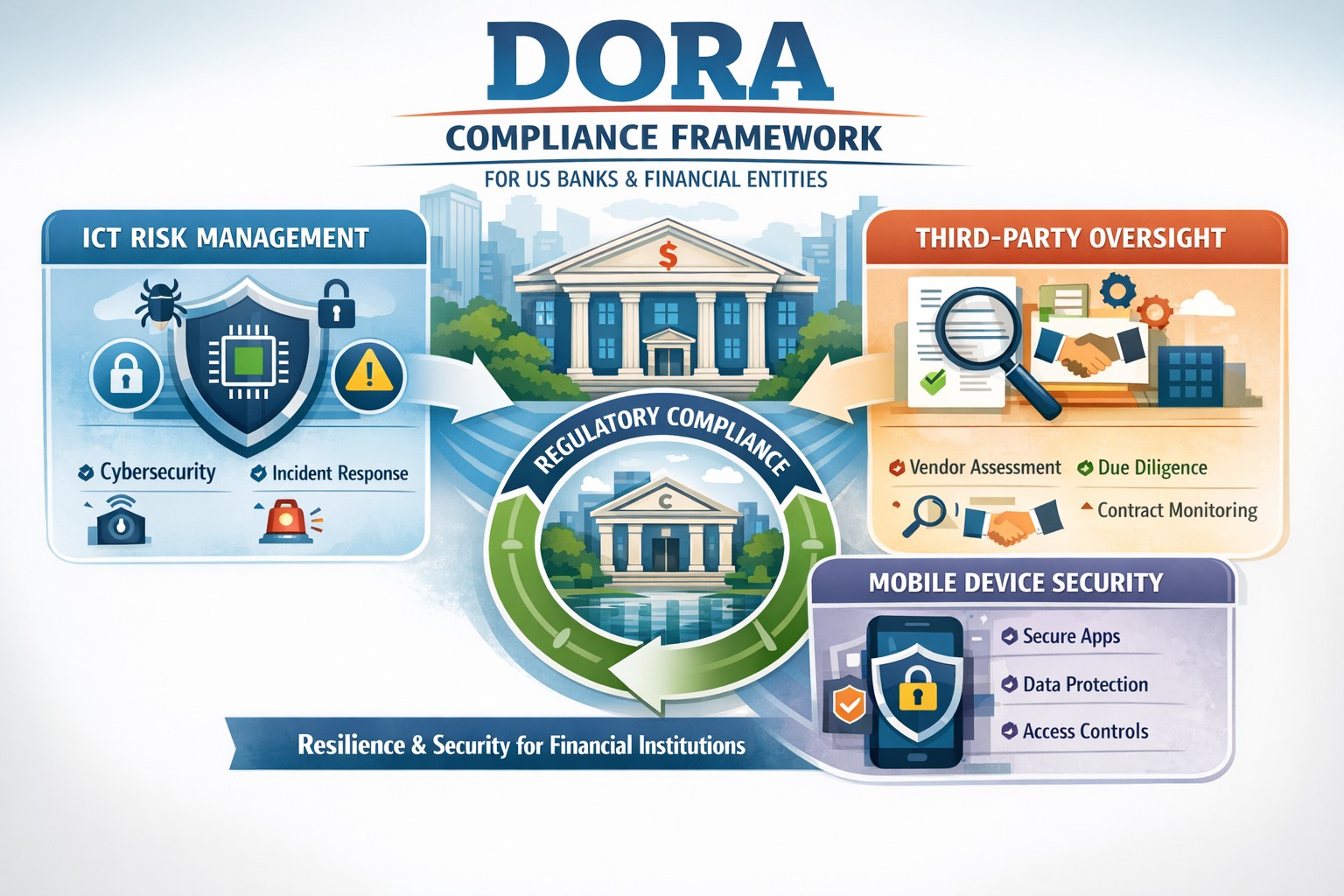
Navigating DORA changes with robust BYOD MDM for financial resilience
For US financial institutions, regulatory frameworks play a pivotal role in shaping operational protocols, enhancing security measures, and ensuring the resilience of the financial sector against a myriad of risks and vulnerabilities. Among these regulatory frameworks, the Digital Operational Resilience Act (DORA) stands out as a beacon of change, heralding a new era of compliance requirements and operational standards for financial entities.
This comprehensive guide aims to demystify the intricacies of DORA, shedding light on its key provisions, compliance requirements, and the broader implications for information and communication technology (ICT) within the financial sector. We will provide actionable insights into navigating these changes, adopting effective strategies for adaptation, overcoming potential challenges, and adhering to best practices for ensuring DORA compliance. As we delve into this exploration, the role of technology in facilitating compliance and the future landscape of US financial institutions under DORA’s influence will also be examined.
Introduction to DORA and its impact on US financial institutions
The introduction of DORA is a testament to the increasing recognition of the critical role that digital operational resilience plays in the stability and security of financial institutions. When cyber threats are looming large and the dependency on ICT infrastructures has become indispensable, DORA emerges as a regulatory response to the need for a harmonized, rigorous framework aimed at bolstering the digital defenses of financial entities. Its impact on US financial institutions is far-reaching, affecting not only the internal processes and technological deployments but also the strategic orientation towards digital operational resilience.
For US financial institutions, DORA represents both a challenge and an opportunity. The challenge lies in the comprehensive nature of the requirements, demanding a thorough reassessment of existing ICT systems, operational policies, and compliance mechanisms. On the other hand, the opportunity emerges from the potential for enhanced operational resilience, reduced vulnerability to cyber incidents, and a stronger competitive position in a digitally driven market. The anticipation of these changes has already begun to shape the strategic planning and investment priorities of financial institutions, with a clear focus on aligning with DORA’s stipulations.
The significance of DORA extends beyond mere compliance. It encapsulates a paradigm shift towards viewing digital operational resilience as a cornerstone of financial stability and consumer trust. As such, the efforts to meet DORA’s requirements are not just about adhering to a regulatory mandate but about embracing a culture of continuous improvement and risk-awareness in the digital domain. This cultural shift is fundamental to navigating the changes brought about by DORA and leveraging them to build a more resilient, trustworthy financial sector.
Understanding the key provisions of DORA
DORA is structured around several key provisions that collectively aim to enhance the digital operational resilience of financial institutions. These provisions cover a broad spectrum of requirements, from ICT risk management and incident reporting to third-party dependency management and testing of digital defenses. Understanding these key provisions is essential for financial institutions to grasp the full extent of DORA’s implications and to formulate a coherent strategy for compliance.
The first of these provisions centers on robust ICT risk management practices. Financial institutions are required to implement comprehensive risk management frameworks that can identify, assess, mitigate, and monitor ICT risks. This entails not only the deployment of advanced security measures and protocols but also the establishment of governance structures that ensure continuous oversight and accountability for ICT risk management.
Another critical provision of DORA pertains to the reporting of significant cyber incidents. Financial institutions must establish mechanisms for timely detection and reporting of such incidents to relevant regulatory authorities. This enhances the collective resilience of the financial sector by enabling a coordinated response to cyber threats and the sharing of critical information that can prevent the propagation of cyberattacks.
Lastly, DORA places a strong emphasis on the management of third-party risks. Given the interconnected nature of today’s financial ecosystem, where institutions rely heavily on external vendors for ICT services, DORA mandates stringent due diligence, monitoring, and contractual safeguards to manage the risks associated with third-party dependencies. This includes the requirement for financial institutions to ensure that their third-party providers adhere to equivalent standards of digital operational resilience.
Implications of DORA on information and communication technology (ICT)
The implications of DORA on ICT within financial institutions are profound, encompassing both the technological infrastructure and the operational processes that underpin the institution’s digital activities. At its core, DORA seeks to ensure that financial institutions have resilient, secure, and efficient ICT systems capable of withstanding a wide range of digital threats and challenges.
One of the primary implications relates to the enhancement of cybersecurity measures. DORA drives financial institutions to adopt state-of-the-art security technologies and practices, from advanced encryption methods and intrusion detection systems to comprehensive data protection protocols. This not only strengthens the institution’s defenses against cyberattacks but also fosters a culture of cybersecurity awareness and vigilance among employees and stakeholders.
Another significant implication is the focus on operational continuity and disaster recovery. DORA mandates that financial institutions develop and test robust business continuity plans (BCPs) and disaster recovery strategies (DRS) that ensure the institution can maintain or quickly resume critical operations in the event of an ICT-related disruption. This requires a careful analysis of critical business functions, the identification of potential vulnerabilities, and the implementation of measures to mitigate these risks.
Additionally, DORA underscores the importance of ICT governance and accountability. Financial institutions are expected to establish clear governance structures that define roles, responsibilities, and accountability for ICT risk management. This involves senior management taking an active role in overseeing ICT strategies, ensuring that digital operational resilience is embedded in the institution’s strategic planning and decision-making processes.
Navigating the changes brought by DORA in the financial sector
Navigating the changes brought by DORA requires a strategic, proactive approach that goes beyond mere compliance. Financial institutions must view these changes as an opportunity to enhance their operational resilience, competitive advantage, and trustworthiness in the digital age. This involves embracing a holistic view of digital operational resilience, integrating it into the institution’s overall strategic framework, and fostering a culture of continuous improvement and innovation.
The first step in this journey is to conduct a comprehensive assessment of the institution’s current ICT landscape and operational practices. This assessment should identify gaps in compliance with DORA’s provisions, areas of vulnerability to digital risks, and opportunities for enhancing digital operational resilience. Based on this assessment, financial institutions can develop a tailored action plan that addresses these gaps, leverages technological innovations, and aligns with the institution’s strategic objectives.
Engagement and collaboration across the organization are also crucial for successfully navigating the changes brought by DORA. This involves fostering an inclusive dialogue among stakeholders, including senior management, ICT professionals, risk managers, and operational staff, to ensure a shared understanding and commitment to digital operational resilience. Training and awareness programs can also play a key role in equipping employees with the knowledge and skills needed to contribute to the institution’s resilience efforts.
Furthermore, financial institutions should leverage the potential of technology to facilitate compliance and enhance operational resilience. This includes exploring advanced technologies such as artificial intelligence (AI), machine learning (ML), and blockchain, which can offer innovative solutions for risk management, incident detection, and secure transactions. Technology can also enable more efficient and effective compliance processes, from automated reporting mechanisms to real-time monitoring of third-party risks.
Strategies for adapting to DORA’s requirements
Adapting to DORA’s requirements necessitates a strategic approach that aligns with the institution’s operational realities and long-term objectives. One effective strategy is to prioritize the institution’s efforts based on the criticality of different ICT systems and processes, focusing initially on areas that present the highest risk or are most crucial for the institution’s operations. This prioritization helps to allocate resources efficiently and achieve significant enhancements in digital operational resilience.
Another key strategy involves fostering partnerships and collaboration both within the financial sector and with external technology providers. Collaborative initiatives can facilitate the sharing of best practices, insights, and experiences related to DORA compliance and digital operational resilience. Engaging with technology providers, like Farmhouse Networking, can also enable financial institutions to access innovative solutions and expertise that support compliance efforts and enhance the institution’s digital capabilities.
Continuous monitoring and evaluation are also essential for adapting to DORA’s requirements. Financial institutions should establish mechanisms for ongoing assessment of their compliance status, digital risk landscape, and the effectiveness of implemented resilience measures. This enables the institution to identify emerging risks, adapt to changes in the regulatory environment, and continuously improve its digital operational resilience.
Key challenges faced by financial institutions in implementing DORA
Implementing DORA presents a range of challenges for financial institutions, from the complexity of compliance requirements to the need for significant investments in technology and skills. One of the primary challenges is the integration of DORA’s provisions into the institution’s existing risk management and operational frameworks. This requires a comprehensive understanding of DORA’s requirements, as well as the ability to align these with the institution’s processes and objectives.
Another significant challenge is the management of third-party risks. The reliance on external providers for critical ICT services introduces a layer of complexity to compliance efforts, necessitating thorough due diligence, effective contractual arrangements, and ongoing monitoring. Ensuring that third-party providers adhere to equivalent standards of digital operational resilience can be a daunting task, requiring dedicated resources and expertise.
Additionally, the rapid pace of technological change and the evolving cyber threat landscape pose challenges for maintaining compliance and ensuring continuous digital operational resilience. Financial institutions must remain agile, constantly updating their risk assessments, cybersecurity measures, and resilience strategies to address new vulnerabilities and threats.
Best practices for ensuring DORA compliance
Ensuring DORA compliance requires a structured, diligent approach that encompasses several best practices. One of the foundational best practices is the establishment of a cross-functional team dedicated to DORA compliance. This team should include representatives from various departments, including ICT, risk management, legal, and operations, ensuring a comprehensive perspective on compliance efforts and facilitating effective coordination across the institution.
Developing a detailed compliance roadmap is another critical best practice. This roadmap should outline the key steps and milestones for achieving compliance, from initial assessments and gap analyses to the implementation of required measures and ongoing monitoring. The roadmap should also include timelines and responsibilities, providing a clear framework for the institution’s compliance efforts.
Continuous training and awareness programs are also essential for ensuring DORA compliance. Financial institutions should invest in educating their employees about the importance of digital operational resilience, the specific requirements of DORA, and their roles and responsibilities in maintaining compliance. Training programs should be regularly updated to reflect changes in the regulatory environment and emerging best practices.
Furthermore, leveraging technology can significantly enhance compliance efforts. Advanced technologies such as AI, ML, and blockchain can offer innovative solutions for risk assessment, incident detection, and secure data management. Financial institutions should explore these technologies, assessing their potential to support compliance objectives and enhance overall digital operational resilience.
The role of technology in facilitating DORA compliance
Technology plays a crucial role in facilitating DORA compliance, offering powerful tools and solutions that can enhance digital operational resilience and streamline compliance processes. One of the key areas where technology can make a significant impact is in risk assessment and management. Advanced analytics, AI, and ML can enable financial institutions to conduct more sophisticated risk assessments, identifying potential vulnerabilities and threats with greater accuracy and efficiency.
Incident detection and response is another area where technology can provide substantial benefits. Automated monitoring systems, intrusion detection technologies, and cybersecurity platforms can help financial institutions to quickly identify and respond to cyber incidents, minimizing their impact and ensuring timely reporting to regulatory authorities.
Technology can also support the management of third-party risks. Platforms and tools for vendor risk management enable financial institutions to conduct thorough due diligence, monitor third-party providers’ compliance with DORA requirements, and manage contractual arrangements more effectively. This facilitates a more robust approach to managing the risks associated with external ICT service providers.
Moreover, technology can enhance the efficiency of compliance processes, from automated reporting mechanisms to digital record-keeping systems. These technologies can reduce the administrative burden of compliance, allowing financial institutions to focus more resources on enhancing their digital operational resilience and providing value to their customers.
For financial institutions seeking to navigate the complexities of DORA compliance and enhance their digital operational resilience, partnering with expert service providers can offer valuable support. Contact Farmhouse Networking to manage your company’s ICT and protect from cyber threats, ensuring you stay ahead of the regulatory changes and build a stronger, more resilient financial institution for the future.
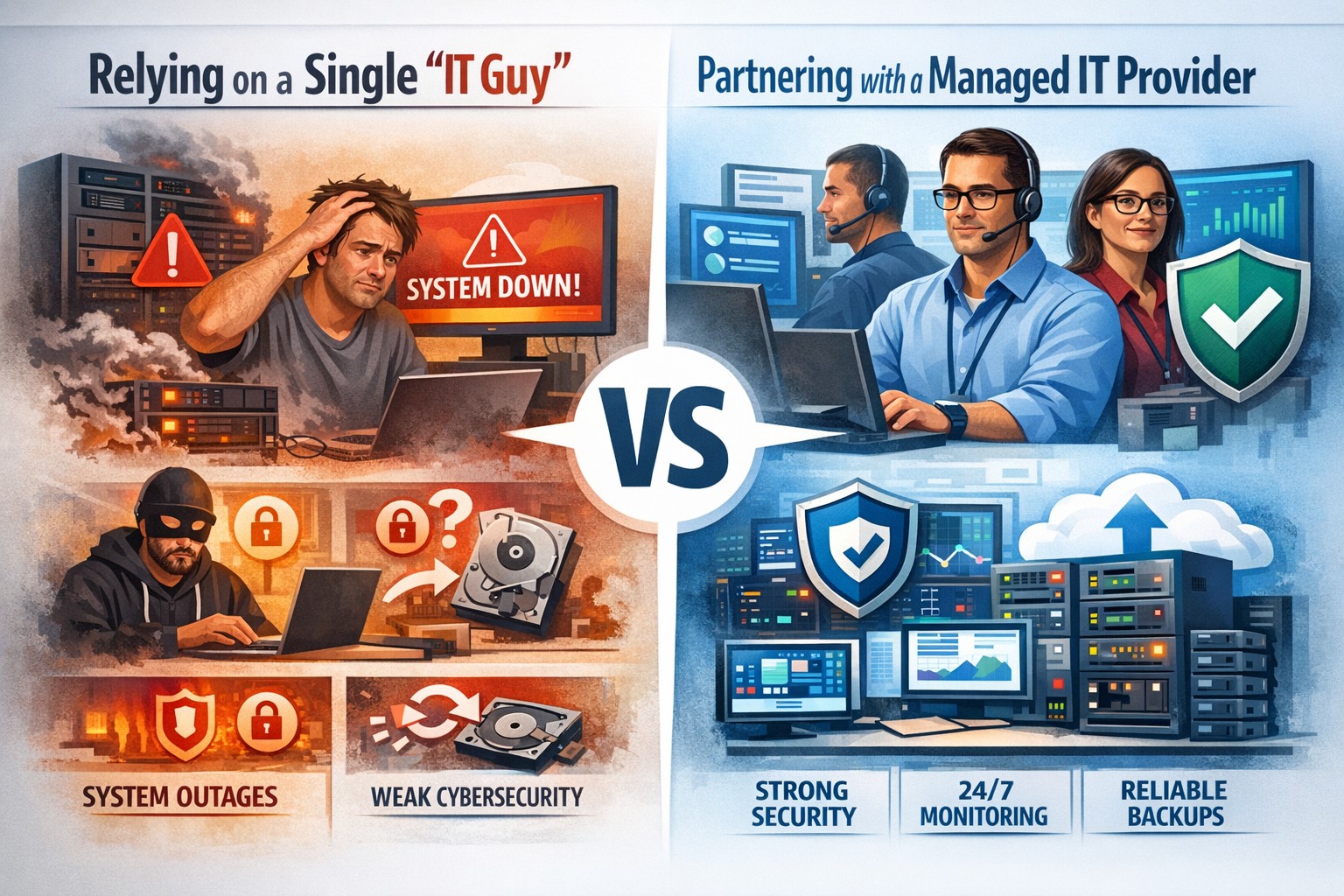
Relying on one IT guy can expose your small business to downtime, data loss, and security vulnerabilities—managed IT services offer stronger protection.
The role of Information Technology (IT) in business success cannot be overstated. IT systems and infrastructure form the backbone of modern businesses, facilitating communication, data management, and efficient workflow. From managing customer databases to ensuring network security, IT plays a crucial role in driving productivity and competitiveness. However, many businesses make the mistake of relying on a single IT guy to handle all their technological needs. In this article, I will discuss the risks associated with this approach and the importance of adopting a team-based approach to IT support.
The risks of relying on a single IT guy
Lack of expertise and knowledge
When you rely on a single IT guy, you are limited to their individual skills and expertise. While they may be knowledgeable in certain areas, they may not possess the breadth of knowledge required to handle all aspects of your business’s IT infrastructure. IT is a vast field that encompasses various domains such as network administration, cybersecurity, software development, and hardware maintenance. By relying on a single guy, you risk missing out on specialized expertise that could greatly benefit your business.
Limited availability and support
Another significant risk of relying on a single IT guy is limited availability and support. IT issues can arise at any time, and if your IT guy is unavailable or overwhelmed with other responsibilities, it can lead to significant downtime and disruptions in your business operations. With a single point of contact, you may have to wait for extended periods before your IT issues are resolved, resulting in decreased productivity and potential financial losses.
Single point of failure
Relying on a single IT guy also means that your business is vulnerable to a single point of failure. If your IT guy falls ill, takes a vacation, or leaves the company, you may be left without any IT support. Singular IT techs often don’t have the time or resources to properly document procedures and critical passwords, so when they go this information is lost. This can be particularly problematic during critical times when you need immediate assistance. Having a backup plan or a team of IT professionals ensures that your business operations can continue uninterrupted, even if one person is unavailable.
The impact of downtime on business operations
Downtime can have severe consequences on your business operations. Every minute your systems are down translates to lost revenue, missed opportunities, and frustrated customers. According to a study conducted by Gartner, the average cost of IT downtime is $5,600 per minute. Imagine the financial implications if your IT guy is unavailable for an extended period. With a team-based approach to IT support, you can minimize downtime and ensure swift resolution of any issues, thereby safeguarding your business’s success.
The importance of a team approach to IT support
Adopting a team approach to IT support offers numerous benefits for your business. Firstly, it provides a diverse set of skills and expertise that can be leveraged to address various IT challenges effectively. Each team member brings their unique knowledge and experience, allowing for comprehensive and well-rounded support. Additionally, with a team, you have the advantage of increased availability and faster response times. By distributing responsibilities among team members, you can ensure that someone is always available to address your IT needs promptly.
The benefits of outsourcing IT support
Outsourcing IT support is a viable solution for businesses looking to avoid the risks associated with relying on a single IT guy. Outsourcing allows you to tap into a pool of talented professionals with specialized expertise in different IT domains. Moreover, outsourcing IT support can often be more cost-effective than hiring a full-time IT staff, especially for small and medium-sized businesses. By partnering with an external IT support provider, like Farmhouse Networking, you can access a wide range of services, including network monitoring, cybersecurity, data backup, and software maintenance, all while enjoying the benefits of a dedicated team.
Finding the right IT support provider
Finding the right IT support provider is crucial to ensuring a successful and secure IT infrastructure. When evaluating potential providers, consider their experience, track record, and the range of services they offer. Look for certifications and qualifications that demonstrate their expertise and commitment to quality. It is also essential to assess their responsiveness and availability to ensure that they can meet your business’s IT needs promptly. Ask them about their record keeping habits, make sure they document everything and keep your information secure with industry standard protocols. By conducting thorough research and seeking recommendations, you can find an IT support provider that aligns with your business goals and requirements.
By adopting a team-based approach to IT support or outsourcing your IT needs, you can mitigate these risks and ensure a successful and secure IT infrastructure. Don’t get stuck when your IT guy no longer responds; contact us to experience the comfort of having a team look after your business IT. With the right IT support provider, you can focus on growing your business while leaving your technological needs in capable hands.
Modern accounting firm using managed IT services to keep tax software and client data online during busy season
Tax season is when every minute of billable time matters, and even a one-hour outage can cost thousands in lost work, delayed returns, and stressed staff. As a firm owner, the right IT strategy is the difference between a smooth March and a “fire drill” every week.
Why Downtime Is So Costly During Tax Season
Accounting teams regularly work 60+ hour weeks during peak busy season, so any outage hits during extended hours, not just 9–5.
Firms that move from reactive to proactive IT strategies have been able to cut downtime by 60–80%, protecting both billable hours and client trust.
Technology advances have already helped 69% of firms reduce time spent on admin tasks, which means you’re increasingly dependent on always-available systems.
In practice, that means tax software, QuickBooks, email, client portals, and e-file systems must stay fast and available—even at 9 PM on a Saturday in March.
Practical Actions You and Your IT Team Should Take
As the owner, your job is to set expectations, fund the right solutions, and make sure your IT partner or internal team executes before tax season hits.
1. Define Acceptable Downtime and Recovery Targets
Set Recovery Time Objective (RTO) for critical apps (e.g., “tax software back online within 30 minutes”).
Set Recovery Point Objective (RPO) for data (e.g., “no more than 15 minutes of work lost if something fails”).
Require your IT provider to document how their backup and disaster recovery design actually meets those targets.
2. Harden and Modernize Your Infrastructure
Move key workloads (tax apps, file shares, QuickBooks, portals) to scalable cloud or private hosting so performance doesn’t collapse under peak load.
Decommission old servers and unused software that increase failure risk and maintenance overhead.
Implement redundant systems for critical functions—at minimum, dual internet connections from different providers.
3. Automate the “Failure-Prone” Tasks
Enable automated patch management so security and stability updates happen after hours, not manually in the middle of busy season.
Automate data backup verification so someone doesn’t have to remember to check if last night’s backups actually completed.
Use automation for repetitive workflows like recurring invoice generation and batch processing of returns during off-hours.
4. Lock Down Cybersecurity Without Slowing Staff
Enforce multi-factor authentication (MFA) on all remote access, portals, and email accounts that touch client financial data.
Standardize access control (no shared logins, immediate offboarding for departed staff, clear least-privilege rules).
Maintain a written information security plan aligned with IRS Publication 4557 and FTC Safeguards expectations.
5. Demand 24/7 Support and Clear Escalation
Make 24/7 support a non-negotiable during tax season so issues at night or weekends are addressed immediately.
Require defined SLAs (response and resolution times) for any outage that touches tax apps, QuickBooks, or client-facing portals.
Ask your IT provider to test an incident response plan at least annually, including simulated ransomware or major vendor outages (like the July 2024 CrowdStrike event that disrupted 8.5 million devices).
6. Train Your Team to Avoid Preventable Incidents
Run short, focused phishing and security awareness training for staff before busy season.
Provide simple playbooks for “what to do if X happens” (ransomware popup, strange login alert, application freeze).
Make it clear that reporting a problem early is rewarded, not punished—this reduces hidden incidents that later explode into full outages.
Common Client Questions (and Strong Answers You Can Give)
You can turn solid IT preparation into a client trust advantage by proactively answering these questions.
Q1: “What happens to my data if your system goes down during tax season?” A: Our systems are backed up frequently with both onsite and cloud-based, immutable backups, and we have defined recovery objectives so we can restore access quickly even in a worst-case scenario.
Q2: “How do you protect my financial data from hackers?” A: We use multi-factor authentication, strict access controls, encryption, and continuously updated security tools aligned with IRS and FTC guidelines to safeguard your information.
Q3: “Will a cyberattack or outage delay my return filing?” A: We’ve engineered redundancy and disaster recovery around our tax applications, with clear recovery time targets and 24/7 IT monitoring, so even if something happens, we can recover quickly without missing filing deadlines.
Q4: “Can I still access my documents if your office is closed?” A: Yes, our cloud-based portals and systems are designed for secure remote access, allowing us and you to access documents from anywhere as long as there is internet connectivity.
How Farmhouse Networking Helps Accountants Minimize Downtime
Farmhouse Networking specializes in managed IT services for fast-growing accounting and finance firms, with a focus on performance, uptime, and client experience. As a business owner, you get a partner that understands both the technical and regulatory pressures of tax season.
Here’s how Farmhouse Networking can support the action steps above:
Proactive managed IT and cloud services: We design and manage scalable infrastructure and cloud solutions built specifically to handle tax-season peak loads for accounting firms.
Business continuity and disaster recovery: We implement and test backup strategies (including immutable and cloud backups), document RTO/RPO, and prepare runbooks so your team knows exactly what happens when something fails.
Security and compliance alignment: We deploy MFA, patch management, endpoint protection, and network hardening that align with IRS and FTC expectations, helping you protect client data and avoid regulatory headaches.
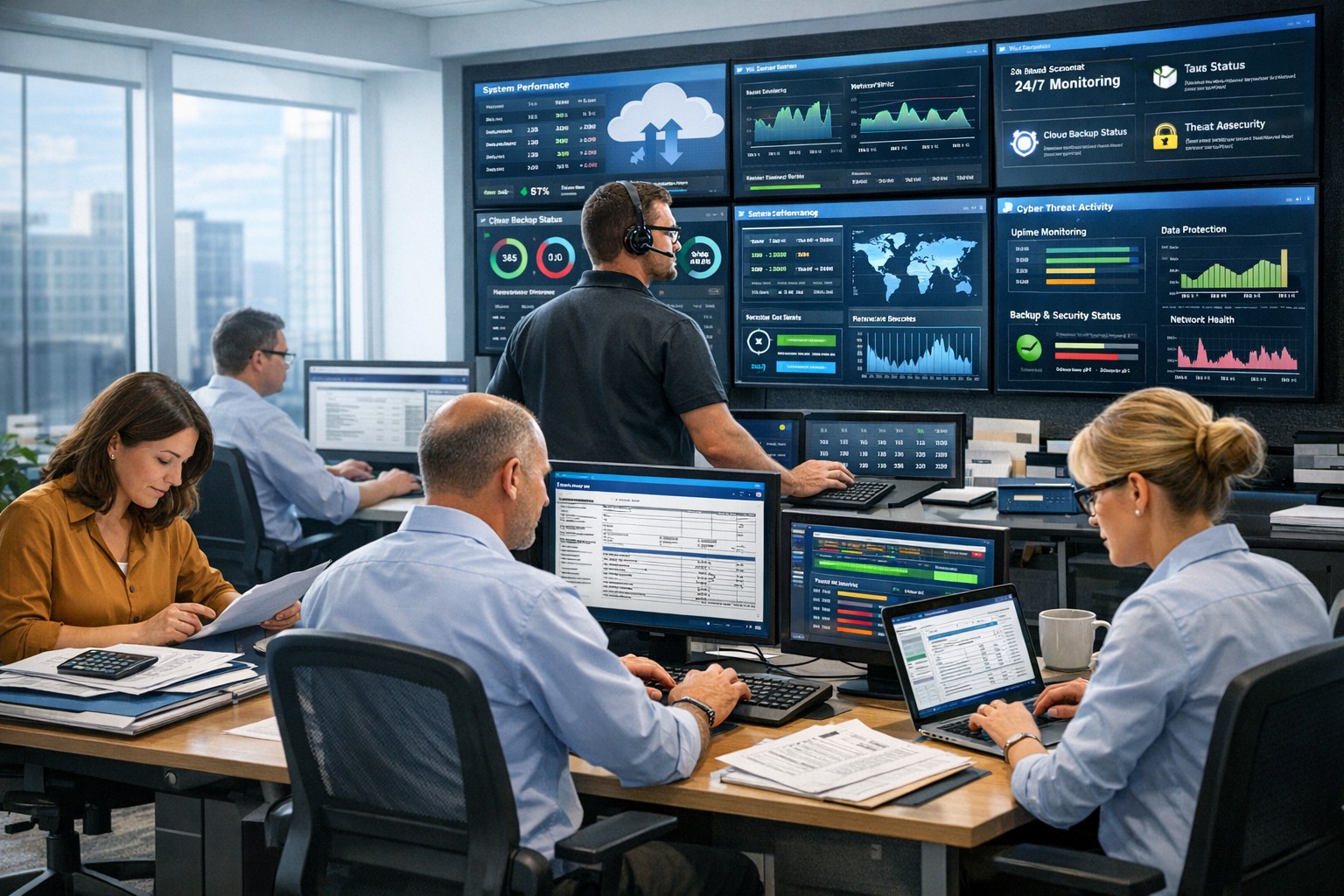
24/7 monitoring and support: We provide round-the-clock monitoring and responsive support, so your late-night tax work is covered and small issues don’t become revenue-killing outages.
Strategic technology roadmap: We help you decommission legacy systems, plan upgrades, and “future-proof” your practice so each year’s tax season gets easier, not harder.
Take the Next Step Before the Next Busy Season
If you wait until March to “fix IT,” you’re already too late. The easiest way to protect your firm’s revenue, reputation, and sanity is to partner with an IT team that lives and breathes accounting workflows and tax-season realities.
Email support@farmhousenetworking.com for more information about how Farmhouse Networking can help improve your business, minimize downtime next tax season, and give you and your team the confidence to focus on client work instead of fighting technology.
And God will generously provide all you need. Then you will always have everything you need and plenty left over to share with others. As the Scriptures say,
“They share freely and give generously to the poor. Their good deeds will be remembered forever.”
For God is the one who provides seed for the farmer and then bread to eat. In the same way, he will provide and increase your resources and then produce a great harvest of generosity in you. - 2 Corinthians 9:8-10
We use cookies to ensure that we give you the best experience on our website. If you continue to use this site we will assume that you are happy with it.