IT tax deductions: Section 179 bonus depreciation cybersecurity software.
It’s that time of year, business owners need to start thinking about tax deductions and ways to maximize profit protection. One area not to be overlooked is IT expenses since IT plays a crucial role in every business. The good news is that many IT expenses can be deducted from your taxes. From hardware and software purchases to cybersecurity measures and cloud services, there are several essential IT tax deductions that can help you lower your tax bill and keep more money in your profit column.
IT Tax Deductions for Business Owners
As a business owner, it is crucial to recognize the importance of taking advantage of IT tax deductions before the end of the year. These deductions can significantly impact your bottom line. By deducting IT expenses, you are not only reducing your tax liability but also creating funds to re-invest in the growth of your business and upgrading to the latest technology, which positions your business for long-term success.
IT Tax Deductions to Maximize Your Savings
Take advantage of these IT tax deductions to maximize their profit savings:
Software and Hardware Expenses: Deducting the cost of industry specific software and hardware purchases is an excellent way to save on taxes. Whether you invested in new computer systems or upgraded your existing software, remember to include these expenses in your deductions as capital expenditures. Profit savings can be compounded by taking the amount saved through IT tax deductions and spending it on further software and hardware purchases.
Cybersecurity Measures: With the increasing threat of cyberattacks, investing in cybersecurity measures is crucial. These expenses can also be deducted from your taxes. From firewalls to antivirus software, make sure to claim any cybersecurity investments you have made throughout the year.
Cloud Services: Many businesses have moved to using cloud services for their storage and daily operations. These operational expenses are also eligible for tax deductions. Whether you use cloud computing, backup services, or cloud-based software, remember to include these costs in your deductions.
By focusing on these essential IT tax deductions, you will minimize your tax liability and position your business for success in the coming year.
Consulting with a Certified Public Accountant
While it’s important to have a basic understanding of the IT tax deductions for your business, it is equally important to consult with a certified public accountant. A knowledgeable CPA can provide you with personalized financial advice and guidance based on your company’s unique situation.
Tax laws and regulations are constantly changing, and it can be challenging to keep up with all the updates. By working closely with a CPA, you can stay updated on the latest deductions and strategies to maximize your savings while staying compliant with the law. They can review your financial records, identify missed deductions, and help you make informed decisions that positively impact your bottom line.
Remember, seeking advice from a tax professional will not only help you optimize your profit savings but also give you peace of mind knowing that your tax returns are accurate and in line with the regulations.
Keeping Detailed Records
One essential practice for maximizing your IT tax deductions is keeping detailed records of your IT expenses. Maintaining accurate and organized records throughout the year can help you claim all eligible deductions at tax time.
Start by creating a system to track and categorize your IT expenses. This can include items like software and hardware purchases, IT services, website development costs, and data storage fees. Keep receipts, invoices, and any supporting documents for each expense. Having detailed records allows you to easily identify and calculate eligible deductions. It also provides evidence and documentation if you ever face an audit or need to justify your deductions to the IRS.
Consider using accounting software or cloud-based platforms to streamline the record-keeping process. These tools can help you track expenses, generate reports, and ensure accuracy in your financial records. By maintaining detailed records of your IT expenses, you not only ensure that you are taking full advantage of available deductions, but you also create a solid foundation for your overall tax strategy.
Utilizing Section 179 Deductions
Section 179 of the tax code allows businesses to deduct the full purchase price of qualifying equipment and software purchased or financed during the tax year. By utilizing Section 179, you can deduct the entire cost of eligible technology investments in the year they are purchased. This deduction can help reduce your overall tax liability, allowing you to maximize your profit savings.
To qualify for Section 179 deductions, the equipment or software must be used for business purposes more than 50% of the time. This deduction is particularly beneficial for businesses investing in technology upgrades or replacements, as it encourages the adoption of new and improved IT systems. Be sure to consult with a tax professional to determine the eligibility of your IT investments for Section 179 deductions and to ensure you are maximizing this deduction for your business.
Bonus Depreciation for IT Purchases
Business owners can also benefit from bonus depreciation for their IT purchases. Bonus depreciation allows businesses to deduct a percentage of the cost of qualifying assets in the year they are placed in service. Under the Tax Cuts and Jobs Act, businesses can take an 80% bonus depreciation deduction for qualified property acquired and placed into service in 2023, then depreciate the remaining 20% over the course of several years.
To qualify for bonus depreciation, the property must have a recovery period of 20 years or less and be purchased for business use. This deduction is particularly valuable for businesses that are investing in new IT equipment or upgrading their existing technology infrastructure.
By timing your IT purchases strategically, you can take full advantage of bonus depreciation and significantly reduce your tax liability. However, it’s important to note that bonus depreciation is subject to change based on tax laws and regulations, so consulting with a CPA is crucial to ensure compliance and maximize your savings.
Research and Development Tax Credit
While bonus depreciation and Section 179 deductions are great for maximizing your tax deductions when it comes to IT purchases, there is another valuable tax credit that often goes unnoticed – the Research and Development (R&D) tax credit.
The R&D tax credit is designed to incentivize businesses to invest in innovation and development activities. Many business owners mistakenly believe that this credit is only applicable to scientific or technological research. However, the R&D tax credit is much broader than that and can apply to a wide range of industries and activities.
To make the most of the R&D tax credit, it’s important to keep detailed records of your qualifying activities and expenses. Consult with a tax professional who specializes in this area to ensure that you are maximizing your tax savings while staying compliant with the IRS requirements.
To make best use of your IT tax deduction spending, contact us to discuss new purchases and upgrades.
Organized browser tabs grouped by project with pinned essentials.
No matter whether its Microsoft Edge or Google Chrome, users can maximize their productivity through powerful tab management capabilities. In this blog post, we will explore how you can leverage Microsoft Edge and Google Chrome tabs to boost your efficiency and stay organized.
Tab Groups for Enhanced Organization
One of the standout features of Microsoft Edge and Google Chrome is the ability to create tab groups. This feature allows you to group related tabs together, enabling you to focus on specific tasks and declutter your workspace. To create a tab group, simply right-click on any open tab, select “Add to new group,” and choose a color to represent the group. You can customize each group according to your preferences, such as work-related tabs, personal tabs, or tabs for a specific project. With tab groups, finding and switching between tabs becomes effortless, saving you valuable time and mental effort.
Vertical Tabs for Optimal Space Management
Another valuable feature of Microsoft Edge is the vertical tabs option. Traditionally, tabs are aligned horizontally, occupying a significant portion of your browser’s horizontal space. However, with vertical tabs, you can move your tab bar to the left side of the browser window. This vertical arrangement allows you to view more tab titles at a glance and optimizes your screen real estate. To access vertical tabs, simply click on the vertical arrow icon on the left side of your tab bar, or use the shortcut Ctrl+Shift+X. Vertical tabs are particularly useful for those who frequently work with numerous tabs simultaneously.
Quick Controls for Efficient Tab Navigation
Microsoft Edge and Google Chrome offers several quick controls to enhance your tab navigation experience. For instance, you can use the “Ctrl+Tab” shortcut to cycle through your opened tabs, or “Ctrl+Shift+Tab” to navigate in reverse order. Additionally, right-clicking on the Forward and Back buttons in the browser toolbar provides a drop-down menu featuring a list of recently visited pages, enabling you to quickly revisit previously accessed content. These simple shortcuts and navigation tools can significantly streamline your browsing experience and save you from unnecessary clicks and searching.
Collections to Consolidate Your Research
If you frequently conduct online research or gather information from various sources, Microsoft Edge and Google Chrome’s Collections feature is a game-changer. Collections allow you to consolidate related content, including text, images, links, and notes, into a single organized space. You can create different collections for different projects, making it easy to revisit and share your findings. Whether you are planning a trip, working on a report, or researching a hobby, Collections simplify the process of organizing and accessing your research.
In today’s fast-paced digital world, it is crucial to leverage the tools at your disposal to maximize productivity. With powerful tab management features, including tab groups, vertical tabs, quick controls, and collections, you can streamline your browsing experience, stay organized, and accomplish your tasks more efficiently. Take advantage of these productivity-boosting features, and unlock the full potential of your web browsing experience!
If your company is looking for more ways to improve efficiency in the office, then contact us for assistance.
Farmhouse Networking cloud automation eliminates manual IT tasks for Oregon SMBs using Power Automate and PowerShell workflows.
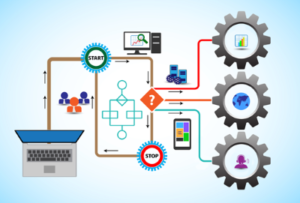
Worked with a client lately to help them Automate a workflow, but you may be wondering what does that even mean. Let me explain. We all have tasks in our workday that are repetitive and consume little bite size pieces of our time. Depending on the steps needed to accomplish these tasks, they can be “delegated” to a computer process via scripting aka we automate them. In the case of the client we helped, they received emails from an eFax service which included attachments. These attachments had to be manually saved into a shared folder for the rest of the staff to access as needed. This process probably took about 30 to 60 seconds each, but multiply this by the 30+ faxes they received each day you have 15 to 30 minutes of wasted time each day (65-130 hours per year). This does not take into account the time taken to stop doing one thing, accomplish this task, and restart the original thing they were doing.
Automate to Freedom
What if we could automate this little task and keep them employee free to do other more important things? We did. They customer uses Office 365 which includes a service called Power Automate. We scripted this tool to look at incoming messages, find ones from the eFax vendor, strip out the attachment, and save it to a SharePoint folder. This can then be shared with other employees and even synced via OneDrive to their Desktops for viewing, etc. That is just the tip of the iceberg as there is so much more that can be done with this technology.
If your company wasting little bite size pieces of time in repetitive taks, then contact us for assistance.
Every modern business has one thing in common – the internet.
Businesses are using computers, smart phones, tablets, etc. to connect to the internet for research, shopping, advertising, or any number of things. With a connection to the internet comes the need for routers, switches, wireless, and other network hardware to distribute internet connectivity across the company. There are malicious people on the internet that are setting traps and trying to break into companies which necessitate the use of tools like antivirus, internet filtering, spam filtering, and other protective measures. There are also people who work from their homes and need to have a way of tunneling safely into the network to use the resources there.
All of this has to be managed by someone in the company or you can contract with a managed IT service provider.
If your company needs help managing all the things connected to your internet, then contact us for assistance.
And God will generously provide all you need. Then you will always have everything you need and plenty left over to share with others. As the Scriptures say,
“They share freely and give generously to the poor. Their good deeds will be remembered forever.”
For God is the one who provides seed for the farmer and then bread to eat. In the same way, he will provide and increase your resources and then produce a great harvest of generosity in you. - 2 Corinthians 9:8-10
We use cookies to ensure that we give you the best experience on our website. If you continue to use this site we will assume that you are happy with it.