Small business owner collaborating with IT support to update the company’s website privacy policy ahead of the February 16, 2026 HIPAA privacy changes.
If you own a small or mid‑sized business, you are already feeling the pressure from changing privacy expectations, high‑profile breaches, and new regulations worldwide. The February 16, 2026 HIPAA deadline for updated Notices of Privacy Practices is a reminder that regulators are steadily raising the bar on transparency and data protection across all sectors, not just healthcare.
Why Your Website Needs a Privacy Policy
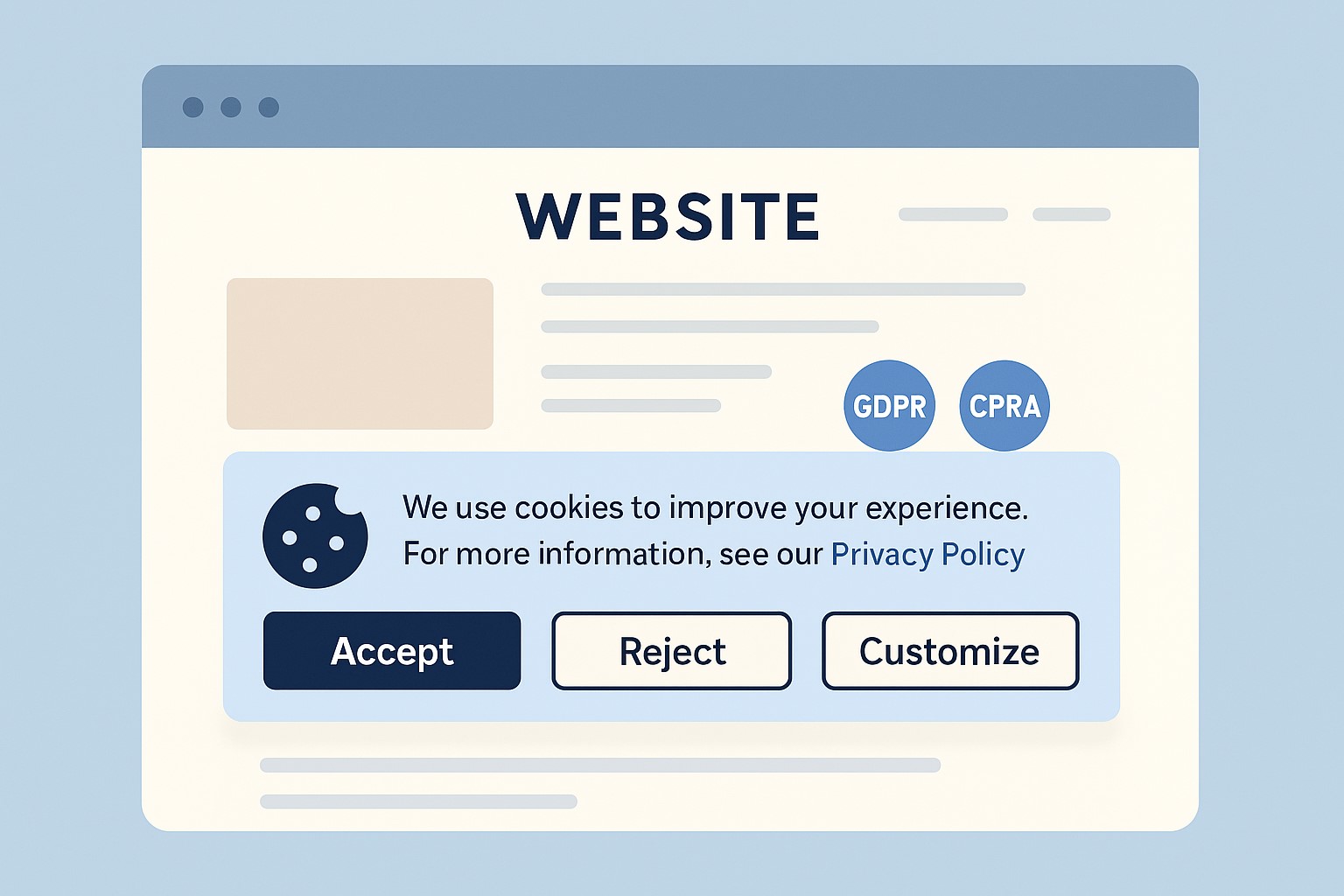
Modern privacy regimes like GDPR and CCPA require businesses that collect personal data online to publish a clear privacy policy explaining what data they collect, why, and how users can exercise their rights.
Many small businesses underestimate how much data they collect—contact forms, job applications, newsletter sign‑ups, and analytics all capture personal information.
Without a clear policy, you risk lawsuits, regulatory fines, and lost customer trust if your data practices are challenged.
Practical Actions for You and Your IT Team
For the business owner:
Catalog the types of data you collect from customers, prospects, and employees through your website and internal systems.
Engage legal or privacy expertise to draft or update a privacy policy that matches your actual practices and covers all relevant jurisdictions you serve.
Decide how privacy ties into your broader brand promise—positioning your business as transparent and trustworthy in how it handles data.
For your IT team or provider:
Publish a prominent “Privacy Policy” link on every page of your site (typically in the footer) and ensure it is mobile‑friendly and easy to read.
Align technical controls—encryption, access management, logging, and data retention—with the commitments your privacy policy makes.
Review third‑party tools (chat widgets, trackers, analytics, CRMs, marketing automation) and make sure their data use is reflected accurately in your policy.
Questions Customers Are Likely to Ask
“What information do you collect when I contact you or buy from you?”
Your privacy policy should list the categories of data collected (identifiers, payment info, browsing data, etc.) in plain language.
“Do you sell or share my information with other companies?”
Your policy should clearly state whether you sell or share personal data, and how customers can opt out where required.
“How do I request a copy of my data or ask you to delete it?”
Users from certain jurisdictions have clear access and deletion rights, which your policy must describe along with contact methods.
How Farmhouse Networking Helps SMB Owners
Farmhouse Networking partners with small and mid‑sized businesses to turn privacy from a risk into a competitive advantage. We can map your data flows, implement secure infrastructure and website configurations, coordinate with your legal advisors, and ensure that your published privacy policy is accurate, technically enforced, and easy for customers to understand.
If you want your business to be ready for evolving privacy expectations—and to earn more trust from every website visitor—email support@farmhousenetworking.com for more information about how Farmhouse Networking can help improve your business.
Why SMBs Need Smart Network Infrastructure Management
Optimizing SMB network infrastructure for stronger, scalable business networks
For small and midsize business owners, every minute of uptime counts. A slow or vulnerable network isn’t just frustrating—it costs productivity, damages customer trust, and drains revenue. Network Infrastructure Management, guided by CIS (Center for Internet Security) standards, is the key to keeping your technology reliable, secure, and scalable.
Practical Action Steps
Audit Your Current Network: Compare your systems to CIS-recommended controls to uncover risks.
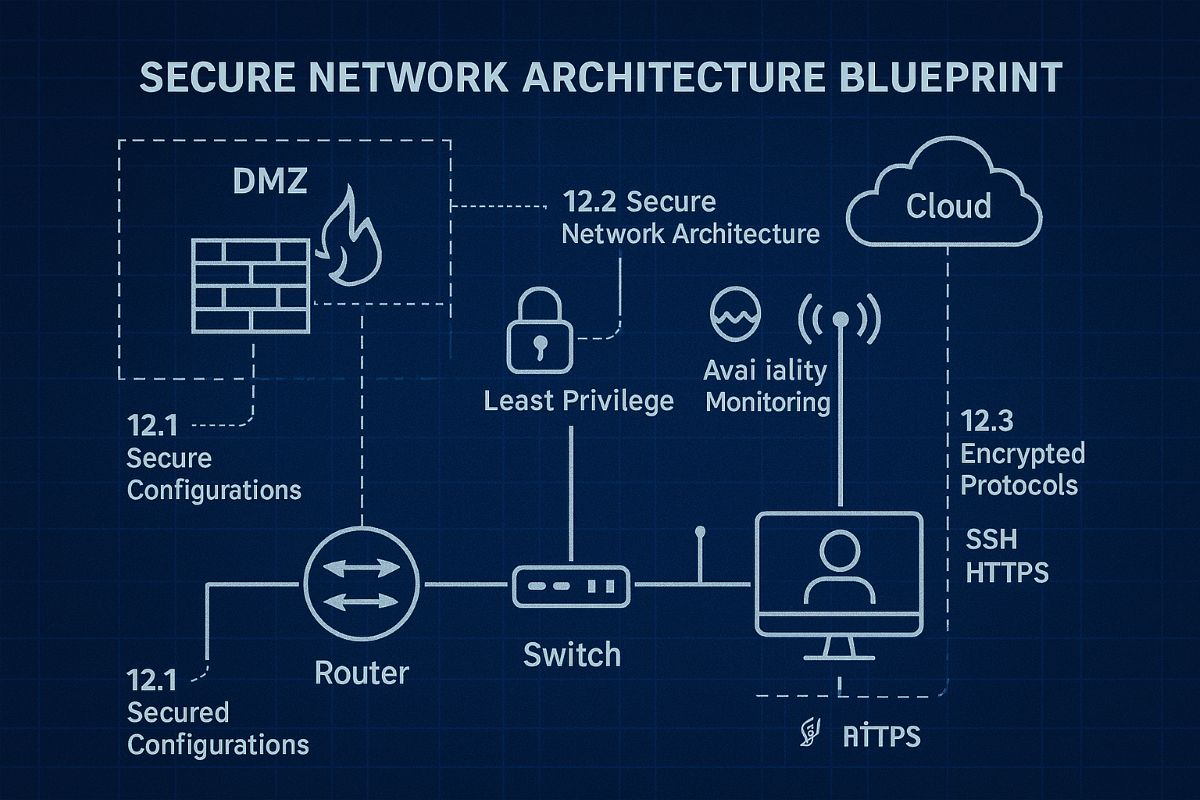
Secure Data Flows: Implement firewalls, intrusion detection, and CIS baseline configurations.
Plan for Growth: Ensure your infrastructure supports cloud, remote work, and future expansion.
Continuous Monitoring: Use real-time alerts to prevent disruption before it happens.
Employee Awareness: Provide staff training on cybersecurity aligned with CIS best practices.
Client Q&A
“Do CIS standards apply to smaller companies?” – Absolutely; they’re designed to scale to all business sizes.
“Will I need to overhaul my whole network?” – Not necessarily. Often, a phased approach is more cost-effective.
“What if I already have an IT person?” – Farmhouse Networking’s role is to extend their expertise, not replace it.
How Farmhouse Networking Helps We align your systems with CIS benchmarks, secure your infrastructure, and monitor it constantly. That means less downtime, stronger client trust, and more bandwidth for business growth.
Call to Action Ready to protect your network and grow confidently? Email us today at support@farmhousenetworking.com to learn how Farmhouse Networking can keep your systems strong and compliant.
Defend your business WiFi from becoming a hacker target with robust wireless security measures against common threats
Reliable and secure internet access is critical, especially for satellite offices relying on connectivity to central locations. Recently, one of our healthcare clients was nearly shut down by their ISP after the Recording Industry Association of America (RIAA) reported illegal music downloads traced to their IP address. The source? An open guest wireless network left unprotected.
How the Incident Unfolded
The ISP alerted the client via email, having received a complaint from the RIAA alleging that copyrighted music was illegally copied and distributed through BitTorrent on their network. Farmhouse Networking’s investigation pinpointed the activity: at 2 a.m., someone exploited the guest WiFi, which lacked any password protection, to download files illegally.
Had the ISP shut down the internet, this satellite healthcare office would have faced canceled appointments and redirected patients, impacting not only their reputation but costing thousands in lost revenue.
Key Wireless Network Security Lessons for Healthcare Providers
This incident highlights crucial vulnerabilities common in healthcare and other sectors:
Never leave guest WiFi networks open. Any unsecured network is an open invitation to unauthorized use and legal risks.
Use strong encryption and passwords on all wireless networks, including guest access, to block unauthorized connections.
Implement DNS filtering to prevent illicit peer-to-peer activity and block access to unauthorized sites.
Separate guest traffic from internal business-critical networks to safeguard sensitive data and operations.
Regularly audit network access points and update security settings, including changing default passwords on routers and regularly changing the wireless passwords.
Steps Farmhouse Networking Took to Protect the Client’s Wireless Network
Working closely with the healthcare office, Farmhouse Networking:
Secured their wireless network with strong WPA3 encryption and complex passwords.
Added DNS filtering to the guest wireless network to prevent peer-to-peer and similar applications.
Advised on ongoing monitoring and best security practices to safeguard against future misuse.
Emphasized the importance of network segmentation to protect sensitive healthcare data.
Why Wireless Network Security Matters in Healthcare
Beyond avoiding ISP shutdowns and illegal activity accusations, securing wireless networks in healthcare is essential for compliance with regulations like HIPAA, protecting Electronic Protected Health Information (ePHI), and maintaining patient trust.
Protect Your Business WiFi Today
Don’t risk your healthcare practice’s internet access, reputation, or compliance by allowing unsecured wireless access. Contact Farmhouse Networking to perform a comprehensive wireless network security assessment tailored to your industry’s unique needs. Secure your internet, protect your patients, and keep your practice running smoothly.
Outdated and Fragmented Technology Systems: The Hidden Threat to Chiropractic Clinics
Legacy tech = HIPAA fines waiting
Is your chiropractic clinic still juggling separate systems for scheduling, billing, and patient documentation? If so, you’re not alone—but the cost of outdated and fragmented technology is higher than you think. Inefficiencies, communication delays, and incomplete patient records can quietly erode your clinic’s productivity, profitability, and patient satisfaction. The good news? There’s a better way forward.
Why Farmhouse Networking Stands Apart
While many Managed Service Providers (MSPs) offer basic IT support, Farmhouse Networking delivers a true competitive advantage. Our team goes beyond simple monitoring—we specialize in integrating and automating your essential applications, transforming your technology from a patchwork of disconnected tools into a seamless, strategic asset. This focus on automation and integration sets us apart, ensuring your clinic enjoys faster workflows, fewer errors, and a more resilient IT environment.
Most MSPs take a reactive, “break-fix” approach, only stepping in when something goes wrong. Farmhouse Networking, however, proactively manages your systems, preventing issues before they disrupt your business. Our deep expertise in healthcare IT means we understand the unique needs and compliance requirements of chiropractic clinics, giving you peace of mind and a clear edge over competitors.
Practical Steps Farmhouse Networking Will Implement
Here’s how we help chiropractic clinics modernize and unify their technology:
System Integration: We connect your scheduling, billing, and documentation platforms, eliminating data silos and ensuring that information flows smoothly across your clinic.
Workflow Automation: Routine administrative tasks—like appointment reminders, billing follow-ups, and record updates—are automated to save staff time and reduce errors.
Secure Cloud Solutions: By migrating data to secure, HIPAA-compliant cloud platforms, we ensure patient records are accessible, protected, and always up-to-date.
Proactive Monitoring & Support: Our team monitors your systems 24/7, addressing issues before they become problems and minimizing costly downtime.
Staff Training & Support: We provide ongoing training and responsive support, empowering your team to make the most of new technology with confidence.
Take the First Step to a Unified, Efficient Clinic
Don’t let outdated or fragmented technology hold your clinic back. Farmhouse Networking specializes in helping chiropractic practices like yours streamline operations, boost productivity, and deliver better patient care.
Ready to discover how Farmhouse Networking can transform your clinic?
Email us today for a free consultation and see how a modern, unified IT environment can help your business thrive.
Running a medical practice means juggling patient care, compliance, and a mountain of administrative and IT tasks. Every minute your staff spends troubleshooting technology or managing cybersecurity is a minute lost from what matters most—your patients. That’s where a Managed Service Provider (MSP) like Farmhouse Networking steps in, allowing you to reclaim your focus and deliver exceptional care.
How MSPs Like Farmhouse Networking Reduce Lost Focus on Patient Care
Proactive IT Management Keeps You Online Downtime, slow systems, or network outages can bring your practice to a halt, disrupting appointments and frustrating both staff and patients. Farmhouse Networking’s proactive monitoring and maintenance address potential issues before they become emergencies, ensuring your technology works seamlessly in the background so you can stay focused on your patients.
Streamlined Operations and Fewer Distractions From automating maintenance to managing system updates, Farmhouse Networking takes routine IT tasks off your plate. This means your staff spends less time on troubleshooting or manual processes, and more time on patient care and core clinical activities.
Enhanced Security and Compliance Medical practices are prime targets for cyber threats, and protecting patient data is non-negotiable. Farmhouse Networking implements robust cybersecurity measures and ensures compliance with healthcare regulations like HIPAA, giving you peace of mind and freeing your team from the stress of managing security in-house.
Lower Costs, Higher Efficiency Outsourcing IT management to an MSP reduces the need for expensive in-house IT staff and minimizes costly downtime. With Farmhouse Networking, you gain access to expert support and the latest technology, all while controlling costs and boosting operational efficiency.
Better Collaboration and Patient Outcomes A reliable IT infrastructure ensures seamless communication between healthcare providers, quick access to patient records, and fewer errors. This translates to better patient outcomes, improved satisfaction, and a more collaborative work environment for your team.
Experience the Farmhouse Networking Difference
Farmhouse Networking specializes in supporting medical practices with tailored IT solutions that let you focus on what you do best – caring for your patients. Let us handle the technology, so you can get back to making a difference in your community.
Ready to reduce distractions and elevate your patient care? Contact Farmhouse Networking today for a free consultation and discover how we can help your practice thrive.
Don’t let IT headaches steal your time. Partner with Farmhouse Networking and put patient care back at the center of your practice.
Small and medium-sized businesses (SMBs) are increasingly adopting cloud technologies to streamline operations, improve scalability, and reduce costs. However, with this shift comes a growing risk of cyberattacks targeting cloud environments. For SMBs, which often lack extensive IT resources, these threats can be devastating. Enter Security Information and Event Management (SIEM) solutions—a powerful tool that can help SMBs safeguard their cloud infrastructure.
Why SMBs Are Vulnerable to Cloud Attacks
SMBs face unique challenges when it comes to cybersecurity:
Limited IT Resources: Many SMBs lack dedicated security teams or the expertise to monitor and respond to threats.
Budget Constraints: Investing in enterprise-grade security tools can be prohibitively expensive.
Sophisticated Threats: Cybercriminals are increasingly targeting SMBs, knowing they may have weaker defenses compared to larger enterprises.
Cloud environments add another layer of complexity, as they introduce new vulnerabilities such as misconfigured settings, unauthorized access, and data breaches. Without proper monitoring and response mechanisms in place, these risks can spiral out of control.
How a SIEM Solution Protects Your Cloud Environment
A SIEM solution offers a centralized platform for monitoring, detecting, and responding to cybersecurity threats in real time. Here’s how it specifically benefits SMBs:
Centralized Threat Monitoring: SIEM consolidates security data from various sources—cloud applications, firewalls, endpoint devices, and more—into a single dashboard. This holistic view allows SMBs to monitor their entire cloud environment efficiently.
Early Detection of Threats: By analyzing data in real time and applying advanced correlation rules, a SIEM detects suspicious activities such as unauthorized logins or unusual data transfers. Early detection helps SMBs act swiftly before an attack escalates.
Automated Incident Response: Many SIEM solutions offer automated responses to mitigate threats immediately. For example, they can isolate compromised systems or block malicious IP addresses without human intervention. This is particularly valuable for SMBs with lean IT teams.
Simplified Compliance: Meeting regulatory requirements like GDPR or HIPAA can be daunting for SMBs. A SIEM simplifies this by automating compliance reporting and maintaining detailed audit logs. This not only ensures legal compliance but also builds customer trust.
Cost-Effective Security: Cloud-based SIEM solutions are particularly well-suited for SMBs because they reduce the need for expensive on-premises infrastructure. Subscription-based models make enterprise-level security accessible without breaking the bank.
Scalability: As your business grows, so do your cybersecurity needs. Modern SIEM solutions are highly scalable, allowing SMBs to adapt their security posture without overhauling their existing systems.
Choosing the Right SIEM Solution for Your Business
When selecting a SIEM solution for your SMB, consider the following:
Ease of Use: Opt for a user-friendly interface that doesn’t require extensive training.
Cloud Compatibility: Ensure the solution integrates seamlessly with your existing cloud infrastructure.
Automation Features: Look for automated threat detection and response capabilities.
Cost Transparency: Choose a provider with predictable pricing models to avoid unexpected costs.
Cybersecurity is no longer optional—it’s essential for protecting your business’s reputation and bottom line. A robust SIEM solution is your first line of defense against attacks on your cloud environment.
Don’t wait until it’s too late! Contact us today to learn how our tailored SIEM solutions can safeguard your business from evolving cyber threats. Let’s secure your future together!
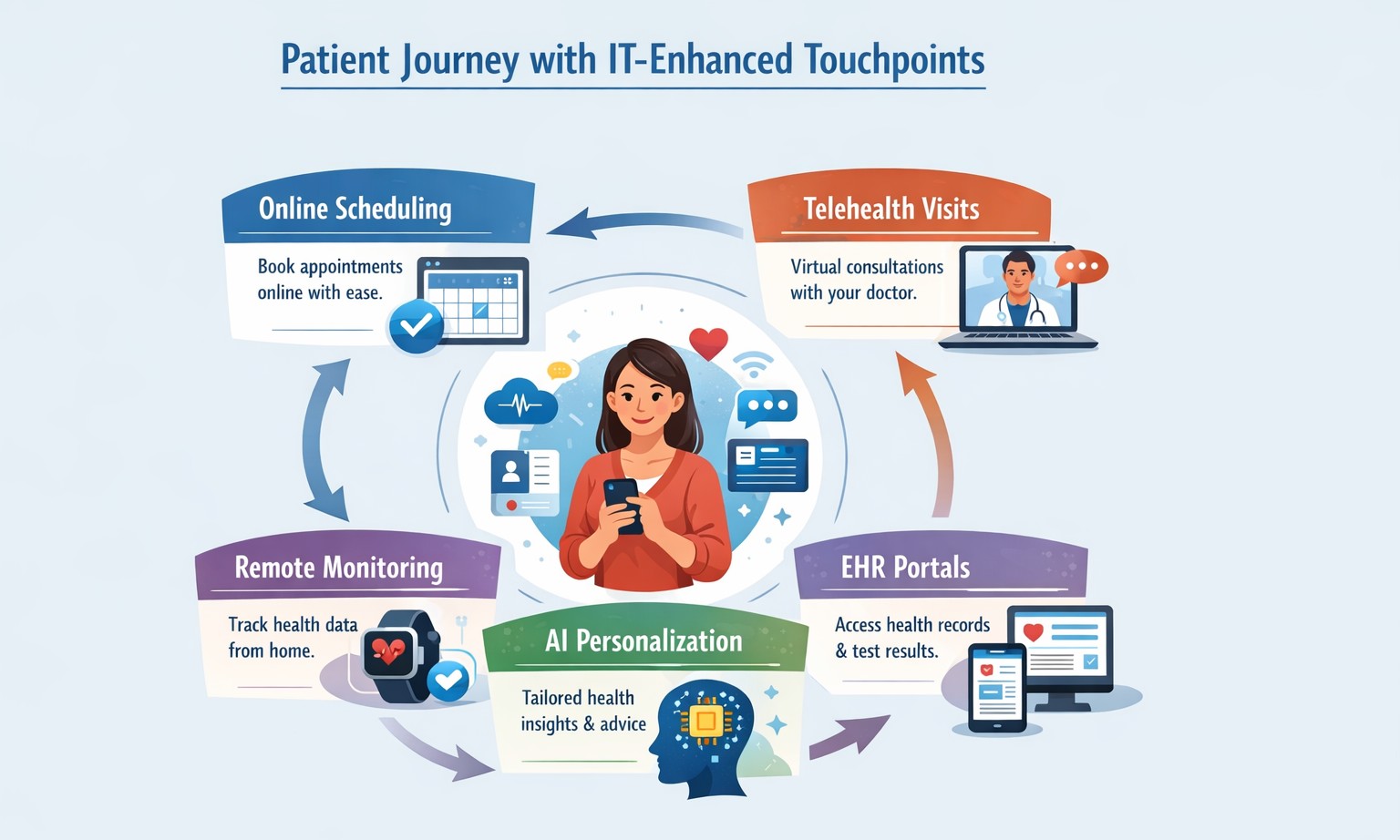
Healthcare IT transforms patient journeys with seamless digital access and personalization.
Healthcare providers are increasingly turning to technology to enhance patient care and streamline operations. IT solutions play a crucial role in this transformation, offering innovative tools that significantly improve patient experience. Let’s explore how these IT solutions are revolutionizing healthcare delivery.
Online Scheduling: Convenience at Your Fingertips
One of the most impactful IT solutions in healthcare is online scheduling. This feature allows patients to book appointments at their convenience, without the need for phone calls or long wait times.
Benefits of online scheduling: – Reduces scheduling errors and double bookings – Increases practice efficiency – Offers patients 24/7 access to appointment booking – Aligns with patient preferences (67% of Americans prefer online scheduling)
By implementing online scheduling, healthcare providers can streamline their operations while meeting the evolving expectations of their patients.
Patient Portals: Empowering Patients
Patient portals have become an essential tool in modern healthcare, serving as a secure digital gateway for patients to access their health information and communicate with providers.
Key features of patient portals: – Access to medical records and test results – Secure messaging with healthcare providers – Prescription refill requests – Bill payment options
These portals not only improve communication but also foster a sense of collaboration between patients and providers, leading to increased trust and engagement in healthcare activities.
Digital Check-In Systems: Streamlining the Patient Journey
Digital check-in systems are transforming the traditional patient intake process, offering numerous benefits for both patients and healthcare providers.
Advantages of digital check-in: – Reduced wait times – Improved data accuracy – Enhanced patient privacy – Increased operational efficiency
By allowing patients to complete pre-visit forms and verify insurance information online, digital check-in systems significantly reduce administrative burdens and improve the overall patient experience.
The Impact on Patient Experience
The integration of these IT solutions has a profound effect on patient satisfaction and healthcare delivery:
Improved Accessibility: Patients can manage their healthcare needs around the clock, enhancing convenience and reducing barriers to care.
Enhanced Communication: Digital tools facilitate better communication between patients and providers, leading to improved care coordination and patient outcomes.
Increased Efficiency: Automated processes reduce wait times and administrative tasks, allowing healthcare staff to focus more on patient care.
Data Accuracy: Digital systems ensure that patient information is up-to-date and easily accessible, reducing errors and improving care quality.
Patient Empowerment: Access to health information and self-service tools encourages patients to take a more active role in their healthcare.
Embracing the Future of Healthcare
As the healthcare landscape continues to evolve, the adoption of IT solutions becomes increasingly crucial for providers looking to enhance patient experience and operational efficiency. These technologies not only meet the expectations of tech-savvy patients but also contribute to better health outcomes and increased patient satisfaction.
Are you ready to transform your healthcare practice with cutting-edge IT solutions? Contact Farmhouse Networking today to learn how we can help you implement these patient-centric technologies and take your practice to the next level. Let us partner with you to create a seamless, efficient, and patient-friendly healthcare experience that sets your practice apart.
Protecting patient data and ensuring the security of your medical practice’s IT infrastructure is more critical than ever. With cyber threats constantly evolving, implementing strong cybersecurity measures is not just a good practice—it’s essential for maintaining patient trust, complying with regulations, and safeguarding your practice’s reputation.
The Growing Threat to Healthcare
Healthcare organizations are prime targets for cybercriminals due to the valuable nature of patient data. In recent years, the healthcare industry has experienced a surge in cyberattacks, with data breaches affecting millions of patients and costing healthcare providers billions of dollars.
Essential Cybersecurity Measures:
To protect your medical practice from these threats, consider implementing the following cybersecurity essentials:
Firewalls: A robust firewall acts as the first line of defense against unauthorized access to your network. It monitors incoming and outgoing traffic, blocking potential threats before they can infiltrate your systems.
Antivirus Software: Comprehensive antivirus solutions are crucial for detecting and preventing malware, ransomware, and other malicious software that could compromise patient data. Modern antivirus programs use advanced techniques like machine learning to identify and neutralize emerging threats in real-time.
Data Encryption: Encrypting sensitive patient information, both at rest and in transit, ensures that even if data is intercepted, it remains unreadable and unusable to unauthorized parties. This is particularly important for maintaining HIPAA compliance.
Regular Software Updates: Keeping all systems and software up-to-date with the latest security patches is vital for addressing known vulnerabilities and protecting against new threats.
Employee Training: Your staff is often the first line of defense against cyberattacks. Regular cybersecurity training can help employees recognize phishing attempts, practice good password hygiene, and follow proper data handling procedures.
The Role of Managed IT Services
While these measures are essential, implementing and maintaining a comprehensive cybersecurity strategy can be challenging for many medical practices. This is where managed IT services come into play. Managed IT service providers, like Farmhouse Networking, offer expertise and resources to ensure your practice’s cybersecurity measures are robust, up-to-date, and compliant with industry regulations. Here’s how managed IT can protect your patient data:
24/7 Monitoring and Threat Detection: Continuous surveillance of your network to identify and respond to potential threats before they cause damage.
Automated Updates and Patch Management: Ensuring all systems and software are current with the latest security updates.
Data Backup and Disaster Recovery: Implementing comprehensive backup solutions and disaster recovery plans to safeguard patient data in case of a breach or system failure.
Compliance Management: Helping your practice stay compliant with HIPAA and other relevant regulations through regular audits and updates to security protocols.
Advanced Security Solutions: Implementing enterprise-grade security measures that might be out of reach for smaller practices managing IT in-house.
In an era where cyber threats are constantly evolving, partnering with a managed IT service provider is one of the most effective ways to ensure your medical practice’s cybersecurity stays ahead of the curve. Farmhouse Networking offers comprehensive IT solutions tailored specifically for healthcare providers, combining local expertise with cutting-edge technology to keep your patient data safe and your practice secure. Don’t wait for a breach to occur before taking action. Call us at (541) 761-9549 or visit our website at www.farmhousenetworking.com to schedule a consultation.
Windows 10 end of life preparation: audit compatibility, plan Windows 11 upgrades, and partner with managed IT before support ends October 14, 2025.
As the end of support for Windows 10 approaches in about a year on October 14, 2025, it’s crucial for businesses to start preparing for the transition. This article will guide you through the essential steps to ensure a smooth and secure move to the next phase of your computing experience.
Understanding Windows 10 End of Life
Windows 10 End of Life (EOL) marks the point when Microsoft will cease providing updates, security patches, and technical support for the operating system. This event is significant because it leaves users vulnerable to security risks, compatibility issues with newer software and hardware, and non-compliant with standards like HIPAA, PCI, and CMMC.
Key Steps to Prepare
Assess Your Current Setup: Before making any changes, take stock of your current system:
Identify all devices running Windows 10
Check hardware specifications to make sure old computers are compatible
List essential software and applications
Evaluate Upgrade Options: Consider these alternatives:
Upgrading to Windows 11 for free (if your hardware supports it)
Purchasing new devices with the latest operating system to replace older ones
Plan for Software Compatibility: Ensure your critical applications will work post-transition:
Check compatibility with newer operating systems
Contact software vendors for upgrade options
Consider alternative software solutions if needed
Train Your Team: If you’re managing a business environment:
Educate employees about the upcoming changes
Provide training on new systems or procedures
Establish a support system for the transition period
Set a Timeline: Create a realistic schedule for your transition:
Set milestones for each phase of the preparation
Allow ample time for testing and troubleshooting
Plan for potential downtime during the switch
Financial Considerations: Budgeting for the transition is crucial:
Allocate funds for new hardware if needed
Account for potential software upgrade costs
Consider the long-term cost benefits of modernizing your IT infrastructure
Security Implications: Understand the risks of running an unsupported OS:
Increased vulnerability to malware and cyber attacks
Potential compliance issues for regulated industries
Lack of technical support for critical issues
Remember, a well-planned transition not only safeguards your system but also opens up opportunities for improved performance and productivity. Take the first step now: conduct an inventory of your Windows 10 devices and begin researching upgrade paths. Your future self will thank you for your foresight and preparation.
Don’t wait until the last minute to prepare for Windows 10 End of Life. Start your transition plan today to ensure a secure and efficient computing environment for the future. Let Farmhouse Networking do the heavy lifting by assessing your needs, exploring your options, and taking proactive steps to protect your digital assets.
Secure your patient data with HIPAA-compliant managed IT: encryption, access controls, and continuous monitoring.
Ensuring the privacy and security of patient information is paramount. The Health Insurance Portability and Accountability Act (HIPAA) sets stringent standards for protecting sensitive patient data. For medical practices, staying compliant with HIPAA regulations can be a daunting task, especially with the increasing complexity of IT systems. This is where a Managed IT Service Provider (MSP) can play a crucial role. In this blog, we’ll explore how partnering with an MSP can help your medical practice remain compliant with HIPAA regulations for data privacy and security.
Understanding HIPAA Compliance
HIPAA compliance involves adhering to a set of rules and regulations designed to safeguard Protected Health Information (PHI). These rules are divided into several key areas:
Privacy Rule: Governs the use and disclosure of PHI.
Security Rule: Establishes standards for protecting electronic PHI (ePHI) through administrative, physical, and technical safeguards.
Breach Notification Rule: Requires covered entities to notify affected individuals, the Secretary of Health and Human Services (HHS), and, in some cases, the media, of a breach of unsecured PHI.
Enforcement Rule: Outlines the penalties for non-compliance and the procedures for investigations and hearings.
The Role of Managed IT in HIPAA Compliance
A Managed IT Service Provider can offer a range of services that help ensure your medical practice remains compliant with HIPAA regulations. Here are some key ways an MSP can assist:
Risk Assessment and Management: HIPAA requires regular risk assessments to identify potential vulnerabilities in your IT systems. An MSP can conduct comprehensive risk assessments to:
Identify and evaluate risks to ePHI.
Implement measures to mitigate identified risks.
Continuously monitor and update risk management strategies.
Data Encryption and Secure Communication: Encrypting ePHI is a critical component of HIPAA compliance. An MSP can implement robust encryption protocols to ensure that data is protected both at rest and in transit. Additionally, they can set up secure communication channels, such as encrypted email, secure messaging platforms, and encrypted file sharing, to protect sensitive information.
Access Control and Authentication: HIPAA mandates strict access controls to ensure that only authorized personnel can access ePHI. An MSP can help by:
Implementing role-based access controls (RBAC).- all users in a group and only specific groups get access to specific things
Setting up multi-factor authentication (MFA) to add an extra layer of security.
Regularly reviewing and updating access permissions.
Backup and Disaster Recovery: Data loss can have severe consequences for HIPAA compliance. An MSP can design and implement a robust backup and disaster recovery plan to ensure that ePHI is regularly backed up and can be quickly restored in the event of data loss or a cyberattack.
Security Awareness Training: Human error is a significant factor in many data breaches. An MSP can provide ongoing security awareness training for your staff to:
Educate them about HIPAA regulations and the importance of data privacy.
Teach best practices for identifying and responding to potential security threats.
Conduct regular phishing simulations to test and improve staff vigilance.
Continuous Monitoring and Incident Response: HIPAA requires continuous monitoring of IT systems to detect and respond to security incidents promptly. An MSP can offer:
24/7 monitoring of your IT infrastructure.
Advanced threat detection and response solutions.
Incident response planning and execution to minimize the impact of security breaches.
Benefits of Partnering with a Managed IT Provider
Partnering with an MSP for HIPAA compliance offers several benefits:
Expertise: MSPs have specialized knowledge and experience in healthcare IT and HIPAA regulations.
Cost-Effectiveness: Outsourcing IT management can be more cost-effective than maintaining an in-house IT team.
Focus on Core Activities: With IT management in the hands of experts, your medical practice can focus on providing quality patient care.
Scalability: MSPs can scale their services to meet the growing needs of your practice.
Ensuring HIPAA compliance is a complex but essential task for any medical practice. By partnering with a Managed IT Service Provider, you can leverage their expertise and resources to safeguard patient data, mitigate risks, and maintain compliance with HIPAA regulations. This not only protects your practice from potential penalties but also builds trust with your patients, knowing their sensitive information is in safe hands. For medical practices looking to navigate the intricacies of HIPAA compliance, a Managed IT Service Provider like Farmhouse Networking can be an invaluable ally in maintaining the highest standards of data privacy and security.
And God will generously provide all you need. Then you will always have everything you need and plenty left over to share with others. As the Scriptures say,
“They share freely and give generously to the poor. Their good deeds will be remembered forever.”
For God is the one who provides seed for the farmer and then bread to eat. In the same way, he will provide and increase your resources and then produce a great harvest of generosity in you. - 2 Corinthians 9:8-10
We use cookies to ensure that we give you the best experience on our website. If you continue to use this site we will assume that you are happy with it.