How to Take Back Control of Your Credentials and Phones
When an MSP controls your passwords and phone system, your entire small business can be held hostage by vendor lock‑in and security risks.
If your MSP controls all your admin passwords and has your phone service in their name, they effectively hold the keys to your entire business. In a dispute, a security incident, or even an acquisition of their company, you could find yourself locked out of critical systems that drive revenue and customer service.
The Real Dangers of MSP Lock‑In
Some providers refuse to release credentials or slow‑roll off‑boarding, forcing clients into “hostage” situations that require legal escalation or aggressive technical takeovers. At the same time, attackers increasingly target MSPs because one compromised technician account can reach many customers’ environments.
When your phone system is outdated or fully tied to that MSP, you pay more each year for less functionality, struggle with remote work, and depend on them for every change. The combination of technical dependence and credential lock‑in is a business‑continuity risk you can’t afford to ignore.
Action Steps for Owners and Their IT Teams
Reassert ownership of core assets
Ensure your company owns master accounts for email, cloud services, line‑of‑business apps, domains, DNS, and phone numbers, with internal admin rights documented.
Centralize credentials in a business‑owned vault
Use a secure password manager or encrypted repository where your business controls the master key and you grant time‑bound, role‑based access to MSP staff.
Implement strong identity and access controls
Enforce MFA everywhere, require strong unique passwords, and use least‑privilege and role‑based access so no external user has unchecked power.
Build clean exit ramps into contracts
Document how credentials, documentation, and phone services will be handed back, and set deadlines and formats for off‑boarding deliverables.
Prepare for the worst‑case scenario
Maintain independent backups, keep an internal “break‑glass” account, and have a written playbook for revoking vendor access and rotating credentials quickly.
Questions Your Customers May Ask
Q: Could your IT company access or leak my data? A: We control the master credentials and use MFA, logging, and access controls so any vendor only has tightly scoped, monitored access to what they need to support us.
Q: What happens if your IT provider is hacked? A: We follow best practices for identity security, vendor risk management, and backups so a single compromised account at an MSP cannot easily cascade into your data.
Q: Are you able to stay operational if you change IT providers? A: Yes—because we own our accounts and phone numbers and have a documented exit process, we can transition providers while keeping systems and support running.
How Farmhouse Networking Helps SMBs
Farmhouse Networking works with business owners to document every critical system, transfer licensing and phone services into the company’s control, and consolidate credentials into secure, business‑owned vaults. We then implement MFA, break glass accounts, role‑based access, and incident‑response plans so neither a single technician nor an MSP relationship becomes a single point of failure.
We can also help you renegotiate or replace MSP contracts with clear off‑boarding terms and test those processes before you ever need them in an emergency.
Email support@farmhousenetworking.com to make sure no MSP can ever hold your credentials, phones, or business hostage again.
Essential cybersecurity measures safeguarding accounting client data from breaches and compliance risks
Accounting firms are more vulnerable than ever to cyber threats. With sensitive financial data at stake, ensuring robust cybersecurity measures is not just a regulatory requirement but also a cornerstone of client trust and business continuity. This guide outlines the cybersecurity essentials every accounting practice must implement to safeguard client data effectively.
Why Cybersecurity Matters for Accounting Firms
Accounting firms handle vast amounts of sensitive information, from social security numbers to financial records. A breach can result in:
Financial Loss: Cyberattacks like ransomware can lead to significant monetary damage.
Legal Penalties: Non-compliance with regulations such as GDPR, SOX, or PCI DSS can result in hefty fines.
Reputation Damage: Losing client trust can have long-term repercussions on your firm’s credibility.
Key Cybersecurity Practices for Accounting Firms
Understand Your Threat Landscape
Cyber threats like phishing, ransomware, and social engineering are common in the financial sector. Stay informed about emerging risks and trends.
Train Your Team
Educate employees on recognizing phishing attempts, safe browsing habits, and secure data handling practices. Human error remains one of the leading causes of breaches.
Comply with Regulations
Ensure compliance with industry standards like GDPR and SOX by implementing necessary controls and documenting your cybersecurity measures.
Implement Access Controls
Limit access to sensitive data based on roles. Use multi-factor authentication (MFA) and encryption to secure files and systems.
Use Reliable Accounting Software
Invest in software with strong encryption, automated security features, and compatibility with your firm’s processes. This ensures both efficiency and security.
Regular Backups
Maintain encrypted backups of all critical data to mitigate the impact of potential breaches or system failures.
Secure Your Network
Use firewalls, antivirus software, and endpoint detection systems to protect your network from unauthorized access.
Patch Management
Regularly update all software and systems to close vulnerabilities that hackers could exploit.
The Role of Professional IT Support
While implementing these measures is essential, managing them effectively requires expertise. Partnering with a trusted IT service provider ensures that your cybersecurity strategy is robust, up-to-date, and aligned with your business needs.
Why Choose Farmhouse Networking?
Farmhouse Networking specializes in providing tailored IT solutions for small to medium-sized businesses, including accounting firms. With years of experience in cybersecurity, network maintenance, and compliance support, we ensure your firm is protected against evolving threats while maintaining operational efficiency.
Don’t leave your clients’ data vulnerable to cyber threats. Contact Farmhouse Networking today to develop a customized cybersecurity plan that protects your firm’s integrity and builds trust with your clients. Let us help you focus on what you do best—managing finances—while we handle your IT needs!
Resolve to strengthen cyber defenses in 2025 with zero trust and employee training.
Stepping into 2025, SMBs face an scary and complex cybersecurity field of battle. With hackers evolving cyber threats at a rapid pace, it’s crucial to make strengthening your digital defenses a top priority. Let’s explore some essential tips to boost your cybersecurity posture in the coming year.
Embrace a Zero Trust Mindset
Start the new year by adopting a Zero Trust approach to cybersecurity. This means verifying every user, device, and application attempting to access your network, regardless of their location. Implement Zero Trust Network Access protocols and use Application Allow/Deny lists to control which software can run on your systems.
Strengthen Your Network Defenses
Secure Your Wi-Fi: Ensure your Wi-Fi network is encrypted and properly configured. Use strong passwords and consider implementing network segmentation to isolate guest networks from your internal systems.
Implement Firewalls and Intrusion Prevention Systems: Deploy robust firewalls to filter incoming and outgoing traffic. Couple this with intrusion prevention systems that actively seek out and block known threats.
Protect Your Data
Encrypt Sensitive Information: Apply encryption to both data at rest and in transit. This includes emails, file transfers, and stored documents.
Implement Data Loss Prevention (DLP) Tools: Use DLP tools to track critical data and prevent unauthorized exfiltration attempts.
Enhance Authentication Measures
Multi-Factor Authentication (MFA): Implement MFA across all your systems, applications, and websites. This additional layer of security significantly reduces the risk of unauthorized access.
Use Password Managers: Encourage the use of password managers to generate and store complex, unique passwords for each account.
Educate Your Employees
Regular Security Awareness Training: Conduct ongoing cybersecurity training for all employees. Focus on recognizing phishing attempts, proper handling of sensitive data, and best practices for remote work.
Prepare for the Worst
Develop an Incident Response Plan: Create a comprehensive plan that outlines procedures for responding to various cybersecurity incidents. Regularly test and update this plan.
Implement Robust Backup Solutions: Establish a regular backup schedule for all critical data and systems. Store backups securely, preferably in multiple locations, including off-site.
Stay Updated and Vigilant
Keep Software and Systems Current: Regularly update all software, applications, and operating systems. Automate updates where possible and conduct periodic audits to ensure nothing is missed.
Implement Real-Time Monitoring: Deploy solutions that provide continuous, real-time monitoring of your network and systems. This allows for immediate detection and response to potential threats.
Secure Your Remote Workforce
With hybrid work models likely to persist, ensure your remote workers are equipped with secure tools:
– Provide Zero Trust VPN access for secure connections – Implement endpoint security measures even on employee’s own laptops – Educate on the risks of using public Wi-Fi
Address IoT Security
As the Internet of Things (IoT) expands, so do the associated risks. Inventory your IoT devices, regularly update their firmware, and implement network segmentation to isolate these devices.
Ready to make cybersecurity your New Year’s resolution? Contact Farmhouse Networking today. Our team of experts is ready to guide you through every step of enhancing your cybersecurity posture, ensuring that your business stays protected throughout 2025 and beyond. Let’s work together to create a robust, tailored cybersecurity strategy that meets your unique needs and keeps your business safe in the digital age.
Claim Section 179, cloud subscriptions, cybersecurity as business tax deductions.
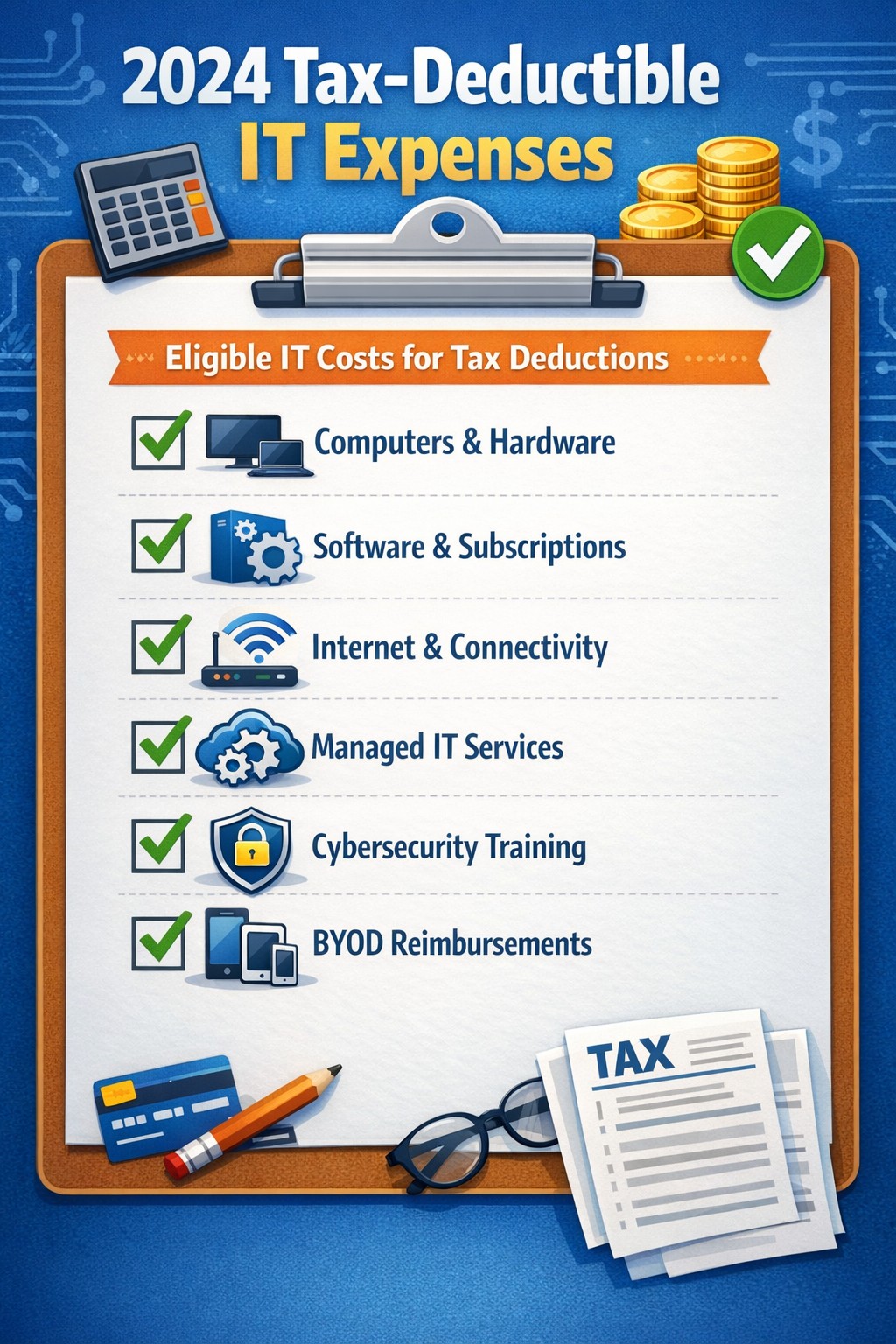
As we approach the end of the year, it’s crucial for businesses to understand the tax deductions available for their IT expenses. Maximizing these deductions can significantly reduce your tax burden and free up capital for further investment in your company’s technology infrastructure. Let’s explore the top tax-deductible IT expenses for 2024 that every business should be aware of.
Hardware and Equipment
Computers and Devices
Investing in new computers, tablets, or smartphones for your business can provide substantial tax benefits. The entire cost of these devices can be deducted from your taxable income. However, if the equipment is used partially for personal purposes, you may only be able to deduct a portion of the cost.
Office Equipment
Printers, scanners, and other office equipment are 100% tax-deductible in the year of purchase. This includes any IT-related furniture, such as ergonomic chairs or standing desks for your tech team.
Software and Services
Business Software
Software used for business purposes is eligible for tax deductions. This includes:
The deductible amount will depend on whether the software is purchased outright or subscribed to on a monthly basis.
Cloud Services
As more businesses move their operations to the cloud, it’s important to note that cloud service subscriptions are tax-deductible. This includes services like:
– Data storage – Backup solutions – Cloud-based productivity suites
Telecommunications
Internet Expenses
Internet services are crucial for most businesses today. You can deduct the full cost of your business internet connection[. If you work from home, you may be able to deduct a portion of your home internet expenses based on the percentage used for business purposes.
Phone Systems
All telecommunications fees within a commercial space can be deducted[1]. This includes:
– Business phone lines – VoIP systems – Cell phone contracts used for business
IT Services and Support
Managed IT Services
Fees paid for managed IT services, including network management, cybersecurity monitoring, and help desk support, are fully deductible as a business expense.
IT Consulting and Training
Any costs associated with IT consulting or training for your staff to use new technologies are tax-deductible. This can include workshops, online courses, or one-on-one training sessions.
Cybersecurity Measures
With the increasing importance of data protection, investments in cybersecurity are not only wise but also tax-deductible. This includes:
– Firewalls and antivirus software – Security audits – Employee cybersecurity training programs
Website Expenses
Development and Maintenance
Costs related to developing, hosting, and maintaining your business website are tax-deductible. This includes domain registration fees, hosting costs, and payments to web developers or designers.
E-commerce Solutions
If your business sells products online, the expenses for e-commerce platforms and payment processing systems are also deductible.
Home Office Technology
For those running businesses from home or with remote workers, the home office deduction can apply to technology expenses. You can deduct a portion of your home internet, personal computer use, and other tech equipment based on the percentage of your home used exclusively for business.
Ready to optimize your IT infrastructure while maximizing your tax benefits? Contact Farmhouse Networking today. Our expert team can help you implement cutting-edge IT solutions that not only boost your productivity but also provide substantial tax advantages. Don’t leave money on the table – let us help you navigate the complex world of IT expenses and tax deductions. Reach out now to schedule a consultation and start saving!
Navigating DORA changes with robust BYOD MDM for financial resilience
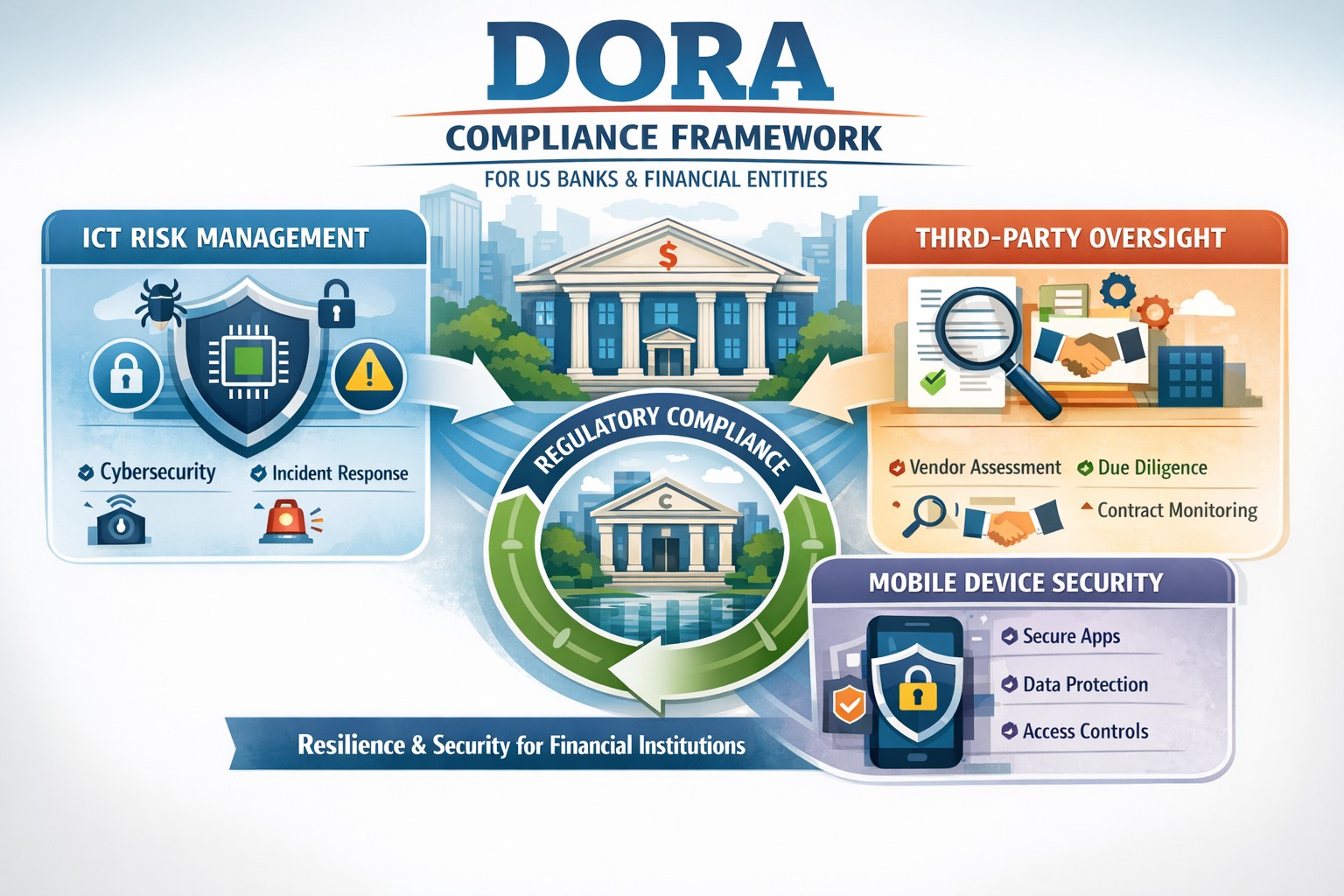
For US financial institutions, regulatory frameworks play a pivotal role in shaping operational protocols, enhancing security measures, and ensuring the resilience of the financial sector against a myriad of risks and vulnerabilities. Among these regulatory frameworks, the Digital Operational Resilience Act (DORA) stands out as a beacon of change, heralding a new era of compliance requirements and operational standards for financial entities.
This comprehensive guide aims to demystify the intricacies of DORA, shedding light on its key provisions, compliance requirements, and the broader implications for information and communication technology (ICT) within the financial sector. We will provide actionable insights into navigating these changes, adopting effective strategies for adaptation, overcoming potential challenges, and adhering to best practices for ensuring DORA compliance. As we delve into this exploration, the role of technology in facilitating compliance and the future landscape of US financial institutions under DORA’s influence will also be examined.
Introduction to DORA and its impact on US financial institutions
The introduction of DORA is a testament to the increasing recognition of the critical role that digital operational resilience plays in the stability and security of financial institutions. When cyber threats are looming large and the dependency on ICT infrastructures has become indispensable, DORA emerges as a regulatory response to the need for a harmonized, rigorous framework aimed at bolstering the digital defenses of financial entities. Its impact on US financial institutions is far-reaching, affecting not only the internal processes and technological deployments but also the strategic orientation towards digital operational resilience.
For US financial institutions, DORA represents both a challenge and an opportunity. The challenge lies in the comprehensive nature of the requirements, demanding a thorough reassessment of existing ICT systems, operational policies, and compliance mechanisms. On the other hand, the opportunity emerges from the potential for enhanced operational resilience, reduced vulnerability to cyber incidents, and a stronger competitive position in a digitally driven market. The anticipation of these changes has already begun to shape the strategic planning and investment priorities of financial institutions, with a clear focus on aligning with DORA’s stipulations.
The significance of DORA extends beyond mere compliance. It encapsulates a paradigm shift towards viewing digital operational resilience as a cornerstone of financial stability and consumer trust. As such, the efforts to meet DORA’s requirements are not just about adhering to a regulatory mandate but about embracing a culture of continuous improvement and risk-awareness in the digital domain. This cultural shift is fundamental to navigating the changes brought about by DORA and leveraging them to build a more resilient, trustworthy financial sector.
Understanding the key provisions of DORA
DORA is structured around several key provisions that collectively aim to enhance the digital operational resilience of financial institutions. These provisions cover a broad spectrum of requirements, from ICT risk management and incident reporting to third-party dependency management and testing of digital defenses. Understanding these key provisions is essential for financial institutions to grasp the full extent of DORA’s implications and to formulate a coherent strategy for compliance.
The first of these provisions centers on robust ICT risk management practices. Financial institutions are required to implement comprehensive risk management frameworks that can identify, assess, mitigate, and monitor ICT risks. This entails not only the deployment of advanced security measures and protocols but also the establishment of governance structures that ensure continuous oversight and accountability for ICT risk management.
Another critical provision of DORA pertains to the reporting of significant cyber incidents. Financial institutions must establish mechanisms for timely detection and reporting of such incidents to relevant regulatory authorities. This enhances the collective resilience of the financial sector by enabling a coordinated response to cyber threats and the sharing of critical information that can prevent the propagation of cyberattacks.
Lastly, DORA places a strong emphasis on the management of third-party risks. Given the interconnected nature of today’s financial ecosystem, where institutions rely heavily on external vendors for ICT services, DORA mandates stringent due diligence, monitoring, and contractual safeguards to manage the risks associated with third-party dependencies. This includes the requirement for financial institutions to ensure that their third-party providers adhere to equivalent standards of digital operational resilience.
Implications of DORA on information and communication technology (ICT)
The implications of DORA on ICT within financial institutions are profound, encompassing both the technological infrastructure and the operational processes that underpin the institution’s digital activities. At its core, DORA seeks to ensure that financial institutions have resilient, secure, and efficient ICT systems capable of withstanding a wide range of digital threats and challenges.
One of the primary implications relates to the enhancement of cybersecurity measures. DORA drives financial institutions to adopt state-of-the-art security technologies and practices, from advanced encryption methods and intrusion detection systems to comprehensive data protection protocols. This not only strengthens the institution’s defenses against cyberattacks but also fosters a culture of cybersecurity awareness and vigilance among employees and stakeholders.
Another significant implication is the focus on operational continuity and disaster recovery. DORA mandates that financial institutions develop and test robust business continuity plans (BCPs) and disaster recovery strategies (DRS) that ensure the institution can maintain or quickly resume critical operations in the event of an ICT-related disruption. This requires a careful analysis of critical business functions, the identification of potential vulnerabilities, and the implementation of measures to mitigate these risks.
Additionally, DORA underscores the importance of ICT governance and accountability. Financial institutions are expected to establish clear governance structures that define roles, responsibilities, and accountability for ICT risk management. This involves senior management taking an active role in overseeing ICT strategies, ensuring that digital operational resilience is embedded in the institution’s strategic planning and decision-making processes.
Navigating the changes brought by DORA in the financial sector
Navigating the changes brought by DORA requires a strategic, proactive approach that goes beyond mere compliance. Financial institutions must view these changes as an opportunity to enhance their operational resilience, competitive advantage, and trustworthiness in the digital age. This involves embracing a holistic view of digital operational resilience, integrating it into the institution’s overall strategic framework, and fostering a culture of continuous improvement and innovation.
The first step in this journey is to conduct a comprehensive assessment of the institution’s current ICT landscape and operational practices. This assessment should identify gaps in compliance with DORA’s provisions, areas of vulnerability to digital risks, and opportunities for enhancing digital operational resilience. Based on this assessment, financial institutions can develop a tailored action plan that addresses these gaps, leverages technological innovations, and aligns with the institution’s strategic objectives.
Engagement and collaboration across the organization are also crucial for successfully navigating the changes brought by DORA. This involves fostering an inclusive dialogue among stakeholders, including senior management, ICT professionals, risk managers, and operational staff, to ensure a shared understanding and commitment to digital operational resilience. Training and awareness programs can also play a key role in equipping employees with the knowledge and skills needed to contribute to the institution’s resilience efforts.
Furthermore, financial institutions should leverage the potential of technology to facilitate compliance and enhance operational resilience. This includes exploring advanced technologies such as artificial intelligence (AI), machine learning (ML), and blockchain, which can offer innovative solutions for risk management, incident detection, and secure transactions. Technology can also enable more efficient and effective compliance processes, from automated reporting mechanisms to real-time monitoring of third-party risks.
Strategies for adapting to DORA’s requirements
Adapting to DORA’s requirements necessitates a strategic approach that aligns with the institution’s operational realities and long-term objectives. One effective strategy is to prioritize the institution’s efforts based on the criticality of different ICT systems and processes, focusing initially on areas that present the highest risk or are most crucial for the institution’s operations. This prioritization helps to allocate resources efficiently and achieve significant enhancements in digital operational resilience.
Another key strategy involves fostering partnerships and collaboration both within the financial sector and with external technology providers. Collaborative initiatives can facilitate the sharing of best practices, insights, and experiences related to DORA compliance and digital operational resilience. Engaging with technology providers, like Farmhouse Networking, can also enable financial institutions to access innovative solutions and expertise that support compliance efforts and enhance the institution’s digital capabilities.
Continuous monitoring and evaluation are also essential for adapting to DORA’s requirements. Financial institutions should establish mechanisms for ongoing assessment of their compliance status, digital risk landscape, and the effectiveness of implemented resilience measures. This enables the institution to identify emerging risks, adapt to changes in the regulatory environment, and continuously improve its digital operational resilience.
Key challenges faced by financial institutions in implementing DORA
Implementing DORA presents a range of challenges for financial institutions, from the complexity of compliance requirements to the need for significant investments in technology and skills. One of the primary challenges is the integration of DORA’s provisions into the institution’s existing risk management and operational frameworks. This requires a comprehensive understanding of DORA’s requirements, as well as the ability to align these with the institution’s processes and objectives.
Another significant challenge is the management of third-party risks. The reliance on external providers for critical ICT services introduces a layer of complexity to compliance efforts, necessitating thorough due diligence, effective contractual arrangements, and ongoing monitoring. Ensuring that third-party providers adhere to equivalent standards of digital operational resilience can be a daunting task, requiring dedicated resources and expertise.
Additionally, the rapid pace of technological change and the evolving cyber threat landscape pose challenges for maintaining compliance and ensuring continuous digital operational resilience. Financial institutions must remain agile, constantly updating their risk assessments, cybersecurity measures, and resilience strategies to address new vulnerabilities and threats.
Best practices for ensuring DORA compliance
Ensuring DORA compliance requires a structured, diligent approach that encompasses several best practices. One of the foundational best practices is the establishment of a cross-functional team dedicated to DORA compliance. This team should include representatives from various departments, including ICT, risk management, legal, and operations, ensuring a comprehensive perspective on compliance efforts and facilitating effective coordination across the institution.
Developing a detailed compliance roadmap is another critical best practice. This roadmap should outline the key steps and milestones for achieving compliance, from initial assessments and gap analyses to the implementation of required measures and ongoing monitoring. The roadmap should also include timelines and responsibilities, providing a clear framework for the institution’s compliance efforts.
Continuous training and awareness programs are also essential for ensuring DORA compliance. Financial institutions should invest in educating their employees about the importance of digital operational resilience, the specific requirements of DORA, and their roles and responsibilities in maintaining compliance. Training programs should be regularly updated to reflect changes in the regulatory environment and emerging best practices.
Furthermore, leveraging technology can significantly enhance compliance efforts. Advanced technologies such as AI, ML, and blockchain can offer innovative solutions for risk assessment, incident detection, and secure data management. Financial institutions should explore these technologies, assessing their potential to support compliance objectives and enhance overall digital operational resilience.
The role of technology in facilitating DORA compliance
Technology plays a crucial role in facilitating DORA compliance, offering powerful tools and solutions that can enhance digital operational resilience and streamline compliance processes. One of the key areas where technology can make a significant impact is in risk assessment and management. Advanced analytics, AI, and ML can enable financial institutions to conduct more sophisticated risk assessments, identifying potential vulnerabilities and threats with greater accuracy and efficiency.
Incident detection and response is another area where technology can provide substantial benefits. Automated monitoring systems, intrusion detection technologies, and cybersecurity platforms can help financial institutions to quickly identify and respond to cyber incidents, minimizing their impact and ensuring timely reporting to regulatory authorities.
Technology can also support the management of third-party risks. Platforms and tools for vendor risk management enable financial institutions to conduct thorough due diligence, monitor third-party providers’ compliance with DORA requirements, and manage contractual arrangements more effectively. This facilitates a more robust approach to managing the risks associated with external ICT service providers.
Moreover, technology can enhance the efficiency of compliance processes, from automated reporting mechanisms to digital record-keeping systems. These technologies can reduce the administrative burden of compliance, allowing financial institutions to focus more resources on enhancing their digital operational resilience and providing value to their customers.
For financial institutions seeking to navigate the complexities of DORA compliance and enhance their digital operational resilience, partnering with expert service providers can offer valuable support. Contact Farmhouse Networking to manage your company’s ICT and protect from cyber threats, ensuring you stay ahead of the regulatory changes and build a stronger, more resilient financial institution for the future.
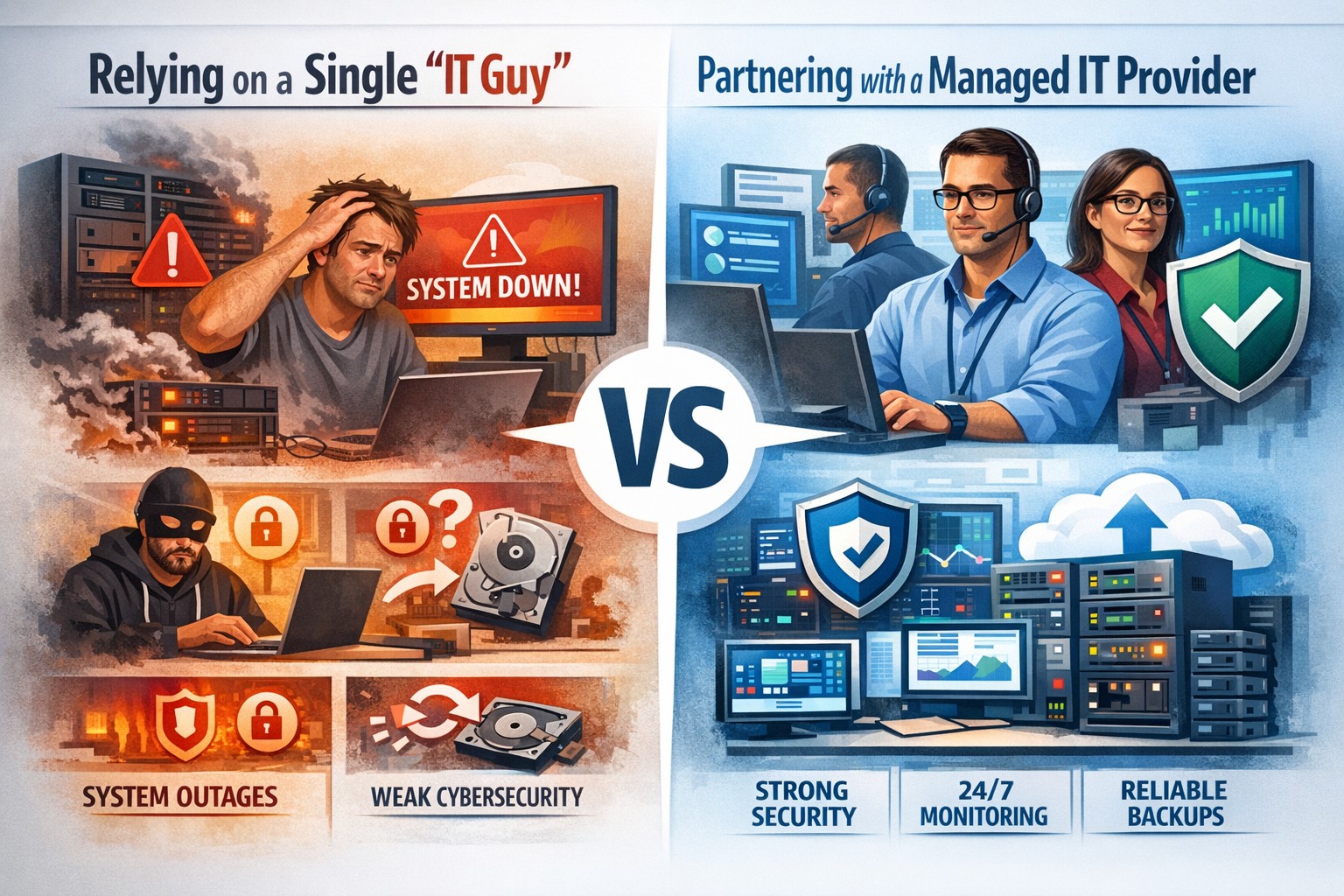
Relying on one IT guy can expose your small business to downtime, data loss, and security vulnerabilities—managed IT services offer stronger protection.
The role of Information Technology (IT) in business success cannot be overstated. IT systems and infrastructure form the backbone of modern businesses, facilitating communication, data management, and efficient workflow. From managing customer databases to ensuring network security, IT plays a crucial role in driving productivity and competitiveness. However, many businesses make the mistake of relying on a single IT guy to handle all their technological needs. In this article, I will discuss the risks associated with this approach and the importance of adopting a team-based approach to IT support.
The risks of relying on a single IT guy
Lack of expertise and knowledge
When you rely on a single IT guy, you are limited to their individual skills and expertise. While they may be knowledgeable in certain areas, they may not possess the breadth of knowledge required to handle all aspects of your business’s IT infrastructure. IT is a vast field that encompasses various domains such as network administration, cybersecurity, software development, and hardware maintenance. By relying on a single guy, you risk missing out on specialized expertise that could greatly benefit your business.
Limited availability and support
Another significant risk of relying on a single IT guy is limited availability and support. IT issues can arise at any time, and if your IT guy is unavailable or overwhelmed with other responsibilities, it can lead to significant downtime and disruptions in your business operations. With a single point of contact, you may have to wait for extended periods before your IT issues are resolved, resulting in decreased productivity and potential financial losses.
Single point of failure
Relying on a single IT guy also means that your business is vulnerable to a single point of failure. If your IT guy falls ill, takes a vacation, or leaves the company, you may be left without any IT support. Singular IT techs often don’t have the time or resources to properly document procedures and critical passwords, so when they go this information is lost. This can be particularly problematic during critical times when you need immediate assistance. Having a backup plan or a team of IT professionals ensures that your business operations can continue uninterrupted, even if one person is unavailable.
The impact of downtime on business operations
Downtime can have severe consequences on your business operations. Every minute your systems are down translates to lost revenue, missed opportunities, and frustrated customers. According to a study conducted by Gartner, the average cost of IT downtime is $5,600 per minute. Imagine the financial implications if your IT guy is unavailable for an extended period. With a team-based approach to IT support, you can minimize downtime and ensure swift resolution of any issues, thereby safeguarding your business’s success.
The importance of a team approach to IT support
Adopting a team approach to IT support offers numerous benefits for your business. Firstly, it provides a diverse set of skills and expertise that can be leveraged to address various IT challenges effectively. Each team member brings their unique knowledge and experience, allowing for comprehensive and well-rounded support. Additionally, with a team, you have the advantage of increased availability and faster response times. By distributing responsibilities among team members, you can ensure that someone is always available to address your IT needs promptly.
The benefits of outsourcing IT support
Outsourcing IT support is a viable solution for businesses looking to avoid the risks associated with relying on a single IT guy. Outsourcing allows you to tap into a pool of talented professionals with specialized expertise in different IT domains. Moreover, outsourcing IT support can often be more cost-effective than hiring a full-time IT staff, especially for small and medium-sized businesses. By partnering with an external IT support provider, like Farmhouse Networking, you can access a wide range of services, including network monitoring, cybersecurity, data backup, and software maintenance, all while enjoying the benefits of a dedicated team.
Finding the right IT support provider
Finding the right IT support provider is crucial to ensuring a successful and secure IT infrastructure. When evaluating potential providers, consider their experience, track record, and the range of services they offer. Look for certifications and qualifications that demonstrate their expertise and commitment to quality. It is also essential to assess their responsiveness and availability to ensure that they can meet your business’s IT needs promptly. Ask them about their record keeping habits, make sure they document everything and keep your information secure with industry standard protocols. By conducting thorough research and seeking recommendations, you can find an IT support provider that aligns with your business goals and requirements.
By adopting a team-based approach to IT support or outsourcing your IT needs, you can mitigate these risks and ensure a successful and secure IT infrastructure. Don’t get stuck when your IT guy no longer responds; contact us to experience the comfort of having a team look after your business IT. With the right IT support provider, you can focus on growing your business while leaving your technological needs in capable hands.
Modern accounting firm using managed IT services to keep tax software and client data online during busy season
Tax season is when every minute of billable time matters, and even a one-hour outage can cost thousands in lost work, delayed returns, and stressed staff. As a firm owner, the right IT strategy is the difference between a smooth March and a “fire drill” every week.
Why Downtime Is So Costly During Tax Season
Accounting teams regularly work 60+ hour weeks during peak busy season, so any outage hits during extended hours, not just 9–5.
Firms that move from reactive to proactive IT strategies have been able to cut downtime by 60–80%, protecting both billable hours and client trust.
Technology advances have already helped 69% of firms reduce time spent on admin tasks, which means you’re increasingly dependent on always-available systems.
In practice, that means tax software, QuickBooks, email, client portals, and e-file systems must stay fast and available—even at 9 PM on a Saturday in March.
Practical Actions You and Your IT Team Should Take
As the owner, your job is to set expectations, fund the right solutions, and make sure your IT partner or internal team executes before tax season hits.
1. Define Acceptable Downtime and Recovery Targets
Set Recovery Time Objective (RTO) for critical apps (e.g., “tax software back online within 30 minutes”).
Set Recovery Point Objective (RPO) for data (e.g., “no more than 15 minutes of work lost if something fails”).
Require your IT provider to document how their backup and disaster recovery design actually meets those targets.
2. Harden and Modernize Your Infrastructure
Move key workloads (tax apps, file shares, QuickBooks, portals) to scalable cloud or private hosting so performance doesn’t collapse under peak load.
Decommission old servers and unused software that increase failure risk and maintenance overhead.
Implement redundant systems for critical functions—at minimum, dual internet connections from different providers.
3. Automate the “Failure-Prone” Tasks
Enable automated patch management so security and stability updates happen after hours, not manually in the middle of busy season.
Automate data backup verification so someone doesn’t have to remember to check if last night’s backups actually completed.
Use automation for repetitive workflows like recurring invoice generation and batch processing of returns during off-hours.
4. Lock Down Cybersecurity Without Slowing Staff
Enforce multi-factor authentication (MFA) on all remote access, portals, and email accounts that touch client financial data.
Standardize access control (no shared logins, immediate offboarding for departed staff, clear least-privilege rules).
Maintain a written information security plan aligned with IRS Publication 4557 and FTC Safeguards expectations.
5. Demand 24/7 Support and Clear Escalation
Make 24/7 support a non-negotiable during tax season so issues at night or weekends are addressed immediately.
Require defined SLAs (response and resolution times) for any outage that touches tax apps, QuickBooks, or client-facing portals.
Ask your IT provider to test an incident response plan at least annually, including simulated ransomware or major vendor outages (like the July 2024 CrowdStrike event that disrupted 8.5 million devices).
6. Train Your Team to Avoid Preventable Incidents
Run short, focused phishing and security awareness training for staff before busy season.
Provide simple playbooks for “what to do if X happens” (ransomware popup, strange login alert, application freeze).
Make it clear that reporting a problem early is rewarded, not punished—this reduces hidden incidents that later explode into full outages.
Common Client Questions (and Strong Answers You Can Give)
You can turn solid IT preparation into a client trust advantage by proactively answering these questions.
Q1: “What happens to my data if your system goes down during tax season?” A: Our systems are backed up frequently with both onsite and cloud-based, immutable backups, and we have defined recovery objectives so we can restore access quickly even in a worst-case scenario.
Q2: “How do you protect my financial data from hackers?” A: We use multi-factor authentication, strict access controls, encryption, and continuously updated security tools aligned with IRS and FTC guidelines to safeguard your information.
Q3: “Will a cyberattack or outage delay my return filing?” A: We’ve engineered redundancy and disaster recovery around our tax applications, with clear recovery time targets and 24/7 IT monitoring, so even if something happens, we can recover quickly without missing filing deadlines.
Q4: “Can I still access my documents if your office is closed?” A: Yes, our cloud-based portals and systems are designed for secure remote access, allowing us and you to access documents from anywhere as long as there is internet connectivity.
How Farmhouse Networking Helps Accountants Minimize Downtime
Farmhouse Networking specializes in managed IT services for fast-growing accounting and finance firms, with a focus on performance, uptime, and client experience. As a business owner, you get a partner that understands both the technical and regulatory pressures of tax season.
Here’s how Farmhouse Networking can support the action steps above:
Proactive managed IT and cloud services: We design and manage scalable infrastructure and cloud solutions built specifically to handle tax-season peak loads for accounting firms.
Business continuity and disaster recovery: We implement and test backup strategies (including immutable and cloud backups), document RTO/RPO, and prepare runbooks so your team knows exactly what happens when something fails.
Security and compliance alignment: We deploy MFA, patch management, endpoint protection, and network hardening that align with IRS and FTC expectations, helping you protect client data and avoid regulatory headaches.
24/7 monitoring and support: We provide round-the-clock monitoring and responsive support, so your late-night tax work is covered and small issues don’t become revenue-killing outages.
Strategic technology roadmap: We help you decommission legacy systems, plan upgrades, and “future-proof” your practice so each year’s tax season gets easier, not harder.
Take the Next Step Before the Next Busy Season
If you wait until March to “fix IT,” you’re already too late. The easiest way to protect your firm’s revenue, reputation, and sanity is to partner with an IT team that lives and breathes accounting workflows and tax-season realities.
Email support@farmhousenetworking.com for more information about how Farmhouse Networking can help improve your business, minimize downtime next tax season, and give you and your team the confidence to focus on client work instead of fighting technology.
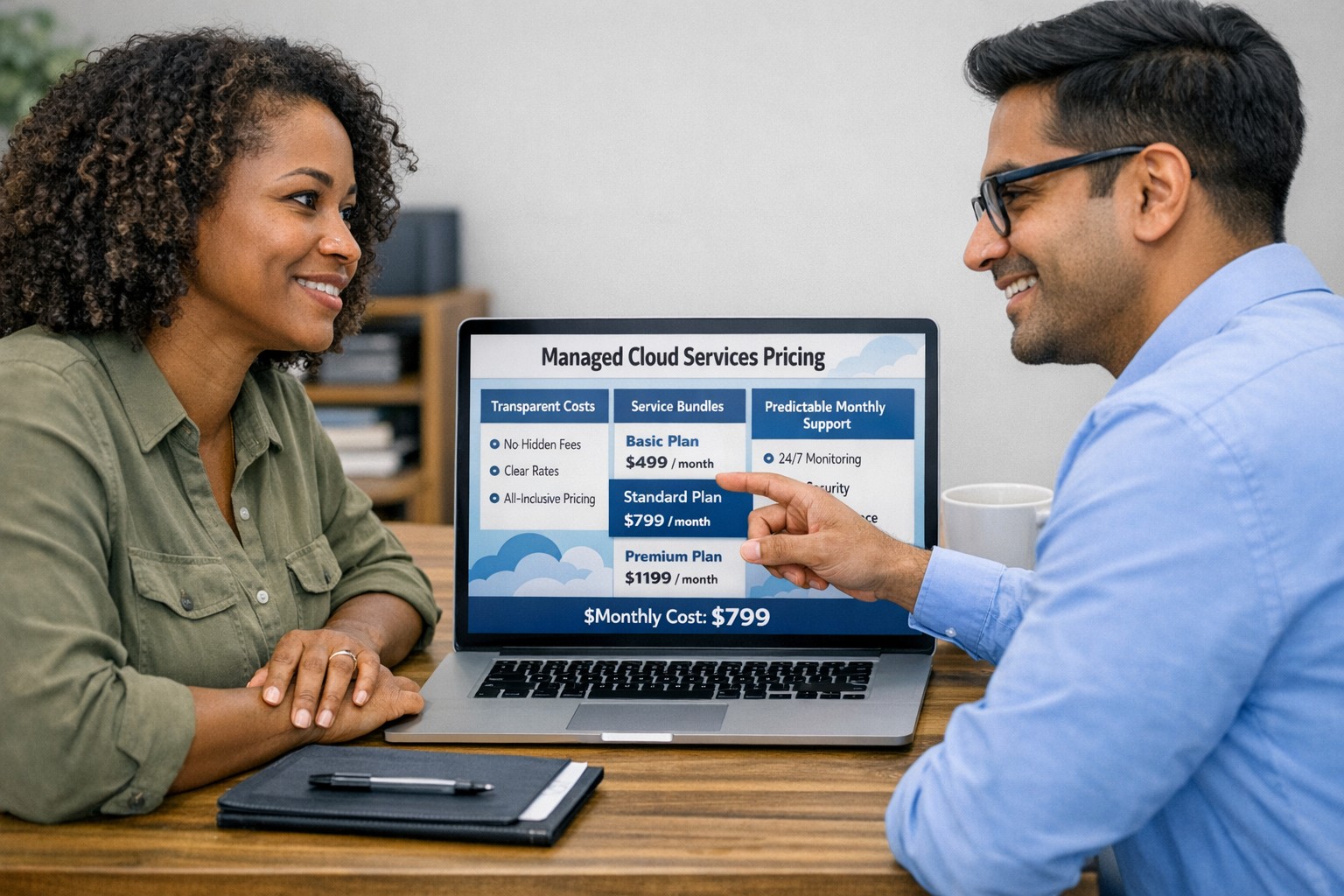
Managed cloud services pricing helps small businesses control IT costs with transparent, predictable monthly cloud support.
We have received numerous inquiries from potential customers regarding our pricing structure. Specifically, they want to know if we offer monthly contracts or if we charge an hourly rate. The answer is Yes.
Hourly Rate
For customers who require a one-time fix or need a project completed, we offer a service based on an hourly rate. Our rate for remote or on-site work that is not covered under a contract is $150 per hour. We bill in 15-minute increments and take pride in our efficiency. For clients with more than 2 service requests per month, we highly recommend signing up for a contract to save money and benefit from our expert oversight.
Monthly Contracts
There are three types of monthly contracts:
Remote Maintenance Contract
This is the package that most of our clients choose. It includes automated maintenance, cyber security protections, and unlimited remote support. Since most problems and questions can be handled remotely, this package offers real value.
Full Service Maintenance Contract
This package is for clients who want complete peace of mind. It includes all services, whether remote or at their offices. Additionally, it provides some additional benefits, such as top priority in our support queue.
Co-Managed IT Contract
This special package is designed for companies that already have a full-time IT employee or IT service companies in need of extra help. It provides them with the necessary automations and tools to make their jobs easier, allowing them to focus on what matters. This package also includes a discount on our remote and on-site services.
All contracts are based on a per-device model, taking into account the number of workstations, printers, servers, switches, etc. on the client’s network. We use this model because the other popular model, per user, is too vague and can easily hide excessive profit margins. Contracts can be month-to-month or a yearly commitment. The difference is that with a yearly commitment, you are protected from price increases for the entire year. We also offer many optional add-ons for our clients, such as Office 365, Employee Security Training, Penetration/Vulnerability Scanning, Mobile Device Management, Compliance, Secure Remote Access, and Security Operations Center.
Are you looking for reliable IT support that suits your business’s unique requirements? Look no further! Our flexible pricing options cater to businesses of all sizes. Whether you require one-time assistance or ongoing support, we have the right plan for you. Ready to take your business IT support to the next level? Contact us today to discuss your needs and find the perfect plan for your business.
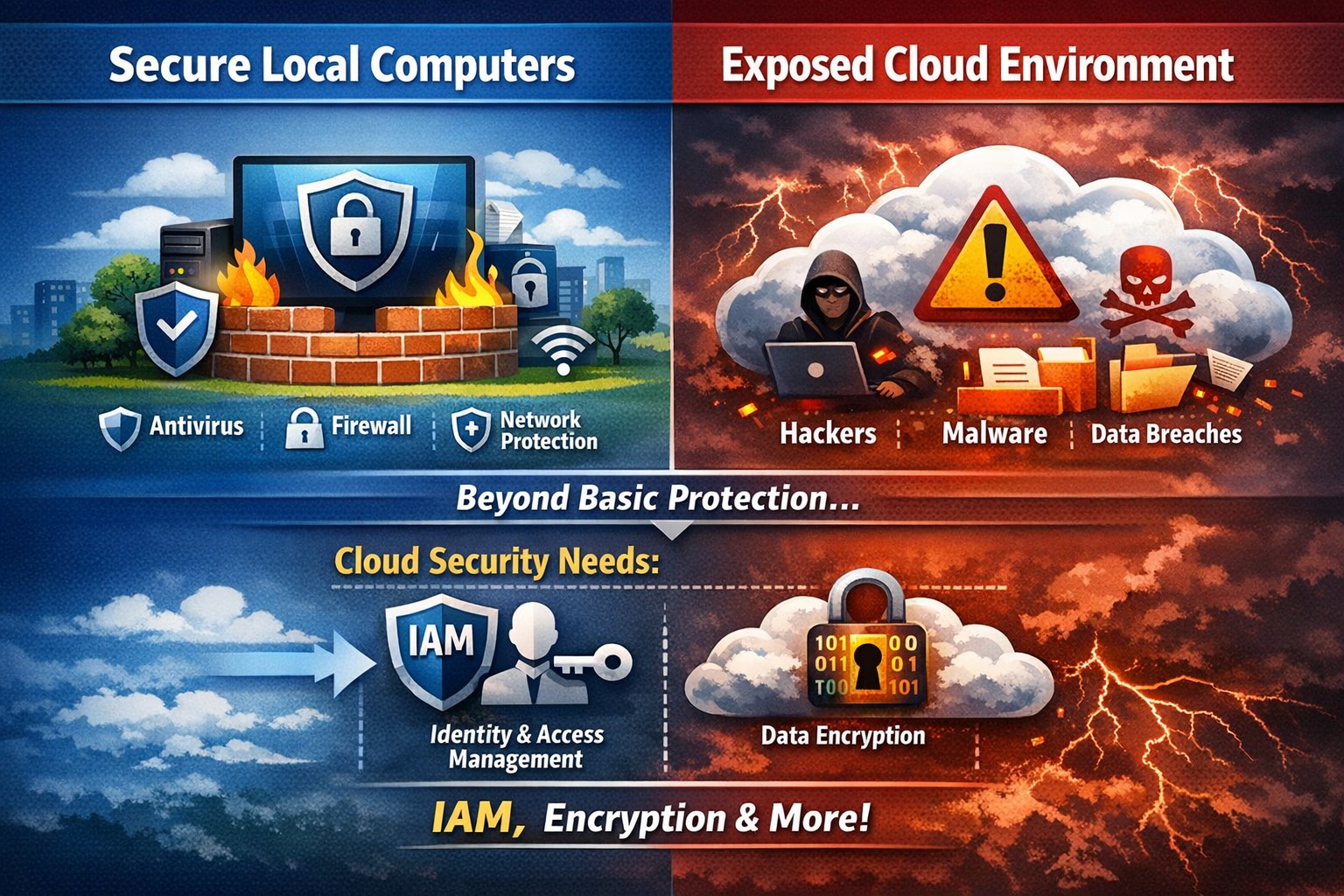
Secure endpoints don’t guarantee cloud safety—address cloud-specific risks now
The ability to store and access data remotely in the cloud has revolutionized the way organizations operate, providing flexibility, scalability, and cost-efficiency. However, with this convenience comes the need for robust security measures to protect sensitive information from cyber threats. This article explores the importance of cloud security and provides strategies to safeguard your company’s data in the cloud.
Understanding Cloud Security
Cloud security encompasses a set of controls, processes, technologies, and policies designed to protect cloud-based systems, infrastructure, and data. It is one part of computer security and information security, aiming to safeguard businesses from financial, legal, and reputational repercussions of data breaches and loss.
Cloud security involves various strategies and best practices to ensure the confidentiality, integrity, and availability of cloud resources. It includes measures such as real-time monitoring, multi-factor authentication (MFA), identity and access management (IAM), cloud-to-cloud backup solutions, systematic off-boarding processes, and anti-phishing training.
Real-time Monitoring
Real-time monitoring is a crucial strategy to detect and respond to suspicious threats promptly. By implementing real-time monitoring tools, businesses can gain visibility into their employee activity and cloud systems to proactively identify any potential cyber attacks. This allows for immediate action to mitigate risks and minimize the impact of data breaches. According to IBM, the global average total cost of a data breach in 2023 was $4.45 million, highlighting the financial implications of inadequate security measures.
Multi-Factor Authentication (MFA)
Traditional username and password combinations are no longer sufficient to protect user accounts from hackers. MFA adds an extra layer of security by requiring users to provide multiple pieces of evidence to verify their identities. This could include a combination of something they know (password), something they have (a mobile device or security key), or something they are (biometric data like a fingerprint or facial recognition). By implementing MFA, businesses can significantly reduce the risk of account compromise attacks and prevent unauthorized access to cloud applications.
Identity and Access Management (IAM)
Identity and access management (IAM) is a critical component of cloud security. It involves assigning proper levels of authorization and access controls to ensure that employees only have access to the information and resources necessary for their roles. IAM not only prevents accidental data breaches but also protects businesses from external threats by limiting the potential attack surface. By implementing IAM solutions, organizations can enforce strict access controls, reduce the risk of unauthorized data access, and maintain data privacy.
Cloud-to-Cloud Backup Solutions
While cloud providers typically have robust data protection measures in place, businesses should not solely rely on them for data backup. Cloud-to-cloud backup solutions provide an additional layer of protection by replicating data from one cloud service to another. This helps mitigate the risk of data loss due to cloud provider mistakes or system failures. Organizations using software-as-a-service (SaaS) applications can benefit from cloud-to-cloud backup solutions, ensuring advanced data protection beyond the basic safeguards provided by the applications themselves.
Systematic Off-boarding Process
When employees leave a company, it is crucial to have a systematic off-boarding process in place to revoke their access rights immediately. According to a survey conducted by Cyberark, “88% of IT workers would take sensitive data with them or abscond with company passwords if they were fired.” Additionally, 50% of ex-employees can still access corporate apps. To prevent unauthorized access and protect sensitive data, organizations should ensure that departing employees’ access rights are promptly revoked. This includes revoking access to systems, data, cloud storage, intellectual property, and consumer information.
Offering Anti-Phishing Training
Phishing remains a prevalent threat in the cybersecurity landscape. Hackers often gain access to secure information by stealing employees’ login credentials or utilizing social engineering techniques. Offering anti-phishing training to employees can help raise awareness about these scams and prevent them from falling victim to phishing attacks. By educating employees on how to identify and report phishing attempts, organizations can safeguard their sensitive data without compromising productivity.
Strengthening Cloud Security Measures
While the above strategies are crucial for securing cloud operations, it is essential to adopt a comprehensive approach to cloud security. Here are additional best practices to strengthen your cloud security measures:
Enforce reliable passwords: Implement password policies that require complex, unique passwords and regular password updates. Encourage the use of password managers to reduce the risk of weak passwords.
Use encryption: Encrypting sensitive data helps protect it from unauthorized access. Implement encryption measures for data at rest and in transit.
Test security continuously: Regularly conduct vulnerability assessments and penetration testing to identify and address security weaknesses in your cloud infrastructure. This proactive approach ensures that potential vulnerabilities are discovered and remediated before they can be exploited.
Ensure local backup: In addition to cloud-to-cloud backup solutions, consider implementing local backups of critical data. This provides an extra layer of protection in case of cloud provider outages or data loss incidents.
Implement additional security measures: Explore additional security solutions such as intrusion detection systems (IDS), firewalls, and data loss prevention (DLP) tools to enhance your overall cloud security posture.
Avoid storage of sensitive data: Minimize the storage of sensitive data in the cloud. Identify and classify data based on its sensitivity and apply appropriate security controls accordingly. This reduces the risk of data breaches and ensures compliance with data protection regulations.
Why Is Cloud Security Important?
Cloud security is crucial for organizations migrating their sensitive data and applications to the cloud. By adopting secure cloud practices, businesses can protect highly sensitive data from hackers and ensure compliance with regulatory requirements. Here are a few reasons why cloud security is important:
Control Access
Cloud security enables organizations to monitor and regulate access to their data. By formulating policies and implementing access controls, businesses can prevent unauthorized users from accessing sensitive information. Cloud management tools provide visibility into user behavior and help maintain strong access controls.
Encrypting Sensitive Data
Encryption plays a vital role in securing data in the cloud. By encrypting data at rest and in transit, organizations can protect it from unauthorized access. Implementing encryption with strong access and control policies minimizes the impact of compromised keys and ensures data confidentiality.
Using Automation
Automation helps minimize human errors and misconfigurations in cloud environments. By automating routine tasks and configurations, organizations can ensure that their infrastructure is deployed and maintained correctly. Cloud automation tools streamline everyday configuration items and provisioning, reducing the risk of security vulnerabilities.
Extend Vulnerability Management Tools
Vulnerability management tools scan networks to identify potential threats or weaknesses that attackers can exploit. These tools help manage and mitigate attacks on the network by suggesting remedies and actions to reduce the prospect of network breaches. Regular scanning and remediation of vulnerabilities are essential to maintain a secure cloud environment.
Implementing Enhancements
Continuous improvement is crucial for maintaining cloud security. Organizations should continuously enhance their security measures throughout the entire lifecycle of their operations. As new threats emerge, businesses must adapt and implement necessary enhancements to safeguard against potential risks.
Deploying Multi-Factor Authentication (MFA)
Deploying MFA increases security and authentication for enterprise applications. Weak or reused passwords are a significant cause of data breaches. By implementing MFA, businesses can protect their cloud applications from unauthorized access attempts. Authorized personnel are granted access, minimizing the risk of data breaches.
Local businesses rely on Farmhouse Networking to simplify their cloud security management and enhance overall security posture. Click here to get started.
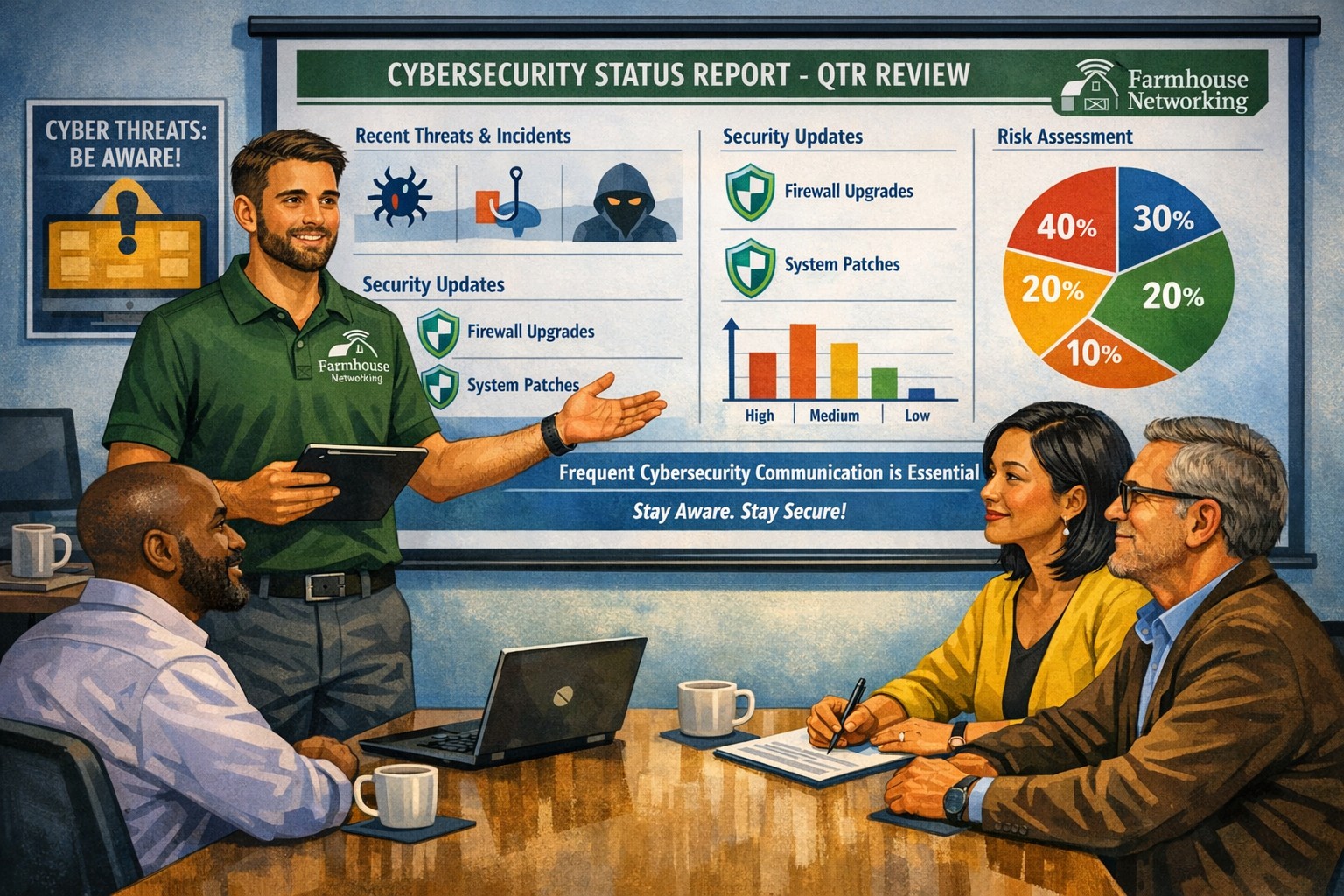
Business meeting between IT provider and client discussing cybersecurity threats and protection strategies
Cyber threats continue to evolve and become increasingly sophisticated, so the importance of robust cybersecurity measures cannot be overstated. Cybersecurity is a critical aspect of any company’s IT infrastructure, as it safeguards company / client data and ensures uninterrupted operations. However, one aspect that often gets overlooked is the proactive communication from IT providers about cybersecurity. This blog article aims to remind IT professionals and decision-makers of the significance of regular discussions with their IT providers regarding cybersecurity, and the potential risks they could be exposed to by neglecting this crucial dialogue.
Importance of Regular Cybersecurity Discussions:
Cybercriminals are continuously developing new attack vectors and exploring vulnerabilities in software, networks, and devices. Cybersecurity is not a one-time fix; it requires ongoing monitoring, updating, and adaptations to counter new threats.
Unfortunately, many organizations assume that by employing an IT provider to manage their systems, they are automatically protected against cyber threats. However, this assumption can lead to complacency, leaving vulnerabilities unaddressed. Regular conversations with your IT provider regarding cybersecurity ensure that your organization is consistently assessing and improving its defense against threats.
Addressing Emerging Threats:
Cybercriminals are constantly adapting their tactics, making it essential for IT providers to stay ahead by implementing proactive security measures. By engaging in frequent discussions, your IT provider can inform you about emerging threats and share strategies to mitigate risk. These discussions should cover topics such as:
Vulnerability Scanning / Penetration Testing: Testing your IT infrastructure to find the weak points is crucial to minimizing the available attack surface for a hacker and decreasing the impact of a breach. Reviewing these findings with your IT provider quarterly is vital to keeping your network safe.
Threat Detection: Standard antivirus software is no longer good enough to stop hackers. Talking with your IT provider about advanced threat detection software to make sure that both local and cloud resources are sufficiently protected from all kinds of attacks.
Patch Management: Ensuring that all software and systems are up-to-date with the latest security patches is crucial. Regular communication will allow your IT provider to inform you about critical patches or upgrades and discuss their implementation to keep your systems secure.
Employee Training: Cybersecurity is a collective effort, and employees play a vital role in maintaining a strong defense. Regular discussions about employee training will ensure that everyone in the organization is aware of best practices, such as identifying phishing emails or avoiding suspicious websites.
Data Backup and Recovery: Regular conversations with your IT company can help you establish and review comprehensive data backup and recovery strategies, minimizing the impact of potential cybersecurity incidents.
Incident Response Planning: In the unfortunate event of a cybersecurity incident, having a well-defined incident response plan is crucial. Meet with your IT provider at least annually to ensure that your plan is up to date, reflecting any changes in your IT infrastructure or evolving threat landscape.
When it comes to cybersecurity, communication is key. If your IT provider has not talked to you recently about cybersecurity, then it is time to call Farmhouse Networking. We are huge on communication and meet regularly with our clients to discuss 42 different IT related categories.
And God will generously provide all you need. Then you will always have everything you need and plenty left over to share with others. As the Scriptures say,
“They share freely and give generously to the poor. Their good deeds will be remembered forever.”
For God is the one who provides seed for the farmer and then bread to eat. In the same way, he will provide and increase your resources and then produce a great harvest of generosity in you. - 2 Corinthians 9:8-10
We use cookies to ensure that we give you the best experience on our website. If you continue to use this site we will assume that you are happy with it.