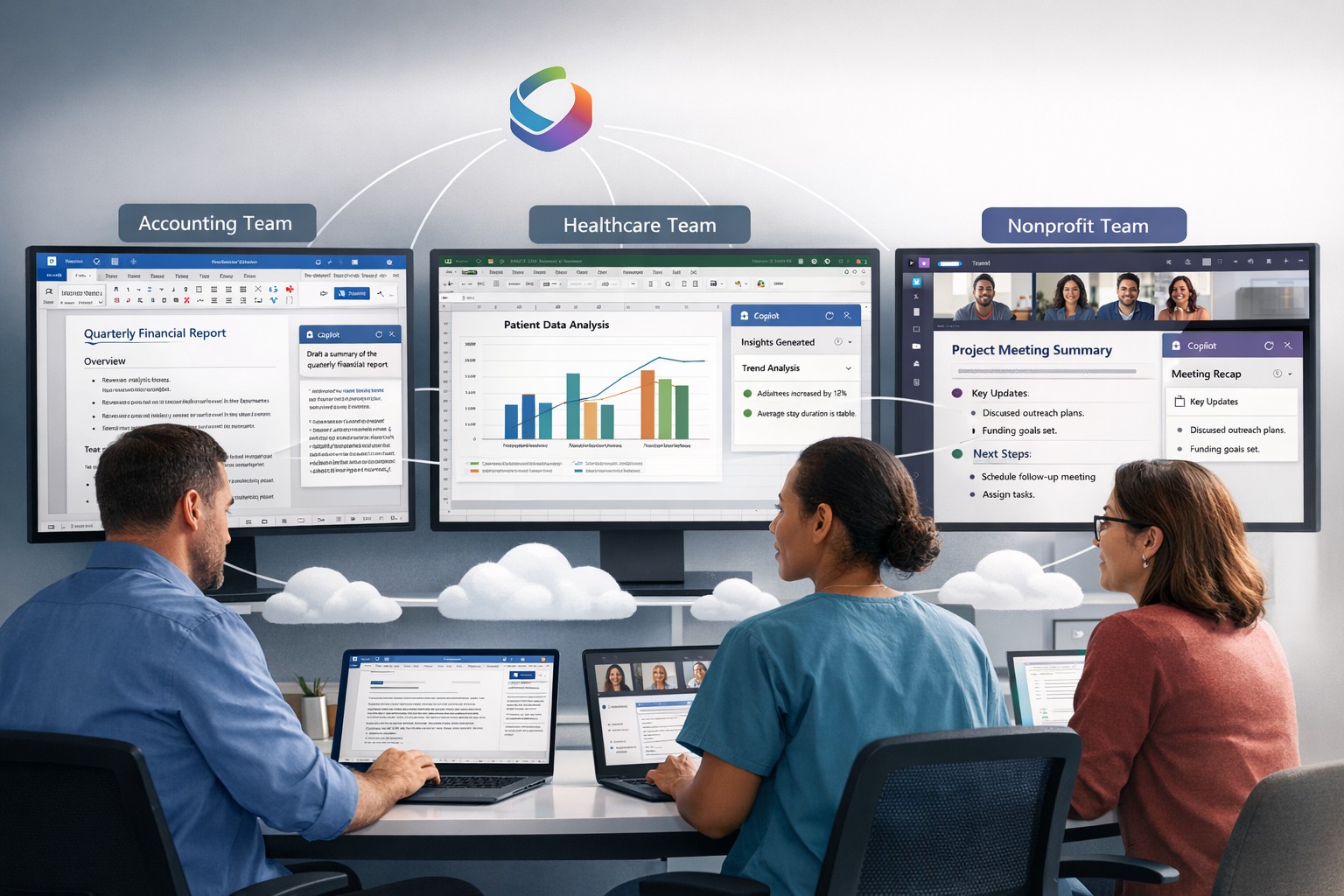
Microsoft 365 Copilot delivers AI-powered productivity across Word, Excel, Teams, and Outlook for small business efficiency.
Microsoft has recently unveiled a groundbreaking addition to its suite of Microsoft 365 apps and services – the AI-powered Copilot. This innovative tool is designed to assist users in generating documents, emails, presentations, and more, revolutionizing the way people work and interact with technology.
The Evolution of Copilot
Copilot, powered by GPT-4 from OpenAI, functions as an AI assistant embedded within Microsoft 365 apps such as Word, Excel, PowerPoint, Outlook, and Teams. It takes on the role of a chatbot, appearing in the sidebar, and can be summoned by users to perform a wide range of tasks. Whether it’s generating text in documents, creating presentations based on Word files, or providing assistance with Excel features like PivotTables, Copilot is there to lend a helping hand.
Streamlining Workflows
One of the key advantages of Copilot is its ability to enhance productivity and streamline workflows. For instance, users can leverage Copilot’s capabilities to prepare for meetings by providing information on related projects, organizational changes, and updates on co-workers who may have returned from vacation. In Word, Copilot can draft documents based on other files, allowing users to freely edit and adapt the AI-generated text. Similarly, Copilot can instantly create SWOT analyses or PivotTables in Excel based on data, making complex tasks easier and more efficient. In Microsoft Teams, Copilot can even transcribe meetings and summarize action items, ensuring that no important information is missed.
The Power of Copilot in Outlook
Copilot also extends its functionality to Outlook, helping users save time and improve email management. It can summarize email threads, create draft responses, and even adapt the tone and length of an email based on user preferences. By automating these tasks, Copilot allows users to focus on more strategic and meaningful work, increasing overall productivity.
The Role of AI Ethics
While Copilot offers significant benefits, Microsoft acknowledges that it may not always be perfect. Jared Spataro, head of Microsoft 365, emphasizes that Copilot might occasionally provide suggestions that are not entirely accurate. However, he also highlights the value of these imperfect suggestions, as they can still provide users with a head start and spark creative ideas.
To address concerns around the accuracy and ethical implications of AI, Microsoft emphasizes transparency and user control. They make it clear how the system makes decisions, provide links to sources, and prompt users to review and fact-check content based on their subject-matter expertise. Microsoft is committed to learning and improving Copilot based on user feedback and scaling the AI tool responsibly.
Copilot’s Integration and Pricing
Microsoft announced yesterday that it would be allowing all customers to purchase Copilot integration for Office 365 as long as you have one of the compatible licenses. The cost is $360 per user per year which equates to $30 per month – highly competitive with other AI services that will not directly integrate with Office 365 apps.
Considerations for Enterprises
While the potential value of Copilot in saving time and improving productivity is significant, organizations must also address potential risks. One concern is the potential for Copilot to provide inaccurate information, leading to what is known as “hallucinations.” Users should exercise caution and verify outputs from Copilot, supplementing its suggestions with human review and fact-checking.
Another critical consideration is data protection. Copilot’s ability to access a wide range of corporate data raises concerns about information oversharing and exposure of sensitive files. Organizations must ensure that proper data governance is in place, including robust permissions and access controls. Securing unstructured data and addressing potential data leaks are essential steps in mitigating risks associated with the deployment of Copilot.
Deployment and Adoption
While Copilot holds great promise, the deployment and adoption process for businesses will likely be gradual and cautious. Microsoft acknowledges the typical enterprise cycle times for adoption and ramp-up. The company expects a gradual growth in the adoption of Copilot, with around one-third of Microsoft 365 customers in the US expected to invest in Copilot within the first year. Businesses that choose to deploy Copilot are estimated to provide licenses to around 40% of their employees during this period.
Real-World Use Cases
During the early access program, several businesses, including Chevron, Goodyear, and General Motors, participated in trials of Copilot. These companies have already started reaping the benefits of the AI tool. Dentsu, a marketing firm, reported that the most common use case for Copilot was information summarization, particularly for Teams calls. Employees found value in Copilot’s ability to quickly pull information from various sources, saving time and improving efficiency.
The feedback from businesses involved in the early access program has been overwhelmingly positive, with employees experiencing increased productivity and more time for higher-level tasks. Different roles within organizations have found value in Copilot for various tasks, such as analysis in Excel or document drafting in Word. The versatility of Copilot makes it a valuable tool for a wide range of job functions and industries.
Microsoft’s AI-powered Copilot is set to revolutionize the way users interact with Microsoft 365 apps, providing enhanced productivity and streamlining workflows. As a trusted Microsoft Partner, Farmhouse Networking, can guide your company into adopting this game changing technology.
Business meeting between IT provider and client discussing cybersecurity threats and protection strategies
Cyber threats continue to evolve and become increasingly sophisticated, so the importance of robust cybersecurity measures cannot be overstated. Cybersecurity is a critical aspect of any company’s IT infrastructure, as it safeguards company / client data and ensures uninterrupted operations. However, one aspect that often gets overlooked is the proactive communication from IT providers about cybersecurity. This blog article aims to remind IT professionals and decision-makers of the significance of regular discussions with their IT providers regarding cybersecurity, and the potential risks they could be exposed to by neglecting this crucial dialogue.
Importance of Regular Cybersecurity Discussions:
Cybercriminals are continuously developing new attack vectors and exploring vulnerabilities in software, networks, and devices. Cybersecurity is not a one-time fix; it requires ongoing monitoring, updating, and adaptations to counter new threats.
Unfortunately, many organizations assume that by employing an IT provider to manage their systems, they are automatically protected against cyber threats. However, this assumption can lead to complacency, leaving vulnerabilities unaddressed. Regular conversations with your IT provider regarding cybersecurity ensure that your organization is consistently assessing and improving its defense against threats.
Addressing Emerging Threats:
Cybercriminals are constantly adapting their tactics, making it essential for IT providers to stay ahead by implementing proactive security measures. By engaging in frequent discussions, your IT provider can inform you about emerging threats and share strategies to mitigate risk. These discussions should cover topics such as:
Vulnerability Scanning / Penetration Testing: Testing your IT infrastructure to find the weak points is crucial to minimizing the available attack surface for a hacker and decreasing the impact of a breach. Reviewing these findings with your IT provider quarterly is vital to keeping your network safe.
Threat Detection: Standard antivirus software is no longer good enough to stop hackers. Talking with your IT provider about advanced threat detection software to make sure that both local and cloud resources are sufficiently protected from all kinds of attacks.
Patch Management: Ensuring that all software and systems are up-to-date with the latest security patches is crucial. Regular communication will allow your IT provider to inform you about critical patches or upgrades and discuss their implementation to keep your systems secure.
Employee Training: Cybersecurity is a collective effort, and employees play a vital role in maintaining a strong defense. Regular discussions about employee training will ensure that everyone in the organization is aware of best practices, such as identifying phishing emails or avoiding suspicious websites.
Data Backup and Recovery: Regular conversations with your IT company can help you establish and review comprehensive data backup and recovery strategies, minimizing the impact of potential cybersecurity incidents.
Incident Response Planning: In the unfortunate event of a cybersecurity incident, having a well-defined incident response plan is crucial. Meet with your IT provider at least annually to ensure that your plan is up to date, reflecting any changes in your IT infrastructure or evolving threat landscape.
When it comes to cybersecurity, communication is key. If your IT provider has not talked to you recently about cybersecurity, then it is time to call Farmhouse Networking. We are huge on communication and meet regularly with our clients to discuss 42 different IT related categories.
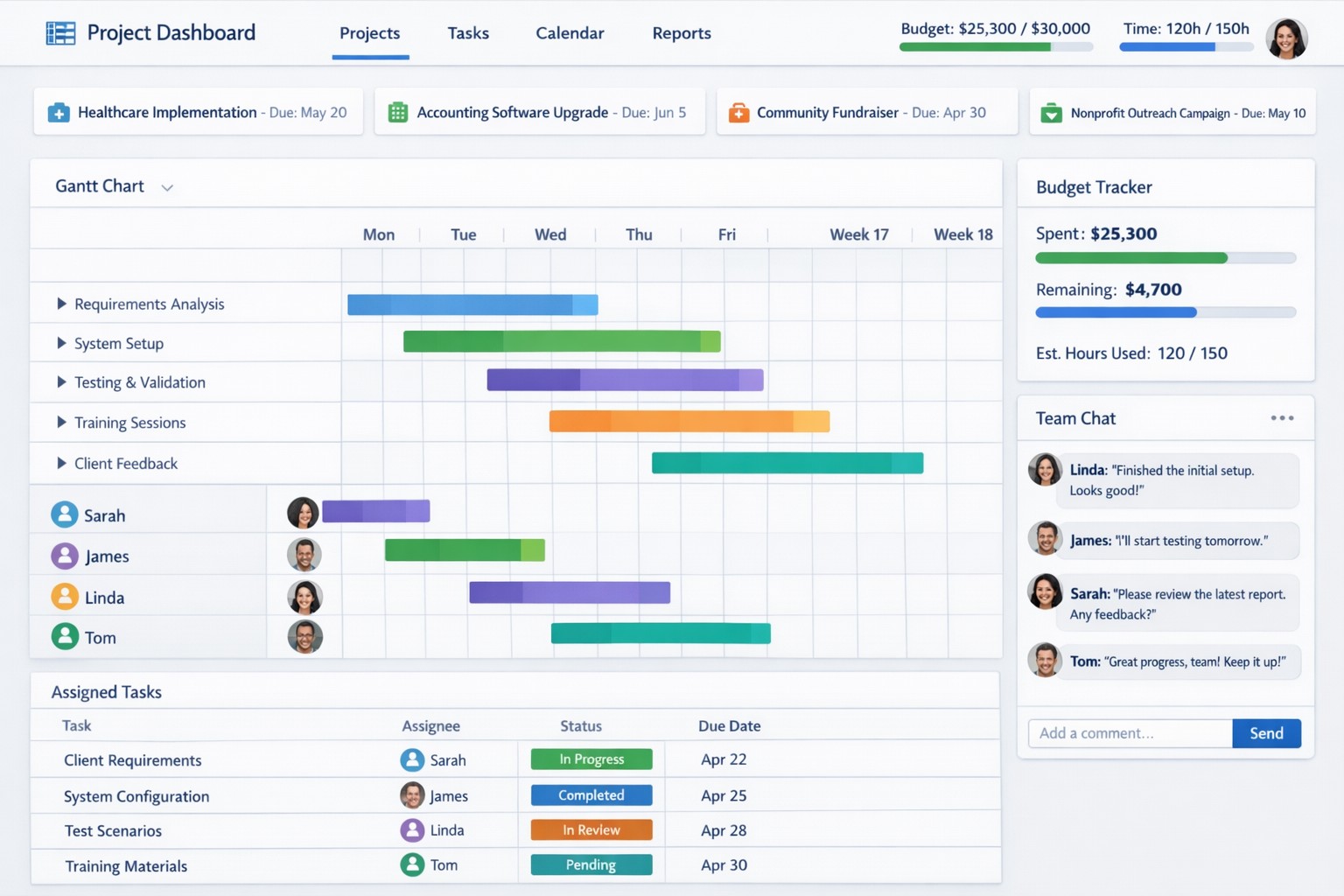
Project management software centralizes tasks, resources, and timelines to boost small business efficiency and team coordination.
Business owners need to ensure that company projects are completed on time, within budget, and meet both the company’s and clients’ expectations. Managing projects can be a complex task, but we now have project management software to help streamline the process. Here are some of the key benefits that project management software can provide to business owners:
Enhanced Efficiency and Productivity
The most significant benefits of project management software is the enhanced efficiency and productivity it brings to businesses. With all project-related tasks, timelines, and resources centralized in one platform, team members can easily collaborate, track progress, and stay updated on the project’s status. This eliminates the need for lengthy email chains, spreadsheets, and physical documents, ultimately saving time and promoting productivity.
Improved Communication and Collaboration
Communication is the key to successful project management, and project management software facilitates effective communication and collaboration among team members. It enables real-time communication, file sharing, and discussion forums, ensuring that everyone is on the same page and can collaborate seamlessly. Additionally, centralized project information reduces miscommunication and the risk of important details being overlooked. Imagine any employee being able to answer the phone and let a client know what the latest status on the project is.
Effective Resource Allocation
Project management software provides a bird’s eye view of available resources and their allocation, enabling business owners to make informed decisions regarding resource utilization. Through this tool, business owners can ensure that resources are optimally distributed, preventing bottlenecks and maximizing productivity. Some even utilize AI to help optimize distribution of tasks based on rules.
Accurate Budgeting and Cost Control
Project management software allows you to set budget limits, track expenses, and monitor costs in real-time. This helps business owners identify any budget overruns or cost variances early on, allowing for timely adjustments and effective cost control. By having accurate budgeting and comprehensive financial insights, business owners can make informed decisions to keep projects financially on track.
Transparent Project Monitoring and Reporting
Project management software provides business owners with clear visibility into project progress, milestones, and potential roadblocks. It enables real-time monitoring of tasks, timelines, and deadlines, ensuring that projects stay on schedule. Moreover, these platforms generate automated reports that provide comprehensive insights on project performance and allow business owners to identify areas for improvement. This transparency and reporting capability are invaluable for making data-driven decisions and ensuring projects are delivered successfully.
Scalability and Flexibility
As businesses grow, so do their project requirements. Project management software offers scalability and flexibility to adapt to evolving business needs. Whether you’re handling small projects or large-scale initiatives, these tools can accommodate different project sizes and complexities. Additionally, customization options allow business owners to tailor the software’s features and functionalities to meet specific requirements, providing a personalized project management experience.
Don’t let inefficiencies hinder your business growth. Embrace project management software and experience the difference it can make. Get started now and see the positive impact it has on your projects and your bottom line!
Cloud + BYOD = massive IT savings and unlimited scalability
Businesses, regardless of their size, need to stay agile, cost-efficient, and scalable to remain competitive. Cloud computing and online storage have revolutionized the way companies operate and handle data. By migrating your business operations to the cloud, you can leverage its numerous benefits to reduce costs, enhance scalability, and ultimately drive greater success. In this article, we’ll explore valuable strategies for harnessing the power of cloud computing and online storage to optimize your business operations.
Cost Reduction:
Cloud computing offers a cost-effective solution for businesses of all sizes. Here’s how you can leverage cloud technology to reduce costs:
Infrastructure cost reduction: By switching to cloud-based infrastructure, you eliminate the need for physical servers, hardware, and costly private data centers. This not only reduces upfront capital expenditure but also eliminates ongoing hardware maintenance / replacement costs.
Pay-as-you-go pricing model: Cloud service providers offer flexible pricing options, allowing you to pay for only the resources you consume. This eliminates the need for adding excess just-in-case capacity, resulting in significant cost savings. You can even turn off some services so you are not paying while you sleep.
Energy efficiency: Cloud computing minimizes energy consumption related to IT hardware. Cloud providers are equipped with highly efficient systems that optimize resource utilization, resulting in reduced energy costs for your business and smaller carbon footprint on the planet.
Scalability and Flexibility:
Cloud computing enables businesses to scale their operations seamlessly. Here’s how you can harness this scalability to grow fast and stay ahead:
Elasticity: Cloud-based systems can automatically scale resource capacity up or down in response to fluctuating demands. This scalability ensures that you can handle traffic spikes, seasonal variations, or sudden growth without any disruption.
Multi-region availability: Cloud platforms offer the ability to deploy your resources across multiple geographic regions. This redundancy guarantees uninterrupted service availability, even if a specific region experiences an outage or disruption.
On-demand resource provisioning: Cloud infrastructure allows you to quickly provision additional resources as your business expands. This eliminates the need for long wait times to procure and set up physical hardware.
Enhanced Collaboration and Accessibility:
Cloud-based storage and collaboration tools can revolutionize the way your team works. Here’s how to leverage the cloud for improved collaboration:
Centralized data management: Cloud storage solutions enables sharing of documents, pictures, videos, and other files. This eliminates the need for version control issues and multiple physically stored copies, leading to increased overall productivity.
Remote and mobile access: Cloud computing allows employees to access critical data and applications remotely, promoting flexible work arrangements and enhancing productivity. This accessibility ensures that your team remains connected and productive, regardless of physical location – think work from home without the need for VPN.
Real-time collaboration: Cloud-based tools facilitate real-time collaboration, allowing team members to work simultaneously on projects. This boosts efficiency, accelerates decision-making processes, and reduces time-to-market for products and services.
Don’t wait – adopt cloud technology in your business operations and stay ahead of the competition. Contact us today to learn more!
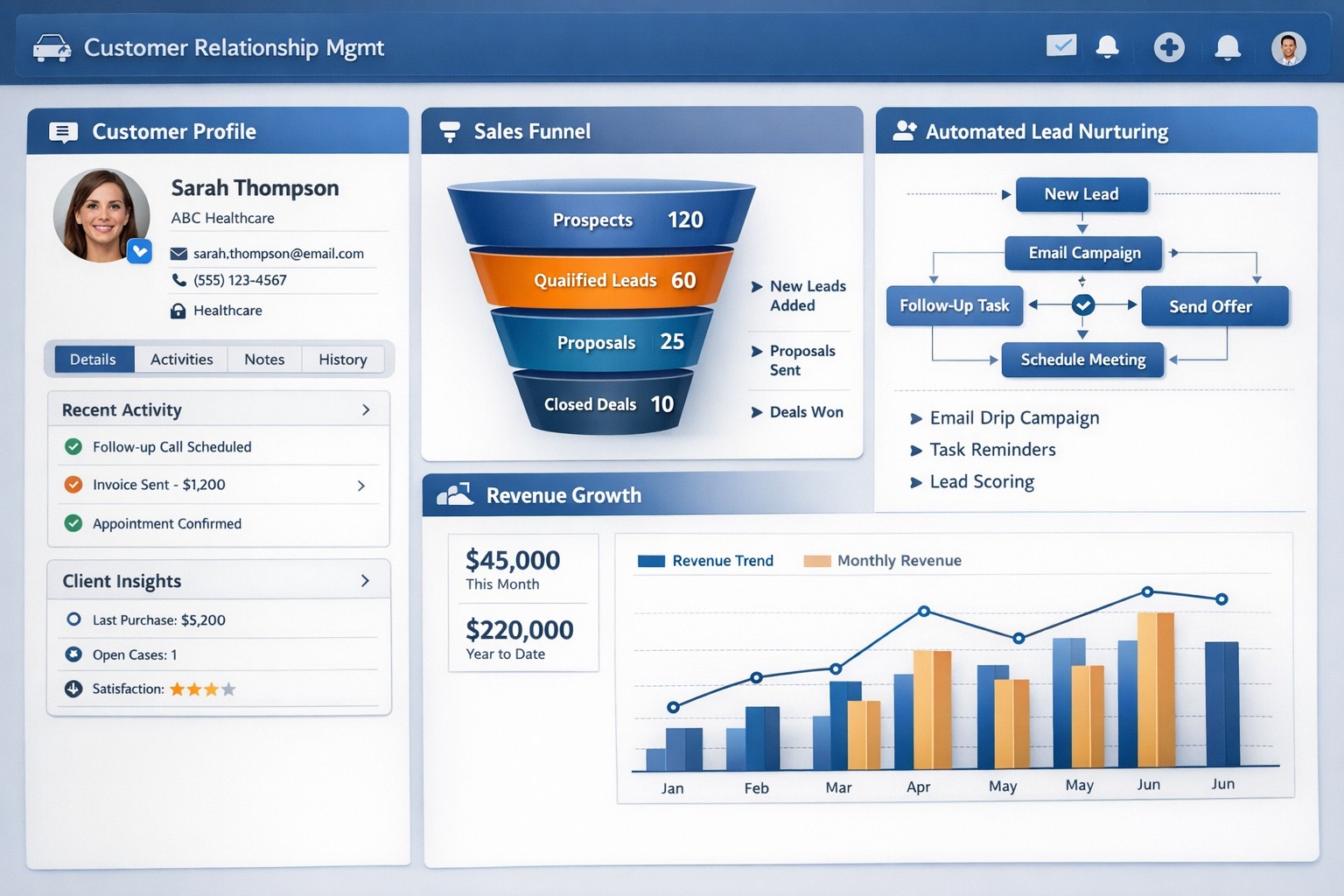
CRM software centralizes customer data and automates sales processes to drive small business growth and retention.
Every business should be constantly seeking ways to manage and grow their customer base. Customer Relationship Management (CRM) software is a powerful solution. With its extensive capabilities, CRM software enables business owners to streamline operations, enhance customer interactions, and ultimately drive business growth.
Streamline Customer Data Management
A primary advantages of CRM software is its ability to centralize customer data. Gone are the days of spreadsheets and scattered information across different departments. CRM software consolidates customer data into a single, easily accessible platform. This comprehensive view of customer information allows business owners to gain valuable insights into customer behavior, preferences, and buying patterns. With this data at their fingertips, business owners can align their strategies to focus on customer needs more effectively, resulting in higher customer satisfaction and increased sales.
Enhanced Customer Interactions
CRM software empowers businesses to forge stronger relationships with their customers. By tracking customers’ interactions and preferences, businesses can personalize their approach and provide tailored experiences. CRM also enables businesses to automate routine tasks such as email marketing, follow-ups, and appointment setting / reminders. This automation not only saves time and effort for business owners and employees but also ensures consistent and timely communication with customers. A personal touch, combined with timely responses, fosters trust and loyalty, and ultimately contributes to business growth.
Improved Sales and Marketing Strategies
CRM software provides invaluable assistance when it comes to sales and marketing strategies. By tracking the entire sales process, from lead generation to closing deals, CRM enables businesses to identify areas of improvement and refine their sales strategies. Additionally, CRM software enables targeted marketing campaigns by segmenting customers based on various factors such as demographics, purchase history, and preferences. By reaching out to the right customers with personalized offerings, businesses can significantly boost their marketing ROI and achieve higher conversion rates.
Efficient Task and Team Management
Efficient task and team management play a pivotal role in business success. CRM software offers features such as task tracking, workflow automation, and team collaboration tools that streamline operations. With tasks assigned and tracked within the CRM system, businesses can ensure that nothing falls through the cracks. Moreover, CRM software facilitates collaboration among team members, improving communication and coordination. By eliminating redundancies and enhancing productivity, CRM empowers businesses to work smarter and achieve their growth objectives.
Data-Driven Decision Making
Data is king. CRM software equips business owners with real-time analytics and reporting capabilities. By accessing key metrics such as sales forecasting, customer acquisition costs, and customer lifetime value, businesses can make informed decisions and strategic plans. With the ability to measure and analyze their performance, businesses can identify trends, pinpoint areas of weakness, and devise actionable solutions. This data-driven approach mitigates risks and provides a competitive edge in the marketplace.
Investing in a robust CRM solution today will reap immeasurable benefits tomorrow, enabling businesses to thrive in an increasingly competitive landscape. Contact us to embrace the power of CRM software and unlock the full potential of your business.
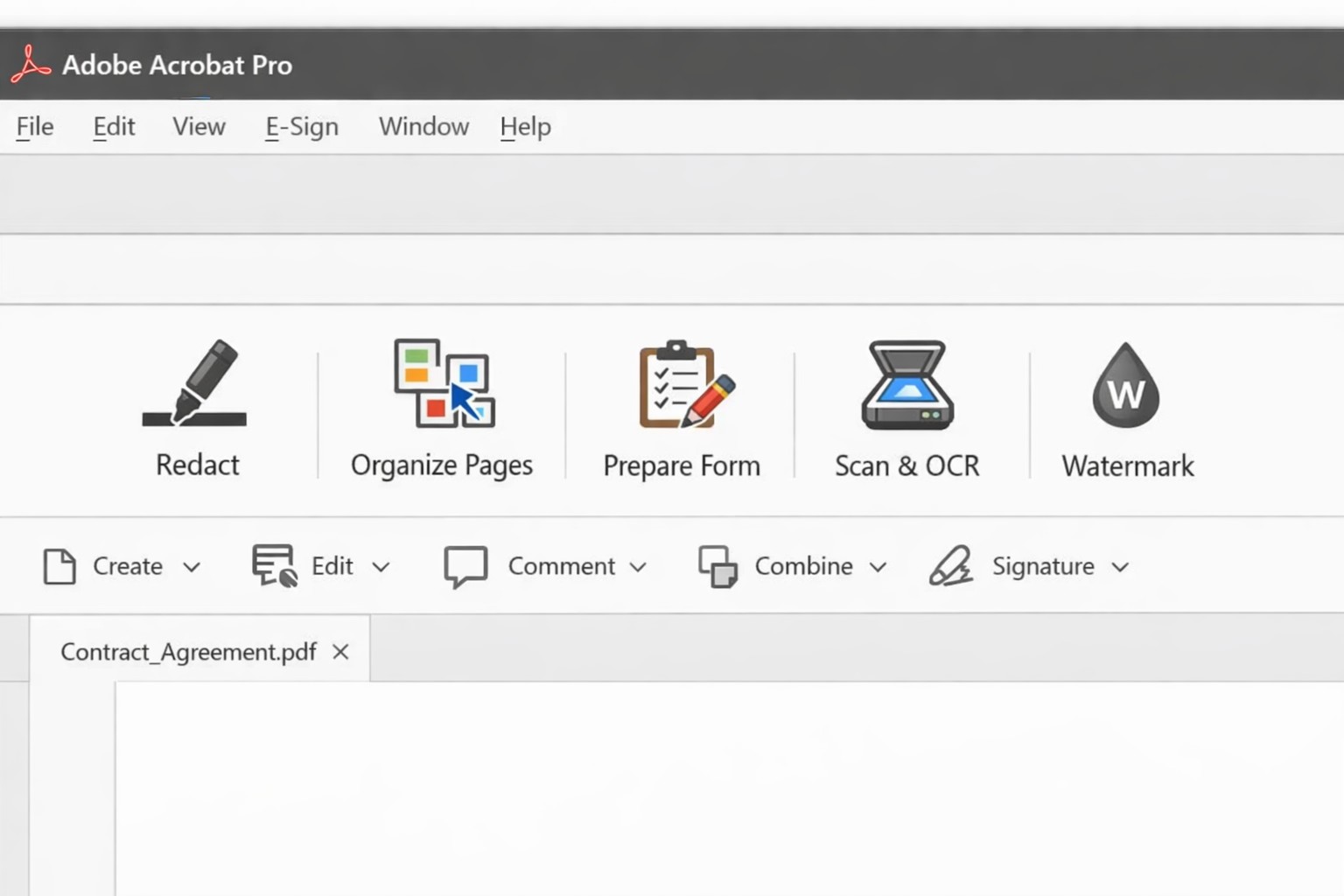
Acrobat Pro tools panel: redact combine edit OCR workflow actions.
Businesses are increasingly reliant on digital documents. From contracts to invoices, these important files need to be easily shared and accessible across different platforms and devices. This is where Adobe Acrobat comes in. Adobe Acrobat is a powerful tool that allows you to create, edit, and secure PDFs effectively. To help you make the most of this software, we have compiled a list of useful tips:
Create Interactive Forms
One of the key features of Adobe Acrobat is its ability to create interactive forms. Rather than wasting paper on printing out forms and having people fill them out manually, you can create digital forms that can be filled out electronically. This not only saves time and the planet but also reduces errors and allows you to collect data more efficiently.
Edit PDFs on the Go
With the Adobe Acrobat app, you can edit PDFs directly on your mobile device. This is incredibly useful for business owners who are constantly on the go and need to make quick edits to their documents. Whether it’s adding text, resizing images, or rearranging pages, you can do it all from the convenience of your phone or tablet.
Combine Multiple Files into a Single PDF
If you have multiple files that you want to combine into a single PDF, Adobe Acrobat makes it easy. You can simply drag and drop the files into Acrobat, rearrange them, and save them as a single PDF. This feature is ideal for business owners who often need to merge multiple documents into one proposal, contract, or report.
Protect your PDFs with Encryption
Security needs to be a top priority for businesses, especially when it comes to sensitive documents. Adobe Acrobat allows you to protect your PDFs by adding encryption. You can set passwords and permissions to ensure that only authorized individuals can access, print, or modify your files. This level of security is crucial for protecting confidential business and customer information.
Optimize PDFs for Web Viewing
PDFs can easily become large files, which can slow down loading times when viewing them online. Adobe Acrobat offers a feature called “Optimize for Web” that reduces the file size while preserving the document’s quality. This is particularly useful when sharing PDFs on your website or via email. When customers have to wait for things to load they are more likely to go somewhere else for what they are looking for.
Collaborate and Review Documents
Adobe Acrobat has collaboration features that allow multiple users to work on the same PDF simultaneously. You can easily share documents with colleagues, clients, or partners and track changes made by each. This streamlines the review and approval process, reducing the need for endless email threads and ensuring everyone is on the same page.
Automate Workflows with Adobe Sign
Adobe Sign, a component of Adobe Acrobat, enables you to send, sign, and track important documents online. It eliminates the need for paper-based signatures and accelerates the approval process. With Adobe Sign, you can automate workflows, whether it’s obtaining client signatures, approving contracts, or completing employee onboarding documents. This tool can streamline your business processes and save you a significant amount of time.
By familiarizing yourself with Adobe Acrobat, you can harness the full potential of this software and enhance your business’s productivity and efficiency. As an Adobe partner, Farmhouse Networking can help your company get the most out of its PDFs.
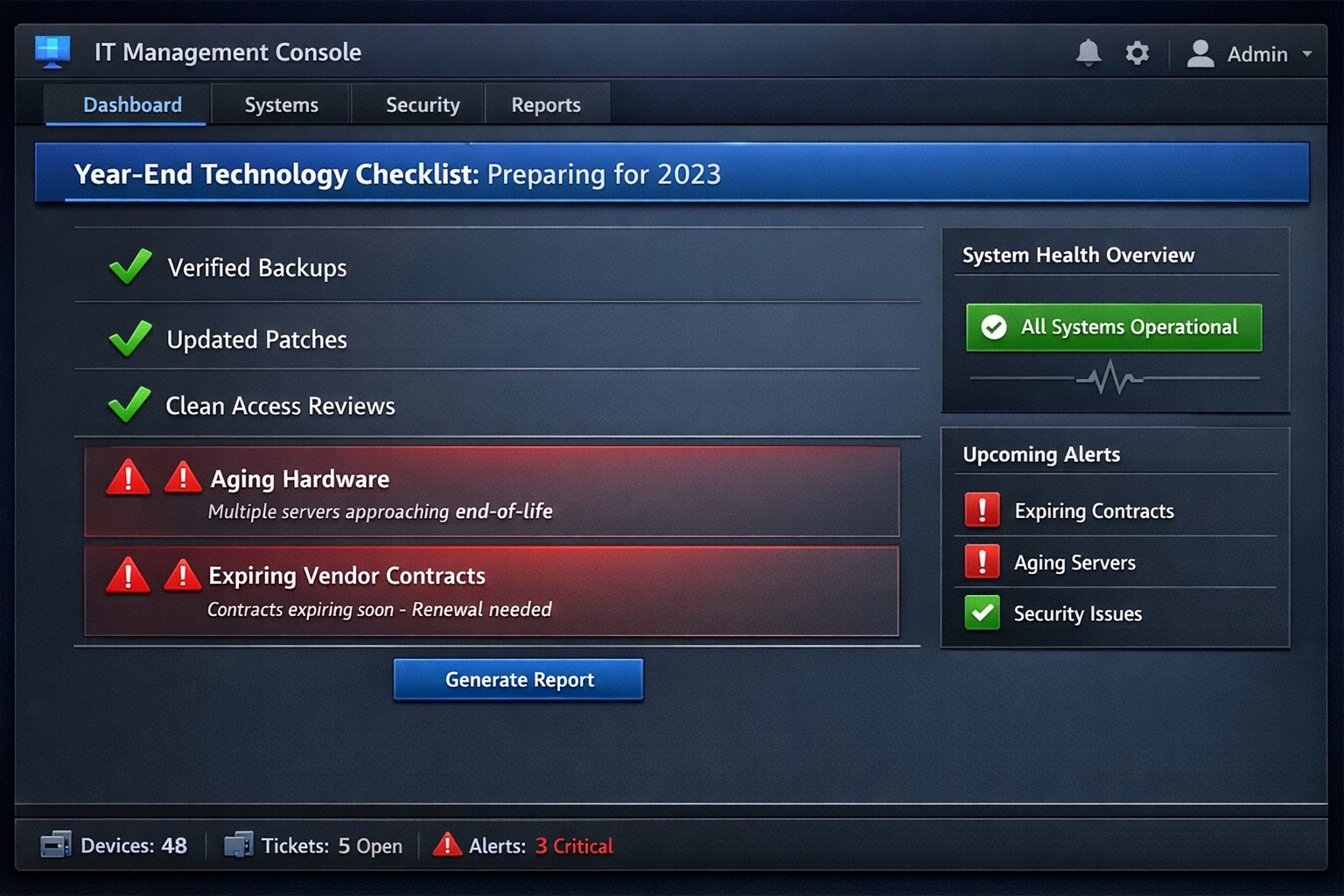
Year-end technology audit dashboard with critical tasks and compliance status.
As the year comes to a close, we at Farmhouse Networking want to ensure that your business technology is in optimal shape for a successful transition into the new year. We’ve put together a checklist to help you wrap up the year on a technologically high note. Some of these items we will work on together, and others will be the responsibility of your team.
Items we will work on together:
Asset Inventory: We have recently conducted a thorough review of your technology assets, including hardware, software, and networking equipment. We updated your inventory list to account for any additions or retirements of assets throughout the year. You should be receiving an invite to our new system called Narmada which gives you constant access to our replacement recommendations.
Password Security: Prompt your team to implement multi-factor authentication for critical systems and applications. This will help to enhance password security. This is not something that should be put off till later. Get it setup on every site possible. It can be made easier with a password manager.
Software Updates: We ensure that standard software applications, operating systems, and antivirus programs are up to date with the latest patches and updates. If you have industry specific software it would be a good time to check with them on the status of your support contract and if there are needed updates.
Data Backups: Verify that your data backup systems are functioning correctly. Test the restoration process to confirm that your business can recover essential data in the event of a disaster. If you don’t have backups in place now is the time to get this critical technology in place.
Security Assessment: Conduct a Security Risk Assessment to identify and address potential vulnerabilities. Ensure that your cybersecurity measures are up to date to protect against evolving threats. Many companies don’t realize that current compliance standards require this.
Employee Training: Provide cybersecurity training to employees to reinforce best practices and raise awareness about potential threats. This should be mandated by your team’s management.
Items you should work on with your team:
Subscription Reviews: Review and audit all software and service subscriptions to ensure they align with your business needs. Cancel any unnecessary subscriptions to optimize costs.
Budget Review: Evaluate your technology budget for the year and identify any areas where adjustments may be needed for the upcoming year.
Technology Roadmap: Develop or update your technology roadmap for the coming year, aligning it with your business goals and objectives.
Compliance Check: Ensure that your technology practices comply with industry regulations and standards applicable to your business.
Communication Plan: Communicate any upcoming changes or upgrades to your team to ensure a smooth transition without disruptions.
Policies & Procedures: Review current documentation to make sure that it includes all needed items like disaster recovery, incident response, computer use, BYOD, and AI usage.
Once you have determined some of your goals and budget, we should meet to discuss the implementation plan for any changes. We will be contacting you in February to setup our next Semi-Annual Business Review (SABR) meetings to discuss this years plan.
If you have any questions or need assistance with any of these items, please don’t hesitate to reach out to our support team. We’re here to help you navigate the year-end process and ensure a seamless start to the new year.
A Step-by-Step Guide for When the Internet Goes Out
Offline operations dashboard with hotspot failover and local resource access.
Businesses heavily rely on internet access to stay connected and productive. However, what happens when the internet goes out? Whether it’s a temporary outage or a prolonged disruption, losing internet access can have a significant impact on businesses.
We will explore strategies and solutions for navigating the digital apocalypse and ensuring business continuity when the internet goes out. From setting up backup remote access options to implementing offline communication channels, this guide is a must-read for business owners looking to mitigate the impact of internet disruptions and keep their operations running smoothly.
Understanding the Impact
Before we delve into the strategies and solutions for navigating the digital apocalypse, it’s important to understand the potential impact of internet outages on your business. The consequences can be far-reaching and vary depending on the nature of your operations.
Productivity: Productivity can take a major hit when your employees are unable to access crucial online tools and resources. This can result in missed deadlines, delays in client deliverables, and a general slowdown in operations. It’s essential to assess which tasks are entirely dependent on internet connectivity and identify alternative methods to carry them out in the event of an outage.
Customer Satisfaction: If your business relies heavily on online customer interactions, such as e-commerce or customer support, a loss of internet connectivity can lead to frustrated customers, failed transactions, and a tarnished reputation. Having a plan in place to manage customer expectations during an outage is crucial.
Financial Impact: Depending on the duration and severity of the disruption, revenue loss can be substantial. To mitigate this risk, businesses should explore options for data backup, cloud services, and redundancy measures that ensure a seamless transition during an outage.
Preparing for Internet Outages
Backup Plan: One of the most effective ways to ensure business continuity during an internet outage is to have a comprehensive backup plan in place. This involves identifying critical systems and data that need to be accessible offline and regularly backing them up. By doing this, you can minimize the disruption caused by an extended outage and quickly get your business back up and running locally.
Redundancy: This might involve investing in multiple internet service providers (ISPs) or using alternative modes of connectivity, such as mobile hotspot devices or satellite internet. By diversifying your options, you can minimize the risk of a complete loss of internet connectivity. There are even routers that have multiple internet connections with automatic failover or cellular data backups.
Stay Connected
When the internet goes out, it is crucial to have a backup option that allows you to stay connected and continue basic business activities. Mobile hotspots and cellular data can be lifesavers in these situations. Investing in a reliable mobile hotspot device, which uses cellular data to create a Wi-Fi network, can ensure that you have access to the internet even if your primary connection fails. These devices are portable and easy to set up, making them convenient solutions for businesses of all sizes.
Before an outage occurs, it is essential to have a backup cellular plan in place. Assess your cellular service provider options and choose a plan that offers sufficient data, preferably with unlimited options. This will allow your team to continue accessing critical applications, emails, and other online resources without interruption. Furthermore, it is crucial to educate your employees on how to connect and utilize these backup solutions effectively. Inform them about the availability of mobile hotspots and ensure they understand how to use cellular data efficiently without exceeding the limits of the backup data plan.
By incorporating mobile hotspots and cellular data into your backup plans, you can maintain business productivity and minimize the disruption caused by internet outages.
Stabilize Communication
In times of internet outages, it becomes crucial to stabilize communication within your business. Without reliable internet access, VoIP phones and other forms of digital communication with clients and colleagues can become challenging. However, there are alternative solutions that can keep your business running smoothly.
VoIP Routing: Before an outage occurs, take the time to talk to your VoIP phone provider to explore options of how calls will be routed when the internet is out. There are often options that allow calls to be sent to an alternative number or cellphone app during an internet outage.
Mobile Devices: While the office internet may be out it does not necessarily mean that the cellular networks will be down at the same time. Before an internet outage occurs, make sure your team has important digital communication apps installed and that they are familiar with these tools. Provide training sessions or tutorials to ensure everyone is comfortable using them. Additionally, it is essential to have a backup option in case of technical difficulties with the primary tool.
Remote Work Policies
In the midst of a digital apocalypse, it is crucial for businesses to have well-established remote work policies and procedures in place. These policies ensure that employees can continue their work even without internet access, minimizing the impact on productivity. Remote work policies outline expectations for employees when working from home or other offline environments. They should include guidelines for communication, task management, and project deadlines. By establishing clear procedures, businesses can maintain a sense of normalcy and ensure that everyone knows how to navigate through the internet outage.
Additionally, remote work policies should address data security concerns. Employees should be educated on how to handle sensitive information and the appropriate measures to take when working outside the office. Regular training sessions can help reinforce these policies and keep employees up to date with best practices. By implementing remote work policies and procedures, businesses can effectively adapt to the challenges of a digital apocalypse.
Business Continuity Plan
When the internet goes out, having a comprehensive business continuity plan becomes paramount for businesses to minimize disruptions and maintain operations. A business continuity plan outlines the actions and strategies that need to be executed when faced with a digital apocalypse. This plan should include backup communication systems, such as phone lines or walkie-talkies, that can be utilized when the internet is unavailable. Additionally, offline storage and backup systems should be in place to ensure that critical data is available during an internet outage.
Creating a task force dedicated to business continuity can be invaluable during these times. This team can be responsible for implementing and executing the business continuity plan, regularly testing its effectiveness, and making necessary adjustments.
Optimizing remote work infrastructure is essential for seamlessly operating during an internet outage. Contact us today to get prepared before the digital apocalypse occurs.
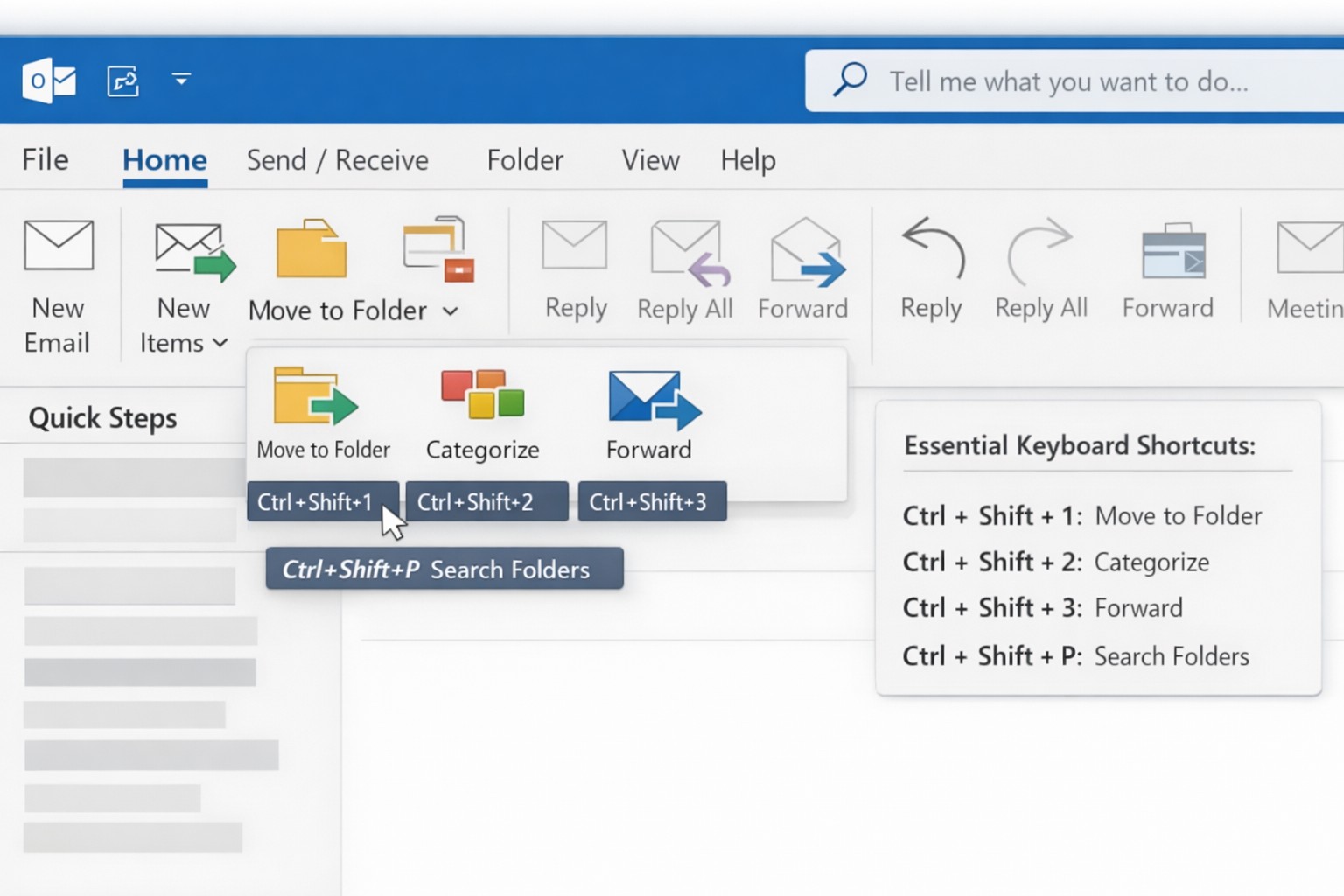
Outlook Quick Steps automation rules and focused inbox organization.
Are you a business owner who heavily relies on Microsoft Outlook? Here are some pro tips and tricks to help you get the most out of your Outlook experience. Whether you’re a seasoned Outlook pro or just getting started, these tips are guaranteed to improve your productivity and streamline your daily workflow.
Keyboard Shortcuts
Outlook offers a plethora of keyboard shortcuts that can save you valuable time. Instead of navigating through multiple menus and options, simply memorize a few key strokes:
Ctrl + N: Compose a new email.
Delete: Deletes the currently selected message.
Ctrl + Enter: Sends the current message.
Ctrl + Shift + M: Create a new meeting request.
Ctrl + Shift + A: Create a new appointment.
Ctrl + R: Reply to an email.
Ctrl + Shift + R: Reply All to an email.
Ctrl + F: Forwards the currently selected message.
Ctrl + Shift + V: Move a message to a different folder.
By using keyboard shortcuts you can perform common tasks with lightning speed, getting more done each day. Check out a more complete list here.
Advanced Search Features
With the vast amount of emails and information being managed in Outlook, finding specific messages or attachments can be a frustrating. However, Outlook’s advanced search features can be a lifesaver. By utilizing the “Search” bar at the top of your Outlook window, you can search by sender, recipient, subject, date, and even specific keywords within attachments. By harnessing these powerful search capabilities, you can save time and quickly locate important information.
Email Rules and Filters
Tired of spending precious minutes organizing your inbox manually? Outlook’s email rules and filters to the rescue. By setting up rules, you can automatically sort incoming emails into their respective folders, mark them as read, forward them to specific recipients, or even delete them. This way, your inbox stays clutter-free, and you can easily prioritize or categorize emails based on your needs.
Outlook’s Calendar Features
Managing your schedule and appointments effectively is crucial for any business owner. Outlook’s calendar features can simplify this process. Here are a couple of tips to optimize your calendar usage:
Color-code your appointments: Assign specific colors to different types of appointments (e.g., meetings, conferences, personal events). This visual distinction makes it easier to differentiate between various engagements at a glance.
Share your calendar: Collaborate and stay connected with your team by sharing your calendar. This feature enables everyone to view your availability and schedule meetings accordingly, eliminating unnecessary back-and-forth communication.
Customize Your Outlook
Outlook can be customized to fit your specific work preferences. Take advantage of the following customization options:
Quick Steps: Create customized shortcuts for common tasks and actions.
Quick Access Toolbar: Add frequently-used features to the toolbar at the top for quick access.
Themes and Fonts: Personalize the visual appearance of Outlook to match your style and make it more visually appealing and user-friendly.
By customizing Outlook to align with your work habits, you’ll find yourself navigating the application more efficiently and enhancing your overall productivity.
Want to learn more about Outlook’s advanced features? Reach out to our team of experts today and discover how we can further enhance your business operations with Microsoft Outlook.
IT tax deductions: Section 179 bonus depreciation cybersecurity software.
It’s that time of year, business owners need to start thinking about tax deductions and ways to maximize profit protection. One area not to be overlooked is IT expenses since IT plays a crucial role in every business. The good news is that many IT expenses can be deducted from your taxes. From hardware and software purchases to cybersecurity measures and cloud services, there are several essential IT tax deductions that can help you lower your tax bill and keep more money in your profit column.
IT Tax Deductions for Business Owners
As a business owner, it is crucial to recognize the importance of taking advantage of IT tax deductions before the end of the year. These deductions can significantly impact your bottom line. By deducting IT expenses, you are not only reducing your tax liability but also creating funds to re-invest in the growth of your business and upgrading to the latest technology, which positions your business for long-term success.
IT Tax Deductions to Maximize Your Savings
Take advantage of these IT tax deductions to maximize their profit savings:
Software and Hardware Expenses: Deducting the cost of industry specific software and hardware purchases is an excellent way to save on taxes. Whether you invested in new computer systems or upgraded your existing software, remember to include these expenses in your deductions as capital expenditures. Profit savings can be compounded by taking the amount saved through IT tax deductions and spending it on further software and hardware purchases.
Cybersecurity Measures: With the increasing threat of cyberattacks, investing in cybersecurity measures is crucial. These expenses can also be deducted from your taxes. From firewalls to antivirus software, make sure to claim any cybersecurity investments you have made throughout the year.
Cloud Services: Many businesses have moved to using cloud services for their storage and daily operations. These operational expenses are also eligible for tax deductions. Whether you use cloud computing, backup services, or cloud-based software, remember to include these costs in your deductions.
By focusing on these essential IT tax deductions, you will minimize your tax liability and position your business for success in the coming year.
Consulting with a Certified Public Accountant
While it’s important to have a basic understanding of the IT tax deductions for your business, it is equally important to consult with a certified public accountant. A knowledgeable CPA can provide you with personalized financial advice and guidance based on your company’s unique situation.
Tax laws and regulations are constantly changing, and it can be challenging to keep up with all the updates. By working closely with a CPA, you can stay updated on the latest deductions and strategies to maximize your savings while staying compliant with the law. They can review your financial records, identify missed deductions, and help you make informed decisions that positively impact your bottom line.
Remember, seeking advice from a tax professional will not only help you optimize your profit savings but also give you peace of mind knowing that your tax returns are accurate and in line with the regulations.
Keeping Detailed Records
One essential practice for maximizing your IT tax deductions is keeping detailed records of your IT expenses. Maintaining accurate and organized records throughout the year can help you claim all eligible deductions at tax time.
Start by creating a system to track and categorize your IT expenses. This can include items like software and hardware purchases, IT services, website development costs, and data storage fees. Keep receipts, invoices, and any supporting documents for each expense. Having detailed records allows you to easily identify and calculate eligible deductions. It also provides evidence and documentation if you ever face an audit or need to justify your deductions to the IRS.
Consider using accounting software or cloud-based platforms to streamline the record-keeping process. These tools can help you track expenses, generate reports, and ensure accuracy in your financial records. By maintaining detailed records of your IT expenses, you not only ensure that you are taking full advantage of available deductions, but you also create a solid foundation for your overall tax strategy.
Utilizing Section 179 Deductions
Section 179 of the tax code allows businesses to deduct the full purchase price of qualifying equipment and software purchased or financed during the tax year. By utilizing Section 179, you can deduct the entire cost of eligible technology investments in the year they are purchased. This deduction can help reduce your overall tax liability, allowing you to maximize your profit savings.
To qualify for Section 179 deductions, the equipment or software must be used for business purposes more than 50% of the time. This deduction is particularly beneficial for businesses investing in technology upgrades or replacements, as it encourages the adoption of new and improved IT systems. Be sure to consult with a tax professional to determine the eligibility of your IT investments for Section 179 deductions and to ensure you are maximizing this deduction for your business.
Bonus Depreciation for IT Purchases
Business owners can also benefit from bonus depreciation for their IT purchases. Bonus depreciation allows businesses to deduct a percentage of the cost of qualifying assets in the year they are placed in service. Under the Tax Cuts and Jobs Act, businesses can take an 80% bonus depreciation deduction for qualified property acquired and placed into service in 2023, then depreciate the remaining 20% over the course of several years.
To qualify for bonus depreciation, the property must have a recovery period of 20 years or less and be purchased for business use. This deduction is particularly valuable for businesses that are investing in new IT equipment or upgrading their existing technology infrastructure.
By timing your IT purchases strategically, you can take full advantage of bonus depreciation and significantly reduce your tax liability. However, it’s important to note that bonus depreciation is subject to change based on tax laws and regulations, so consulting with a CPA is crucial to ensure compliance and maximize your savings.
Research and Development Tax Credit
While bonus depreciation and Section 179 deductions are great for maximizing your tax deductions when it comes to IT purchases, there is another valuable tax credit that often goes unnoticed – the Research and Development (R&D) tax credit.
The R&D tax credit is designed to incentivize businesses to invest in innovation and development activities. Many business owners mistakenly believe that this credit is only applicable to scientific or technological research. However, the R&D tax credit is much broader than that and can apply to a wide range of industries and activities.
To make the most of the R&D tax credit, it’s important to keep detailed records of your qualifying activities and expenses. Consult with a tax professional who specializes in this area to ensure that you are maximizing your tax savings while staying compliant with the IRS requirements.
To make best use of your IT tax deduction spending, contact us to discuss new purchases and upgrades.
And God will generously provide all you need. Then you will always have everything you need and plenty left over to share with others. As the Scriptures say,
“They share freely and give generously to the poor. Their good deeds will be remembered forever.”
For God is the one who provides seed for the farmer and then bread to eat. In the same way, he will provide and increase your resources and then produce a great harvest of generosity in you. - 2 Corinthians 9:8-10
We use cookies to ensure that we give you the best experience on our website. If you continue to use this site we will assume that you are happy with it.