Create a connected guest experience with Microsoft technology
Transform your lobby into a connected guest experience using Microsoft 365, Teams, and Azure for fast check-ins and secure access.
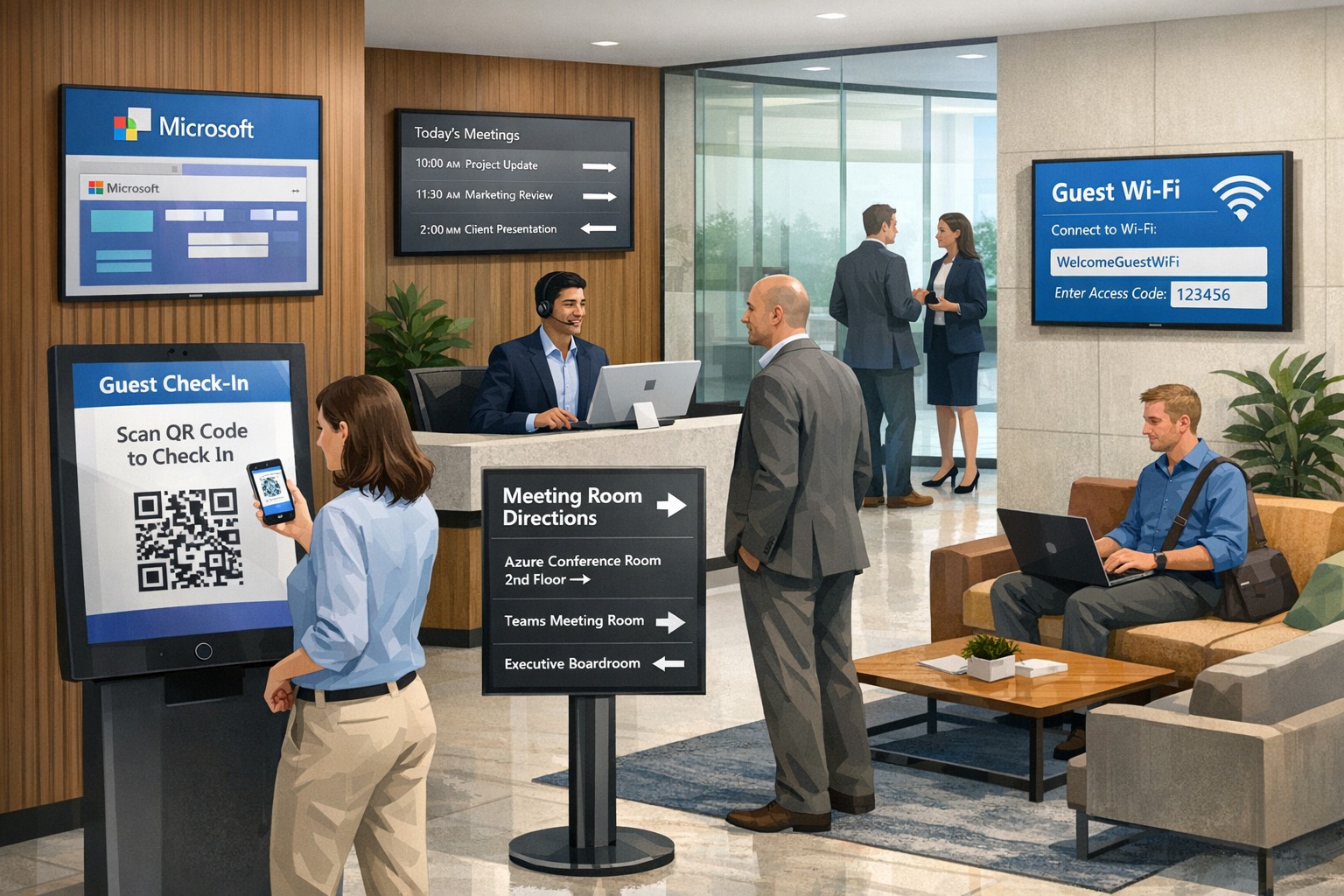
Your lobby, front desk, and meeting spaces are the first “touchpoints” for clients, partners, and visitors. Modern guests expect smooth, secure, and professional experiences—no long check‑in lines, no confusing signage, and no feeling like you’re an afterthought. By leveraging Microsoft technology, you can unify your guest journey across check‑in, meetings, Wi‑Fi, and digital signage, turning every visit into a brand‑enhancing moment.
Why a connected guest experience matters
A “connected guest experience” means using integrated tools so that every system—visitor management, meeting rooms, Wi‑Fi, and communications—works together instead of in silos. When guests arrive, they should be recognized, checked in quickly, routed to the right space or person, and given clear, branded guidance.
For owners, the payoff is tangible: higher perceived professionalism, fewer front‑desk bottlenecks, stronger security, and more data‑driven insights into how visitors use your space.
How Microsoft technology powers this experience
Microsoft’s ecosystem—Microsoft 365, Teams, Azure, Entra ID (formerly Azure AD), and integrated visitor management and digital‑signage add‑ons—gives you the backbone to connect guest workflows end to end.
Key capabilities include:
Cloud‑based visitor check‑in and QR or badge‑based access tied to Microsoft identity.
Meeting and room scheduling through Outlook and Teams, which can trigger guest invites, room bookings, and digital‑signage displays.
Secure Wi‑Fi and network access policies that distinguish employees, guests, and contractors, all controlled from the Microsoft stack.
Used together, these tools let you treat visitors as “guest users” in your environment, not just names on a paper log.
Practical steps for business owners and IT
Creating a connected guest experience is a joint project between leadership and IT. Here are concrete steps you can take over the next 3–6 months.
1. Define your guest‑journey blueprint
Map how guests typically arrive (walk‑in vs. scheduled), where they wait, and how they get to meetings or services.
Identify pain points: slow check‑in, lack of wayfinding, unclear Wi‑Fi access, or security anxiety.
This blueprint will guide which Microsoft tools you prioritize and how you configure them.
2. Implement a cloud‑based visitor‑management system
Choose a Microsoft‑aligned visitor management solution (native or third‑party) that integrates with Outlook/Teams and Azure identity. Guests should be able to pre‑register or receive an invite, check in via kiosk or mobile, and receive a QR code or badge.
IT then configures the system so that check‑in events push data into your directory and security systems, enabling automatic Wi‑Fi access, visitor tracking, and reporting.
3. Connect check‑in to meeting and room workflows
Use Outlook calendars and Teams Rooms so that when a guest is invited, that event automatically:
Books the right room.
Triggers a welcome message or digital‑signage greeting.
IT should enable APIs or connectors between visitor management, Microsoft 365, and any digital‑signage or room‑scheduling platforms in use.
4. Create a secure, guest‑ready network
Set up separate Wi‑Fi SSIDs and network policies for guests, employees, and contractors using Microsoft‑based network management tools.
Configure conditional access so that guest Wi‑Fi sessions are time‑bound, logged, and disconnected automatically after the visit.
5. Extend the experience beyond the lobby
Use digital signage or displays in lobbies and hallways to show wayfinding, meeting schedules, and branded content.
Integrate these screens with Microsoft 365 so that content can be updated centrally (e.g., from SharePoint or a management portal) without manual changes at each location.
FAQs owners and clients will ask
Here are typical questions and concise, business‑oriented answers you can use internally or in client conversations.
Q: Won’t this make things more complicated for our staff? A: The goal is fewer manual steps, not more. When check‑in, meeting rooms, Wi‑Fi, and digital signage are tied together in the Microsoft stack, staff spend less time at the front desk and can redirect more energy to actual client service.
Q: Is this only for big enterprises, or can small and mid‑sized businesses use it? A: Microsoft’s cloud‑based tools scale from small offices to large campuses. Even a single‑location firm can benefit from a simple visitor‑management kiosk, Outlook‑based guest invites, and a branded lobby screen.
Q: How secure is granting guests access to our systems? A: Guest users live in their own identity lane with limited permissions, and you can enforce access policies, expiration times, and monitoring via Microsoft’s security and compliance tools.
Q: What about cost and implementation time? A: Many components (Microsoft 365, Teams, Azure) are already in your stack; you’re mostly adding workflow logic and integration. A phased rollout—starting with check‑in and Wi‑Fi—keeps costs and disruption manageable.
How Farmhouse Networking helps you execute
Farmhouse Networking specializes in helping accounting, healthcare, and nonprofit organizations build secure, Microsoft‑aligned infrastructures that serve people, not just technology.
For “Create a connected guest experience with Microsoft technology,” we can:
Auditing your current Microsoft‑based environment (365, Teams, Azure, Wi‑Fi) and designing a guest‑experience blueprint tailored to your size and workflow.
Implementing and configuring a visitor management system that integrates with Outlook/Teams and your existing front‑desk or security tools.
Setting up secure guest Wi‑Fi, room‑booking logic, and lobby signage integrations so that your physical space feels coordinated and professional.
Training your IT and front‑desk teams on policies and workflows, and monitoring performance over time to refine the experience.
Call to action
If you’re ready to turn your lobby and front‑of‑house experience into a seamless, branded extension of your business, Farmhouse Networking can help you design and deploy a connected guest experience on the Microsoft platform.
Email support@farmhousenetworking.com to schedule a consultation and discuss how we can help you improve your guest experience, strengthen security, and make your day‑to‑day operations more efficient.
And God will generously provide all you need. Then you will always have everything you need and plenty left over to share with others. As the Scriptures say,
“They share freely and give generously to the poor. Their good deeds will be remembered forever.”
For God is the one who provides seed for the farmer and then bread to eat. In the same way, he will provide and increase your resources and then produce a great harvest of generosity in you. - 2 Corinthians 9:8-10
We use cookies to ensure that we give you the best experience on our website. If you continue to use this site we will assume that you are happy with it.