A small business owner working with their IT partner to prepare a CIRCIA‑ready cyber incident response plan.
Many small and midsize business owners assume CIRCIA is aimed only at Fortune 500 companies, but that is a risky assumption. Small and mid‑market organizations can be “covered entities” if they provide critical services or support critical infrastructure, and even those outside scope will feel the ripple effects through clients, insurers, and vendors.
CIRCIA in a Nutshell
CIRCIA (Cyber Incident Reporting for Critical Infrastructure Act) requires covered entities to report substantial cyber incidents to CISA within 72 hours.
Ransomware payments must be reported within 24 hours.
Coverage is based on critical infrastructure role, not just size; small entities can be included if their disruption would impact national or regional security, economy, or public health.
Even if you are not covered, your larger customers and partners may require you to meet CIRCIA-like standards to stay in their supply chain.
Concrete Steps for Owners and IT Teams
Owner-level actions:
Determine your exposure: Identify whether you operate in or support critical infrastructure sectors (healthcare, energy, transportation, government services, etc.).
Review contracts and insurance: Look for new clauses about cyber incident reporting, cooperation, and timelines.
Fund the basics: Approve budget for security monitoring, backups, and an incident response plan; these are now business necessities, not IT “nice‑to‑haves.”
IT / MSP actions:
Perform a security and asset inventory: Know what you have, where it is, and how it is protected.
Implement monitoring and logging: Centralized logs and alerts are essential to detect and investigate incidents fast enough for 72‑hour reporting.
Develop and test an incident response plan: Include decision trees for when to treat an incident as “substantial,” who to notify, and how to collect evidence.
Prepare for CISA reporting, even if “not covered”: Templates and processes for structured incident documentation will help with insurers, regulators, and major customers.
Questions Your Customers May Ask – Answer Set
“Are you compliant with CIRCIA?”
We have implemented incident detection, response, and reporting processes aligned with CIRCIA expectations, and we support our critical-infrastructure customers with the evidence they need.
“If a cyber incident hits you, how will it affect us?”
We maintain backups, response playbooks, and communication plans aimed at minimizing downtime and providing transparent updates.
“Will you tell us quickly if our data is involved?”
Yes. Our procedures require rapid notification to affected customers and support for any regulatory or contractual reporting they must perform.
How Farmhouse Networking Helps SMBs Turn CIRCIA into an Advantage
Farmhouse Networking helps small and midsize businesses use CIRCIA as a catalyst to get modern, business-grade cybersecurity in place:
Determining whether your business or key customers are likely covered entities and what that means for your contracts and obligations.
Implementing security controls—MFA, EDR, monitoring, backups, segmentation—that both reduce incident likelihood and support fast, evidence-based reporting.
Building, documenting, and testing an incident response and communication plan tuned to 72‑ and 24‑hour windows.
Acting as your ongoing IT and security partner so you can answer customer and regulator questions with confidence.
Call to action: Email support@farmhousenetworking.com to find out how Farmhouse Networking can help your small business prepare for CIRCIA and improve your overall cybersecurity resilience.
How to Take Back Control of Your Credentials and Phones
When an MSP controls your passwords and phone system, your entire small business can be held hostage by vendor lock‑in and security risks.
If your MSP controls all your admin passwords and has your phone service in their name, they effectively hold the keys to your entire business. In a dispute, a security incident, or even an acquisition of their company, you could find yourself locked out of critical systems that drive revenue and customer service.
The Real Dangers of MSP Lock‑In
Some providers refuse to release credentials or slow‑roll off‑boarding, forcing clients into “hostage” situations that require legal escalation or aggressive technical takeovers. At the same time, attackers increasingly target MSPs because one compromised technician account can reach many customers’ environments.
When your phone system is outdated or fully tied to that MSP, you pay more each year for less functionality, struggle with remote work, and depend on them for every change. The combination of technical dependence and credential lock‑in is a business‑continuity risk you can’t afford to ignore.
Action Steps for Owners and Their IT Teams
Reassert ownership of core assets
Ensure your company owns master accounts for email, cloud services, line‑of‑business apps, domains, DNS, and phone numbers, with internal admin rights documented.
Centralize credentials in a business‑owned vault
Use a secure password manager or encrypted repository where your business controls the master key and you grant time‑bound, role‑based access to MSP staff.
Implement strong identity and access controls
Enforce MFA everywhere, require strong unique passwords, and use least‑privilege and role‑based access so no external user has unchecked power.
Build clean exit ramps into contracts
Document how credentials, documentation, and phone services will be handed back, and set deadlines and formats for off‑boarding deliverables.
Prepare for the worst‑case scenario
Maintain independent backups, keep an internal “break‑glass” account, and have a written playbook for revoking vendor access and rotating credentials quickly.
Questions Your Customers May Ask
Q: Could your IT company access or leak my data? A: We control the master credentials and use MFA, logging, and access controls so any vendor only has tightly scoped, monitored access to what they need to support us.
Q: What happens if your IT provider is hacked? A: We follow best practices for identity security, vendor risk management, and backups so a single compromised account at an MSP cannot easily cascade into your data.
Q: Are you able to stay operational if you change IT providers? A: Yes—because we own our accounts and phone numbers and have a documented exit process, we can transition providers while keeping systems and support running.
How Farmhouse Networking Helps SMBs
Farmhouse Networking works with business owners to document every critical system, transfer licensing and phone services into the company’s control, and consolidate credentials into secure, business‑owned vaults. We then implement MFA, break glass accounts, role‑based access, and incident‑response plans so neither a single technician nor an MSP relationship becomes a single point of failure.
We can also help you renegotiate or replace MSP contracts with clear off‑boarding terms and test those processes before you ever need them in an emergency.
Email support@farmhousenetworking.com to make sure no MSP can ever hold your credentials, phones, or business hostage again.
What Small Business Owners Need to Know About Health Plans and IT Risk
Small business leaders and IT teams should review how the 2027 NBPP proposed rule will change employee health plans, compliance requirements, and data security.
The 2027 NBPP proposed rule, issued February 11, 2026, will reset key rules for ACA Exchanges and small‑group health plans starting in 2027. As a small or mid‑sized business owner, these changes affect your benefit strategy, your HR workload, and the IT systems that support them.
Big Picture: What’s Changing
Catastrophic and some bronze plans can carry significantly higher out‑of‑pocket maximums, shifting more financial risk to employees.
CMS proposes multi‑year catastrophic plans and broader hardship exemptions, making catastrophic coverage more common among workers who cannot or do not enroll in richer plans.
Agents, brokers, and web‑brokers must use standardized HHS‑approved consent and eligibility review forms, creating more structured documentation.
Certain state‑mandated benefits will be treated as “in addition to” Essential Health Benefits, affecting plan design and cost structure.
Concrete Action Steps for Owners and IT
For the business owner/CEO:
Reevaluate your health benefits package
Ask your broker which 2027 plan designs they expect to offer and whether your team could be pushed toward higher‑OOP bronze or catastrophic options.
Model the total compensation impact if benefits become less generous and consider offsetting with stipends, HRAs, or plan upgrades.
Upgrade HR policy and employee education
Provide clear, written explanations of how deductibles, out‑of‑pocket maximums, and catastrophic coverage work under the new rules.
Set expectations about documentation employees should keep (especially standardized federal consent and eligibility forms tied to subsidies).
For your IT department or MSP:
Prepare your systems for new standardized forms and proofs
Ensure HRIS, payroll, and document systems can accept, tag, and secure HHS‑approved consent and application review forms your broker will use.
Build simple workflows for HR to retrieve this documentation during audits, disputes, or employee questions.
Tighten security around benefits and PHI‑adjacent data
Implement strong identity and access management, encryption, logging, and vendor controls for any system that touches health coverage or subsidy information.
Confirm that contracts with benefits platforms, brokers’ portals, and HR tools reflect updated privacy and security expectations.
Likely Employee Questions – And How to Answer
“Why did my maximum out‑of‑pocket jump so much?”
Under the 2027 NBPP, some bronze and catastrophic plans are allowed to exceed prior out‑of‑pocket caps, which can significantly increase your financial exposure if you get sick or injured.
“What are these new standardized forms from the broker?”
Federal rules now require standardized HHS‑approved consent and eligibility review forms to document the accuracy of your application and protect your subsidy eligibility.
“Are all state‑mandated benefits still fully covered?”
Not always; certain state‑required benefits are treated as outside the core Essential Health Benefits package, which may affect how they’re funded and covered.
How Farmhouse Networking Helps SMBs
Farmhouse Networking partners with small and mid‑sized businesses to turn regulatory change into structured, low‑friction processes:
Integrate new federal consent and eligibility documentation into your HR and document‑management stack, so HR can find what they need in seconds.
Implement or enhance cybersecurity controls around benefits, payroll, and identity data to reduce risk as health coverage documentation becomes more standardized and audit‑friendly.
Coordinate with your broker and benefits platforms so technical changes (new forms, new plan designs) are reflected cleanly in your systems with minimal disruption.
Call to Action Email support@farmhousenetworking.com to get a focused assessment of how the 2027 NBPP proposed rule intersects with your benefits, IT, and employee experience – and a concrete plan to get ahead of it.
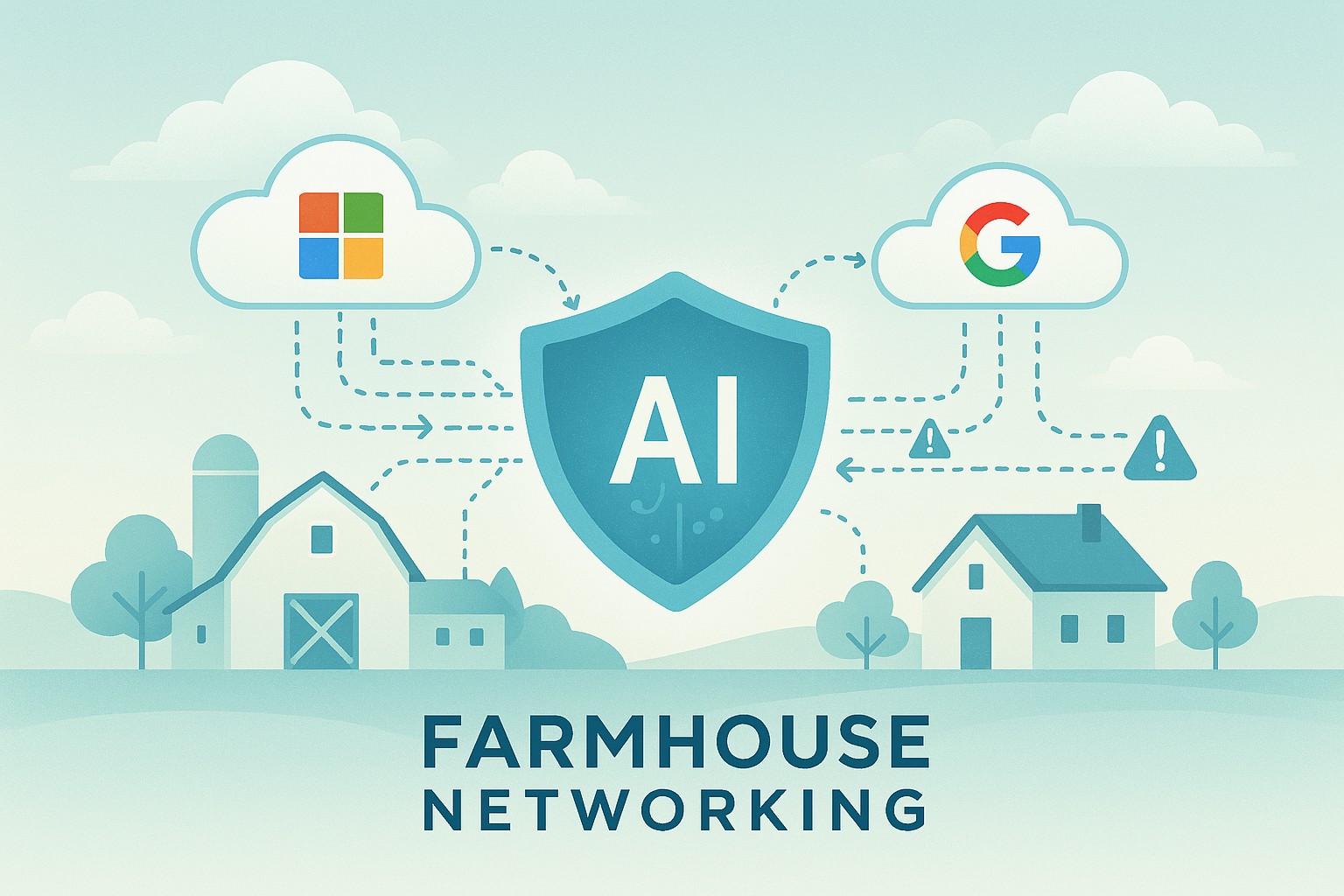
AI-Powered Microsoft 365 & Google Workspace Log Monitoring Now Included Free
Farmhouse Networking’s managed IT service now includes AI-driven log analysis for SMBs — ensuring proactive cloud security without added cost.
Small and mid-sized businesses today face the same cybersecurity threats as large enterprises — but without the same budget or in-house expertise. That’s why Farmhouse Networking is proud to announce a major upgrade to our managed IT services: AI-driven log triage and alerting for Microsoft 365 and Google Workspace. This enhanced monitoring service is automatically included in every monthly IT services contract — at no additional cost — helping business owners protect their operations, data, and reputation with enterprise-grade intelligence.
Why This Matters for Your Business
Your Microsoft 365 and Google Workspace platforms store your most vital data: emails, documents, and shared communications. Each login, file access, or configuration change generates valuable log data — but few SMBs have time or staff to analyze it.
With AI analysis, Farmhouse Networking automatically scans and prioritizes potential threats like:
Unusual logins or failed login attempts.
Unauthorized access to sensitive files.
Compromised accounts or third-party app activity.
Suspicious data downloads or sharing patterns.
Our system flags concerns in real time and alerts our team so potential incidents are triaged before they escalate into security breaches or downtime.
How AI-Enhanced Log Monitoring Works
Data ingestion: Logs from Microsoft 365 and Google Workspace are securely collected.
AI triage: Advanced machine learning detects patterns of unusual behavior.
Actionable alerts: Our technicians receive intelligent alerts prioritized by severity.
Resolution: We investigate, verify, and act before small issues become big problems.
What sets Farmhouse Networking apart is that this enterprise-grade capability is built into your existing service plan — not an add-on.
Common Questions from Business Owners
Q1: Why should my SMB care about log monitoring? A: Cloud environments record every login and activity. Monitoring those logs can detect attacks, data leaks, or insider misuse early — saving your business from costly security or compliance violations.
Q2: Does this mean I’ll get constant alerts? A: No — our AI filters the noise, so only meaningful alerts reach our support team. You see outcomes, not overwhelm.
Q3: Is my data secure when analyzed? A: Absolutely. We follow strict data handling and encryption standards to ensure privacy at every stage.
Q4: How does this benefit our productivity? A: By catching risks early, we prevent downtime, data loss, and productivity disruption — letting you focus on running your business.
How Farmhouse Networking Helps You Stay Ahead
Your business deserves the same security tools as major corporations — but without excessive cost or complexity. Our AI-assisted log triage gives you proactive protection, increased visibility, and peace of mind.
We handle the technical heavy lifting so you can keep growing.
Email support@farmhousenetworking.com today to learn how we can enhance your IT security strategy and streamline your operations.
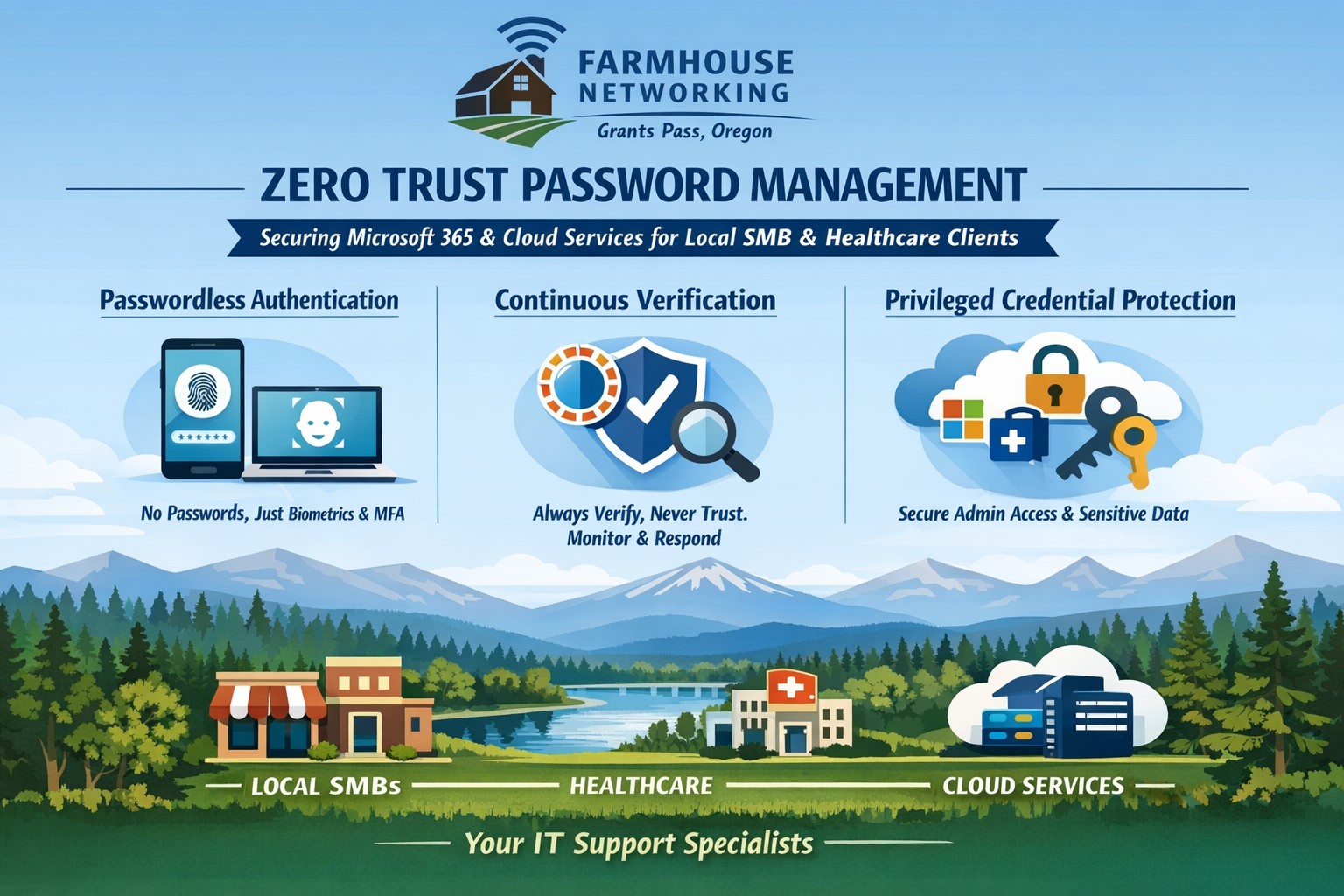
Farmhouse Networking implements zero trust password management with passwordless MFA for secure Grants Pass business cloud access.
This is the fifth in a series about the concept of Zero Trust, which means in the IT sense that you trust nothing and always verify everything surrounding and connected to your network. Today’s discussion will be on password management.
Password Management
Password management is the concept that you are not using the same password for all sites and services. So it is necessary to have a means to track and protect those passwords from others accessing or using them without consent. Here are some questions that you should be asking yourself:
How do you keep track of passwords? paper? spreadsheet? program?
Are your passwords encrypted? Are they guessable? Are they changed regularly?
Do you have a password policy?
What do you do when someone leaves the company?
Do you take advantage of 2FA or MFA?
Do you take advantage of single sign-on?
Take time to think about these questions and decide where changes can be made to better protect your passwords, or contact us to do the thinking for you.
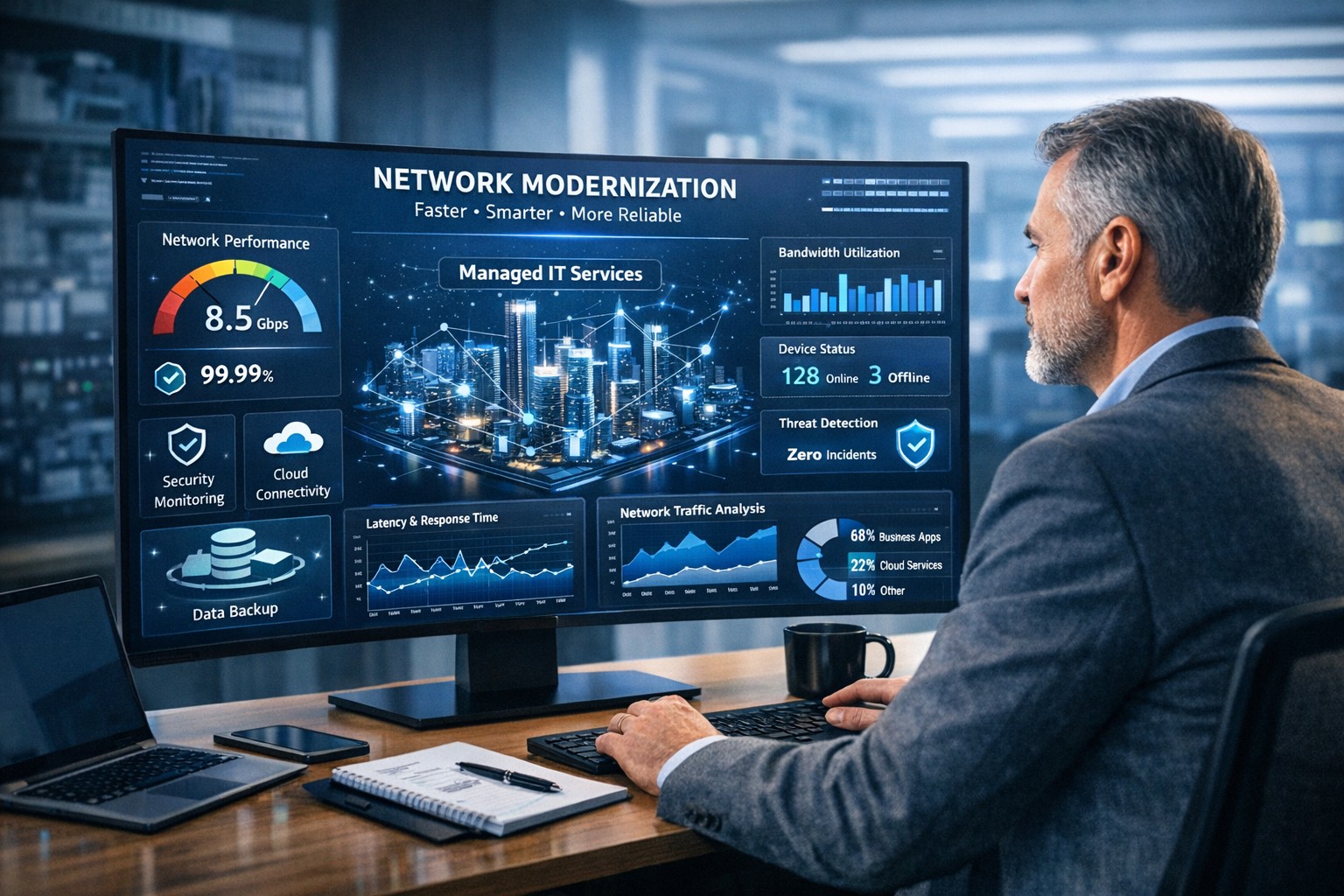
Farmhouse Networking helps businesses modernize their networks for faster performance, smarter automation, and secure connectivity.
The business world is moving at the speed of data. From cloud applications to video conferencing and smart devices, modern companies thrive on connectivity — and that means your network must be faster, more reliable, and intelligent enough to adapt. The days of “good enough” internet are gone. The next-generation network is faster, closer to your customers, and smarter in the way it predicts and manages performance.
Why “Faster, Closer, Smarter” Matters for Every Business Owner
A few years ago, network upgrades were viewed as an IT luxury. Today they’re a business necessity. Productivity, customer experience, and profit margins increasingly depend on how efficiently your systems communicate across multiple sites and cloud services.
Faster: Applications like video meetings, VoIP, and cloud storage demand low latency and high bandwidth. Slow connections mean lost opportunities.
Closer: Edge computing brings resources and data processing nearer to users, reducing lag and improving responsiveness for remote teams and mobile customers.
Smarter: Artificial intelligence (AI)–driven networks detect issues before they cause downtime, automatically direct traffic, and protect against cyber threats.
Business growth in 2020 and beyond will favor companies that embrace these technologies early — and that’s where proactive planning makes all the difference.
Action Steps for Business Owners and IT Teams
Modernizing your network doesn’t have to be complicated. Here are practical steps to future-proof your infrastructure:
Audit your current network. Identify bottlenecks, aging hardware, and underperforming Wi-Fi zones. Tools like traffic analyzers or managed network assessments can pinpoint areas for improvement.
Move critical workloads to the cloud wisely. Hybrid cloud environments balance flexibility and security — but only when configured with responsive bandwidth and monitored connections.
Invest in network automation and AI-based monitoring. Smart analytics help your IT team spot anomalies before employees notice performance issues.
Upgrade for speed and reliability. Fiber-optic connectivity, gigabit routers, and Wi-Fi 6 access points deliver measurable performance boosts.
Secure everything. With more connected devices comes more risk. Integrated firewalls, endpoint protection, and regular patch management are essential defenses.
Partner with a managed services provider (MSP). Outsourcing these functions ensures around-the-clock monitoring and proactive support so your internal staff can focus on core business priorities.
Common Client Questions — Answered
Q: “Is upgrading my network really worth the cost?” A: Absolutely. Slow or unreliable connectivity costs more in downtime and lost productivity than the upgrade itself. Modern networks reduce maintenance time, prevent outages, and improve customer satisfaction.
Q: “What about security? Doesn’t a smarter network mean more risk?” A: Actually, the opposite. With automated patching, real-time threat detection, and AI-powered monitoring, a smarter network significantly strengthens protection.
Q: “How do I know what network capacity I’ll need?” A: Your ideal bandwidth depends on your business applications, remote workers, and cloud services. A professional assessment from an MSP can provide accurate data and recommendations tailored to your growth goals.
How Farmhouse Networking Can Help
At Farmhouse Networking, we specialize in helping businesses modernize their IT infrastructure with practical, budget-conscious solutions. Whether you need a network assessment, faster connectivity, smart automation, or enhanced cybersecurity, our team brings years of expertise in network design, implementation, and ongoing support.
We work with local businesses to:
Audit existing network performance and identify inefficiencies.
Implement cloud and edge computing solutions.
Automate monitoring through intelligent network management tools.
Strengthen IT security to protect sensitive data and client trust.
Our mission is to make enterprise-grade technology accessible to your small or mid-sized business — keeping your network running faster, closer, and smarter than ever before.
Ready to Upgrade Your Network?
Don’t let outdated systems slow you down in 2020’s fast-moving digital economy. Future-proof your business with a smarter, more efficient network built for growth.
Email support@farmhousenetworking.com today to learn how Farmhouse Networking can help your business stay connected, secure, and competitive.
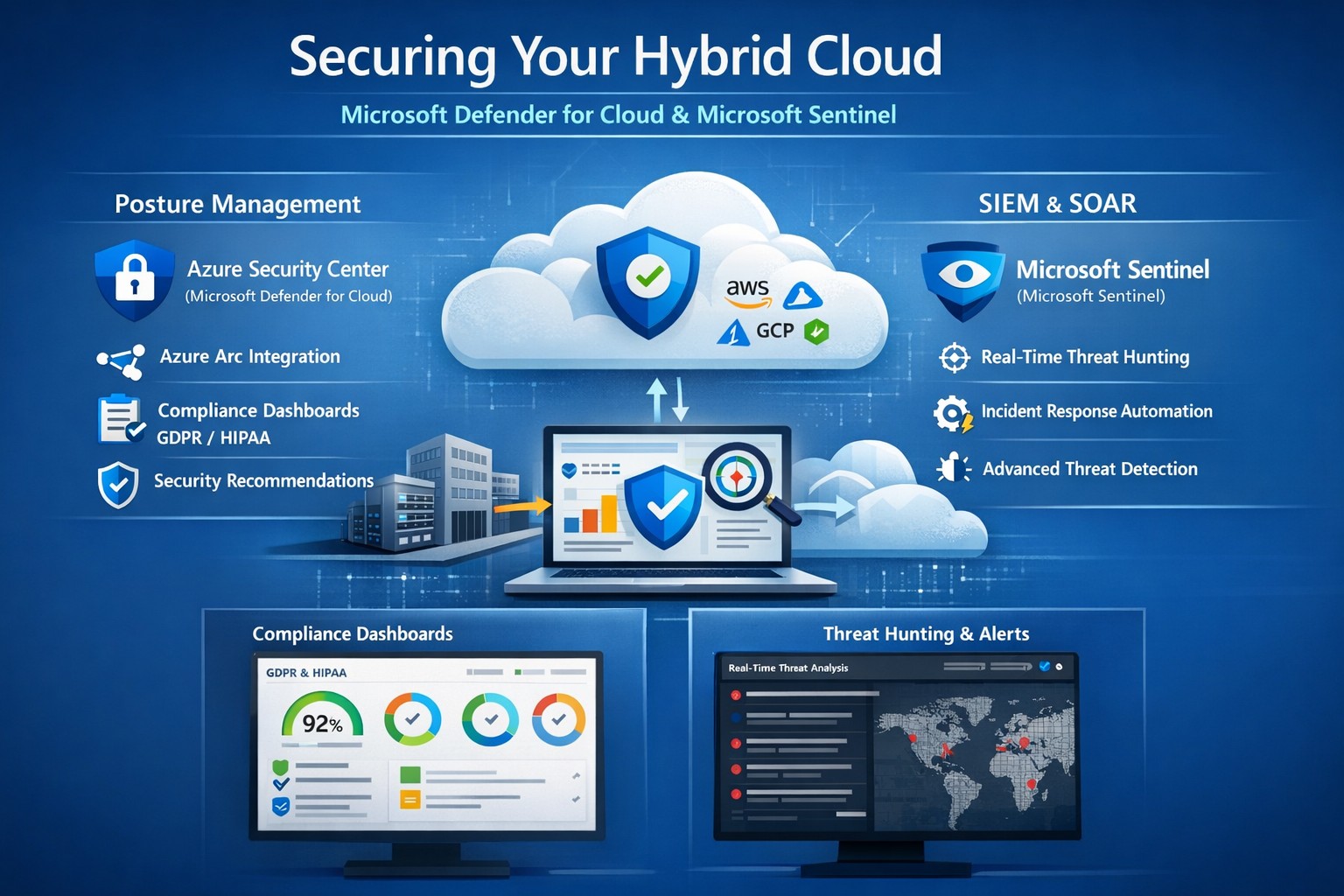
Unified hybrid cloud security: Monitor Secure Score and Sentinel alerts across on-premises and Azure resources.
Managing on-premises systems and cloud workloads, hybrid cloud security threats like ransomware and data breaches can disrupt operations and erode customer trust. Azure Security Center (now evolving into Microsoft Defender for Cloud) and Azure Sentinel (now Microsoft Sentinel) deliver unified protection across your hybrid environment, combining posture management with AI-driven threat detection.
Why Hybrid Cloud Security Matters Now
Hybrid setups amplify risks—on-prem servers lack cloud-scale monitoring, while Azure resources face misconfigurations. Security Center provides cloud security posture management (CSPM), tracking secure scores, compliance (e.g., GDPR, HIPAA), and just-in-time VM access. Sentinel acts as your SIEM/SOAR, ingesting Security Center alerts plus firewall logs, user data, and multi-cloud inputs (AWS, GCP) for proactive hunting and automated response.
This duo scales with your business: Security Center prevents threats at IaaS/PaaS layers (VMs, SQL, IoT); Sentinel correlates data enterprise-wide, cutting alert fatigue by 50% via AI. For accounting firms handling sensitive financials or healthcare providers under HIPAA, this means fewer breaches and faster recovery.
Practical Action Steps for Implementation
Work with your IT team to deploy these in phases for minimal disruption:
Enable Security Center: In Azure Portal, navigate to Defender for Cloud > Environment settings. Select your subscription, turn on plans for Hybrid + multicloud (servers, apps, databases). Onboard on-prem VMs via Azure Arc agents—install Log Analytics agent, assign policies.
Connect to Sentinel: Create a Sentinel workspace (Log Analytics resource). In Defender for Cloud, go to Integrations > Azure Sentinel > Connect. This streams alerts automatically. Add connectors for Office 365, firewalls, and endpoints.
Configure Posture and Detection: Review Secure Score dashboard; remediate top recommendations (e.g., enable MFA, update endpoints). In Sentinel, build analytics rules for anomalies (e.g., rare logins) and playbooks for auto-quarantine.
Test and Monitor: Simulate threats via Azure Attack Simulator. Set up workbooks for dashboards; review incidents weekly. Scale with automation—e.g., SOAR for ticket routing.
These steps take 1-2 days initially, yielding continuous monitoring without rip-and-replace.
Step
Owner
Time
Key Outcome
Enable Security Center
IT Admin
30 min
Secure Score baseline
Connect Sentinel
Security Lead
15 min
Unified alerts
Configure Rules
IT/Security
2-4 hrs
AI threat hunting
Test Response
Full Team
1 day
Incident playbook ready
FAQs: Client Questions Answered
How do Security Center and Sentinel differ? Security Center focuses on prevention and posture (e.g., misconfig fixes, EDR); Sentinel handles analytics, hunting, and orchestration across all sources. Use both: Security Center feeds Sentinel for holistic views.
Does this work for non-Azure hybrid setups? Yes—Arc agents extend coverage to on-prem, AWS/GCP via connectors. Sentinel ingests any log via APIs.
What about costs? Pay-per-ingest: Security Center ~$0.02/VM/day; Sentinel ~$2.60/GB ingested (free first 10GB/mo). Optimize with alert streaming.
Is setup complex for small IT teams? Minimal—Portal wizards guide you. Common pitfalls: data connector misconfigs (fix via docs); overcome with phased rollout.
How secure is data in transit? Encrypted end-to-end; complies with SOC 2, ISO 27001. Retention policies customizable.
How Farmhouse Networking Boosts Your Security
Farmhouse Networking specializes in B2B setups for accounting, healthcare, and nonprofits—industries facing strict compliance like SOX or HIPAA. We handle full implementation: Arc onboarding, custom Sentinel rules tuned to your workloads, and 24/7 SOC monitoring via our managed services. Our clients see 40% faster threat response and Azure cost optimizations, freeing you to focus on growth. We’ve secured 50+ hybrid environments, integrating Sentinel with your existing tools seamlessly.
Call to Action
Ready to lock down your hybrid cloud? Email support@farmhousenetworking.com for a free security posture assessment and personalized roadmap.
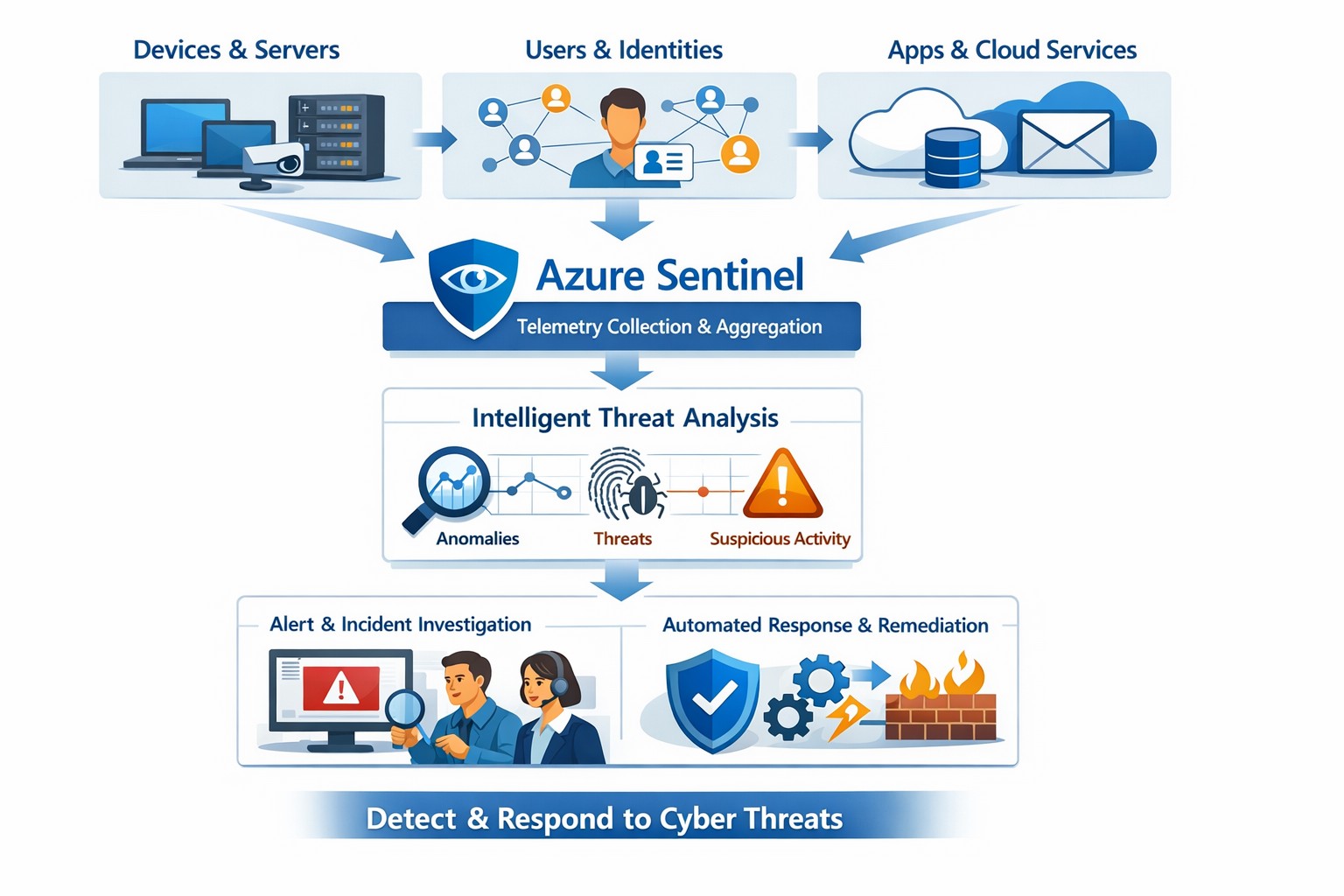
Azure Sentinel provides a unified view of your enterprise security data, allowing you to collect logs, detect threats, investigate incidents, and automate responses across cloud and on‑premises systems.
Cyber threats are a constant reality for businesses of all sizes. As your company grows, your IT environment becomes more complex, with data scattered across on-premises systems, cloud platforms, and third-party applications. This complexity makes it harder to detect and respond to security incidents quickly. Azure Sentinel, Microsoft’s cloud-native SIEM (Security Information and Event Management) solution, offers an intelligent way to collect, detect, investigate, and respond to security threats across your entire enterprise. For business owners, this means better protection, reduced downtime, and faster incident response—without the need for massive infrastructure investments.
What Azure Sentinel Does for Your Business
Azure Sentinel collects security data from your entire IT ecosystem, including devices, users, applications, and hybrid environments, both on-premises and in the cloud. It uses advanced analytics and threat intelligence to detect threats, often uncovering risks that traditional tools miss. With machine learning and AI, Azure Sentinel helps your security team investigate suspicious activities, hunt for hidden threats, and automate responses to common incidents. This reduces alert fatigue, lowers false positives, and speeds up resolution times, allowing your business to operate more securely and efficiently.
Practical Steps for Business Owners and IT Teams
To get the most out of Azure Sentinel, business owners and their IT departments need to take several practical steps. First, conduct a thorough assessment of your current security infrastructure to identify gaps and define clear objectives, such as improving threat detection or enhancing incident response. Next, choose the right data connectors to integrate logs from your existing systems into Azure Sentinel, ensuring comprehensive visibility across your environment. Establish clear objectives that align with your business goals, such as achieving regulatory compliance or reducing downtime. Train your security team to use Azure Sentinel effectively, providing ongoing education to stay ahead of emerging threats. Finally, continuously tune and optimize detection rules and automate routine response actions to maximize the platform’s potential.
Common Questions and Answers
Q: How does Azure Sentinel reduce downtime for my business? Azure Sentinel operates on the Azure cloud platform, which includes built-in load balancing and automated failover. This ensures that your security operations continue even during disruptions, minimizing downtime and ensuring that critical cloud applications remain secure and available.
Q: Can Azure Sentinel work with my existing security tools? Yes, Azure Sentinel integrates seamlessly with a wide range of security tools and data sources. It supports numerous connectors for cloud platforms like Azure, AWS, and GCP, as well as on-premises systems and third-party security solutions. This allows you to centralize your security operations without replacing your existing investments.
Q: How does Azure Sentinel handle automated incident response? Azure Sentinel uses playbooks based on Azure Logic Apps to automate common security tasks. For example, when an alert is triggered, a playbook can automatically assign the incident to a team member, update its status, or integrate with your ticketing system to create a new incident ticket, reducing manual effort and speeding up response times.
How Farmhouse Networking Can Help
Farmhouse Networking specializes in helping businesses in the accounting, healthcare, and charity industries implement and optimize Azure Sentinel. We can conduct a comprehensive assessment of your current security posture, identify gaps, and define clear objectives tailored to your business needs. Our team can also help you set up the right data connectors, train your IT staff, and continuously tune your detection rules to reduce noise and improve threat detection. Additionally, we can assist with automating incident response workflows to ensure that your security operations are as efficient and effective as possible.
If you’re ready to take the next step in securing your business with Azure Sentinel, contact Farmhouse Networking today. Email support@farmhousenetworking.com to learn more about how we can help improve your business’s security posture and protect your critical data from cyber threats.
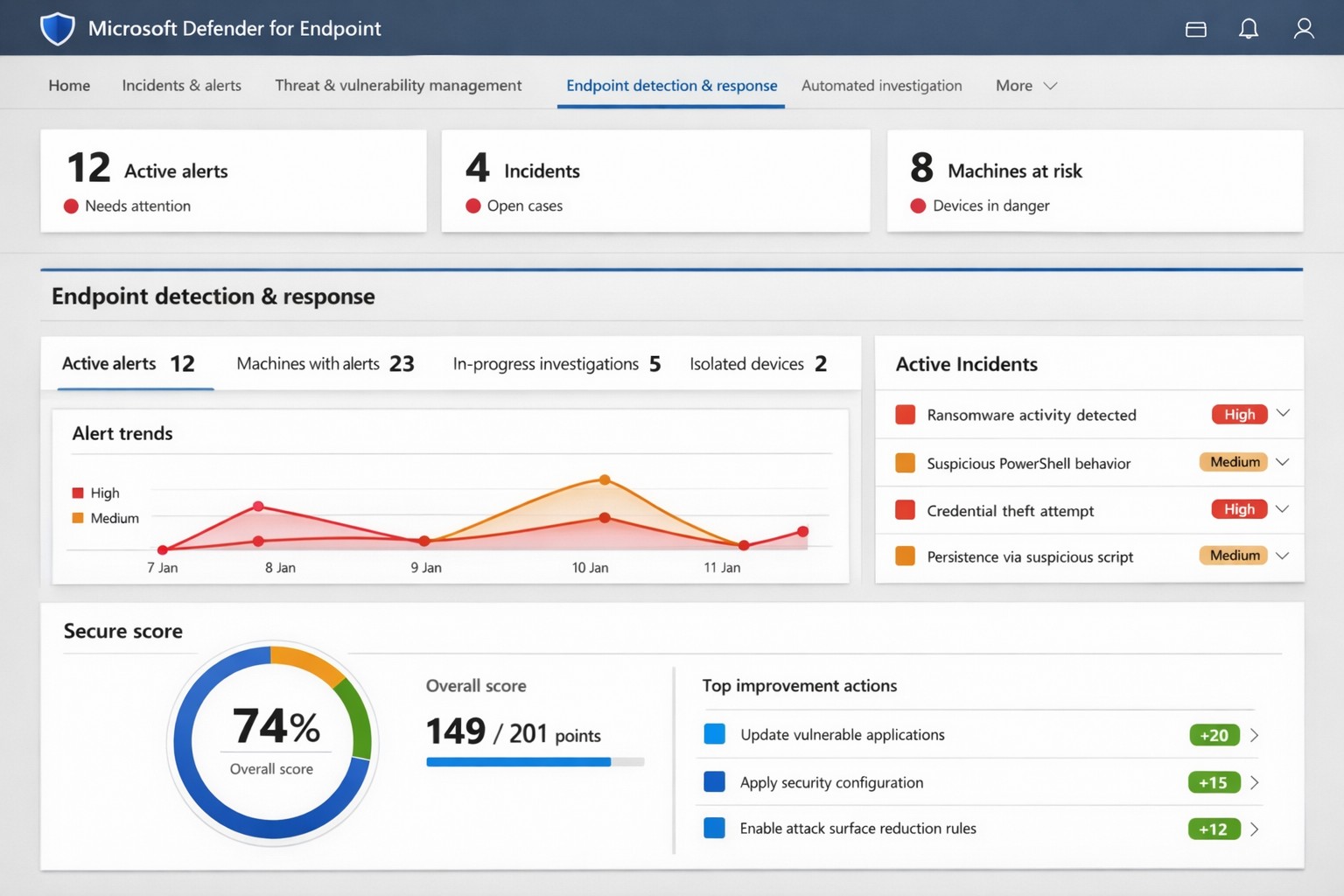
Microsoft Defender for Endpoint (ATP) portal: Monitor advanced threats, EDR alerts, and secure score to safeguard your business devices.
Cyber threats like ransomware and data breaches can cripple operations, costing millions in downtime and recovery. Microsoft Defender for Endpoint—previously known as Microsoft Defender Advanced Threat Protection (ATP)—delivers enterprise-grade endpoint security to detect, investigate, and stop these attacks before they escalate.
What is Microsoft Defender for Endpoint?
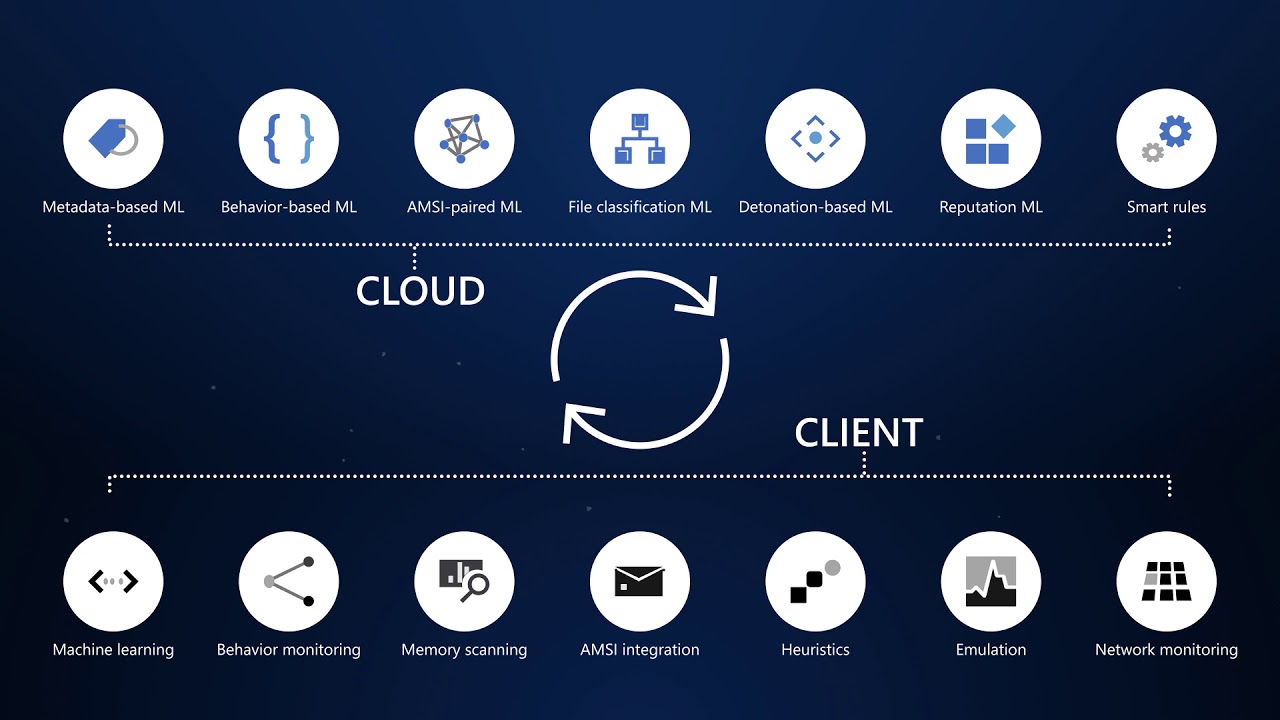
This cloud-native platform safeguards devices like laptops, servers, and mobiles from advanced threats using AI-driven analytics, behavioral monitoring, and automated response. Key capabilities include next-generation antivirus, endpoint detection and response (EDR), threat and vulnerability management, attack surface reduction, and automated investigations that group alerts into incidents for faster triage.
It integrates seamlessly with Microsoft 365, offering Plan 1 (basic protection, network controls) and Plan 2 (full EDR, vulnerability management, sandboxing). Businesses gain a “secure score” to benchmark and improve security posture.
Practical Action Steps for Implementation
Follow these steps with your IT team to deploy effectively:
Assess Eligibility and License: Confirm Microsoft 365 E3/E5 or standalone Defender licensing via the Microsoft 365 admin center. Start a 30-day trial if needed.
Onboard Devices: Use Microsoft Endpoint Manager or Group Policy to enable onboarding scripts for Windows, macOS, Linux, iOS, and Android. Prioritize high-value assets like executive laptops.
Configure Policies: Set attack surface reduction rules, enable cloud-delivered protection, and deploy controlled folder access to block ransomware. Test in audit mode first.
Monitor and Respond: Review the Defender portal daily for incidents. Use automated remediation to isolate devices and run live response commands like file quarantine.
Train Staff and Review Secure Score: Conduct phishing simulations and user training. Aim for a secure score above 80% by addressing recommendations.
Expect initial setup in 1-2 weeks for 50 devices, with ongoing management under 1 hour daily post-configuration.
FAQ: Client Inquiries Answered
How does Defender differ from basic antivirus? Unlike traditional AV, it provides EDR for post-breach hunting, cloud analytics for zero-day threats, and cross-device incident correlation—reducing detection time from 200+ days to hours.
What about performance impact? Minimal; sensors use hardware acceleration and run lightweight scans. Enterprises report <1% CPU overhead.
Is it suitable for small businesses without IT staff? Yes, Defender for Business offers simplified P1/P2 features with guided setup. It scales from 5 to 50,000 endpoints.
How secure is data in Defender? Microsoft isolates customer data by tenant, with no use for training AI. Compliance includes GDPR, HIPAA.
What if we use non-Windows devices? Full support for macOS, Linux, mobile; unified console prevents silos.
How Farmhouse Networking Can Help
Farmhouse Networking specializes in B2B cybersecurity for accounting, healthcare, and nonprofits—industries handling sensitive data under strict compliance like HIPAA and PCI-DSS. We conduct cloud security assessments to baseline your posture, implement Defender onboarding, customize policies for your endpoints, and integrate with existing Microsoft stacks for automated threat hunting.
Our team handles vulnerability prioritization, staff training, and 24/7 monitoring, freeing you to focus on growth. Clients see 40% faster threat response and improved secure scores within months.
Every day, BP manages the difficult business of finding, producing, marketing, and moving energy around the globe. Core to success is the modernization and digitization of the business, while being able to defend a vast digital perimeter against cyberattacks. This video shows how BP is migrating its work environment to Microsoft 365 Enterprise E5 to take advantage of a platform approach.
And God will generously provide all you need. Then you will always have everything you need and plenty left over to share with others. As the Scriptures say,
“They share freely and give generously to the poor. Their good deeds will be remembered forever.”
For God is the one who provides seed for the farmer and then bread to eat. In the same way, he will provide and increase your resources and then produce a great harvest of generosity in you. - 2 Corinthians 9:8-10
We use cookies to ensure that we give you the best experience on our website. If you continue to use this site we will assume that you are happy with it.