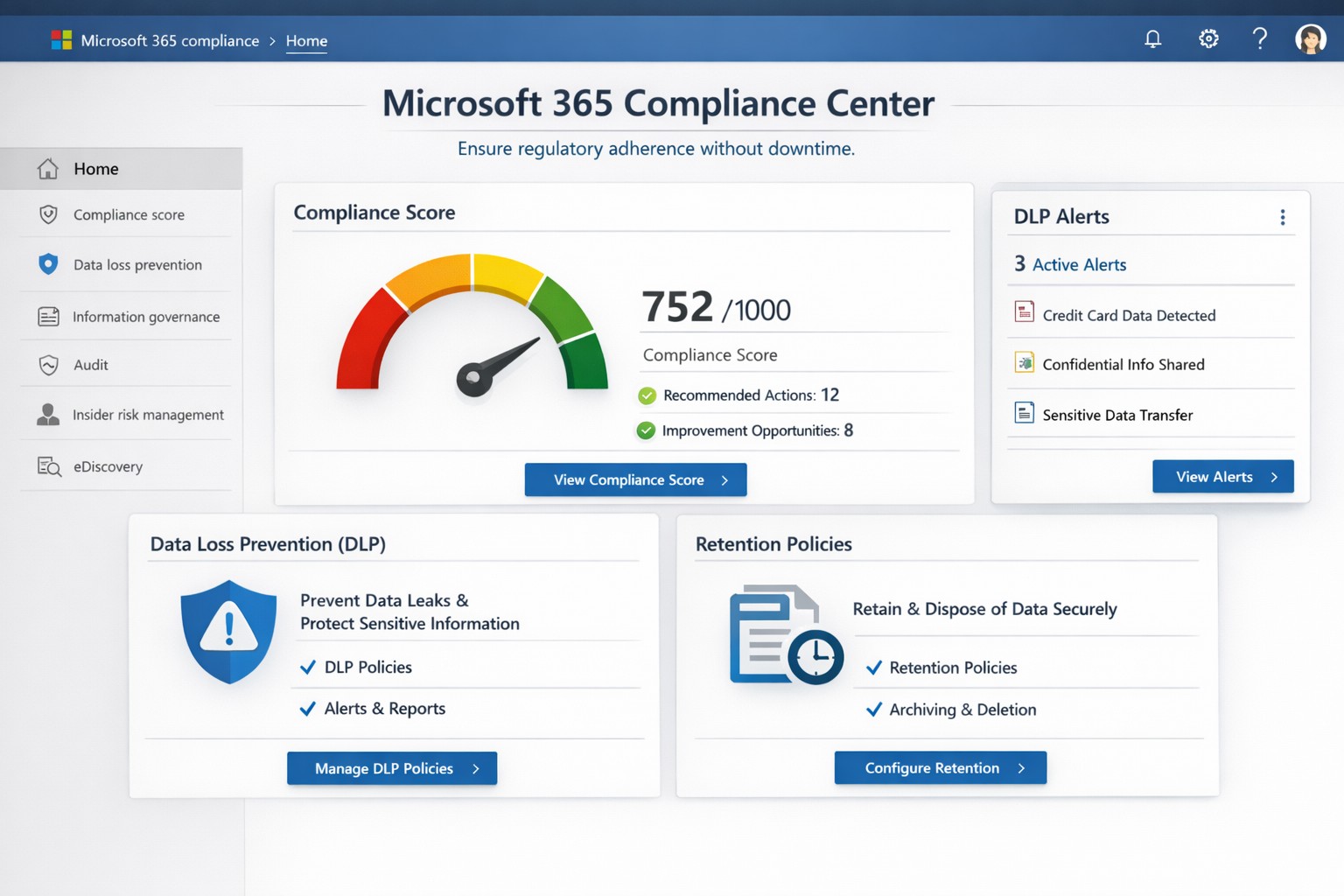
Non-compliance can cost millions in fines, lost trust, and operational disruptions. Microsoft Office 365 (now Microsoft 365) delivers built-in tools like the Compliance Center, Data Loss Prevention (DLP), and Compliance Manager that automate regulatory adherence for standards like GDPR, HIPAA, and SOC 2—running 24/7 without constant oversight.
Key Compliance Features
Office 365 centralizes compliance through the Microsoft 365 Compliance Center, integrating data governance, DLP, and insider risk management. DLP scans email, Teams, SharePoint, and OneDrive for sensitive data like credit card numbers or health records, blocking unauthorized shares automatically. Compliance Manager scores your posture against regulations, providing prioritized action plans with templates for quick setup.
Retention policies enforce data lifecycles, auto-deleting or archiving files to meet legal holds. Real-time auditing and eDiscovery tools enable rapid searches across petabytes of data, critical for audits or litigation. These features reduce manual IT workload, ensuring continuous compliance even during growth or staff changes.
Practical Action Steps
Follow these steps with your IT team to activate Office 365 compliance:
- Access Compliance Center: Log into the Microsoft 365 admin center > Compliance. Review your Compliance Score and assign roles (e.g., Compliance Administrator).
- Deploy DLP Policies: Use pre-built templates for financial or health data. Define rules (e.g., block external sharing of SSNs), test in audit mode, then enforce. Applies to Exchange, SharePoint, OneDrive, Teams, and endpoints.
- Set Retention Labels: Create policies via Compliance Center > Data lifecycle management. Tag documents (e.g., retain contracts 7 years), publish labels to sites/apps.
- Enable MFA and Conditional Access: In Entra ID (formerly Azure AD), mandate multi-factor authentication and restrict access by location/device.
- Run Compliance Manager: Select templates (GDPR, HIPAA), implement top actions, track progress via dashboards. Schedule monthly reviews.
- Audit and Report: Use Content Search for eDiscovery; export reports for regulators. Integrate with Microsoft Purview for advanced analytics.
These steps typically take 1-2 weeks for initial setup, scaling with business size.
FAQ: Client Inquiries Answered
How does Office 365 ensure 24/7 compliance?
Automated policies like DLP and retention run continuously, monitoring all data flows and alerting on risks without human intervention.
What regulations does it cover?
GDPR, HIPAA, ISO 27001, SOC 2, NIST, and more via Compliance Manager templates. Custom policies handle industry-specific needs.
Is it cost-effective for small businesses?
Yes—E3/E5 licenses include core tools; no extra hardware needed. ROI comes from avoiding fines (e.g., GDPR averages $4M per breach).
What if we face an audit?
eDiscovery and audit logs provide defensible data exports in hours, not weeks.
Can we customize for healthcare/accounting?
Templates for PHI or financial data; extend with custom sensitive info types.
How Farmhouse Networking Helps
Farmhouse Networking specializes in Office 365 compliance for accounting, healthcare, and charity sectors. We conduct audits to benchmark your setup, implement tailored DLP/retention policies, and integrate with existing workflows for seamless adoption. Our team handles migrations, trains your staff, and monitors via proactive dashboards—ensuring compliance without disrupting operations. Past clients in healthcare reduced audit prep time by 70%.
Call to Action
Ready to lock in compliance? Email support@farmhousenetworking.com for a free Office 365 compliance assessment.