EDR provides SMBs with real-time endpoint monitoring, automatic threat quarantine, and rapid incident response to minimize breaches.
Cybersecurity is more important than ever. Cyber threats are evolving and becoming increasingly sophisticated, making it essential for small and medium-sized businesses (SMBs) to protect their sensitive information. One crucial tool in the cybersecurity arsenal is Endpoint Detection & Response (EDR). In this article, we will explore why SMBs should prioritize EDR and the benefits it brings to their cybersecurity posture.
Understanding Endpoint Detection & Response
Endpoint Detection & Response (EDR) is a proactive cybersecurity solution that focuses on detecting, investigating, and mitigating advanced threats at the endpoint level. Endpoint refers to any device connected to a network, such as laptops, desktops, servers, or even mobile devices. EDR solutions monitor endpoints in real-time, collecting and analyzing data to identify and respond to suspicious activities or potential security breaches.
The Rising Threat Landscape for SMBs
SMBs often mistakenly believe that they aren’t attractive targets for cybercriminals due to their size. However, the reality is quite different. In fact, SMBs are increasingly being targeted by cybercriminals because they often have fewer resources dedicated to cybersecurity, making them an easier target. According to recent studies, nearly half of all cyberattacks target SMBs.
Moreover, the consequences of a successful cyberattack on an SMB can be devastating. From financial loss to reputational damage, the impact can be significant, and in some cases, even cause businesses to shut down. This highlights the urgent need for SMBs to invest in robust cybersecurity measures, such as EDR.
The Benefits of Endpoint Detection & Response for SMBs
Real-time Threat Detection: EDR solutions provide continuous monitoring of endpoint activities, enabling real-time threat detection. By analyzing behavioral patterns and indicators of compromise, EDR can quickly identify potential threats, allowing businesses to respond promptly and mitigate risks before they result in data breaches or system compromises.
Improved Incident Response Capabilities: EDR not only detects threats but also provides valuable insights to aid in incident response. It records endpoint activity logs, allowing security teams to investigate incidents, identify root causes, and take appropriate action to contain and remediate the threat effectively.
Visibility and Control: SMBs often struggle with limited visibility into their IT environments. EDR solutions provide deeper visibility into endpoints across the network, allowing IT teams to identify vulnerabilities, enforce security policies, and ensure compliance with regulatory requirements.
Proactive Threat Hunting: EDR empowers SMBs to take a proactive approach to cybersecurity by actively hunting for potential threats. By leveraging advanced detection techniques and threat intelligence, EDR can identify and mitigate emerging threats even before they have a chance to impact the organization.
Simplified Security Operations: Automating threat detection and response processes frees up valuable time for IT teams, enabling them to focus on other critical tasks. EDR solutions can automatically contain and remediate threats, reducing the burden on IT staff and improving overall efficiency.
Overcoming Challenges in Implementing EDR
While EDR offers immense benefits, implementing and managing EDR solutions can pose challenges for SMBs. Common obstacles include limited budgets and resources, the complexity of deployment, and the need for ongoing monitoring and maintenance. However, by partnering with a reliable cybersecurity provider, like Farmhouse Networking, that understands the unique needs of SMBs, these challenges can be overcome and the full potential of EDR can be realized.
It is not a matter of if you will be targeted, but when. Let Farmhouse Networking take proactive steps to secure your endpoints and fortify your cybersecurity defenses with EDR.
Enhance business cybersecurity defenses using advanced website filtering from Farmhouse Networking.
Businesses are faced with an ever-growing number of cybersecurity threats. One effective method to protect your organization’s sensitive data and network is implementing website filtering. Website filtering solutions offer businesses an essential tool to manage and safeguard their networks, ensuring employees are protected from accessing malicious or inappropriate websites. We will explore the importance of website filtering for business cybersecurity and provide practical insights for implementation.
Understanding Website Filtering:
Website filtering is an advanced security measure that enables organizations to control the websites that can be accessed by their employees. This essential cybersecurity practice helps mitigate risks associated with malware, phishing attacks, and overall data breaches. Through the implementation of website filtering, businesses can proactively manage internet usage, reduce network congestion, and improve productivity.
Benefits of Website Filtering:
Enhanced Network Security: By filtering out potentially harmful websites, businesses can significantly reduce the risk of malware infiltration, phishing attempts, and other cyber threats. Website filtering acts as a vital line of defense, preventing employees from inadvertently accessing websites hosting malicious content and safeguarding sensitive corporate data.
Regulatory Compliance: As the healthcare industry is subject to strict compliance regulations, implementing website filtering can help organizations maintain adherence to industry-specific regulations such as HIPAA. By blocking access to unauthorized websites or content, businesses ensure they are aligning with compliance requirements, reducing the potential for fines or legal repercussions.
Increased Employee Productivity: Unrestricted internet access often leads to time-wasting activities, reducing overall productivity within the organization. With website filtering, businesses can minimize distractions by blocking access to social media platforms, gaming websites, or other non-work-related sites, fostering a more focused work environment.
Bandwidth Optimization: Streaming services and large media files can significantly impact network bandwidth, leading to slower connections and decreased productivity. Website filtering helps alleviate this strain by allowing organizations to control access to bandwidth-intensive websites or file-sharing platforms, optimizing network performance.
Choosing the Right Website Filtering Solution:
When selecting a website filtering solution, organizations should consider the following:
Granular Control: Look for a solution that offers granular control, allowing you to tailor website filtering policies to specific departments or individual users. This flexibility ensures that employees only have access to relevant websites and content necessary for their job roles.
Real-Time Updates: The cybersecurity landscape evolves rapidly, with new threats emerging constantly. Ensure your chosen website filtering solution offers AI powered real-time updates and threat intelligence to protect against the latest risks effectively.
User-Friendly Interface: Implementing a user-friendly website filtering solution simplifies management. Look for a solution with an intuitive interface that enables easy configuration and monitoring of website filtering policies.
Potential Challenges and Mitigation Strategies:
While website filtering can provide numerous benefits, there are potential challenges to consider:
False Positives: Overzealous website filtering policies can sometimes lead to legitimate websites being inaccurately blocked, causing frustration for employees. Regularly review and fine-tune filtering policies to minimize the risk of false positives, striking a balance between security and productivity.
BYOD (Bring Your Own Device) Environments: There is an increasing reliance on personal devices to access corporate networks. Ensure that your website filtering solution extends to cover such devices and effectively enforces security policies, mitigating the risk of potential threats from unsecured devices.
Ongoing Maintenance and Monitoring: Website filtering requires ongoing maintenance and monitoring to ensure optimal performance and adaptability to emerging threats. Assign dedicated IT staff or consider a managed service provider (MSP) like Farmhouse Networking to oversee the implementation, management, and updates of your website filtering solution.
Website filtering is a critical component of any business’s cybersecurity strategy, providing robust protection against web-based threats and enhancing network security. Farmhouse Networking provides website filtering service to all our monthly managed clients at no additional cost. Sign-up today to become cyber secure.
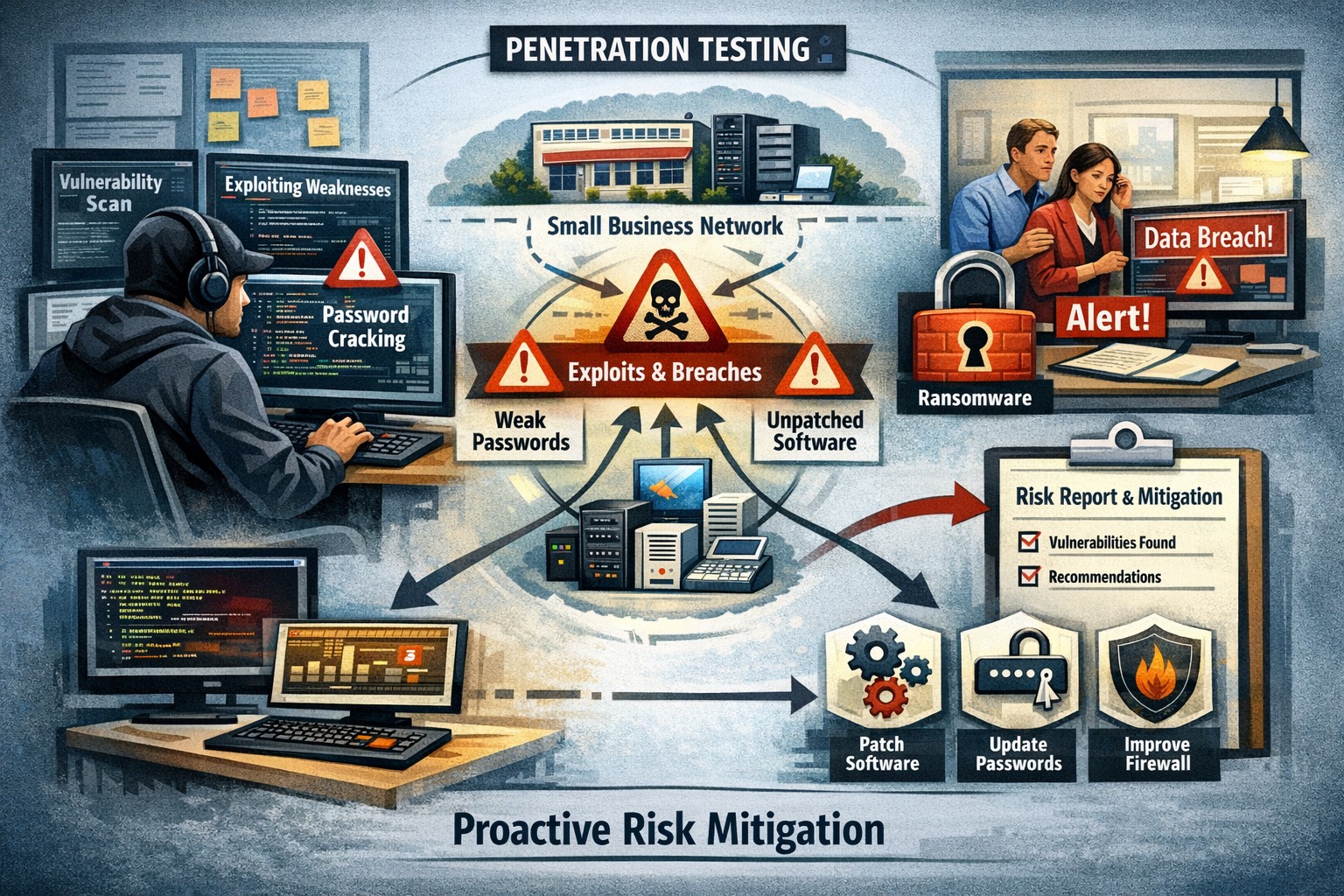
Proactive pentesting safeguards SMBs from cyber threats and ensures compliance
Cyberattacks are on the rise and the cost of data breaches continues to climb – it’s crucial for every organization, regardless of its size, to prioritize cybersecurity. Small and medium-sized businesses (SMBs) often assume they are not attractive targets for hackers due to their perceived limited resources. However, this very assumption can leave them vulnerable to cyber threats. In this blog post, we will explore the value of penetration testing for SMBs and highlight how they can play a crucial role in protecting your business from potential attacks.
Understanding Penetration Tests:
Penetration tests, also known as pentests or ethical hacking, involve simulating real-world cyberattacks on your organization’s systems and networks. This process aims to identify vulnerabilities and weaknesses that could potentially be exploited by malicious actors. By conducting comprehensive testing, you can gain insights into your organization’s security posture, discover any weaknesses, and take proactive measures to mitigate risks.
Value for SMBs:
A common misconception is that penetration tests are only suitable for large enterprises with extensive resources. However, SMBs can significantly benefit from these tests as well. Here are some compelling reasons why penetration tests are valuable for SMBs:
Proactive Defense: Penetration tests allow SMBs to adopt a proactive approach in identifying vulnerabilities and addressing them before malicious actors can exploit them. This helps prevent potential cyberattacks and the subsequent damage to your business, reputation, and customer trust.
Risk Mitigation: SMBs often lack the robust security measures and dedicated teams that larger organizations have. Conducting penetration tests helps identify and prioritize vulnerabilities, allowing you to allocate resources effectively and address the most critical risks within your limited budget.
Compliance Requirements: Many SMBs operate in highly regulated industries such as healthcare, finance, or legal sectors. Compliance standards often require regular security testing, including penetration tests. By conducting such tests, SMBs can demonstrate compliance with industry regulations and avoid potential penalties or legal complications.
Challenges and Considerations:
While penetration tests offer numerous advantages for SMBs, it’s essential to understand and address potential challenges:
Cost: Budget constraints are a common concern for SMBs. However, bear in mind that the potential cost of a data breach or cyberattack can be far more detrimental to your business. Prioritize your security investments wisely and consider partnering with a reputable and cost-effective cybersecurity provider like Farmhouse Networking.
Skill Gap: SMBs may lack in-house expertise to conduct penetration tests. Engaging a skilled and reputable penetration testing firm can provide expert insights and tailor the tests to your specific requirements.
By investing in proactive security measures, SMBs can stay one step ahead of cyber threats and build a resilient foundation for sustained growth and success. Partner with a trusted cybersecurity provider to conduct regular penetration tests and fortify your organization’s security posture.
Follow these steps to make your office paperless and embrace a digital workflow that improves efficiency, reduces clutter, and keeps files secure.
Many businesses are seeking ways to reduce their environmental footprint and optimize operations. One significant step towards achieving these goals is transitioning from a traditional paper file office setup to a paperless environment. This article will explore how to make your office paperless, highlighting the myriad benefits this shift can bring, and providing a step-by-step approach to embracing a digital workflow.
The need for a paperless office
The journey towards a paperless office is not merely a trend; it’s a necessary evolution in the way we conduct business. Traditional office settings, characterized by towering filing cabinets and desks littered with paper, are not only environmentally unsustainable but also inefficient in today’s fast-paced business world. The need for a paperless office stems from the growing awareness of our environmental impact, coupled with the technological advancements that enable more efficient ways to store, share, and manage information. Embracing a digital workflow allows businesses to operate more dynamically, with improved accessibility to information and a significant reduction in physical storage requirements.
The transition to a paperless office also aligns with the increasing demand for remote and flexible work arrangements. In the wake of global shifts towards work from home, having digital systems in place ensures that teams can collaborate effectively, irrespective of their physical location. This not only enhances productivity but also opens up opportunities for businesses to tap into a global talent pool.
Benefits of a paperless office
Transitioning to a paperless office brings a multitude of benefits, far beyond the immediate environmental impact of reducing paper use. Firstly, it leads to significant cost savings. The expenses associated with printing, storing, and disposing of paper documents can accumulate, especially for larger organizations. By cutting down on these costs, businesses can allocate resources more effectively towards growth and development initiatives.
Secondly, a paperless office enhances operational efficiency. Digital documents are easier to search, access, and share, saving employees valuable time that would otherwise be spent on manual filing and retrieval. This streamlined workflow not only boosts productivity but also reduces the likelihood of errors associated with manual handling.
Lastly, adopting a digital workflow improves data security and compliance. Digital documents can be encrypted, backed up, and protected with access controls, ensuring sensitive information is safeguarded against unauthorized access and data breaches. Additionally, digital records facilitate easier compliance with legal and regulatory requirements, as they can be organized and presented more effectively during audits.
Steps to make your office paperless
Embarking on the path to a paperless office requires a strategic approach, beginning with a commitment from leadership and a clear communication of the benefits to all employees. The first step is to conduct an audit of your current paper usage. This involves identifying the types of documents that are routinely printed and understanding the purposes they serve. With this insight, you can pinpoint processes that can be digitized.
The next step is to establish guidelines for digital document management. This includes setting standards for document formatting, naming conventions, and storage protocols. Establishing these guidelines early on ensures consistency and eases the transition for employees.
Another critical step is to invest in the necessary technology. This encompasses both hardware, such as scanners and digital signature pads, and software, like document management systems and collaboration tools. Selecting the right technology stack is crucial for a smooth transition and will be discussed in more detail in the following sections.
Choosing the right tools for a digital workflow
The cornerstone of a successful paperless office is the technology that enables it. When selecting tools for a digital workflow, consider both functionality and usability. The goal is to find solutions that not only meet your business needs but are also easy for your team to adopt and use effectively.
Document management systems (DMS) are at the heart of a paperless office. A robust DMS can store, organize, and manage digital documents, making them easily accessible to authorized users. Features to look for in a DMS include powerful search capabilities, version control, and integration with other tools used in your business, such as email platforms and customer relationship management (CRM) systems.
Collaboration tools are also vital for a paperless office. These tools enable real-time communication, collaboration, and document sharing, which is particularly important for teams that are geographically dispersed. Options range from comprehensive platforms that include video conferencing, messaging, and file sharing, to more specialized tools focused on project management and team collaboration.
Implementing document management systems
Implementing a document management system is a significant step towards a paperless office. The process begins with selecting a DMS that aligns with your business requirements. Consider factors such as the volume of documents you manage, the level of security required, and the specific features that will benefit your workflow.
Once a system is chosen, the next step is to migrate existing documents into the digital realm. This can be a daunting task, especially for businesses with extensive paper archives. Prioritize documents based on their relevance and frequency of use, starting with those that are accessed regularly. Scanning and digitizing these documents not only reduces physical storage needs but also makes them more accessible to your team.
Training is another crucial component of implementing a DMS. Ensure that all employees are familiar with how to use the system effectively. This includes understanding how to upload and retrieve documents, as well as how to use any additional features that the system offers. Regular training sessions and support can help ease the transition and ensure that your team is making the most of the digital tools at their disposal.
Transitioning to digital file storage and organization
Digital file storage and organization are key components of a paperless office. Moving away from physical filing cabinets to digital storage solutions not only saves space but also enhances the accessibility and security of your documents. Cloud-based storage solutions are particularly effective, as they allow files to be accessed from anywhere, at any time, provided there is an internet connection. This is invaluable for businesses with remote teams or those that require access to documents outside of the office.
When transitioning to digital file storage, it’s important to establish a clear organizational structure. This should mimic the structure of your physical filing system as closely as possible, to minimize confusion and ensure a smooth transition. Utilize folders and subfolders to categorize documents, and adhere to the naming conventions and document management guidelines established earlier.
Regular backups are also crucial when relying on digital storage. Ensure that your data is backed up automatically and frequently, to protect against data loss due to technical failures or cyber attacks. Many cloud storage providers offer built-in backup and recovery options, making this process easier to manage.
Ensuring security and compliance in a paperless office
One of the concerns that businesses often have when transitioning to a paperless office is ensuring the security and compliance of their digital documents. This is particularly relevant for industries that handle sensitive information, such as finance and healthcare. Digital documents must be protected with appropriate security measures, including encryption, access controls, and secure authentication methods.
Compliance is another critical consideration. Many industries are subject to regulations regarding the management and retention of documents. Ensure that your digital workflow complies with these requirements, and that documents can be easily retrieved and audited if necessary. This may involve implementing specific features within your document management system, such as audit trails and retention policies.
Training employees on best practices for data security is also essential. This includes using strong passwords, recognizing phishing attempts, and understanding the importance of protecting sensitive information. Regular training sessions and updates on security policies can help maintain a high level of awareness and compliance among your team.
Training and onboarding employees for a digital workflow
Successfully transitioning to a paperless office requires the buy-in and cooperation of your entire team. Training and onboarding employees for a digital workflow are therefore critical components of the process. Start by explaining the benefits of going paperless, both for the business and for employees individually. This can help foster a positive attitude towards the change.
Provide comprehensive training on the tools and systems that will be used in the paperless office. This should cover not only the basic functions but also any advanced features that can enhance productivity and efficiency. Make use of online tutorials, webinars, and live training sessions to accommodate different learning styles and schedules.
It’s also important to offer ongoing support as employees adapt to the new systems. Establish a helpdesk or designate “digital champions” within your team who can provide assistance and answer questions. Encouraging a culture of continuous improvement and openness to feedback can help identify issues early and ensure that your digital workflow evolves to meet the needs of your team.
Overcoming challenges of going paperless
Transitioning to a paperless office is not without its challenges. One of the biggest hurdles can be resistance from employees who are accustomed to traditional ways of working. Addressing concerns and providing adequate training and support can help mitigate this resistance.
Technical issues can also arise, particularly in the early stages of implementation. Choosing reliable tools and systems, and ensuring they are properly set up and integrated, can help minimize these issues. Additionally, maintaining a flexible approach and being prepared to make adjustments as needed can help overcome any obstacles that arise.
Another challenge is ensuring that digital documents are properly organized and managed. This requires a disciplined approach to document management and adherence to the guidelines and protocols established at the outset. Regular audits and reviews can help maintain order and prevent digital clutter from accumulating.
Let Farmhouse Networking show you how to make your business paperless. Our expertise and tailored solutions can help you navigate the transition smoothly and effectively, ensuring your office is equipped for the digital age. Embrace a sustainable and efficient digital workflow today, and propel your business into a future where efficiency and sustainability go hand in hand.
And God will generously provide all you need. Then you will always have everything you need and plenty left over to share with others. As the Scriptures say,
“They share freely and give generously to the poor. Their good deeds will be remembered forever.”
For God is the one who provides seed for the farmer and then bread to eat. In the same way, he will provide and increase your resources and then produce a great harvest of generosity in you. - 2 Corinthians 9:8-10
We use cookies to ensure that we give you the best experience on our website. If you continue to use this site we will assume that you are happy with it.