A Step-by-Step Guide for When the Internet Goes Out
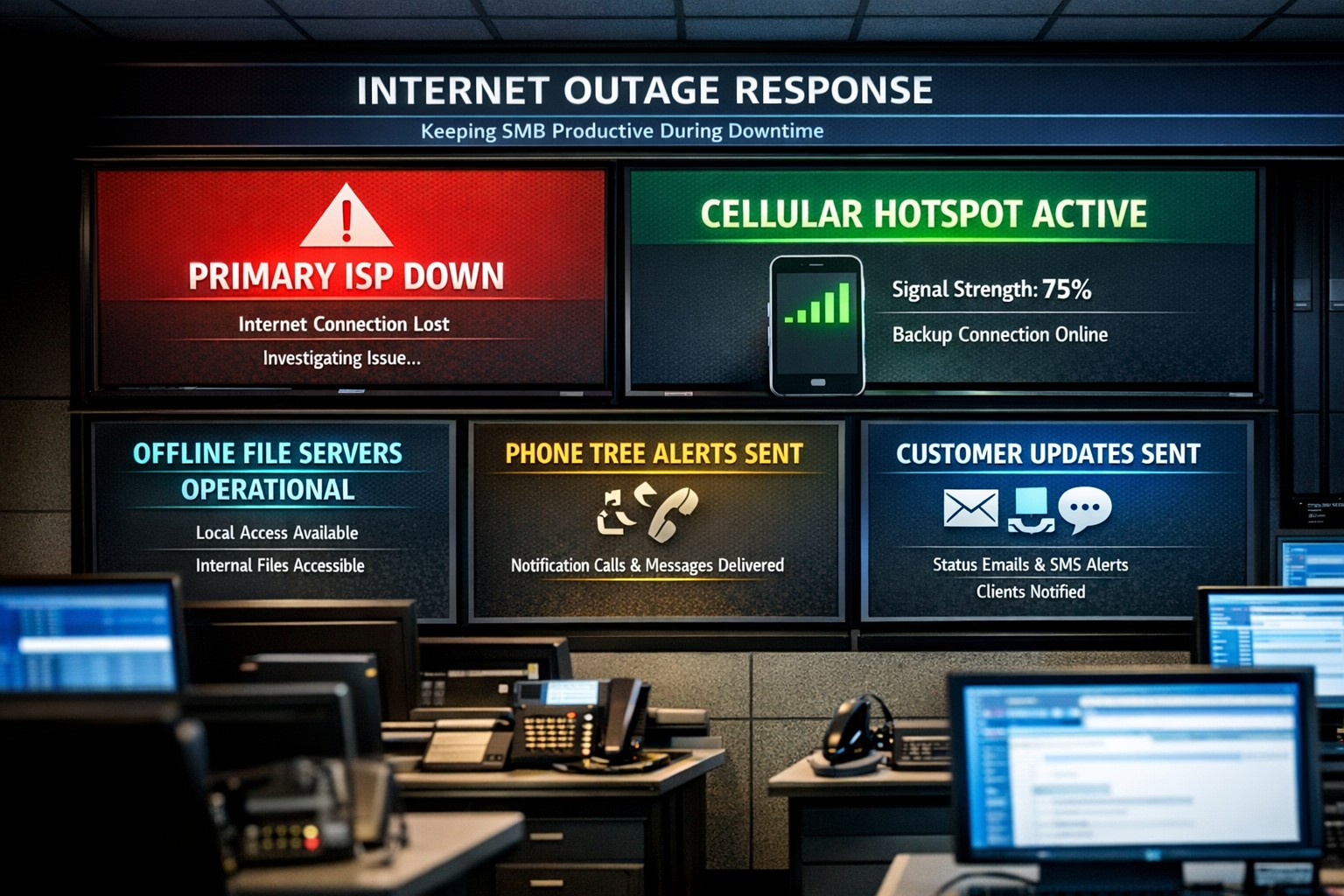
Offline operations dashboard with hotspot failover and local resource access.
Businesses heavily rely on internet access to stay connected and productive. However, what happens when the internet goes out? Whether it’s a temporary outage or a prolonged disruption, losing internet access can have a significant impact on businesses.
We will explore strategies and solutions for navigating the digital apocalypse and ensuring business continuity when the internet goes out. From setting up backup remote access options to implementing offline communication channels, this guide is a must-read for business owners looking to mitigate the impact of internet disruptions and keep their operations running smoothly.
Understanding the Impact
Before we delve into the strategies and solutions for navigating the digital apocalypse, it’s important to understand the potential impact of internet outages on your business. The consequences can be far-reaching and vary depending on the nature of your operations.
Productivity: Productivity can take a major hit when your employees are unable to access crucial online tools and resources. This can result in missed deadlines, delays in client deliverables, and a general slowdown in operations. It’s essential to assess which tasks are entirely dependent on internet connectivity and identify alternative methods to carry them out in the event of an outage.
Customer Satisfaction: If your business relies heavily on online customer interactions, such as e-commerce or customer support, a loss of internet connectivity can lead to frustrated customers, failed transactions, and a tarnished reputation. Having a plan in place to manage customer expectations during an outage is crucial.
Financial Impact: Depending on the duration and severity of the disruption, revenue loss can be substantial. To mitigate this risk, businesses should explore options for data backup, cloud services, and redundancy measures that ensure a seamless transition during an outage.
Preparing for Internet Outages
Backup Plan: One of the most effective ways to ensure business continuity during an internet outage is to have a comprehensive backup plan in place. This involves identifying critical systems and data that need to be accessible offline and regularly backing them up. By doing this, you can minimize the disruption caused by an extended outage and quickly get your business back up and running locally.
Redundancy: This might involve investing in multiple internet service providers (ISPs) or using alternative modes of connectivity, such as mobile hotspot devices or satellite internet. By diversifying your options, you can minimize the risk of a complete loss of internet connectivity. There are even routers that have multiple internet connections with automatic failover or cellular data backups.
Stay Connected
When the internet goes out, it is crucial to have a backup option that allows you to stay connected and continue basic business activities. Mobile hotspots and cellular data can be lifesavers in these situations. Investing in a reliable mobile hotspot device, which uses cellular data to create a Wi-Fi network, can ensure that you have access to the internet even if your primary connection fails. These devices are portable and easy to set up, making them convenient solutions for businesses of all sizes.
Before an outage occurs, it is essential to have a backup cellular plan in place. Assess your cellular service provider options and choose a plan that offers sufficient data, preferably with unlimited options. This will allow your team to continue accessing critical applications, emails, and other online resources without interruption. Furthermore, it is crucial to educate your employees on how to connect and utilize these backup solutions effectively. Inform them about the availability of mobile hotspots and ensure they understand how to use cellular data efficiently without exceeding the limits of the backup data plan.
By incorporating mobile hotspots and cellular data into your backup plans, you can maintain business productivity and minimize the disruption caused by internet outages.
Stabilize Communication
In times of internet outages, it becomes crucial to stabilize communication within your business. Without reliable internet access, VoIP phones and other forms of digital communication with clients and colleagues can become challenging. However, there are alternative solutions that can keep your business running smoothly.
VoIP Routing: Before an outage occurs, take the time to talk to your VoIP phone provider to explore options of how calls will be routed when the internet is out. There are often options that allow calls to be sent to an alternative number or cellphone app during an internet outage.
Mobile Devices: While the office internet may be out it does not necessarily mean that the cellular networks will be down at the same time. Before an internet outage occurs, make sure your team has important digital communication apps installed and that they are familiar with these tools. Provide training sessions or tutorials to ensure everyone is comfortable using them. Additionally, it is essential to have a backup option in case of technical difficulties with the primary tool.
Remote Work Policies
In the midst of a digital apocalypse, it is crucial for businesses to have well-established remote work policies and procedures in place. These policies ensure that employees can continue their work even without internet access, minimizing the impact on productivity. Remote work policies outline expectations for employees when working from home or other offline environments. They should include guidelines for communication, task management, and project deadlines. By establishing clear procedures, businesses can maintain a sense of normalcy and ensure that everyone knows how to navigate through the internet outage.
Additionally, remote work policies should address data security concerns. Employees should be educated on how to handle sensitive information and the appropriate measures to take when working outside the office. Regular training sessions can help reinforce these policies and keep employees up to date with best practices. By implementing remote work policies and procedures, businesses can effectively adapt to the challenges of a digital apocalypse.
Business Continuity Plan
When the internet goes out, having a comprehensive business continuity plan becomes paramount for businesses to minimize disruptions and maintain operations. A business continuity plan outlines the actions and strategies that need to be executed when faced with a digital apocalypse. This plan should include backup communication systems, such as phone lines or walkie-talkies, that can be utilized when the internet is unavailable. Additionally, offline storage and backup systems should be in place to ensure that critical data is available during an internet outage.
Creating a task force dedicated to business continuity can be invaluable during these times. This team can be responsible for implementing and executing the business continuity plan, regularly testing its effectiveness, and making necessary adjustments.
Optimizing remote work infrastructure is essential for seamlessly operating during an internet outage. Contact us today to get prepared before the digital apocalypse occurs.
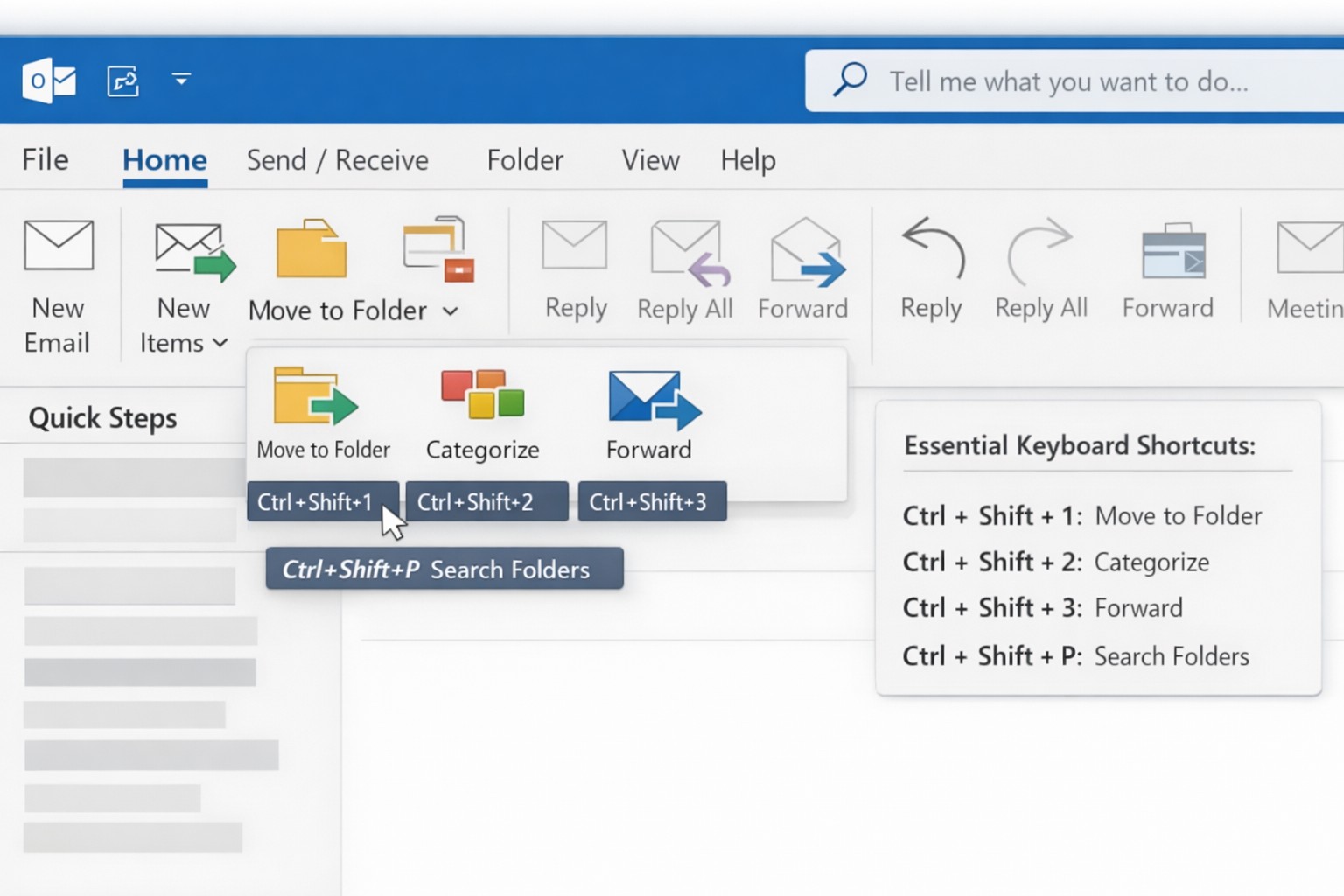
Outlook Quick Steps automation rules and focused inbox organization.
Are you a business owner who heavily relies on Microsoft Outlook? Here are some pro tips and tricks to help you get the most out of your Outlook experience. Whether you’re a seasoned Outlook pro or just getting started, these tips are guaranteed to improve your productivity and streamline your daily workflow.
Keyboard Shortcuts
Outlook offers a plethora of keyboard shortcuts that can save you valuable time. Instead of navigating through multiple menus and options, simply memorize a few key strokes:
Ctrl + N: Compose a new email.
Delete: Deletes the currently selected message.
Ctrl + Enter: Sends the current message.
Ctrl + Shift + M: Create a new meeting request.
Ctrl + Shift + A: Create a new appointment.
Ctrl + R: Reply to an email.
Ctrl + Shift + R: Reply All to an email.
Ctrl + F: Forwards the currently selected message.
Ctrl + Shift + V: Move a message to a different folder.
By using keyboard shortcuts you can perform common tasks with lightning speed, getting more done each day. Check out a more complete list here.
Advanced Search Features
With the vast amount of emails and information being managed in Outlook, finding specific messages or attachments can be a frustrating. However, Outlook’s advanced search features can be a lifesaver. By utilizing the “Search” bar at the top of your Outlook window, you can search by sender, recipient, subject, date, and even specific keywords within attachments. By harnessing these powerful search capabilities, you can save time and quickly locate important information.
Email Rules and Filters
Tired of spending precious minutes organizing your inbox manually? Outlook’s email rules and filters to the rescue. By setting up rules, you can automatically sort incoming emails into their respective folders, mark them as read, forward them to specific recipients, or even delete them. This way, your inbox stays clutter-free, and you can easily prioritize or categorize emails based on your needs.
Outlook’s Calendar Features
Managing your schedule and appointments effectively is crucial for any business owner. Outlook’s calendar features can simplify this process. Here are a couple of tips to optimize your calendar usage:
Color-code your appointments: Assign specific colors to different types of appointments (e.g., meetings, conferences, personal events). This visual distinction makes it easier to differentiate between various engagements at a glance.
Share your calendar: Collaborate and stay connected with your team by sharing your calendar. This feature enables everyone to view your availability and schedule meetings accordingly, eliminating unnecessary back-and-forth communication.
Customize Your Outlook
Outlook can be customized to fit your specific work preferences. Take advantage of the following customization options:
Quick Steps: Create customized shortcuts for common tasks and actions.
Quick Access Toolbar: Add frequently-used features to the toolbar at the top for quick access.
Themes and Fonts: Personalize the visual appearance of Outlook to match your style and make it more visually appealing and user-friendly.
By customizing Outlook to align with your work habits, you’ll find yourself navigating the application more efficiently and enhancing your overall productivity.
Want to learn more about Outlook’s advanced features? Reach out to our team of experts today and discover how we can further enhance your business operations with Microsoft Outlook.
IT tax deductions: Section 179 bonus depreciation cybersecurity software.
It’s that time of year, business owners need to start thinking about tax deductions and ways to maximize profit protection. One area not to be overlooked is IT expenses since IT plays a crucial role in every business. The good news is that many IT expenses can be deducted from your taxes. From hardware and software purchases to cybersecurity measures and cloud services, there are several essential IT tax deductions that can help you lower your tax bill and keep more money in your profit column.
IT Tax Deductions for Business Owners
As a business owner, it is crucial to recognize the importance of taking advantage of IT tax deductions before the end of the year. These deductions can significantly impact your bottom line. By deducting IT expenses, you are not only reducing your tax liability but also creating funds to re-invest in the growth of your business and upgrading to the latest technology, which positions your business for long-term success.
IT Tax Deductions to Maximize Your Savings
Take advantage of these IT tax deductions to maximize their profit savings:
Software and Hardware Expenses: Deducting the cost of industry specific software and hardware purchases is an excellent way to save on taxes. Whether you invested in new computer systems or upgraded your existing software, remember to include these expenses in your deductions as capital expenditures. Profit savings can be compounded by taking the amount saved through IT tax deductions and spending it on further software and hardware purchases.
Cybersecurity Measures: With the increasing threat of cyberattacks, investing in cybersecurity measures is crucial. These expenses can also be deducted from your taxes. From firewalls to antivirus software, make sure to claim any cybersecurity investments you have made throughout the year.
Cloud Services: Many businesses have moved to using cloud services for their storage and daily operations. These operational expenses are also eligible for tax deductions. Whether you use cloud computing, backup services, or cloud-based software, remember to include these costs in your deductions.
By focusing on these essential IT tax deductions, you will minimize your tax liability and position your business for success in the coming year.
Consulting with a Certified Public Accountant
While it’s important to have a basic understanding of the IT tax deductions for your business, it is equally important to consult with a certified public accountant. A knowledgeable CPA can provide you with personalized financial advice and guidance based on your company’s unique situation.
Tax laws and regulations are constantly changing, and it can be challenging to keep up with all the updates. By working closely with a CPA, you can stay updated on the latest deductions and strategies to maximize your savings while staying compliant with the law. They can review your financial records, identify missed deductions, and help you make informed decisions that positively impact your bottom line.
Remember, seeking advice from a tax professional will not only help you optimize your profit savings but also give you peace of mind knowing that your tax returns are accurate and in line with the regulations.
Keeping Detailed Records
One essential practice for maximizing your IT tax deductions is keeping detailed records of your IT expenses. Maintaining accurate and organized records throughout the year can help you claim all eligible deductions at tax time.
Start by creating a system to track and categorize your IT expenses. This can include items like software and hardware purchases, IT services, website development costs, and data storage fees. Keep receipts, invoices, and any supporting documents for each expense. Having detailed records allows you to easily identify and calculate eligible deductions. It also provides evidence and documentation if you ever face an audit or need to justify your deductions to the IRS.
Consider using accounting software or cloud-based platforms to streamline the record-keeping process. These tools can help you track expenses, generate reports, and ensure accuracy in your financial records. By maintaining detailed records of your IT expenses, you not only ensure that you are taking full advantage of available deductions, but you also create a solid foundation for your overall tax strategy.
Utilizing Section 179 Deductions
Section 179 of the tax code allows businesses to deduct the full purchase price of qualifying equipment and software purchased or financed during the tax year. By utilizing Section 179, you can deduct the entire cost of eligible technology investments in the year they are purchased. This deduction can help reduce your overall tax liability, allowing you to maximize your profit savings.
To qualify for Section 179 deductions, the equipment or software must be used for business purposes more than 50% of the time. This deduction is particularly beneficial for businesses investing in technology upgrades or replacements, as it encourages the adoption of new and improved IT systems. Be sure to consult with a tax professional to determine the eligibility of your IT investments for Section 179 deductions and to ensure you are maximizing this deduction for your business.
Bonus Depreciation for IT Purchases
Business owners can also benefit from bonus depreciation for their IT purchases. Bonus depreciation allows businesses to deduct a percentage of the cost of qualifying assets in the year they are placed in service. Under the Tax Cuts and Jobs Act, businesses can take an 80% bonus depreciation deduction for qualified property acquired and placed into service in 2023, then depreciate the remaining 20% over the course of several years.
To qualify for bonus depreciation, the property must have a recovery period of 20 years or less and be purchased for business use. This deduction is particularly valuable for businesses that are investing in new IT equipment or upgrading their existing technology infrastructure.
By timing your IT purchases strategically, you can take full advantage of bonus depreciation and significantly reduce your tax liability. However, it’s important to note that bonus depreciation is subject to change based on tax laws and regulations, so consulting with a CPA is crucial to ensure compliance and maximize your savings.
Research and Development Tax Credit
While bonus depreciation and Section 179 deductions are great for maximizing your tax deductions when it comes to IT purchases, there is another valuable tax credit that often goes unnoticed – the Research and Development (R&D) tax credit.
The R&D tax credit is designed to incentivize businesses to invest in innovation and development activities. Many business owners mistakenly believe that this credit is only applicable to scientific or technological research. However, the R&D tax credit is much broader than that and can apply to a wide range of industries and activities.
To make the most of the R&D tax credit, it’s important to keep detailed records of your qualifying activities and expenses. Consult with a tax professional who specializes in this area to ensure that you are maximizing your tax savings while staying compliant with the IRS requirements.
To make best use of your IT tax deduction spending, contact us to discuss new purchases and upgrades.
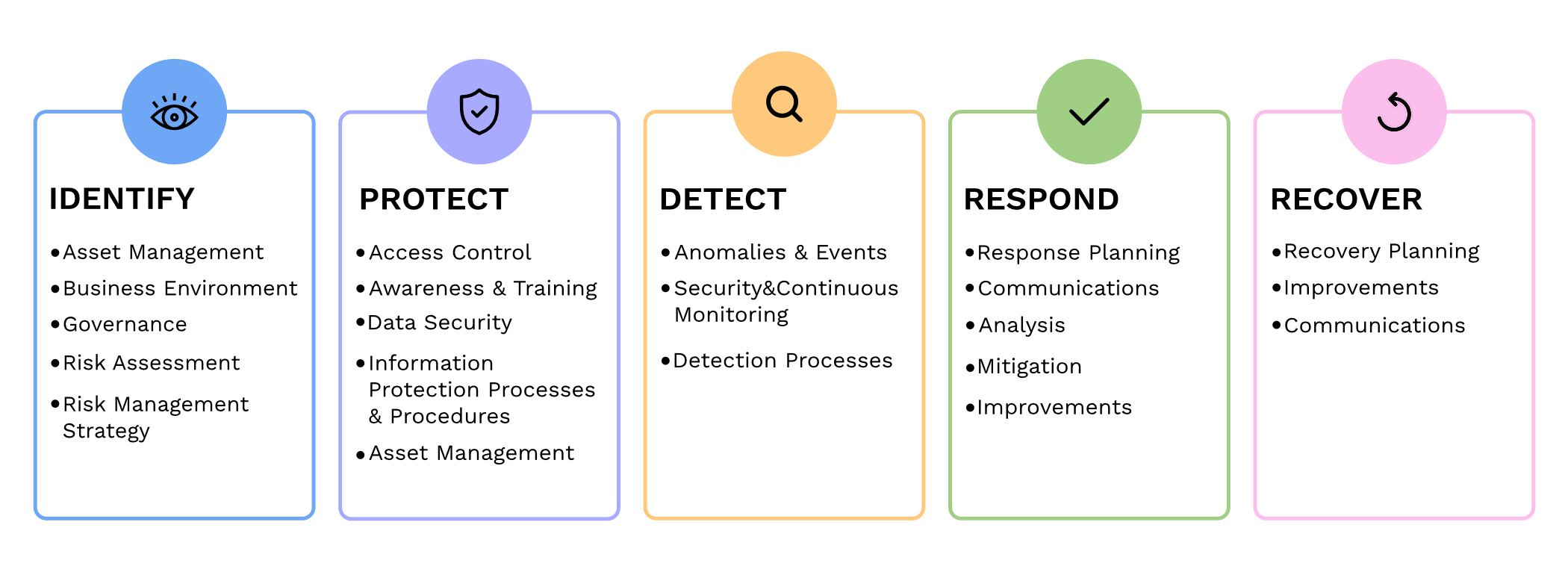
It has become increasingly crucial for businesses to prioritize cybersecurity. We all need to be proactive in safeguarding sensitive information and protecting against cyber threats. The National Institute of Standards and Technology (NIST) has been providing standards for cybersecurity practices. We will now delve into the updates and key changes in the fourth revision of the renowned NIST 800-53 publication.
Expanded Scope: NIST 800-53 Revision 4 broadens the standards scope to include private sector organizations dealing with sensitive information. This expansion reflects the need for all companies to implement cybersecurity best practices.
Threats and Vulnerabilities: This revision incorporates emerging threats and vulnerabilities faced by organizations today, such as advanced persistent threats, insider threats, supply chain risks, and cloud computing challenges. It emphasizes the importance of a comprehensive approach to identify and mitigate these risks effectively.
Security and Privacy: NIST 800-53 Revision 4 highlights the connection between security and privacy. The guidelines provided help organizations maintain the delicate balance of ensuring data protection while respecting privacy rights.
Continuous Monitoring and Assessment: One significant change is the emphasis on continuous monitoring. Instead of periodic assessments, companies are urged to implement an ongoing, systematic approach to monitor security, identify vulnerabilities, and respond to them in real-time. This proactive approach helps in detecting and mitigating threats promptly.
Role-Based Access Controls (RBAC): Another notable addition is the strengthening of Role-Based Access Controls (RBAC). This approach ensures that users only have access to the information and functions that are needed to complete their jobs. Implementing effective RBAC helps minimize the risk of unauthorized access, privilege escalation, and data breaches.
Supply Chain Risk Management (SCRM): Revision 4 also emphasizes the need for proper Supply Chain Risk Management (SCRM) practices. It recommends involving suppliers and stakeholders in security assessments and due diligence processes to mitigate risks associated with third party software, hardware, and services.
Remember, cybersecurity is a journey, not a one-time event. Stay vigilant, adapt to evolving threats, and contact us to create a comprehensive cybersecurity strategy to safeguard your business assets and reputation.
And God will generously provide all you need. Then you will always have everything you need and plenty left over to share with others. As the Scriptures say,
“They share freely and give generously to the poor. Their good deeds will be remembered forever.”
For God is the one who provides seed for the farmer and then bread to eat. In the same way, he will provide and increase your resources and then produce a great harvest of generosity in you. - 2 Corinthians 9:8-10
We use cookies to ensure that we give you the best experience on our website. If you continue to use this site we will assume that you are happy with it.