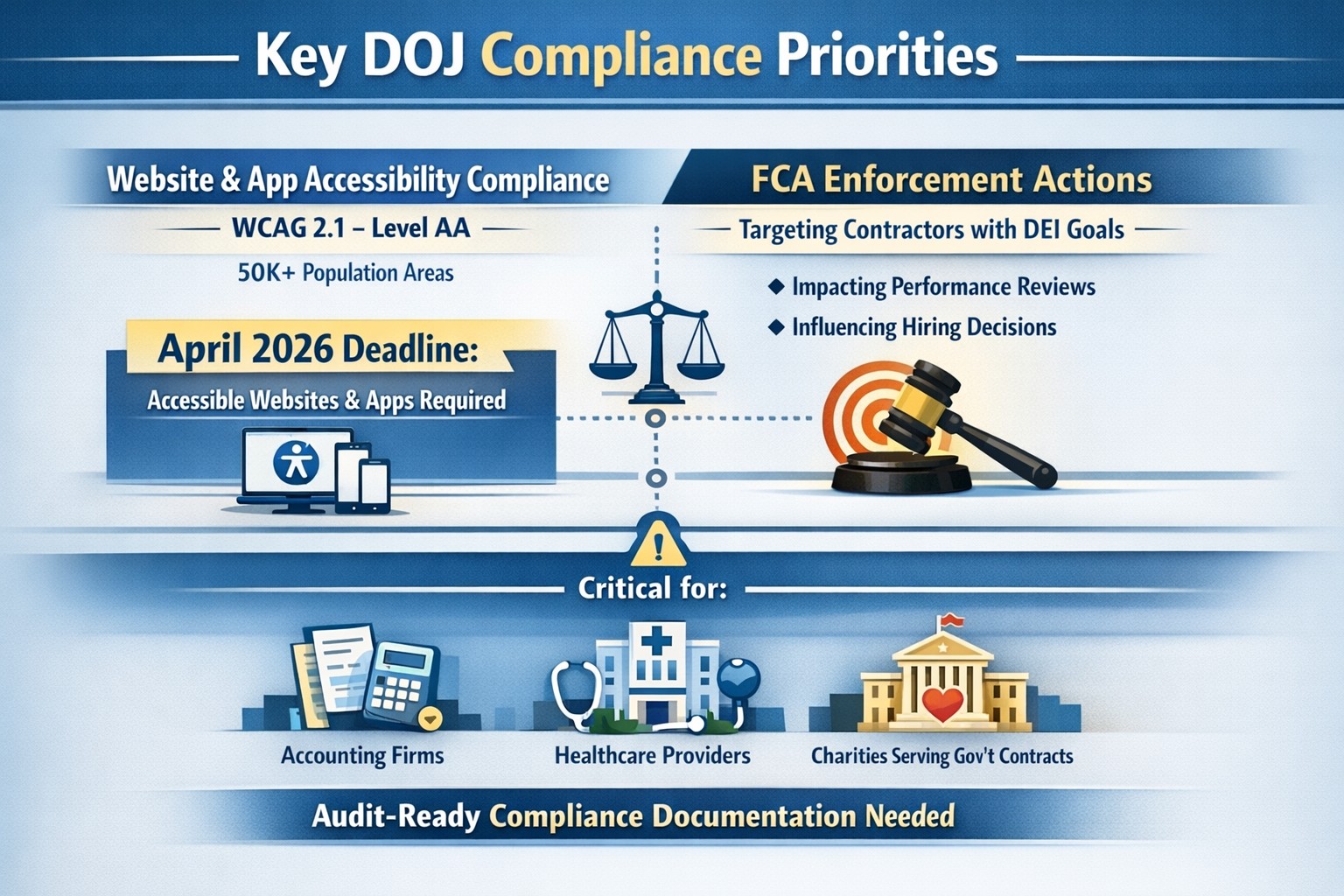
On June 1st, the Department of Justice (DoJ) release further guidance about compliance programs which could effect the way PCI and HIPAA compliance breaches are handled in court.
They state that compliance programs aren’t merely one-and-done snapshots in time, but are instead dynamic programs that get updated regularly to fit changing circumstances.
An article about it states, “the latest guidance issued by DOJ is premised almost entirely on the adequacy of the organization’s risk assessment efforts, an approach well-known and particularly applicable to cybersecurity professionals. Prosecutors are urged to evaluate the quality and effectiveness of an organization’s risk assessment program by examining:
The risk management process, particularly the methodology used to identify, analyze and address the risks an organization faces
Risk-tailored resource allocation, namely whether the organization devotes enough resources to managing risks
Updates and revisions, specifically whether the risk assessment is subject to periodic dynamic reviews
Lessons learned, determining whether the company has a process for tracking and coordinating changes in its risk management program based on its experience
The DOJ also stressed the importance of risk-based training and communications about misconduct as essential parts of how it determines whether the organization’s compliance programs are up to snuff. Finally, the guidance highlights the importance of management support of the organization’s compliance initiatives and the value of extending compliance due diligence to third-party providers.”
If your company is unsure about their compliance program or risk assessment process, then contact us for assistance.
How technology has transformed workplaces: a diverse team using cloud‑based tools and secure connections to collaborate more efficiently
The promise (and the reality) of workplace tech
When most business leaders adopted cloud tools, collaboration platforms, and automation over the last decade, the pitch was simple: technology will make work faster, smoother, and more productive. In many ways, that promise has delivered. Cloud‑based platforms now underpin hybrid work, AI‑driven analytics help you spot bottlenecks, and digital workflows have cut hours of manual effort.
Yet for many mid‑sized business owners, the reality feels messier. Tools are scattered. Systems don’t talk to each other. Employees juggle logins, notifications, and legacy apps that slow them down instead of speeding them up. The real question isn’t whether tech should make work better—it’s how to align your technology stack with your business model, your people, and your growth ambitions.
How technology has already transformed workplaces
Modern workplaces are no longer defined by cubicles and paper; they’re defined by data, connectivity, and automation.
Hybrid and remote work became mainstream, supported by cloud applications, collaboration suites, and secure remote‑access infrastructure.
Cloud adoption now stands at or near saturation for most organizations, enabling scalability, resilience, and faster deployment of new capabilities.
AI and automation are moving from pilot projects to core operations, with 24% of organizations reporting enterprise‑wide AI adoption in 2026—up from 12% in 2025.
Digital‑first workflows have replaced many manual processes, with nearly 90% of companies already relying on cloud technology as a baseline.
For mid‑sized business owners, that means the bar for “modern workplace” is no longer about buying a single tool; it’s about orchestrating a coherent, secure, and scalable technology ecosystem. Failing to manage that ecosystem properly can quietly erode productivity, raise security risks, and slow growth.
Practical steps for you and your IT team
If you’re a mid‑sized business owner, treat your technology stack as a growth‑enabling asset, not just a cost center. Here’s how you and your IT department can turn that promise into results:
1. Audit your current tech stack
Inventory all tools (CRM, accounting, HR, communications, file‑sharing, monitoring, etc.) and map how they connect.
Identify redundancies, unsanctioned tools (“shadow IT”), and gaps in security or integration.
2. Define one source of truth for data
Pick a primary system (e.g., a cloud ERP or CRM) and align reporting, workflows, and user‑experience around it.
Ensure that key systems can sync customer, employee, and financial data so decisions are based on one consistent dataset.
3. Standardize secure access and collaboration
Implement single sign‑on (SSO), multi‑factor authentication (MFA), and role‑based access controls for all cloud and on‑prem systems.
Standardize collaboration tools (e.g., one primary messaging platform and one video‑conferencing suite) to reduce training overhead and context switching.
4. Automate low‑value, repeatable tasks
Identify repetitive workflows (invoices, approvals, ticket handling, onboarding, reports) and automate them using workflow automation or RPA where appropriate.
Measure before and after: time saved per task, error reduction, and impact on customer‑facing SLAs.
5. Invest in continuous training and change management
Treat technology adoption as a change‑management project, not a “one‑and‑done” rollout.
Provide regular training sessions, quick reference guides, and “power‑user” champions in each department to drive adoption.
6. Revisit your security and compliance posture
Ensure cloud‑workload security, data‑retention policies, and endpoint protection keep pace with your growth and regulatory obligations.
Conduct periodic risk assessments and penetration testing, especially as AI‑driven tools and more data‑centric workflows come online.
For mid‑sized owners, these steps should be treated as ongoing disciplines, not one‑time projects. The goal is to build a workplace where technology recedes into the background and employees simply get more done.
Clients’ likely questions—answered
Q: “We already have a lot of tools—why can’t we just keep adding whatever we need?” A: More tools mean more complexity, more security gaps, and more training overhead. Modern mid‑sized businesses get better outcomes by streamlining around fewer, integrated platforms than by stringing together dozens of siloed apps.
Q: “How do we know if our tech is actually improving productivity?” A: Tie technology to measurable KPIs: cycle times, error rates, support‑ticket resolution time, and employee‑time‑spent‑on‑manual‑work. If you can’t quantify the benefit, you’re likely drifting into “tech for tech’s sake.”
Q: “Isn’t AI just hype for bigger companies?” A: AI is now a practical tool for any business that deals with data, workflows, or customer interactions. For mid‑sized firms, it often means automating routine tasks, surfacing insights from operational data, and improving customer service, not building bespoke AI models.
Q: “How do we protect ourselves from ransomware and data breaches while modernizing?” A: Modernization must include proactive security: cloud‑workload protection, endpoint detection and response, secure access controls, and regular backups. A well‑architected environment is actually more secure than a fragmented, legacy‑heavy one.
How Farmhouse Networking can help
Farmhouse Networking partners with mid‑sized business owners to turn technology from a cost center into a competitive advantage. For companies already operating in hybrid or distributed environments, we help:
Map and rationalize your technology stack so tools actually work together instead of against each other.
Design and implement secure, scalable cloud‑enabled workspaces, including secure remote access, SSO, and unified collaboration tooling.
Identify and automate repetitive workflows so your employees spend less time on manual tasks and more time on value‑add work.
Strengthen your security and compliance posture as you adopt AI‑driven tools, cloud services, and new data sources.
We don’t just sell equipment or licenses; we work with your leadership and IT team to align your technology with your business model, culture, and growth plans.
Ready to make technology work for you?
If you’re a mid‑sized business owner and you’ve ever thought, “We all knew tech would make work better—but it still feels like it’s making everything more complicated,” you’re not alone—and you’re in the right place.
In the past couple days there have been press release that show a large number of vulnerabilities in all Cisco Small Business routers and 79 models of the Netgear router line-up. Here are the articles:
The Cisco models are primarily used in small businesses, but the Netgear models include many that are used by home users – this could present a security risk for anyone who is still working from home. Cisco has released patches for the vulnerabilities and the Netgear vulnerabilities remained unpatched.
If your company is still using a “small business” or home based router, then contact us for assistance in checking for updates or replacing them with an business grade router with automatic updates. We also provide network security auditing for both office and home work environments.
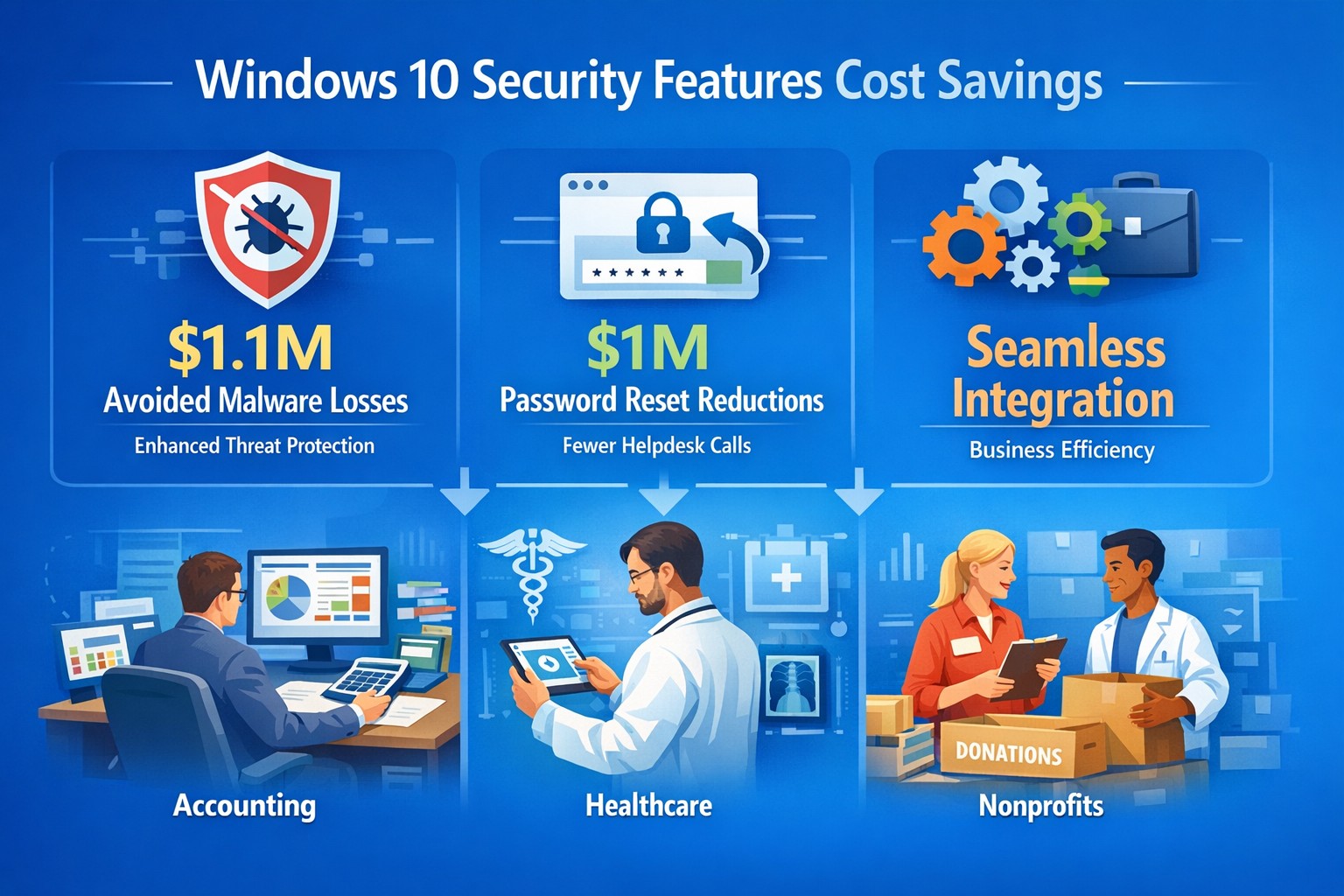
Unlock 147% ROI with Windows 10 security: Slash third-party tool costs and malware downtime using built-in features like Windows Defender
Rising cyber threats and IT costs threaten your bottom line. Windows 10’s built-in security features deliver proven cost savings and operational benefits, potentially netting millions in avoided expenses over three years per Forrester’s analysis.
Key Cost Savings and Benefits
Windows 10 security eliminates needs for third-party tools like EDR, EPP, AV, and disk encryption, saving on licenses and management time. Businesses report $1.1 million in reduced productivity losses from fewer malware infections, thanks to faster detection and auto-remediation via Windows Defender ATP. Password resets drop dramatically with Windows Hello biometrics, cutting another $1.0 million in support costs.
Additional gains include improved device performance, cloud-based protection for remote teams, and easier OS-integrated maintenance—reducing IT burden without extra vendors. BitLocker and Credential Guard further minimize data breach risks, avoiding downtime from incidents like WannaCry, which spared updated Windows 10 systems.
Benefit
3-Year Savings (Composite Org.)
Key Features
Avoided Third-Party Costs
Significant (licenses + ops time)
Native Defender, BitLocker
Reduced Malware Impact
$1.1M
ATP auto-remediation
Fewer Password Resets
$1.0M
Windows Hello biometrics
Overall ROI
147% (Forrester TEI)
Integrated, low-resource security
Practical Action Steps
Business owners and IT teams can activate these savings quickly.
Audit Current Setup: Inventory endpoints for third-party security tools; calculate annual license and support costs.
Enable Core Features: Turn on Windows Defender ATP, BitLocker encryption, and Windows Hello in Group Policy (Settings > Update & Security > Windows Security).
Update and Test: Deploy latest Windows 10 updates via WSUS or Intune; pilot on 10% of devices to measure infection rates and reset tickets pre/post.
Train Staff: Run 30-minute sessions on biometrics and reporting suspicious activity to Defender dashboard.
Monitor ROI: Track metrics like MTTK (mean-time-to-know threats) and remediation time quarterly using built-in analytics.
These steps typically take 4-6 weeks, with immediate third-party savings.
FAQ: Client Inquiries Answered
Q: Is Windows 10 secure enough without add-ons? A: Yes—Forrester found it replaces multiple vendors effectively, reducing infections and resource strain. It’s cloud-integrated for mobile workforces.
Q: What about upgrade costs from older Windows? A: Implementation is low; license costs offset by $2.1M+ benefits. No major upfront hardware needs if on compatible PCs.
Q: How does it help compliance like GDPR? A: Defender Security Center provides audit-ready logs for apps, credentials, and files; BitLocker ensures data protection.
Q: Works for small businesses? A: Absolutely—scalable subscriptions match enterprise security without complexity or high costs.
How Farmhouse Networking Helps
Farmhouse Networking specializes in B2B IT for accounting, healthcare, and charity sectors. We handle audits, feature deployments, and custom Intune setups to maximize Windows 10 ROI—driving organic traffic via secure, compliant networks that convert visitors to clients. Our SEO-optimized strategies include branded sites emphasizing cost savings like these, plus lead gen via targeted content. We’ve helped similar firms cut security spend 30-50% while boosting uptime.
Call to Action
Ready to slash costs and fortify your business? Email support@farmhousenetworking.com for a free Windows 10 security audit and tailored implementation plan.
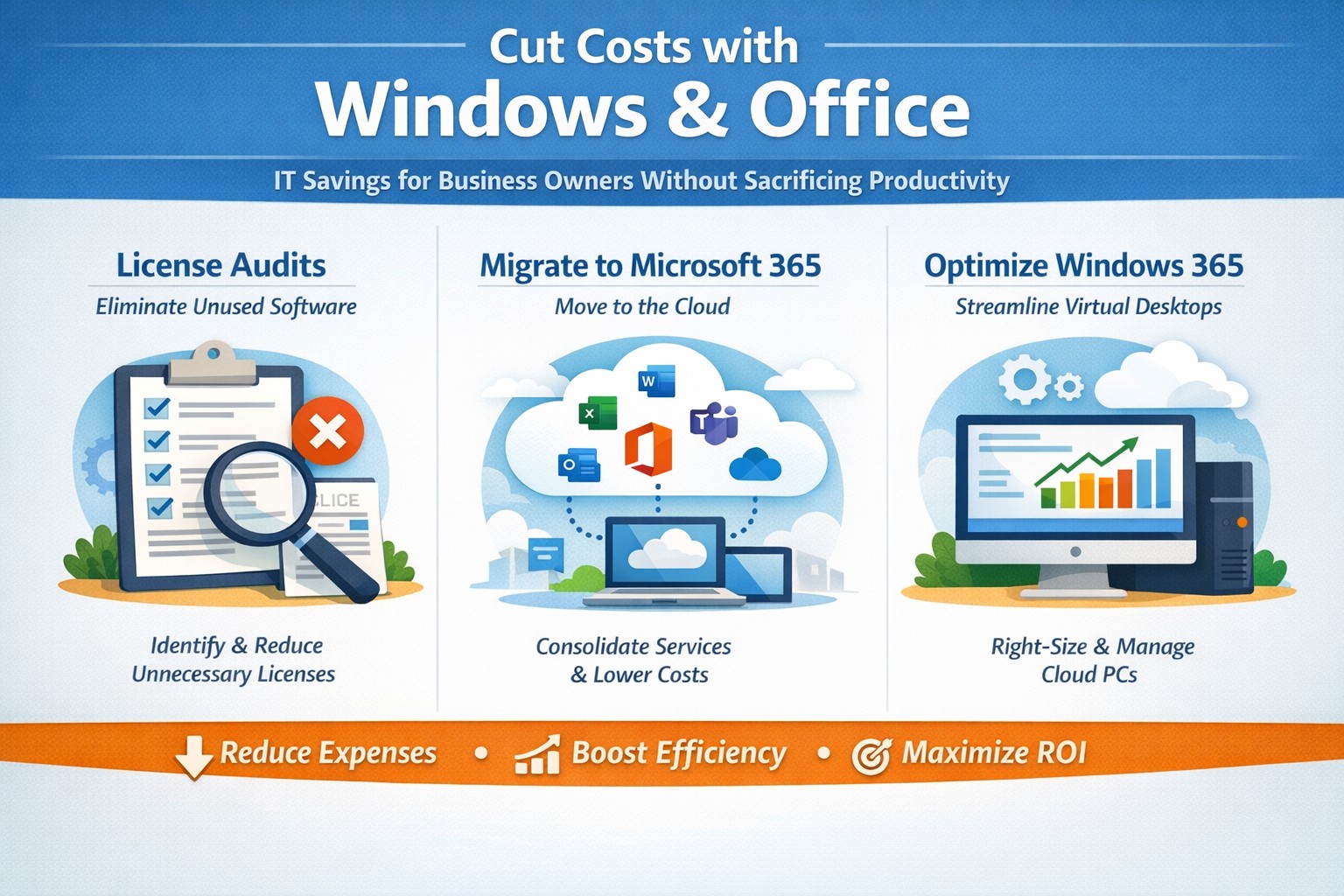
Visual guide: Slash IT expenses 30-50% using Windows 365 Cloud PCs and Microsoft 365 subscriptions—perfect for accounting, healthcare, and charity sectors
Rising operational expenses challenge every business owner. Switching to optimized Windows and Microsoft 365 setups can cut software and IT costs by up to 50% through subscriptions and cloud efficiency, targeting accounting, healthcare, and charity sectors with scalable tools.
Practical Action Steps
Business owners and IT teams can implement these steps to reduce costs immediately.
Audit Current Licenses: Review perpetual licenses for Windows and Office; compare against Microsoft 365 per-user subscriptions starting at $6/month, eliminating upfront hardware investments.
Migrate to Microsoft 365: Shift to cloud-based plans for automatic updates, remote access, and pay-per-active-user models—ideal for fluctuating staff in charities or seasonal healthcare billing.
Optimize Windows Deployment: Use Windows 365 Cloud PCs for virtual desktops, rightsizing resources to avoid overprovisioning; shut down unused instances overnight to save 30-40% on compute costs.
Enable Hybrid Work Features: Leverage built-in Teams and OneDrive to downsize office space, cutting utilities and infrastructure by supporting remote accounting audits or charity fundraisers.
Consolidate Tools: Replace third-party antivirus and email security with Microsoft Defender and Exchange Online Protection, streamlining to one predictable bill.
IT departments should pilot with 10 users, monitor via Microsoft Cost Management tools, then scale enterprise-wide.
FAQs for Business Owners
How much can we save switching from perpetual Office licenses? Subscriptions replace $400+ one-time buys with $72/user/year, plus no server maintenance—many SMBs report 20-70% IT savings reinvested in growth.
Is Microsoft 365 secure for healthcare or charity data? Yes, it meets HIPAA and nonprofit compliance with enterprise-grade encryption, zero-trust access, and automatic threat detection, reducing breach-related costs.
What about Windows 365 for non-technical staff? Cloud PCs deliver full desktops via browser, auto-scaling for accountants during tax season or charity events, with admin controls to minimize support tickets.
Can we avoid vendor lock-in? Flexible plans allow easy scaling or export; start with Business Premium for integrated Windows/Office at low entry cost.
How do we handle legacy apps? Windows 365 supports app streaming and compatibility modes, ensuring smooth transitions without rework.
How Farmhouse Networking Helps
Farmhouse Networking specializes in B2B IT for accounting firms streamlining client invoicing, healthcare practices managing patient records, and charities maximizing donor outreach. We conduct free cost audits to identify savings, then deploy customized Microsoft migrations—handling licensing, training, and 24/7 monitoring.
Our team optimizes Windows 365 for peak loads (e.g., year-end accounting) and integrates Office for seamless collaboration, often achieving 40%+ reductions in first year. With expertise in SEO-driven websites and lead-gen strategies, we also boost your online presence to attract clients while cutting internal costs.
Call to Action
Ready to reduce Windows and Office costs? Email support@farmhousenetworking.com for a no-obligation audit and personalized strategy to improve your business today.
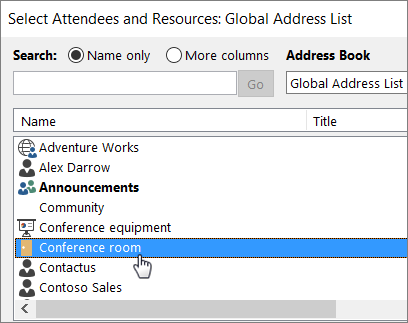
Office 365 has had the option to create resources, either equipment or rooms, that can be scheduled. Setup is fairly easy inside the Office 365 Admin console and you get to choose several options:
Select Room or Equipment, give it a name, an email address (no license required), and set the capacity. Once setup it is easy to use:
How can you tell when the room or equipment is available?
Open Outlook and create a new meeting. Add the room or equipment to the meeting as if it were a person and select Scheduling Assistant to see a live calendar view of the room or equipment’s availability. If the hour slot is clear, it’s available; if it’s blue, it’s reserved.
If your company needs help setting up Office 365 Equipment & Room Calendars, then contact us for assistance.
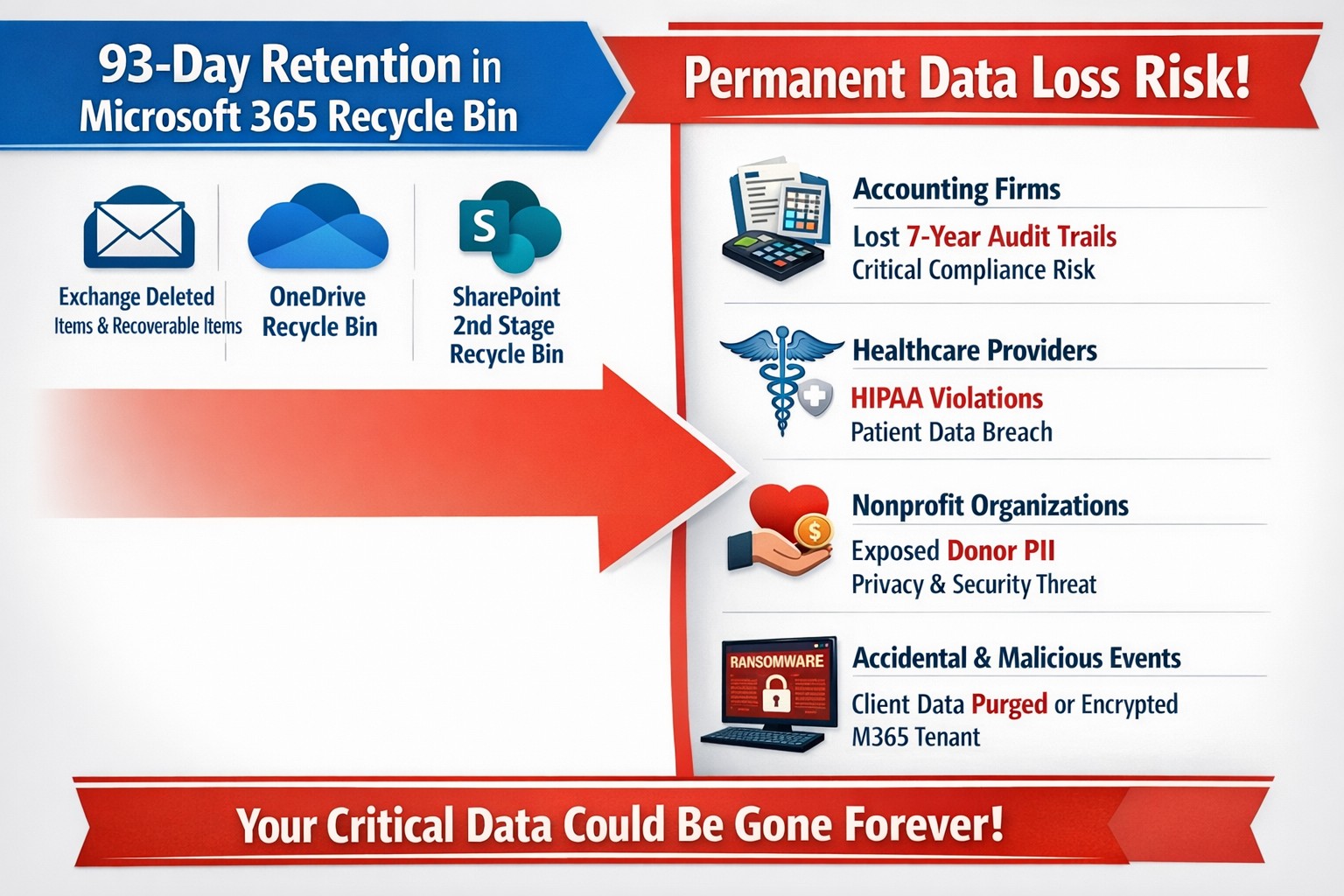
This question came to light while talking to a vendor about backups. It turns out that Microsoft does not backup any of your Office 365 data but does have aggressive redundancy in place. This is both good and bad, here is why:
Email
Microsoft has several levels of redundancy / resiliency / protection to keep email data from being corrupted, keep multiple copies of all email data, and scan emails for security threats. If there is ever any data issues then their systems automatically detect the problem and work to fix them or when threats are detected they are automatically remediated. There is also a recycle bin for emails and users that lasts from 30 to 90 days. Once that time is over there is no recourse for getting the data back.
Sharepoint & OneDrive
Microsoft here again has deep redundancy to protect your data from corruption, but they do nothing to check for malware or cryptoware. There is something called versioning that can help with some cryptoware, but not all. There is also a recycle bin for these services that could possibly help.
There are several apparent gaps in coverage that Microsoft does not deal with, but there are third-party services that have stepped in to do just that. If your company is looking to keep their Office 365 data safe from internal and external threats, then contact us for assistance.
Business owner reviewing 4 reasons to move to cloud migration on laptop for cost savings and scalability
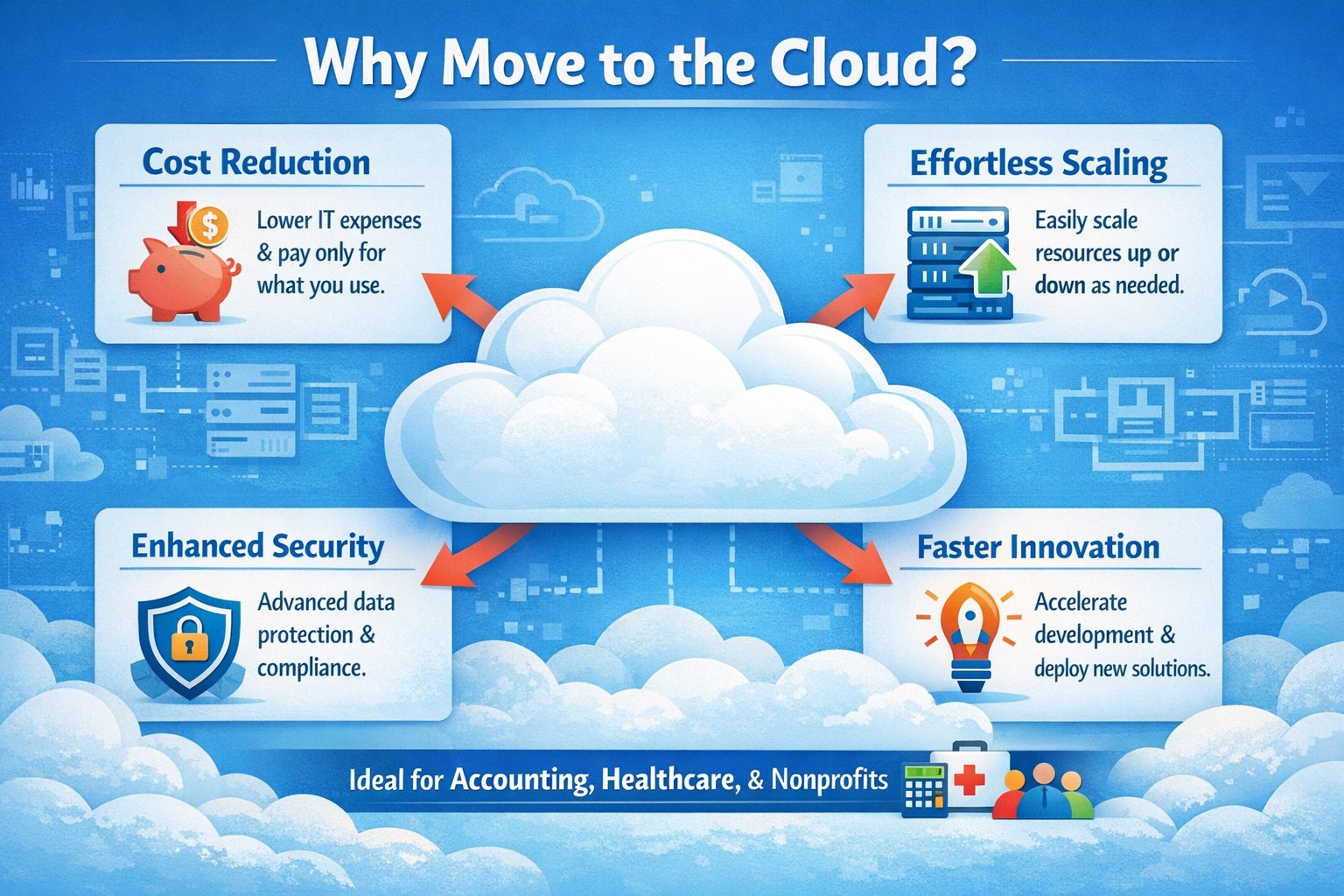
You’re constantly balancing growth ambitions with tight budgets and operational hurdles. Moving to the cloud isn’t just a tech upgrade—it’s a strategic pivot that cuts costs, boosts agility, and future-proofs your operations, as seen in widespread adoption by organizations prioritizing speed and innovation.
Reason 1: Slash IT Costs Dramatically
Cloud eliminates hefty upfront hardware investments and ongoing maintenance, shifting to a pay-as-you-use model. Businesses save on data center overhead like electricity and staffing, with many reporting lower total IT spend post-migration. For accounting firms handling sensitive financials or healthcare providers managing patient records, this means predictable budgeting without overprovisioning servers.
Reason 2: Scale Effortlessly with Demand
Traditional servers lock you into fixed capacity, but cloud auto-scales resources instantly during peaks—like tax season for accountants or patient surges in healthcare. This flexibility supports remote teams and global reach without downtime, enhancing reliability through built-in failover. Charities scaling donation drives benefit too, handling traffic spikes cost-effectively.
Reason 3: Strengthen Security and Compliance
Modern clouds offer enterprise-grade security surpassing most on-premises setups, with automated updates, encryption, and compliance tools for HIPAA or nonprofit regulations. Providers manage patches and backups, reducing breach risks that plague outdated systems. Your IT team focuses on business logic, not constant vulnerability scans.
Reason 4: Accelerate Innovation and Collaboration
Cloud unlocks AI, analytics, and real-time collaboration tools, speeding product launches and remote work. Teams access data from anywhere, fostering efficiency without version control headaches. For B2B sectors like yours, this drives faster client service and competitive edges.
Practical Action Steps for Migration
Follow these steps to transition smoothly, involving your IT department:
Assess Inventory: Catalog apps, data, and dependencies; tag by cloud-fit (e.g., lift-and-shift email vs. refactor custom CRM).
Set Goals and Choose Provider: Align on cost savings or scalability; evaluate AWS, Azure, or Google Cloud for your industry (e.g., HIPAA-compliant for healthcare).
Build Landing Zone: Establish security baselines, networking, and policies before migration.
Migrate in Phases: Start with low-risk workloads; test hybrid setups to minimize disruption.
Train and Monitor: Roll out employee training; use dashboards for cost/performance tracking post-go-live.
FAQs: Client Inquiries Answered
How long does migration take? Phased approaches span weeks to months, depending on complexity—small businesses often complete in 4-8 weeks with planning.
What about data security during transition? Encrypt data in transit/rest; conduct risk audits and use provider tools for zero-downtime moves.
Will it disrupt operations? Minimal with pilots and weekends; hybrid models keep critical systems on-prem initially.
Is cloud cheaper long-term? Yes, for most—avoid CapEx, pay OpEx, and optimize via auto-scaling; ROI hits in 12-18 months.
Hybrid or full cloud? Hybrid suits regulated industries like healthcare for compliance; full cloud maximizes agility.
How Farmhouse Networking Supports Your Move
Farmhouse Networking specializes in tailored cloud migrations for accounting, healthcare, and charity clients. We handle assessments, secure setups, and optimizations—integrating SEO-driven websites with cloud backends for lead-gen boosts. Our team manages compliance (e.g., HIPAA), trains your staff, and monitors ROI, ensuring seamless B2B growth.
And God will generously provide all you need. Then you will always have everything you need and plenty left over to share with others. As the Scriptures say,
“They share freely and give generously to the poor. Their good deeds will be remembered forever.”
For God is the one who provides seed for the farmer and then bread to eat. In the same way, he will provide and increase your resources and then produce a great harvest of generosity in you. - 2 Corinthians 9:8-10
We use cookies to ensure that we give you the best experience on our website. If you continue to use this site we will assume that you are happy with it.