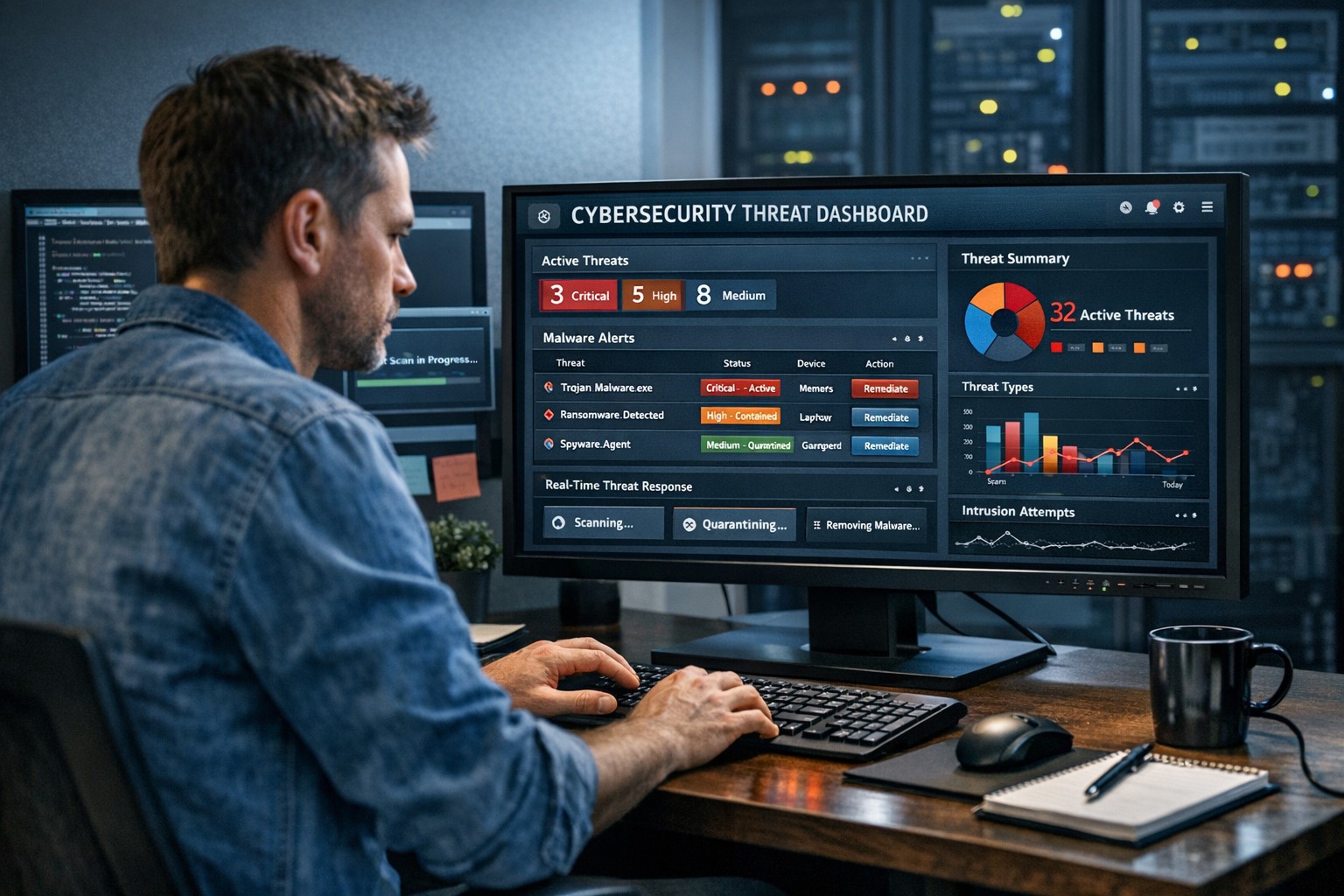
Farmhouse Networking’s zero trust security model prevents lateral movement
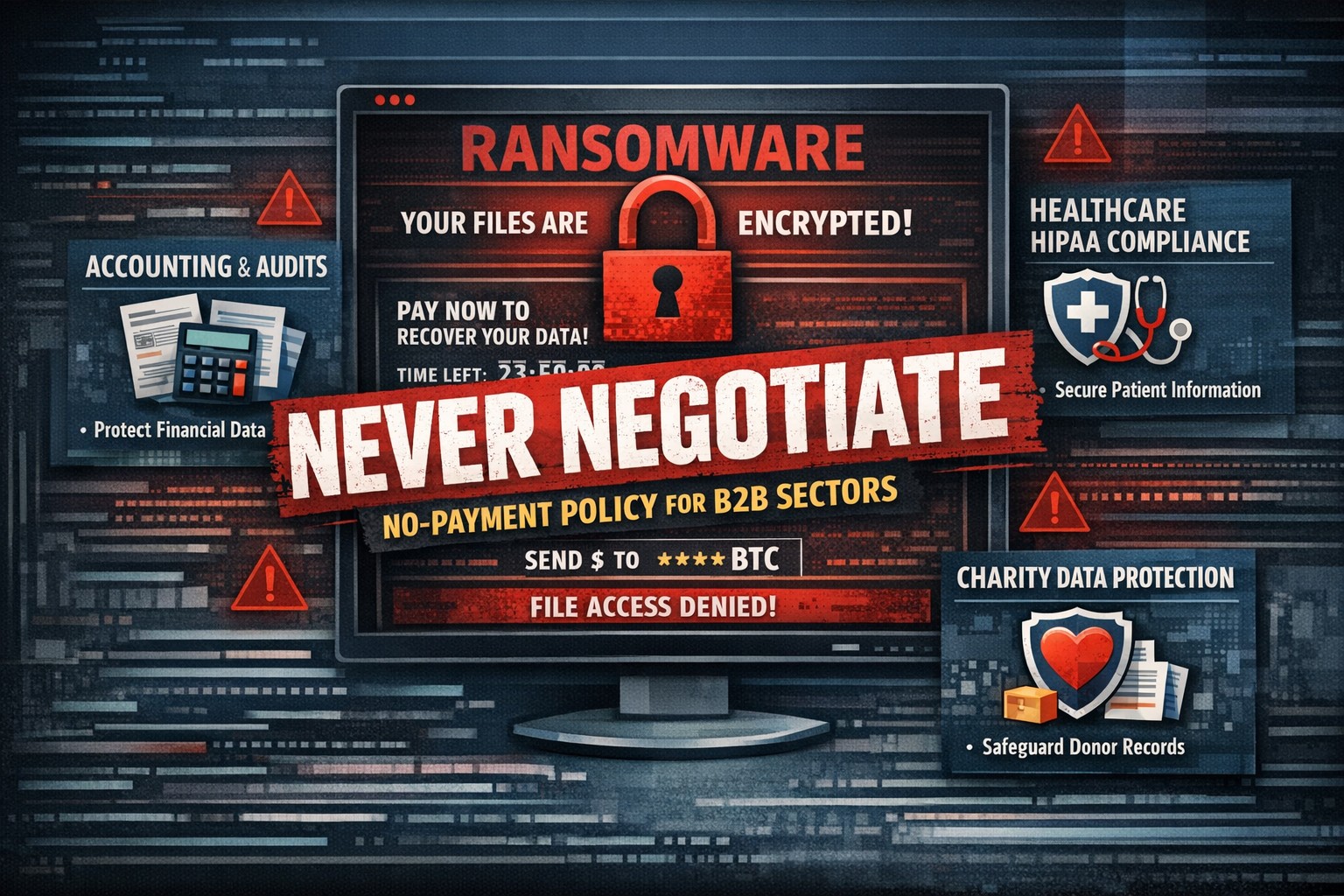
There has been a recent trend for companies to “negotiate” with the criminal terrorists behind wave of ransomware attacks across the world by paying the ransom. In a recent study some alarming statistics have been released:
Current Ransomware Stats
If Ransom is Paid: The global findings also show that only 8% of organizations manage to get back all of their data after paying a ransom, with 29% getting back no more than half of their data.
Cost of Ransom: The average ransom paid was $170,404. While $3.2 million was the highest payment out of those surveyed, the most common payment was $10,000. Ten organizations paid ransoms of $1 million or more.
Who is Paying the Ransom: The number of organizations that paid the ransom increased from 26% in 2020 to 32% in 2021.
The Brighter Side: While the number of organizations that experienced a ransomware attack fell from 51% of respondents surveyed in 2020 to 37% in 2021, and fewer organizations suffered data encryption as the result of a significant attack (54% in 2021 compared to 73% in 2020).
What is Being Done
There are now organizations trying to create a common framework to address this threat. The Institute for Security and Technology has created a Ransomware Task Force. This task force has been working to develop this framework and has published some guidance. Even though this is just the foundation work, it is good to see that efforts are being made.
If your company is worried about the threat of ransomware, then contact us for assistance setting up a multiple layer approach to security.
Read a recent study on the origins of malicious software aka malware. Here are the highlights:
Current Malware Statistics
29% – Malware is previously unknown to security vendors due to the continued efforts of malware creators to hide the software or make it undetectable.
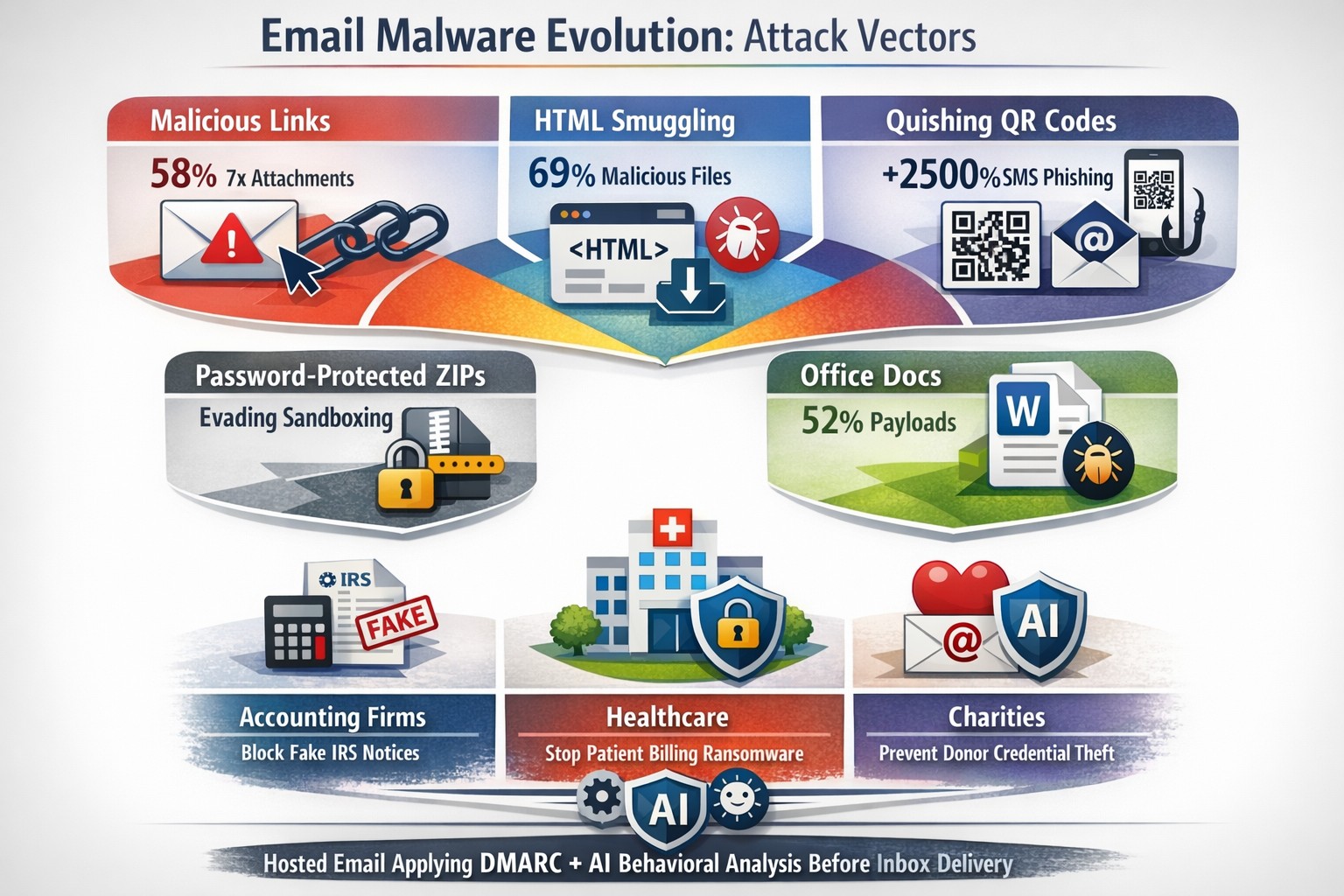
88% – Malware is delivered to people’s inboxes and some of it bypassing normal SPAM filters.
8.8 Days – Time before regular antivirus vendors have discovered the malware and added it to their lists for detection.
$50 – The cost of a pre-fabricated malware kit that can be bought currently on the dark web.
“The most common type of malicious attachments were: documents (Word – 31%), archive files (ZIP & RAR – 28%), spreadsheets (Excel – 19%) and executable files (EXE – 17%).”
What can be done?
A multi-tiered approach to security remains the best solution:
Moving from traditional antivirus to Enhanced Detection & Response (EDR) software to go beyond lists of know infections to behavior tracking of software
Moving from traditional SPAM filters to Email Advanced Threat Protection which scans each email and opens each attachment to see if there is any malicious activity cause by them
Moving from traditional router to a business class firewall with Intrusion Prevention System to monitor traffic for suspicious activity
Employee training is also key to keep your staff aware of immerging trends and threats
If your company is looking to enhance your network security posture, then contact us for assistance.
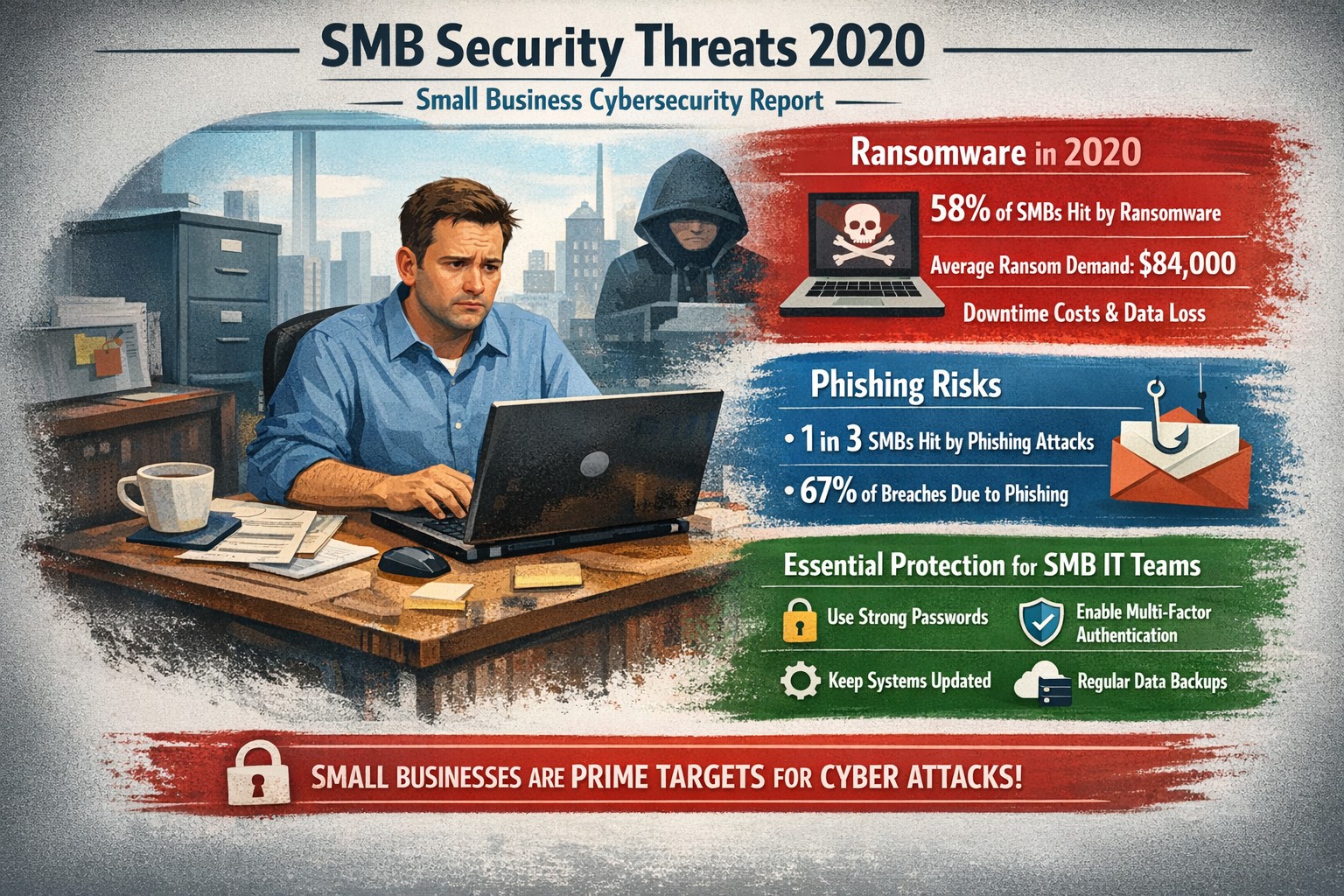
Visualizing SMB cybersecurity risks from 2020: Protect your small business from ransomware and breaches today.
You faced unprecedented cybersecurity threats amid the COVID-19 shift to remote work, with MSMEs targeted in over 40% of attacks and average losses exceeding $188,000 per incident. Cybercriminals exploited rushed digital transitions, making your operations a prime target. This post breaks down the 2020 landscape and arms you with actionable steps to safeguard your future.
Key Threats in 2020
Small and mid-size businesses (SMBs) saw ransomware hit one in five firms, phishing emails surge to three-year highs, and remote work vulnerabilities expose networks outside firewalls. Hiscox’s 2018-2020 reports showed 73% of SMBs as “novice” in preparedness, with IBM noting average breach costs at $320,000—devastating for limited budgets. Supply chain attacks via weaker SMB links amplified risks during lockdowns.
Practical Action Steps
Implement these prioritized steps with your IT team to build resilience:
Update and Patch Immediately: Scan all software weekly; apply updates to close vulnerabilities exploited in 43% of breaches.
Enforce Multi-Factor Authentication (MFA): Require MFA on all accounts, reducing unauthorized access by 99%—start with email and VPNs.
Secure Remote Access: Use VPNs for all remote connections; segment networks to limit breach spread, critical as work-from-home spiked risks.
Train Employees Monthly: Conduct phishing simulations; 2020 data showed small firms received higher malicious email rates.
Backup Data Regularly: Maintain offline backups tested quarterly; this contained ransomware damage for prepared SMBs.
Adopt Basic Tools: Deploy firewalls, antivirus, and endpoint detection—affordable for SMBs lacking full IT staff.
Track progress with a simple checklist, assigning owners and deadlines.
FAQ: Client Inquiries Answered
Q: Why were SMBs hit hardest in 2020? A: Limited resources left many without robust defenses; attackers viewed SMBs as easy entry to bigger supply chains.
Q: How much does a breach really cost my business? A: Beyond $188,000-$320,000 direct losses, add downtime, legal fees, and reputation damage—often forcing closures.
Q: Do I need expensive enterprise solutions? A: No—start with free tools like MFA and patches; scale to managed services for comprehensive coverage.
Q: What about compliance for my industry? A: Accounting/healthcare/charity sectors faced heightened scrutiny; align with NIST basics or HIPAA equivalents via policy reviews.
Q: How do I measure if we’re secure? A: Run annual self-assessments like ICC’s questionnaire; aim to exit “novice” status.
How Farmhouse Networking Helps
Farmhouse Networking specializes in tailored security for accounting, healthcare, and charity SMBs, driving organic traffic and B2B leads through secure, SEO-optimized sites. We handle implementation: deploying MFA/VPNs, running trainings, and monitoring 24/7 via managed services—reducing your breach risk without in-house IT overhead. Our strategies include vulnerability scans, compliance audits, and custom backups, proven to cut attack surfaces. Past clients saw 40% faster threat response, boosting client trust and conversions.
Call to Action
Ready to fortify your business against 2020-style threats? Email support@farmhousenetworking.com today for a free security assessment and custom plan.
429% credential exposure surge demands passwordless authentication now
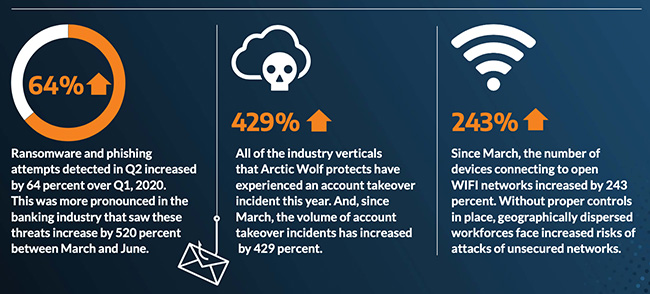
A company named Arctic Wolf, a leader in enterprise security operation centers, published a report that states that the number of corporate credentials with plaintext passwords on the dark web has increased by 429% since March.
There are also startling statistics on the increase in email phishing attempts and the use of unsecure public wireless connections. These numbers are like due to the Work From Home employees using their own insecure computers and cyber criminals trying to take advantage of the trend. It appears that security measures that are used in the office need to be extended to the Work From Home network as well.
If your company is currently or is going to have Work From Home users, then contact us for assistance.
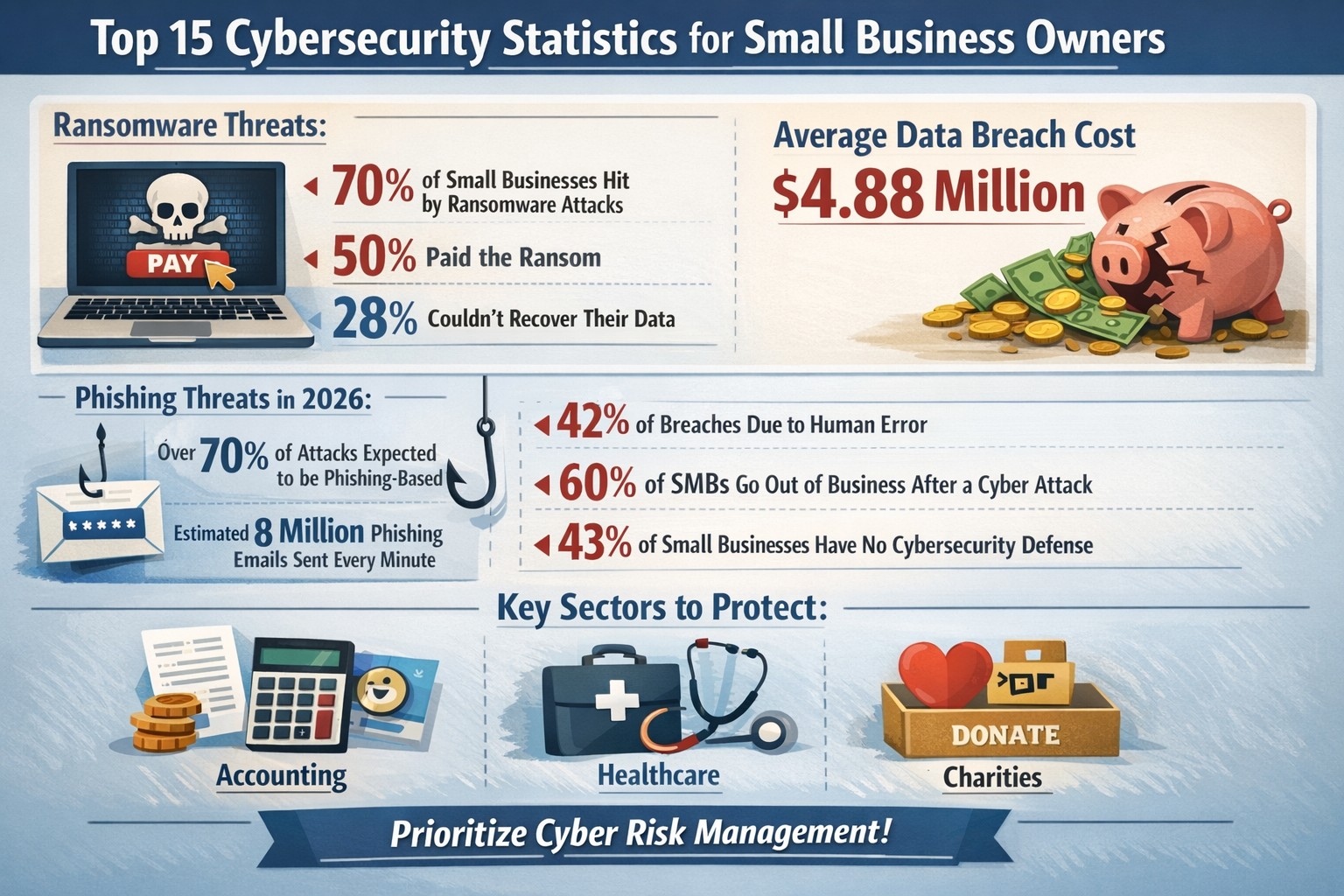
Key cybersecurity stats reveal 70% ransomware targets SMEs—protect your business with proven action steps
Cyber threats target businesses like yours daily, with small and medium-sized enterprises (SMEs) facing disproportionate risks that can cripple operations or force closure. These 15 key stats reveal the stakes—armed with them, you can prioritize defenses to safeguard revenue, data, and reputation.
Critical Stats Overview
Data shows SMEs bear the brunt of attacks, often lacking resources for robust defenses.
70% of ransomware targets businesses with fewer than 500 employees.
60% of SMEs shutter within six months of a breach.
Global breach cost averages $4.88 million, up 10% yearly.
Small businesses suffer $2.4 billion annually from cybercrime.
61% of SMEs faced a breach last year; malware and phishing top causes (18% and 17%).
Attacks per organization rose 25%, from 3 to 4 yearly.
35% of attacks are ransomware, up 84% year-over-year.
75% of SMB owners rank cyberattacks as their top threat.
SMEs are 3x more targeted than large firms.
Supply chain attacks hit 183,000 customers in 2024, up 33%.
72% of owners worry about remote work risks.
Cybercrime costs could hit $10.5 trillion by 2025.
Only 25% of small firms have cyber insurance vs. 75% of large ones.
Encrypted threats surged 92% in 2024.
71% of organizations saw more attacks last year.
These numbers underscore urgency: inaction risks your business’s survival.
Practical Action Steps
Business owners and IT teams must act now with these targeted steps.
Conduct a Risk Audit: Inventory assets, map data flows, and scan for vulnerabilities using tools like Nessus—complete quarterly.
Enforce MFA Everywhere: Roll out multi-factor authentication on email, cloud apps, and VPNs to block 99% of account hacks.
Train Staff Annually: Run phishing simulations and awareness sessions; 90% of breaches start with human error.
Patch Systems Promptly: Automate updates—half of CVEs are high/critical severity.
Backup Data 3-2-1: Maintain 3 copies, 2 media types, 1 offsite; test restores monthly against ransomware.
Secure Remote Access: Deploy VPNs and zero-trust models for hybrid work.
Monitor with AI Tools: Use endpoint detection for real-time threat hunting.
Vet Vendors: Require SOC 2 reports; 60% will prioritize cyber risks in deals.
IT departments: Assign owners to each step, track via dashboard. Expect 30-60 days for initial rollout.
FAQ: Client Inquiries Answered
Q: How much does a breach really cost my small business? A: Beyond $4.88M averages, SMEs lose 1.3% market value post-attack, plus downtime and recovery—often $100K+ for modest incidents.
Q: Are we too small to be targeted? A: No—70% of attackers hit SMEs deliberately; you’re easier prey without big budgets.
Q: What’s the biggest threat right now? A: Ransomware (35% of attacks) and phishing; encrypt threats rose 92%.
Q: Do we need cyber insurance? A: Yes—only 25% of small firms have it, but it covers gaps in fines, legal fees.
Q: How do remote workers increase risk? A: 72% of owners cite hybrid setups; unsecured home networks invite breaches.
Q: Can AI help defend us? A: Yes—AI users save $2.22M yearly on breaches via automation.
How Farmhouse Networking Helps
Farmhouse Networking specializes in B2B cybersecurity for accounting, healthcare, and charity sectors, driving organic traffic via SEO-optimized content while converting visitors to clients. We handle your action steps: full risk audits, MFA deployments, staff training, AI monitoring, and vendor assessments—tailored to comply with HIPAA, SOC 2, or nonprofit regs. Our managed services cut breach risks by 50%+, with 24/7 SOC support and branded dashboards for owners. Past clients saw 40% traffic growth from our blogs, plus qualified leads.
Call to Action
Email support@farmhousenetworking.com today for a free cybersecurity audit and custom strategy to protect your business. Act now—before stats become your reality.
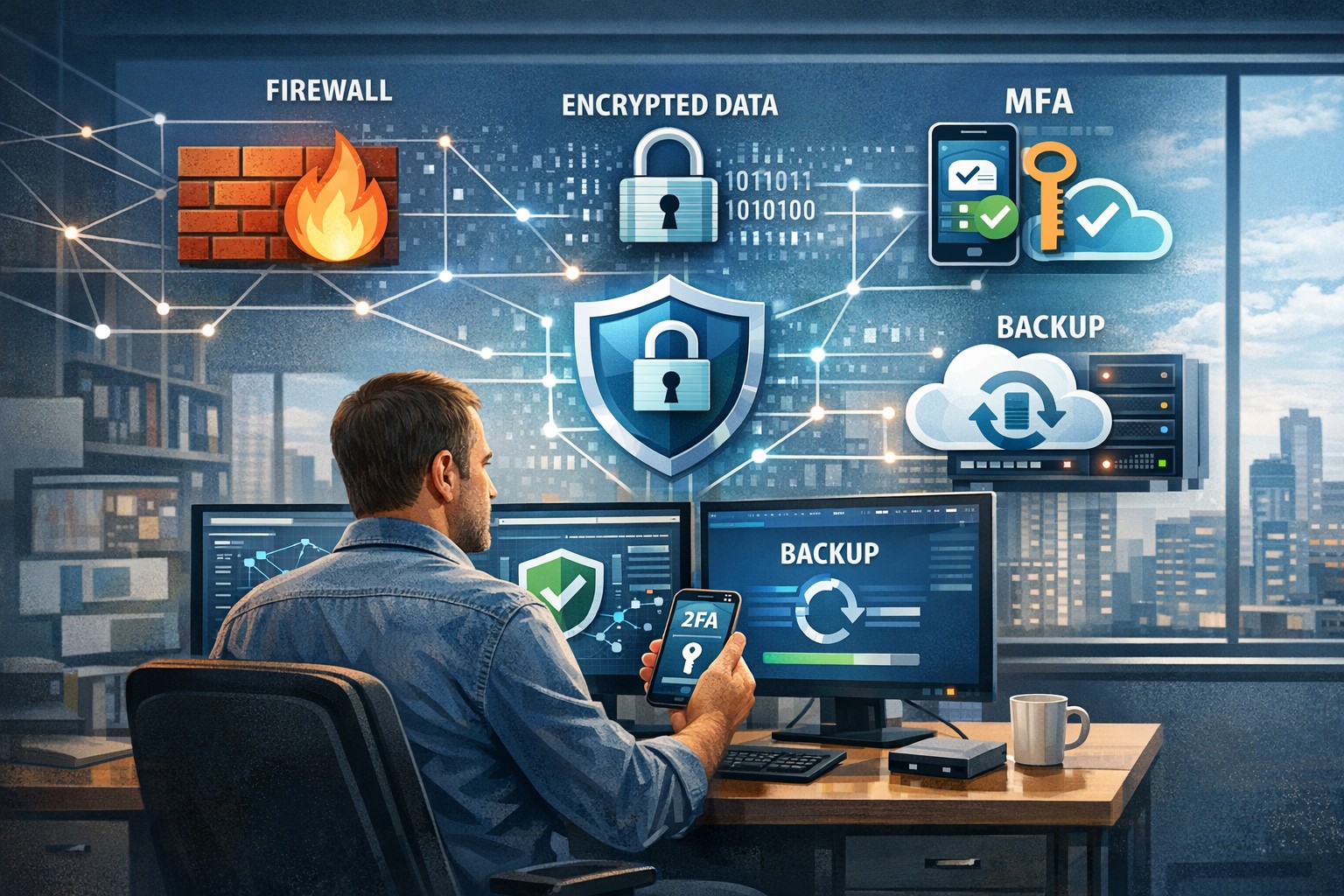
A small business owner leveraging modern cybersecurity tools—firewalls, multi‑factor authentication, and backups—to protect their company’s network and sensitive client data from cyber threats.
You may think cyberattacks are a “big‑company problem.” In 2026, that assumption is one of the most dangerous blind spots you can have. Cybercriminals increasingly target SMBs precisely because budgets are tighter, security is lighter, and breaches in small environments can be just as costly as in large enterprises. The question is no longer if a threat will hit your business, but when—and whether your people, data, and reputation are ready.
For a business‑owner audience, this post breaks down what “good cybersecurity” actually looks like in practice, gives you concrete steps your team can take, answers common client‑facing concerns, and shows how Farmhouse Networking can help you implement and maintain these protections without overhauling your operations.
Why SMBs Are Prime Targets
Cybercriminals are opportunistic: they look for the path of least resistance. SMBs often have limited IT staff, minimal security budgets, and patchy policies around email, passwords, and backups. That combination makes them ideal targets for ransomware, phishing, and data‑theft campaigns that can cripple operations and destroy customer trust in a matter of hours.
Regulatory scrutiny is also tightening. Even if you’re not a multinational, you may still face fines or contractual penalties if client or partner data is lost in a breach. Investing in cybersecurity is no longer “optional overhead”—it’s a core cost of doing business in 2026.
Practical Cybersecurity Steps for Business Owners
You don’t need a Fortune‑500‑level security team, but you do need structure. Here are the key areas every small or mid‑size business should address, along with specific actions your owner and IT team can immediately act on.
1. Lock Down Access with Strong Authentication
Require multi‑factor authentication (MFA) for all accounts that hold customer data, email, banking, or cloud services.
Prefer authenticator apps or hardware keys over SMS‑based codes to reduce phishing and SIM‑swapping risk.
Enforce strong password policies and provide a company‑approved password manager so teams don’t reuse passwords across personal and business services.
2. Patch Systems and Secure Endpoints
Turn on automatic updates for operating systems, browsers, and core business software (accounting, CRM, practice management).
Deploy next‑generation antivirus or EDR tools that monitor unusual behavior, not just known malware signatures.
Ensure every device that touches business data has disk encryption, screen‑lock timing, and basic firewall rules enabled.
3. Protect Networks and Wi‑Fi
Use business‑grade firewalls with default‑deny rules and logging, and avoid exposing unnecessary ports to the internet.
Configure Wi‑Fi networks with WPA3 encryption (or WPA2‑Enterprise), and keep guest Wi‑Fi on a separate, isolated segment.
Segment your network so that high‑value systems (financial and HR data, servers) sit on a separate, more tightly controlled segment.
4. Back Up Data and Plan for Incidents
Define what data is critical (client records, financials, contracts) and back it up regularly to an encrypted, cloud‑ or off‑site‑based solution.
Store multiple recovery points and test restorations periodically to ensure backups actually work.
Put a simple incident response plan in place: who gets notified, who talks to clients, and how you’ll isolate affected systems during a breach.
5. Train Your Team and Manage Email Risk
Conduct regular, short security training focused on phishing, password hygiene, and safe handling of sensitive data.
Deploy an email security gateway that scans attachments, rewrites malicious URLs, and quarantines suspicious messages before they reach inboxes.
Establish clear rules for sharing sensitive data via email (e.g., no client SSNs or insurance numbers in plain text) and enforce them.
Common Client Questions (and How to Answer Them)
When you talk to clients about cybersecurity, they’ll naturally ask around cost, risk, and responsibility. Framing these clearly builds trust and positions your business as a professional partner, not just a vendor.
“Won’t this slow down our operations?”
Answer: Modern security tools are designed to run quietly in the background. Properly configured firewalls, MFA, and endpoint protection add minimal friction while stopping the vast majority of automated attacks. Think of it like seat belts and airbags: you don’t feel them every day, but they’re critical when something goes wrong.
“We’re a small business; do we really need this much protection?”
Answer: Cybercriminals are increasingly using AI‑driven tools to probe and exploit small businesses precisely because defenses are weaker. A single breach can mean downtime, legal fees, and reputational damage that can take years to recover from. Basic, layered security is now table stakes for reputable SMBs.
“How do you know if our network is secure enough?”
Answer: There’s no “perfectly secure” state, but there are measurable baselines:
Are critical systems encrypted and backed up?
Is MFA enforced on all key accounts?
Are software and firmware updated regularly?
Are there clear policies and training for staff? A third‑party security audit or network assessment can map these gaps and prioritize where to invest next.
How Farmhouse Networking Can Help
Farmhouse Networking is built to help small and mid‑size businesses implement, manage, and maintain these cybersecurity measures without the overhead of a full‑time, in‑house security team. We focus on practical, cost‑effective solutions that fit your budget and workflow.
Here’s how we support your cybersecurity efforts:
Network and firewall configuration: We design and harden your network so that only necessary services are exposed, and sensitive systems are segmented and monitored.
Endpoint protection and patch management: We deploy and manage modern antivirus/EDR tools, ensure automatic updates, and enforce device‑level security policies across laptops, desktops, and mobile devices.
MFA, password policy, and access controls: We help you implement MFA everywhere it matters and set up role‑based access so employees only see the data they need.
Backup and incident readiness: We design a backup strategy tailored to your business‑critical data and help you define a simple incident response playbook so you know what to do if something goes wrong.
Ongoing monitoring and training support: We can monitor key security events and provide guidance on regular, brief security training sessions so your team stays alert without disrupting daily operations.
Take the Next Step Today
If you’re a small or mid‑size business owner, now is the time to treat cybersecurity as a core business function, not an afterthought. Simple, layered defenses—strong authentication, regular patching, secure networks, and reliable backups—can dramatically reduce your risk and keep your operations running even when threats emerge.
If you’d like to see how Farmhouse Networking can help you implement these steps with minimal disruption to your team, email us atsupport@farmhousenetworking.comfor a consultation. We’ll review your current setup, identify your top risks, and build a tailored plan that keeps your data, customers, and reputation safe in 2026 and beyond.
There has been information released by a security research firm called Eclypsium that there is a vulnerability dubbed Boothole in Unified Extensible Firmware Interface (UEFI) Secure Boot that would allow an attacker to completely take over a workstation, laptop, or server and be nearly undetectable. All hardware vendors will have to send out updates in the near future to patch the UEFI code to secure it against this “BootHole” vulnerability. Due to the difficulty in designing and testing these types of updates it will be some time before they are released. We will keep you posted as to the release of these updates as they become available.
If your company is concerned about security, then contact us for assistance.
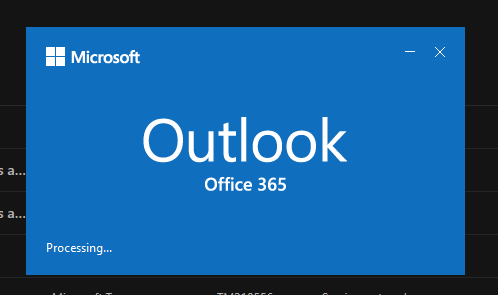
Many of our customers have been experiencing some of their users having Outlook crashing immediately after opening. We even had other tech companies call to find out how we were fixing it, so we investigated and found the following known issue from Microsoft:
Users experiencing Outlook connection issues and crashes EX218604, Exchange Online, Last updated: July 15, 2020 10:12 AM Start time: July 15, 2020 9:18 AM User impact: Users may experience crashes or may be unable to access Exchange Online via Outlook. Current status: Our initial review of the available data indicates that recently deployed updates are the likely source of the problem. We’re performing an analysis of all recent service updates to isolate the underlying cause of the problem and to determine the most expedient means to restore service.
We will be keeping our monthly clients up to date on this issue.
Cyberattacks aren’t just targeting large corporations anymore — small and mid-sized businesses are in the crosshairs, often because attackers assume you have weaker defenses. One click on a malicious email or one unpatched system can open the door to ransomware, data theft, or business downtime that costs thousands.
As a business owner, you can’t afford to wait until something goes wrong. The key is being proactive: discover threats quickly, remediate issues immediately, and mitigate the impact of malware and breaches before they spiral out of control.
Why Quick Detection and Response Matters
Every minute counts when it comes to cybersecurity. According to IBM’s 2025 Cost of a Data Breach Report, the average time to identify and contain a breach is 207 days — and the faster a business can detect and respond, the lower the cost and damage.
For small businesses, early detection can mean the difference between minor disruption and major data loss. Automated tools, continuous system monitoring, and staff cybersecurity training all play vital roles in keeping your operations safe.
Practical Steps to Protect Your Business
Here are actionable steps you and your IT department can take to strengthen your cybersecurity posture today:
Implement Continuous Threat Monitoring Use endpoint detection and response (EDR) tools or managed detection and response (MDR) services to monitor your systems 24/7. These tools use AI to identify suspicious activity before it becomes a breach.
Keep Systems and Software Updated Outdated software is a hacker’s best friend. Schedule regular updates and patches for operating systems, firewalls, and applications to close known vulnerabilities.
Use Multi-Factor Authentication (MFA) Protect user accounts with multiple verification layers. MFA stops 99% of automated attacks, even if passwords are leaked.
Create a Clear Incident Response Plan Develop a step-by-step playbook for how your team will respond to a security incident — including who to contact, how to isolate affected systems, and how to communicate with clients.
Backup Data Regularly (and Securely) Use automated, encrypted backups stored both onsite and offsite. Test restores regularly to ensure reliability during an emergency.
Train Employees on Cyber Hygiene Human error causes most breaches. Run regular phishing simulations and cybersecurity awareness sessions so your team can spot risks early.
Engage a Trusted IT Partner Collaborate with professionals who specialize in threat detection and breach response. A managed IT provider can bring enterprise-level security to your SMB without the enterprise-level price.
Clients Often Ask…
Q: What’s the best way to know if a threat is active in my network? A: Real-time monitoring is the gold standard. Tools like EDR or SOC-as-a-Service actively scan your endpoints, networks, and cloud systems for anomalies so you catch incidents before data is compromised.
Q: How do we remediate a breach once it’s detected? A: First, isolate affected systems to stop the spread. Next, identify the source, remove the malware, and restore clean backups. Finally, perform a full post-incident review to close the gap that allowed the breach.
Q: Is all this cybersecurity really affordable for small businesses? A: Yes — scalable managed IT services make advanced protection accessible. Think of it as business insurance that pays for itself by preventing downtime and data loss.
Q: How do I explain cybersecurity investments to my leadership team or board? A: Focus on the financial impact — downtime, lost data, and reputational damage often cost far more than preventative cybersecurity services. Showing this risk-to-cost ratio makes the business case clear.
How Farmhouse Networking Can Help
At Farmhouse Networking, we’ve helped Oregon SMBs stay secure, compliant, and productive through tailored cybersecurity solutions designed for real-world small business needs.
Here’s what we offer to help you discover, remediate, and mitigate threats effectively:
24/7 Threat Monitoring: Managed detection and response (MDR) tools that catch threats before they cause harm.
Rapid Remediation Support: Our specialists act fast to contain and remove threats as soon as they appear.
Comprehensive Incident Response Planning: From establishing protocols to training your team, we help you prepare for the unexpected.
Data Backup and Recovery Solutions: Automated, encrypted backups ensure you can restore your systems quickly after an incident.
Employee Training Programs: Interactive sessions help staff recognize phishing attempts and adopt safe online habits.
We don’t just sell tools — we partner with your business to strengthen your defenses and give you peace of mind.
Stay Ahead of Cyber Threats
Cyber threats evolve every day, but your business doesn’t have to face them alone. With the right combination of proactive monitoring, smart response, and expert guidance, you can keep operations smooth and your data secure.
Ready to protect your business? Email support@farmhousenetworking.com today to learn how Farmhouse Networking can help you stop threats before they stop your business.
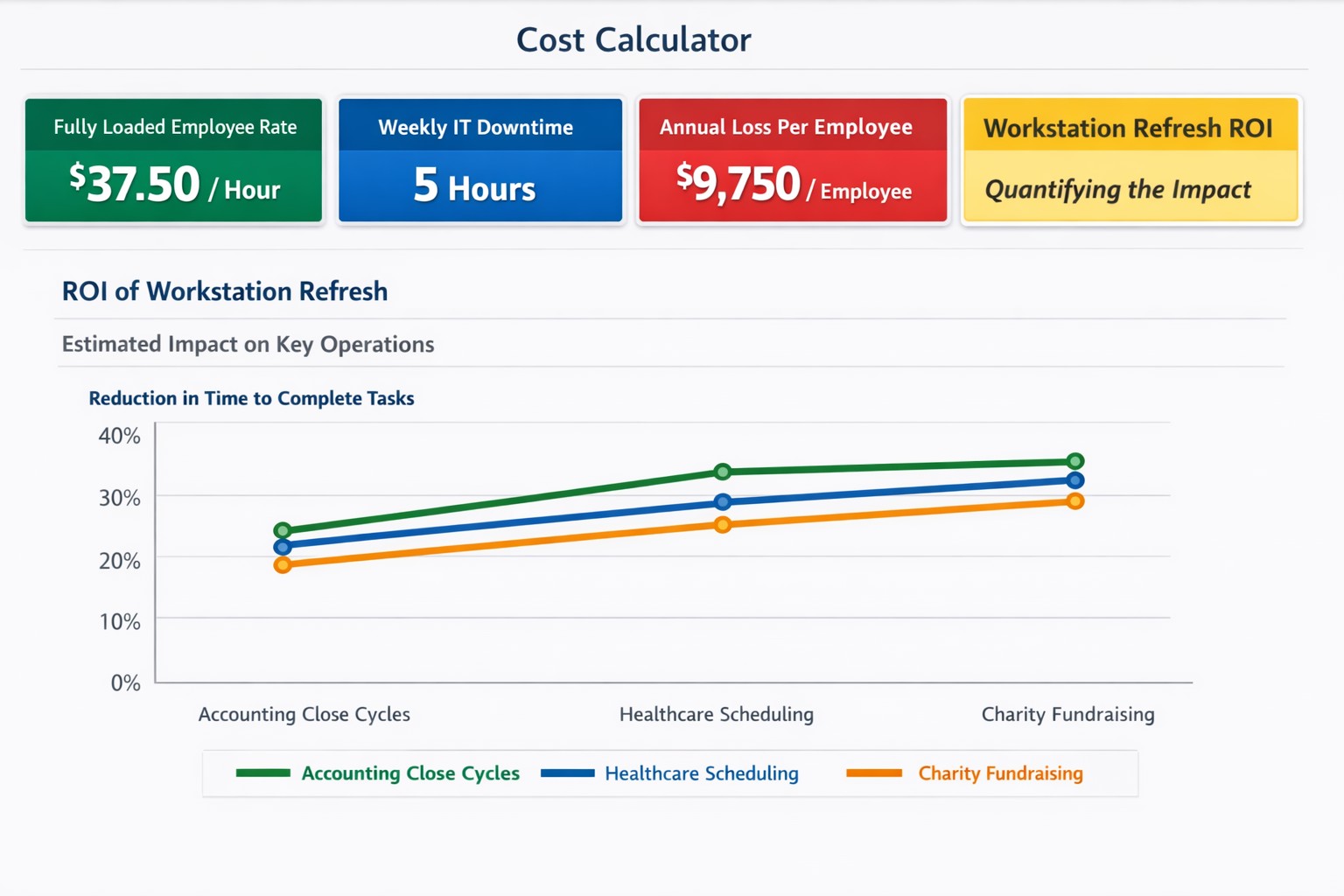
$37+/hour wasted on IT issues = $9,000+ annually per employee
“Office workers across the UK are wasting 14 days per person each year — or 1.8 billion hours a year in total — because the technology they’re given isn’t good enough.” – BetaNews
Outdated Tech = Wasted Time
Slowness: When a computer is slow, so is the worker operating it. As a computer ages, like anything else, the parts inside wear down. Regular maintenance and replacement are the solution to increasing employee productivity.
Crashing: As computer crashes happen data is damaged or lost. This means work has to be re-done. Crashing can be a sign of software issues or hardware issues that require proper diagnosis. Once fixed employees can get back to business without interruptions.
Incompatibility: Out-dated software or hardware can cause what used to work perfectly to stop all together. Regular updates of all software and replacement of aging hardware is always the best policy. Helping employees stay on track with standard operating procedures makes work flow possible.
Security: Hackers are constantly working to find new ways of breaching security measures. Without current security solutions (firewall / DNS filtering / antivirus / SPAM filtering / password management ) and up-to-date systems, your network is a sitting duck. Network downtime due to a breach can be a business killer.
If your company is using out-of-date technology, then contact us for assistance.
And God will generously provide all you need. Then you will always have everything you need and plenty left over to share with others. As the Scriptures say,
“They share freely and give generously to the poor. Their good deeds will be remembered forever.”
For God is the one who provides seed for the farmer and then bread to eat. In the same way, he will provide and increase your resources and then produce a great harvest of generosity in you. - 2 Corinthians 9:8-10
We use cookies to ensure that we give you the best experience on our website. If you continue to use this site we will assume that you are happy with it.