For those that missed us this week, our CEO Scott Carr was one of the guest speaking panel and the event pictured above. During our discussion, the question was asked – “What is the one thing business owners can do to protect themselves from ransomware?” Scott’s answer was – “If you do nothing else, at the very least have a backup of your data. If anything goes wrong you will be able to go back to your previous data and skip paying the ransom.”
Why Backup?
Ransomware attacks have become an increasingly prevalent threat to businesses of all sizes. As cybercriminals continue to evolve their tactics, it’s crucial for organizations to implement robust defense strategies. One of the most effective ways to protect your business from the devastating effects of ransomware is through a comprehensive backup strategy.
The Rising Threat of Ransomware
Ransomware attacks have surged dramatically in recent years, with 2024 seeing unprecedented levels of both frequency and sophistication. In the first half of 2024 alone, the average extortion demand per ransomware attack exceeded $5.2 million, with a record-breaking payment of $75 million in March. These staggering figures underscore the critical need for businesses to fortify their defenses against such attacks.
The Role of Backups in Ransomware Protection
Data backups serve as a crucial line of defense against ransomware threats. They provide a safety net that can help your company prevent irreparable damage in the event of an attack. Here’s why backups are so important:
Added Data Security: By maintaining backups of your critical data, you remove one of the primary vectors for ransomware attacks. If you can still access your data from a backup, hackers lose their leverage in demanding a ransom
Recovery Options: Reliable and well-tested backups give ransomware victims more options. Without backups, organizations have limited choices for recovery. However, with confidence in their ability to restore from backups, businesses can make more nuanced decisions during ransomware recovery and negotiations.
Best Practices for Ransomware-Resilient Backups
To ensure your backups provide effective protection against ransomware, consider implementing these best practices:
Implement the 3-2-1 Backup Strategy: This strategy involves maintaining at least three copies of your data on two different storage types, with one copy kept offsite. This approach significantly reduces the risk of losing all your data in a single attack
Use Immutable Storage: Immutable backups cannot be modified, altered, or deleted for a specified period. This ensures that your backup data remains intact and tamper-proof, protecting against both accidental and malicious changes
Maintain Offline Backups: Keep a secondary offline backup copy that ransomware cannot reach. Network attached storage devices can be an effective method for this purpose.
Increase Backup Frequency: Consider backing up mission-critical data at least once per hour. This reduces the amount of data that could potentially be lost in a ransomware attack.
Employ Endpoint Protection: Use modern endpoint protection platforms that can detect ransomware processes as they begin, even if the type of ransomware is new and unknown.
The Business Impact of Ransomware
The consequences of a ransomware attack extend far beyond the immediate financial loss. Businesses may experience:
Extensive downtime, leading to significant revenue loss
Damaged reputation among customers and partners
Delayed project timelines
Potential loss of sensitive customer data
These impacts underscore the importance of a robust backup strategy as part of your overall cybersecurity plan.
Don’t wait until it’s too late to protect your business from the devastating effects of ransomware. Contact Farmhouse Networking today to develop a comprehensive backup and cybersecurity strategy tailored to your organization’s needs. Our expert team can help you implement robust protection measures, ensuring your business remains resilient in the face of evolving cyber threats. Secure your data, protect your reputation, and safeguard your bottom line—reach out to Farmhouse Networking now.
Claim Section 179, cloud subscriptions, cybersecurity as business tax deductions.
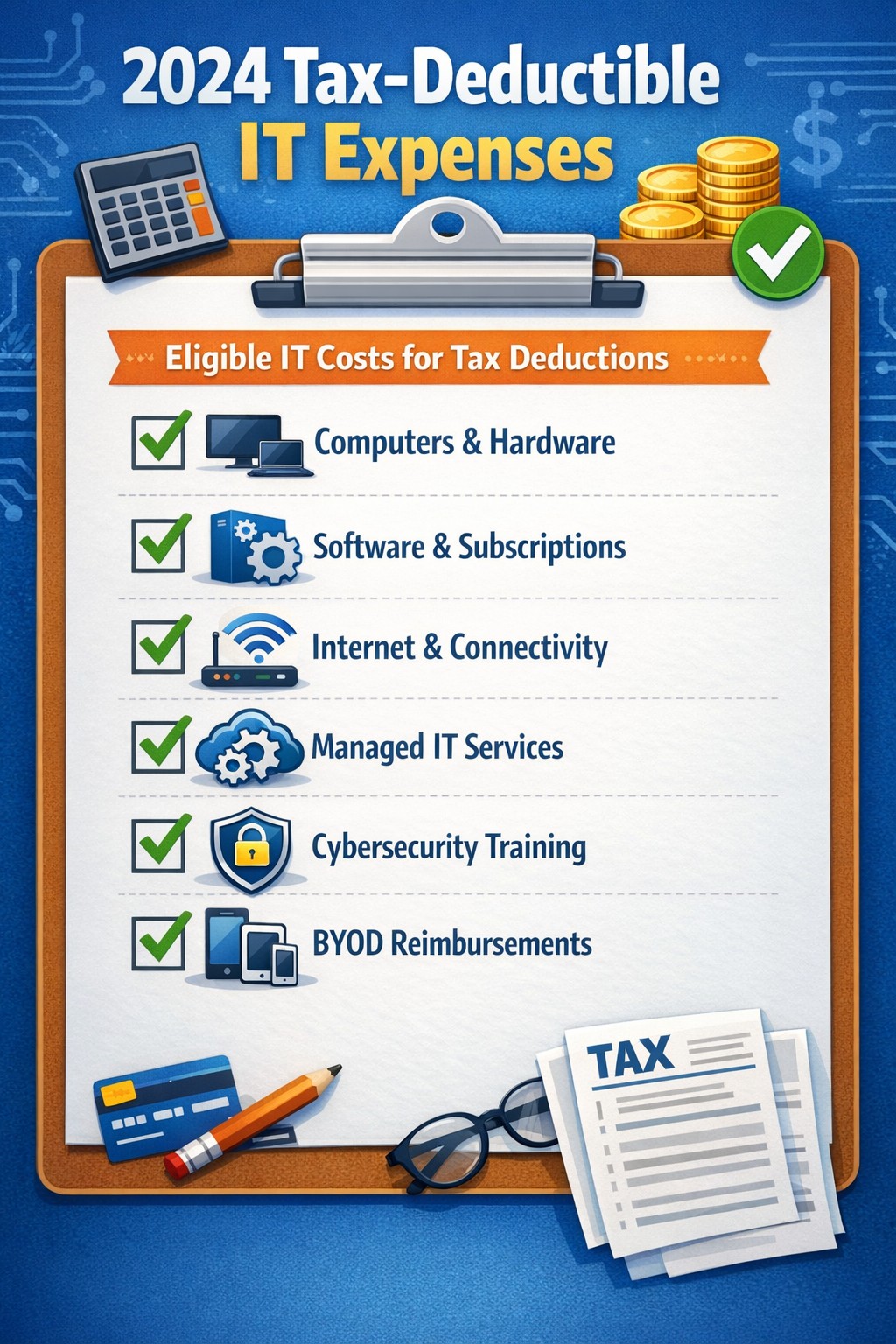
As we approach the end of the year, it’s crucial for businesses to understand the tax deductions available for their IT expenses. Maximizing these deductions can significantly reduce your tax burden and free up capital for further investment in your company’s technology infrastructure. Let’s explore the top tax-deductible IT expenses for 2024 that every business should be aware of.
Hardware and Equipment
Computers and Devices
Investing in new computers, tablets, or smartphones for your business can provide substantial tax benefits. The entire cost of these devices can be deducted from your taxable income. However, if the equipment is used partially for personal purposes, you may only be able to deduct a portion of the cost.
Office Equipment
Printers, scanners, and other office equipment are 100% tax-deductible in the year of purchase. This includes any IT-related furniture, such as ergonomic chairs or standing desks for your tech team.
Software and Services
Business Software
Software used for business purposes is eligible for tax deductions. This includes:
The deductible amount will depend on whether the software is purchased outright or subscribed to on a monthly basis.
Cloud Services
As more businesses move their operations to the cloud, it’s important to note that cloud service subscriptions are tax-deductible. This includes services like:
– Data storage – Backup solutions – Cloud-based productivity suites
Telecommunications
Internet Expenses
Internet services are crucial for most businesses today. You can deduct the full cost of your business internet connection[. If you work from home, you may be able to deduct a portion of your home internet expenses based on the percentage used for business purposes.
Phone Systems
All telecommunications fees within a commercial space can be deducted[1]. This includes:
– Business phone lines – VoIP systems – Cell phone contracts used for business
IT Services and Support
Managed IT Services
Fees paid for managed IT services, including network management, cybersecurity monitoring, and help desk support, are fully deductible as a business expense.
IT Consulting and Training
Any costs associated with IT consulting or training for your staff to use new technologies are tax-deductible. This can include workshops, online courses, or one-on-one training sessions.
Cybersecurity Measures
With the increasing importance of data protection, investments in cybersecurity are not only wise but also tax-deductible. This includes:
– Firewalls and antivirus software – Security audits – Employee cybersecurity training programs
Website Expenses
Development and Maintenance
Costs related to developing, hosting, and maintaining your business website are tax-deductible. This includes domain registration fees, hosting costs, and payments to web developers or designers.
E-commerce Solutions
If your business sells products online, the expenses for e-commerce platforms and payment processing systems are also deductible.
Home Office Technology
For those running businesses from home or with remote workers, the home office deduction can apply to technology expenses. You can deduct a portion of your home internet, personal computer use, and other tech equipment based on the percentage of your home used exclusively for business.
Ready to optimize your IT infrastructure while maximizing your tax benefits? Contact Farmhouse Networking today. Our expert team can help you implement cutting-edge IT solutions that not only boost your productivity but also provide substantial tax advantages. Don’t leave money on the table – let us help you navigate the complex world of IT expenses and tax deductions. Reach out now to schedule a consultation and start saving!
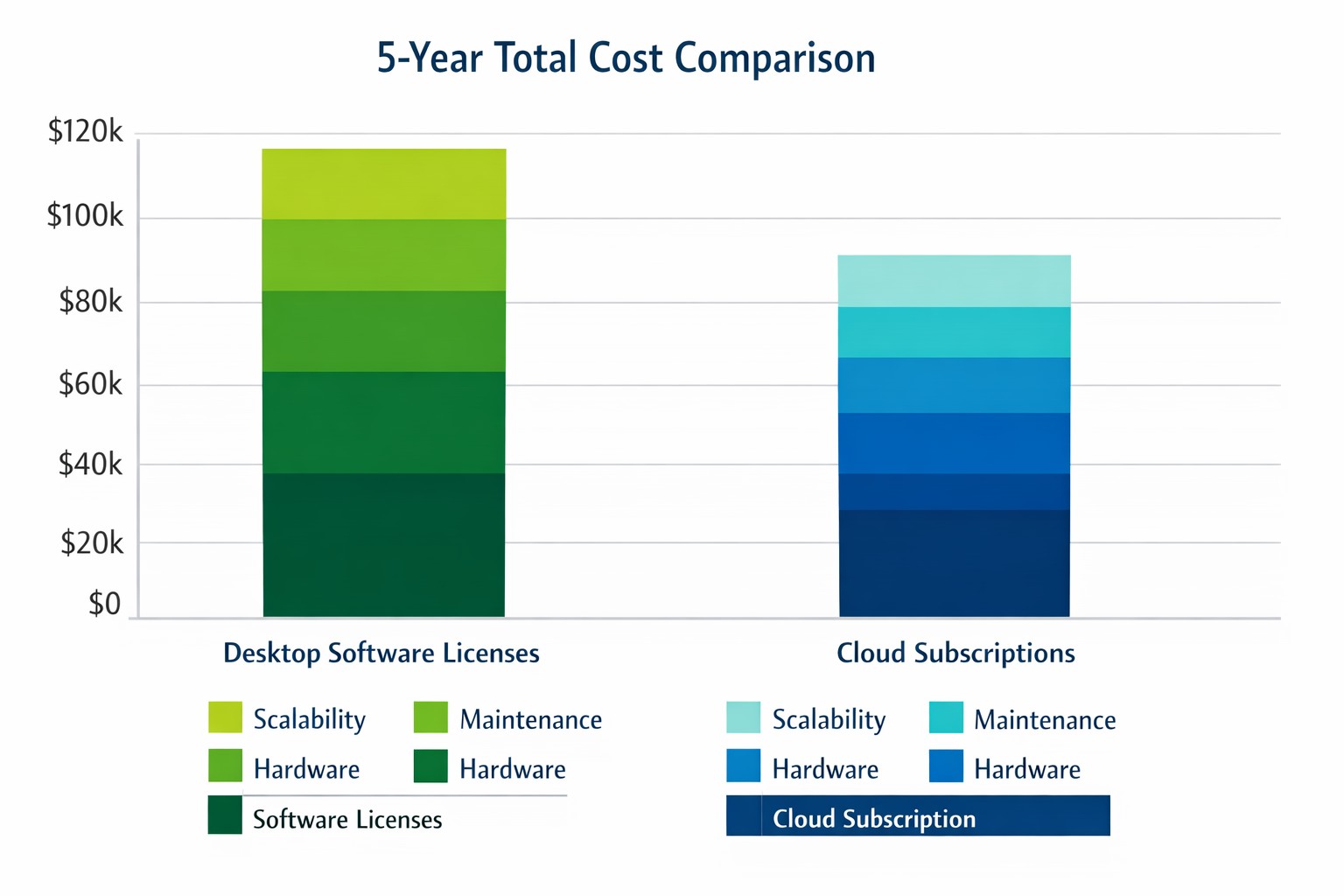
Cloud subscriptions often beat desktop software on long-term TCO and scalability.
Choosing the right productivity software for your company is a critical decision that can impact your bottom line and operational efficiency. The debate between traditional desktop software and cloud-based subscription models is particularly relevant when considering Microsoft Office, a staple in most business environments. Let’s examine the cost implications and benefits of both options to help you make an informed decision for your organization.
Microsoft Office 2024: One-Time Purchase for Business
Microsoft Office 2024 offers a perpetual license option that may appeal to businesses looking to have a single capital expenditure (CAPEX) and value ownership of a product.
Office Home & Business 2024
Price: $249.99 per license
Includes: Word, Excel, PowerPoint, OneNote, and Outlook
End of Life: 5 years from date of publication (October 1st, 2024)
This option provides access to core Office applications without the need for annual renewals. However, it’s important to note that this version lacks some features available in the subscription-based Microsoft 365, such as advanced collaboration tools and continuous updates.
Microsoft 365: Subscription Model for Businesses
Microsoft 365 offers a subscription-based model with more frequent updates and additional features tailored for business needs. This is an option that may appeal to businesses looking to have a gradual operating expenditure (OPEX).
Microsoft 365 Business Standard
Price: $12.50 per user/month (annual commitment)
Includes: All features of Business Basic plus desktop versions of Office apps
Microsoft 365 Business Premium
Price: $22.00 per user/month (annual commitment)
Includes: All features of Business Standard plus advanced security and device management
The subscription model provides more flexibility, allowing users to access Office apps on multiple devices and platforms. It also includes additional services like advanced threat protection and device management tools.
Cost Comparison for Businesses
To illustrate the cost implications, let’s consider a small business with 10 employees over a five-year period:
Office Home & Business 2024: $2,499.90 (10 licenses at $249.99 each)
Microsoft 365 Business Standard: $7,500 (10 users for 5 years at $12.50/user/month)
While the one-time purchase appears more economical initially, it’s crucial to consider the added value of the subscription model, including:
Regular feature updates and security patches
Cloud storage and collaboration tools
Multi-device access
Advanced security features
Scalability as your business grows
Factors to Consider for Business Owners
When making your decision, consider the following:
Growth projections: If you anticipate hiring more employees, the subscription model offers easier scalability.
Collaboration needs: Cloud-based solutions provide better tools for team collaboration and remote work.
IT resources: Subscription models often require less in-house IT management.
Cash flow: While subscriptions are more expensive long-term, they require less upfront investment.
Feature requirements: Evaluate if your business needs the advanced features offered in Microsoft 365.
Making the Right Choice for Your Business
The best option depends on your specific business needs:
If your company requires the latest features, values cloud integration, and needs robust collaboration tools, Microsoft 365 might be the better choice.
If you prefer a one-time purchase, have limited need for updates or cloud services, and have a stable workforce size, Office 2024 could be more cost effective.
Call to Action
Navigating the complexities of software licensing and cloud services can be challenging for business owners. At Farmhouse Networking, we specialize in helping businesses optimize their IT infrastructure and software solutions. Whether you’re considering a switch to cloud-based services or looking to streamline your current setup, our experts can guide you through the process. Contact Farmhouse Networking today to discuss your options and find the best solution for your business needs. Let us help you configure your network for maximum efficiency and cost-effectiveness, ensuring that your software choices align with your business goals and budget.
Use clear metrics like response time, uptime, and customer satisfaction to see if your IT provider is truly doing their job.
Businesses heavily rely on their IT providers to ensure smooth operations, enhance productivity, and safeguard data. However, determining whether your IT provider is doing their job effectively can be challenging. Here are some key indicators and evaluation criteria to help you assess their performance.
Quality of Service
1. Response Time and Resolution: A reliable IT provider should have short response times and lasting resolutions. Track how quickly they respond to issues and how often they resolve problems on the first attempt. Consistent delays or repeat issues may indicate they aren’t able to take care of your business properly.
2. Service Quality and Expertise: Evaluate the technical expertise of your IT provider. They should have a proven track record and relevant industry experience. Their ability to manage complex IT environments and provide innovative solutions is crucial.
Cost and Value
1. Cost Structure: Analyze the cost of your IT services, focus on the overall value of what they provide. A transparent pricing model with no hidden fees is also preferable.
2. Budget Management: Your IT provider should help you maintain a predictable IT budget. Proactive management of IT infrastructure should prevent unexpected costs and downtime.
Reliability and Security
1. Uptime and Availability: Assess the reliability of your IT provider in terms of network uptime and system availability. Downtime can lead to significant business losses, so aim for a provider with strong customer centric service level agreements (SLAs) that guarantee high uptime.
2. Security Measures: Inquire about the provider’s security protocols and compliance with regulations like PCI, CMMC, or HIPAA. A comprehensive security framework is essential to protect sensitive data from cyber threats .
Communication and Support
1. Communication Channels: Evaluate the effectiveness of the provider’s communication. They should offer multiple channels for support and maintain open, proactive communication about system updates or maintenance. You should not have to call them for issue status.
2. Customer Support: A dedicated support team can significantly enhance the user experience. Ensure that your provider offers readily available customer support and is responsive to inquiries .
Strategic Alignment
1. Business Understanding: Your IT provider should demonstrate an interest in your business strategy and goals. They should be involved in strategic discussions and provide technology solutions that align with your long-term objectives.
2. Flexibility and Scalability: The ability to customize services to meet your unique needs and scale them as your business grows is a valuable trait in an IT provider. This flexibility can enhance the overall value of their services. Your company should not have to bend to their technology stack.
Regular assessments and open communication with your provider can help ensure that they continue to meet your evolving needs. If you have doubts about your current IT provider, contact Farmhouse Networking to provide a free network evaluation.
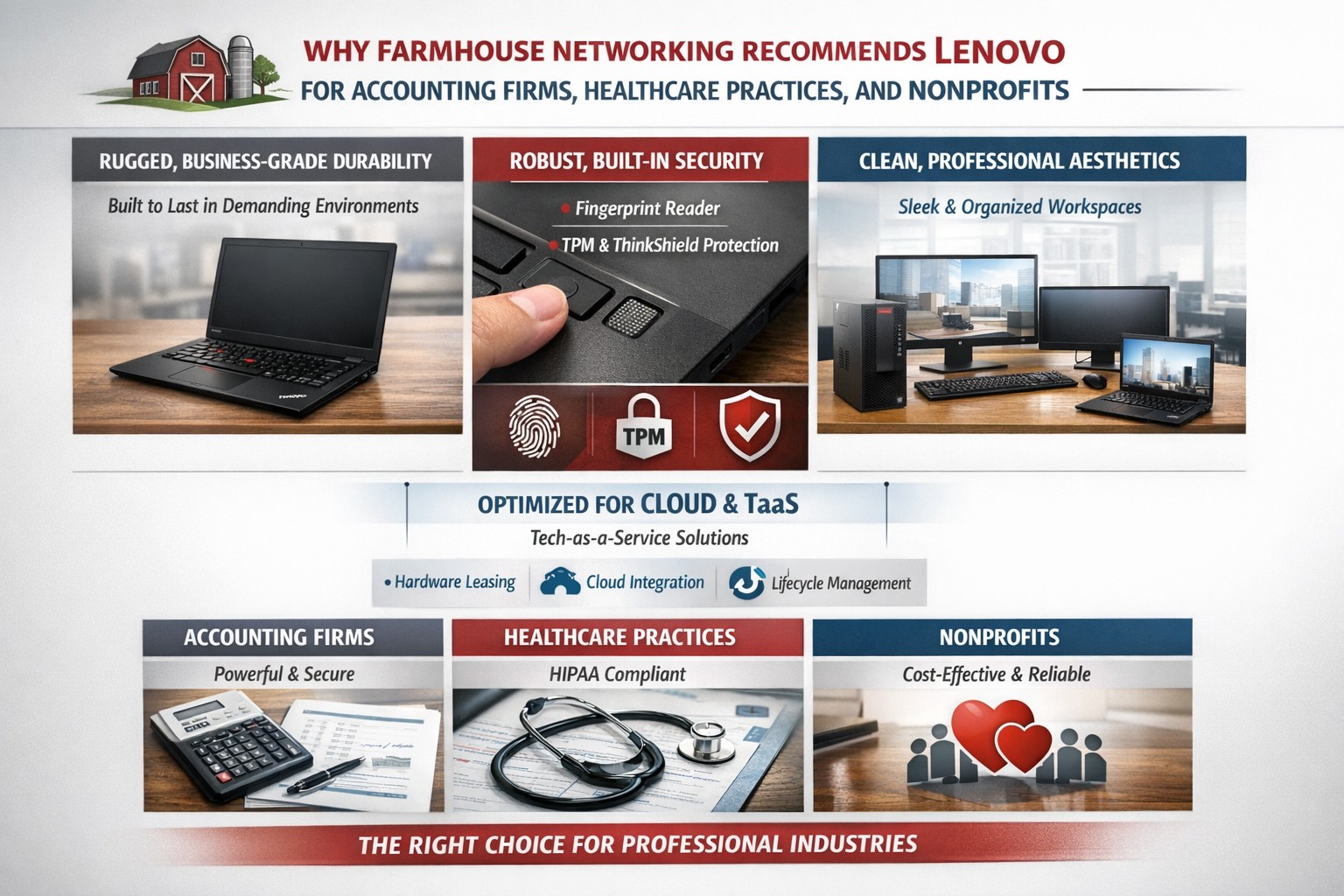
Lenovo ThinkPad laptops and desktops are the best choice for business computers because of durability, security, performance, and easy integration into managed IT and TaaS.
Farmhouse Networking only recommends the best computers for your business and Lenovo stands head and shoulders above the rest. Here are several reasons why Lenovo is the best company for businesses to buy computers from:
Unmatched Reliability and Durability
Lenovo’s ThinkPad series is renowned for its durability and reliability. Originally developed by IBM, ThinkPads have been a staple in the business world for decades. These laptops undergo rigorous MIL-SPEC testing to ensure they can withstand extreme conditions, making them ideal for professionals who need a dependable device.
Superior Performance
Lenovo computers are designed with performance in mind. Whether you need a powerful desktop for complex data analysis or a lightweight laptop for on-the-go productivity, Lenovo offers a range of devices equipped with the latest processors, ample memory, and high-quality graphics. This ensures that your business operations run smoothly and efficiently.
Innovative Features
Lenovo consistently integrates innovative features into their products. For instance, the ThinkPad X1 Carbon Gen 11 offers a sleek design, fast processor options, and a long battery life, making it a versatile choice for any business. Additionally, Lenovo’s business laptops often come with advanced security features, such as biometric authentication and encryption, to protect sensitive business data.
Customizability and Upgradability
One of the standout features of Lenovo computers is their customizability. Businesses can choose from a variety of configurations to meet their specific needs. Moreover, many Lenovo laptops and desktops are designed to be easily upgradable, allowing businesses to extend the lifespan of their devices by upgrading components as needed.
Excellent Support and Warranty
Lenovo offers robust customer support and comprehensive warranty options. This ensures that businesses can get timely assistance and repairs, minimizing downtime and keeping operations running smoothly. Lenovo’s support services are highly rated, providing peace of mind for business owners. We always recommend that our clients sign up for the next business day warranties because they come onsite with parts the day after your first phone call.
Eco-Friendly Initiatives
Lenovo is committed to sustainability and eco-friendly practices. The company has made significant strides in reducing its environmental impact through energy-efficient products and sustainable manufacturing processes. For businesses looking to reduce their carbon footprint, Lenovo’s eco-friendly initiatives are a significant plus.
Spread the Costs with Tech-as-a-Service
Lenovo helps owners spread out the cost of new computers by allowing clients to finance their hardware or setup Tech-as-a-Service plan that turns hardware from a capital expense to an operating expense.
If your company is looking to update your fleet of laptops for remote workers, equip your engineers with the powerful workstations to create product models, or take advantage of the latest innovations to increase productivity – call Farmhouse Networking to let us do the shopping for you.
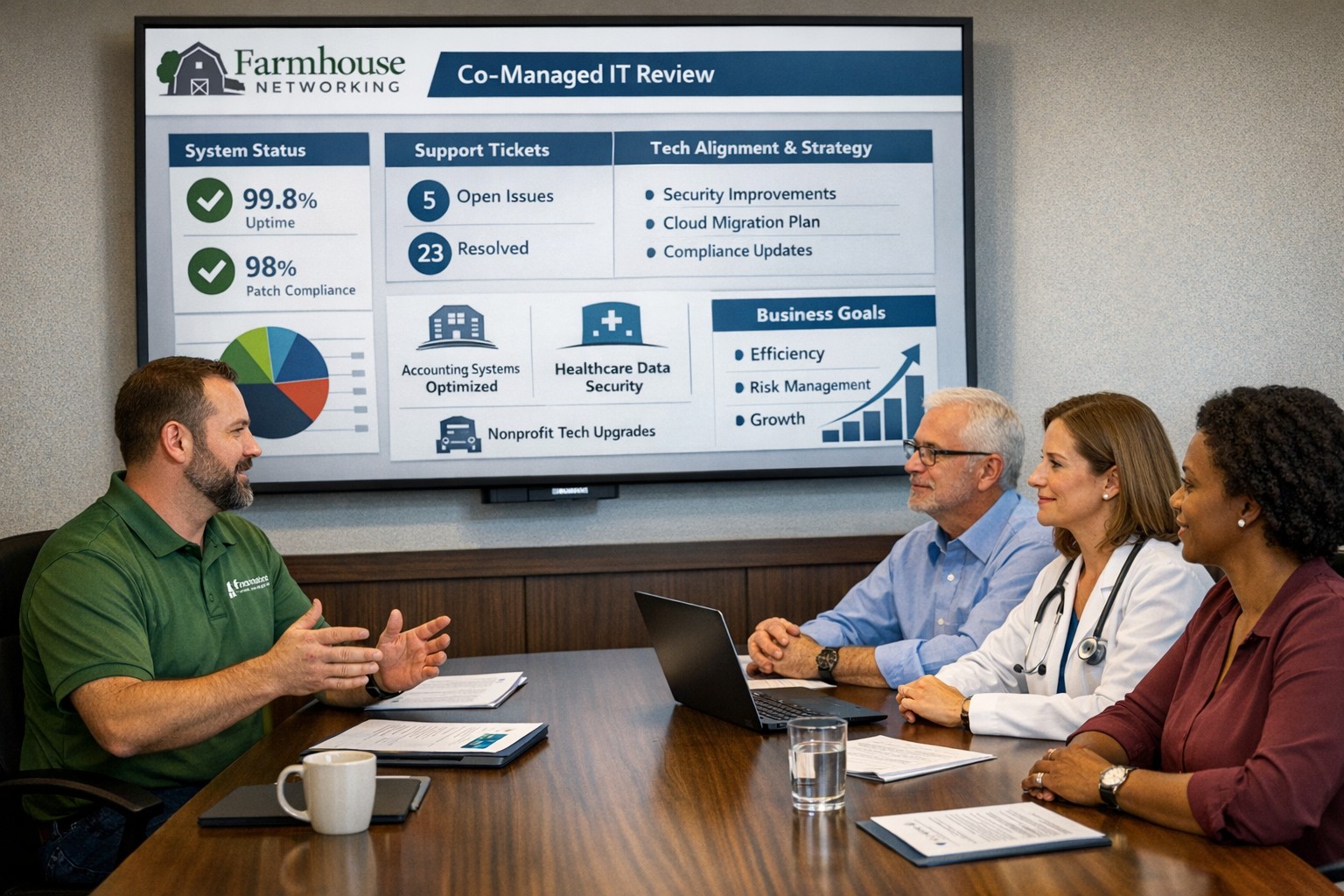
We hold SABR meetings with clients to review IT performance, risks, and strategy, ensuring your business stays aligned, secure, and ahead of issues.
As a Managed Service Provider (MSP), one of our main objectives is to provide our clients with top-notch IT solutions. In order to achieve this, it is essential to have a clear understanding of your client’s needs, goals, and challenges. This is where Semi-Annual Business Review (SABR) meetings come in.
A SABR is a meeting between the Farmhouse Networking and the client, typically held in the Spring and Fall, to review the client’s IT infrastructure, identify areas of improvement, and develop a roadmap for the future. The SABR provides a structured framework for discussing IT needs and aligning them with business goals.
Why does Farmhouse Networking use SABR meetings with their clients?
Improve communication: SABR meetings are an opportunity for Farmhouse Networking to strengthen their relationships with clients. Through regular SABR meetings, Farmhouse Networking can improve communication with the clients, identify pain points, and develop a better understanding of the client’s business operations.
Identify areas for improvement: Regular network inventories and standards compliance reviews provide Farmhouse Networking with a comprehensive view of the client’s IT infrastructure, allowing us to identify areas for improvement, non-alignment with industry standards, and to develop a roadmap for addressing those areas.
Align IT with business goals: The SABR meeting helps align IT objectives with business goals by allowing the client to disclose their vision for the companies future. This ensures that the client’s IT infrastructure is working towards achieving those objectives that are important to the business.
Proactive approach: SABR meetings allow Farmhouse Networking to take a proactive approach to IT management. By identifying potential problems before they occur, Farmhouse Networking can prevent downtime, system crashes, and other issues that can negatively impact the client’s business operations.
By regularly conducting SABR meetings, Farmhouse Networking can ensure that their clients are receiving the best possible IT solutions, positioning them as trusted advisors in their field.
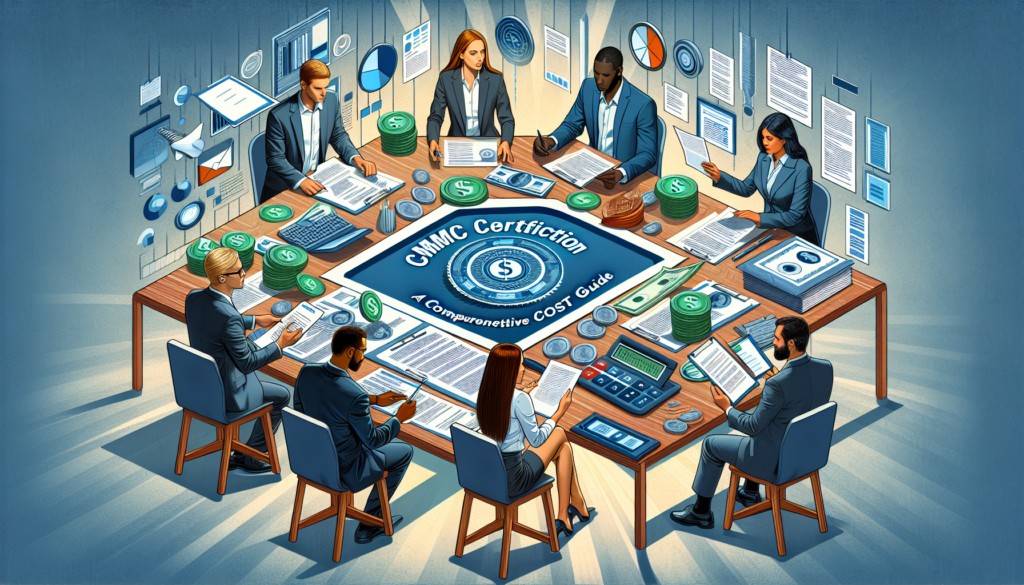
A Comprehensive Cost Guide for Government Contractors
CMMC certification costs by level: Budget $75K-$150K for most small DoD contractors pursuing Level 2 compliance.
CMMC Certification is a new cybersecurity standard for the Defense Industrial Base (DIB) and defense supply chain, crucial for DoD contractors to protect sensitive information and prevent security breaches. The framework’s introduction and integration into the acquisition and contracting process underscore its importance for cybersecurity maturity assessment and the safeguarding of Controlled Unclassified Information (CUI).
Changes implemented with CMMC 2.0, including the use of Plans of Actions and Milestones (POA&Ms) and limited waivers, aim to streamline the certification process while ensuring rigorous cybersecurity standards align with NIST guidelines. These adaptations demonstrate an evolving approach towards enhancing the cybersecurity infrastructure of government contractors and maintaining public trust.
Factors Influencing CMMC Compliance Costs
Understanding the multifaceted nature of CMMC certification costs is crucial for DoD contractors aiming to achieve compliance. The cost factors are primarily influenced by:
Current Security Maturity: Organizations with a higher level of NIST 800-171 compliance face lower costs in adopting CMMC. This underscores the importance of existing cybersecurity practices within the organization.
Organization Size and Complexity: Larger organizations and those with multiple locations generally incur higher compliance and maintenance costs due to the scale of operations and the complexity of securing a wider network.
Scope and Access of Controlled Unclassified Information (CUI): The extent of CUI access significantly impacts compliance costs. Organizations with broader access to CUI are required to implement more stringent security measures, thereby increasing the cost.
Additionally, the approach to system changes plays a critical role:
Full Approach vs. Enclave Approach: Opting for a full overhaul of operations to meet CMMC standards can be more costly compared to creating a secure enclave for CUI. The choice between these approaches affects the overall cost and strategy for achieving compliance.
These factors, combined with the costs associated with audits, expert consultation, and documentation, form the backbone of the financial planning required for CMMC certification. Understanding these elements is essential for DoD contractors to navigate the path to compliance efficiently and cost-effectively.
Estimated Costs by CMMC Level
Breaking down the estimated costs by CMMC level can provide a clearer picture for DoD contractors on what financial commitments might be expected. Here’s a concise breakdown:
CMMC Level 1: Basic Cybersecurity
Small Entity: Self-assessment and affirmation cost roughly $6,000.
Larger Entity: Self-assessment and affirmation cost about $4,000.
CMMC Level 2: Intermediate Cybersecurity
Small Entity: Self-assessment and related affirmations over $37,000; Certification by C3PAO nearly $105,000 [5].
Larger Entity: Self-assessment and related affirmations nearly $49,000; Certification by C3PAO approximately $118,000.
CMMC Level 3: Good Cybersecurity Practices
Small Organization: Recurring engineering costs $490,000; Nonrecurring costs $2.7 million; Certification assessment over $10,000.
Larger Organization: Recurring engineering costs $4.1 million; Nonrecurring costs $21.1 million; Certification assessment more than $41,000.
This tiered structure illustrates the significant investment in cybersecurity infrastructure required at each level, highlighting the importance of accurate budgeting and financial planning for compliance.
Strategies for Minimizing Compliance Costs
To minimize CMMC certification costs effectively, consider the following strategies:
Streamline Your Compliance Efforts:
Leverage the streamlined requirements of CMMC 2.0, including self-assessments for certain levels, which are expected to lower assessment costs compared to CMMC 1.0.
Familiarize yourself with the revised CMMC 2.0 framework to understand how it aims to reduce costs and increase trust in the assessment ecosystem.
Conduct a comprehensive self-assessment using NIST’s guide for NIST SP 800-171, focusing on foundational security measures and managing consulting fees.
Optimize Your CMMC Project Scope:
Determine the exact scope of your CMMC project. Consider storing CUI in a separate, secure enclave and using expert consultants to save money.
If only a portion of your organization handles CUI, create a separate enclave for a simpler assessment process, thereby reducing your compliance boundary.
Choose technologies and platforms that are easy to deploy and use, which support the NIST SP 800-171 security controls, and offers a compliance documentation package.
Invest Wisely in Technology and Expertise:
Utilize automated platforms to centralize various types of GRC programs, reducing siloed tasks and leveraging technology to cut costs.
Consider outsourcing for SIEM, vulnerability scanning, and hardware/software monitoring to manage costs effectively:
Engage consultants who are familiar with your technology, helping to ensure a smooth and cost-effective compliance process.
Contact us today to explore how to best align your cybersecurity efforts with the demands of CMMC Certification, ensuring protection and compliance in an ever-evolving cybersecurity landscape.
Regular IT budget discussions prevent cost overruns and align spending with business goals
Technology plays a crucial role in the success of businesses across all industries. From small startups to large corporations, having a well-planned and properly allocated IT budget is essential. In this article, we will explore the significance of IT budgeting and how it can drive success in your business.
Why IT Budgeting Matters
IT budgeting is more than just crunching numbers and allocating funds. It is a strategic process that helps you align your IT goals with your overall business objectives. By creating a well-defined IT budget, you can effectively plan and allocate resources to support your business operations and drive growth. Here are some key reasons why IT budgeting matters:Financial Planning and Control: Creating an IT budget allows you to have a clear understanding of your financial resources and how they will be utilized. It helps you identify the costs associated with your IT infrastructure, software licenses, hardware upgrades, and maintenance. With a well-planned budget, you can effectively manage your IT expenses, monitor costs, and make informed financial decisions.
Goal Setting and Performance Evaluation: An IT budget provides a roadmap for your business by setting realistic goals and targets. It allows you to define measurable objectives and track your progress towards achieving them. By regularly evaluating your actual expenses against the budgeted amounts, you can identify areas for improvement, make necessary adjustments, and ensure that your IT initiatives align with your business goals.
Resource Allocation and Prioritization: With a well-defined IT budget, you can allocate resources effectively and prioritize projects based on their strategic importance. It helps you identify areas where you need to invest more resources and areas where you can optimize costs. By aligning your IT budget with your business priorities, you can ensure that your resources are utilized efficiently and that your IT initiatives deliver maximum value.
Risk Management and Contingency Planning: IT budgeting allows you to anticipate potential risks and plan for contingencies. By conducting thorough risk assessments and scenario planning, you can identify potential threats to your IT infrastructure and develop strategies to mitigate them. This proactive approach helps you minimize downtime, ensure business continuity, and safeguard your critical data and systems.
Key Elements of an Effective IT Budget
Creating an effective IT budget requires careful consideration of various factors. Here are some key elements to consider when developing your IT budget:Understand Your Business Objectives: Before diving into the budgeting process, it is essential to have a clear understanding of your business objectives. Identify the key IT initiatives that will support your business goals and prioritize them accordingly. This will help you allocate resources effectively and ensure that your IT budget is aligned with your overall business strategy.
Assess Your Current IT Infrastructure: Conduct a comprehensive assessment of your existing IT infrastructure, including hardware, software, and network infrastructure. Identify any outdated or underutilized assets that may need to be replaced or retired. This will help you optimize your IT spending and ensure that your budget reflects the actual needs of your business.
Consider Future Growth and Scalability: When creating an IT budget, it is important to consider future growth and scalability. Anticipate the technology needs of your business in the coming years and allocate resources accordingly. This will help you avoid costly upgrades or replacements down the line and ensure that your IT infrastructure can support your business expansion.
Factor in Maintenance and Support Costs: In addition to the initial investment in hardware and software, it is crucial to factor in ongoing maintenance and support costs. Consider the costs associated with software licenses, equipment maintenance, and technical support. By including these expenses in your budget, you can ensure that you have the necessary resources to keep your IT infrastructure running smoothly.
Stay Up-to-Date with Industry Trends: The technology landscape is constantly evolving, and it is important to stay up-to-date with the latest industry trends. Consider emerging technologies that may impact your business operations and evaluate their potential benefits and costs. By incorporating innovative solutions into your IT budget, you can future-proof your business and stay ahead of the competition.
Involve Key Stakeholders: When developing your IT budget, it is crucial to involve key stakeholders from across your organization. Engage with department heads, IT managers, and finance professionals to gather insights and perspectives. This collaborative approach will help you gain buy-in for your budget, ensure that it meets the needs of different departments, and foster a sense of ownership and accountability.
The Impact of IT Budgeting on Business Operations
A well-planned and properly executed IT budget can have a significant impact on your business operations. Let’s explore some key areas where IT budgeting can drive success:Improved Cost Management: By creating an IT budget, you can effectively manage your IT expenses and optimize costs. It helps you identify areas where you can reduce spending, negotiate better contracts with vendors, and eliminate unnecessary expenses. This improved cost management allows you to free up resources for strategic investments and drive business growth.
Enhanced Decision-Making: An IT budget provides you with the necessary data and insights to make informed decisions. By tracking your actual expenses against the budgeted amounts, you can identify areas of overspending or underutilization. This information enables you to make timely adjustments, reallocate resources, and prioritize projects based on their impact on your business objectives.
Increased Operational Efficiency: By aligning your IT budget with your business objectives, you can streamline your operations and improve efficiency. It enables you to identify areas where you can automate processes, implement new technologies, and eliminate bottlenecks. This increased operational efficiency not only reduces costs but also enhances productivity and customer satisfaction.
Mitigated Risks and Improved Security: IT budgeting plays a crucial role in mitigating risks and ensuring the security of your IT infrastructure. By allocating resources for cybersecurity measures, backup and recovery systems, and disaster preparedness, you can minimize the impact of potential threats. This proactive approach helps you safeguard your critical data, protect your systems from cyber-attacks, and ensure business continuity.
Enhanced Employee Productivity: A well-planned IT budget can also enhance employee productivity and satisfaction. By investing in modern tools and technologies, you can provide your employees with the necessary resources to perform their jobs efficiently. This improved productivity not only drives business results but also fosters a positive work environment and helps attract and retain top talent.
Contact Farmhouse Networking to develop a complimentary, comprehensive IT budget and reap the benefits it can bring to your business.
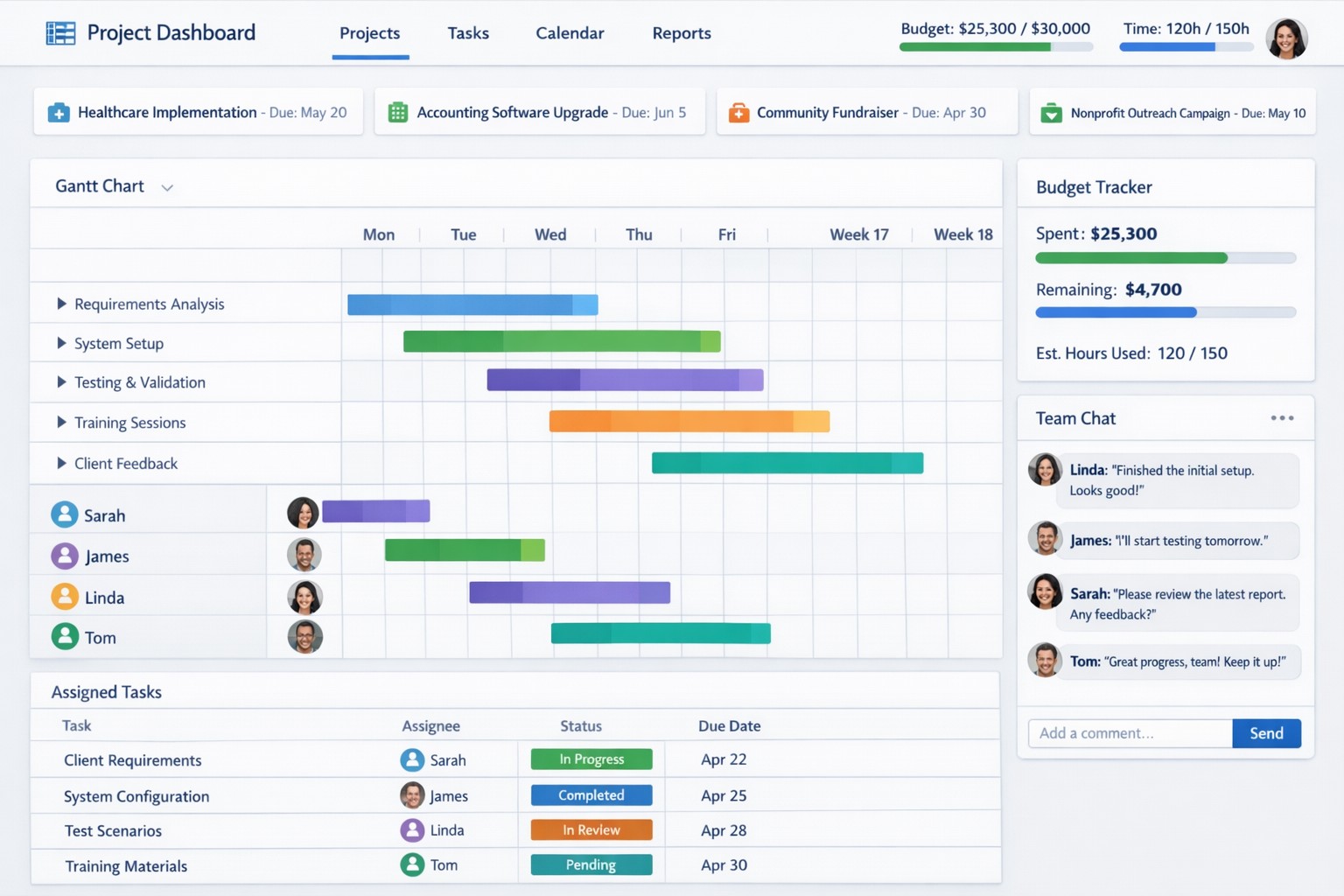
Project management software centralizes tasks, resources, and timelines to boost small business efficiency and team coordination.
Business owners need to ensure that company projects are completed on time, within budget, and meet both the company’s and clients’ expectations. Managing projects can be a complex task, but we now have project management software to help streamline the process. Here are some of the key benefits that project management software can provide to business owners:
Enhanced Efficiency and Productivity
The most significant benefits of project management software is the enhanced efficiency and productivity it brings to businesses. With all project-related tasks, timelines, and resources centralized in one platform, team members can easily collaborate, track progress, and stay updated on the project’s status. This eliminates the need for lengthy email chains, spreadsheets, and physical documents, ultimately saving time and promoting productivity.
Improved Communication and Collaboration
Communication is the key to successful project management, and project management software facilitates effective communication and collaboration among team members. It enables real-time communication, file sharing, and discussion forums, ensuring that everyone is on the same page and can collaborate seamlessly. Additionally, centralized project information reduces miscommunication and the risk of important details being overlooked. Imagine any employee being able to answer the phone and let a client know what the latest status on the project is.
Effective Resource Allocation
Project management software provides a bird’s eye view of available resources and their allocation, enabling business owners to make informed decisions regarding resource utilization. Through this tool, business owners can ensure that resources are optimally distributed, preventing bottlenecks and maximizing productivity. Some even utilize AI to help optimize distribution of tasks based on rules.
Accurate Budgeting and Cost Control
Project management software allows you to set budget limits, track expenses, and monitor costs in real-time. This helps business owners identify any budget overruns or cost variances early on, allowing for timely adjustments and effective cost control. By having accurate budgeting and comprehensive financial insights, business owners can make informed decisions to keep projects financially on track.
Transparent Project Monitoring and Reporting
Project management software provides business owners with clear visibility into project progress, milestones, and potential roadblocks. It enables real-time monitoring of tasks, timelines, and deadlines, ensuring that projects stay on schedule. Moreover, these platforms generate automated reports that provide comprehensive insights on project performance and allow business owners to identify areas for improvement. This transparency and reporting capability are invaluable for making data-driven decisions and ensuring projects are delivered successfully.
Scalability and Flexibility
As businesses grow, so do their project requirements. Project management software offers scalability and flexibility to adapt to evolving business needs. Whether you’re handling small projects or large-scale initiatives, these tools can accommodate different project sizes and complexities. Additionally, customization options allow business owners to tailor the software’s features and functionalities to meet specific requirements, providing a personalized project management experience.
Don’t let inefficiencies hinder your business growth. Embrace project management software and experience the difference it can make. Get started now and see the positive impact it has on your projects and your bottom line!
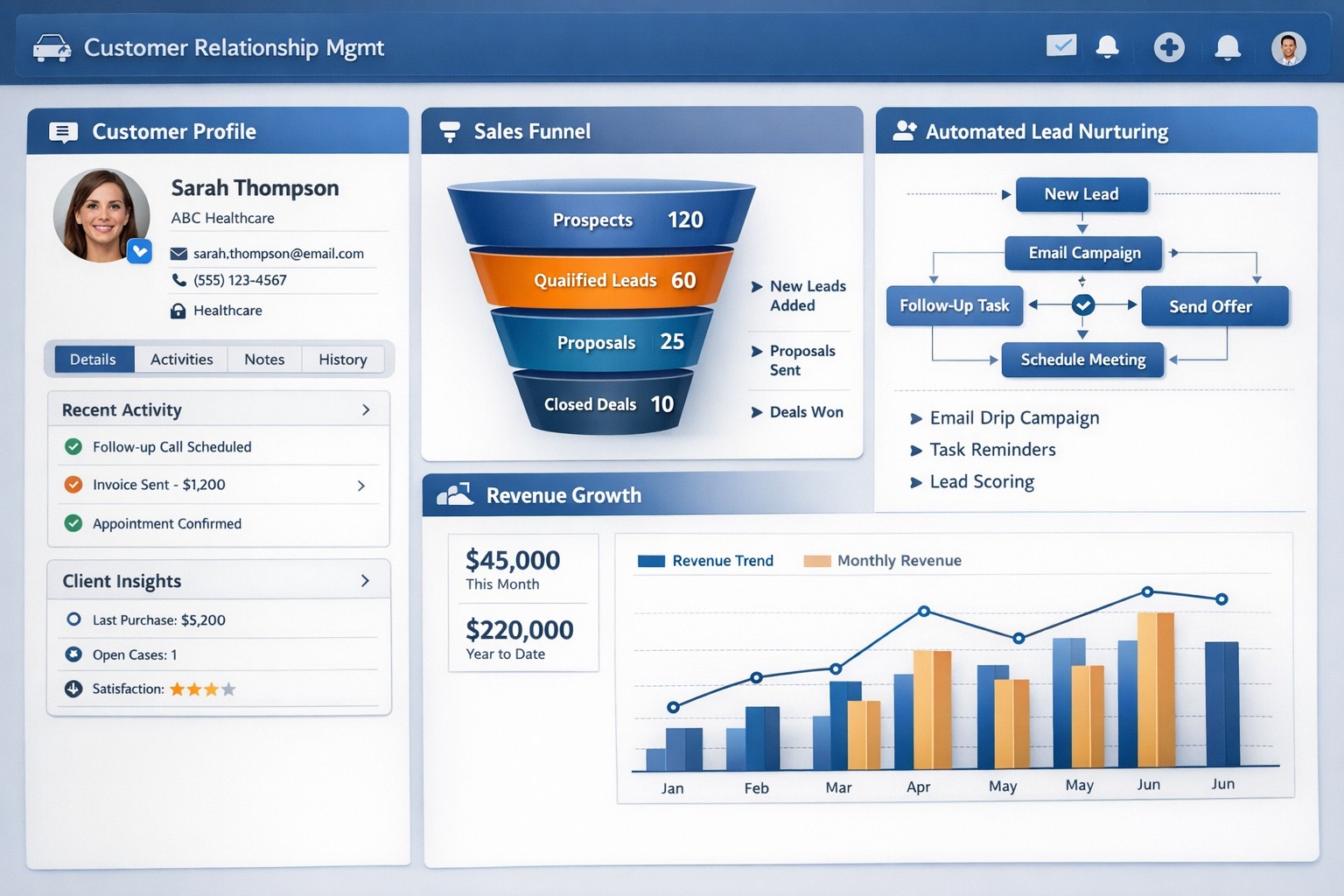
CRM software centralizes customer data and automates sales processes to drive small business growth and retention.
Every business should be constantly seeking ways to manage and grow their customer base. Customer Relationship Management (CRM) software is a powerful solution. With its extensive capabilities, CRM software enables business owners to streamline operations, enhance customer interactions, and ultimately drive business growth.
Streamline Customer Data Management
A primary advantages of CRM software is its ability to centralize customer data. Gone are the days of spreadsheets and scattered information across different departments. CRM software consolidates customer data into a single, easily accessible platform. This comprehensive view of customer information allows business owners to gain valuable insights into customer behavior, preferences, and buying patterns. With this data at their fingertips, business owners can align their strategies to focus on customer needs more effectively, resulting in higher customer satisfaction and increased sales.
Enhanced Customer Interactions
CRM software empowers businesses to forge stronger relationships with their customers. By tracking customers’ interactions and preferences, businesses can personalize their approach and provide tailored experiences. CRM also enables businesses to automate routine tasks such as email marketing, follow-ups, and appointment setting / reminders. This automation not only saves time and effort for business owners and employees but also ensures consistent and timely communication with customers. A personal touch, combined with timely responses, fosters trust and loyalty, and ultimately contributes to business growth.
Improved Sales and Marketing Strategies
CRM software provides invaluable assistance when it comes to sales and marketing strategies. By tracking the entire sales process, from lead generation to closing deals, CRM enables businesses to identify areas of improvement and refine their sales strategies. Additionally, CRM software enables targeted marketing campaigns by segmenting customers based on various factors such as demographics, purchase history, and preferences. By reaching out to the right customers with personalized offerings, businesses can significantly boost their marketing ROI and achieve higher conversion rates.
Efficient Task and Team Management
Efficient task and team management play a pivotal role in business success. CRM software offers features such as task tracking, workflow automation, and team collaboration tools that streamline operations. With tasks assigned and tracked within the CRM system, businesses can ensure that nothing falls through the cracks. Moreover, CRM software facilitates collaboration among team members, improving communication and coordination. By eliminating redundancies and enhancing productivity, CRM empowers businesses to work smarter and achieve their growth objectives.
Data-Driven Decision Making
Data is king. CRM software equips business owners with real-time analytics and reporting capabilities. By accessing key metrics such as sales forecasting, customer acquisition costs, and customer lifetime value, businesses can make informed decisions and strategic plans. With the ability to measure and analyze their performance, businesses can identify trends, pinpoint areas of weakness, and devise actionable solutions. This data-driven approach mitigates risks and provides a competitive edge in the marketplace.
Investing in a robust CRM solution today will reap immeasurable benefits tomorrow, enabling businesses to thrive in an increasingly competitive landscape. Contact us to embrace the power of CRM software and unlock the full potential of your business.
And God will generously provide all you need. Then you will always have everything you need and plenty left over to share with others. As the Scriptures say,
“They share freely and give generously to the poor. Their good deeds will be remembered forever.”
For God is the one who provides seed for the farmer and then bread to eat. In the same way, he will provide and increase your resources and then produce a great harvest of generosity in you. - 2 Corinthians 9:8-10
We use cookies to ensure that we give you the best experience on our website. If you continue to use this site we will assume that you are happy with it.