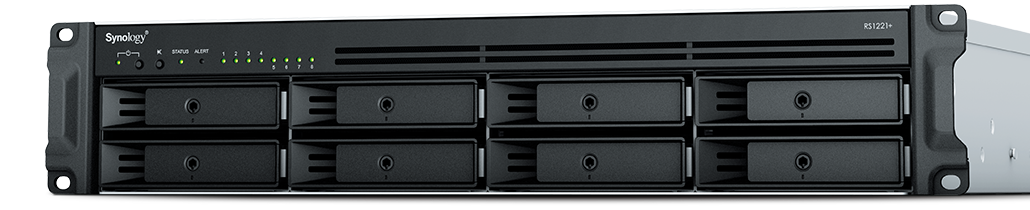
This is the fifth in a series that documents the Tier 3 / Co-Managed IT work we did to setup a wireless test bed for a Linux based scientific device. The testing environment included two different wireless network hardware types (Ubiquiti and Cisco). There was also a Synology device used for various purposes including hosting the Ubiquiti controller inside a Kubernetes container, providing certificate services, providing LDAP authentication, and providing RADIUS authentication. Each article will detail a separate piece of the project. This article shows the setup Synology RADIUS server & certificates.
Setup RADIUS Server
Login to Synology
Open Package Center
Install RADIUS Server app
Open RADIUS Server package
Uncheck local users
Check LDAP users
Click Apply
Click on Clients on left hand side
Click on Add
Create Name
Create Shared Secret
Enter IP address of Cisco WLAN controller
Click on Add
Create Name
Create Shared Secret
Enter IP address of Ubiquiti Controller
Configure RADIUS Certificates
Open Control Panel
Click on External Access
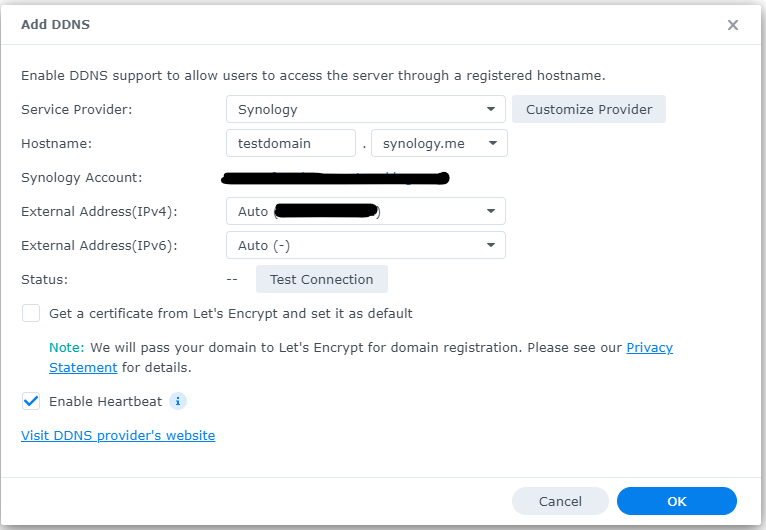
Click on DDNS tab
Click Add
Choose Synology as service provider
Add hostname
Click Test Connection
Click OK
Click on Security on left hand side
Click on the Certificate tab
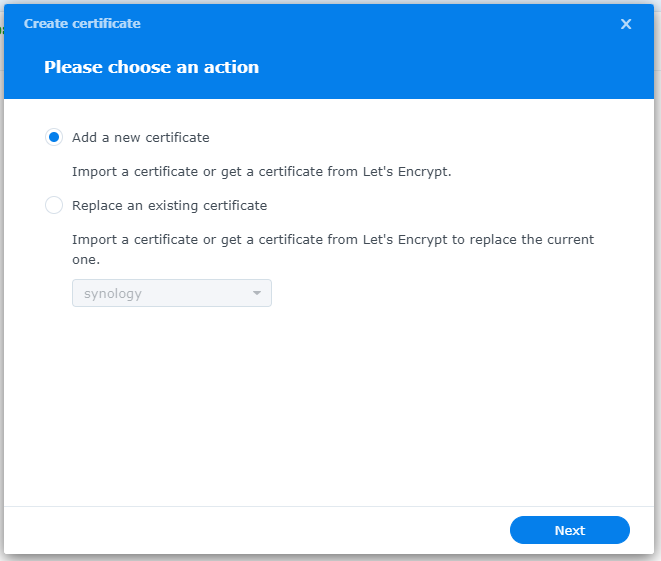
Click on Add
Add new certificate
Click Next
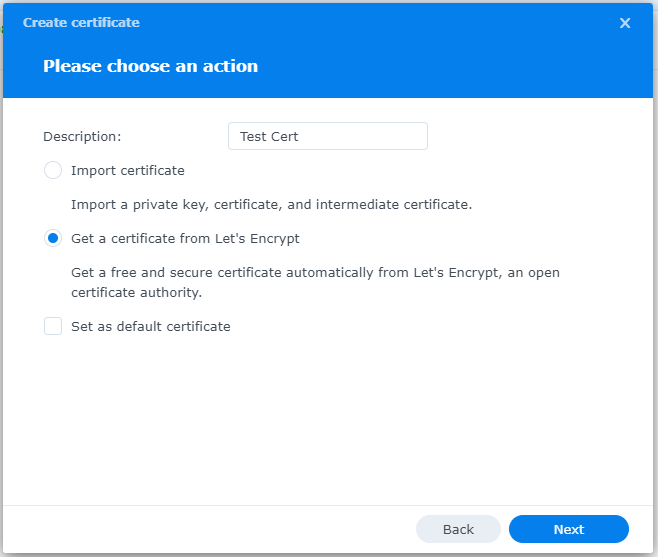
Create description
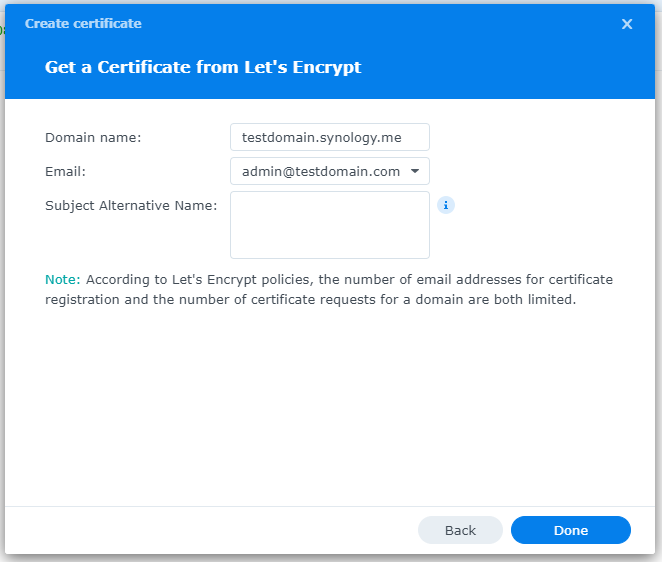
Get a certificate from Let’s Encrypt
Click Next
Add needed certificate information
Click Done
Click Settings button and choose appropriate RADIUS server certificate
If your company has highly customized setup requirements that you need consulting for, then contact us for assistance.
A report from PricewaterhouseCoopers based on a survey of over 2,000 business leaders and took it as confirmation of our recent blog post about Why SMBs Need Managed Service Providers (MSPs). Here are some takeaways from the article:
Takeaways:
“Companies that use MSPs for strategic advantage are 1.6 times and 2.4 times more likely to be faster to market as well as more innovative than those focused solely on cost savings, according to the report.”
“Organizations utilizing managed services at a mature level use them to respond more adroitly to changing conditions and potential threats.”
“Most business and IT leaders recognize the pace of innovation is occurring faster than their internal IT teams can absorb. There is always going to be some type of skills shortage. Those skill shortages are ones that MSPs are in the best position to fill.”
If your company is looking to outperform in the marketplace, then contact us to start a partnership.
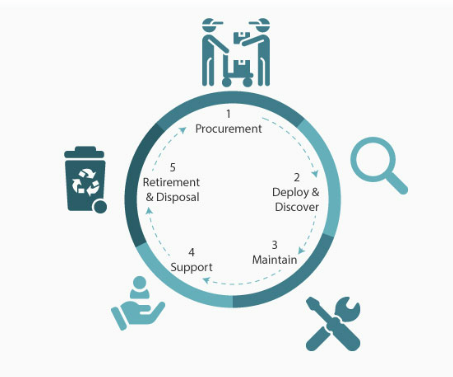
In today’s fast-paced business environment, effectively managing IT equipment throughout its lifecycle has become essential. Equipment Lifecycle Management (ELM) refers to the systematic approach of acquiring, operating, maintaining, and disposing of equipment. By implementing an ELM strategy, businesses can maximize the lifespan and productivity of their equipment, while also minimizing costs and downtime. Let’s explore some of the secret benefits of equipment lifecycle management.
Cost Optimization
IT equipment can represent a significant investment for businesses. Through ELM, companies can optimize costs by planning IT equipment updates and replacements in a strategic manner. With a clear understanding of the IT equipment’s lifespan and maintenance requirements, businesses can budget for these costs well in advance, avoiding unexpected expenses that could negatively impacting their finances.
Increased Equipment Efficiency
One of the primary goals of ELM is to maximize equipment efficiency and productivity. By conducting regular inspections, maintenance, and repairs, businesses can identify and address performance issues before they become major problems. Proactively managing IT equipment ensures that it operates at optimal levels, reducing downtime and improving overall operational efficiency.
Enhanced Asset Tracking and Planning
ELM provides businesses with a comprehensive understanding of their equipment inventory. Through proper record-keeping and asset tracking systems, companies can easily identify the location, condition, and maintenance history of each piece of IT equipment. This information enables businesses to plan for IT equipment updates, replacements, or adjustments based on their lifecycle and performance, ensuring that resources are allocated efficiently.
Sustainable and Environmentally Responsible Practices
Efficient IT equipment management is not only beneficial for businesses but also for the environment. By properly maintaining and disposing of equipment, companies can significantly reduce waste generation and minimize their carbon footprint. Implementing ELM strategies, such as equipment reuse or recycling programs, aligns with sustainable business practices and demonstrates a commitment to environmental responsibility.
Effective equipment lifecycle management is crucial for businesses looking to optimize costs, improve productivity, and minimize their environmental impact. By proactively managing IT equipment throughout its lifecycle, companies can maximize its efficiency, extend its lifespan, and ensure smooth operations. Investing in IT equipment lifecycle management ultimately leads to long-term benefits and a competitive advantage in today’s business landscape.
If you haven’t already, contact us to implement an ELM strategy for your business.
Small and medium-sized businesses (SMBs) face numerous challenges when it comes to managing their IT. Limited resources (both human and money), lack of expertise, and the need to focus on core business operations often make it difficult for SMBs to understand and manage technology needs. This is where Managed Service Providers (MSPs) come in. In this blog article, we will explore the reasons why SMBs should consider partnering with MSPs to enhance their IT capabilities and drive business growth.
Cost-Effective IT Solutions:
One of the primary reasons why SMBs need MSPs is the cost-effectiveness they offer. By outsourcing their IT needs to MSPs, SMBs can avoid the high costs associated with hiring and training an in-house IT team. MSPs provide a range of services, including network monitoring, data backup and recovery, cybersecurity, and software updates, all at a predictable monthly cost. This allows SMBs to allocate their resources more efficiently and focus on their core business.
Access to Expertise and Advanced Technology:
MSPs are experts in providing IT services and have a team of highly skilled professionals with expertise in variety of technology. By partnering with MSPs, SMBs gain access to the depth of knowledge and experience from IT experts who can handle complex tasks and provide strategic guidance. Additionally, MSPs stay up-to-date with the latest technology trends and can recommend and implement solutions that can help SMBs stay competitive in the market and safe from hackers.
Proactive IT Support and Maintenance:
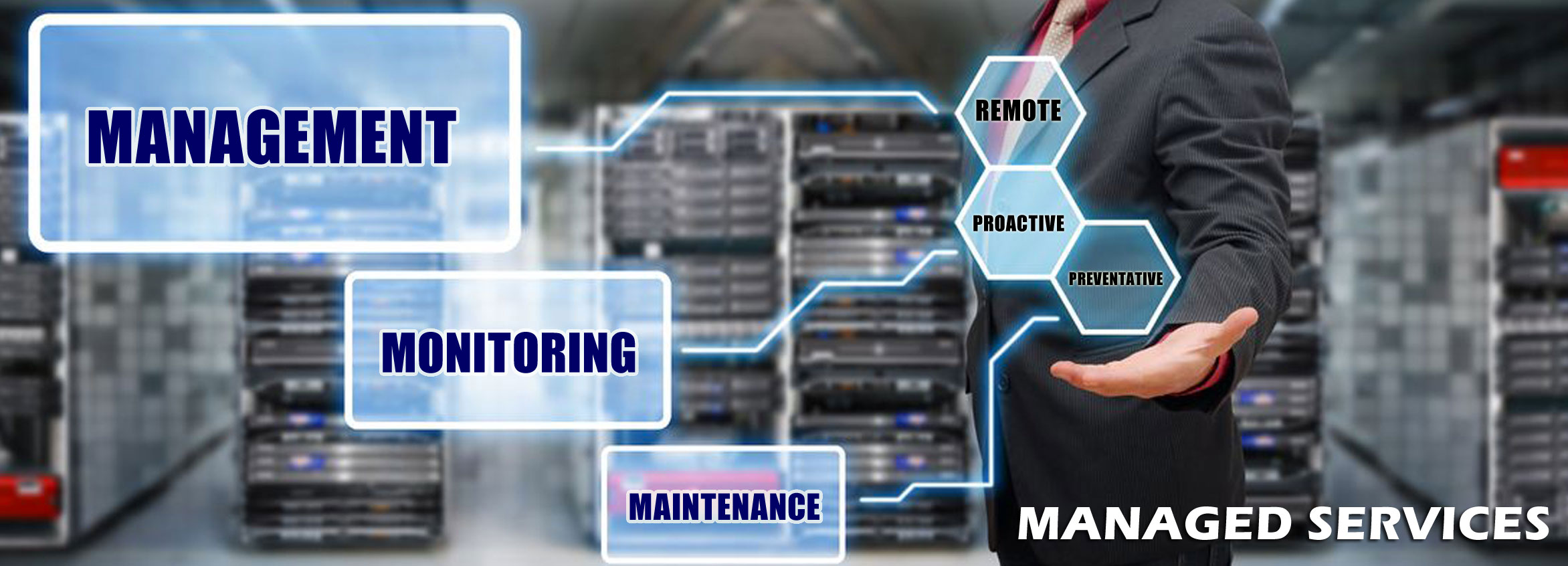
MSPs offer proactive IT support and maintenance, which is crucial for SMBs. They monitor networks, identify potential issues, and take preventive measures to avoid downtime and disruptions. MSPs also provide regular software updates, security patches, and system maintenance, ensuring that SMBs’ IT remains secure and up-to-date. This proactive approach helps SMBs minimize the risk of costly IT failures and ensures smooth business operations.
Enhanced Data Security:
Data breaches and cyberattacks pose a significant threat to SMBs. MSPs play a vital role in safeguarding SMBs’ sensitive data and protecting them from potential security breaches. They implement robust cybersecurity measures, such as firewalls, antivirus software, and encryption, to ensure data confidentiality and integrity. MSPs can also conduct regular security audits and vulnerability assessments to identify and address any potential weaknesses in the IT infrastructure.
Scalability and Flexibility:
As SMBs grow, their IT needs evolve. MSPs offer scalable solutions that can adapt to changing business requirements. Whether it’s adding new users, expanding storage capacity, or integrating new software, MSPs can quickly and efficiently accommodate these changes. This scalability and flexibility allow SMBs to focus on their growth without worrying about the limitations of their IT infrastructure.
If your company could use the cost-effective solutions, access to expertise, proactive support, enhanced data security, and scalability that come from using a MSP, then contact us for assistance.
Businesses are face an increasing number of cyber threats. To protect sensitive data and prevent hackers from gaining access, implementing stronger security measures is crucial. One such measure is 2-factor authentication (2FA). Let’s look at the importance and security benefits of 2FA for businesses.
Enhanced Account Security:
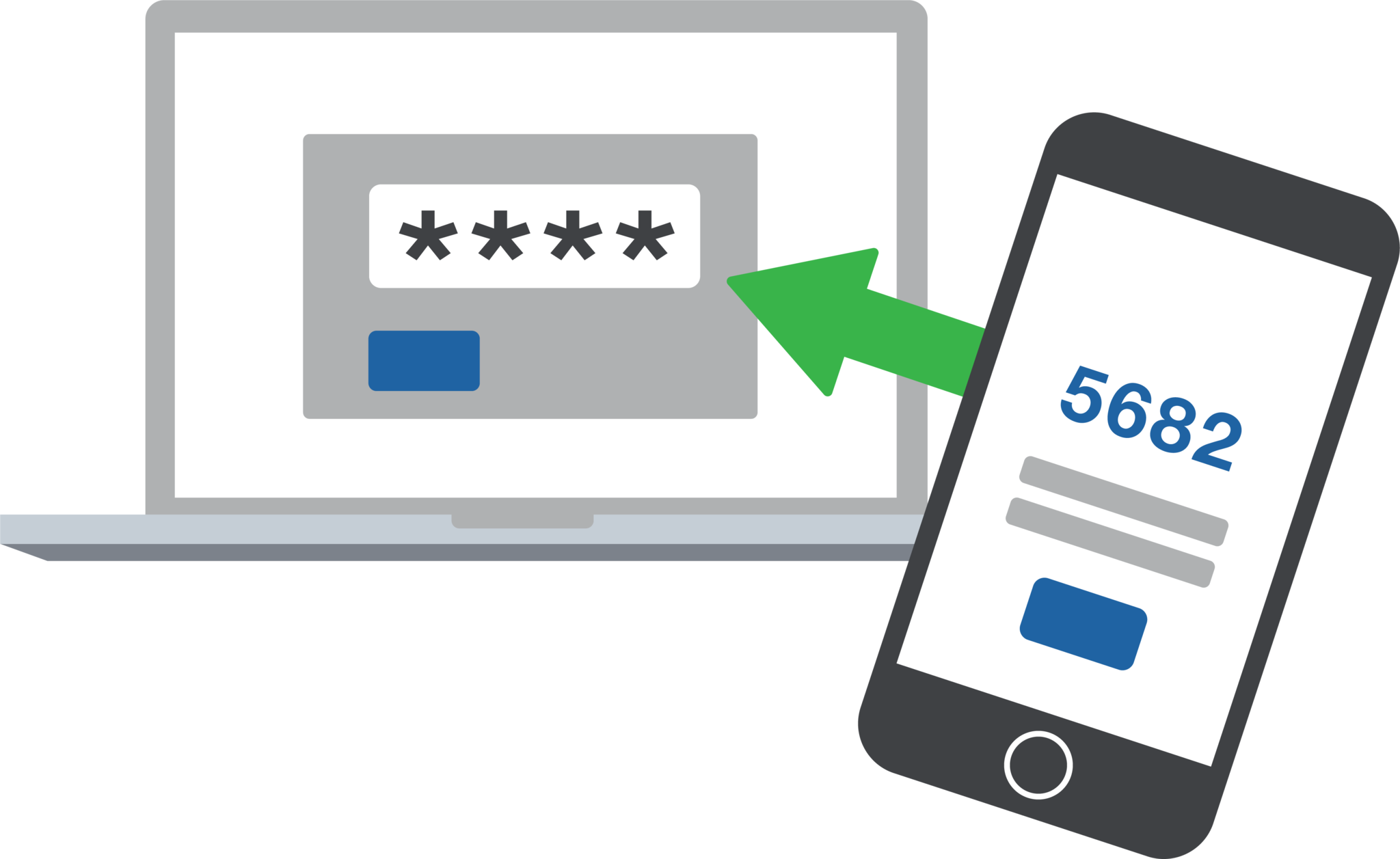
2FA adds an extra layer of security to the traditional username and password login process. By requiring users to provide a second form of authentication, such as a unique code sent to their mobile device, it significantly reduces the risk of hackers from gaining access. Even if a hacker manages to obtain a user’s password, they would still need the second factor to gain access.
Mitigation of Password-related Risks:
Passwords are often the weakest link in security systems. Many users tend to reuse passwords across multiple accounts or choose weak and easily guessable ones or re-use the same password while incrementally changing a digit or two. With 2FA, even if a password is compromised, the additional authentication factor acts as a safeguard, making it significantly harder for attackers to gain access.
Protection Against Phishing Attacks:
Phishing attacks, where attackers trick users into revealing their login credentials, are a common threat to businesses. 2FA provides an additional layer of defense against such attacks. Even if a user unknowingly falls victim to a phishing attempt and enters their credentials on a fake website, the second authentication factor would prevent the attacker from accessing the account.
Compliance with Industry Regulations:
Many industries, such as finance, healthcare, government contractors, and e-commerce, are subject to strict data protection regulations. Implementing 2FA helps businesses meet compliance requirements and avoid potential penalties. It demonstrates a commitment to safeguarding sensitive customer information and builds trust with clients.
Cost-Effective Security Measure:
Implementing 2FA does not require significant financial investment. Many 2FA solutions are readily available and can be easily integrated into existing systems. Considering the potential financial and brand reputation damage caused by a security breach, the cost of implementing 2FA is minimal compared to the benefits it provides.
In an era where cyber threats are constantly evolving, businesses must prioritize security measures to protect their valuable data. 2-factor authentication offers a simple yet effective way to do so.
If your company is interested in implementing 2FA across the entire organization, then contact us for assistance.
This is the forth in a series that documents the Tier 3 / Co-Managed IT work we did to setup a wireless test bed for a Linux based scientific device. The testing environment included two different wireless network hardware types (Ubiquiti and Cisco). There was also a Synology device used for various purposes including hosting the Ubiquiti controller inside a Kubernetes container, providing certificate services, providing LDAP authentication, and providing RADIUS authentication. Each article will detail a separate piece of the project. This article shows the setup Synology LDAP server & certificates.
Setup LDAP Server
Login to Synology
Open Package Center
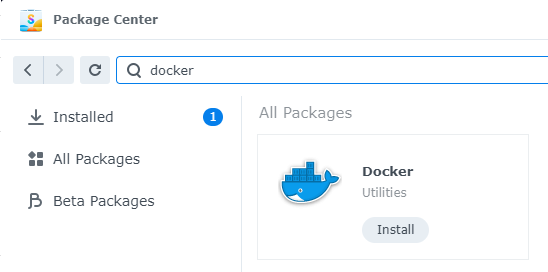
Install LDAP Server app
Open LDAP Server package
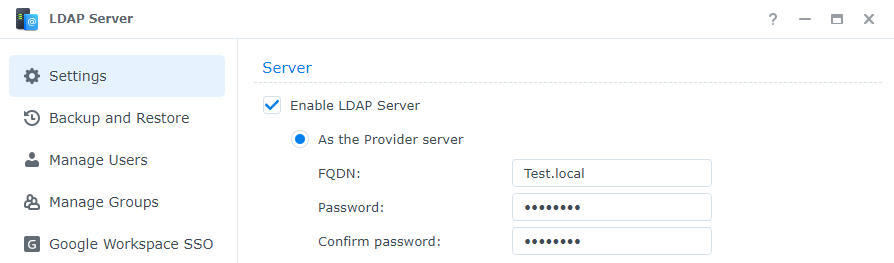
Enable LDAP Server
Create FQDN (something like Test.local)
Create password
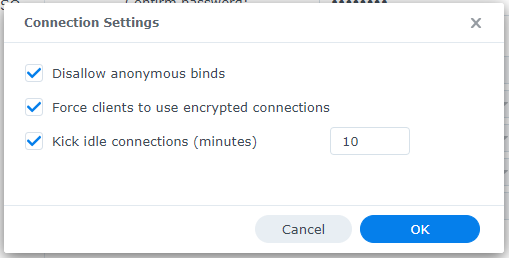
Change Connection Settings
Disallow anonymous binds
Force clients to use encrypted connections
Change timeout to 10 minutes
Click OK
Click Apply
Click on Manage Groups
Click on Create
Give the Group a name
Click Next
Click Done
Click on Manage Users
Click on Create
Give the User a name
Add user email if appropriate
Create password
Click Next
Check mark next to new group previously created
Click Next x2
Click Done
Connect Synology to LDAP Server
Open Control Panel
Click on Domain / LDAP on left hand side
Click Join
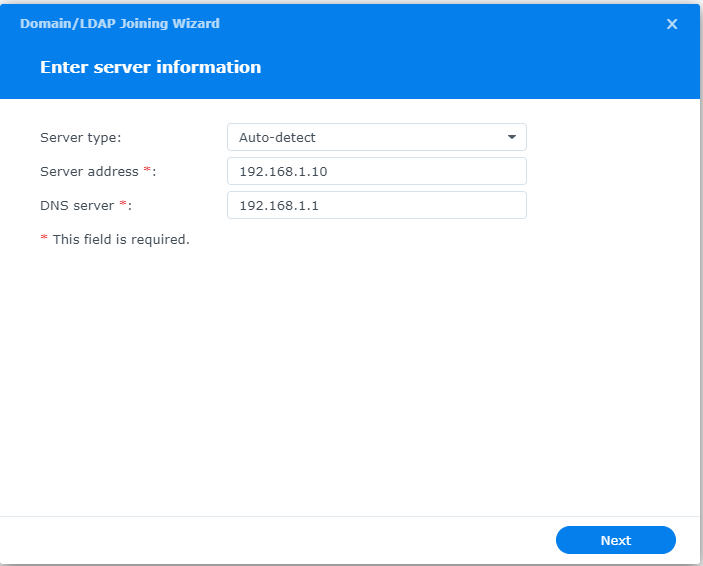
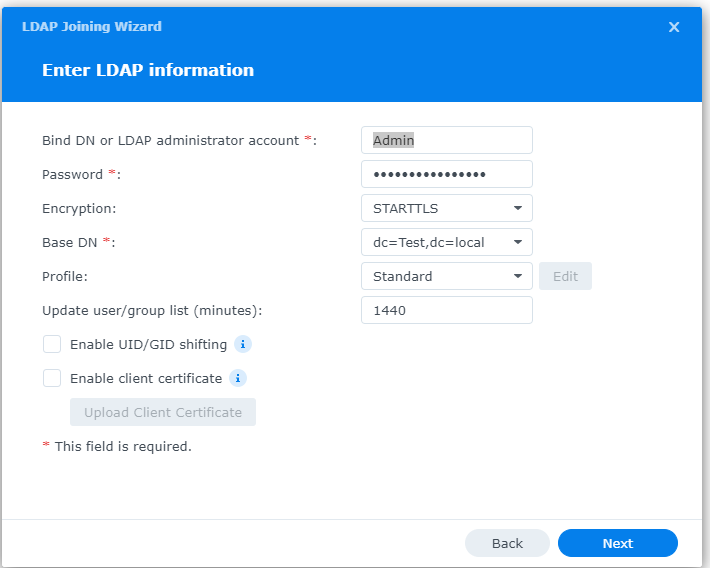
Enter IP address of Synology
Enter Admin username / password
Choose STARTTLS encryption
Copy Base DN from LDAP Server app Settings tab
Click Next
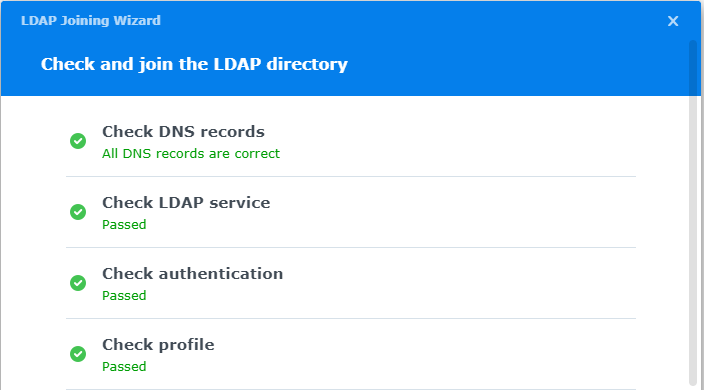
Connection parameters will be check (fix any issues)
Configure LDAP Certificates
Open Control Panel
Click on External Access
Click on DDNS tab
Click Add
Choose Synology as service provider
Add hostname
Click Test Connection
Click OK
Click on Security on left hand side
Click on the Certificate tab
Click on Add
Add new certificate
Click Next
Create description
Get a certificate from Let’s Encrypt
Click Next
Add needed certificate information
Click Done
Click Settings button and choose appropriate LDAP server certificate
If your company has highly customized setup requirements that you need consulting for, then contact us for assistance.
In today’s digital age, where technology has become an essential part of our lives, ensuring the security of our online information has become more crucial than ever before. With cyber threats and attacks on the rise, it is vital for individuals and organizations to invest in comprehensive cyber security training. In this blog article, we will explore the importance of cyber security training and why it should be a top priority for everyone.
Protecting Confidential Information
One of the main reasons why cyber security training is essential is to protect confidential information. In our increasingly connected world, we store sensitive data, such as financial information, personal details, and business data, online. Without proper training, individuals become vulnerable to malicious attacks, such as phishing scams, data breaches, and identity theft. Cyber security training equips individuals with the knowledge and skills necessary to identify and prevent such threats, ensuring the protection of confidential information.
Mitigating Financial Losses
Cyber attacks can have devastating financial consequences for individuals and organizations. The cost of recovering from a cyber attack, including restoring compromised systems, investigating the breach, and compensating affected parties, can be significant. By investing in cyber security training, individuals and organizations can minimize the risk of falling victim to cyber attacks, thereby avoiding potentially crippling financial losses.
Safeguarding Reputations
In today’s hyper-connected world, reputation is everything. A cyber attack not only compromises the security of your information but also tarnishes your reputation. News of a data breach or cyber attack can spread like wildfire, damaging the trust that customers, clients, and partners have in you. By taking proactive measures and investing in cyber security training, individuals and organizations can safeguard their reputations and maintain the trust of those they interact with.
Staying Ahead of Evolving Threats
Cyber threats are constantly evolving, with hackers employing new techniques and strategies to breach systems and access sensitive information. Cyber security training ensures that individuals and organizations stay up to date with the latest cyber security practices, emerging trends, and new vulnerabilities. By staying ahead of evolving threats, individuals can better defend themselves against attacks and organizations can maintain a robust cyber security posture.
Building a Culture of Cyber Awareness
Cyber security is not just the responsibility of IT professionals; it is everyone’s responsibility. By promoting cyber security training, organizations can build a culture of cyber awareness among their employees. Ensuring that employees are equipped with the necessary knowledge and skills to identify and report potential threats reduces the attack surface and strengthens the overall security posture of the organization.
Conclusion
In a world increasingly reliant on technology and interconnectedness, the importance of cyber security training cannot be overstated. From protecting confidential information to mitigating financial losses and safeguarding reputations, cyber security training is crucial for individuals and organizations alike. By investing in comprehensive training programs, we can enhance our ability to identify and prevent cyber threats, ultimately creating a safer digital environment for all.
If your company is one of the 47% of companies that plan to add or change their cybersecurity solution this year, then contact us for assistance.
Farmhouse Networking was recently approached by the Portland Tribune for comment on the hack of the DMV. We were quoted in their article published yesterday. Here is our full advice:
What to do post DMV hack?
The breach that effected the Oregon DMV was part of a larger hack of the software known as MOVEit. The exploit of the vulnerability in this software was used to gain access to over 3.5 million Oregonians information including:
Name
Home and mailing address
License or ID number
Last four digits of Social Security number
This information can be used by hackers and other darkweb criminals to assume the identity of those whose information has been compromised and perform identitiy theft activities like applying for credit cards or tax fraud. Anyone with an active Oregon ID card or driver’s license should begin monitoring their credit report and look for any suspicious activity. If suspicious activity is found they should immediately call the following to freeze their credit and take actions to reverse the damages done:
Equifax: equifax.com/personal/credit-report-services or 1-800-685-1111 Experian: experian.com/help or 1-888-397-3742 TransUnion: transunion.com/credit-help or 1-888-909-8872
If your company is concerned about the possibility of a similar breach, then contact us for assistance.
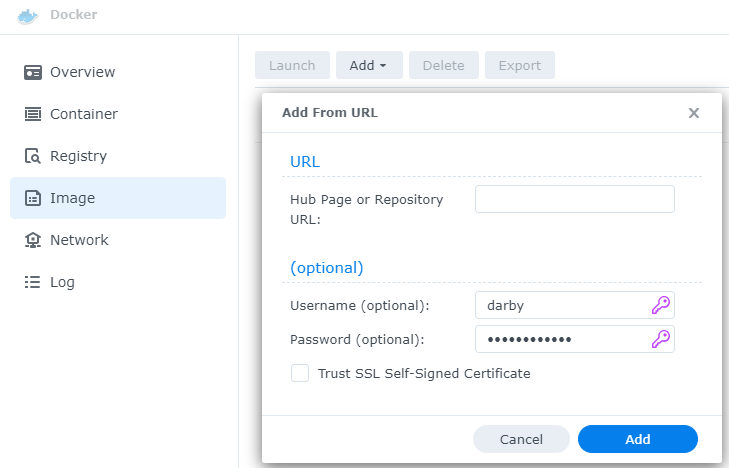
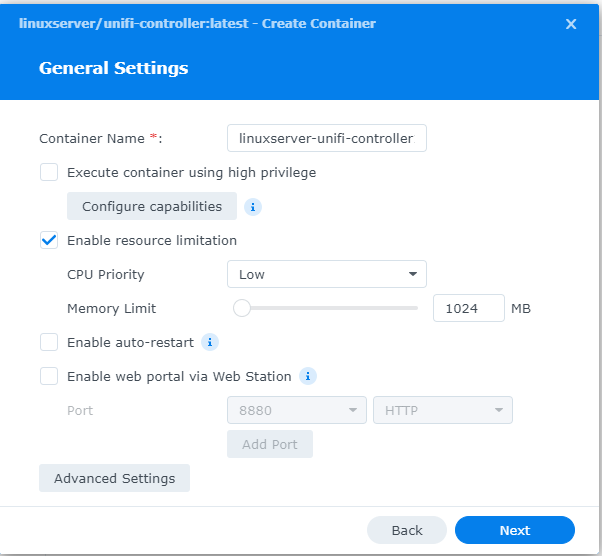
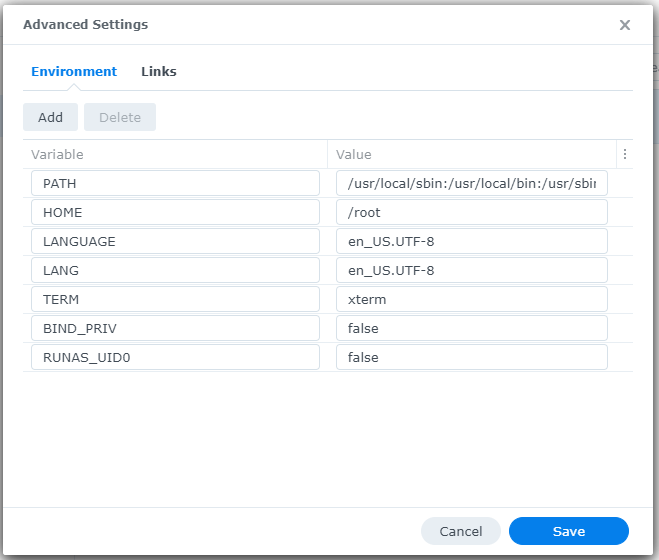
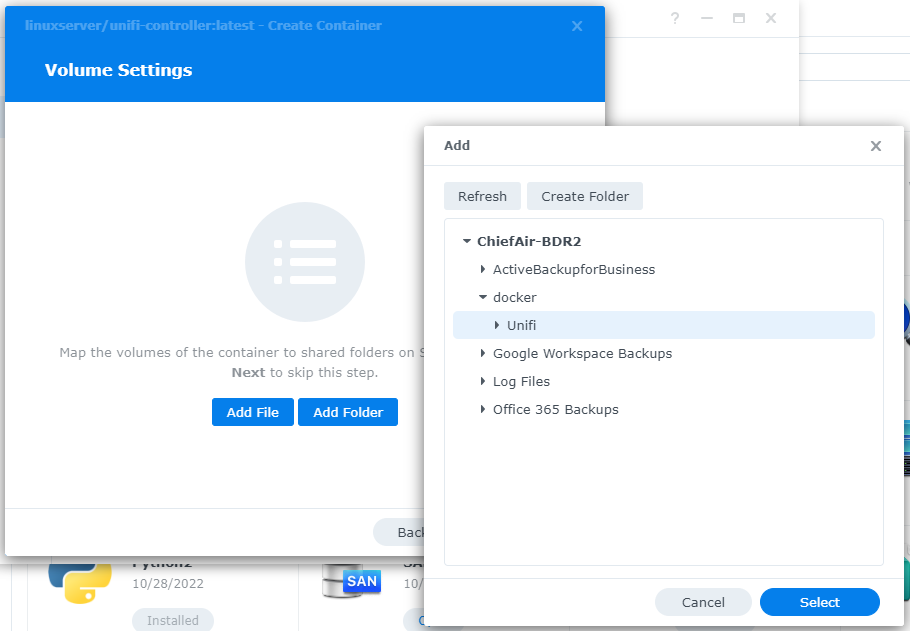
This is the third in a series that documents the Tier 3 / Co-Managed IT work we did to setup a wireless test bed for a Linux based scientific device. The testing environment included two different wireless network hardware types (Ubiquiti and Cisco). There was also a Synology device used for various purposes including hosting the Ubiquiti controller inside a Kubernetes container, providing certificate services, providing LDAP authentication, and providing RADIUS authentication. Each article will detail a separate piece of the project. This article shows the basic setup of Ubiquiti Wireless Controller as a Docker instance on the Synology.
Power outages are a common occurrence in our area. While they may seem like a minor inconvenience, they can actually have a significant impact on your computer hardware. In this article, we will explore the negative effects of repeated power outages on computer hardware.
Hard Drive Failure
One of the most common negative effects of power outages on computer hardware is hard drive failure. When the power goes out, it can cause the hard drive to stop spinning abruptly. This sudden stop can cause the read/write head to crash into the disk platter, resulting in physical damage to the hard drive. In some cases, the hard drive may become completely unusable, leading to data loss.
Data Corruption
Power outages can also lead to data corruption. When the power goes out, any unsaved data in your computer’s memory is lost. This can cause files to become corrupted or damaged. In some cases, the entire operating system may become corrupted, making it impossible to boot up your computer.
Power Supply Damage
Finally, power outages can cause damage to your computer’s power supply. When the power goes out, it can cause a surge when the power comes back on. This surge can overload your computer’s power supply, causing it to fail. In some cases, the power supply may even catch fire, leading to a potentially dangerous situation.
Conclusion
In conclusion, power outages can have a significant negative impact on your computer hardware. From hard drive failure to data corruption, and power supply damage, there are many potential consequences of repeated power outages. To protect your computer from these negative effects, it’s important to invest in a high-quality uninterruptible power supply (UPS). These devices can help protect your computer from power surges and other electrical disturbances, ensuring that your hardware remains safe and functional.
If your company is not protecting its computers from the damaging effects of power outages , then contact us for assistance.
And God will generously provide all you need. Then you will always have everything you need and plenty left over to share with others. As the Scriptures say,
“They share freely and give generously to the poor. Their good deeds will be remembered forever.”
For God is the one who provides seed for the farmer and then bread to eat. In the same way, he will provide and increase your resources and then produce a great harvest of generosity in you. - 2 Corinthians 9:8-10
We use cookies to ensure that we give you the best experience on our website. If you continue to use this site we will assume that you are happy with it.