Protect your remote workforce with managed cybersecurity solutions from Farmhouse Networking.
Remote work isn’t a trend anymore—it’s the new normal. As business owners embrace flexibility for their teams, the question isn’t whether remote work is here to stay, but how to keep it secure. Every remote connection, off-site login, and cloud app increases your organization’s exposure to cyber threats. Yet with a strategic approach and the right IT partner, you can maintain both productivity and peace of mind.
Let’s explore practical steps to safeguard your remote workforce and keep your company’s data protected—no matter where your employees log in from.
Step 1: Strengthen Endpoint Security
Your employees’ laptops, tablets, and smartphones are the front lines of your cybersecurity defense.
Implement device management policies: Require company-issued or managed devices only, using mobile device management (MDM) tools to enforce security settings and lock or wipe lost devices.
Apply regular updates: Patch management ensures operating systems and applications stay current against known vulnerabilities.
Use advanced antivirus and EDR: Endpoint Detection and Response (EDR) continually monitors and analyzes device activity, identifying suspicious behavior early.
Strong endpoint protection helps you prevent compromised devices from becoming entry points into your network.
Step 2: Establish Secure Remote Access
Allowing remote access shouldn’t mean leaving your digital doors wide open.
Deploy a VPN (Virtual Private Network): Encrypt employee connections to your office network and cloud services.
Shift to Zero Trust Network Access (ZTNA): Adopt a “never trust, always verify” model that authenticates users and devices each time they connect.
Use multi-factor authentication (MFA): Combine passwords with a second factor, like a mobile app code or biometric scan, to block unauthorized access.
These technologies work together to create secure pathways for remote workers without slowing them down.
Step 3: Protect Your Cloud and Collaboration Tools
Cloud storage and file-sharing apps make remote work seamless—but they’re also favorite targets for cybercriminals.
Limit access privileges: Give users only the data and systems access they need for their jobs.
Monitor suspicious activity: Use automated alerts for unauthorized downloads, logins from unfamiliar locations, or mass file deletions.
Encrypt cloud data: Apply encryption at rest (while stored) and in transit (while shared).
By managing permissions and encryption settings properly, you ensure your remote team collaborates safely.
Step 4: Train Your Employees to Recognize Threats
Technology can’t protect your business alone—your people are your first defense.
Phishing simulation tests: Help employees identify deceptive emails before they click.
Ongoing security awareness training: Regular, engaging sessions keep cybersecurity top of mind.
Clear incident reporting process: Make sure staff know exactly how to report suspicious emails or activity.
Even the strongest firewall can’t fix a careless click. Empowered employees dramatically lower your exposure to ransomware and data breaches.
Step 5: Backups and Business Continuity
When (not if) something goes wrong, recovery speed determines your resilience.
Automated, off-site backups: Back up critical company data daily to secure cloud storage or a managed backup solution.
Test your recovery protocols: Periodic testing ensures recovery procedures actually work when needed.
Create a disaster recovery plan: Define roles, responsibilities, and communication plans for emergencies.
Regular backups not only protect your business from cyberattacks but also from system failures, accidental deletion, or natural disasters.
Common Questions from Business Owners
Q: How can I ensure my remote workers’ home networks are secure? A: Require strong, unique Wi-Fi passwords and WPA3 encryption. Encourage employees to separate personal and work devices on different Wi-Fi networks where possible.
Q: Aren’t remote security tools expensive? A: Not necessarily. Many solutions scale by user count, making them affordable for small to medium-sized businesses. Cloud-based management and outsourced IT services can reduce operational overhead.
Q: What’s the biggest cybersecurity risk for remote businesses? A: Human error remains number one—especially phishing attacks and weak passwords. That’s why employee training and MFA are critical foundations of your remote work security strategy.
How Farmhouse Networking Helps Strengthen Remote Security
At Farmhouse Networking, we help businesses across Oregon and beyond embrace remote work securely. Our team provides managed IT services, network monitoring, cybersecurity management, and employee training tailored to your business goals.
Here’s how we can help you stay secure while working remotely:
Comprehensive network and endpoint protection designed to prevent unauthorized access.
24/7 monitoring and response to detect threats in real time.
Cloud security audits to ensure collaboration tools meet compliance and security standards.
Custom remote work security plans aligned with your IT budget and risk profile.
We work closely with your internal IT staff or serve as your outsourced department—helping you focus on running your business, not worrying about cyber risks.
Take the Next Step Toward Secure Remote Work
Remote work can be safe, scalable, and sustainable—with the right security foundation. Whether you’re building your first remote team or managing a hybrid workforce, Farmhouse Networking has the expertise to protect your people, devices, and data.
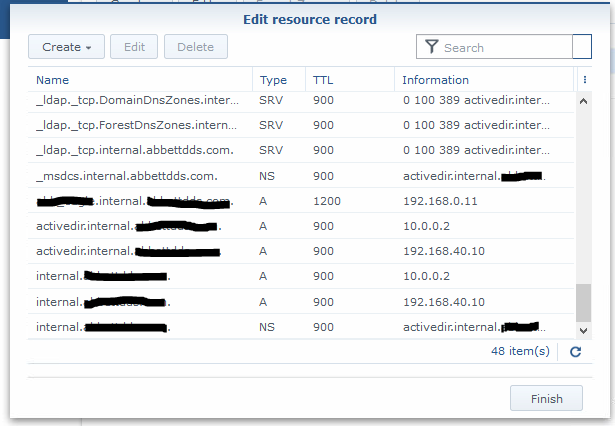
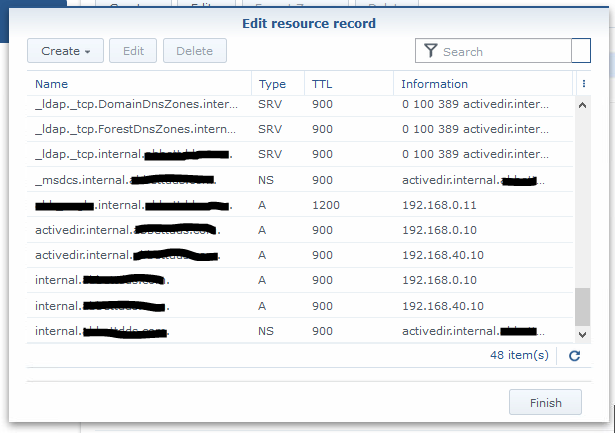
Got a email from one of our co-managed IT / Tier3 / managed RMM clients that was having issues with DNS resolution. The network consists of a Synology NAS acting as Domain Controller / DNS Server and a VM on the Synology that runs the clients main application. Several of the workstations were having an issue where they could not browse to the IP address (\\192.168.0.11\sharename)of the application server at one time and could not browse to the UNC path (\\servername\sharename) of the same server on another day. First tried setting the external forwarders to Google DNS and the Forward Policy to Forward First, but the problem resurfaced. So we dug deeper into the DNS settings and found the following:
Stale DNS records break Synology name resolution—simple record cleanup fixes it
If you look closely the IP address of the server is 192.168.0.11 and the records for DNS servers associated with the domain above and below it point to servers outside the subnet of the application server (10.0.0.2). Upon further investigation this DNS server address was blocked by the firewall because it was an old IP address scheme that was no longer in use. The current good DNS server IP addresses are 192.168.40.10 and 192.168.0.10.
Turns out the stale DNS records were the problem. Made the needed changes to the DNS records and things are working great.
If your company needs a little extra help running the IT department, then contact us to setup a co-managed IT evaluation.
Farmhouse Networking’s zero trust security model prevents lateral movement
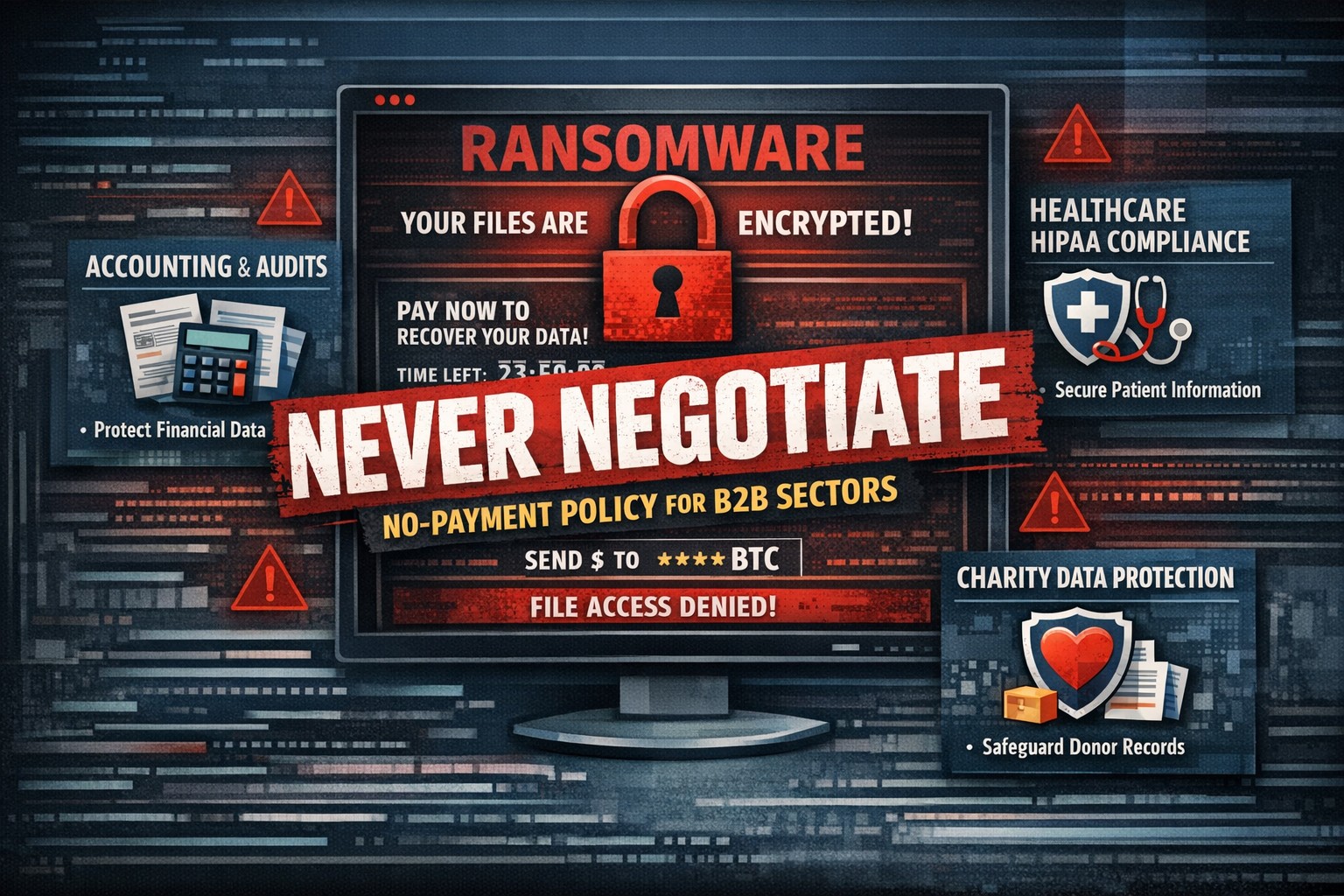
There has been a recent trend for companies to “negotiate” with the criminal terrorists behind wave of ransomware attacks across the world by paying the ransom. In a recent study some alarming statistics have been released:
Current Ransomware Stats
If Ransom is Paid: The global findings also show that only 8% of organizations manage to get back all of their data after paying a ransom, with 29% getting back no more than half of their data.
Cost of Ransom: The average ransom paid was $170,404. While $3.2 million was the highest payment out of those surveyed, the most common payment was $10,000. Ten organizations paid ransoms of $1 million or more.
Who is Paying the Ransom: The number of organizations that paid the ransom increased from 26% in 2020 to 32% in 2021.
The Brighter Side: While the number of organizations that experienced a ransomware attack fell from 51% of respondents surveyed in 2020 to 37% in 2021, and fewer organizations suffered data encryption as the result of a significant attack (54% in 2021 compared to 73% in 2020).
What is Being Done
There are now organizations trying to create a common framework to address this threat. The Institute for Security and Technology has created a Ransomware Task Force. This task force has been working to develop this framework and has published some guidance. Even though this is just the foundation work, it is good to see that efforts are being made.
If your company is worried about the threat of ransomware, then contact us for assistance setting up a multiple layer approach to security.
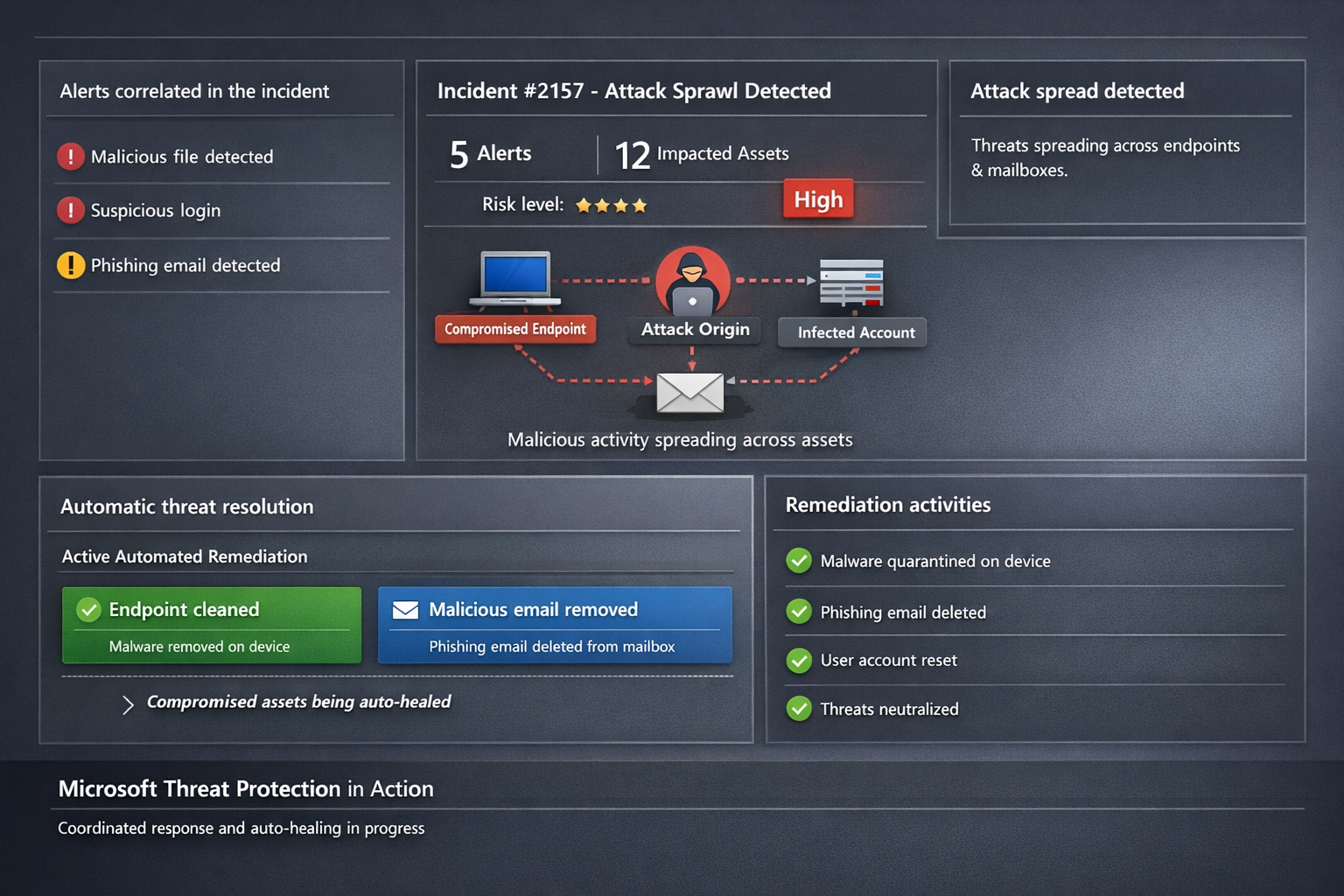
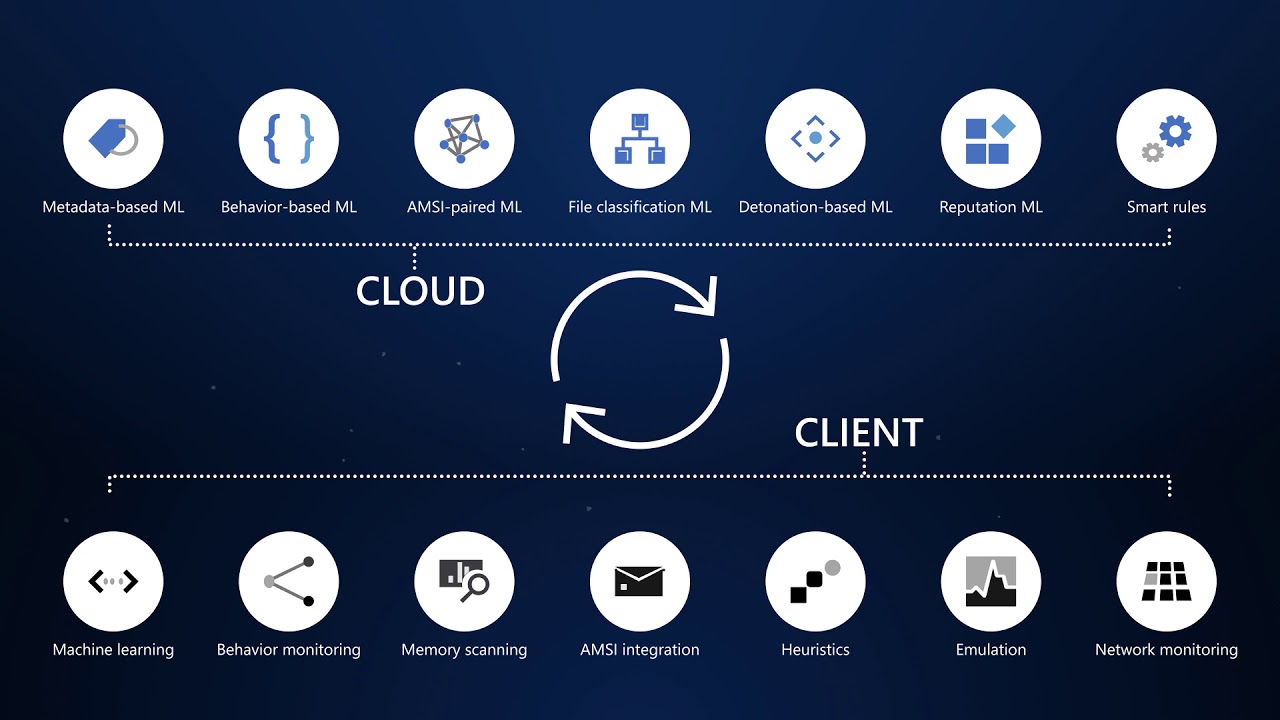
Microsoft 365 Defender auto-disrupts threats across endpoints and identities, healing assets in real-time to prevent sprawl.
One cyberattack can cripple operations, expose sensitive data, and cost millions in recovery. Microsoft Threat Protection (now evolved into Microsoft 365 Defender) integrates defenses across endpoints, email, identity, and apps to halt attack sprawl—where threats spread unchecked—and automatically heals compromised assets, minimizing downtime and risk.
What Is Attack Sprawl and Auto-Healing?
Attack sprawl happens when adversaries breach one domain, like email, then pivot to endpoints or identities via weak seams in siloed tools. Microsoft Threat Protection correlates signals across Microsoft Defender for Endpoint, Office 365 ATP, Azure ATP, and Cloud App Security to detect the full attack chain in real time.
It stops sprawl by blocking persistence mechanisms, such as malicious processes or credential abuse, and auto-heals assets—terminating threats on devices, removing harmful email rules, and flagging compromised users in Azure AD—restoring safety without manual intervention. Recent updates add automatic attack disruption for critical assets like domain controllers, disrupting threats days earlier in the kill chain.
Practical Action Steps for Implementation
Business owners and IT teams can deploy Microsoft Threat Protection systematically to fortify defenses. Follow these steps:
Assess Your Environment: Inventory endpoints, email, identities, and apps using Microsoft 365 Defender portal. Enable integration for Defender ATP, Office 365 ATP, Azure ATP, and MCAS via the unified console.
Enable Cross-Domain Correlation: Activate incident correlation in the Microsoft 365 Defender portal to prioritize high-fidelity threats. Configure conditional access policies to block risky logins automatically.
Turn On Auto-Healing and Disruption: In Defender settings, enable automated response actions like process termination and asset isolation. Test automatic attack disruption for critical assets via Security Exposure Management integration.
Conduct Proactive Hunting: Use custom queries in the portal to hunt cross-domain threats with your org-specific indicators. Review Threat Analytics reports for exposure insights and patches.
Monitor and Refine: Set up Action Center to track automated actions. Schedule monthly reviews to harden configurations based on incident data.
These steps reduce response times from hours to minutes, cutting breach costs by limiting sprawl.
FAQ: Client Inquiries Answered
How does Microsoft Threat Protection differ from standalone tools? It unifies siloed solutions into one XDR platform, correlating alerts for end-to-end visibility—unlike fragmented tools that miss cross-domain sprawl.
What assets does auto-healing cover? Endpoints (malicious processes), mailboxes (forwarding rules), identities (compromised flags), and apps. New capabilities target domain controllers and high-value servers.
Is it suitable for small businesses without a full IT team? Yes—built-in automation handles most responses. Pair with Microsoft 365 E5 licensing for seamless setup, scaling from SMBs to enterprises.
How effective is it against ransomware? It disrupts human-operated ransomware early by inoculating devices org-wide upon initial detection, reducing dwell time significantly.
What are setup costs and timelines? Licensing starts in Microsoft 365 plans; deployment takes days for integrated environments. Expect ROI via reduced incidents within weeks.
How Farmhouse Networking Boosts Your Efforts
Farmhouse Networking specializes in tailored Microsoft 365 security for accounting, healthcare, and charity sectors—industries handling sensitive data under strict compliance like HIPAA or GAAP. We handle assessment, configuration, and optimization of Threat Protection to stop attack sprawl and enable auto-healing.
Our team deploys custom integrations, trains your staff on hunting tools, and monitors via proactive managed services. We’ve helped similar clients cut threat response by 70%, ensuring business continuity. As your partner, we align SEO-driven website branding with lead-gen strategies to attract secure B2B growth.
Ready to protect your business? Email support@farmhousenetworking.com for a free Threat Protection audit and custom strategy.
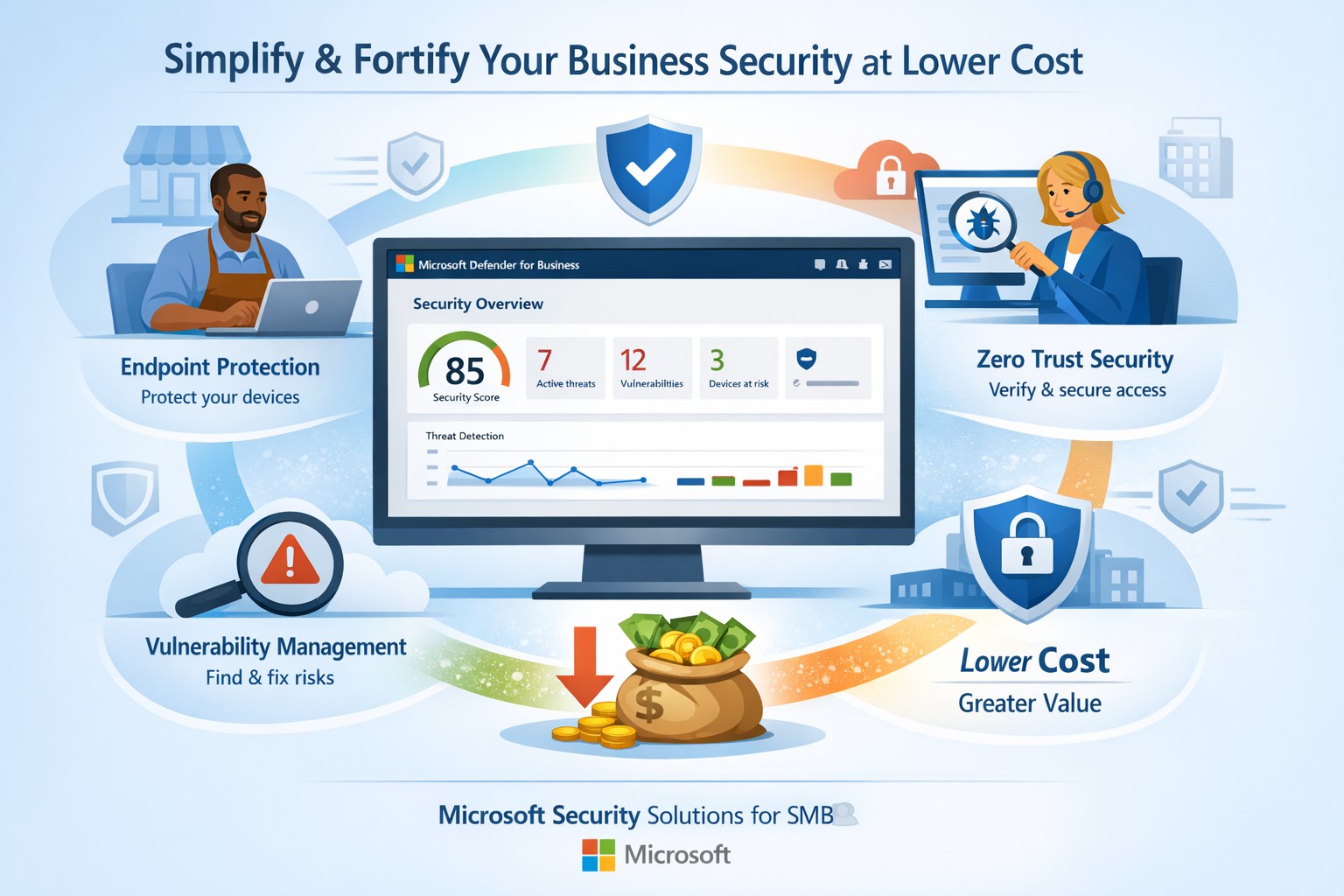
Fortify your SMB with Microsoft Defender for Business—enterprise-grade security at affordable prices via Microsoft 365.
Business owners face rising cyber threats but shrinking budgets for protection. Microsoft security solutions deliver enterprise-grade defenses at small-business prices, simplifying operations while fortifying your operations.
Why Microsoft Security Fits SMBs
Microsoft Defender for Business targets companies up to 300 employees, offering AI-driven endpoint protection across Windows, macOS, iOS, and Android. It includes next-gen antivirus, vulnerability management, and automated attack disruption—often bundled in Microsoft 365 Business Premium for cost efficiency. Combined with Purview suites, you get data loss prevention, insider risk detection, and compliance tools, reducing total ownership costs by consolidating vendors. This unified approach cuts complexity, with wizard-based onboarding and monthly reports that save IT time.
Action Steps for Implementation
Follow these steps with your IT team to deploy Microsoft security effectively:
Assess Current Risks: Use Microsoft Secure Score (free in Defender portal) to scan endpoints, identities, and apps for vulnerabilities—prioritize high-risk fixes first.
Select the Right Bundle: Start with Microsoft 365 Business Premium for Defender XDR, adding Defender for Business if needed (up to 5 devices/user). Enable multi-factor authentication via Entra ID Plan 1.
Onboard Devices: Run the wizard in the Microsoft Defender portal to deploy agents; test on a pilot group of 10-20 devices before full rollout.
Configure Policies: Set up Zero Trust basics—verify every access request, enable phishing simulations monthly, and automate data classification with Purview.
Monitor and Review: Schedule quarterly audits using built-in reports; integrate threat hunting for proactive response.
These steps typically take 2-4 weeks, yielding immediate ROI through reduced breach risks.
FAQs on Microsoft Security
How much does it cost compared to competitors? Microsoft bundles start under $10/user/month via Business Premium, far below standalone EDR tools (often $15-30/user). Consolidation avoids multi-vendor fees.
Is it scalable for growing businesses? Yes, Defender scales seamlessly to 300+ users with add-ons like server protection; no rip-and-replace needed.
What about training my team? Built-in simulations and reports require minimal training; AI automates 70%+ of responses, freeing staff.
Does it cover cloud apps and email? Fully—Defender includes SaaS security, phishing protection, and XDR across email, endpoints, and identities.
How secure is it against ransomware? AI-powered EDR disrupts attacks in real-time, with auto-remediation recovering systems quickly.
How Farmhouse Networking Assists
Farmhouse Networking specializes in Microsoft security deployments for accounting, healthcare, and charity sectors. We handle assessments, configurations, and ongoing managed detection—ensuring compliance (e.g., HIPAA for healthcare) without in-house expertise. Our team optimizes your setup for maximum ROI, conducts penetration tests, and provides 24/7 monitoring via Microsoft tools. Clients see 30-50% cost savings through streamlined licensing and automation. We’ve helped similar B2B firms fortify defenses while boosting productivity.
Ready to secure your business affordably? Email support@farmhousenetworking.com for a free security audit and custom Microsoft strategy.
Kennametal has invested heavily in Microsoft cloud technologies as part of its digital transformation journey to reduce costs, increase productivity, and empower workers to deliver superior results for their customers. In this video, see how they utilize Microsoft Azure cloud platform and services to Microsoft Dynamics 365 business applications to Microsoft 365 productivity, security, and mobility tools. Kennametal believes that Microsoft resources will help the company fulfill its business promises.
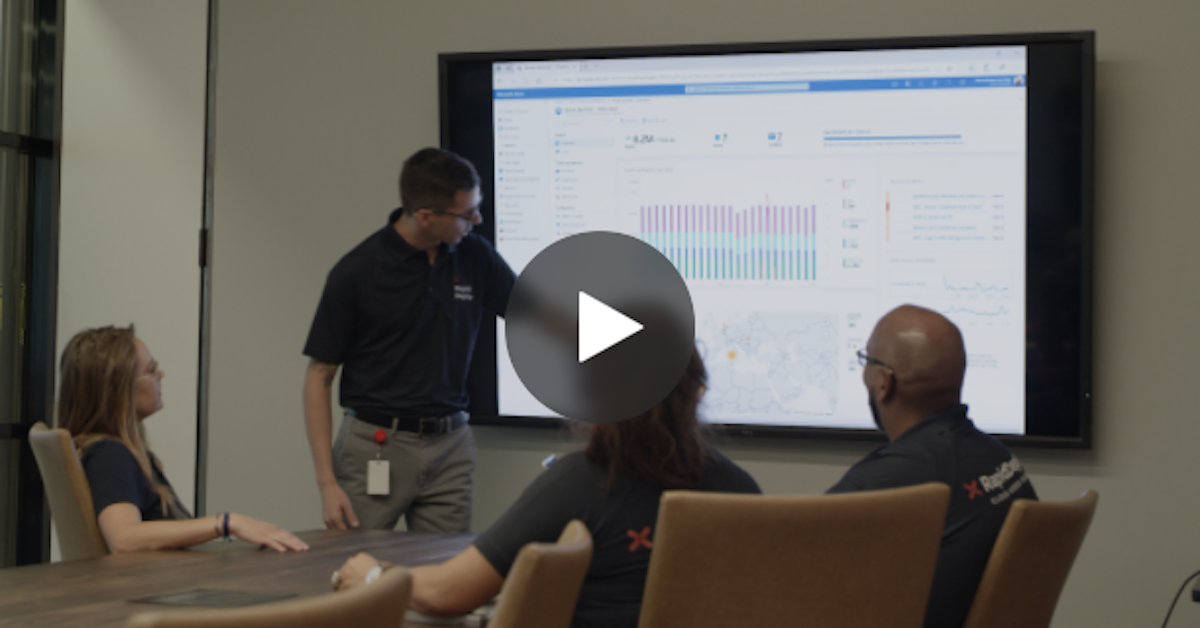
RapidDeploy creates its Cloud Aided Dispatch systems to help first responders act quickly to protect the public. There’s a lot at stake, and the company’s cloud-native platform must be secure against an array of serious cybersecurity threats. So, when RapidDeploy implemented a Security Information and Event Management (SIEM) system, it chose Microsoft Azure Sentinel, one of the world’s first cloud-native SIEMs. See the full story in the video below.
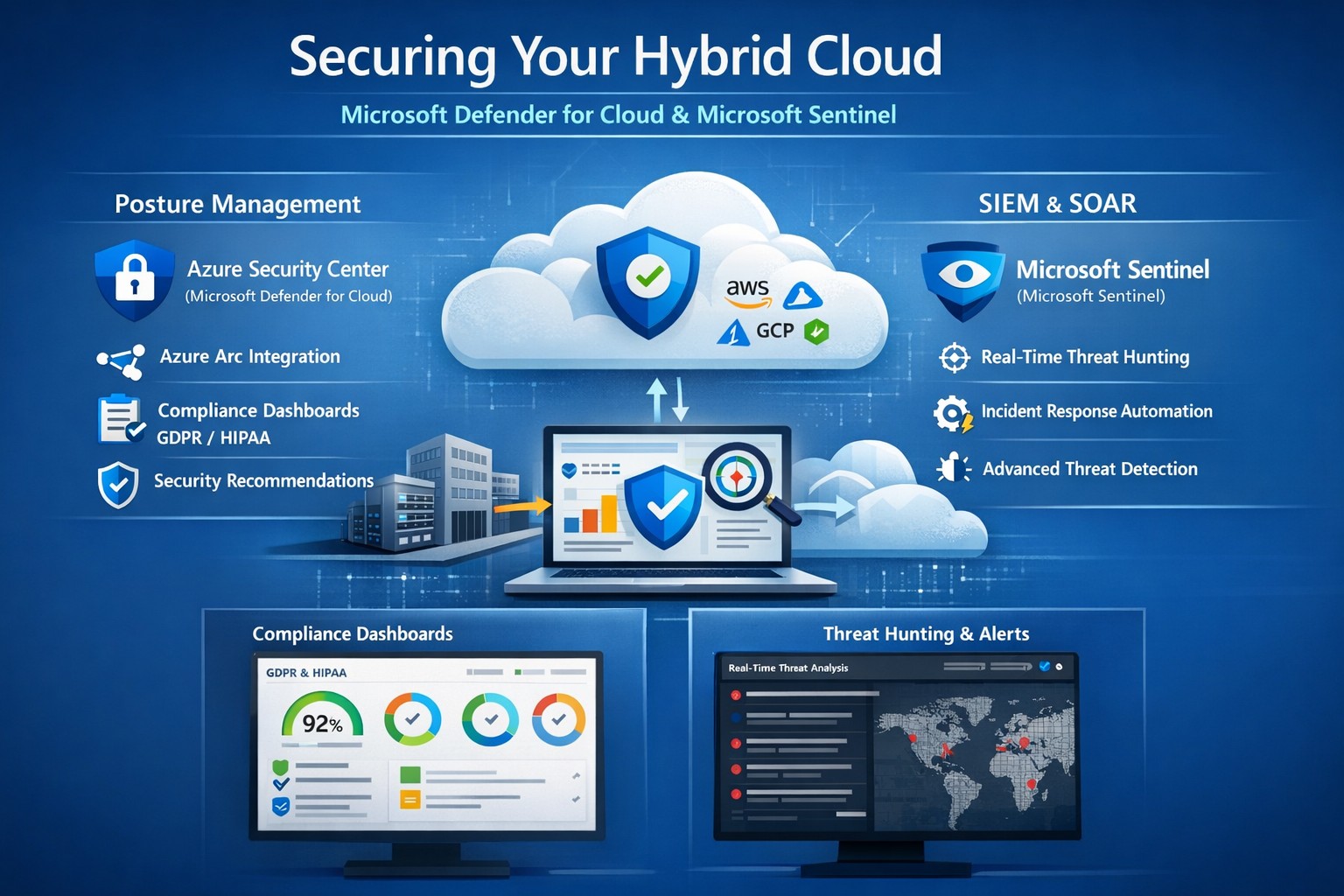
Unified hybrid cloud security: Monitor Secure Score and Sentinel alerts across on-premises and Azure resources.
Managing on-premises systems and cloud workloads, hybrid cloud security threats like ransomware and data breaches can disrupt operations and erode customer trust. Azure Security Center (now evolving into Microsoft Defender for Cloud) and Azure Sentinel (now Microsoft Sentinel) deliver unified protection across your hybrid environment, combining posture management with AI-driven threat detection.
Why Hybrid Cloud Security Matters Now
Hybrid setups amplify risks—on-prem servers lack cloud-scale monitoring, while Azure resources face misconfigurations. Security Center provides cloud security posture management (CSPM), tracking secure scores, compliance (e.g., GDPR, HIPAA), and just-in-time VM access. Sentinel acts as your SIEM/SOAR, ingesting Security Center alerts plus firewall logs, user data, and multi-cloud inputs (AWS, GCP) for proactive hunting and automated response.
This duo scales with your business: Security Center prevents threats at IaaS/PaaS layers (VMs, SQL, IoT); Sentinel correlates data enterprise-wide, cutting alert fatigue by 50% via AI. For accounting firms handling sensitive financials or healthcare providers under HIPAA, this means fewer breaches and faster recovery.
Practical Action Steps for Implementation
Work with your IT team to deploy these in phases for minimal disruption:
Enable Security Center: In Azure Portal, navigate to Defender for Cloud > Environment settings. Select your subscription, turn on plans for Hybrid + multicloud (servers, apps, databases). Onboard on-prem VMs via Azure Arc agents—install Log Analytics agent, assign policies.
Connect to Sentinel: Create a Sentinel workspace (Log Analytics resource). In Defender for Cloud, go to Integrations > Azure Sentinel > Connect. This streams alerts automatically. Add connectors for Office 365, firewalls, and endpoints.
Configure Posture and Detection: Review Secure Score dashboard; remediate top recommendations (e.g., enable MFA, update endpoints). In Sentinel, build analytics rules for anomalies (e.g., rare logins) and playbooks for auto-quarantine.
Test and Monitor: Simulate threats via Azure Attack Simulator. Set up workbooks for dashboards; review incidents weekly. Scale with automation—e.g., SOAR for ticket routing.
These steps take 1-2 days initially, yielding continuous monitoring without rip-and-replace.
Step
Owner
Time
Key Outcome
Enable Security Center
IT Admin
30 min
Secure Score baseline
Connect Sentinel
Security Lead
15 min
Unified alerts
Configure Rules
IT/Security
2-4 hrs
AI threat hunting
Test Response
Full Team
1 day
Incident playbook ready
FAQs: Client Questions Answered
How do Security Center and Sentinel differ? Security Center focuses on prevention and posture (e.g., misconfig fixes, EDR); Sentinel handles analytics, hunting, and orchestration across all sources. Use both: Security Center feeds Sentinel for holistic views.
Does this work for non-Azure hybrid setups? Yes—Arc agents extend coverage to on-prem, AWS/GCP via connectors. Sentinel ingests any log via APIs.
What about costs? Pay-per-ingest: Security Center ~$0.02/VM/day; Sentinel ~$2.60/GB ingested (free first 10GB/mo). Optimize with alert streaming.
Is setup complex for small IT teams? Minimal—Portal wizards guide you. Common pitfalls: data connector misconfigs (fix via docs); overcome with phased rollout.
How secure is data in transit? Encrypted end-to-end; complies with SOC 2, ISO 27001. Retention policies customizable.
How Farmhouse Networking Boosts Your Security
Farmhouse Networking specializes in B2B setups for accounting, healthcare, and nonprofits—industries facing strict compliance like SOX or HIPAA. We handle full implementation: Arc onboarding, custom Sentinel rules tuned to your workloads, and 24/7 SOC monitoring via our managed services. Our clients see 40% faster threat response and Azure cost optimizations, freeing you to focus on growth. We’ve secured 50+ hybrid environments, integrating Sentinel with your existing tools seamlessly.
Call to Action
Ready to lock down your hybrid cloud? Email support@farmhousenetworking.com for a free security posture assessment and personalized roadmap.
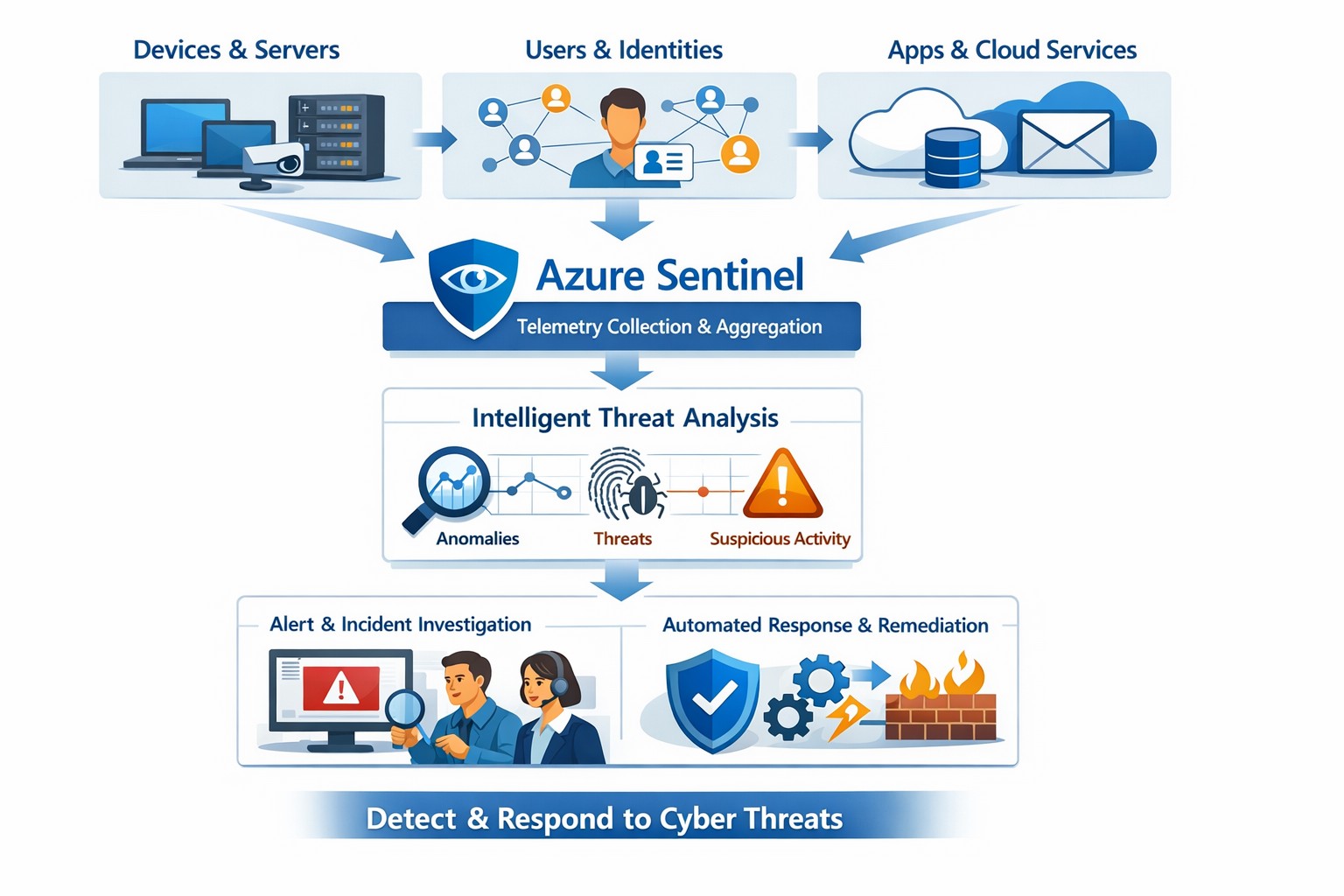
Azure Sentinel provides a unified view of your enterprise security data, allowing you to collect logs, detect threats, investigate incidents, and automate responses across cloud and on‑premises systems.
Cyber threats are a constant reality for businesses of all sizes. As your company grows, your IT environment becomes more complex, with data scattered across on-premises systems, cloud platforms, and third-party applications. This complexity makes it harder to detect and respond to security incidents quickly. Azure Sentinel, Microsoft’s cloud-native SIEM (Security Information and Event Management) solution, offers an intelligent way to collect, detect, investigate, and respond to security threats across your entire enterprise. For business owners, this means better protection, reduced downtime, and faster incident response—without the need for massive infrastructure investments.
What Azure Sentinel Does for Your Business
Azure Sentinel collects security data from your entire IT ecosystem, including devices, users, applications, and hybrid environments, both on-premises and in the cloud. It uses advanced analytics and threat intelligence to detect threats, often uncovering risks that traditional tools miss. With machine learning and AI, Azure Sentinel helps your security team investigate suspicious activities, hunt for hidden threats, and automate responses to common incidents. This reduces alert fatigue, lowers false positives, and speeds up resolution times, allowing your business to operate more securely and efficiently.
Practical Steps for Business Owners and IT Teams
To get the most out of Azure Sentinel, business owners and their IT departments need to take several practical steps. First, conduct a thorough assessment of your current security infrastructure to identify gaps and define clear objectives, such as improving threat detection or enhancing incident response. Next, choose the right data connectors to integrate logs from your existing systems into Azure Sentinel, ensuring comprehensive visibility across your environment. Establish clear objectives that align with your business goals, such as achieving regulatory compliance or reducing downtime. Train your security team to use Azure Sentinel effectively, providing ongoing education to stay ahead of emerging threats. Finally, continuously tune and optimize detection rules and automate routine response actions to maximize the platform’s potential.
Common Questions and Answers
Q: How does Azure Sentinel reduce downtime for my business? Azure Sentinel operates on the Azure cloud platform, which includes built-in load balancing and automated failover. This ensures that your security operations continue even during disruptions, minimizing downtime and ensuring that critical cloud applications remain secure and available.
Q: Can Azure Sentinel work with my existing security tools? Yes, Azure Sentinel integrates seamlessly with a wide range of security tools and data sources. It supports numerous connectors for cloud platforms like Azure, AWS, and GCP, as well as on-premises systems and third-party security solutions. This allows you to centralize your security operations without replacing your existing investments.
Q: How does Azure Sentinel handle automated incident response? Azure Sentinel uses playbooks based on Azure Logic Apps to automate common security tasks. For example, when an alert is triggered, a playbook can automatically assign the incident to a team member, update its status, or integrate with your ticketing system to create a new incident ticket, reducing manual effort and speeding up response times.
How Farmhouse Networking Can Help
Farmhouse Networking specializes in helping businesses in the accounting, healthcare, and charity industries implement and optimize Azure Sentinel. We can conduct a comprehensive assessment of your current security posture, identify gaps, and define clear objectives tailored to your business needs. Our team can also help you set up the right data connectors, train your IT staff, and continuously tune your detection rules to reduce noise and improve threat detection. Additionally, we can assist with automating incident response workflows to ensure that your security operations are as efficient and effective as possible.
If you’re ready to take the next step in securing your business with Azure Sentinel, contact Farmhouse Networking today. Email support@farmhousenetworking.com to learn more about how we can help improve your business’s security posture and protect your critical data from cyber threats.
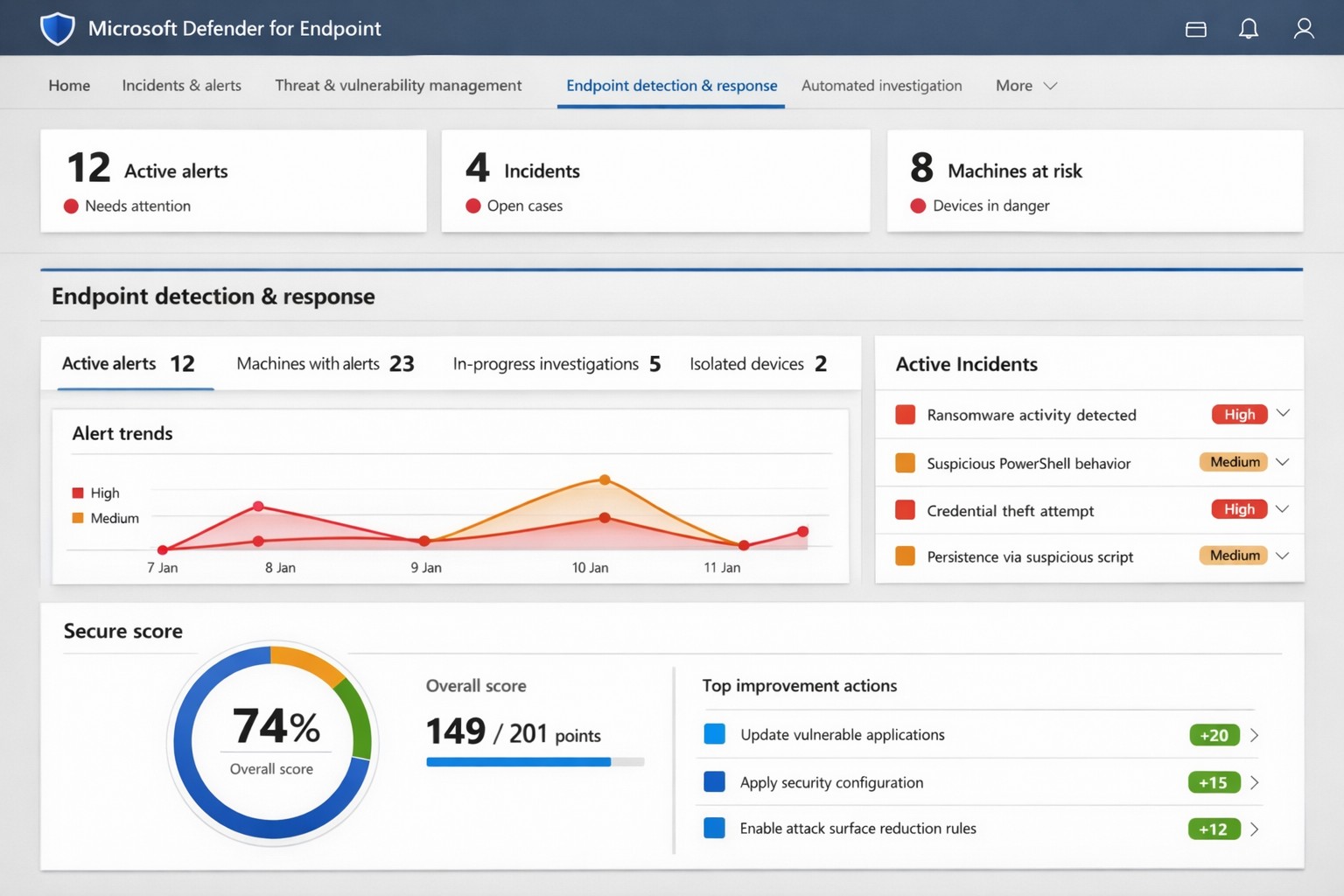
Microsoft Defender for Endpoint (ATP) portal: Monitor advanced threats, EDR alerts, and secure score to safeguard your business devices.
Cyber threats like ransomware and data breaches can cripple operations, costing millions in downtime and recovery. Microsoft Defender for Endpoint—previously known as Microsoft Defender Advanced Threat Protection (ATP)—delivers enterprise-grade endpoint security to detect, investigate, and stop these attacks before they escalate.
What is Microsoft Defender for Endpoint?
This cloud-native platform safeguards devices like laptops, servers, and mobiles from advanced threats using AI-driven analytics, behavioral monitoring, and automated response. Key capabilities include next-generation antivirus, endpoint detection and response (EDR), threat and vulnerability management, attack surface reduction, and automated investigations that group alerts into incidents for faster triage.
It integrates seamlessly with Microsoft 365, offering Plan 1 (basic protection, network controls) and Plan 2 (full EDR, vulnerability management, sandboxing). Businesses gain a “secure score” to benchmark and improve security posture.
Practical Action Steps for Implementation
Follow these steps with your IT team to deploy effectively:
Assess Eligibility and License: Confirm Microsoft 365 E3/E5 or standalone Defender licensing via the Microsoft 365 admin center. Start a 30-day trial if needed.
Onboard Devices: Use Microsoft Endpoint Manager or Group Policy to enable onboarding scripts for Windows, macOS, Linux, iOS, and Android. Prioritize high-value assets like executive laptops.
Configure Policies: Set attack surface reduction rules, enable cloud-delivered protection, and deploy controlled folder access to block ransomware. Test in audit mode first.
Monitor and Respond: Review the Defender portal daily for incidents. Use automated remediation to isolate devices and run live response commands like file quarantine.
Train Staff and Review Secure Score: Conduct phishing simulations and user training. Aim for a secure score above 80% by addressing recommendations.
Expect initial setup in 1-2 weeks for 50 devices, with ongoing management under 1 hour daily post-configuration.
FAQ: Client Inquiries Answered
How does Defender differ from basic antivirus? Unlike traditional AV, it provides EDR for post-breach hunting, cloud analytics for zero-day threats, and cross-device incident correlation—reducing detection time from 200+ days to hours.
What about performance impact? Minimal; sensors use hardware acceleration and run lightweight scans. Enterprises report <1% CPU overhead.
Is it suitable for small businesses without IT staff? Yes, Defender for Business offers simplified P1/P2 features with guided setup. It scales from 5 to 50,000 endpoints.
How secure is data in Defender? Microsoft isolates customer data by tenant, with no use for training AI. Compliance includes GDPR, HIPAA.
What if we use non-Windows devices? Full support for macOS, Linux, mobile; unified console prevents silos.
How Farmhouse Networking Can Help
Farmhouse Networking specializes in B2B cybersecurity for accounting, healthcare, and nonprofits—industries handling sensitive data under strict compliance like HIPAA and PCI-DSS. We conduct cloud security assessments to baseline your posture, implement Defender onboarding, customize policies for your endpoints, and integrate with existing Microsoft stacks for automated threat hunting.
Our team handles vulnerability prioritization, staff training, and 24/7 monitoring, freeing you to focus on growth. Clients see 40% faster threat response and improved secure scores within months.
And God will generously provide all you need. Then you will always have everything you need and plenty left over to share with others. As the Scriptures say,
“They share freely and give generously to the poor. Their good deeds will be remembered forever.”
For God is the one who provides seed for the farmer and then bread to eat. In the same way, he will provide and increase your resources and then produce a great harvest of generosity in you. - 2 Corinthians 9:8-10
We use cookies to ensure that we give you the best experience on our website. If you continue to use this site we will assume that you are happy with it.