Azure SQL or SQL Server: Which one is right for you?
Azure SQL vs SQL Server: Which database platform fits your business? Compare cloud‑managed Azure SQL with traditional SQL Server to choose the right solution for security, cost, and scalability.
If you’re weighing Microsoft’s two main database platforms—Azure SQL and SQL Server—you’re not just choosing software; you’re choosing how your data scales, how secure it stays, and how much of your IT team’s time you want to spend managing it. Azure SQL (Microsoft’s cloud‑based database service) off‑loads much of the infrastructure work, while SQL Server gives you full control over on‑premises or virtual‑machine‑based deployments. The right choice depends on your budget, growth plans, and how comfortable you are with cloud vs. traditional infrastructure.
What’s the real difference?
At a high level:
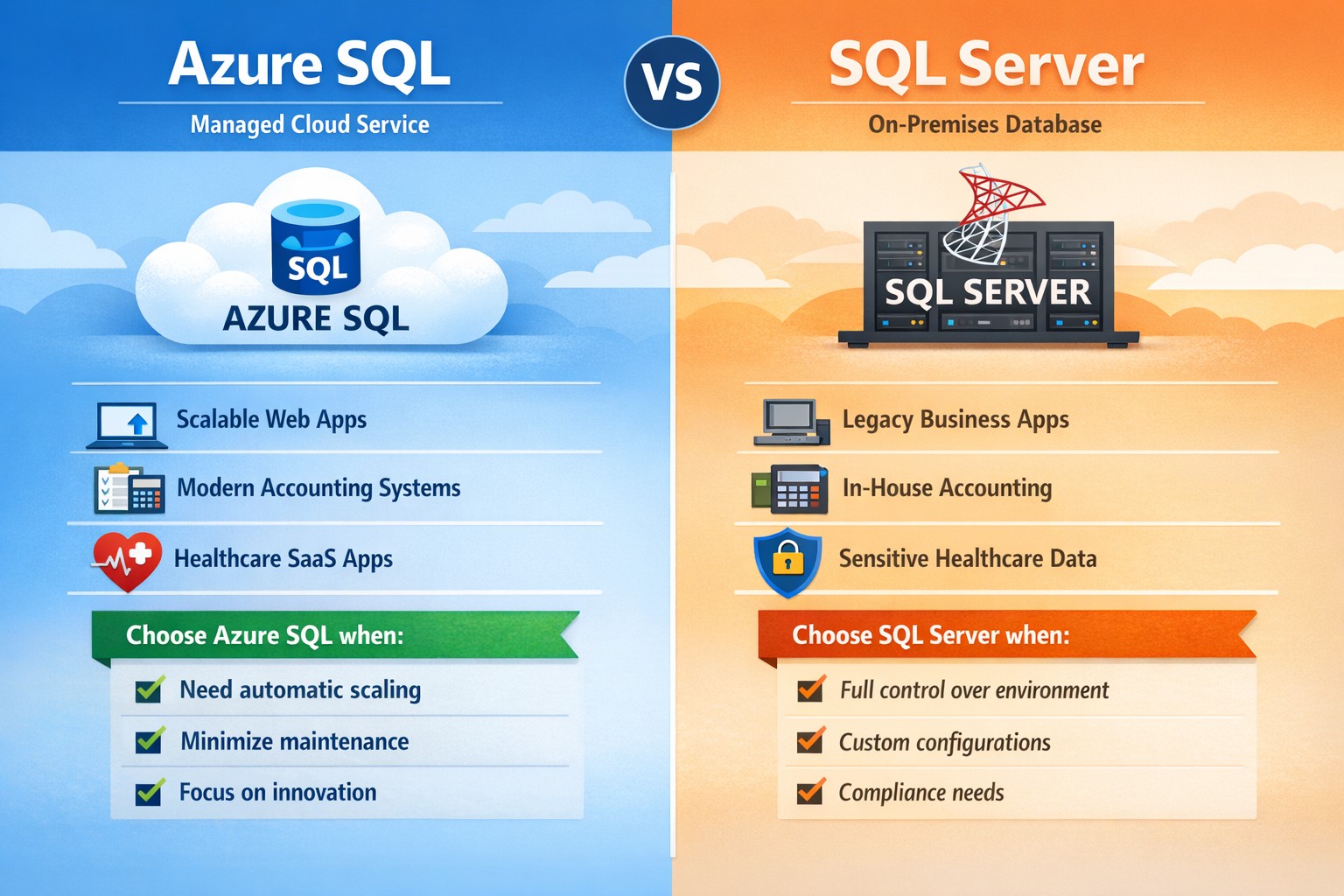
Azure SQL is a managed, cloud‑hosted service (PaaS) that handles patching, scaling, availability, and many security features automatically. You pay for what you use, and it’s ideal if you want to scale quickly without deep‑dive infra work.
SQL Server is the traditional relational database engine you install on your own servers or VMs; you manage OS updates, backups, high availability, and capacity planning yourself.
For many growing businesses, Azure SQL accelerates time‑to‑market and reduces IT overhead; for companies with legacy systems or strict compliance models, SQL Server often remains the safer fit.
Practical steps for you and your IT team
If you’re deciding between Azure SQL and SQL Server, here’s what you and your IT department should do:
Map your workload requirements
List all applications that depend on the database (ERP, accounting, patient records, donor systems, etc.).
Decide whether you must keep data on‑premises (e.g., certain healthcare or finance regulations).
Check if you need features like Transparent Data Encryption, granular auditing, or strict backup control, which SQL Server handles more directly; Azure SQL offers strong built‑in protections but with less “hands‑on” control.
Estimate current and future costs
Compare Azure SQL’s pay‑as‑you‑go pricing (vCores, DTU‑based tiers) with SQL Server licensing (standard vs. enterprise) plus hardware and maintenance.
Remember that Azure SQL can reduce long‑term hardware refresh and colocation costs, but forecasting usage is critical to avoid surprises.
Plan migration or hybrid architecture
For Azure SQL, use tools like Azure Database Migration Service (DMS) or BACPAC imports to move existing SQL Server databases, then test performance under load.
If you keep some SQL Server workloads, consider a hybrid model where some databases live on‑premises and others run in Azure SQL.
Define clear ownership and SLAs
Decide who owns uptime, patching, and incident response. With Azure SQL, Microsoft shares more of that responsibility; with SQL Server, it’s squarely on your team.
FAQs your clients may ask
Q: “Is Azure SQL just ‘SQL Server in the cloud’?” Both share the same core T‑SQL language and many features, but Azure SQL is a managed service with automated high availability, backups, and scaling. Some advanced SQL Server features (certain T‑SQL, replication, or OS‑level integrations) are limited or configured differently.
Q: “Which is cheaper for a small business?” Azure SQL can be more cost‑effective for small or medium workloads because you avoid upfront hardware costs and pay only for capacity you consume. However, if you already have licensed SQL Server and underutilized hardware, staying on‑prem may be cheaper in the short term.
Q: “Which is better for healthcare or accounting firms?” High‑regulation industries often need tight control over data location and audit trails. Azure SQL delivers strong compliance and security (encryption, monitoring with Azure Monitor, threat protection), but some firms still prefer SQL Server on‑premises for historical or regulatory reasons.
Q: “Can we mix Azure SQL and SQL Server?” Yes. Many businesses use a hybrid approach: core financial or compliance‑sensitive databases on SQL Server, while newer web apps or analytics databases run in Azure SQL.
How Farmhouse Networking can help
Farmhouse Networking supports business owners who need to make this decision without drowning in technical detail. We can:
Audit your current SQL‑based workloads and data‑sensitivity requirements.
Model total cost and risk for Azure SQL vs. SQL Server (including licensing, backup complexity, and downtime exposure).
Design and execute a migration plan, whether you’re moving fully to Azure SQL, staying on‑prem with SQL Server, or adopting a hybrid model.
Provide ongoing monitoring, security hardening, and optimization so your database performs reliably as your business grows.
Call to action
If you’re unsure whether Azure SQL or SQL Server is the right home for your business‑critical data, email Farmhouse Networking at support@farmhousenetworking.com for a tailored consultation. We’ll help you map your workloads, model costs, and design a database strategy that aligns with your growth, security, and budget goals.
And God will generously provide all you need. Then you will always have everything you need and plenty left over to share with others. As the Scriptures say,
“They share freely and give generously to the poor. Their good deeds will be remembered forever.”
For God is the one who provides seed for the farmer and then bread to eat. In the same way, he will provide and increase your resources and then produce a great harvest of generosity in you. - 2 Corinthians 9:8-10
We use cookies to ensure that we give you the best experience on our website. If you continue to use this site we will assume that you are happy with it.