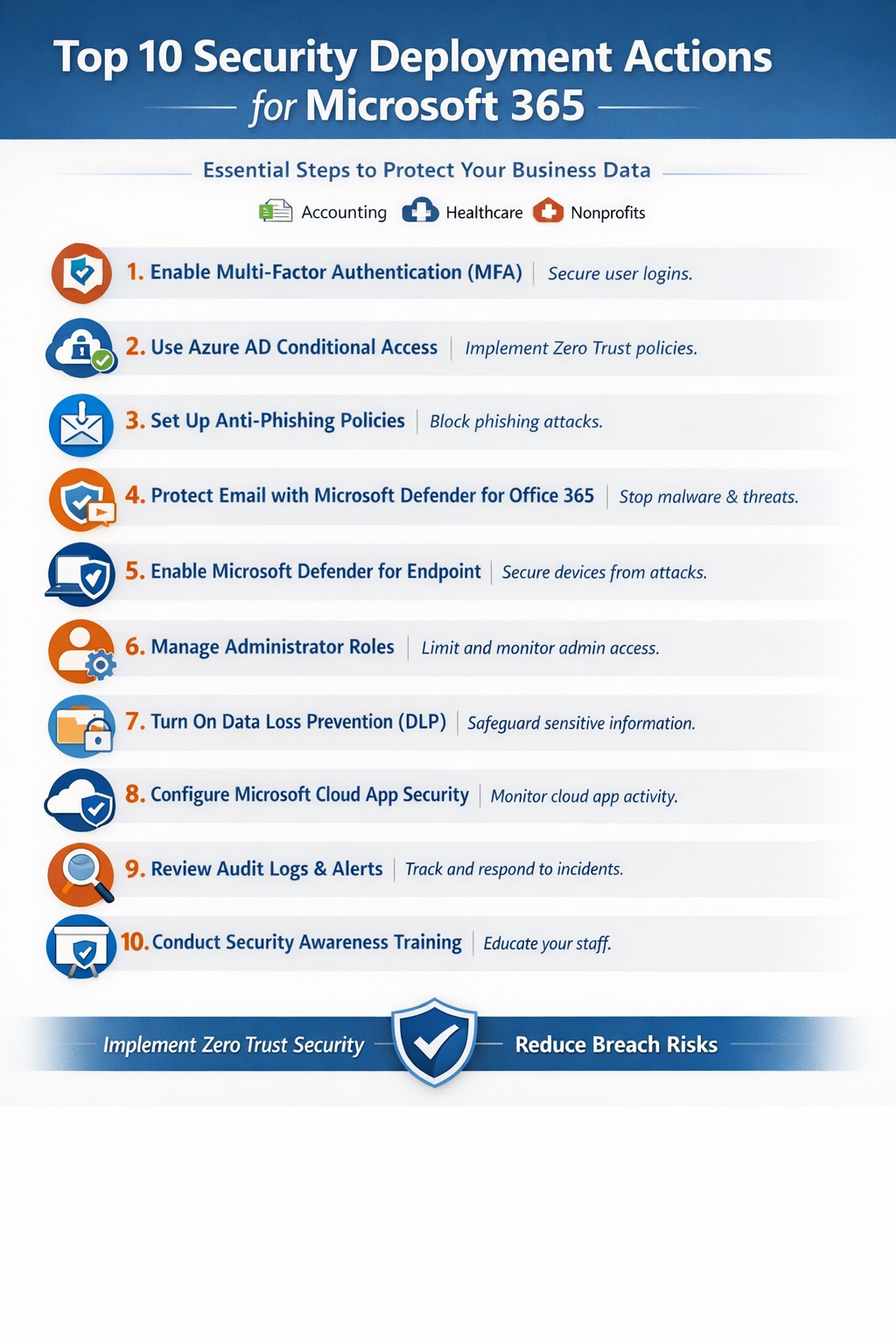
Relying on Microsoft 365 for productivity exposes you to rising cyber threats like phishing and data breaches. Implementing these top 10 security deployment actions fortifies your defenses, protects sensitive data, and ensures compliance—directly impacting your bottom line.
Action Steps for Deployment
Work with your IT team to execute these prioritized steps, drawn from Microsoft-recommended practices. Each targets users, devices, apps, and data for layered protection.
- Deploy Azure AD for Unified Identities: Connect on-premises directories to Azure Active Directory (now Entra ID). Create single identities for secure access across resources. Enable in the Microsoft Entra admin center.
- Enable Multi-Factor Authentication (MFA): Mandate MFA for all users, prioritizing admins. Use Conditional Access policies to enforce based on location, device, or risk. Start in report-only mode to test.
- Set Up Single Sign-On (SSO): Configure SSO in Entra ID for seamless authentication across cloud, devices, and on-premises apps. Reduces password fatigue while enhancing security.
- Implement Anti-Phishing Policies: Activate anti-phishing in Microsoft Defender for Office 365. Enable impersonation protection, spoof intelligence, and mailbox intelligence to block targeted attacks.
- Configure Data Loss Prevention (DLP): Set DLP policies in Microsoft Purview to classify, label, and protect sensitive data in emails, documents, and Teams. Block sharing of financial or health records.
- Enable Safe Links and Safe Attachments: Turn on these Defender features to scan URLs and attachments in real-time. Uses sandboxing to detonate malware safely.
- Deploy Microsoft Intune for Devices: Enroll devices in Intune for compliance policies, encryption, and app protection. Integrate with Defender for Endpoint to block threats.
- Block Legacy Authentication: Disable POP, IMAP, and SMTP protocols via Conditional Access. Force modern auth to support MFA and cut legacy risks.
- Apply Security Baselines and Updates: Use Microsoft security baselines for M365, Exchange, and Windows. Automate patches via Azure Update Manager and monitor compliance.
- Monitor with Defender XDR: Activate Microsoft Defender XDR for unified threat detection across endpoints, identity, email, and apps. Review executive reports monthly.
These steps create a zero-trust model, reducing breach risks by up to 99% per Microsoft data.
FAQ: Client Inquiries Answered
How long does implementation take?
Most actions deploy in 1-2 weeks for small businesses, starting with MFA and DLP. Full rollout with testing spans 4-6 weeks.
What if we have limited IT staff?
Prioritize quick wins like MFA and anti-phishing via the Microsoft 365 Defender portal. Outsource complex configs to experts for speed and compliance.
Does this cover compliance like HIPAA?
Yes—DLP and Purview handle healthcare data; Intune ensures device compliance. Audit logs support regulations.
How do we train employees?
Use Attack Simulation Training in Defender to run phishing drills. Pair with monthly awareness sessions targeting high-risk users.
What about costs?
Core features are in E3/E5 licenses; advanced ones may need add-ons. ROI comes from avoiding $4.45M average breach costs.
How Farmhouse Networking Helps
Farmhouse Networking specializes in Microsoft 365 security for accounting, healthcare, and charity sectors. We audit your tenant, deploy these 10 actions via customized roadmaps, and optimize SEO-friendly sites to attract B2B leads. Our lead gen strategies convert traffic into clients, while branding enhances trust. We’ve helped similar firms cut threats by 80% through Intune and Defender setups.
Call to Action
Ready to secure your Microsoft 365 environment? Email support@farmhousenetworking.com for a free security assessment and tailored deployment plan.