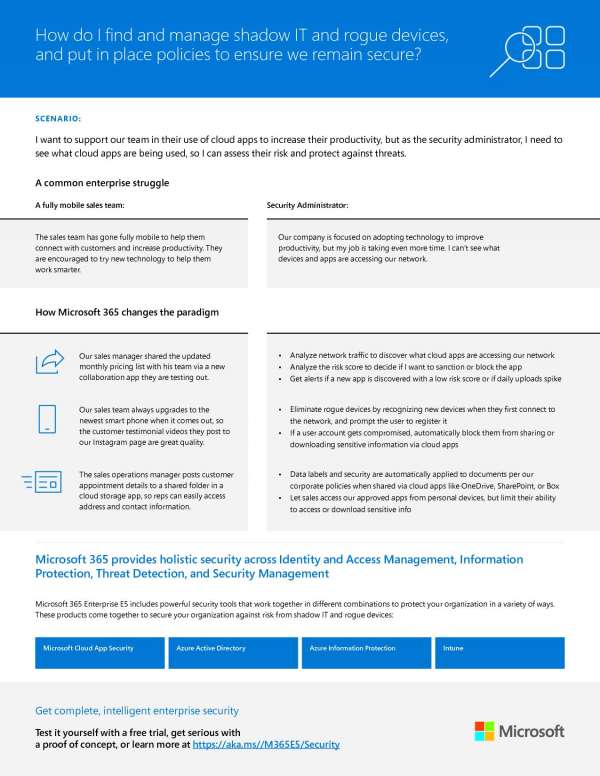
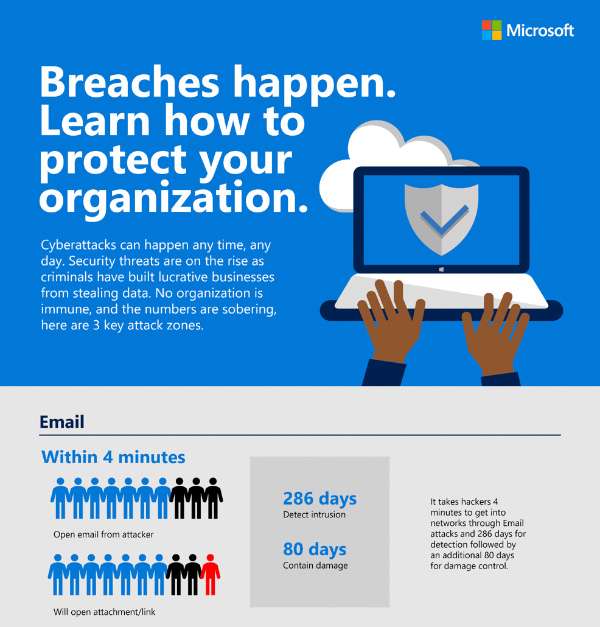
Small businesses deserve the benefits of the cloud as much as any other company, and now they can do so without worrying about the security of their data.
New cloud app capabilities offer the potential for teams to work smarter and more efficiently than ever before, but they can put huge pressure on IT and security teams to ensure company data remains secure without hindering forward progress. Microsoft 365 tools allow you to do this.
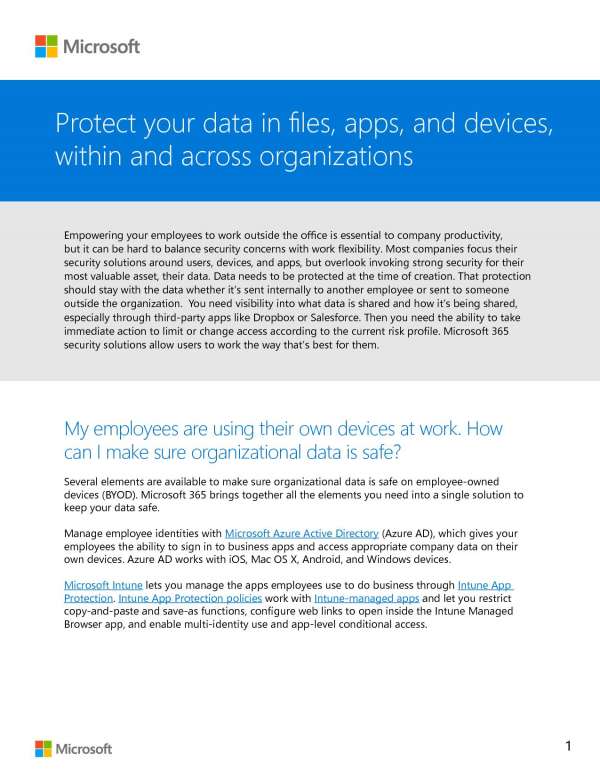
In addition to protecting endpoints, Microsoft believes in protecting data, starting at its very inception. Check out the strategies and tools they have to keep data protected across all scenarios in this informational document.
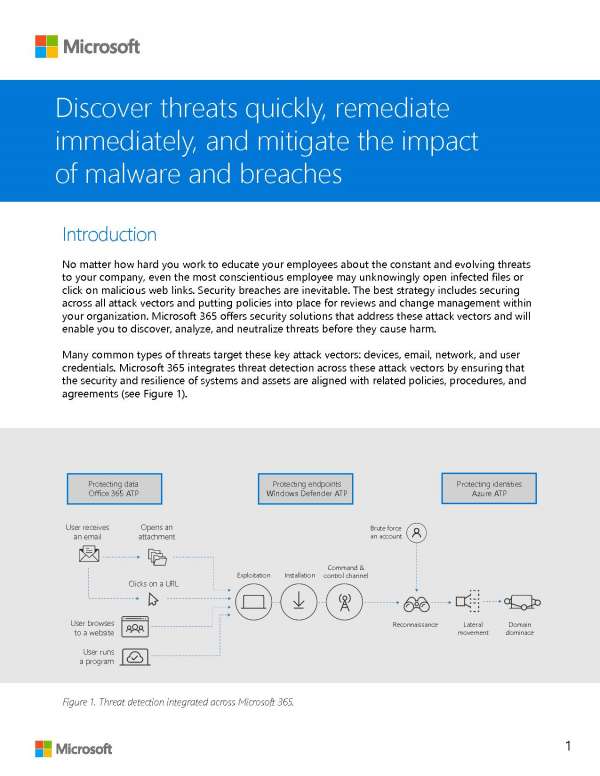
Technology is not static, and neither, therefore, are the methods cybercriminals can use to gain access to company networks or data. In light of this, an effective security system is one that can learn and react to new threats as they come. Discover the powerful combination of Microsoft tools that provide a comprehensive security strategy for your business.
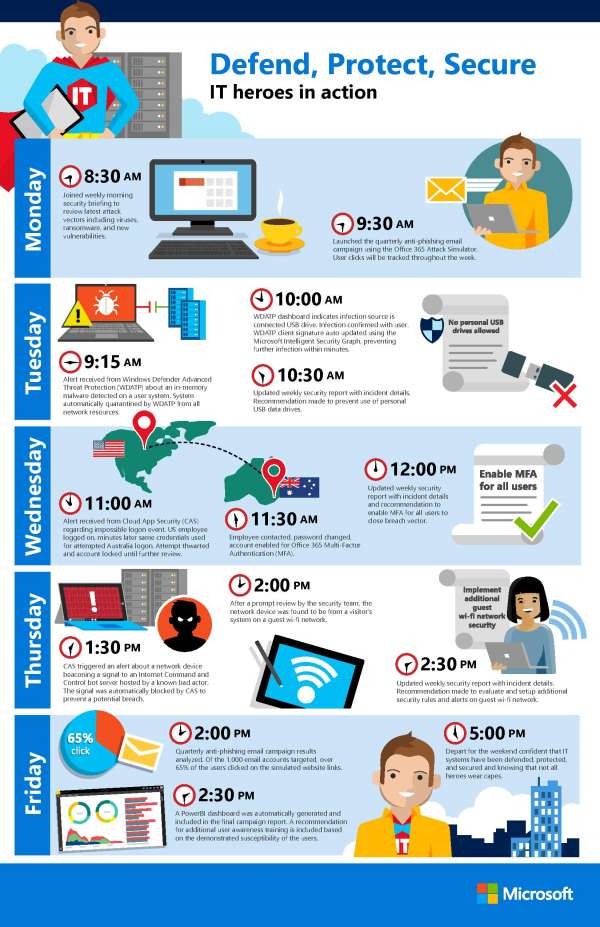
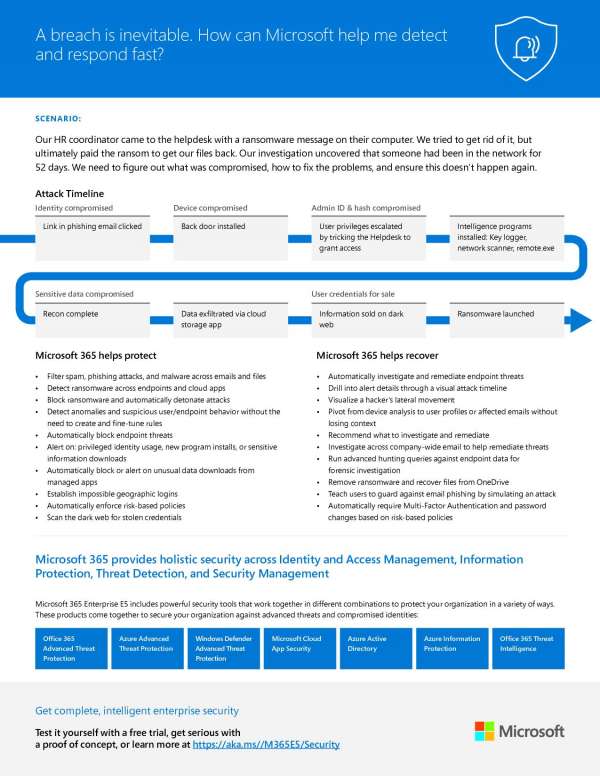
An all too familiar scenario: A single click in a phishing email and hackers are into a network, resulting in a ransomware request and an uneasy feeling. Learn what tools Microsoft 365 E5 has in its arsenal to ensure this isn’t you.
In a report released by Untangle, a leading firewall / security vendor, the details of the recent United Nations Hack were detailed. Here is a summary of the report
Hack Details
“It has been recently revealed the United Nations was victim to a cyber attack starting in July 2019. Hackers gained access to and compromised 42 servers and 25 are still categorized as suspicious for three different domains: those of the United Nations offices in Geneva and Vienna and of the office of High Commissioner for Human Rights. It is estimated that hackers may have up to 400GB of staff records, health insurance, and commercial contact data.”
This attack has been classified as an APT (Advanced Persistent Threat) where the attackers gain access then setup a variety of ways to remain on the network while they collect the data they are after. This hack was due to a vulnerability stemming from not installing software updates in a timely manner. .The United nations found the threat then issues a notice to employees to reset their passwords in August of 2019. They did not inform personnel of the hack until January 2020.
These two factors, patching and training, should be addressed by every company to keep their data safe.
If your company needs help with patching or security training, then contact us for assistance.
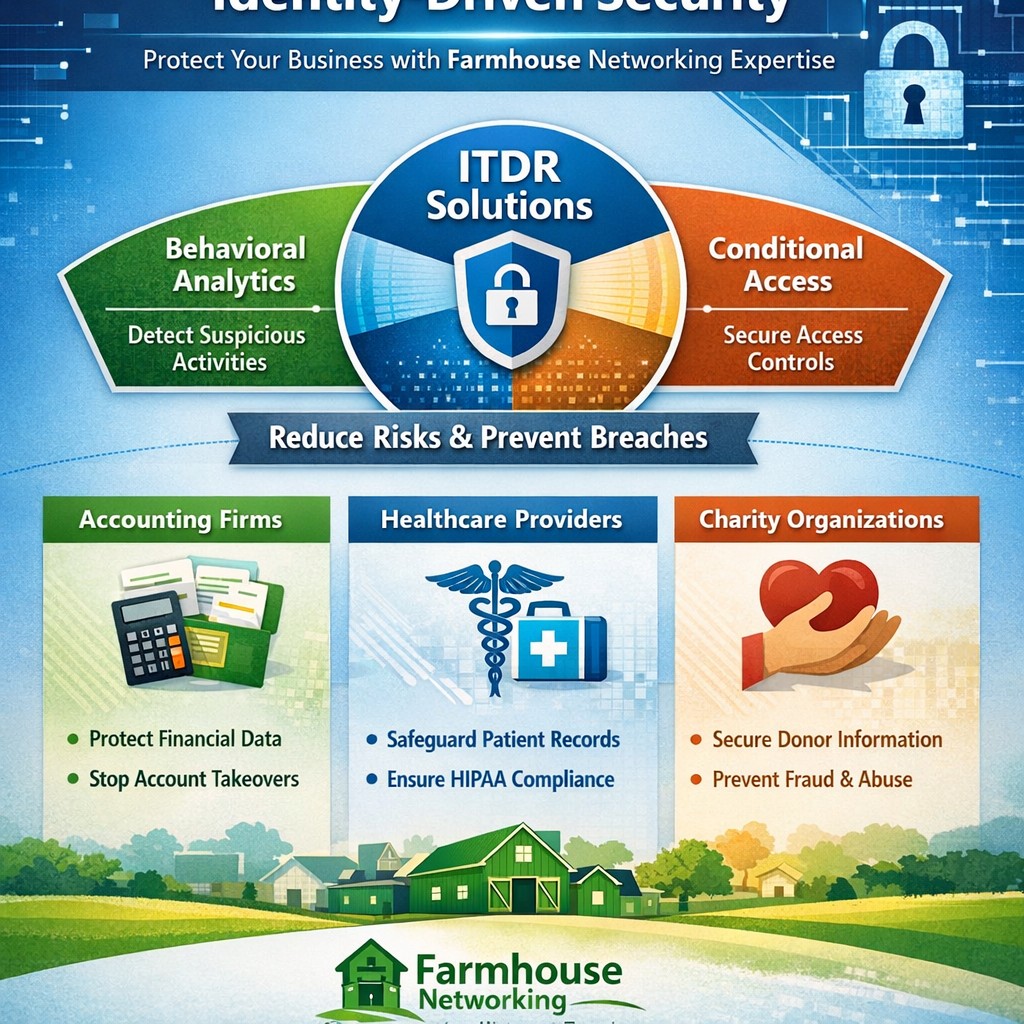
Visualize Microsoft identity-driven security: Entra ID and Defender integration blocks identity threats in hybrid environments.
Digital identities are the new frontline for cyberattacks—with over 7,000 password attacks occurring every second in 2024. Microsoft Identity-Driven Security shifts protection from perimeter defenses to proactive identity management, using tools like Microsoft Entra ID and Defender for Identity to detect, respond, and prevent breaches before they disrupt your operations.
What Is Identity-Driven Security?
Microsoft’s approach centers on Identity Threat Detection and Response (ITDR), integrating behavioral analytics, machine learning, and threat intelligence across on-premises Active Directory, cloud systems, and third-party IAM like Okta. Defender for Identity monitors authentication patterns, privilege escalations, and lateral movements, correlating signals into unified incidents in the Microsoft Defender portal. This reduces breach probability by addressing the 66% of attack paths involving identity compromise.
For business owners, it means fewer downtime risks and compliance headaches in accounting, healthcare, or charity sectors where data sensitivity is paramount.
Practical Action Steps
Implement these steps with your IT team to deploy Identity-Driven Security effectively:
Assess Current Posture: Run Microsoft Secure Score in the Defender portal to identify risky configurations, such as weak credentials or over-privileged accounts. Prioritize lateral movement paths attackers exploit.
Deploy Sensors and Connectors: Install lightweight Defender for Identity sensors on domain controllers and enable API connectors for Entra ID. This captures signals without network overhauls.
Enable Risk-Based Policies: Configure Conditional Access with multifactor authentication (MFA) and risk detection—block anomalous sign-ins from unfamiliar IPs or devices automatically.
Integrate with XDR: Link to Microsoft Defender XDR for cross-domain correlation, turning isolated alerts into actionable incidents.
Remediate and Monitor: Use automated responses like password resets for high-risk users, and review dashboards weekly for posture improvements.
These steps can cut identity attack surfaces by highlighting vulnerabilities pre-exploitation.
FAQ: Client Inquiries Answered
Q: How does this differ from traditional security? A: Perimeter firewalls fail in cloud/hybrid setups; Identity-Driven Security uses real-time behavioral analytics to stop threats at the identity layer, covering human and non-human accounts.
Q: What about costs for small businesses? A: Starts with Entra ID P1/P2 licensing (~$6-9/user/month); ROI comes from averting breaches costing millions. Secure Score provides free baseline insights.
Q: Is it compliant for healthcare/accounting? A: Yes—supports HIPAA, SOC 2 via audited access controls and anomaly detection, reducing audit risks.
Q: How long to implement? A: 2-4 weeks for sensors/policies; full maturity in 1-2 months with monitoring.
Q: Does it work with non-Microsoft tools? A: Integrates with Okta and multivendor ecosystems via API connectors.
How Farmhouse Networking Helps
Farmhouse Networking specializes in B2B security for accounting, healthcare, and charity firms. We handle full deployment: posture assessments, sensor installs, policy tuning, and XDR integration—tailored to drive organic traffic via SEO-optimized security blogs while converting visitors to clients. Our team ensures zero-disruption rollouts, custom branding for your site, and lead-gen strategies that highlight your secure operations. Past clients saw 40% faster threat response post-implementation.
Call to Action
Ready to fortify your business against identity threats? Email support@farmhousenetworking.com for a free consultation on Microsoft Identity-Driven Security.
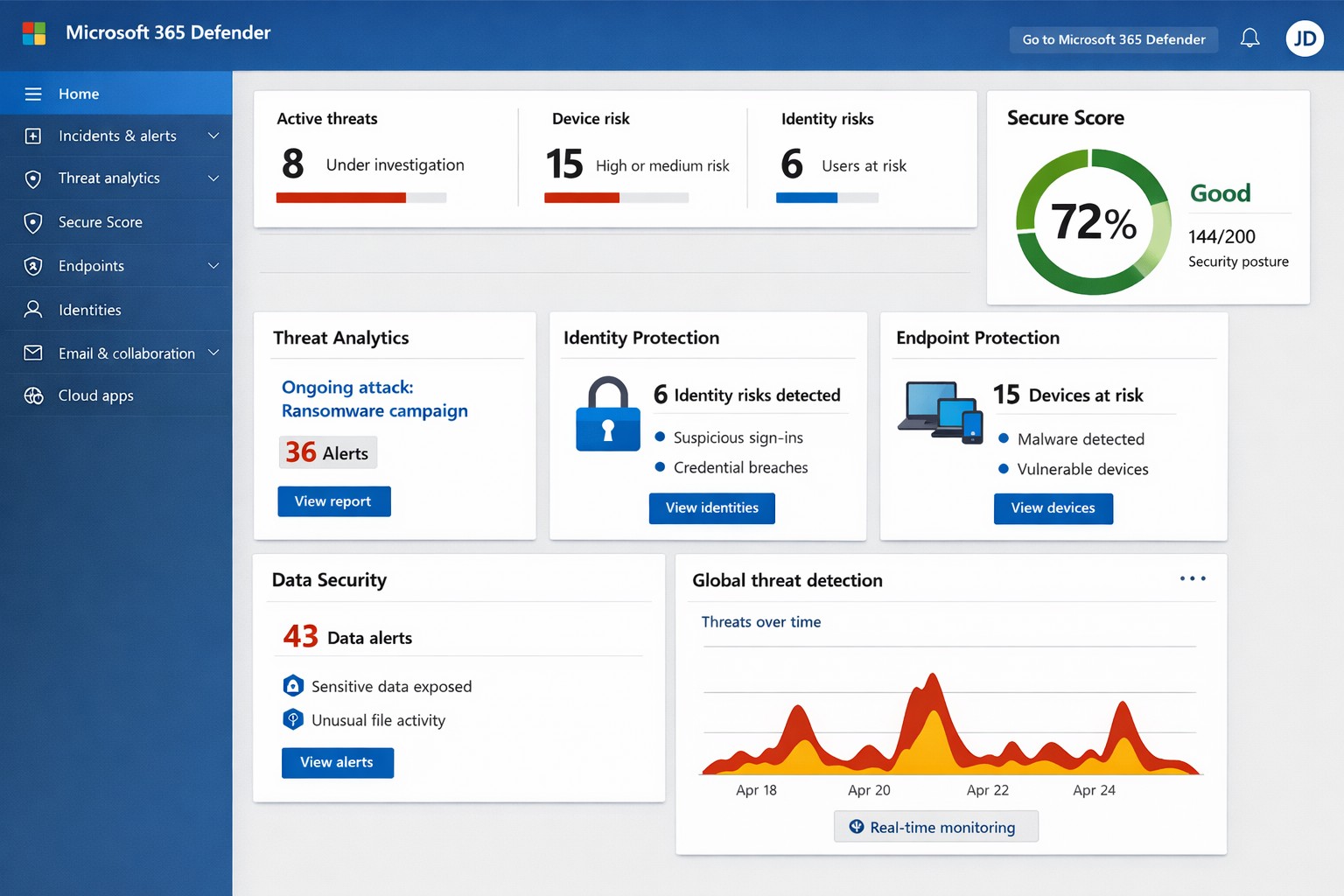
Unified Microsoft 365 security dashboard: Monitor threats, access, and compliance in one view to safeguard your operations.
Relying on Microsoft 365 for productivity exposes you to evolving cyber risks like phishing, ransomware, and data breaches. Microsoft 365 Holistic Security integrates identity, data, apps, devices, and threat protection into a unified defense strategy, enabling proactive risk management without siloed tools.
Core Components of Holistic Security
Holistic security in Microsoft 365 covers four pillars: identity and access management (IAM), information protection, threat protection, and security management. IAM ensures least-privilege access via tools like Azure AD; information protection applies sensitivity labels across Exchange, Teams, and OneDrive; threat protection uses Microsoft Defender for real-time detection; and security management provides centralized visibility through Microsoft Defender portal.
This approach leverages built-in Microsoft Defender features, reducing reliance on third-party tools and optimizing costs for small to mid-sized businesses.
Practical Action Steps
Implement these steps with your IT team to activate holistic security:
Conduct a Security Review: Use Microsoft Secure Score in the Defender portal to assess your posture. Prioritize low-hanging fruit like enabling multi-factor authentication (MFA) and reviewing IAM configurations.
Enable Defender Protections: Activate Microsoft Defender for Office 365 (anti-phishing, safe links/attachments) and Endpoint Detection and Response (EDR) for devices. Configure automated incident response playbooks.
Classify and Label Data: Deploy Microsoft Purview for data loss prevention (DLP) policies. Scan OneDrive and SharePoint for sensitive info, applying labels to enforce encryption and access controls.
Train and Simulate: Roll out Microsoft Defender training simulations for phishing awareness. Test incident response quarterly with tabletop exercises.
Monitor and Optimize: Set up continuous logging in Defender XDR. Review alerts weekly and patch endpoints via Intune.
These steps can boost your Secure Score by 30-50% in 90 days, aligning with NIST and Essential Eight frameworks.
Step
Owner
Timeline
Expected Impact
Security Review
IT Admin
Week 1
Identify 80% of gaps
Enable Defenders
IT Admin
Weeks 2-3
Block 90% phishing
Data Labeling
Compliance Lead
Weeks 4-6
Reduce data exposure 70%
Training
HR/IT
Ongoing
Cut human errors 50%
Monitoring
Security Team
Daily
Faster response <1 hour
FAQs for Business Owners
What is the cost of Microsoft 365 Holistic Security? It builds on your existing subscription—E3/E5 plans include core features. Add-ons like Defender for Office 365 start at $2-5/user/month. ROI comes from averted breach costs averaging $4.5M.
How long to implement? 4-12 weeks, depending on size. Start with quick wins like MFA (1 day) before full posture assessment.
Does it cover compliance like HIPAA or GDPR? Yes, via Purview compliance manager and DLP. Maps to standards including NIST, CIS, and sector regs.
What if we lack IT expertise? Partner with MSPs for audits and managed services. Avoid DIY pitfalls like misconfigurations causing 80% of breaches.
How does it handle AI threats like Copilot risks? Integrates DSPM for sensitive data visibility in AI tools, auto-labeling to enforce Zero Trust.
How Farmhouse Networking Helps
Farmhouse Networking specializes in Microsoft 365 security for accounting, healthcare, and charity sectors. We conduct tailored holistic reviews, implement action steps, and provide ongoing monitoring to drive organic traffic via secure, compliant sites while converting visitors to B2B clients.
Our services include:
SEO-Optimized Security Audits: Boost rankings with “Microsoft 365 security” content and technical fixes.
Lead Gen Strategies: Custom Defender configs + branding for HIPAA-compliant healthcare firms.
Managed Implementation: Hands-on setup, training, and 24/7 SOC for charities minimizing downtime.
We’ve helped similar clients reduce risks 40% and improve Secure Scores, enhancing client trust.
And God will generously provide all you need. Then you will always have everything you need and plenty left over to share with others. As the Scriptures say,
“They share freely and give generously to the poor. Their good deeds will be remembered forever.”
For God is the one who provides seed for the farmer and then bread to eat. In the same way, he will provide and increase your resources and then produce a great harvest of generosity in you. - 2 Corinthians 9:8-10
We use cookies to ensure that we give you the best experience on our website. If you continue to use this site we will assume that you are happy with it.