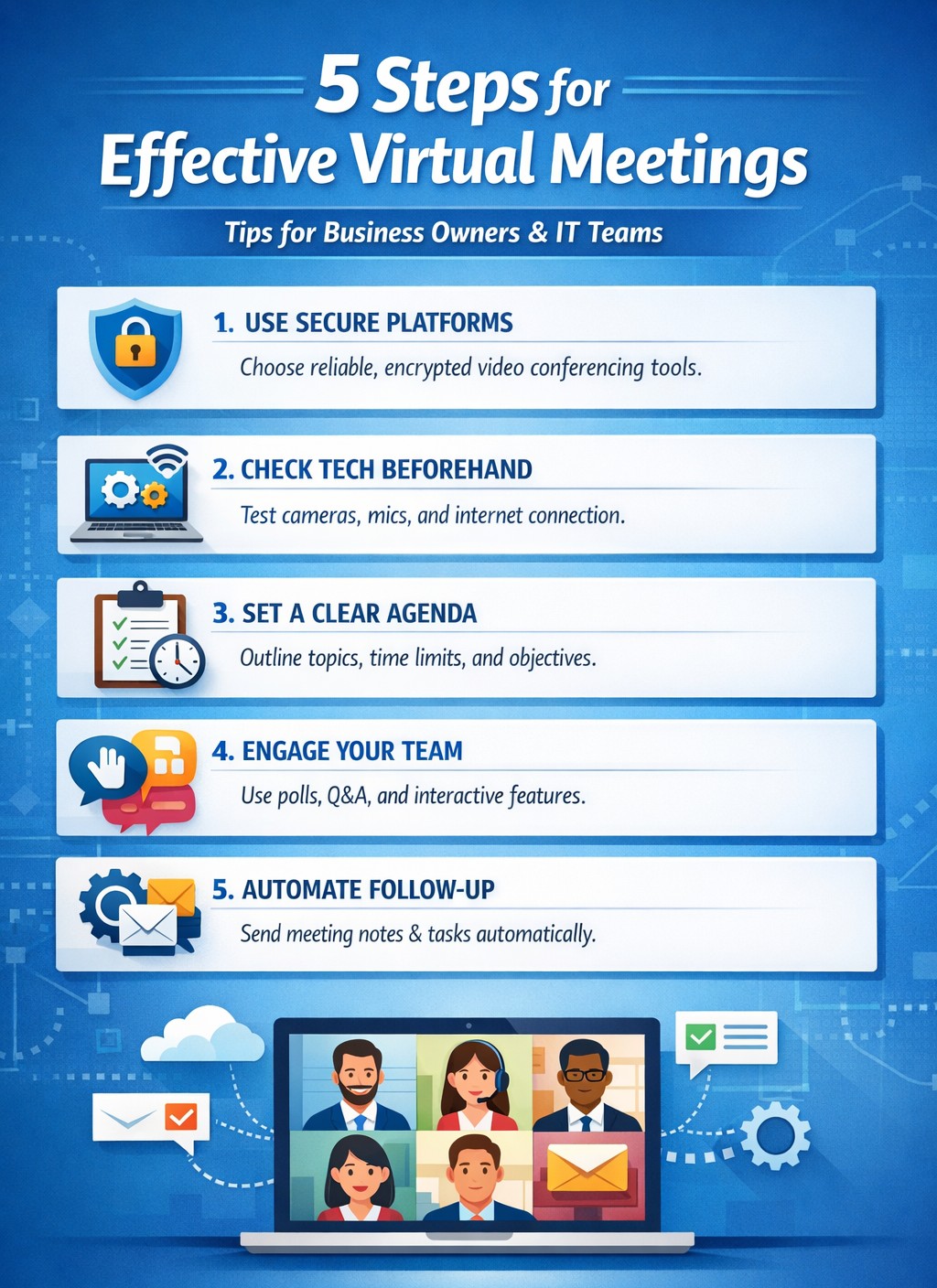
IT-backed strategies for business owners: standardize platforms and automate follow-ups for productive remote team meetings.
Wasted virtual meetings cost small businesses thousands in lost productivity annually. As a business owner managing remote teams, you need IT-backed strategies that deliver results fast. This post reveals five practical, tech-focused steps—tailored for you and your IT department—to transform chaotic calls into high-impact sessions that drive growth.
Standardize Your Meeting Platform
Choose one secure, scalable platform like Microsoft Teams or Zoom Enterprise to eliminate tool-switching chaos. IT teams should evaluate bandwidth needs, enable end-to-end encryption, and integrate with calendars/CRMs for seamless scheduling.
Business owners: Mandate platform use in your remote work policy. IT steps: Deploy single sign-on (SSO), test integrations with tools like Slack or Google Workspace, and set up auto-updates to prevent vulnerabilities. This cuts setup time by 40% and boosts attendance reliability.
Pre-Meeting Tech Checks and Training
Technical glitches derail 30% of virtual meetings. Require all participants—including yourself—to test audio, video, and internet 15 minutes prior using platform diagnostics.
Business owners: Schedule mandatory quarterly training sessions. IT steps: Roll out a “tech readiness checklist” via email automation, monitor network performance with tools like Wireshark, and provide on-call support during peak hours. Result: Fewer dropouts, higher engagement.
Create Structured Agendas with Role Assignments
Vague agendas lead to rambling; detailed ones keep teams focused. Share agendas 24 hours ahead via the platform, assigning roles like facilitator, note-taker, and timekeeper.
Business owners: Approve agendas before distribution to align with goals. IT steps: Use platform features for polls, timers, and shared docs; integrate with project tools like Asana for real-time action item tracking. This ensures decisions stick post-meeting.
Enforce Engagement Tools and Moderation
Remote teams disengage twice as fast without visuals. Activate cameras, use polls/reactions, and designate an IT-trained moderator to manage chat and mute distractions.
Business owners: Set ground rules like “cameras on for key discussions.” IT steps: Configure breakout rooms for sub-teams, enable AI transcription for recaps, and monitor for security breaches. Keeps meetings interactive and inclusive.
Post-Meeting Follow-Up Automation
Meetings fail without accountability. Send automated recaps with action items, recordings, and feedback surveys within 30 minutes.
Business owners: Review metrics like completion rates weekly. IT steps: Automate via platform APIs (e.g., Zapier integrations), archive securely, and analyze attendance data for trends. Drives 25% better follow-through.
Common Questions from Business Owners
Q: How do we secure meetings against hacks? A: IT should enable waiting rooms, passcodes, and regular firmware updates; avoid free tiers prone to breaches.
Q: What if team internet varies by location? A: IT assesses remote setups, recommends VPNs or QoS routing, and offers audio-only fallbacks.
Q: How to measure meeting ROI? A: Track via platform analytics: engagement scores, task completion rates, and time saved.
How Farmhouse Networking Helps
Farmhouse Networking specializes in IT infrastructure for remote teams in accounting, healthcare, and nonprofits. We audit your setup, deploy secure platforms, train staff, and monitor 24/7—ensuring zero downtime. Our clients see 35% productivity gains from optimized virtual collaboration.
Call to Action
Ready to supercharge your virtual meetings? Email support@farmhousenetworking.com for a free IT assessment tailored to your business.
Dutch startup Tony’s Chocolonely grew out of a journalist’s exposé of child slave labor in the cocoa industry and his dream of making the chocolate trade slavery-free. The Amsterdam-based company grew quickly, but its original collaboration apps didn’t support its international expansion or its work-life balance ideals. Teams enables Tony’s Chocolonely workers to communicate on a personal level with their colleagues in Europe, America, and Africa. Adding telephony capabilities makes it even more powerful, with everything available in one single interface.
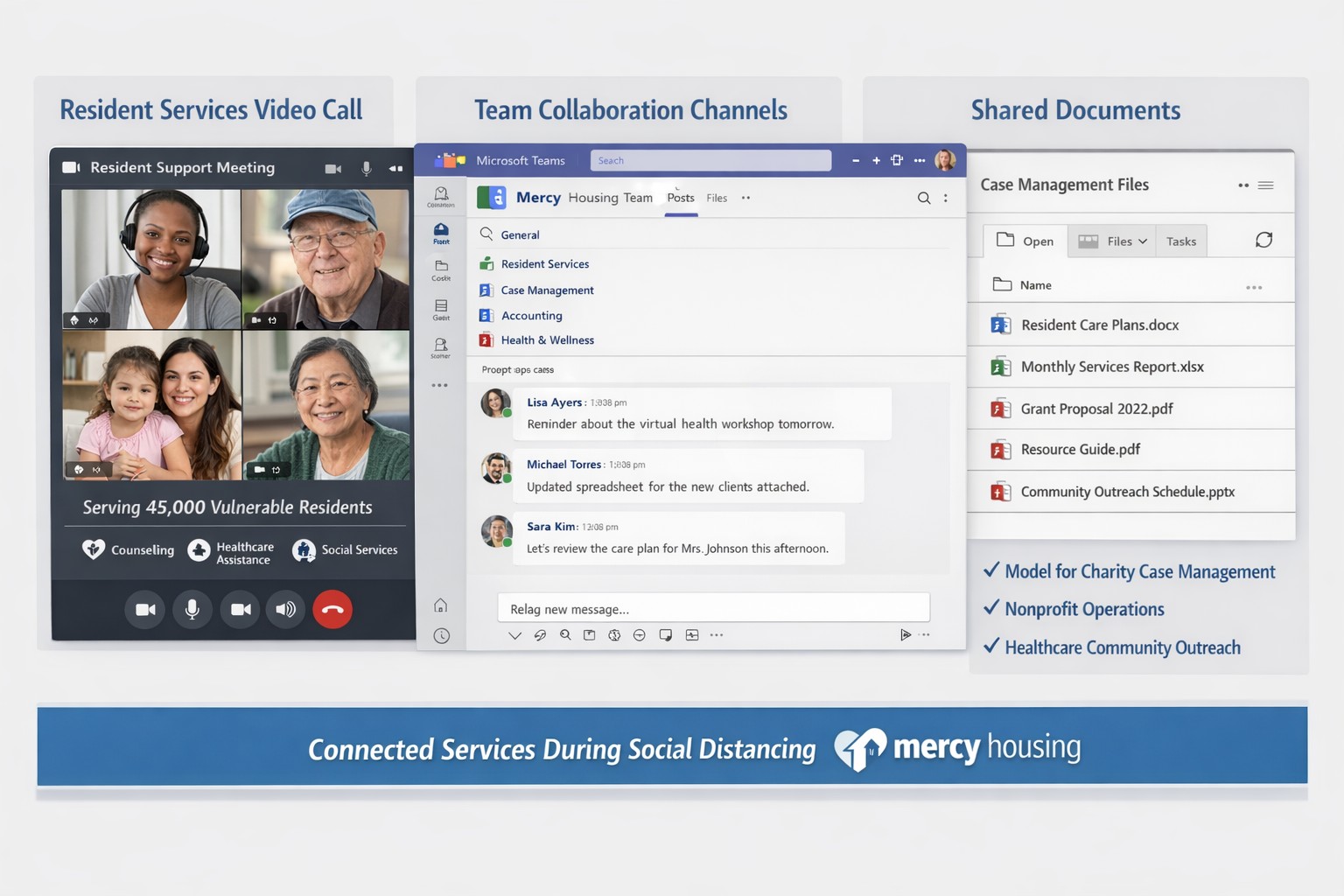
Teams enables Mercy Housing’s safe remote resident support during pandemic
When the pandemic ushered in a new reality of social distancing, Mercy Housing was able to continue supporting the residents and communities it serves while keeping everyone safe using Microsoft Teams. This customer story video outlines when COVID-19 created a tremendous need for a tool that can maintain personal connection, Teams has allowed the company to maintain reaching residents and serving its communities, growing the business while working remotely, all while supporting highly secure environments for remote work.
And God will generously provide all you need. Then you will always have everything you need and plenty left over to share with others. As the Scriptures say,
“They share freely and give generously to the poor. Their good deeds will be remembered forever.”
For God is the one who provides seed for the farmer and then bread to eat. In the same way, he will provide and increase your resources and then produce a great harvest of generosity in you. - 2 Corinthians 9:8-10
We use cookies to ensure that we give you the best experience on our website. If you continue to use this site we will assume that you are happy with it.