Farmhouse Networking has been looking into expanding the ways that we serve our customers. After having a major global Voice-over-IP provider reached out to us, taking a long look at their product offering, and looking at the current phone bills of a few of our clients – we have decided to resell their internet-based telephone services. So what does that mean for you:
Business Class Phones.
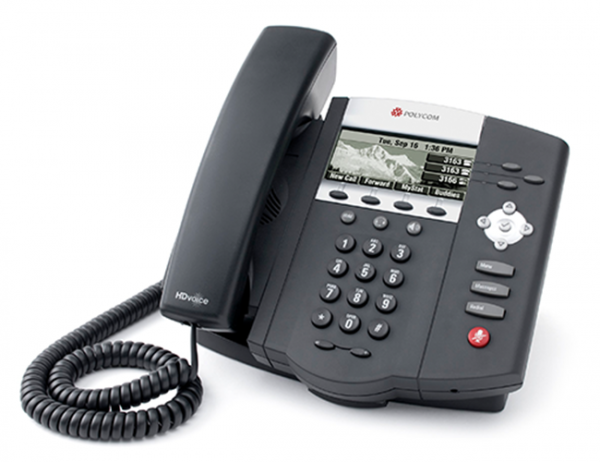
Our customers will get the option to purchase or lease VoIP phones from the top manufactures. These include options for wireless phones and cordless headsets.
Limitless Features.
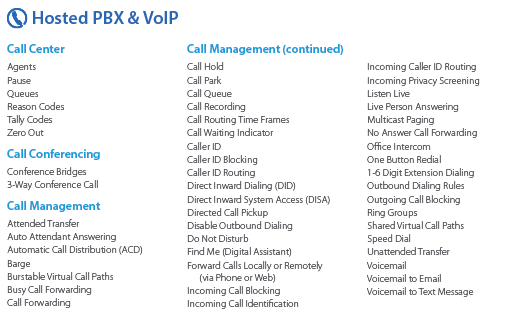
All the features that you have come to expect from quality telephone service are here in our new hosted system and we are also able to provide telephone service to your existing on-premise phone systems. There are also some other exciting features to keep business running like cellphone fail-over if the power ever goes out again.
Simple Pricing.
After reviewing several phone bills from the local internet and telephone providers, Farmhouse Networking has developed a simplified pricing structure with all the usual features a business needs. It is based on the number of phone lines with unlimited minutes within the United States.
Get Started Today.
All we need is a copy of your current phone bill to start seeing if we can save you a bunch of money too. Send one now!
Modern businesses are transitioning from break-fix computer repair to proactive IT management for stability, security, and growth.
You’re not imagining it: the computer repair industry is changing fast—but it’s not dying. It’s splitting. Traditional “fix my broken PC” walk-in work is declining, while managed IT services, cybersecurity, cloud support, and strategic consulting are growing.
Below is a concise, SEO-optimized guide to help you decide how to adapt.
Is the Computer Repair Industry Growing or Declining?
For break-fix computer repair (one-off repairs, virus removal, hardware swaps), demand is largely declining:
Hardware is cheaper and more disposable, especially laptops and consumer desktops.
Cloud and SaaS reduce local software issues.
Remote work and remote management tools mean many problems never reach a local shop.
However, the broader “computer support and IT services” industry is growing:
Global managed services market is projected to grow in the high single to low double digits annually over the next few years, driven by cybersecurity, cloud, and remote monitoring.
Cybersecurity demand continues to rise as attacks target small and mid-sized businesses, healthcare, and financial firms.
Compliance and data protection requirements are pushing organizations to formalize IT management rather than rely on ad-hoc repair.
In practice: the industry isn’t disappearing—it’s shifting from repair to proactive, managed, and strategic IT.
What This Means for Your Business
If your organization still thinks of IT as “call someone when the computer breaks,” you are operating in the declining part of the market.
To stay competitive, you and your IT team must:
Move from break-fix to proactive maintenance and monitoring.
Treat IT as a business function, not a cost center or emergency service.
Build resilience: backups, security, and business continuity.
This shift directly affects how you work with outside providers and how your internal IT department is structured.
Practical Action Steps for Owners and IT Departments
Here’s a focused roadmap to move from “computer repair” thinking to “managed IT” thinking.
Audit your current IT and risk exposure
List all critical systems: servers, workstations, line-of-business apps, cloud services.
Identify single points of failure (one server, one person, one outdated backup).
Review your last 12–24 months of issues: downtime, security problems, lost data, slow performance.
Quantify the business impact
Estimate the cost per hour of downtime: lost revenue, staff idle time, reputational damage.
Compare that cost against what you currently spend on one-off repairs or underpowered internal IT.
Use this data to justify a more robust, proactive IT model.
Implement proactive monitoring and maintenance
Deploy remote monitoring and management (RMM) tools across all endpoints.
Standardize patching schedules, antivirus/EDR, and firmware updates.
Establish regular health reports to leadership so you see trends before they become crises.
Upgrade your security posture
Enforce multi-factor authentication (MFA) on all critical systems and email.
Implement managed endpoint protection, email filtering, and DNS filtering.
Create and test an incident response plan so you know exactly what to do when—not if—an attack occurs.
Strengthen backup and disaster recovery
Move from “we think we have backups” to verified, automated, versioned backups.
Follow the 3-2-1 rule: 3 copies of data, on 2 different media, 1 offsite.
Test restore procedures quarterly and document recovery time objectives (RTOs).
Redefine your relationship with IT providers
Replace hourly, ticket-based “repair” work with a managed services agreement with clear SLAs.
Hold regular IT business reviews: security posture, risks, and upcoming technology needs.
Communicate the shift to your staff
Explain that IT is now about prevention, security, and productivity—not just repairs.
Train employees on security basics: phishing, password hygiene, remote work best practices.
Encourage staff to report issues early rather than wait until something is “completely broken.”
Common Client Questions (With Straight Answers)
Q1: “If hardware is cheaper, why not just replace instead of repair?” A: For many low-cost devices, replacement is more economical than component-level repair. The real value is in protecting data, uptime, and security, which is where managed IT, backup, and cybersecurity services matter far more than a one-time fix.
Q2: “Do we still need an internal IT person?” A: Often, a hybrid model works best. Your internal IT can focus on business processes, line-of-business apps, and staff support, while a managed services provider handles monitoring, security, infrastructure, and strategic planning. This reduces single-person risk and expands your capabilities.
Q3: “Can’t our cloud provider handle all of this?” A: Cloud providers secure their infrastructure, but you are still responsible for user access, configuration, data governance, and endpoint security. Most breaches happen at the user or configuration level, not in the cloud provider’s core systems.
Q4: “Isn’t proactive IT more expensive than calling for repairs?” A: On paper, a monthly fee can look higher than a few repair invoices. But when you factor in downtime, lost productivity, security incidents, and emergency project work, proactive IT usually lowers your total cost of ownership—and gives you predictability in your budget.
Q5: “How do we know if our current IT provider is still in ‘repair mode’?” A: Warning signs include: no regular reporting, no documented roadmap, no written security policies, mostly reactive ticket work, and limited visibility into your environment. A modern provider will talk business outcomes, not just fixes.
How Farmhouse Networking Helps You Move Beyond Repairs
Farmhouse Networking is built around the growing side of the “computer repair” industry: proactive, secure, business-focused managed IT.
Here’s how we can support your transition:
Environment and risk assessment We perform a detailed review of your current infrastructure, security, backups, and workflows, then deliver a clear, business-friendly risk report and prioritized remediation plan.
Managed IT and proactive monitoring We deploy RMM tools, automate patching, monitor endpoints and servers 24/7, and address issues before they impact your staff. You get consistent performance and fewer surprises.
Cybersecurity and compliance support We implement layered security (endpoint protection, MFA, email filtering, DNS filtering, and more) and help align your practices with industry expectations—especially important for healthcare, financial, and other regulated sectors.
Backup, disaster recovery, and business continuity We design and manage robust backup strategies, test restores regularly, and document realistic recovery times so leadership knows exactly what to expect in an incident.
Strategic IT guidance and roadmapping We partner with you on lifecycle planning, cloud adoption, budgeting, and technology alignment with your growth goals so IT stops being a headache and becomes a competitive advantage.
In short: instead of just fixing what’s broken, we help you build an IT foundation that is resilient, secure, and aligned with your business strategy.
Take the Next Step
If you’re concerned about whether you’re stuck in the declining “repair-only” world—or ready to move into proactive, modern IT management—Farmhouse Networking can guide that transition.
Email support@farmhousenetworking.com for more information about how Farmhouse Networking can help improve your business, reduce downtime, and turn IT into a strategic asset instead of a recurring problem.
“What’s the best browser?” sounds like a simple IT question, but it’s really a strategic decision about security, productivity, and supportability. The right answer is not one perfect browser for everyone, but a deliberate choice based on your tools, risk profile, and how your team actually works.
Why “Best Browser” Is the Wrong Question
Instead of asking “Which browser is best?”, it’s more useful to ask “Which browser is best for our stack and our security model?” Key factors include:
Existing ecosystem:
Microsoft 365 / Windows-centric shops often gain the most from Microsoft Edge because of tight integration and management tooling.
Google Workspace organizations often benefit from Chrome’s deep integration and extension ecosystem.
Security and compliance:
Enterprise features like centralized policy management, password monitoring, tracking protection, and secure profiles are now standard expectations, not bonuses.
Hardware and performance:
Older workstations may perform better with leaner browsers like Firefox or optimized Chromium-based builds.
In practice, most modern businesses standardize on one primary browser, with one backup for special use cases (e.g., legacy apps).
Practical Action Steps for Owners and IT
Here’s a concrete, owner-level plan you can hand to your IT team.
Define your browser strategy in plain language
Decide: “We will standardize on Browser X, with Browser Y as backup for legacy/edge cases.”
Align that choice with your core platform (Microsoft 365 vs Google Workspace vs mixed).
Inventory your current reality
Ask IT to audit:
Which browsers are currently installed
Which line-of-business apps require specific browsers (including any that still need “Internet Explorer mode”)
Add-ons and extensions in use, especially anything touching passwords or sensitive data.
Evaluate security and management capabilities
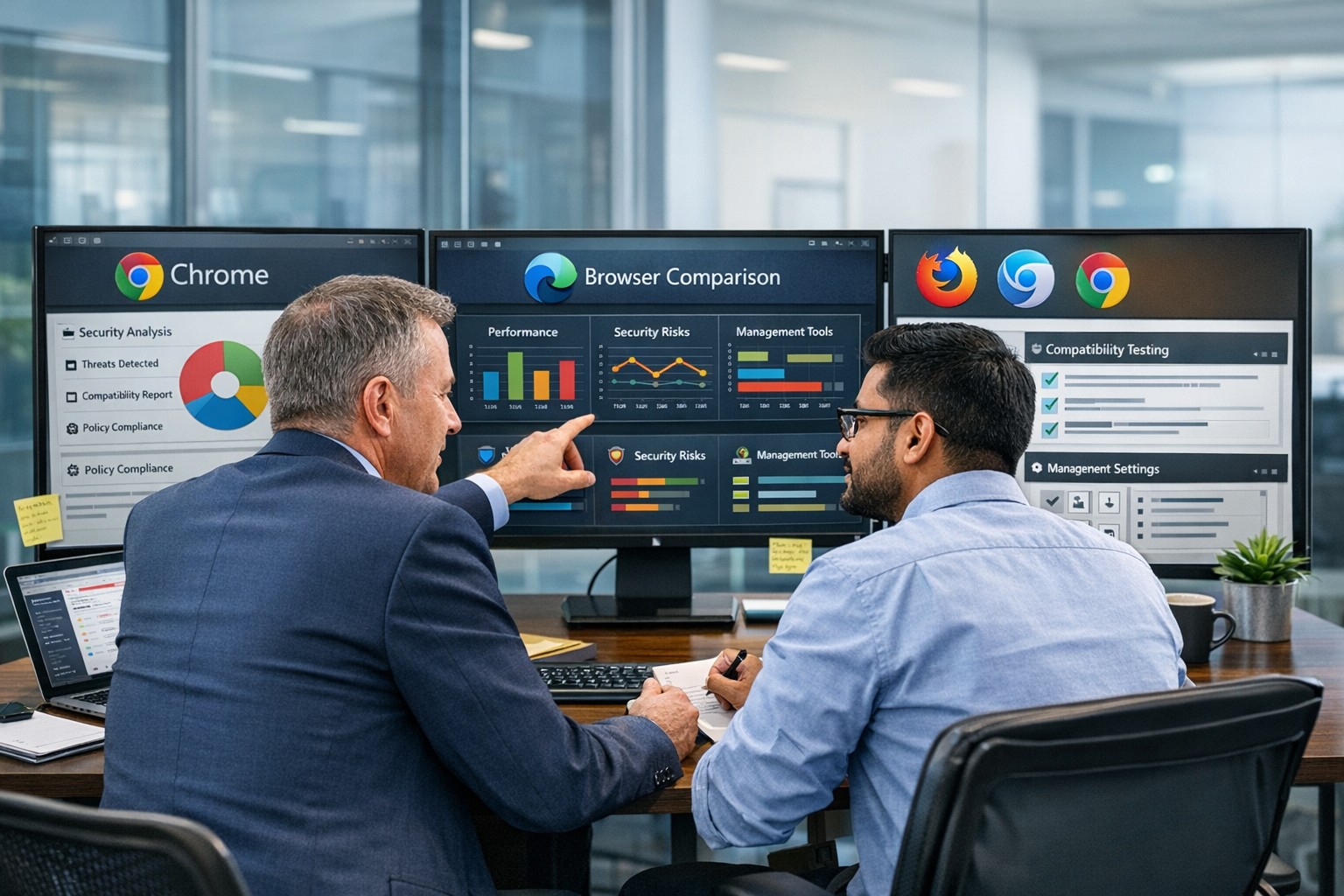
Have IT compare your candidate browsers on:
Preconfigured favorites/portals for key business apps
Profile separation (e.g., work profile vs personal) where supported
Remove or deprecate unused/unsupported browsers to reduce attack surface.
Optimize for productivity
Have IT:
Pre-load extensions that actually improve work (password managers, SSO helpers, approved collaboration tools).
Configure PDF handling, “new tab” layouts, and default search engines to match how your team works.
Train your staff
Short, focused training on:
Which browser to use for what
How to spot dangerous extensions and phishing warnings
How to use profiles or sign-in correctly for business accounts
Review annually
At least once a year, have IT re-check: security features, management capabilities, and compatibility with your evolving app stack.
Common Client Questions (with Owner-Friendly Answers)
Q1: Why can’t staff just use whatever browser they like?
A: Uncontrolled browser choice complicates security, support, and compliance. Standardizing gives IT one set of policies, one update path, and a predictable user experience to support.
Q2: Is Chrome always the safest choice because it’s popular?
A: Chrome is powerful and widely used, but popularity doesn’t automatically mean “safest.” Enterprise security depends more on how the browser is managed, what ecosystem you’re in, and which controls are enforced.
Q3: We’re a Microsoft 365 shop. Should we switch to Edge?
A: Edge often makes sense in a Microsoft-first environment because it integrates tightly with Windows, Microsoft 365, and endpoint management tools, and even supports Internet Explorer mode for legacy apps.
Q4: We use Google Workspace. Do we have to use Chrome?
A: You don’t have to, but Chrome typically delivers the smoothest experience and strongest management story in a Google-centric stack. Other browsers can work, but may lack some admin or integration capabilities.
Q5: Is it okay to run multiple browsers?
A: Yes—but with intent. Many businesses standardize on one browser for daily work and keep a second, controlled browser for specialized or legacy applications, with clear rules about when to use each.
How Farmhouse Networking Can Help
Farmhouse Networking can guide you from “random browser chaos” to a secure, documented browser strategy that matches your infrastructure and risk profile.
Here’s how we support owners and their IT teams:
Browser strategy & selection
Analyze your environment (Windows vs macOS, Microsoft 365 vs Google Workspace, on-prem vs cloud apps) and recommend a primary and secondary browser strategy.
Hardened configuration & deployment
Design and implement secure, centrally managed browser configurations: policies, extensions, update channels, and integration with your identity and endpoint management tools.
Legacy and line-of-business app support
Identify applications that require specific engines or “IE mode” and ensure they are handled cleanly without weakening the overall security posture.
Staff training and documentation
Create simple, branded “Which browser do I use?” guides and short trainings so your team knows exactly what to do, reducing tickets and confusion.
Ongoing monitoring and review
Periodic checkups to adjust policies as browsers evolve, new threats emerge, or your stack changes.
If you’re ready to turn browser choice from an ad-hoc habit into a secure, productive standard for your business, Farmhouse Networking can lead the process and support your IT team end to end. Email support@farmhousenetworking.com for more information about how Farmhouse Networking can help improve your business.
And God will generously provide all you need. Then you will always have everything you need and plenty left over to share with others. As the Scriptures say,
“They share freely and give generously to the poor. Their good deeds will be remembered forever.”
For God is the one who provides seed for the farmer and then bread to eat. In the same way, he will provide and increase your resources and then produce a great harvest of generosity in you. - 2 Corinthians 9:8-10
We use cookies to ensure that we give you the best experience on our website. If you continue to use this site we will assume that you are happy with it.