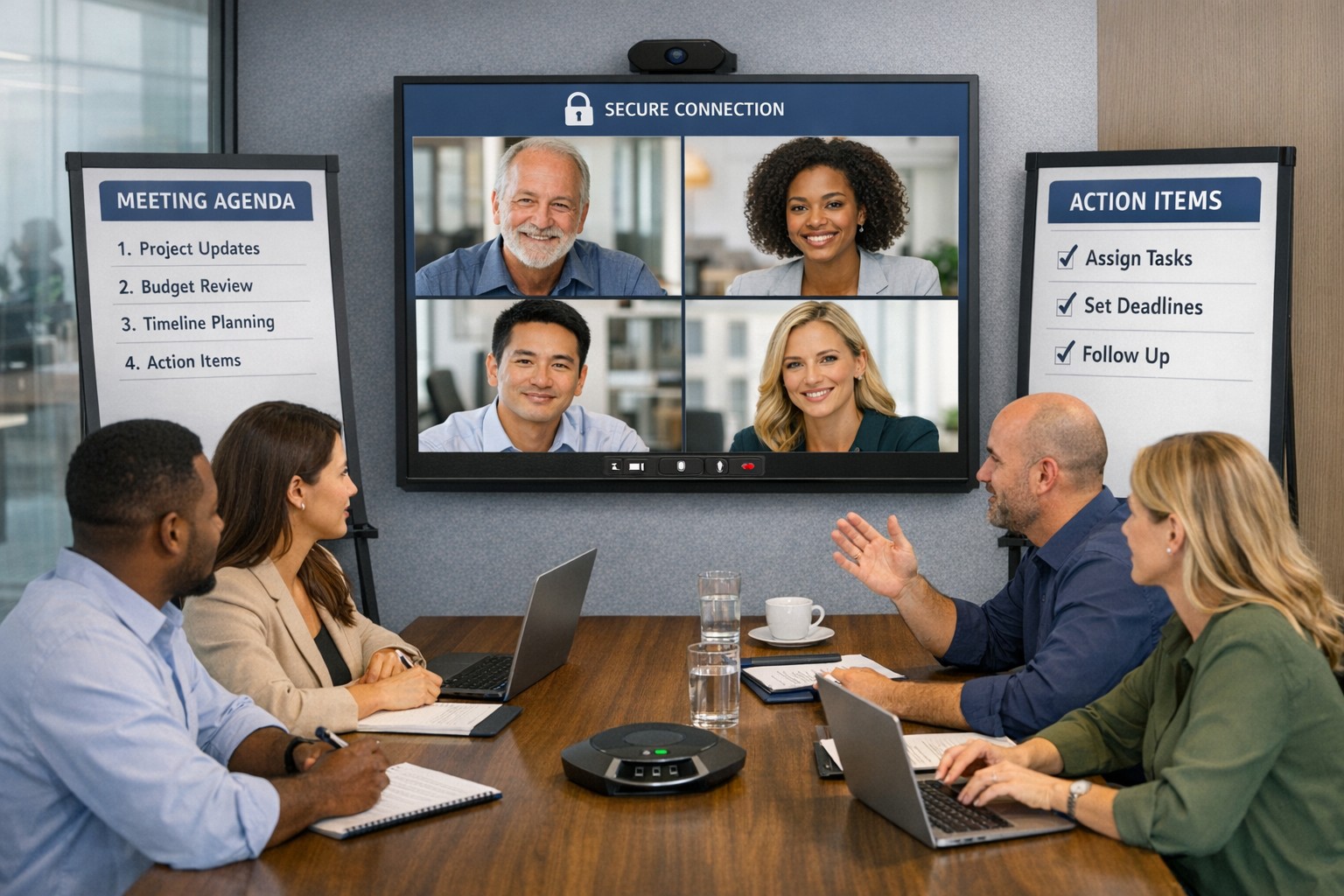
Implement these hybrid meeting best practices to reclaim hours weekly.
Tired of meetings that drain time and productivity? As a business owner, mastering meetings can reclaim hours weekly, sharpen decisions, and drive growth. This guide delivers actionable steps tailored for you and your IT team.
Why Meetings Matter
Effective meetings align teams, solve problems, and spark innovation—yet poor ones waste 20-30% of work hours. Business owners who optimize them see faster execution and higher morale. Focus on purpose-driven gatherings to transform your operations.
Practical Action Steps
Follow these steps with your team and IT department for immediate impact.
Assess Meeting Necessity: Before scheduling, ask: “Does email or async update suffice?” Cancel 30% of meetings by testing this weekly.
Craft Clear Agendas: Draft agendas 48 hours ahead with goals, topics as questions, time allocations (e.g., 10 mins per item), and attendees. Share via shared doc.
Set Tech Foundations: IT audits tools—ensure Zoom/Teams licenses, stable Wi-Fi (100Mbps+), backups like Google Meet. Test hybrid setups: cameras, microphones, screen sharing.
Run Structured Sessions: Start on time with purpose recap. Use timer for topics. Assign action items with owners/deadlines. End early if done.
Follow Up: IT logs recordings securely; send minutes within 24 hours with tasks tracked in tools like Asana or Trello.
Review and Iterate: Post-meeting, survey: “What worked? Improve?” Trim recurring meetings under 15 mins for huddles.
These cut meeting time by half while boosting outcomes.
FAQ: Client Inquiries Answered
Address common questions from accounting, healthcare, or charity clients.
How do we handle hybrid meetings? Prioritize equal participation: IT enables “raise hand” features, shared notes. Use noise-canceling mics and 4K cameras for remote clarity.
What if meetings overrun? Enforce time boxes; have a timekeeper. Shift overflow to async channels like Slack threads.
How to engage quiet team members? Start with round-robin input. Pose questions early. For virtual, use polls/reactions.
Best tools for secure meetings? Enterprise-grade like Microsoft Teams (HIPAA-compliant for healthcare) with end-to-end encryption. IT verifies compliance yearly.
How often for different meetings? Daily huddles (15 mins), weekly managers (30 mins), quarterly strategy (2 hours).
How Farmhouse Networking Helps
Farmhouse Networking specializes in IT solutions for accounting, healthcare, and charity sectors. We audit your meeting tech stack, deploy secure video platforms, optimize networks for lag-free hybrid calls, and train teams on best practices. Our SEO-driven blogs and custom strategies have helped clients cut meeting waste by 40%, freeing time for client wins. From branding your site to lead-gen automation, we handle it all.
Call to Action
Ready to make every meeting count? Email support@farmhousenetworking.com for a free meeting efficiency audit tailored to your business.
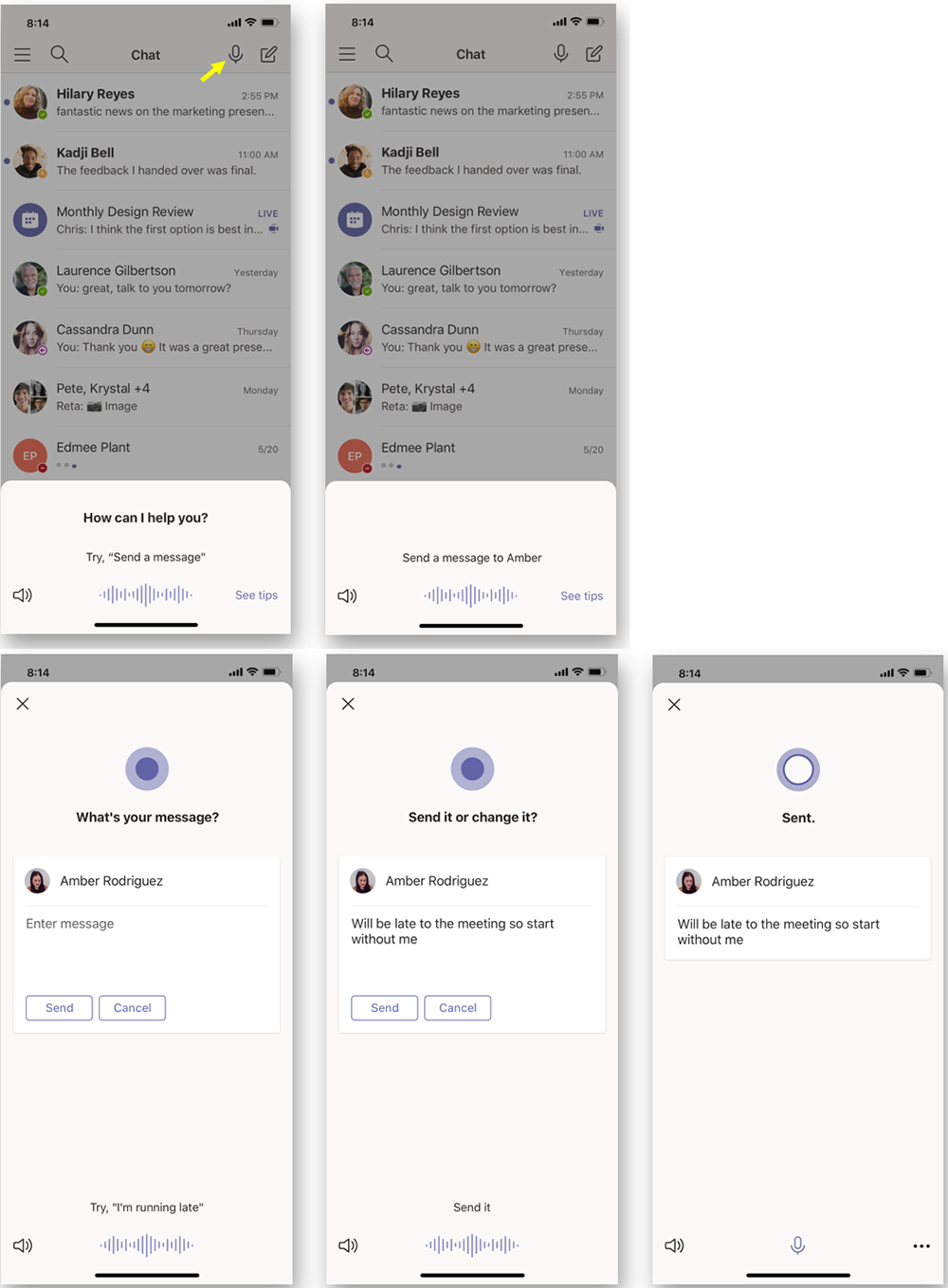
According to the Microsoft Office 365 development roadmap, an exciting new feature is coming to Microsoft Teams:
“Cortana is coming to the Teams mobile app, using AI and the Microsoft Graph to provide voice assistance in Teams. To stay connected to your team even when you have your hands full, click the microphone button on the top right and ask Cortana to make a call, join a meeting, send chat messages, share files, and more. These voice assistance experiences are delivered using Cortana enterprise-grade services that meet Microsoft 365 privacy, security and compliance commitments. Cortana will be available in the Teams mobile app on iOS and Android in the coming weeks for Microsoft 365 Enterprise users in the U.S. in English.”
Voice profiles transform generic transcripts into actionable intelligence
If your company is looking to collaborate with your office effectively, then contact us for assistance.
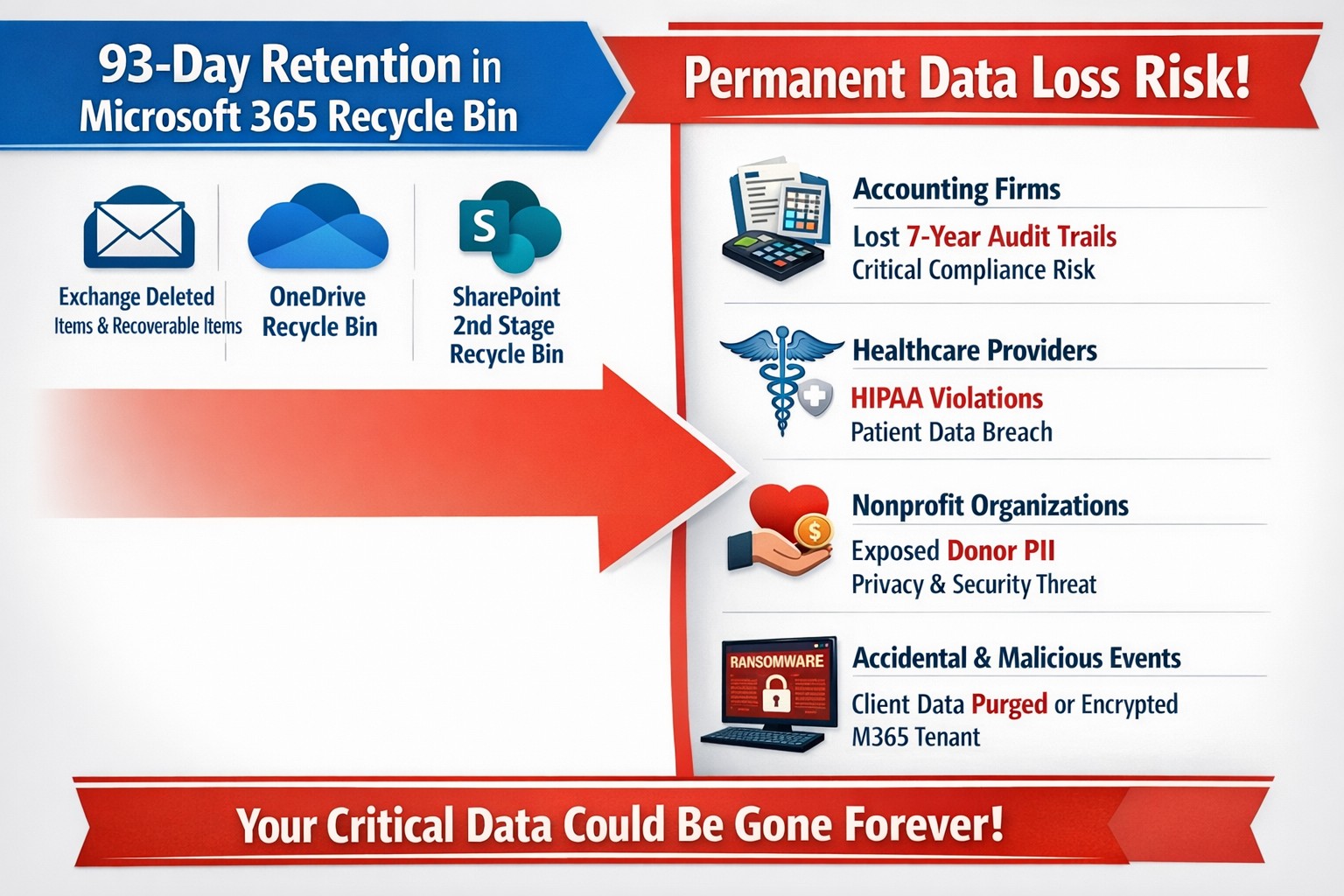
This question came to light while talking to a vendor about backups. It turns out that Microsoft does not backup any of your Office 365 data, but does have aggressive redundancy in place. This is both good and bad, here is why:
Email
Microsoft has several levels of redundancy / resiliency / protection to keep email data from being corrupted, keep multiple copies of all email data, and scan emails for security threats. If there is ever any data issues then their systems automatically detect the problem and work to fix them or when threats are detected they are automatically remediated. There is also a recycle bin for emails and users that lasts from 30 to 90 days. Once that time is over there is no recourse for getting the data back.
Sharepoint & OneDrive
Microsoft here again has deep redundancy to protect your data from corruption, but they do nothing to check for malware or cryptoware. There is something called versioning that can help with some cryptoware, but not all. There is also a recycle bin for these services that could possibly help.
There are several apparent gaps in coverage that Microsoft does not deal with, but there are third-party services that have stepped in to do just that. If your company is looking to keep their Office 365 data safe from internal and external threats, then contact us for assistance.
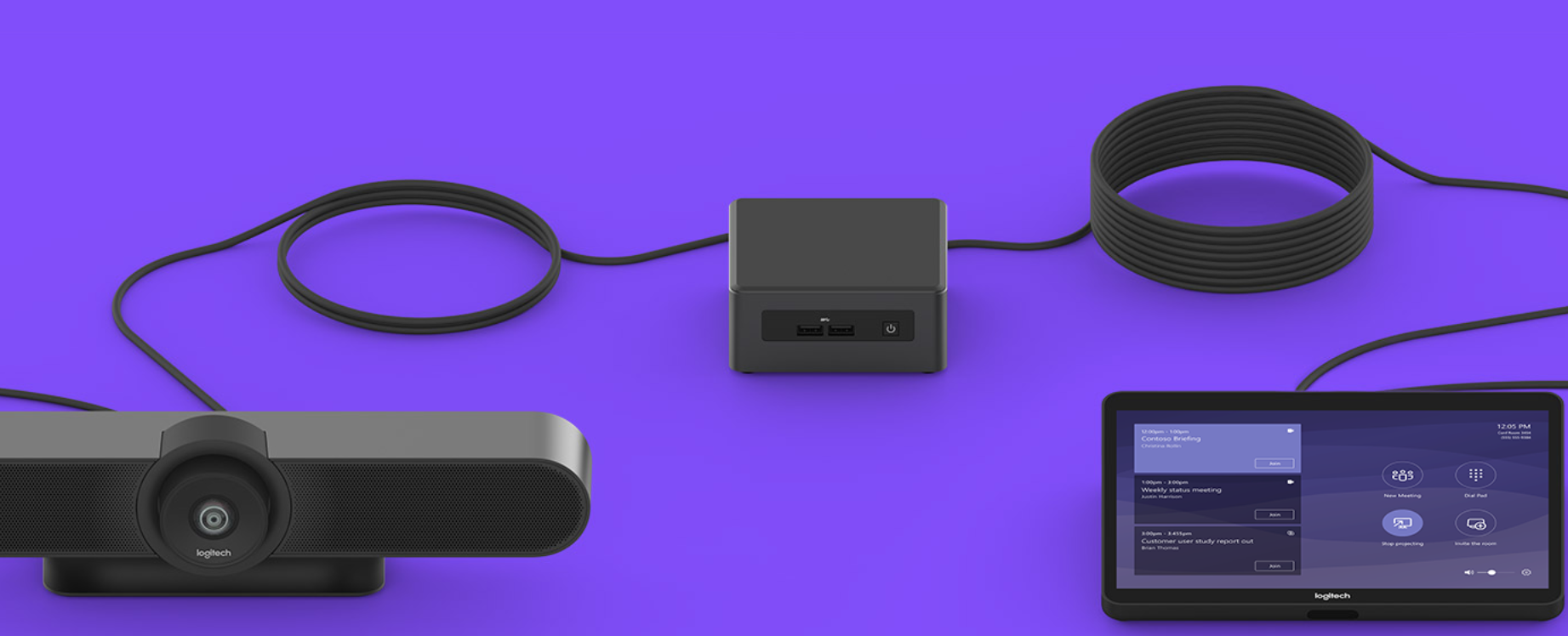
Had the pleasure of helping a local company, that has expanded out to several nearby counties, keep in touch with everyone through video conferencing. They had been working from a laptop connected to a big screen TV for months, but were not able to get everyone in their new conference room into the frame. Farmhouse Networking recommended the Logitech Tap conference room system for them because they are using Microsoft Teams for their video conferencing as it is included with their Office 365 subscription.
What is Tap?
Tap is Logitech’s solution bundle to create an easy to use video conference room experience. It comes with
A large Logitech Meet-Up conference camera that has integrated speakers / microphone, ability to pan and zoom around the room automatically to whomever is speaking, and remote control for manual adjustments.
An Intel NUC (Next Unit of Computing) mini PC that is specifically programmed to function as the host for the meetings.
A Logitech Tap touch controller that makes creating and managing meetings a breeze. Meetings are setup, screens are shared, and conferences are controlled with just a touch.
All the mounting and cables that are needed to get the system connected.
If your company is looking to upgrade your conference room experience, then contact us for assistance.
And God will generously provide all you need. Then you will always have everything you need and plenty left over to share with others. As the Scriptures say,
“They share freely and give generously to the poor. Their good deeds will be remembered forever.”
For God is the one who provides seed for the farmer and then bread to eat. In the same way, he will provide and increase your resources and then produce a great harvest of generosity in you. - 2 Corinthians 9:8-10
We use cookies to ensure that we give you the best experience on our website. If you continue to use this site we will assume that you are happy with it.