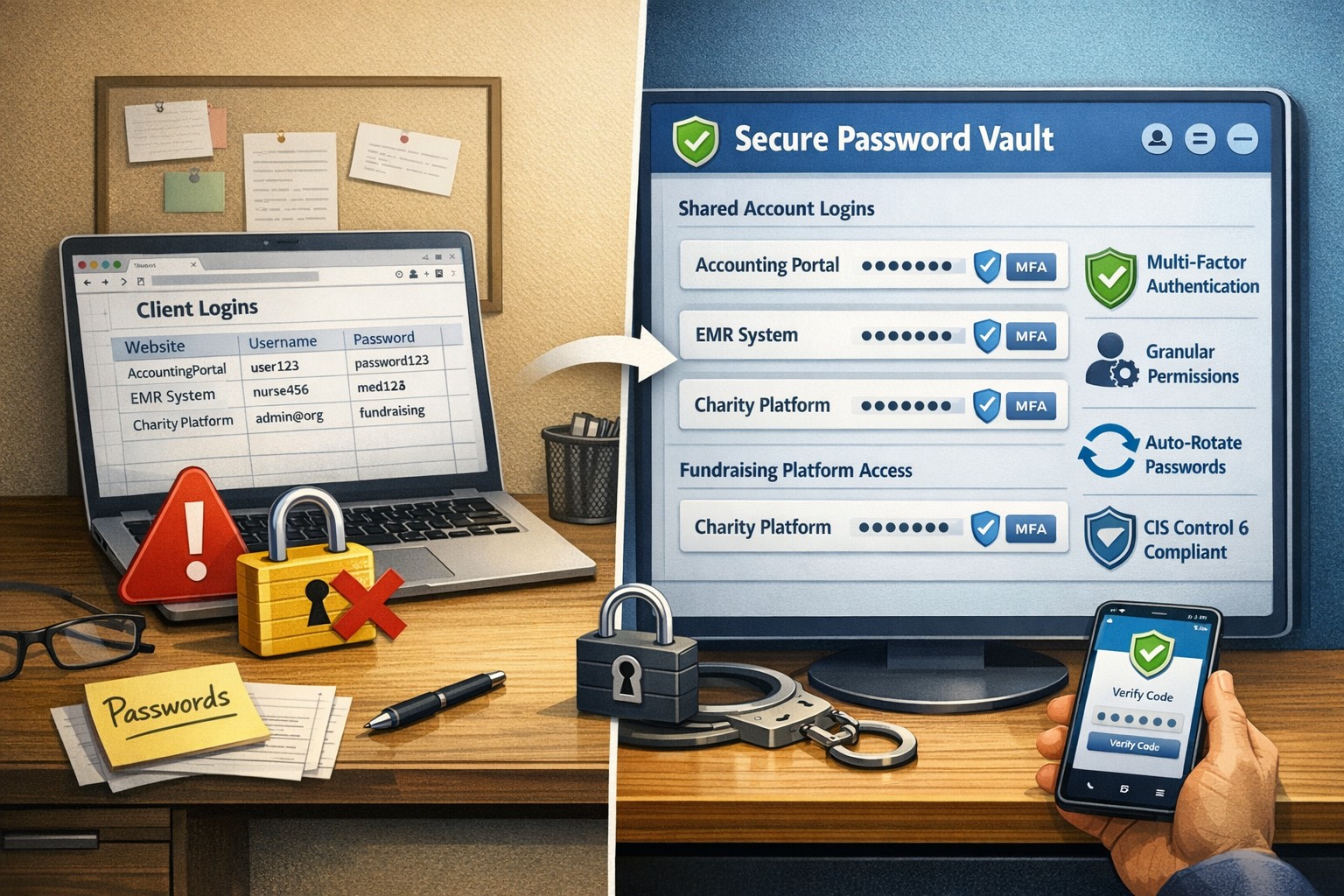
Farmhouse Networking has had a long standing policy that we do not keep a record of client passwords (except when needed for device administration). That is about to change, but before we talk about our new password policy let’s talk password storage:
Common Password Storage
Here are some popular places where many businesses store their passwords that make them very vulnerable to being stolen.
Passwords written on paper (that are not under lock and key):
On your desk under your keyboard (or taped underneath)
Under your stapler or desk decorations
On sticky notes stuck to your monitor or desk
On a scrap of paper on your desk or in a drawer
In a notebook or address book
In a old-fashioned Rolodex file
Paper printouts or photocopies of your passwords
Anyone with access to your office could easily find and steal passwords stored like this.
Passwords stored in your computer (without using encryption):
Remembered in your web browser
A document called “Passwords” that you’ve created anywhere on your computer, perhaps using Microsoft Word or Excel
A document with any other name on your computer (including the password as the name)
Email drafts that you’ve created (but not sent) containing password information
Anyone with access to your computer could easily find and steal passwords stored like this, including both a person with physical access to it as well as a virus or hacker gaining access via the internet, or scamming you into granting them access, even once.
Passwords stored in your smartphone or tablet (without using encryption):
Electronic “Notes” containing password information
Other documents or emails similar to the ones listed in computer storage above
Anyone with access to your device could easily find and steal passwords stored like this.
Passwords sent via regular (insecure) email:
Emails that you have sent to yourself containing password information
Emails that you have sent to anyone else containing password information
Any information that you send using regular (unencrypted) email puts that information at risk of being stolen. Email is neither private nor secure. Sending an email is like mailing a postcard, and hackers and thieves can easily read the contents. You should never send passwords (or any other confidential or sensitive data) via regular email.
Secure Password Storage
Now for the discussion of Farmhouse Networking’s new password policy. We are partnering with a company to provide a storage of passwords and other client documentation with military grade encryption. This partnership also allows us to address the dangers that common password storage present by offering our clients this same encrypted password storage service. Here are some of the benefits of this service:
Unlimited users
Unlimited passwords
Each user has a personal password vault
Shared company password vault
Security groups to manage access
Auditing & reporting (Compliance)
Secure password sharing
1-Click Login Tool (for all major browsers)
Mobile Device Access
Only $15 per month (Compared to Lastpass Business at $4 per user per month)
If your company is using common password storage of any kind do yourself a security favor and contact us to upgrade to secure password storage.
Voicemails land in inbox with playable audio + instant transcription
These days, you only need to step away from your desk for a few minutes to have a heap of missed calls and new emails awaiting your return:
What Voicemail to Email Does:
As the name suggests, a Voicemail to Email solution uses artificial intelligence (AI) technology to automatically transcribe voicemails received by a user’s voice mailbox. Voicemail to Email is ideal for busy professionals who can’t be accessible at a moment’s notice, are often in meetings, or in an environment where it’s not feasible to listen to messages in sequential order. Voicemail to Email offers a practical, at-a-glance way to keep up with the messages that need your attention and prioritization. With Voicemail to Email transcription, you can consult your voice messages at a time and place that’s most convenient for you. Users can efficiently hone in on specific transcribed messages to find exactly the information they need – from contact information to payment details to an address for their next meeting.
What are the Benefits of Voicemail to Email?
Maximum Accuracy: Voicemail to Email solution uses Google’s Cloud Speech API for Speech to Text transcription which has better accuracy than many voice transcription solutions. The transcriptions made over our platform represent the truest content of your customers’ voicemails.
Efficiency and Flexibility: Users can read their Voicemail to Email transcriptions at their own convenience – via email, SMS, or a mobile app.
Flexible Billing: Users can choose between a flat rate per line ($4.95 per month) or choose to be billed per transcription ($0.14 per voicemail).
Future Features: We are looking to add Spanish Voicemail to Email transcription to our services in the future. We are also looking to add live call transcription, so that a user can have a complete text transcript of their phone calls in writing emailed to them.
If your company is looking to expand what their phone system can do for them, then contact us for assistance.
In reviewing compliance documentation, we found it necessary to talk about Virtual Private Network (VPN) technology for both privacy and secure remote access. A VPN is a connection to a private network over the internet through an encrypted tunnel – think smuggling information across a secret passageway between two places.
Why use VPN?
Privacy: There has been a huge buzz lately about using VPN technology to help mask you browsing habits from the likes of the NSA or Google. VPN services offer connections that regularly change your external IP address so that a profile (marketing or otherwise) is harder to build. It also makes hacking of your information harder when these services providers offer anti-virus and anti-spam filtering as part of the VPN service.
What are the trade-offs? These VPN service providers will now be the sole owner of your browsing habits – they can sell targeted profiles to marketing companies – so read those terms of service. There will also be a performance hit to your internet speed, so if you are working from a slow network already this may not be an option. Then there is the added cost of an extra $5 to $15 per month for these services on top of your internet bill each month.
Secure Remote Access: This was the original intent of VPN technology and where it really shines. Either from remote workers using coffee shop wifi or remote offices connecting to the main office, VPN tunnels are used to securely access data, servers, and other network resources. This technology is required by all major compliance agencies so that all data transmitted is encrypted during transport. In the past servers would open ports to the internet to allow access, but it was found that this practice allowed hackers the same opportunity to gain access. With VPN tunnels there is another layer of protection from unexpected access. There is also the benefit that no outside provider gets access to your browsing habits.
What are the trade-offs? This will require a router at the main office that is business grade and capable of handling the traffic. It will then require setup of remote workers laptops or remote offices with similar business grade routers.
If your company is concerned about privacy on the internet or secure remote access, then contact us for assistance.
As the last email stated, I would like to give the above pictured computer to a well deserving non-profit or struggling business that would benefit from a technology infusion. There was an underwhelming single response to my request, so I have decided to give the computer to the one suggested organization:
Woodland Charter School
This computer is suitable for normal office work and will be replacing an aging laptop used in there front office by the staff. I will be including free setup of the computer to help get them connected properly.
Please contact us with ideas on who could best use our next free new computer.
Owner death doesn’t have to kill your business operations
We are currently facing the mountain of paperwork and responsibilities associated with the death of a loved one who did not properly prepare for their passing. While thinking through this stuff the thought of disaster preparedness came to mind and what would be the way to properly prepare for the sudden passing of myself or a business partner so that those who remained could continue on. Here are my thoughts:
Death Preparedness
Partnership / Corporate Agreement: Most states will immediately dissolve / liquidate a business partnership agreement unless the agreement has a continue after death clause that allows the estate to be paid off for their share of the current worth of the business. These payouts can also be paid by an insurance policy. Have an attorney look at the current agreement and amend as needed.
Personal Data: Business partners will need access to a copy of information like social security number, date of birth, birth / marriage / death certificates, and location of all agreements / wills. Having this information easily available saves tons of time for those left behind and make filling out the needed paperwork much easier. This information is best stored in one location like a safe deposit box.
Financial Data: Business partners will need access to insurance information, bank accounts, investment accounts, tax returns, current debts, title / registration of property, and any safe deposit keys that are connected to the business. Knowing this information will help create an estimate of the worth of the business to give the estate their fair share of the current worth. Plus if the partner that passed was in charge of these things it will make it easier for the responsibility to be handed to someone else.
Business Data: Businesses should have a master list of usernames and passwords for all local software, servers, online accounts, key safes, etc. This list needs to be updated regularly and a copy would be best kept in the same safe deposit box that the vital records are kept.
Advanced Directives: Just like for family members, the business partner will need to be able to act on behalf of the business in case the other partner is incapacitated in some way. Having these documents in order before this happens is crucial. Make sure to have a lawyer look over the document to make sure it is complete based on state laws where business is being conducted.
“Key Man” Insurance: If any of the business partners or employees are “indispensable” then key man insurance can be purchased by the business. This insurance policy pays off on death to help the company stay afloat until a replacement can be found. It is also important at this point to think about training and disbursement of business information. No one person in the company should have so much knowledge that they would sink the business even if they just left the organization one day.
Take the time to prepare for the worse to make life for those left behind easier to manage after your passing, and contact us for any assistance you need in this process.
As a partner with Lenovo and Intel, I have been given the opportunity to give one of my clients (or perspective clients) a brand new computer and workstation as pictured above. It contain a new memory cache chip from Intel that they would like some feedback on, so the company that accepts this will have to fill out a survey and be on a single phone interview. The computer will be used with the cache enabled and disabled to see the difference the chip makes. Once the testing is done the computer is FREE to keep.
I would like to give this computer to a well deserving non-profit or struggling business that would benefit from a technology infusion. This computer is suitable for normal office work. I will include free setup of the computer to help get them connected properly. I will decide who gets the computer at the end of March 2019.
Please contact us with ideas on who could best use this free new computer.
Local expertise + rapid response = minimal business disruption
I was chatting with my son who works for a large local company who
contracts with a local Managed Service Provider to help with their IT
needs. Due to a clause in their contract they are now locked into paying
over $15,000 per month for IT services for the next three years. This
includes $300 per server (they have 5 of them) and $70 per workstation
(they have over 100 of them) plus some other mysterious charges for the
network. Personally I think that this is outrageous.
Here at Farmhouse Networking we do not believing in locking our clients
into a contract. Our IT services are always month to month so that if
either of us are dissatisfied with the relationship then we can easily
end things with no obligations. Our services are also reasonably priced
due to keeping our overhead low – we charge $65 per server and $25 per
workstation plus a small per device charge for other network devices.
That is a mind boggling 280-460% savings over the local competition. For
that large company that would be a realized savings of somewhere
between $9,600 and $11,700 per month – enough to hire several new
employees or purchase new equipment to increase production.
If your company is looking to keep the costs of IT services down and keep more working capital for true business needs, then contact us for assistance.
With the recent addition of VoIP phone service and internet phone service for current phone system owners, we here at Farmhouse Networking have decided to “eat our own dog food” as the saying goes by changing our phone number over to use the new VoIP phone system ourselves. So here is what to expect:
Phone System Features:
Texting: Those of you who are used to texting in for quick responses will no longer be able to do so. I will still have a cellphone and be able to answer calls from the field via the phone systems Ring Group feature, but I will changing the phone number for my cell phone.
Desk Phone: When in the office, we will be answering our Polycom VVX310 desk phone which has HD Voice for clearer call quality.
Messages: Any time a message is left on our new system, the phone system Voice to Text feature will transcribe the message automatically then send an email into our ticketing system with a copy of the audio also attached. This then becomes a ticket – this feature will increase responsiveness and accuracy in handling your requests.
Holidays, Nights, & Weekends: The phone system has been setup to recognize specified national holidays, birthdays, and special occasions. It also has Time Frame setup with business hours between 9am and 5pm on all weekdays. When outside these business hours or on holidays the phone system will be answered by our Auto Attendant system. This will give the option to leave a voicemail to create a ticket or agree to after hours rates to start an emergency call. Please see our Terms & Conditions for more information.
Thanks for always looking to Farmhouse Networking to serve your company’s IT needs.
If your company is looking to upgrade your current phone system feature set or reduce overall costs of phone service, then contact us for assistance.
Ran across a startling statistic the other day that HIPAA audits are up 400% and that an amazing 94% of them end in failure. So what if you could have HIPAA compliance insurance that placed a professional team of former auditors in your corner? Farmhouse Networking is partnering with the Compliancy Group, a nationally recognized and industry leading HIPAA compliance software company, to provide our customers with peace of mind. So how well is your organization prepared for an audit? Take a look at the following checklist:
After looking over the checklist, if your company is looking to get completely HIPAA compliant without all the headaches, then contact us for assistance.
Essential small business information security fundamentals: encrypt data, enable MFA, train employees, and backup regularly.
NIST is the National Institute of Standards and Technology. It acts as the defacto baseline that all other security and compliance organizations use to construct their standards. Reading their publications is like reading any other government document – extremely long and not interesting. Farmhouse Networking recently became aware of one such document called NISTIR 7621 aka Small Business Information Security: The Fundamentals. We took the time to distill out the main points here:
The Fundamentals aka Best Practices
Identify: Who has access to the network, who has access to the data, and what do they have access to. This includes background checking employees during the hiring process, taking an inventory of data to see who needs access to what, requiring that each user have their own login, and company policy creation.
Protect: Protection starts with separating data into shares then giving access only to those who really need it. It also includes protecting hardware with uninterruptible power supplies (UPS) and protecting software with regular updates. Protecting the network includes setting up a proper firewall, separate wireless for guest access, and VPN only access for remote users. Web filtering, SPAM filtering, file encryption, proper disposal of old equipment, and employee training are also mentioned.
Detect: Having a centrally managed antivirus software on each workstation is a must. This includes the ability to look back in time via log files or monitoring system to find the root of the security breach.
Respond: Have a disaster recovery plan and security incident response plan in place.
Recover: Need full backups of all important business data, invest in cyber insurance, and regularly access your technology to find timely improvements.
If your company does not meet these fundamentals, then contact us for assistance.
And God will generously provide all you need. Then you will always have everything you need and plenty left over to share with others. As the Scriptures say,
“They share freely and give generously to the poor. Their good deeds will be remembered forever.”
For God is the one who provides seed for the farmer and then bread to eat. In the same way, he will provide and increase your resources and then produce a great harvest of generosity in you. - 2 Corinthians 9:8-10
We use cookies to ensure that we give you the best experience on our website. If you continue to use this site we will assume that you are happy with it.