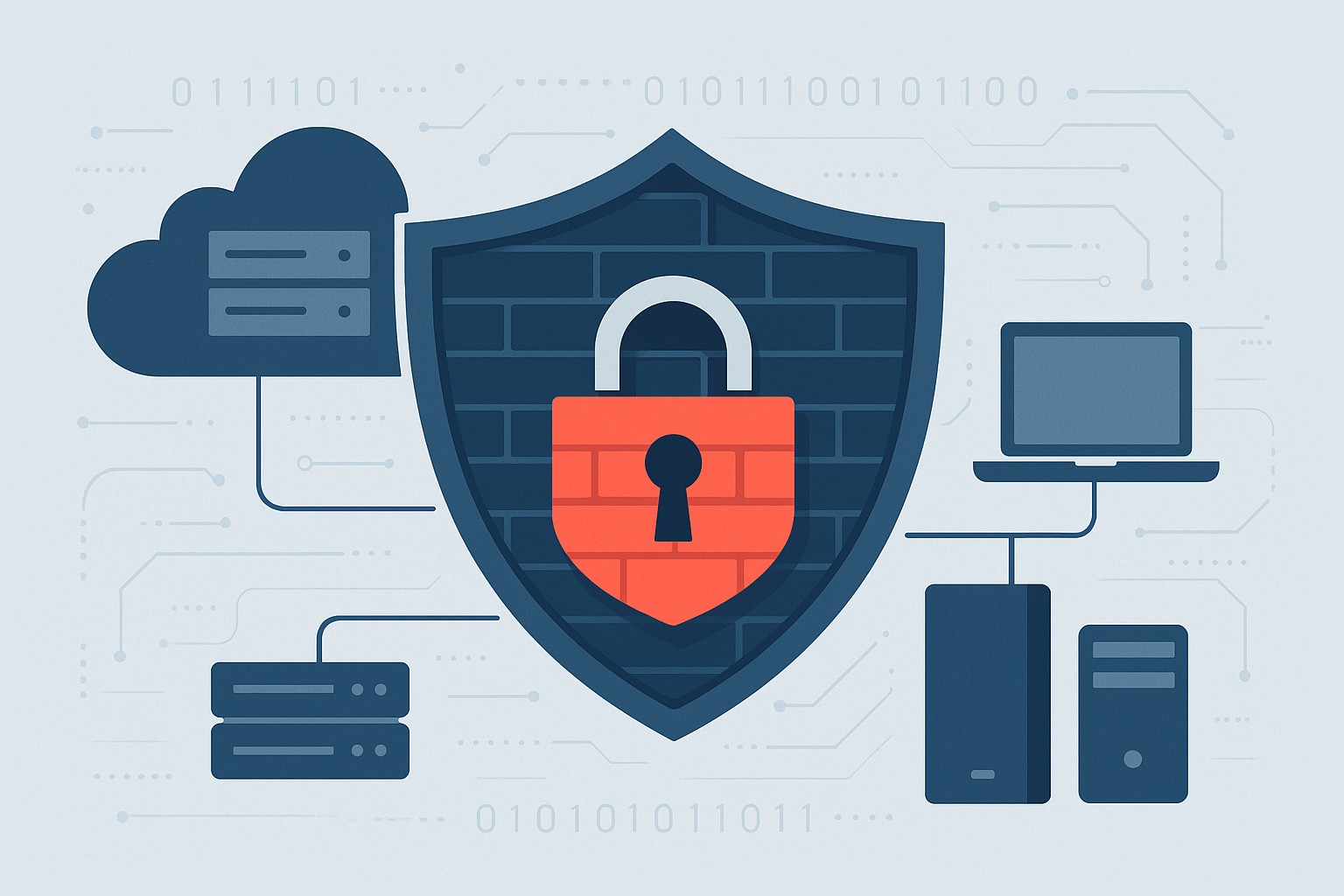
Use DNS Filtering to Stay Safe and Open for Business
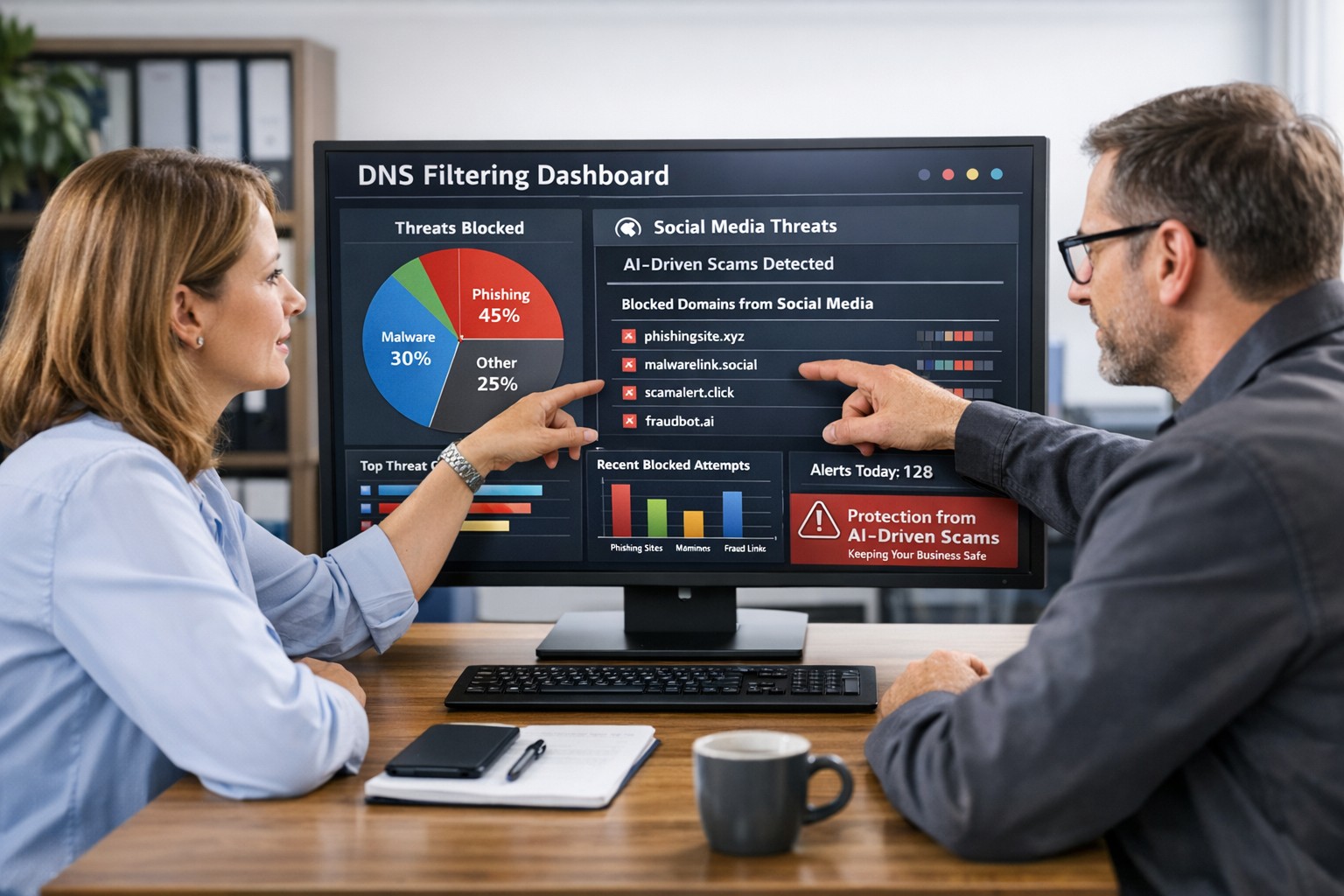
DNS filtering helps small business owners block AI powered social media scams before employees can reach malicious websites
AI tools now let scammers quickly generate deepfake videos, realistic ads, and convincing phishing messages that target small and mid‑sized businesses on social media. These attacks trick employees into clicking malicious links that steal logins, install ransomware, or divert payments, and incident rates and losses are climbing. DNS filtering offers your business a practical, affordable way to block dangerous sites at the network level before a bad click turns into downtime.
Why AI-Driven Social Media Threats Matter for SMBs
AI deepfakes and fake ads can impersonate your brand or suppliers and lead to look‑alike scam sites.
AI-enhanced phishing leverages details from your website and social media to sound like real customers, partners, or executives.
Web‑based phishing and spoofing attempts are rising sharply year over year, driven by generative AI.
What DNS Filtering Does for Your Business
DNS filtering checks where your employees’ devices are trying to connect and blocks known or suspected malicious domains. For SMBs, this:
Prevents access to phishing pages and fake login screens linked from social media or email.
Reduces malware and ransomware risk by blocking communication with malicious servers.
Gives you visibility into risky browsing and helps enforce acceptable‑use policies.
Action Steps for Business Owners and IT
Document where and how your team uses social media for sales, support, and marketing.
Roll out DNS filtering to office networks, remote workers, and any company‑managed laptops or phones.
Integrate DNS filtering logs with your security monitoring to quickly investigate suspicious activity.
Establish a clear process for verifying unusual requests (wire transfers, password resets, gift card purchases) received via social media or email.
Sample Customer Questions and Answers
“Is it safe to click promotions I see about your business on social media?” We recommend visiting our official website or verified profiles directly, because scammers can create fake ads that lead to malicious sites.
“How do you protect my data from online scams?” We use layered security including DNS filtering to block malicious websites, alongside secure payment providers and strong internal controls.
How Farmhouse Networking Helps SMBs
Farmhouse Networking works with you to understand your business, social media use, and risk tolerance, then designs and manages a DNS filtering solution that fits your size and budget. We deploy, configure, and monitor the service, fine‑tune policies over time, and provide clear reports so you always know how your network is being protected. This is included at no additional cost to all our monthly managed IT services clients.
Call to Action: Email support@farmhousenetworking.com for more information about how Farmhouse Networking can help improve your business and defend against AI‑driven social media threats.
A Practical Guide for Business Owners in Grants Pass
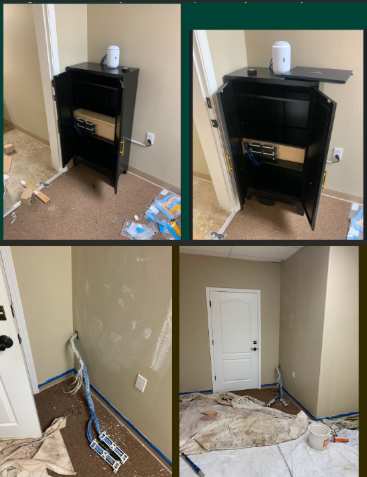
Before and after office network cabling remodel showing messy wires transformed into clean structured cabling installation in Grants Pass office space
A remodeled office is the perfect time to fix slow Wi‑Fi, random disconnects, and that tangle of mystery cables in the closet. Investing in office network cabling during construction gives your business faster speeds, fewer outages, and a cleaner, more professional workspace that is ready to grow with you.
Why Network Cabling Matters
Well‑planned cabling is the backbone of reliable internet, phones, and cloud apps your team uses every day.
Structured cabling (typically CAT6 or CAT6a) supports current needs and future upgrades like faster internet and new workstations without re‑opening walls.
For owners, this is about business continuity and productivity, not just “wires in the walls.”
Key Steps for You and Your IT Team
Use this checklist to keep your remodel on track and avoid expensive rework later.
Define business and growth needs
List how many employees, workstations, phones, printers, and Wi‑Fi access points you need now and in the next 3–5 years.
Note special areas like conference rooms, reception, and break rooms that need extra connectivity.
Review floor plans with IT before walls close
Have your IT provider mark data jack locations, wireless access point locations, and network closet placement on the architect’s plans.
Confirm there is proper power, ventilation, and space in the network closet for switches, patch panels, and future equipment.
Choose the right cabling standard
For most small and midsize offices, CAT6 or CAT6a structured cabling is recommended for performance and cost‑effectiveness.
Ensure all cabling, jacks, and patch panels are rated consistently (e.g., all CAT6) to avoid bottlenecks.
Plan clean cable pathways and labeling
Require cables to be run through ceilings/walls with proper supports, avoiding sharp bends and electrical interference.
Insist on clear labeling on both ends of every cable and a simple network map so future troubleshooting is fast and inexpensive.
Coordinate access and scheduling
Provide keys/access codes and confirm work windows so your cabling team can work efficiently without disrupting other trades or your staff.
Schedule final testing and certification of each cable run before you move in equipment and people.
Common Questions Owners Ask
Q: Why not just rely on Wi‑Fi instead of running cables? A: Wi‑Fi is great for mobility, but wired connections are faster, more secure, and more stable for desktops, VoIP phones, and servers. A hybrid approach (wired for fixed devices, Wi‑Fi for mobile) gives the best performance.
Q: Is CAT6 enough, or should we pay more for CAT6a or fiber? A: For most standard offices, CAT6 or CAT6a supports typical internet speeds and internal traffic very well. Fiber is usually reserved for backbone links between floors or high‑density areas where very high bandwidth is required.
Q: How much disruption will cabling cause during our remodel? A: If cabling is coordinated early with your contractor and scheduled while walls are open, most work happens before staff move in, greatly reducing disruption. Final terminations and testing can be done after painting and flooring.
Q: What should I ask for in documentation when the job is done? A: Request:
A simple diagram of the network closet and cabling layout.
Labeling that matches the diagram and wall jacks.
Test results showing each cable passed certification. This documentation saves hours of billable troubleshooting later.
How Farmhouse Networking Helps Business Owners
Farmhouse Networking specializes in turning remodel projects in Grants Pass and Southern Oregon into an opportunity to upgrade your IT foundation, not just “pull wire.”
Here is how the team can support you:
Consultative planning with owners
Translate your business goals (more staff, new phone system, better Wi‑Fi for clients) into a practical cabling and network design in plain English, not jargon.
Coordinate with your general contractor, electrician, and low‑voltage vendors so you are not stuck in the middle relaying technical details.
Professional structured cabling and cleanup
Design and install structured cabling, patch panels, and network racks that are neat, labeled, and ready for growth.
Fix legacy “spaghetti closets” by organizing existing cables, documenting the layout, and improving reliability.
End‑to‑end IT support after the remodel
Configure switches, firewalls, Wi‑Fi, and workstations so the new cabling actually delivers faster, more stable performance for your team.
Provide ongoing managed IT services to monitor your network, catch issues early, and support your staff.
Take the Next Step
If you are planning an office remodel—or just finished one and want to be sure your office network cabling was done right—this is the ideal moment to set your business up for years of smooth, reliable operations.
Email support@farmhousenetworking.com for more information about how Farmhouse Networking can help improve your business with smarter office network cabling and ongoing IT support.
What Small Business Owners Need to Know About Health Plans and IT Risk
Small business leaders and IT teams should review how the 2027 NBPP proposed rule will change employee health plans, compliance requirements, and data security.
The 2027 NBPP proposed rule, issued February 11, 2026, will reset key rules for ACA Exchanges and small‑group health plans starting in 2027. As a small or mid‑sized business owner, these changes affect your benefit strategy, your HR workload, and the IT systems that support them.
Big Picture: What’s Changing
Catastrophic and some bronze plans can carry significantly higher out‑of‑pocket maximums, shifting more financial risk to employees.
CMS proposes multi‑year catastrophic plans and broader hardship exemptions, making catastrophic coverage more common among workers who cannot or do not enroll in richer plans.
Agents, brokers, and web‑brokers must use standardized HHS‑approved consent and eligibility review forms, creating more structured documentation.
Certain state‑mandated benefits will be treated as “in addition to” Essential Health Benefits, affecting plan design and cost structure.
Concrete Action Steps for Owners and IT
For the business owner/CEO:
Reevaluate your health benefits package
Ask your broker which 2027 plan designs they expect to offer and whether your team could be pushed toward higher‑OOP bronze or catastrophic options.
Model the total compensation impact if benefits become less generous and consider offsetting with stipends, HRAs, or plan upgrades.
Upgrade HR policy and employee education
Provide clear, written explanations of how deductibles, out‑of‑pocket maximums, and catastrophic coverage work under the new rules.
Set expectations about documentation employees should keep (especially standardized federal consent and eligibility forms tied to subsidies).
For your IT department or MSP:
Prepare your systems for new standardized forms and proofs
Ensure HRIS, payroll, and document systems can accept, tag, and secure HHS‑approved consent and application review forms your broker will use.
Build simple workflows for HR to retrieve this documentation during audits, disputes, or employee questions.
Tighten security around benefits and PHI‑adjacent data
Implement strong identity and access management, encryption, logging, and vendor controls for any system that touches health coverage or subsidy information.
Confirm that contracts with benefits platforms, brokers’ portals, and HR tools reflect updated privacy and security expectations.
Likely Employee Questions – And How to Answer
“Why did my maximum out‑of‑pocket jump so much?”
Under the 2027 NBPP, some bronze and catastrophic plans are allowed to exceed prior out‑of‑pocket caps, which can significantly increase your financial exposure if you get sick or injured.
“What are these new standardized forms from the broker?”
Federal rules now require standardized HHS‑approved consent and eligibility review forms to document the accuracy of your application and protect your subsidy eligibility.
“Are all state‑mandated benefits still fully covered?”
Not always; certain state‑required benefits are treated as outside the core Essential Health Benefits package, which may affect how they’re funded and covered.
How Farmhouse Networking Helps SMBs
Farmhouse Networking partners with small and mid‑sized businesses to turn regulatory change into structured, low‑friction processes:
Integrate new federal consent and eligibility documentation into your HR and document‑management stack, so HR can find what they need in seconds.
Implement or enhance cybersecurity controls around benefits, payroll, and identity data to reduce risk as health coverage documentation becomes more standardized and audit‑friendly.
Coordinate with your broker and benefits platforms so technical changes (new forms, new plan designs) are reflected cleanly in your systems with minimal disruption.
Call to Action Email support@farmhousenetworking.com to get a focused assessment of how the 2027 NBPP proposed rule intersects with your benefits, IT, and employee experience – and a concrete plan to get ahead of it.
Small business owners should update ownership records and IT controls to align with FinCEN’s new due diligence relief and banking compliance requirements.
FinCEN has issued an order granting relief from part of its Customer Due Diligence rule, so banks no longer must re‑identify and re‑verify beneficial owners every time your company opens a new account or product. Instead, they focus ownership checks on initial account opening, when something about your information looks off, and when their risk‑based procedures say they should dig deeper.
The Core Change in Simple Terms
Under this exceptive relief, your bank must confirm your company’s beneficial owners only:
At the first account opening with that institution.
When they learn facts that call your existing ownership information into question.
As needed under their ongoing risk‑based due‑diligence procedures.
They are no longer required to repeat the beneficial ownership process for each subsequent checking account, loan, or credit card you open with them.
Concrete Steps for Owners and IT
Owner/management actions:
Keep ownership data clean: Maintain a current list of all beneficial owners (and key controllers) with legal names, tax data, and ownership percentages so you can certify accuracy quickly when requested.
Align with your bank: Ask your relationship manager how they will apply the relief, what they will still ask for, and how your internal records can make their reviews faster.
Tie into CTA/BOI: If your company is subject to beneficial ownership reporting, ensure your BOI filings, internal records, and the bank’s records are consistent.
IT department actions:
Centralize and secure records: Store ownership documents, formation records, and signatory forms in a secure repository with encryption, permissions, and audit logging.
Implement change‑management: Put in a formal process so every ownership change, equity issuance, or leadership change creates an IT and compliance ticket to update records and access rights.
Protect financial access: Enforce MFA, least‑privilege access, and monitoring on all systems connected to banking, payments, and accounting, supporting the bank’s risk‑based oversight with strong internal controls.
Common Customer Questions (and Answers You Can Use)
“Is my business still being monitored for suspicious activity?” Yes. The relief removes duplicated paperwork but does not change the Bank Secrecy Act’s risk‑based monitoring and reporting framework.
“Will my bank ask for less paperwork now?” In many cases, yes, especially when opening additional accounts or services with the same institution, because they can rely on previously collected ownership information when appropriate.
“Do I still need to tell my bank when ownership changes?” Absolutely. If the bank discovers that ownership data is outdated or inaccurate, they must revisit their due diligence, and delays or risk re‑assessment may follow.
How Farmhouse Networking Helps SMBs Turn Relief into Advantage
Farmhouse Networking helps small and midsize businesses convert regulatory changes into operational improvements by:
Designing secure, centralized systems for ownership, governance, and banking documentation.
Automating workflows triggered by ownership and leadership changes to keep systems, access, and records aligned.
Strengthening IT security around financial systems so your risk profile stays low while your bank leans more on a risk‑based approach.
To learn how to implement these steps efficiently and securely, email support@farmhousenetworking.com for more information about how Farmhouse Networking can help improve your business.
Small business owner collaborating with IT support to update the company’s website privacy policy ahead of the February 16, 2026 HIPAA privacy changes.
If you own a small or mid‑sized business, you are already feeling the pressure from changing privacy expectations, high‑profile breaches, and new regulations worldwide. The February 16, 2026 HIPAA deadline for updated Notices of Privacy Practices is a reminder that regulators are steadily raising the bar on transparency and data protection across all sectors, not just healthcare.
Why Your Website Needs a Privacy Policy
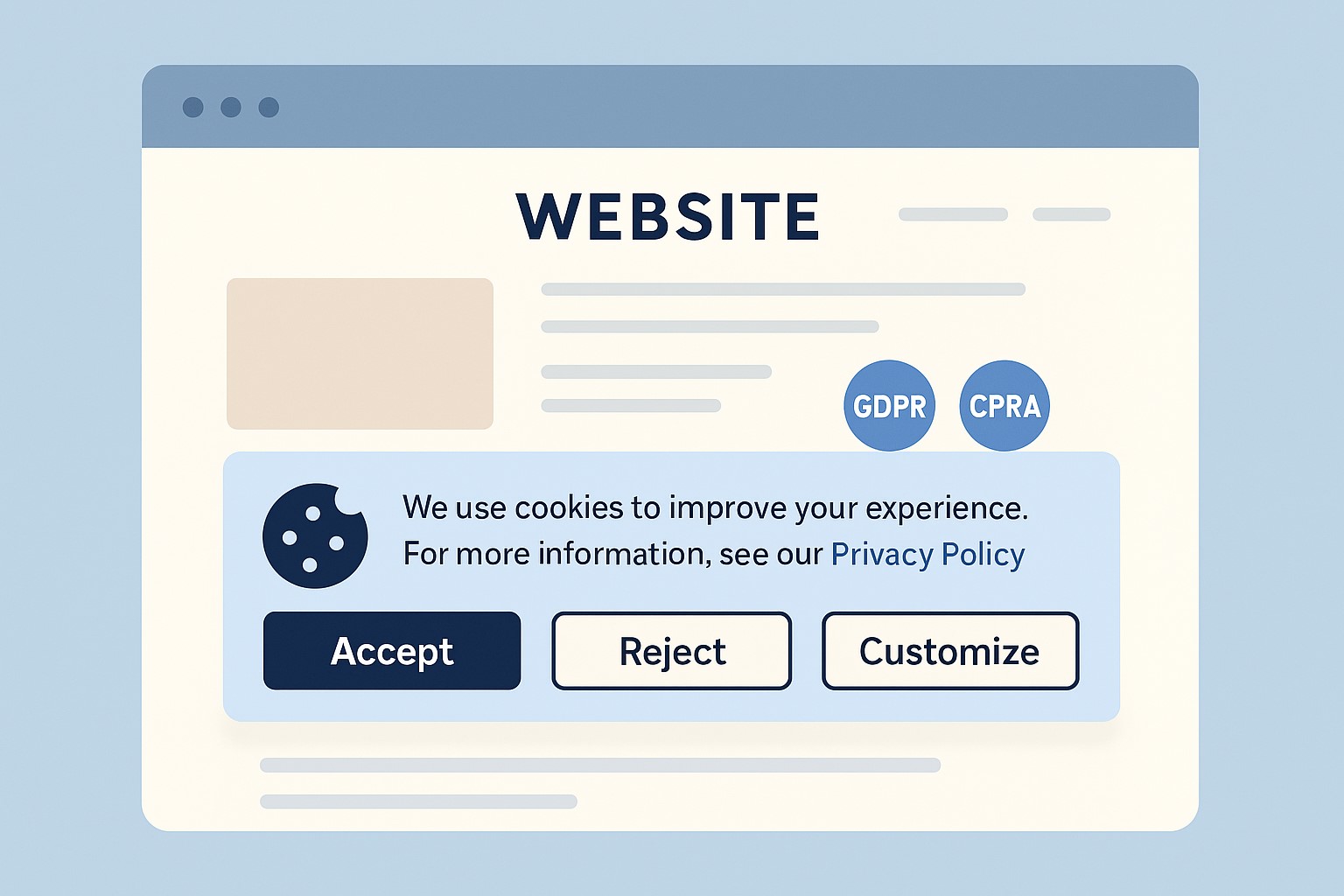
Modern privacy regimes like GDPR and CCPA require businesses that collect personal data online to publish a clear privacy policy explaining what data they collect, why, and how users can exercise their rights.
Many small businesses underestimate how much data they collect—contact forms, job applications, newsletter sign‑ups, and analytics all capture personal information.
Without a clear policy, you risk lawsuits, regulatory fines, and lost customer trust if your data practices are challenged.
Practical Actions for You and Your IT Team
For the business owner:
Catalog the types of data you collect from customers, prospects, and employees through your website and internal systems.
Engage legal or privacy expertise to draft or update a privacy policy that matches your actual practices and covers all relevant jurisdictions you serve.
Decide how privacy ties into your broader brand promise—positioning your business as transparent and trustworthy in how it handles data.
For your IT team or provider:
Publish a prominent “Privacy Policy” link on every page of your site (typically in the footer) and ensure it is mobile‑friendly and easy to read.
Align technical controls—encryption, access management, logging, and data retention—with the commitments your privacy policy makes.
Review third‑party tools (chat widgets, trackers, analytics, CRMs, marketing automation) and make sure their data use is reflected accurately in your policy.
Questions Customers Are Likely to Ask
“What information do you collect when I contact you or buy from you?”
Your privacy policy should list the categories of data collected (identifiers, payment info, browsing data, etc.) in plain language.
“Do you sell or share my information with other companies?”
Your policy should clearly state whether you sell or share personal data, and how customers can opt out where required.
“How do I request a copy of my data or ask you to delete it?”
Users from certain jurisdictions have clear access and deletion rights, which your policy must describe along with contact methods.
How Farmhouse Networking Helps SMB Owners
Farmhouse Networking partners with small and mid‑sized businesses to turn privacy from a risk into a competitive advantage. We can map your data flows, implement secure infrastructure and website configurations, coordinate with your legal advisors, and ensure that your published privacy policy is accurate, technically enforced, and easy for customers to understand.
If you want your business to be ready for evolving privacy expectations—and to earn more trust from every website visitor—email support@farmhousenetworking.com for more information about how Farmhouse Networking can help improve your business.
A small business owner and IT partner align on 2026 CFO technology priorities using AI‑powered finance dashboards and automation tools.
Across industries, CFOs are entering 2026 with rising confidence and a clear message: technology — especially AI and automation — is now central to financial performance, not a side project. Half list digital finance transformation as their top priority, and nearly 9 in 10 expect AI to be critical to their operations. For small and mid-sized businesses, this is both a threat and an opportunity.
What this shift means for SMBs
Digital transformation of finance now outranks many traditional priorities.
87% of CFOs expect AI to be extremely or very important to their finance departments in 2026, and over half plan to integrate AI agents.
Finance leaders are using tech to improve cash management, forecasting, and efficiency, while interest in deals and expansion is rising.
Businesses that modernize will outpace competitors on speed, insight, and resilience when conditions change.
Action steps for owners and IT
Take inventory of your finance tech stack
List all tools used for invoicing, payments, payroll, accounting, reporting, and analytics, plus the spreadsheets in between.
Identify duplicated effort, manual rekeying, and systems that do not integrate.
Automate the “finance plumbing”
Implement automation for AR/AP workflows, bank feeds, reconciliations, and basic reporting to reduce errors and labor.
Use role-based dashboards to give leadership real-time visibility into cash, pipeline, and profitability.
Pilot AI in contained, high-impact areas
Start with anomaly detection on transactions, cash flow forecasting support, and draft commentary for financial reports.
Ensure humans remain accountable for approvals and final decisions, with clear audit trails.
Invest in data quality and governance
Standardize your chart of accounts, customer/vendor master data, and product/service coding for consistent reporting.
Define who owns which data, and document how it flows across systems.
Upgrade security and resilience
Move to secure, managed cloud infrastructure with strong access control, encryption, backup, and continuous monitoring.
Regularly test incident response and recovery so a cyber event or outage does not cripple your finance function.
Questions owners often ask
Q: Is this level of tech really necessary for an SMB? A: Yes. Research shows most finance functions will use AI-enabled tools by 2026, and those that do not will struggle with costs, speed, and insight relative to competitors and larger buyers.
Q: How do we avoid wasting money on tools we never use? A: Start with clear business goals (e.g., reduce DSO by X days, shorten monthly close by Y hours, cut errors by Z%), then choose the minimal tech that supports those goals and measure outcomes.
Q: Do we need to hire data scientists? A: Not typically. Many modern tools embed AI and analytics; what you need most are clean data, good processes, and a partner who understands both finance and IT.
How Farmhouse Networking helps SMBs
Farmhouse Networking helps small and mid-sized businesses translate big-company CFO tech strategies into practical roadmaps. Services include:
Assessing current systems, data quality, and security to identify gaps and opportunities.
Designing and implementing integrated, automated finance and operations platforms, with appropriate AI where it delivers value.
Providing ongoing management, monitoring, and support so your internal team can focus on growth and customers.
With Farmhouse Networking, your business gains the infrastructure and expertise needed to compete in a world where technology is central to financial performance.
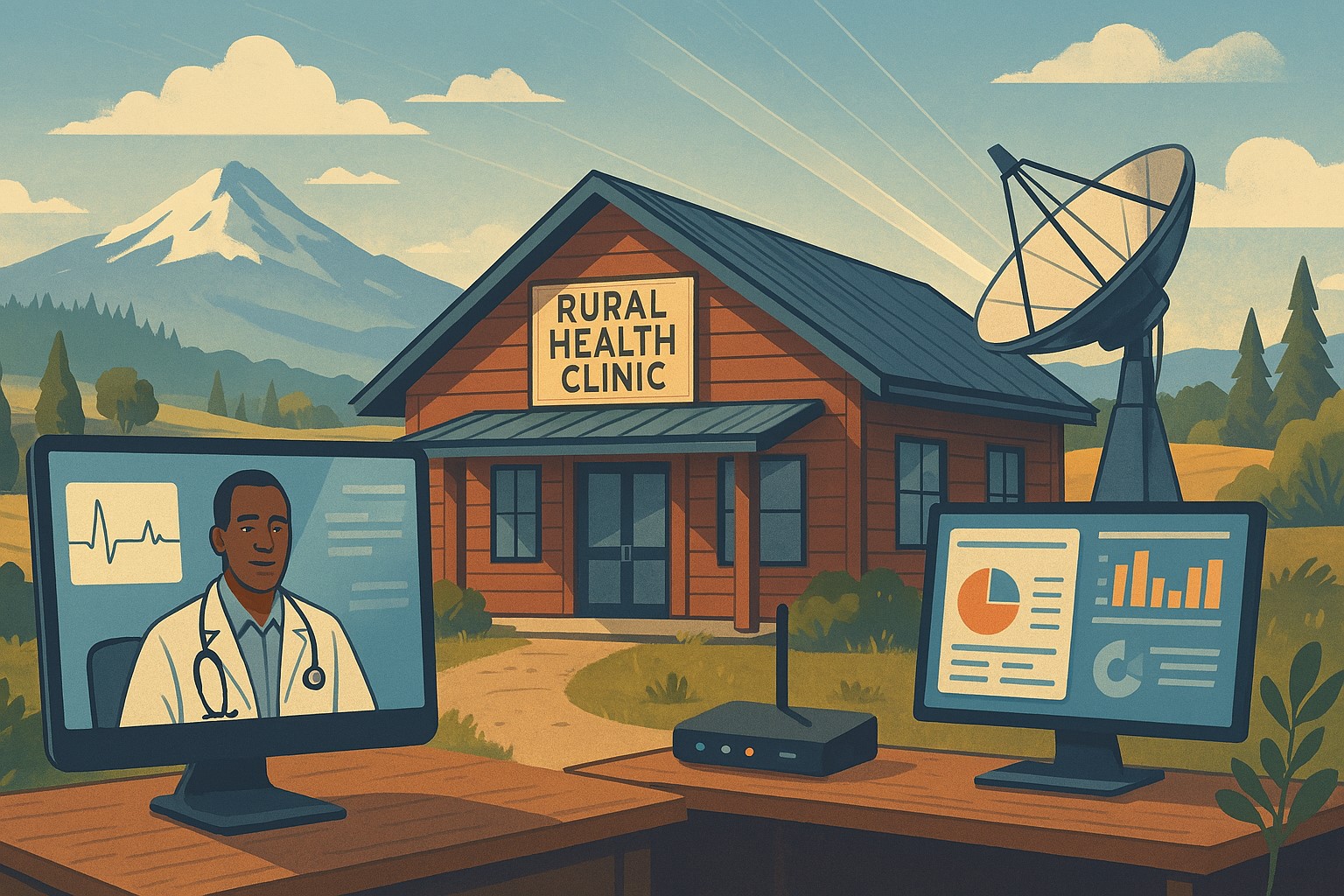
Modern IT and cybersecurity tools help rural small businesses strengthen resilience, protect customer data, and apply lessons from the Rural Health Transformation Program.
The Rural Health Transformation Program is a five-year, $50 billion national initiative focused on stabilizing and modernizing rural health systems through better technology, stronger cybersecurity, and more resilient operations. Even if your business is not in healthcare, the same principles apply: modern, secure IT and good data are now core to long-term sustainability.
Why Business Owners Should Pay Attention
The program explicitly invests in IT support, cybersecurity, and technology-enabled efficiency as critical to sustainable operations in rural settings.
Oregon’s plan emphasizes tech modernization, workforce resilience, and strong regional partnerships as keys to surviving funding shifts and market changes.
SMBs that adopt these same priorities gain resilience against outages, cyberattacks, and regulatory pressure—without waiting for a crisis.
Practical Action Steps for You and Your IT Team
Treat IT as critical infrastructure, not overhead
Conduct a full inventory and risk assessment: hardware, software, data flows, third-party platforms, and security controls.
Identify single points of failure and systems that would halt operations if compromised.
Invest in modernization and cybersecurity
Prioritize upgrades that increase efficiency and security: cloud migration, MFA, endpoint protection, secure backups, and network segmentation.
Align IT investments with measurable business outcomes such as uptime, recovery time, and staff productivity.
Build reporting and data capability
Ensure your systems can generate the metrics you need to manage performance and respond to customer or regulator questions.
Standardize data structures so growth, audits, or new partnerships do not require rebuilding your information from scratch.
Plan for multi-year resilience, not quick fixes
Create a three- to five-year IT roadmap similar to how RHTP structures its budget periods and milestones.
Include cybersecurity training, periodic testing, and regular reviews of your business continuity and disaster recovery plans.
Likely Customer Questions – With Suggested Answers
“Is my data safe with your company?”
Yes. We use modern security practices—encryption, secure access controls, and monitored systems—to protect your information.
“Can you keep operating if there’s an outage or cyberattack?”
Yes. We maintain tested backups, continuity plans, and resilient systems so we can continue serving you even during disruptions.
“How do you handle sensitive information?”
We limit access to only those who need it, track system activity, and use secure tools to store and transmit sensitive data.
How Farmhouse Networking Helps SMBs Apply These Lessons
Farmhouse Networking has helped organizations that participate in complex state and federal programs build robust, secure IT environments that pass strict scrutiny. Those same capabilities translate directly to SMBs in any industry. Farmhouse Networking can:
Conduct comprehensive IT and cybersecurity assessments focused on business risk and resilience.
Design and implement a modernization roadmap—cloud, security, backups, remote work, and compliance-aligned practices.
Provide ongoing, proactive support so your internal team can focus on revenue, customers, and strategic growth.
Call to Action
To apply the same modernization, security, and resilience principles behind Rural Health Transformation to your own business, email support@farmhousenetworking.com and discover how Farmhouse Networking can help improve your systems and protect your bottom line.
A small business owner collaborates with an IT security partner to elevate cybersecurity from a technical task to a core business risk management priority.
Across regions and industries, executives now rank cybersecurity as their top external risk, ahead of supply chain issues, regulatory changes, and macroeconomic concerns. For small and mid‑sized businesses, cyber incidents can rapidly translate into operational outages, reputational damage, and long‑term financial loss.
What this means for SMBs
Security has moved out of the server room Leaders are embedding cybersecurity within enterprise risk management, using business continuity plans, risk frameworks, and scenario planning rather than treating it as a pure IT issue. Business owners must therefore own cyber risk in the same way they own cash flow and strategy.
Skill gaps and competing priorities Executives report that talent shortages, workload pressure, and cost constraints make it difficult to execute technology and security plans effectively. Many SMBs rely on a small IT team that spends most of its time on basic maintenance instead of proactive defense.
Vendor pressure and forced upgrades A significant share of executives cite vendor lock‑in and forced upgrades that constrain security planning, delay patching, and divert funds from higher‑value initiatives such as AI and modernization. SMBs need more control over when and how they adopt changes.
Practical action steps for owners and IT
Treat cybersecurity as a business risk
Add cyber risk to your leadership agenda, risk register, and strategic planning sessions.
Define risk scenarios in business terms: downtime costs, lost sales, regulatory penalties, and reputational impact.
Build structured risk, continuity, and investment processes
Implement a risk framework and business continuity plan that cover key systems, suppliers, and customer touchpoints.
Evaluate security investments based on multi‑year business value, including reduced incident costs and improved resilience.
Leverage outsourcing as a strategy
Follow the many organizations that already outsource or are planning to outsource cybersecurity services to stabilize operations and address skill shortages.
Let internal IT prioritize strategic initiatives and innovation while a specialist partner handles monitoring, vulnerabilities, and incident response.
Customer questions – and your answers
“How do you protect our data and services?” Cybersecurity is managed at the leadership level, supported by formal risk management, continuity planning, and external security expertise.
“Can you stay operational if you are attacked?” We create tested business continuity and disaster recovery plans, including backups, alternate processes, and clear responsibilities during incidents.
“Are you keeping up with evolving threats?” We evaluate technology with security as a key criterion, and we work with dedicated security partners to adapt to changing risks.
How Farmhouse Networking helps SMBs
Farmhouse Networking helps business owners turn cybersecurity into a manageable, measurable business function by:
Designing and managing secure, resilient IT environments that align with your risk appetite and growth plans.
Delivering outsourced cybersecurity services to tackle monitoring, patching, and incident response so your internal team can focus on innovation.
Advising on vendor strategies and technology investments so security, cost, and flexibility stay in balance.
Call to action
To find out how Farmhouse Networking can help your business make cybersecurity a strategic advantage, email support@farmhousenetworking.com for more information about how Farmhouse Networking can help improve your business.
Farmhouse Networking helps small businesses integrate AI as their new intern, automating routine tasks for increased efficiency.
Small and medium businesses can treat AI as a new intern—handling repetitive tasks, data entry, customer inquiries, and reporting. This guide provides practical steps for SMB owners and their IT departments to deploy AI safely and effectively.
What AI interns do for SMBs
Automate repetitive admin tasks and data entry
Improve customer service with 24/7 basic support
Generate routine reports and insights for decision-making
Accelerate onboarding and vendor communications
Action steps for owners and IT
Step 1: Inventory tasks suitable for AI assistance and set success metrics.
Step 2: Ensure data security, governance, and access controls across systems.
Step 3: Choose AI tools with smooth integration into CRM, ERP, and helpdesk platforms.
Step 4: Create SOPs for AI outputs, approvals, and escalation paths.
Step 5: Run a phased pilot, monitor KPIs, and adjust workflows.
Step 6: Provide ongoing training and a clear policy for continued use and exit strategies.
FAQs from clients
Will AI reduce headcount? AI typically augments staff, enabling them to focus on strategic work while AI handles repetitive tasks.
How long before value is seen? Many SMBs see operational gains within 1–3 months, with compounding efficiency over time.
How to measure success? Track time saved, accuracy, customer satisfaction, and revenue impact where applicable.
How Farmhouse Networking helps
Offers scalable AI deployments with governance, security, and integration expertise.
Provides IT-side support for deployment planning, vendor selection, and risk management.
Delivers ongoing optimization and ROI reporting to justify investment.
To discuss how Farmhouse Networking can help your SMB adopt an AI intern, email support@farmhousenetworking.com
Essential network firewall for business setup—safeguard your SMB cybersecurity today.
Cyberattacks hit 43% of SMBs last year—costing time and revenue. A network firewall changes that, acting as your business’s frontline defense. Unlock practical insights to protect operations and grow confidently.
The Power of Network Firewalls for SMBs
Firewalls monitor traffic, blocking malware, hackers, and data leaks at the network edge. Ideal for email servers, cloud apps, and remote work, they provide visibility basic antivirus misses.
SMB breaches average $25,000-$100,000; firewalls reduce risks by 75%.
Hands-On Setup Steps
Guide your IT with this roadmap:
Inventory Assets: List devices, apps; identify weak points.
Choose SMB-Friendly Firewall: Next-Gen Firewalls (NGFWs) like Ubiquiti or Araknis—easy, affordable.
Apply Baseline Rules: Block common exploits; enable web filtering.
Deploy Monitoring: Use alerts and reports for proactive defense.
Common SMB Questions Answered
Q: DIY or professional install? A: DIY for basics; pros for complex setups.
Q: Cloud or on-premise? A: Cloud for scalability; on-premise for control.
Q: Impact on speed? A: Negligible with modern hardware.
Q: Ongoing costs? A: $1,000-$5,000/year, offset by risk reduction.
Let Farmhouse Networking Handle It
We specialize in SMB firewall deployments, from assessment to management—driving secure growth for businesses like yours.
And God will generously provide all you need. Then you will always have everything you need and plenty left over to share with others. As the Scriptures say,
“They share freely and give generously to the poor. Their good deeds will be remembered forever.”
For God is the one who provides seed for the farmer and then bread to eat. In the same way, he will provide and increase your resources and then produce a great harvest of generosity in you. - 2 Corinthians 9:8-10
We use cookies to ensure that we give you the best experience on our website. If you continue to use this site we will assume that you are happy with it.