What Small Business Owners Need to Know About Health Plans and IT Risk
Small business leaders and IT teams should review how the 2027 NBPP proposed rule will change employee health plans, compliance requirements, and data security.
The 2027 NBPP proposed rule, issued February 11, 2026, will reset key rules for ACA Exchanges and small‑group health plans starting in 2027. As a small or mid‑sized business owner, these changes affect your benefit strategy, your HR workload, and the IT systems that support them.
Big Picture: What’s Changing
Catastrophic and some bronze plans can carry significantly higher out‑of‑pocket maximums, shifting more financial risk to employees.
CMS proposes multi‑year catastrophic plans and broader hardship exemptions, making catastrophic coverage more common among workers who cannot or do not enroll in richer plans.
Agents, brokers, and web‑brokers must use standardized HHS‑approved consent and eligibility review forms, creating more structured documentation.
Certain state‑mandated benefits will be treated as “in addition to” Essential Health Benefits, affecting plan design and cost structure.
Concrete Action Steps for Owners and IT
For the business owner/CEO:
Reevaluate your health benefits package
Ask your broker which 2027 plan designs they expect to offer and whether your team could be pushed toward higher‑OOP bronze or catastrophic options.
Model the total compensation impact if benefits become less generous and consider offsetting with stipends, HRAs, or plan upgrades.
Upgrade HR policy and employee education
Provide clear, written explanations of how deductibles, out‑of‑pocket maximums, and catastrophic coverage work under the new rules.
Set expectations about documentation employees should keep (especially standardized federal consent and eligibility forms tied to subsidies).
For your IT department or MSP:
Prepare your systems for new standardized forms and proofs
Ensure HRIS, payroll, and document systems can accept, tag, and secure HHS‑approved consent and application review forms your broker will use.
Build simple workflows for HR to retrieve this documentation during audits, disputes, or employee questions.
Tighten security around benefits and PHI‑adjacent data
Implement strong identity and access management, encryption, logging, and vendor controls for any system that touches health coverage or subsidy information.
Confirm that contracts with benefits platforms, brokers’ portals, and HR tools reflect updated privacy and security expectations.
Likely Employee Questions – And How to Answer
“Why did my maximum out‑of‑pocket jump so much?”
Under the 2027 NBPP, some bronze and catastrophic plans are allowed to exceed prior out‑of‑pocket caps, which can significantly increase your financial exposure if you get sick or injured.
“What are these new standardized forms from the broker?”
Federal rules now require standardized HHS‑approved consent and eligibility review forms to document the accuracy of your application and protect your subsidy eligibility.
“Are all state‑mandated benefits still fully covered?”
Not always; certain state‑required benefits are treated as outside the core Essential Health Benefits package, which may affect how they’re funded and covered.
How Farmhouse Networking Helps SMBs
Farmhouse Networking partners with small and mid‑sized businesses to turn regulatory change into structured, low‑friction processes:
Integrate new federal consent and eligibility documentation into your HR and document‑management stack, so HR can find what they need in seconds.
Implement or enhance cybersecurity controls around benefits, payroll, and identity data to reduce risk as health coverage documentation becomes more standardized and audit‑friendly.
Coordinate with your broker and benefits platforms so technical changes (new forms, new plan designs) are reflected cleanly in your systems with minimal disruption.
Call to Action Email support@farmhousenetworking.com to get a focused assessment of how the 2027 NBPP proposed rule intersects with your benefits, IT, and employee experience – and a concrete plan to get ahead of it.
Small business leaders should review AI assistant security settings with their IT team to protect customer data and reduce cybersecurity risks.
Every department in your company is experimenting with AI assistants for drafting emails, analyzing documents, and answering questions—but mis‑sharing data with these tools is rapidly becoming a top cybersecurity concern. As the business owner, you need AI productivity without turning your data into the next breach headline.
Key security risks with online AI assistants
Employees paste sensitive data (contracts, passwords, customer lists, financials) into public AI tools, creating uncontrolled copies outside your security perimeter.
AI agents that connect to email, CRM, and file shares can over‑index data and ignore internal permissions, exposing information to users who should not see it.
Shadow AI—unapproved tools adopted by teams—means no vendor vetting, no logging, and no consistent security controls.
Mis‑configured orchestration and weak authentication give attackers new ways to abuse AI agents to access systems and data.
Action plan for you and your IT team
Define an AI usage policy
Specify what data is never allowed in public AI (customer PII, financials, credentials, trade secrets).
List approved AI tools, who may use them, and for what business cases, and require IT review for any new AI platform.
Harden AI tools technically
Enforce single sign‑on, multifactor authentication, and role‑based access to AI assistants tied to your identity platform.
Configure least‑privilege access to email, CRM, and file systems and enable audit logging for AI actions and data access.
Monitor, train, and prepare for incidents
Monitor for unsanctioned AI usage and phase in secure alternatives.
Train staff on safe prompting habits: strip identifiers, avoid secrets, and use internal assistants where possible.
Update your incident‑response plan to include AI mis‑sharing, compromised AI accounts, and vendor‑side issues.
How to answer customer questions
“Are you putting our data into ChatGPT?”
“We only use AI within secure, approved platforms, and we prohibit staff from pasting your identifiable information into public AI tools.”
“Could your AI assistant leak our information?”
“We enforce strict access controls, logging, and vendor security requirements to prevent unauthorized access or cross‑customer exposure.”
“What happens if something goes wrong?”
“We have a defined response plan that includes containment, investigation, and transparent communication if an AI‑related incident affects your data.”
How Farmhouse Networking can help SMBs
Farmhouse Networking can assess where AI is already in use across your environment, identify the highest‑risk workflows, and recommend safer, governed alternatives. We help you implement secure AI architectures, policies, and training so your team can adopt AI confidently while keeping customer data, intellectual property, and compliance obligations under control.
Email support@farmhousenetworking.com for more information about how Farmhouse Networking can help improve your business and secure AI use.
Small business owners can use clear reporting and documentation systems to navigate 2026 charitable giving rules and maximize tax‑deductible donations.
If your business donates to local nonprofits, schools, or community projects, the 2026 charitable giving rules change how much of that generosity you can deduct. The mechanics are more complex, but with the right systems you can still give strategically and get the full benefit available.
What Changed for Small Businesses in 2026
Your corporation can now deduct charitable contributions only to the extent they exceed 1% of taxable income, and total deductible contributions are still capped at 10% of taxable income, with excess potentially carried forward up to five years.
As an individual owner, your personal deductions are subject to a 0.5% AGI floor, though cash gifts to qualifying public charities remain deductible up to 60% of AGI.
A new, permanent charitable deduction for non‑itemizers lets individuals deduct up to $1,000 (single) or $2,000 (joint) for qualifying gifts starting in 2026.
All of this sits on top of existing substantiation rules: written acknowledgments for gifts of $250 or more and additional requirements for non‑cash contributions.
Action Steps for Owners and IT Teams
For the business owner:
Revisit your giving strategy:
Identify how much you typically give each year and whether it clears the new 1% floor and stays within the 10% cap for corporate deductions.
Coordinate with your tax advisor:
Decide whether to increase or bunch certain donations into specific years so you actually realize the deductions you expect.
Clarify business vs. personal giving:
Separate corporate contributions from personal donations so both you and your company can plan around the new floors and limits.
For your IT or technical team:
Build a clear digital trail:
Implement structured storage for donation receipts and acknowledgments, linked to accounting entries and accessible for your CPA during tax season.
Standardize data and approvals:
Use simple forms or workflows where staff record donation details—amount, date, charity, purpose, and whether any benefits were received—before payments go out.
Security and retention:
Protect donor‑related and financial data with proper access controls and keep records long enough to support the five‑year carryforward window for excess contributions.
Questions Your Customers or Community Partners May Ask
“Is my company’s sponsorship of your event still tax‑deductible?”
It may be treated as a charitable contribution or as advertising/marketing depending on the benefits received; in either case, new floors and caps can affect the deduction.
“Does it still help me tax‑wise if I give small amounts?”
Smaller gifts may not exceed the new floors by themselves, which is why many taxpayers will see more benefit from fewer, larger, or more concentrated gifts.
“Why do you need to send such detailed receipts?”
The IRS requires specific elements in acknowledgments for gifts of $250 or more and for non‑cash donations, so detailed receipts protect both you and your donors.
How Farmhouse Networking Supports SMBs
Farmhouse Networking helps small and mid‑sized businesses turn charitable giving from an ad‑hoc expense into a well‑tracked, well‑documented, and strategically planned process. We integrate your accounting tools with secure document management, create simple digital forms for recording donations, and set up dashboards so you can see where you stand relative to the 1% floor and 10% cap.
We also support customer‑facing communication—website content, FAQs, and email updates—so your community partners understand that you are still committed to giving, and how the 2026 rules affect them.
Email support@farmhousenetworking.com to find out how Farmhouse Networking can help your business modernize its systems and make smarter, more strategic charitable giving decisions under the new 2026 regulations.
A small business owner collaborates with an IT security partner to elevate cybersecurity from a technical task to a core business risk management priority.
Across regions and industries, executives now rank cybersecurity as their top external risk, ahead of supply chain issues, regulatory changes, and macroeconomic concerns. For small and mid‑sized businesses, cyber incidents can rapidly translate into operational outages, reputational damage, and long‑term financial loss.
What this means for SMBs
Security has moved out of the server room Leaders are embedding cybersecurity within enterprise risk management, using business continuity plans, risk frameworks, and scenario planning rather than treating it as a pure IT issue. Business owners must therefore own cyber risk in the same way they own cash flow and strategy.
Skill gaps and competing priorities Executives report that talent shortages, workload pressure, and cost constraints make it difficult to execute technology and security plans effectively. Many SMBs rely on a small IT team that spends most of its time on basic maintenance instead of proactive defense.
Vendor pressure and forced upgrades A significant share of executives cite vendor lock‑in and forced upgrades that constrain security planning, delay patching, and divert funds from higher‑value initiatives such as AI and modernization. SMBs need more control over when and how they adopt changes.
Practical action steps for owners and IT
Treat cybersecurity as a business risk
Add cyber risk to your leadership agenda, risk register, and strategic planning sessions.
Define risk scenarios in business terms: downtime costs, lost sales, regulatory penalties, and reputational impact.
Build structured risk, continuity, and investment processes
Implement a risk framework and business continuity plan that cover key systems, suppliers, and customer touchpoints.
Evaluate security investments based on multi‑year business value, including reduced incident costs and improved resilience.
Leverage outsourcing as a strategy
Follow the many organizations that already outsource or are planning to outsource cybersecurity services to stabilize operations and address skill shortages.
Let internal IT prioritize strategic initiatives and innovation while a specialist partner handles monitoring, vulnerabilities, and incident response.
Customer questions – and your answers
“How do you protect our data and services?” Cybersecurity is managed at the leadership level, supported by formal risk management, continuity planning, and external security expertise.
“Can you stay operational if you are attacked?” We create tested business continuity and disaster recovery plans, including backups, alternate processes, and clear responsibilities during incidents.
“Are you keeping up with evolving threats?” We evaluate technology with security as a key criterion, and we work with dedicated security partners to adapt to changing risks.
How Farmhouse Networking helps SMBs
Farmhouse Networking helps business owners turn cybersecurity into a manageable, measurable business function by:
Designing and managing secure, resilient IT environments that align with your risk appetite and growth plans.
Delivering outsourced cybersecurity services to tackle monitoring, patching, and incident response so your internal team can focus on innovation.
Advising on vendor strategies and technology investments so security, cost, and flexibility stay in balance.
Call to action
To find out how Farmhouse Networking can help your business make cybersecurity a strategic advantage, email support@farmhousenetworking.com for more information about how Farmhouse Networking can help improve your business.
Farmhouse Networking helps small businesses integrate AI as their new intern, automating routine tasks for increased efficiency.
Small and medium businesses can treat AI as a new intern—handling repetitive tasks, data entry, customer inquiries, and reporting. This guide provides practical steps for SMB owners and their IT departments to deploy AI safely and effectively.
What AI interns do for SMBs
Automate repetitive admin tasks and data entry
Improve customer service with 24/7 basic support
Generate routine reports and insights for decision-making
Accelerate onboarding and vendor communications
Action steps for owners and IT
Step 1: Inventory tasks suitable for AI assistance and set success metrics.
Step 2: Ensure data security, governance, and access controls across systems.
Step 3: Choose AI tools with smooth integration into CRM, ERP, and helpdesk platforms.
Step 4: Create SOPs for AI outputs, approvals, and escalation paths.
Step 5: Run a phased pilot, monitor KPIs, and adjust workflows.
Step 6: Provide ongoing training and a clear policy for continued use and exit strategies.
FAQs from clients
Will AI reduce headcount? AI typically augments staff, enabling them to focus on strategic work while AI handles repetitive tasks.
How long before value is seen? Many SMBs see operational gains within 1–3 months, with compounding efficiency over time.
How to measure success? Track time saved, accuracy, customer satisfaction, and revenue impact where applicable.
How Farmhouse Networking helps
Offers scalable AI deployments with governance, security, and integration expertise.
Provides IT-side support for deployment planning, vendor selection, and risk management.
Delivers ongoing optimization and ROI reporting to justify investment.
To discuss how Farmhouse Networking can help your SMB adopt an AI intern, email support@farmhousenetworking.com
Essential network firewall for business setup—safeguard your SMB cybersecurity today.
Cyberattacks hit 43% of SMBs last year—costing time and revenue. A network firewall changes that, acting as your business’s frontline defense. Unlock practical insights to protect operations and grow confidently.
The Power of Network Firewalls for SMBs
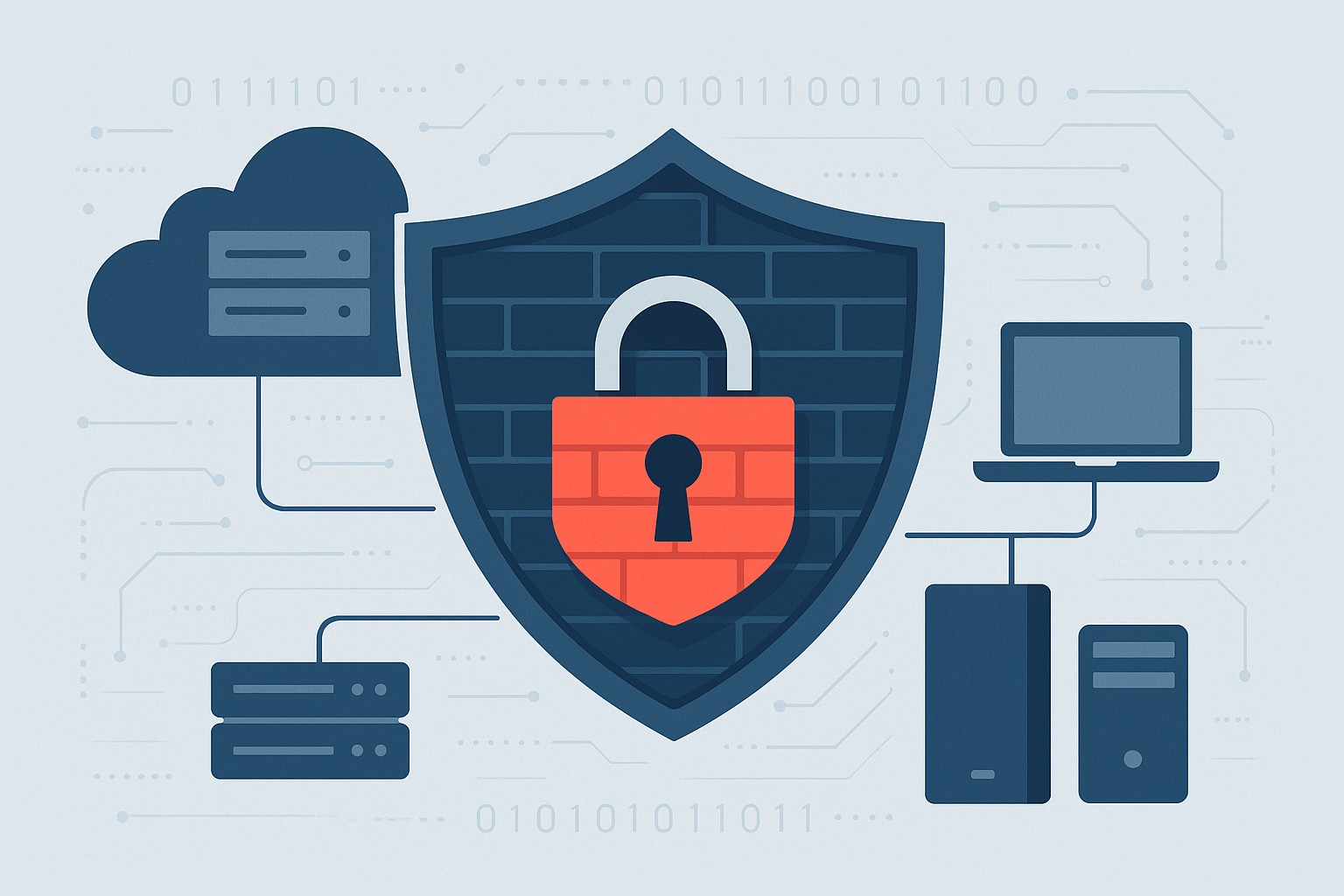
Firewalls monitor traffic, blocking malware, hackers, and data leaks at the network edge. Ideal for email servers, cloud apps, and remote work, they provide visibility basic antivirus misses.
SMB breaches average $25,000-$100,000; firewalls reduce risks by 75%.
Hands-On Setup Steps
Guide your IT with this roadmap:
Inventory Assets: List devices, apps; identify weak points.
Choose SMB-Friendly Firewall: Next-Gen Firewalls (NGFWs) like Ubiquiti or Araknis—easy, affordable.
Apply Baseline Rules: Block common exploits; enable web filtering.
Deploy Monitoring: Use alerts and reports for proactive defense.
Common SMB Questions Answered
Q: DIY or professional install? A: DIY for basics; pros for complex setups.
Q: Cloud or on-premise? A: Cloud for scalability; on-premise for control.
Q: Impact on speed? A: Negligible with modern hardware.
Q: Ongoing costs? A: $1,000-$5,000/year, offset by risk reduction.
Let Farmhouse Networking Handle It
We specialize in SMB firewall deployments, from assessment to management—driving secure growth for businesses like yours.
Why Continuous Vulnerability Management Matters for SMBs
Continuous Vulnerability Management Dashboard for Small Businesses
Small and midsize businesses are no longer flying under the radar. Cybercriminals increasingly target SMBs because they often lack the same level of protection as large enterprises. One missed update or unpatched system can open the door to major data breaches, regulatory fines, and reputation damage.
That’s where Continuous Vulnerability Management (CVM) comes in—a proactive strategy that helps your business identify, evaluate, and fix security weaknesses before attackers can exploit them.
What Is Continuous Vulnerability Management?
Continuous Vulnerability Management is the ongoing process of discovering, assessing, prioritizing, and resolving vulnerabilities across your network, cloud environments, and endpoints. Unlike one-time scans, CVM is continuous—it ensures that your systems are constantly monitored and that new threats are handled quickly.
Why Your SMB Needs CVM
Cyber threats evolve daily: New vulnerabilities appear every week in commonly used software.
Attackers automate scanning: Hackers use bots to find unpatched systems instantly.
Regulatory compliance: Businesses in finance, healthcare, and retail must maintain security standards.
Customer trust: Demonstrating strong cybersecurity builds confidence and credibility.
Action Steps for Business Owners and IT Teams
Identify assets: Know every connected device, service, and application in your network—on-site and in the cloud.
Automate vulnerability scans: Use continuous scanning tools to detect weaknesses in real-time.
Prioritize by risk level: Not all vulnerabilities are equal. Fix high-impact risks first.
Apply timely patches: Automate patch management or schedule updates systematically.
Monitor continuously: Track scan results and compliance metrics weekly or even daily.
Engage a trusted partner: A managed service provider like Farmhouse Networking ensures these steps happen seamlessly.
Common Questions Business Owners Ask
Q: Isn’t antivirus software enough? A: Antivirus protects against known malware, but it doesn’t detect system weaknesses. CVM identifies and fixes those entry points before an attack even starts.
Q: How often should we run vulnerability scans? A: Automated CVM means scanning happens continuously, not just monthly or quarterly. This ensures no gap between when a vulnerability appears and when it’s discovered.
Q: Will CVM disrupt my business operations? A: When managed properly, CVM operates quietly in the background with minimal impact on day-to-day productivity.
Q: Is CVM expensive for small businesses? A: Not when compared to the cost of a cyber breach. Farmhouse Networking customizes CVM to your size and budget, providing enterprise-level protection at SMB pricing.
How Farmhouse Networking Helps You Stay Secure
Farmhouse Networking partners with SMBs to implement comprehensive Continuous Vulnerability Management solutions tailored to their environment. Our service includes:
24/7 vulnerability monitoring
Automated scanning and patching
Risk reports that translate technical terms into plain business language
Strategic guidance to align your cybersecurity with business goals
With Farmhouse Networking managing your CVM, you can focus on growing your business while we safeguard your infrastructure.
Take Control of Your Cybersecurity Today
Don’t wait for a breach to remind you of the importance of proactive security. Continuous Vulnerability Management is the difference between reacting to an attack and preventing one altogether.
Email support@farmhousenetworking.com today to learn how Farmhouse Networking can strengthen your security posture and keep your business protected year-round.
Effective audit log management is vital for business cybersecurity and regulatory compliance, helping owners monitor and secure critical IT systems.
Audit log management is a critical security pillar for any business owner looking to safeguard their assets, ensure compliance, and respond swiftly to cybersecurity incidents. The Center for Internet Security (CIS) provides clear standards—known as CIS Control 8—that outline how to properly establish, collect, store, and review audit logs.
What Is Audit Log Management and Why Should You Care?
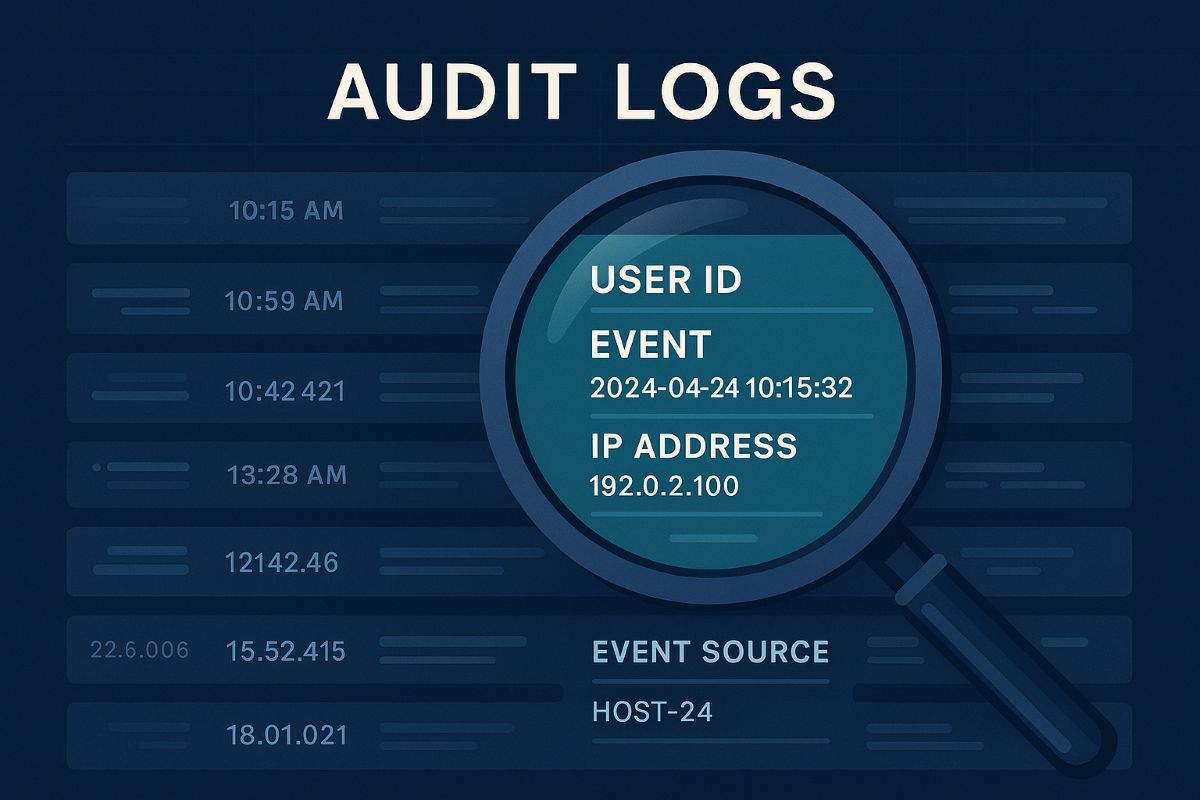
Audit logs are detailed records of system and user activities across your IT environment. They provide a forensic trail that can reveal how, when, and by whom your systems were accessed or altered. Proper audit log management helps detect breaches early, supports regulatory compliance, and ensures you can investigate incidents thoroughly.
CIS Control 8 emphasizes a systematic process that includes:
Defining logging requirements aligned with business needs
Ensuring all key systems and applications generate logs
Centralizing secure storage with time synchronization
Regular review and response to anomalies
Retaining logs based on legal and operational needs
Practical Steps for You and Your IT Team
Define Your Audit Log Policy: Start by setting a formal process that documents which events must be logged, who reviews them, and for how long logs are kept.
Enable Logging Across All Systems: Collaborate with your IT department to ensure firewalls, servers, workstations, applications, and other devices generate comprehensive logs—both system and user-level events.
Centralize and Secure Logs: Use centralized logging solutions to collect logs securely. Ensure all logs have synchronized timestamps via a Network Time Protocol (NTP) server to establish an accurate event timeline.
Review Logs Regularly: Establish regular routine checks to spot suspicious activity early. Automate alerts for key events like unauthorized access attempts.
Maintain Storage and Retention: Allocate sufficient and safe storage for logs, complying with industry regulations. Implement log rotation policies to manage data volumes.
Train Your Teams: Ensure everyone involved understands the importance of audit logs and knows their role in the management and response process.
FAQs: What Your Clients Might Ask
Q: Why are audit logs important for my business?
Audit logs provide an essential record to detect and investigate security incidents and prove compliance with regulations.
Q: How long should audit logs be kept?
Retention depends on your industry and legal standards but typically ranges from 6 months to several years.
Q: Can audit logs be tampered with? How do we protect them?
Logs can be targeted; secure logging systems enforce access controls and integrity checks to prevent unauthorized changes.
Q: Do I need to review logs daily?
Frequency depends on risk level; automated alerts can prioritize critical events to review promptly.
How Farmhouse Networking Supports You
Farmhouse Networking specializes in helping businesses implement audit log management practices effectively. We assist with:
Designing tailored audit log policies
Deploying and configuring secure, compliant logging solutions
Training your IT teams on log analysis and incident response
Ongoing monitoring and optimization of your security posture
Take the guesswork out of audit log management and strengthen your business defenses with expert help.
Ready to Secure Your Business?
Email us at support@farmhousenetworking.com to learn how Farmhouse Networking can help you meet CIS standards and improve your audit log management today.
Small businesses rely on professional email security to protect customer and financial data from phishing and hacks.
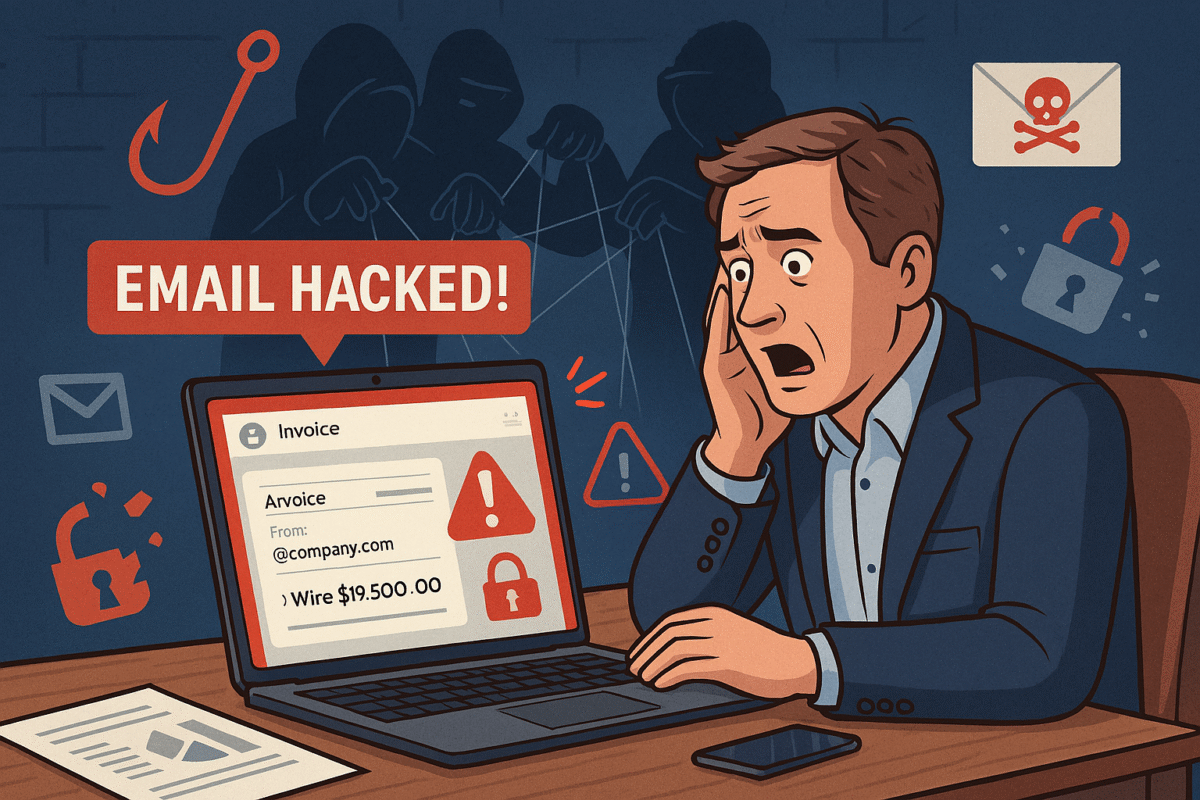
You’re running your business, responding to client messages, when suddenly strange duplicate messages and failed delivery emails flood your inbox. This is what happened to a business owner who discovered her emails—including sensitive financial data—were silently copied to hackers for weeks without her knowledge.
For small and midsized businesses (SMBs), this type of attack can result in financial loss, leaked company secrets, and damaged relationships with clients.
What Happened in This Email Breach
Hackers guessed or stole an email password.
They set up secret rules to forward every incoming message.
Confidential information like Social Security numbers, tax data, and financial records were exposed.
Farmhouse Networking responded by:
Removing malicious rules.
Securing the account with new password protections and recovery options.
Advising the business owner on how to monitor for ongoing fraud.
Practical Steps for SMBs
SMBs aren’t too small to be targeted. In fact, they’re often prime targets. Protect your business with these key actions:
Set strong passwords and enable MFA: Critical first layer of defense.
Regularly review email rules: Look for forwarding or auto-delete actions you didn’t create.
Encrypt sensitive documents: Especially contracts, employee data, and customer details.
Train employees: Staff should recognize phishing emails before they trigger a hack.
Backup systems: Ensure backups of both email and company files are offline-protected.
Have an incident response plan: Know what to do if a breach occurs.
Questions Your Clients May Ask
“Did hackers see my information?” If emails contained contracts, billing, or sensitive attachments—possibly.
“Could this affect my payments or records?” Yes. Compromised invoices or payment requests can be used in fraud scams.
“Can clients continue to trust our company?” By demonstrating enhanced security measures and a clear recovery plan, clients can regain confidence.
How Farmhouse Networking Helps SMBs
Farmhouse Networking empowers SMBs with:
Affordable enterprise-grade email security.
24/7 monitoring for account breaches.
Employee training to reduce phishing success rates.
Scalable security solutions for growing businesses.
Your business reputation is too valuable to be left to chance. Secure your email systems and protect your clients’ trust with Farmhouse Networking. Reach out today at support@farmhousenetworking.com.
Why SMBs Need Smart Network Infrastructure Management
Optimizing SMB network infrastructure for stronger, scalable business networks
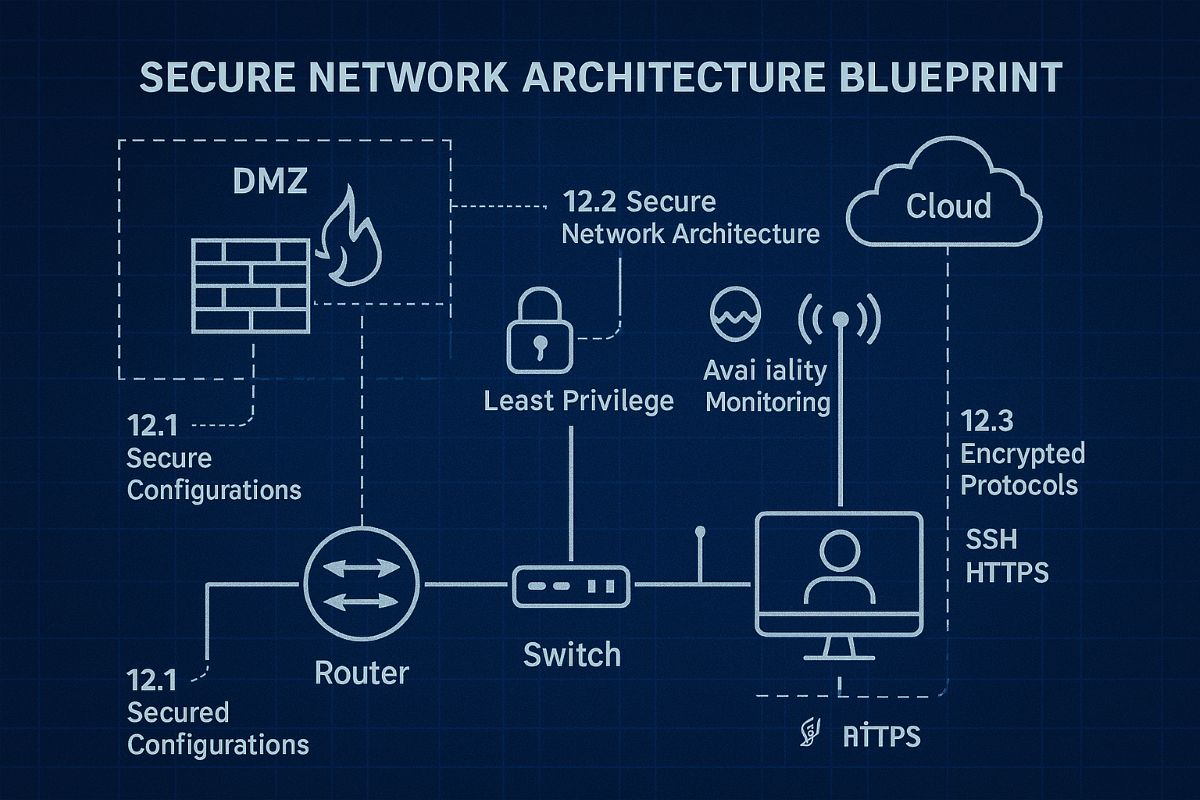
For small and midsize business owners, every minute of uptime counts. A slow or vulnerable network isn’t just frustrating—it costs productivity, damages customer trust, and drains revenue. Network Infrastructure Management, guided by CIS (Center for Internet Security) standards, is the key to keeping your technology reliable, secure, and scalable.
Practical Action Steps
Audit Your Current Network: Compare your systems to CIS-recommended controls to uncover risks.
Secure Data Flows: Implement firewalls, intrusion detection, and CIS baseline configurations.
Plan for Growth: Ensure your infrastructure supports cloud, remote work, and future expansion.
Continuous Monitoring: Use real-time alerts to prevent disruption before it happens.
Employee Awareness: Provide staff training on cybersecurity aligned with CIS best practices.
Client Q&A
“Do CIS standards apply to smaller companies?” – Absolutely; they’re designed to scale to all business sizes.
“Will I need to overhaul my whole network?” – Not necessarily. Often, a phased approach is more cost-effective.
“What if I already have an IT person?” – Farmhouse Networking’s role is to extend their expertise, not replace it.
How Farmhouse Networking Helps We align your systems with CIS benchmarks, secure your infrastructure, and monitor it constantly. That means less downtime, stronger client trust, and more bandwidth for business growth.
Call to Action Ready to protect your network and grow confidently? Email us today at support@farmhousenetworking.com to learn how Farmhouse Networking can keep your systems strong and compliant.
And God will generously provide all you need. Then you will always have everything you need and plenty left over to share with others. As the Scriptures say,
“They share freely and give generously to the poor. Their good deeds will be remembered forever.”
For God is the one who provides seed for the farmer and then bread to eat. In the same way, he will provide and increase your resources and then produce a great harvest of generosity in you. - 2 Corinthians 9:8-10
We use cookies to ensure that we give you the best experience on our website. If you continue to use this site we will assume that you are happy with it.