Why Length Beats Complexity for Today’s Businesses
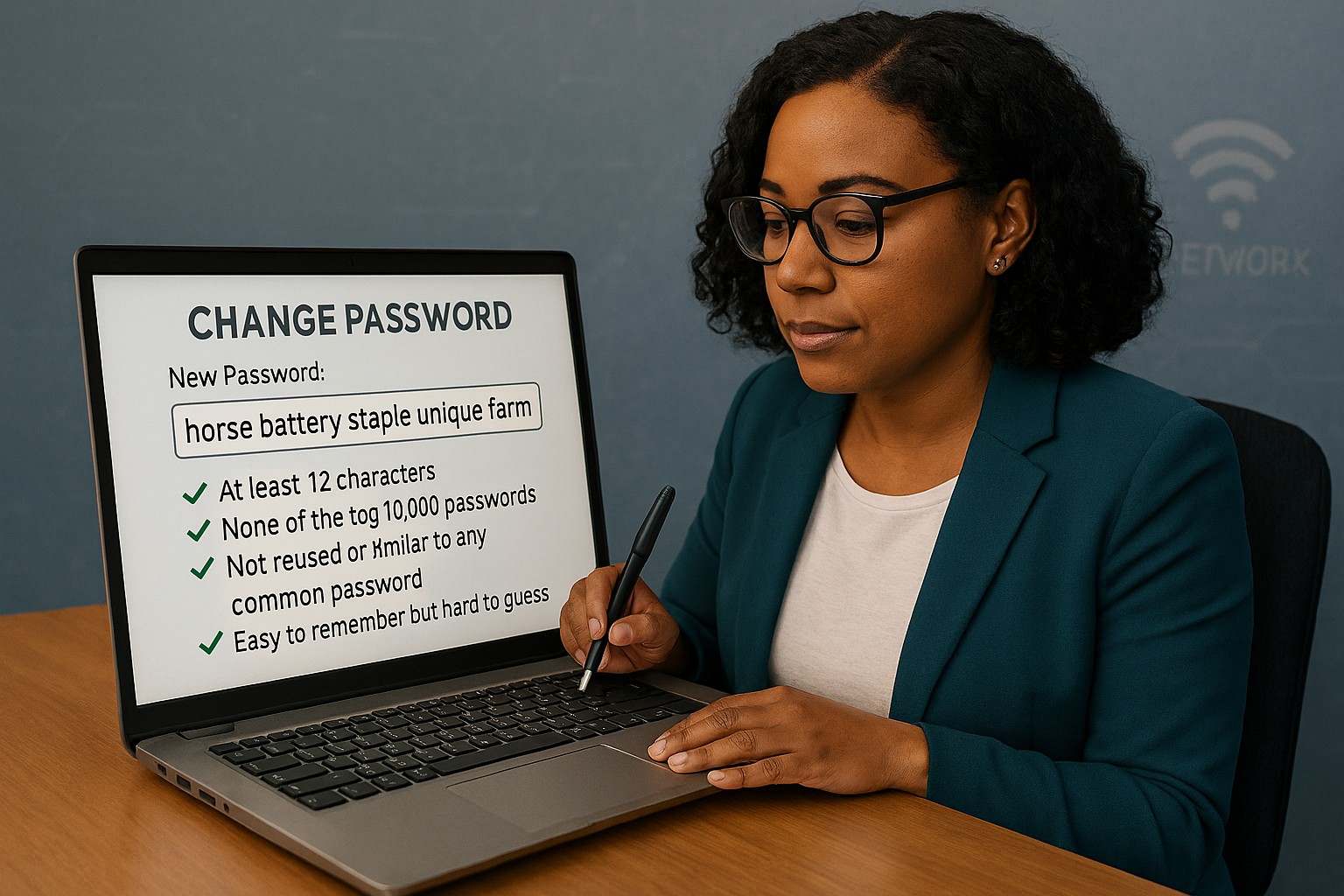
Long passphrases provide stronger protection and easier usability than outdated complexity rules, as recommended by NIST.
Businesses often believe adding symbols and monthly password resets makes them secure. NIST’s latest guidance says otherwise: a long, easy‑to‑remember passphrase offers more real protection than complexity tricks.
Password Style
Example Password
Notes on Strength and Usability
Old Complexity Rule (Outdated)
Tr@v3l!92
Short, hard to remember; may be reused or written down; easier for automated attacks to guess.
Old Complexity Rule (Outdated)
Pa$$w0rd!
Common pattern, predictable substitutions (“a”→“@”, “s”→“$”); easily cracked despite complexity.
Old Complexity Rule (Outdated)
M1cR0#Biz
Limited entropy due to short length; users frequently forget or reuse similar versions.
Modern NIST Approach (Recommended)
coffeeandcodeinthefall
Long, natural phrase; easy to remember; high entropy from length and unpredictability.
Modern NIST Approach (Recommended)
mydoglovesthebeachwalks
Secure through length, words chosen personally; human‑friendly without sacrificing strength.
Modern NIST Approach (Recommended)
sevencloudsdriftbyslowlytoday
Strong against brute‑force attacks because of sheer character count and mixed word structure.
Action Steps for Business Owners
Update Your Security Policy: Review password guidelines against NIST SP 800‑63B. Shift to length‑based passphrases.
Use Professional Password Management: Centralize storage and compliance while simplifying employee access.
Add Multifactor Authentication: Combine long passwords with MFA for the strongest possible protection.
Educate Staff Regularly: Train teams to create strong, unique passphrases and spot common cyber threats.
Monitor Access: Implement logging and alerts for suspicious password usage or failed login attempts.
Client Q&A
Q: Why did NIST change its recommendations? A: Research showed that complexity rules lead to bad habits — predictable substitutions and reused passwords — while longer ones resist attacks better.
Q: Do these changes apply to small businesses? A: Yes, small firms face the same credential attacks big ones do. NIST’s standards are scalable and easy to implement.
Q: How can I simplify all this? A: Centralized password management enforces standards automatically and keeps credentials secure without manual oversight.
How Farmhouse Networking Can Help
Farmhouse Networking works with SMBs to implement secure password policy frameworks based on NIST, automate credential management, and train users. Our goal: reduce risk, improve productivity, and strengthen compliance.
How to Take Back Control of Your Credentials and Phones
When an MSP controls your passwords and phone system, your entire small business can be held hostage by vendor lock‑in and security risks.
If your MSP controls all your admin passwords and has your phone service in their name, they effectively hold the keys to your entire business. In a dispute, a security incident, or even an acquisition of their company, you could find yourself locked out of critical systems that drive revenue and customer service.
The Real Dangers of MSP Lock‑In
Some providers refuse to release credentials or slow‑roll off‑boarding, forcing clients into “hostage” situations that require legal escalation or aggressive technical takeovers. At the same time, attackers increasingly target MSPs because one compromised technician account can reach many customers’ environments.
When your phone system is outdated or fully tied to that MSP, you pay more each year for less functionality, struggle with remote work, and depend on them for every change. The combination of technical dependence and credential lock‑in is a business‑continuity risk you can’t afford to ignore.
Action Steps for Owners and Their IT Teams
Reassert ownership of core assets
Ensure your company owns master accounts for email, cloud services, line‑of‑business apps, domains, DNS, and phone numbers, with internal admin rights documented.
Centralize credentials in a business‑owned vault
Use a secure password manager or encrypted repository where your business controls the master key and you grant time‑bound, role‑based access to MSP staff.
Implement strong identity and access controls
Enforce MFA everywhere, require strong unique passwords, and use least‑privilege and role‑based access so no external user has unchecked power.
Build clean exit ramps into contracts
Document how credentials, documentation, and phone services will be handed back, and set deadlines and formats for off‑boarding deliverables.
Prepare for the worst‑case scenario
Maintain independent backups, keep an internal “break‑glass” account, and have a written playbook for revoking vendor access and rotating credentials quickly.
Questions Your Customers May Ask
Q: Could your IT company access or leak my data? A: We control the master credentials and use MFA, logging, and access controls so any vendor only has tightly scoped, monitored access to what they need to support us.
Q: What happens if your IT provider is hacked? A: We follow best practices for identity security, vendor risk management, and backups so a single compromised account at an MSP cannot easily cascade into your data.
Q: Are you able to stay operational if you change IT providers? A: Yes—because we own our accounts and phone numbers and have a documented exit process, we can transition providers while keeping systems and support running.
How Farmhouse Networking Helps SMBs
Farmhouse Networking works with business owners to document every critical system, transfer licensing and phone services into the company’s control, and consolidate credentials into secure, business‑owned vaults. We then implement MFA, break glass accounts, role‑based access, and incident‑response plans so neither a single technician nor an MSP relationship becomes a single point of failure.
We can also help you renegotiate or replace MSP contracts with clear off‑boarding terms and test those processes before you ever need them in an emergency.
Email support@farmhousenetworking.com to make sure no MSP can ever hold your credentials, phones, or business hostage again.
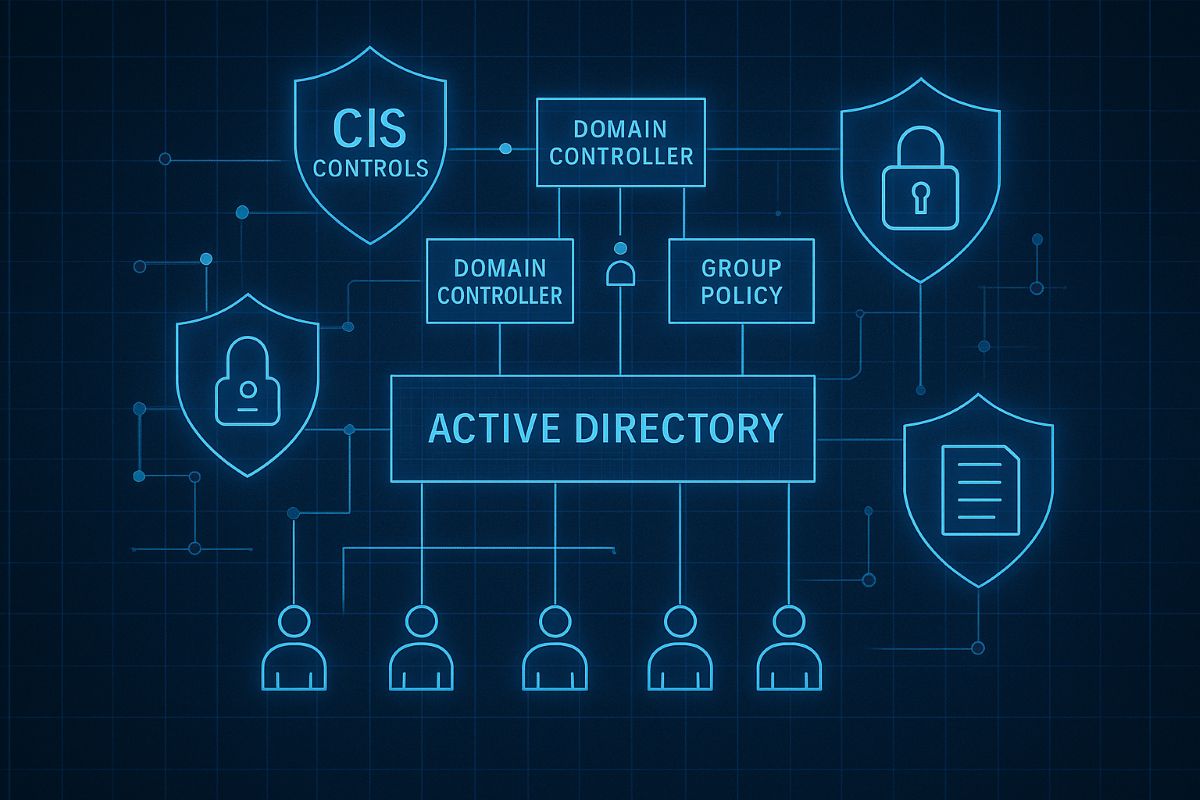
This image illustrates key CIS controls for Active Directory, including inventory of assets, secure configurations, and administrative privilege management to safeguard SMB networks from breaches. Optimize your AD security with these proven CIS benchmarks today.
SMBs are increasingly targeted by cyberattacks. Securing your Active Directory with CIS Controls is the first step to protecting your business data and maintaining operational continuity.
Practical Cybersecurity Measures for SMBs
Apply least privilege: Limit admin accounts and use normal user accounts for everyday work.
Account inventory and review: Know who has access and regularly validate permissions.
Secure domain controllers: Harden core AD servers and apply updates.
Set strong password policies: Require complexity, expiration, and lockouts.
Monitor AD activity: Use auditing to detect unauthorized changes or suspicious logins.
Common Inquiries from SMB Clients
Q: Is Active Directory security necessary for small businesses? A: Absolutely—many attacks exploit AD weaknesses to escalate privileges and steal data.
Q: How complex is implementing CIS Controls? A: The CIS Controls provide a prioritized and scalable framework suitable even for small IT teams.
How Farmhouse Networking Can Support SMBs
Our team specializes in helping SMBs implement CIS Controls for AD security, offering expert guidance, implementation, and ongoing monitoring to keep your network safe.
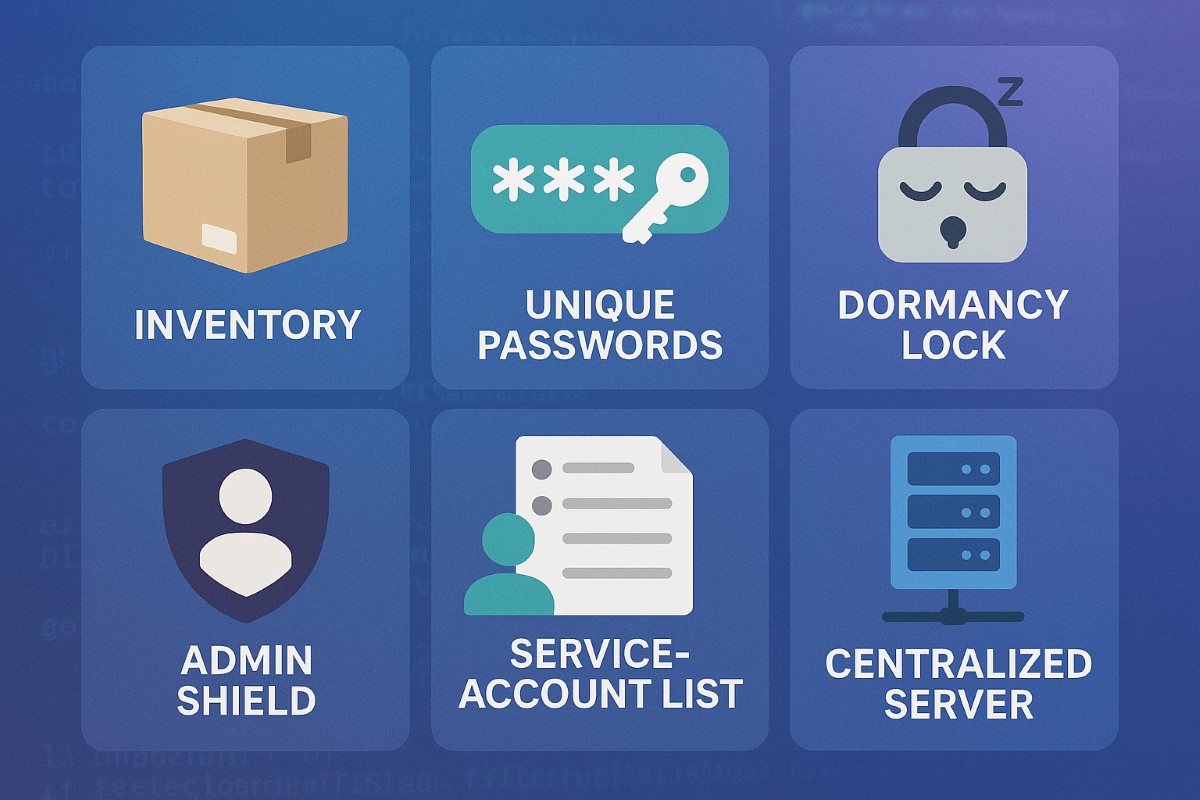
Small business security strengthened with CIS account management controls
Small business owners face evolving security threats and regulatory obligations. Implementing CIS Account Management Control is key to protecting data, assets, and reputation.
Practical Steps for SMBs
Catalog All User and Service Accounts: Record names, departments, and account activity for every user and automated process.
Use Strong and Unique Passwords: Demand complex passwords, rotate them annually, and use MFA whenever possible.
Disable Dormant Accounts: Purge inactive accounts every 45 days for better security hygiene.
Limit and Monitor Admin Privileges: Assign admin roles sparingly and monitor usage.
Centralize Account Oversight: Deploy a directory or identity manager for simplified user management and audit trails.
Questions & Answers
Q: What’s the biggest risk of poor account management? A: Unauthorized access can lead to financial loss, data breach, or legal liability—CIS controls dramatically reduce this risk.
Q: Does this require expensive software? A: Many tools, such as Microsoft Active Directory, are affordable and scalable for SMBs. CIS controls guide you in choosing solutions that fit your needs.
How Farmhouse Networking Helps
Farmhouse Networking guides SMBs through creating robust account management policies, deploying affordable directory services, and training your team for optimal cyber hygiene.
Call to Action
Start protecting your business today—email support@farmhousenetworking.com to learn how CIS controls can boost your cybersecurity.
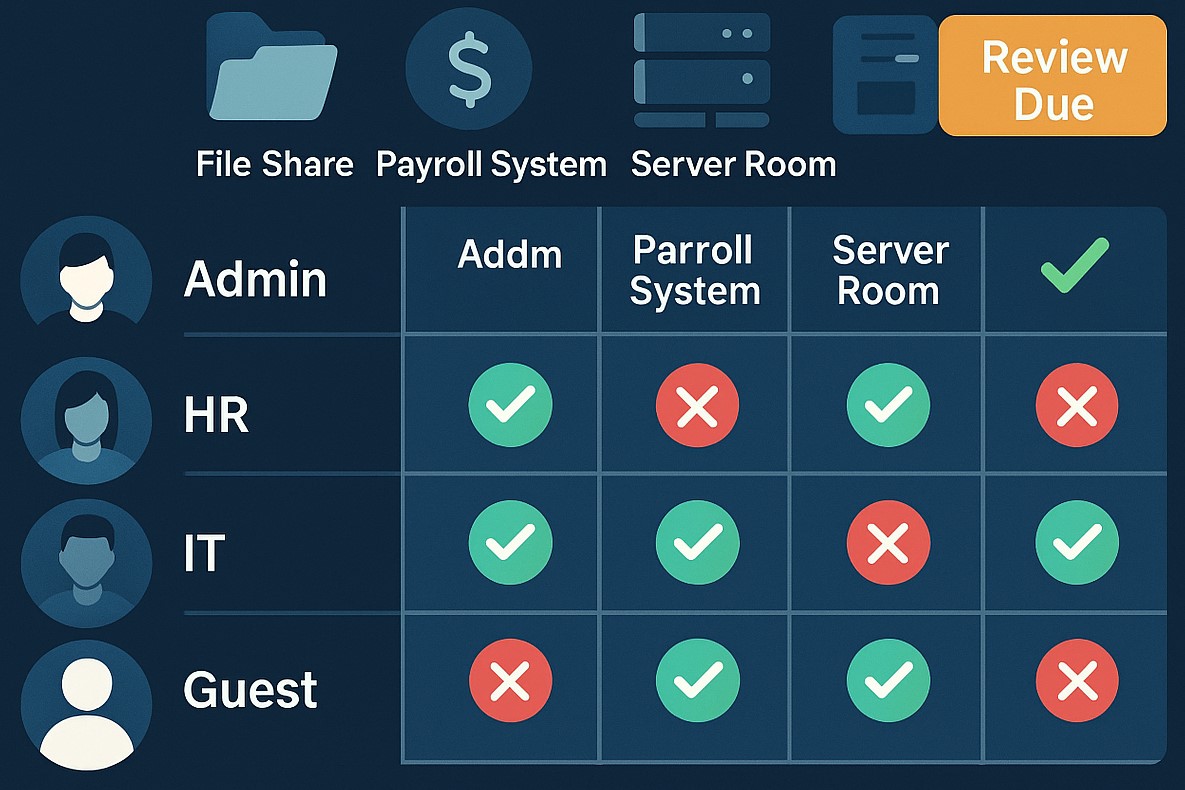
Small and medium businesses are frequent cybercrime targets, often due to accidental over-privileging and lack of centralized control. CIS Control 6: Access Control Management empowers SMB owners to safeguard assets, prevent loss, and stay compliant—without upending business operations.
Practical Steps for SMBs
Define, automate, and track who can access what data—prefer automation.
Protect admin accounts and remote access points with MFA.
Keep an inventory of systems and authorization tools; centralize control wherever possible.
Remove unused or dormant accounts quickly.
Map roles to permissions; ensure only current staff have the right access.
Q&A: Client Concerns
Q: I’m worried about costs and complexity. A: CIS framework offers practical, scalable solutions. Automation and role-based policies save time, reduce IT costs, and lower risk.
Q: What’s the real benefit? A: You lower the risk of breaches due to human error, insider threats, or external attackers—protecting your customers and revenue.
Q: Can I do this myself, or should I get help? A: While some controls are DIY, an expert setup ensures no gaps—Farmhouse Networking automates and customizes controls for maximal security and ease.
How Farmhouse Networking Helps
Farmhouse Networking delivers access management strategies proven to reduce security incidents, increase compliance, and make IT teams more efficient. From planning to ongoing monitoring, our experts free up SMB owners to focus on growth.
For a customized access control plan, email support@farmhousenetworking.com and protect your business against today’s digital threats.
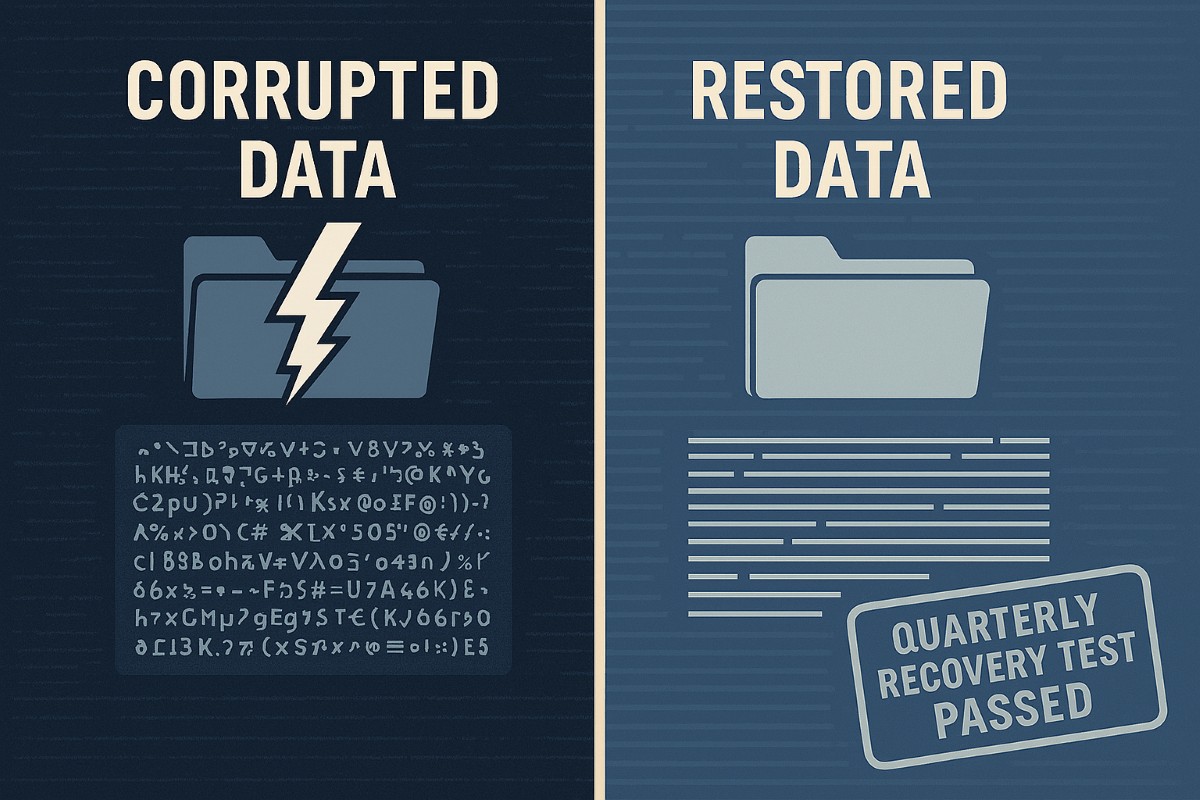
A strong data recovery plan protects businesses from data loss, downtime, and cyberattacks.
Every small and medium-sized business faces the risk of data loss—from ransomware, accidental deletions, or system failures. According to CIS Critical Security Control 11, a strong data recovery plan is essential for staying operational and protecting your reputation.
Key Action Steps for SMBs
Implement regular automated backups: Set daily schedules with both onsite and cloud solutions.
Review and test recovery plans: Don’t wait for a crisis—run annual recovery drills.
Update recovery policies as the business grows: Ensure new systems are included.
Common Client Questions
Aren’t backups enough? Not quite. You need tested recovery processes to guarantee downtime is minimal.
What if we don’t have IT staff? Partnering with an expert provider like Farmhouse Networking keeps your systems protected without you needing in-house IT.
How Farmhouse Networking Helps
We deliver reliable and cost-effective recovery strategies, handling everything from setup to ongoing monitoring, so you can focus on growth while we protect your data.
Why SMBs Need Smart Network Infrastructure Management
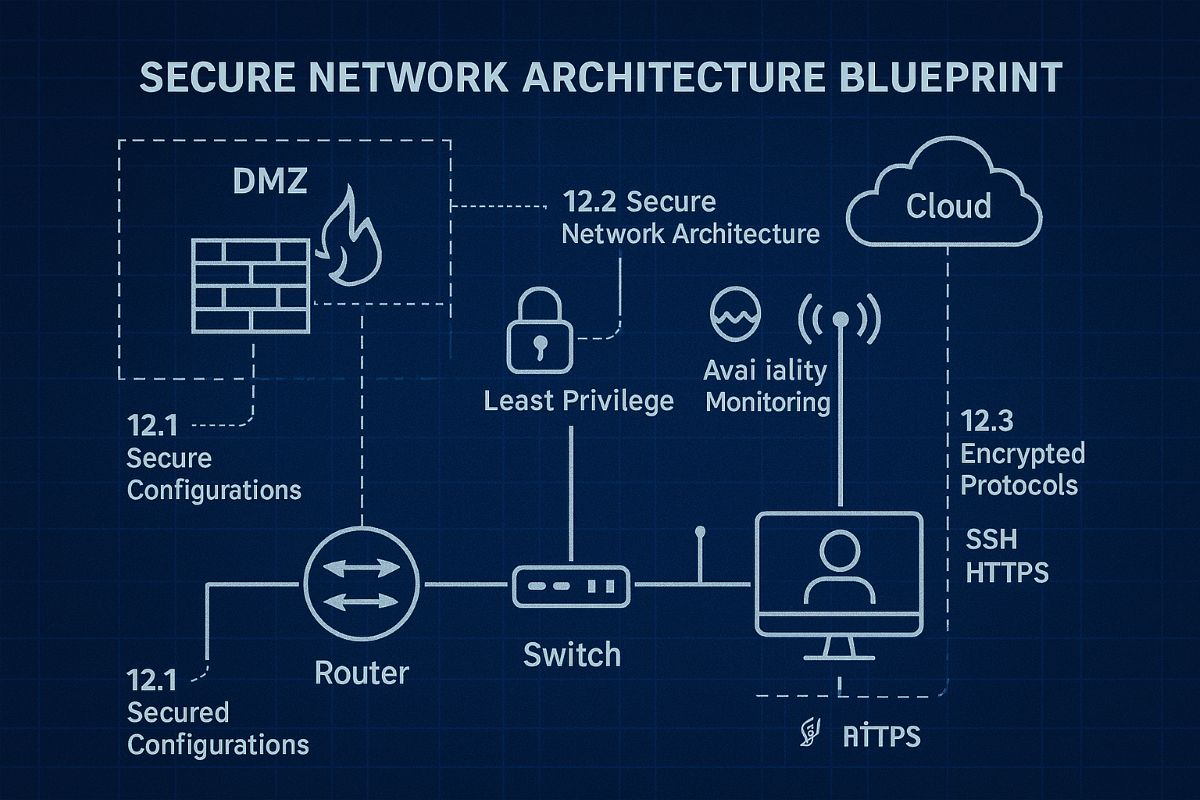
Optimizing SMB network infrastructure for stronger, scalable business networks
For small and midsize business owners, every minute of uptime counts. A slow or vulnerable network isn’t just frustrating—it costs productivity, damages customer trust, and drains revenue. Network Infrastructure Management, guided by CIS (Center for Internet Security) standards, is the key to keeping your technology reliable, secure, and scalable.
Practical Action Steps
Audit Your Current Network: Compare your systems to CIS-recommended controls to uncover risks.
Secure Data Flows: Implement firewalls, intrusion detection, and CIS baseline configurations.
Plan for Growth: Ensure your infrastructure supports cloud, remote work, and future expansion.
Continuous Monitoring: Use real-time alerts to prevent disruption before it happens.
Employee Awareness: Provide staff training on cybersecurity aligned with CIS best practices.
Client Q&A
“Do CIS standards apply to smaller companies?” – Absolutely; they’re designed to scale to all business sizes.
“Will I need to overhaul my whole network?” – Not necessarily. Often, a phased approach is more cost-effective.
“What if I already have an IT person?” – Farmhouse Networking’s role is to extend their expertise, not replace it.
How Farmhouse Networking Helps We align your systems with CIS benchmarks, secure your infrastructure, and monitor it constantly. That means less downtime, stronger client trust, and more bandwidth for business growth.
Call to Action Ready to protect your network and grow confidently? Email us today at support@farmhousenetworking.com to learn how Farmhouse Networking can keep your systems strong and compliant.
Key network monitoring tools every small business needs for optimal performance
As a business owner, you know reputation and customer trust are everything. But cybercriminals don’t discriminate by size—small and midsize businesses (SMBs) are increasingly the targets of ransomware and data theft. CIS Critical Security Control 13 gives you a practical way to stay ahead of attackers and protect your company’s future.
Practical Action Steps for SMBs:
Enable real-time network monitoring: Know immediately if your systems are under attack.
Centralize your logs: Aggregate data to detect issues before they escalate.
Set threshold-based alerts: Don’t wait until damage is visible to respond.
Review reports regularly: Make monitoring part of monthly executive/IT reviews.
Q&A for SMBs:
“Aren’t we too small for hackers to notice?” No—SMBs are now among the most targeted because criminals assume defenses are weak.
“Do I need an in-house IT team for this?” Not necessarily—outsourced experts can cost-effectively handle monitoring for you.
How Farmhouse Networking Helps: Farmhouse Networking provides SMBs with managed network monitoring, advanced alerts, and proactive defense strategies. We scale solutions to fit your size, budget, and growth goals.
Don’t leave your business exposed. Email Farmhouse Networking today and start building stronger defenses for lasting success.
Strategic business growth planning: Scale operations with robust IT and networking support for sustainable expansion
Whether expanding office space or adding new locations, your business needs a strong, flexible IT setup to keep operations running smoothly. Here’s what every business owner should do.
Practical Steps:
Increase Computing Capacity: Upgrade systems so they can handle more customers, data, and applications without slowing down.
Secure Network Connections: Keep all offices and remote employees safely connected with secure networks.
Implement Collaboration Software: Choose tools that help your teams communicate and work together seamlessly, wherever they are.
Common Client Questions:
How do we keep data secure across multiple sites? Through encrypted connections and reliable security measures like firewalls, VPNs, and antivirus software.
Will adding more users slow down our systems? Proper upgrades and scalable solutions prevent slowdowns and keep efficiency high.
What collaboration tools work best? Simple, widely used platforms offer shared calendars, instant messaging, and file-sharing apps like Microsoft Office 365.
How Farmhouse Networking Can Help:
We help SMBs upgrade IT infrastructure affordably and efficiently, ensuring fast performance, strong security, and smooth collaboration no matter how fast you grow.
Ready to scale your business IT confidently? Email support@farmhousenetworking.com for a free consultation today.
How an MSP Can Bring Predictability to Your Business Technology Budget
MSP transforming unpredictable IT spending into stable monthly budgeting for business financial planning
Unpredictable IT expenses can feel like a never-ending rollercoaster for business owners. One month, everything runs smoothly; the next, you’re hit with an unexpected server crash, cybersecurity scares, or a costly software upgrade. These surprises not only disrupt your operations but also wreak havoc on your budget and long-term planning. There’s a better way: partnering with a Managed Service Provider (MSP) like Farmhouse Networking.
Why Are IT Costs So Unpredictable?
Traditional, in-house IT management often relies on a “break-fix” approach—waiting for something to go wrong before addressing it. This reactive model leads to:
Emergency repair bills
Unplanned hardware replacements
Downtime that impacts productivity and revenue
High costs for hiring and training IT staff
Constantly shifting technology needs and compliance requirements
How an MSP Brings Cost Control and Predictability
An MSP transforms your IT from a source of stress into a strategic asset. Here’s how:
Fixed Monthly Pricing With an MSP, you pay a predictable monthly fee for comprehensive IT support. No more surprise bills—just one flat rate that covers monitoring, maintenance, support, and security. This makes budgeting straightforward and allows you to allocate resources with confidence.
Reduced Operational and Staffing Costs Outsourcing IT means you don’t need a large in-house team or to worry about ongoing training and certifications. MSPs leverage economies of scale, providing expert support and access to the latest technology at a fraction of the cost of building it yourself.
Proactive Maintenance and Security Instead of waiting for things to break, MSPs monitor your systems 24/7, apply updates, and address vulnerabilities before they become expensive problems. This proactive approach drastically reduces downtime and the risk of costly cyber incidents.
Scalable Solutions As your business grows or changes, an MSP can quickly scale services up or down. You only pay for what you need, when you need it—no wasted resources or surprise expenses.
Streamlined Infrastructure MSPs optimize your IT environment, eliminating redundant software, consolidating hardware, and managing licenses efficiently. This not only cuts costs but also maximizes the value of your technology investments.
The Bottom Line: Peace of Mind and Predictable Growth
With a trusted MSP like Farmhouse Networking, you gain:
Consistent, predictable IT expenses
Reduced risk of expensive downtime and security breaches
Access to a team of experts and the latest technology
Freedom to focus on growing your business, not fighting IT fires
Ready to Take Control of Your IT Costs?
Stop letting unpredictable IT expenses hold your business back. Contact Farmhouse Networking today to discover how our managed IT services can bring stability, security, and savings to your technology budget. Let’s turn your IT from a wild card into a strategic advantage—reach out now for a free consultation!
And God will generously provide all you need. Then you will always have everything you need and plenty left over to share with others. As the Scriptures say,
“They share freely and give generously to the poor. Their good deeds will be remembered forever.”
For God is the one who provides seed for the farmer and then bread to eat. In the same way, he will provide and increase your resources and then produce a great harvest of generosity in you. - 2 Corinthians 9:8-10
We use cookies to ensure that we give you the best experience on our website. If you continue to use this site we will assume that you are happy with it.