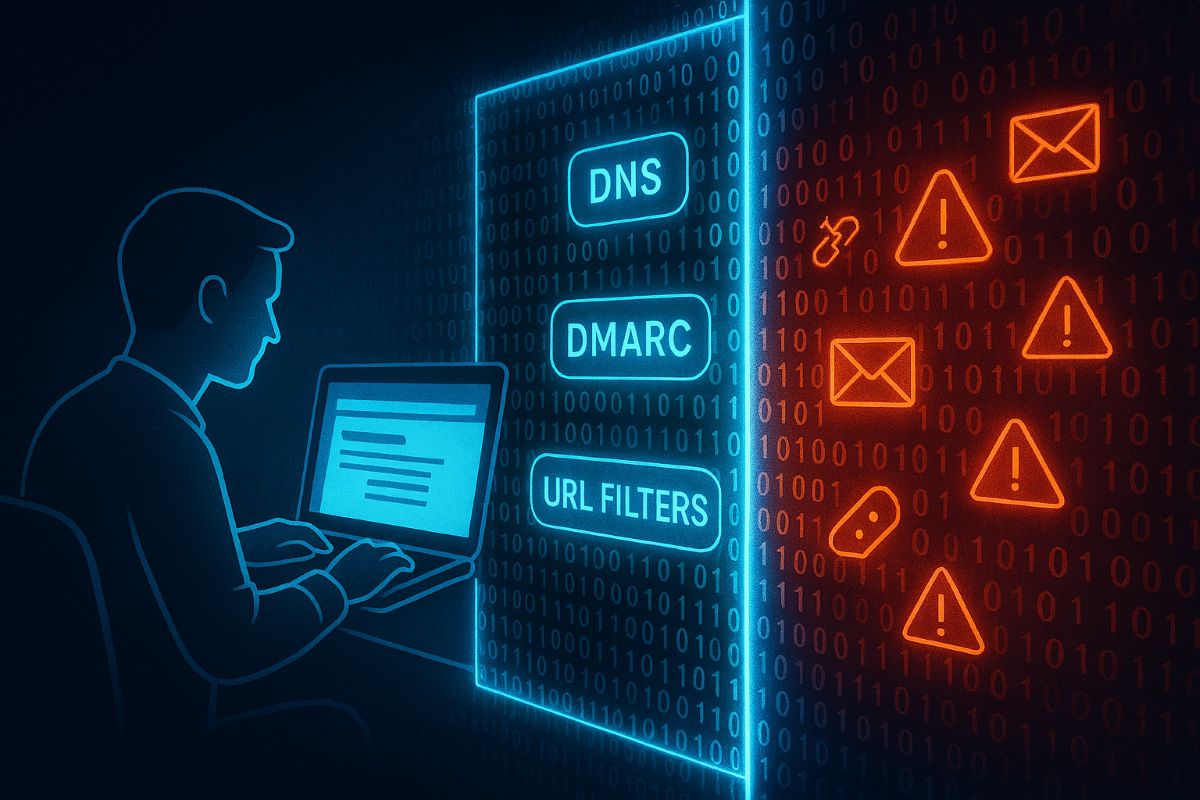
Essential email and web browser protections based on CIS Control 9 help SMBs guard against phishing, malware, and cyber threats.
Small and medium-sized businesses (SMBs) are increasingly targeted by cyberattacks through email and web browsers. Often lacking the resources of larger firms, SMBs must prioritize practical security steps to reduce risks of breaches and data loss.
Practical Action Steps:
Ensure all employees use fully updated browsers and email clients.
Deploy SPF, DKIM, and DMARC email authentication protocols.
Use DNS and URL filtering to block access to malicious websites.
Limit browser extensions to only those essential for business.
Scan inbound email for malware, blocking dangerous attachments and links.
Provide ongoing phishing awareness training to employees.
Enable multi-factor authentication (MFA) on email accounts.
Client Questions & Answers:
Q: What are the most common email threats? A: Phishing attacks and malware-laden attachments remain top threats.
Q: Can small businesses really defend against these risks? A: Yes, with best practices and right technology, SMBs can build strong defenses.
How Farmhouse Networking Can Help: We specialize in helping SMBs implement tailored email and browser protections per CIS guidelines, maximizing security without overcomplicating your IT environment. Our experts work with your team to improve security posture and train employees.
Call to Action: Reach out to support@farmhousenetworking.com now to start securing your business email and browsing environment.
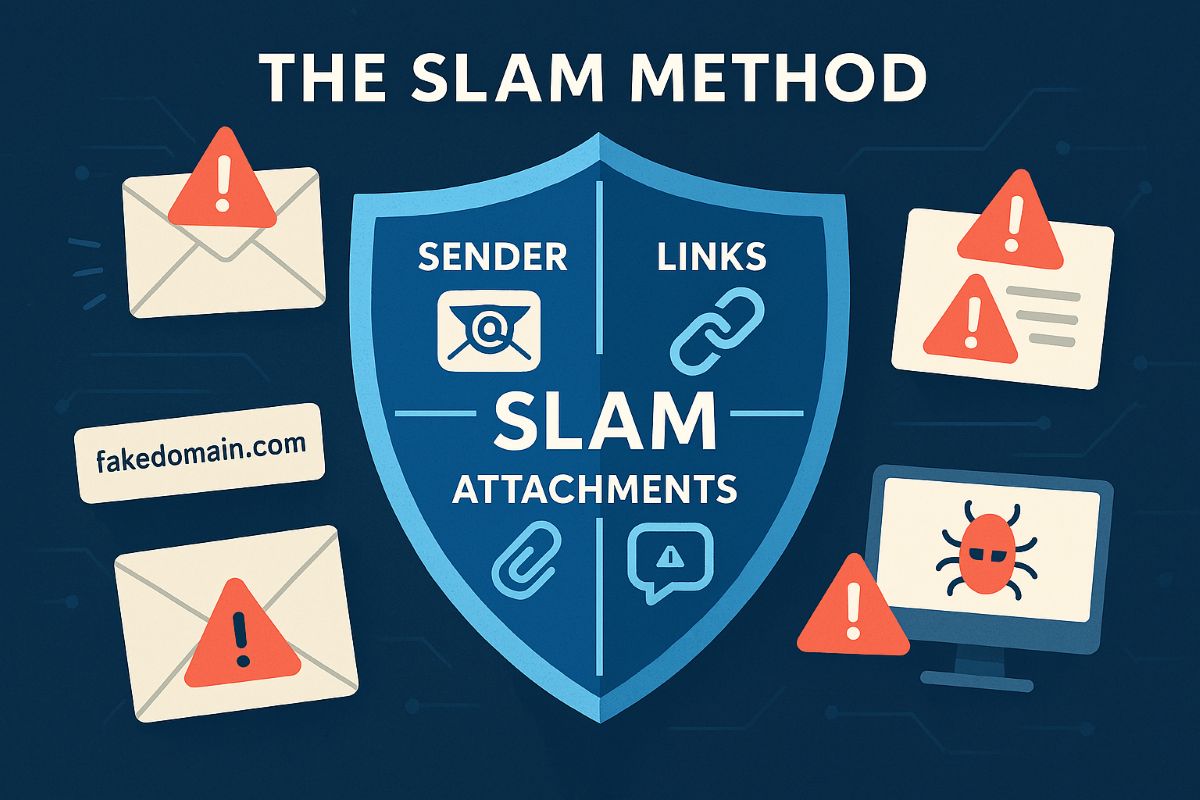
Using the SLAM method to detect spam emails helps businesses avoid phishing scams and fraudulent invoice payments.
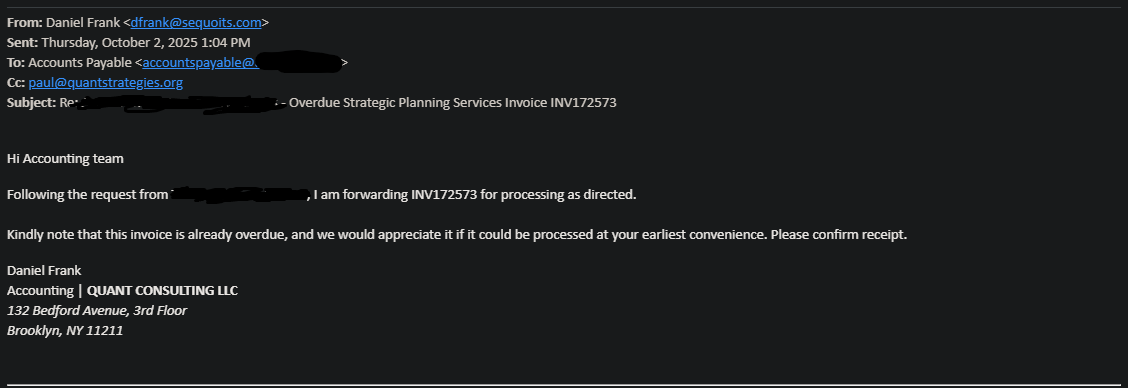
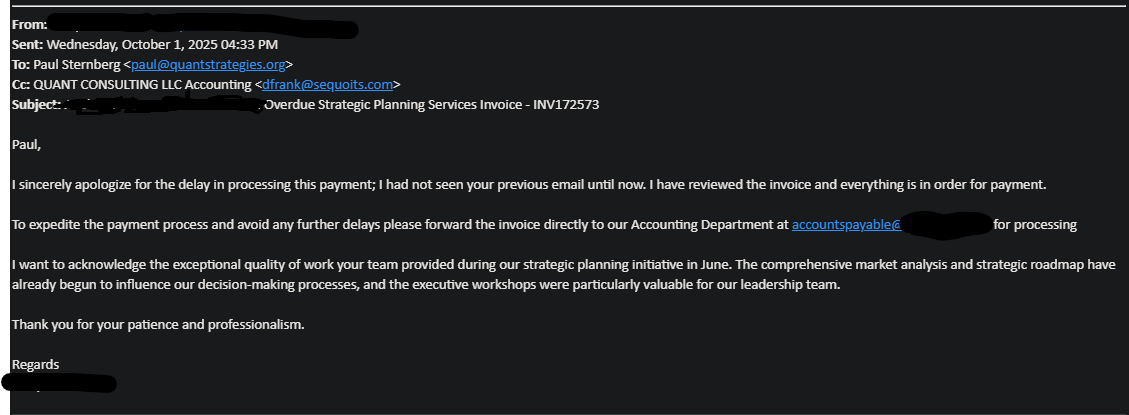
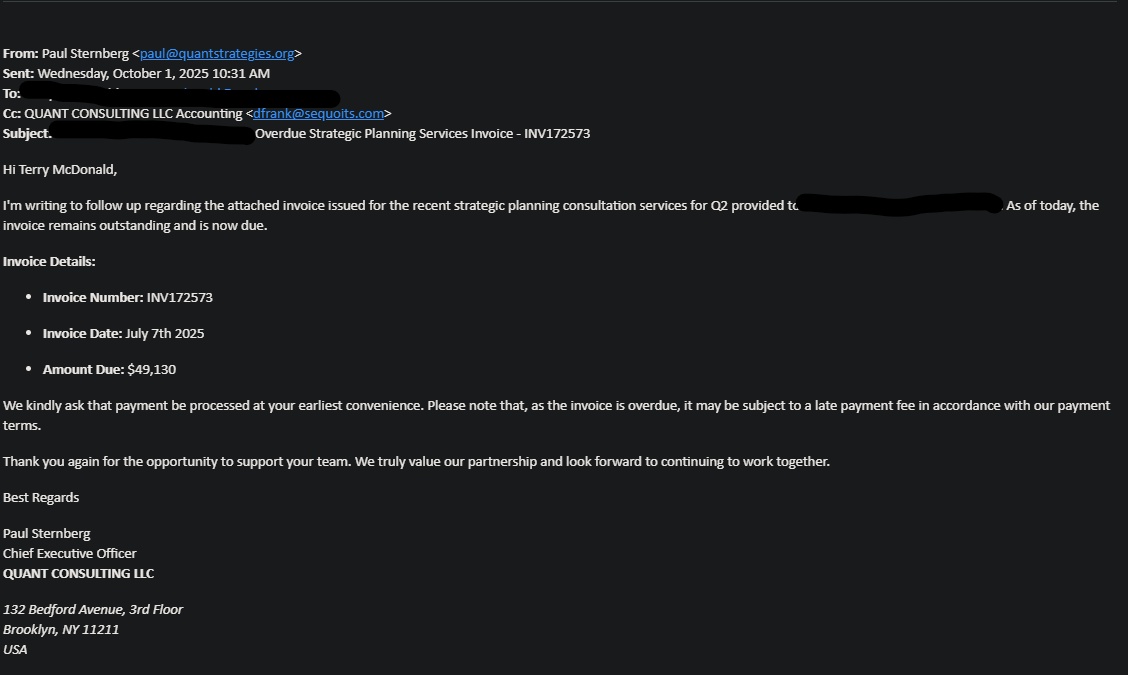
Here is a lesson in the kind of SPAM that AI can generate. It is very well crafted and almost fooled one of our clients into sending almost $50,000 to a hacker. Here is the redacted version of the email:
Identifying Spam Emails with the SLAM Method for Business ProtectionUsing the SLAM method to detect spam emails helps businesses avoid phishing scams and fraudulent invoice payments.Using the SLAM method to detect spam emails helps businesses avoid phishing scams and fraudulent invoice payments.
Using the Slam Method
Spam emails often disguise themselves as legitimate business communication, especially when involving payments. Below is a breakdown of how to use the SLAM method to identify red flags in a suspicious email like the example provided.
S: Sender Details
Verify the sender’s email address and domain for authenticity. In this case, the sender’s domain “sequoits.com” is unusual compared to the company’s expected domain, which raises suspicion.
L: Links and Addresses
Check the email addresses mentioned for accuracy. For example, the email uses “first.last@companyname.com” which does not exist, while the real address is “first@companyname.com” This mismatch is a strong indicator of spam.
A: Attachments and Amounts
Be cautious about unexpected invoices or payment requests. The invoice number and amount ($49,130) should be cross-verified with company records before any payment is processed.
M: Message Content and Tone
Look for urgency and unusual requests. The email pressures the recipient to process an overdue payment quickly, a classic tactic used in phishing or scam emails.
By carefully analyzing these elements using the SLAM method, businesses can avoid falling victim to phishing scams and fraudulent invoice schemes.
To protect your business from phishing scams and fraudulent invoices, learn how Farmhouse Networking can strengthen your email security and payment verification processes. Contact us today at support@farmhousenetworking.com for expert solutions tailored to safeguard your company’s financial communications.
Small businesses rely on professional email security to protect customer and financial data from phishing and hacks.
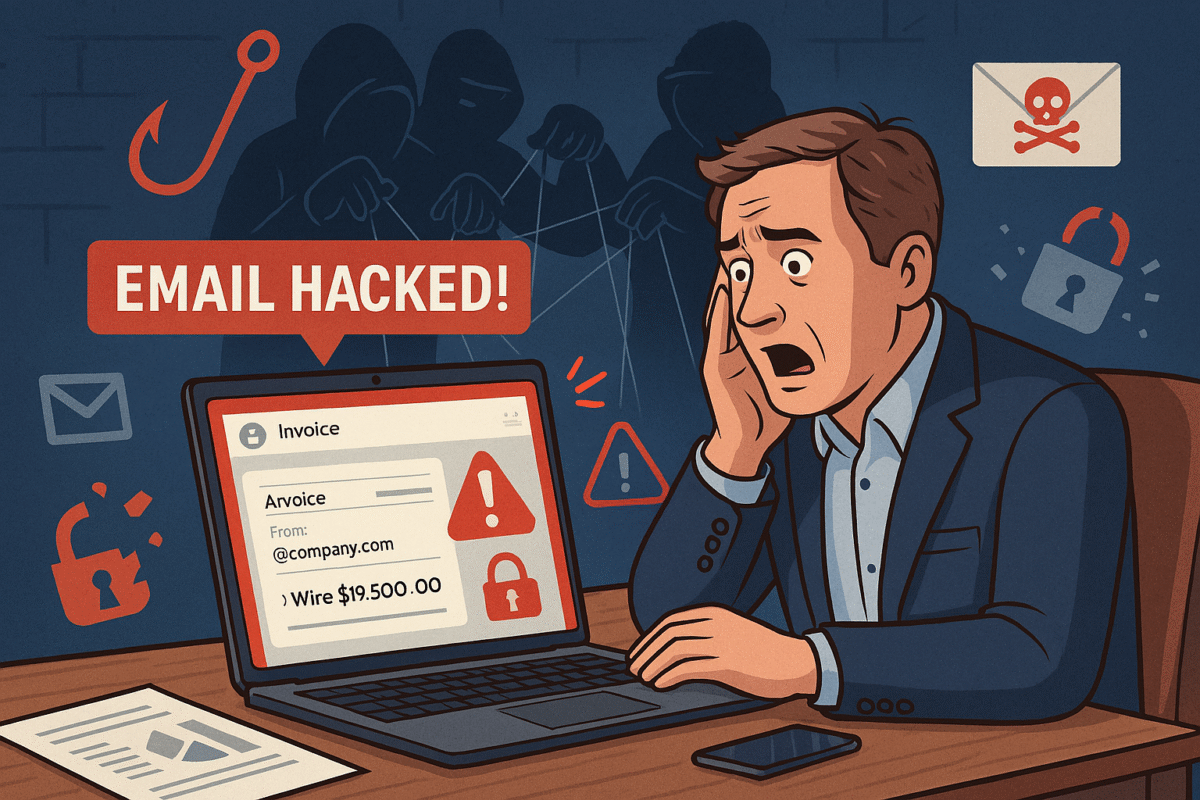
You’re running your business, responding to client messages, when suddenly strange duplicate messages and failed delivery emails flood your inbox. This is what happened to a business owner who discovered her emails—including sensitive financial data—were silently copied to hackers for weeks without her knowledge.
For small and midsized businesses (SMBs), this type of attack can result in financial loss, leaked company secrets, and damaged relationships with clients.
What Happened in This Email Breach
Hackers guessed or stole an email password.
They set up secret rules to forward every incoming message.
Confidential information like Social Security numbers, tax data, and financial records were exposed.
Farmhouse Networking responded by:
Removing malicious rules.
Securing the account with new password protections and recovery options.
Advising the business owner on how to monitor for ongoing fraud.
Practical Steps for SMBs
SMBs aren’t too small to be targeted. In fact, they’re often prime targets. Protect your business with these key actions:
Set strong passwords and enable MFA: Critical first layer of defense.
Regularly review email rules: Look for forwarding or auto-delete actions you didn’t create.
Encrypt sensitive documents: Especially contracts, employee data, and customer details.
Train employees: Staff should recognize phishing emails before they trigger a hack.
Backup systems: Ensure backups of both email and company files are offline-protected.
Have an incident response plan: Know what to do if a breach occurs.
Questions Your Clients May Ask
“Did hackers see my information?” If emails contained contracts, billing, or sensitive attachments—possibly.
“Could this affect my payments or records?” Yes. Compromised invoices or payment requests can be used in fraud scams.
“Can clients continue to trust our company?” By demonstrating enhanced security measures and a clear recovery plan, clients can regain confidence.
How Farmhouse Networking Helps SMBs
Farmhouse Networking empowers SMBs with:
Affordable enterprise-grade email security.
24/7 monitoring for account breaches.
Employee training to reduce phishing success rates.
Scalable security solutions for growing businesses.
Your business reputation is too valuable to be left to chance. Secure your email systems and protect your clients’ trust with Farmhouse Networking. Reach out today at support@farmhousenetworking.com.
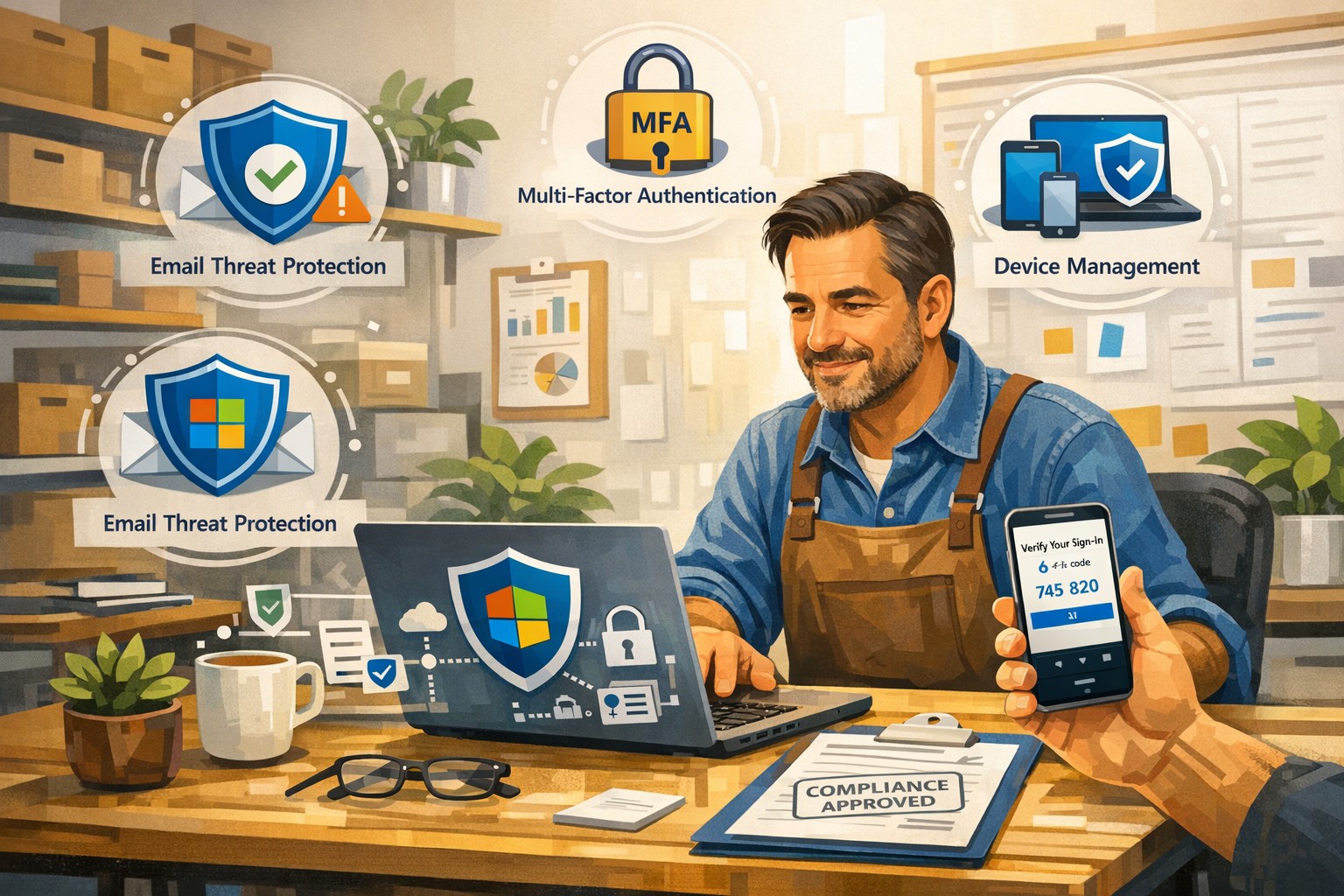
A small business owner uses Microsoft 365 Business to protect email, files, and devices with advanced security features like MFA and device management.
You’re a target whether you have 5 employees or 150. A single compromised email account, lost laptop, or bogus invoice can cost more than a year of IT budget. Microsoft 365 Business (especially Business Premium) includes advanced security—multi-factor authentication, threat protection, and device management—that, when configured correctly, can dramatically reduce your risk without slowing your team down.
Why Microsoft 365 Security Matters to Owners
Microsoft 365 Business plans include built-in protections for email, files, identities, and devices, not just productivity tools. They provide anti-phishing, anti-spam, and anti-malware for cloud mailboxes, plus additional capabilities in Business Premium such as endpoint protection, data loss prevention, and advanced email threat protection. These capabilities are designed specifically for small and mid-sized businesses with up to about 300 users.
For you as an owner, the business outcomes are clear: fewer successful phishing attacks, protection if a device is lost or stolen, better control over who can see what, and evidence you’re taking reasonable steps for compliance and cyber insurance.
Practical Action Steps for You and Your IT
Below is a prioritized, owner-friendly checklist you can drive with your IT provider or internal IT lead.
1. Lock down accounts and logins
Owner responsibilities:
Require multi-factor authentication (MFA) for all staff, especially executives and finance.
Make it policy that shared accounts (info@, billing@) are tightly controlled and monitored.
Approve a standard for strong passwords and password reset processes.
IT responsibilities:
Turn on MFA for all users and admins and enforce it with security defaults or Conditional Access.
Protect admin accounts (separate admin IDs, no email or browsing from admin accounts, strong MFA).
Disable legacy authentication protocols that bypass modern security controls.
2. Harden email and collaboration
Owner responsibilities:
Decide which types of sensitive information must never be sent unencrypted (SSNs, health info, financials, donor lists, etc.).
Set expectations that staff must report suspicious emails instead of clicking or deleting quietly.
IT responsibilities:
Enable advanced anti-phishing, Safe Links, and Safe Attachments if you have Business Premium or Defender add-ons.
Configure preset security policies for Exchange Online to enforce consistent spam and malware filtering.
Enable email encryption policies for sensitive communications and configure data loss prevention (DLP) rules for critical data types.
3. Protect laptops, desktops, and mobile devices
Owner responsibilities:
Require all company devices to be enrolled in device management before accessing business data.
Decide whether personal (BYOD) phones can access company data and under what conditions.
IT responsibilities:
Use mobile device management and mobile app management to enforce PIN/biometric locks and device encryption.
Configure endpoint protection (Microsoft Defender for Business) on Windows devices and ensure automatic security updates.
Enable the ability to remotely wipe corporate data from lost or stolen devices.
4. Control access to files and data
Owner responsibilities:
Define which departments or roles should have access to which data (HR, finance, operations, executive, etc.).
Nominate “data owners” in each area who approve access changes.
IT responsibilities:
Use role-based access and groups to control who can see what in SharePoint, OneDrive, and Teams.
Implement sensitivity labels (e.g., Public, Internal, Confidential) to classify and protect documents and emails.
Set file-sharing policies (internal-only for sensitive data, restricted external sharing where needed).
5. Train people and monitor the environment
Owner responsibilities:
Mandate short, recurring security awareness training and phishing simulations.
Make it clear that reporting a mistake early is rewarded, not punished.
IT responsibilities:
Turn on security dashboards/secure score reporting and review them routinely.
Run regular phishing simulations and track improvement over time.
Document an incident response plan: who does what in the first hour of a suspected breach.
Common Client Questions and Straightforward Answers
Q1: Isn’t Microsoft 365 secure “out of the box”? A: It’s secure by default compared to many platforms, but critical features like MFA, device policies, and data loss prevention must be deliberately configured. Think of it like a building with locks installed—you still have to decide who gets keys and when doors stay locked.
Q2: Will all this security make it harder for my employees to work? A: Done properly, most changes are almost invisible after setup. MFA adds a few seconds at sign-in but can drastically cut account takeovers; device policies and automatic updates run in the background.
Q3: We’re a small business. Are we really a target? A: Yes. Automated attacks scan the internet for easy targets regardless of size, and small businesses are often seen as “soft” targets with weaker controls.
Q4: Do we need Business Premium, or is Basic/Standard enough? A: Basic and Standard include core email protections and collaboration tools, but Business Premium adds advanced threat protection, full device management, and better data protection—those are often required to meet cyber insurance and compliance expectations.
Q5: How long does it take to put all this in place? A: A phased rollout is typical: MFA and email protection in days, device and data controls over a few weeks, followed by ongoing tuning and training.
How Farmhouse Networking Helps You Implement This
Farmhouse Networking specializes in turning Microsoft 365 Business into a practical, business-grade security platform tailored for small and mid-sized organizations in accounting, healthcare, and nonprofit sectors.
Here is what implementation looks like with us:
Security assessment and roadmap We review your current Microsoft 365 tenant, licensing, and security posture, then build a prioritized, owner-friendly roadmap focused on quick wins (MFA, admin protection, baseline email security) and longer-term improvements (device management, DLP, labeling).
Secure configuration and deployment We configure MFA, Conditional Access, advanced email security, device protection, and file-sharing policies following Microsoft best practices, while aligning with your industry-specific requirements and compliance pressures.
Data classification and access design We work with you to define which information is most sensitive, who should access it, and how to label and protect it across email, SharePoint, OneDrive, and Teams.
User training and ongoing support We provide concise training for your staff, phishing simulations, and ongoing monitoring so that your security posture keeps improving instead of drifting over time.
Coordination with your IT team If you already have internal IT, we act as a specialist partner, focusing on Microsoft 365 security design, documentation, and escalation support while your team handles day-to-day operations.
Call to Action
If you want to turn Microsoft 365 Business into a true security shield for your organization—not just an email and Office subscription—Farmhouse Networking can design and implement a right-sized security program for you.
Email support@farmhousenetworking.com for more information about how Farmhouse Networking can help improve your business and better protect it with advanced security from Microsoft 365 Business.
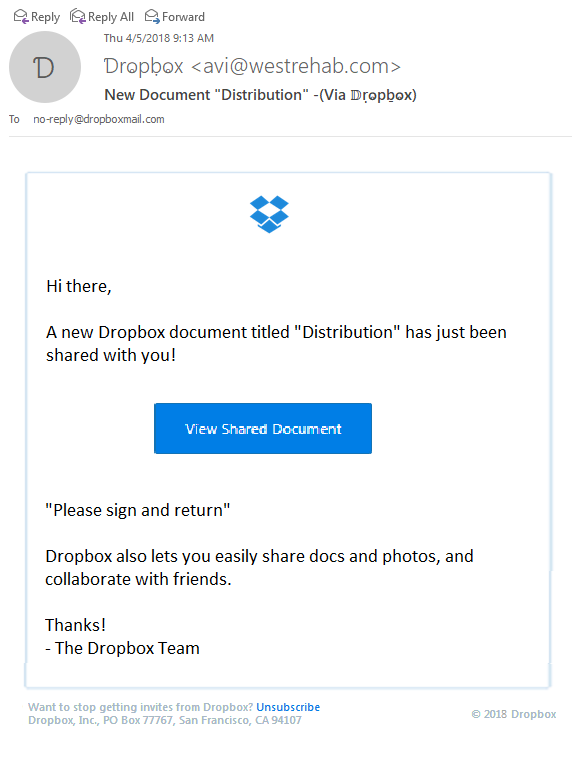
Thought that I would share a recently received new phishing email variant that could easily be overlooked and possibly cause damage to your network. The email appears to have come from Dropbox as a user sharing a folder with me, but a closer look shows many obvious signs that the email is a fake.
Starting from the Top
Look closely at the From portion of the email:
The lettering is actually another language where the font makes it look like English lettering. There is also the fact that the email is form someone that I don’t do business with. Always fight the urge to look at things that are not yours.
Stick to the Subject
Now to take a look at the Subject line of the email:
This has different lettering but it is again a different language used to look like English lettering.
And now the rest…
The final thing that caught my eye was the “button” in the middle of the email:
It actually looked fuzzy. It turns out the entire body of the email is a single image that is a link to their malicious site. Clicking anywhere in the body of the email would send you on your way to infection or account compromise. Hope this little tutorial helps you detect other phishing attempts in the future.
If your company is having trouble with SPAM or phishing, then contact us for assistance.
And God will generously provide all you need. Then you will always have everything you need and plenty left over to share with others. As the Scriptures say,
“They share freely and give generously to the poor. Their good deeds will be remembered forever.”
For God is the one who provides seed for the farmer and then bread to eat. In the same way, he will provide and increase your resources and then produce a great harvest of generosity in you. - 2 Corinthians 9:8-10
We use cookies to ensure that we give you the best experience on our website. If you continue to use this site we will assume that you are happy with it.