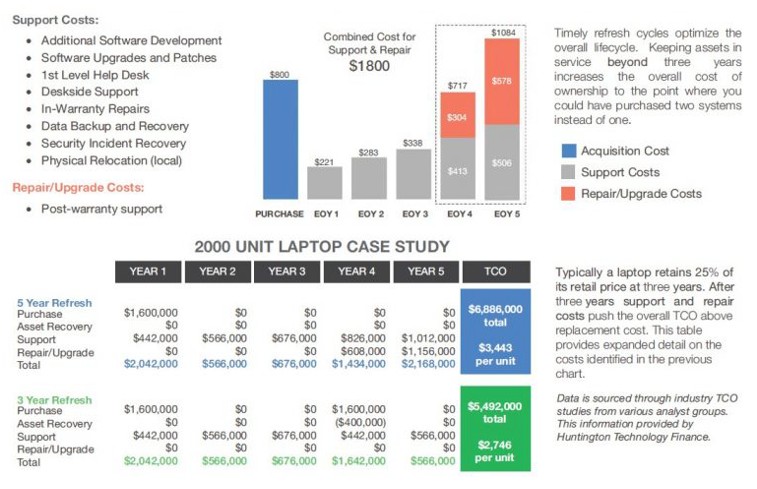
Farmhouse Networking continues to make strides in providing our customers with the best, most cost effective, and environmentally friendly computing experience possible. Part of that process is what has come to be known as Lifecycle Management. Each piece of hardware has an expected amount of time in which it is cost effective to use and support it. Once this time frame has been exceeded the cost of supporting the device becomes greater than the cost as shown in the following graph:
Turn retired IT assets into profit through strategic lifecycle management
FHN Lifecycle Management
So the question remains what to do with the old computers when the time comes to replace them. Previously here in Grants Pass, OR we could support a local charity by taking them to Southern Oregon Aspire to have the computers dismantled and hard drives shredded. Now that their doors are closed we are stuck with dropping them off at the local dump, but what if you could make money while being responsible with the environment?
Farmhouse Networking is now partnering with a company called Arcoa, who do just that. Here is what they do in their R2 rated responsible recycling facility:
“We help you recover value from retired electronic equipment through responsible methods of reuse and recycling. Resale offers the best potential for value recovery, but the fast pace of innovations in technology and short product life cycles can limit equipment’s potential for reuse. From there, the best option may be to recycle the items in an environmentally friendly manner. We’ve built a robust de-manufacturing process to offer additional options for asset value recovery by disassembling equipment for commodity grade materials, which can be diverted from landfills and be used to create new materials.”
Hard drives will be electronically wiped, magnetically degaussed, or shredded based on need. The rest of the parts will be dismantled and sold with part of the profit returning to your company to help offset the cost of buying new computers. What could be better than making money on the buy?
If your company is heading towards a hardware refresh, then make the environmentally sound choice by contacting us for assistance.
There has been information released by a security research firm called Eclypsium that there is a vulnerability dubbed Boothole in Unified Extensible Firmware Interface (UEFI) Secure Boot that would allow an attacker to completely take over a workstation, laptop, or server and be nearly undetectable. All hardware vendors will have to send out updates in the near future to patch the UEFI code to secure it against this “BootHole” vulnerability. Due to the difficulty in designing and testing these types of updates it will be some time before they are released. We will keep you posted as to the release of these updates as they become available.
If your company is concerned about security, then contact us for assistance.
Registry key excluding sync folders resolves Windows roaming profile errors
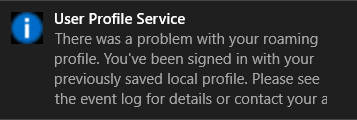
Had a client receive the message “There was a problem with your roaming profile…” after logging into another computer on the domain. Research and found that a simple registry fix was available, but most fixes wanted admins to export a key from another working profile then import it into the broken one. Here is the actual registry key that was used to fix the profile:
Registry Fix for roaming profile was not completely synchronized
Open Registry Editor as the broken user and NOT administrator
Navigate to HKCU > SOFTWARE > Microsoft > Windows NT > CurrentVersion > Winlogon
Right click and choose New > String Value and give it the name ExcludeProfileDirs
Enter the following – AppData\Local;AppData\LocalLow;$Recycle.Bin;OneDrive;Work Folders
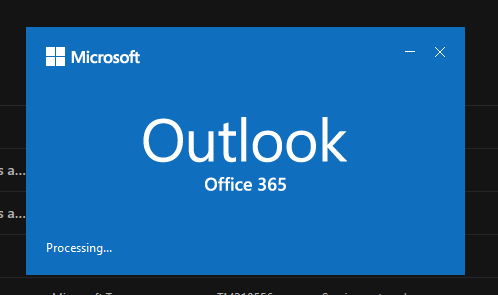
Many of our customers have been experiencing some of their users having Outlook crashing immediately after opening. We even had other tech companies call to find out how we were fixing it, so we investigated and found the following known issue from Microsoft:
Users experiencing Outlook connection issues and crashes EX218604, Exchange Online, Last updated: July 15, 2020 10:12 AM Start time: July 15, 2020 9:18 AM User impact: Users may experience crashes or may be unable to access Exchange Online via Outlook. Current status: Our initial review of the available data indicates that recently deployed updates are the likely source of the problem. We’re performing an analysis of all recent service updates to isolate the underlying cause of the problem and to determine the most expedient means to restore service.
We will be keeping our monthly clients up to date on this issue.
Unlock strong, memorable passwords: Use 5-7 random words for SMB security—simple, effective, and Farmhouse Networking approved.
The COVID-19 scare and ensuing rush to remote access has us thinking security. What is more basic to security than passwords. In an effort to find a way to make passwords both secure and easy to remember, I have found a website that seems to fit the bill:
The concept is surprisingly simple and is said to be based on a cartoon:
I have played with the settings and found the following to generate some good password settings. Here they are for those who are interested:
The only other option would be to use random passwords stored in a password keeper. This also allows secure sharing of passwords throughout the organization.
If your company is using remote access, then contact us for assistance to make it secure.
24/7 cyber defense protects small business critical data
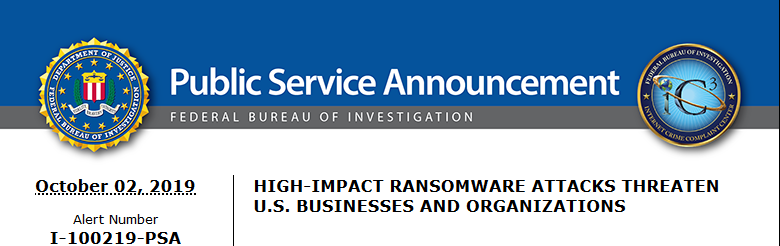
A recent briefing from the FBI’s Internet Internet Crime Complaint Center (IC3) detailed current best practices and industry standards for cyber defense. Here is a summation:
Cyber Defense Best Practices
Backups – Regularly back up data and verify its integrity. Backups are critical in ransomware; if you are infected, backups may be the only way to recover your critical data.
Training – Employees should be made aware of the threat of ransomware, how it is delivered, and trained on information security principles and techniques.
Patching – All endpoints should be patched as vulnerabilities are discovered. This can be made easier through a centralized patch management system.
Antivirus – Ensure anti-virus and anti-malware solutions are set to automatically update and that regular scans are conducted. Centrally managed is even better.
File Permissions – If a user only needs to read specific files, they should not have write-access to those files, directories, or shares. Configure access controls with least privilege in mind.
Macros – Disable macro scripts from Office files transmitted via email.
Program Execution Restrictions – Implement software restriction policies or other controls to prevent the execution of programs in common ransomware locations, such as temporary folders supporting popular internet browsers, and compression/decompression programs.
Remote Desktop Protocol – Employ best practices for use of RDP, including use of VPN, auditing your network for systems using RDP, closing unused RDP ports, applying two-factor authentication wherever possible, and logging RDP login attempts.
Software Whitelisting – Implement application whitelisting. Only allow systems to execute programs known and permitted by security policy. This one takes careful planning.
Virtualization – Use virtualized environments to execute operating system environments or specific programs. No physical access to servers makes hacking harder.
Network Segmentation – Implement physical and logical separation of networks and data for different organizational units. Keep guest traffic out of your business network.
No Saved Passwords – Require users to type information or enter a password when their system communicates with a website. Better yet use a password management tool.
If your company is going to use full disk encryption or has compliance requirements that you need consulting for, then contact us for assistance.
Modernization = immediate 30% IT cost reduction with compliance
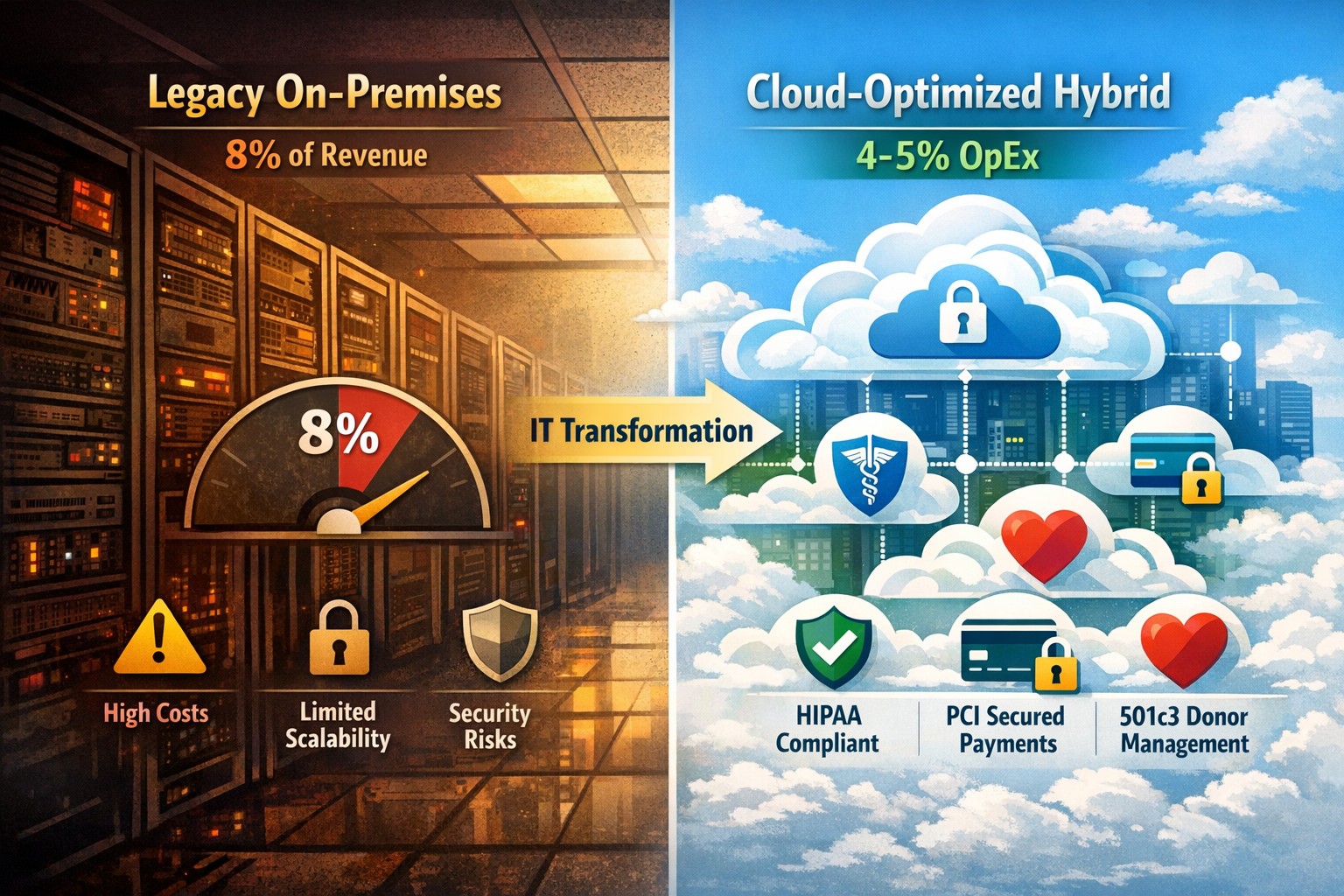
Legacy infrastructure can limit scalability, increase downtime, and require expensive patchwork fixes. Modern solutions — whether in the cloud or hybrid configurations — give small businesses flexibility, automation, and predictable operating costs.
According to Gartner, companies that modernize their IT environments reduce infrastructure costs by up to 30% and improve operational efficiency by 25% or more. For small business owners, these savings can directly impact profitability and competitiveness.
Action Steps to Modernize and Optimize IT
To start seeing results, take a structured approach to IT modernization:
Assess Your Current Infrastructure Conduct a full audit of your hardware, software, and network assets. Identify outdated servers, unsupported software, and bottlenecks that affect performance or security.
Move to Scalable Cloud Solutions Transition from on-premises systems to cloud-based environments like Microsoft Azure or Google Workspace. Cloud solutions reduce capital expenditures, improve accessibility, and support remote teams.
Virtualize Where Possible Replace physical servers with virtual machines. Virtualization consolidates workloads, reduces energy usage, and simplifies disaster recovery planning.
Implement Automation and AI Tools Automate repetitive IT maintenance tasks such as updates, monitoring, and backups. Modern IT management software decreases manual intervention and minimizes human error.
Enhance Cybersecurity Frameworks As you modernize, integrate advanced security tools — firewalls, endpoint detection, and multi-factor authentication — to prevent modern cyber threats.
Adopt Predictable Cost Models Consider a managed IT service provider (MSP) that delivers infrastructure and support under a fixed monthly fee. This approach eliminates unpredictable repair costs and frees capital for innovation.
Common Questions from Business Owners
Q: How do I know if my infrastructure is outdated? A: Signs include frequent downtime, slow systems, incompatible applications, or rising maintenance costs. If your servers are older than five years or your support software is no longer updated, it’s time for a change.
Q: What’s the ROI of IT modernization? A: Beyond cost savings, modernization improves workforce productivity, customer satisfaction, and business agility. Many SMBs see full ROI within 12–24 months through improved uptime and reduced service calls.
Q: Is the cloud secure for small businesses? A: Yes, if configured properly. Major cloud providers maintain rigorous security standards and compliance certifications. Working with an IT partner ensures proper access controls and data backup procedures.
Q: How disruptive is the modernization process? A: With professional planning, disruption can be minimized. Migration often occurs after-hours or in stages to ensure operations continue smoothly.
How Farmhouse Networking Can Help
At Farmhouse Networking, we specialize in helping small and mid-sized businesses modernize their IT infrastructure for measurable cost savings. Our services include:
Comprehensive infrastructure assessments to identify inefficiencies.
Cloud migration and virtualization support tailored to your industry needs.
Cybersecurity modernization to protect against evolving threats.
Managed IT services with predictable monthly pricing and rapid support response times.
We handle the transformation process end to end — from planning and deployment to monitoring and optimization — so you can focus on running your business rather than managing technology.
Email us at support@farmhousenetworking.com to learn how Farmhouse Networking can help you modernize your IT infrastructure and optimize your company’s technology spend.
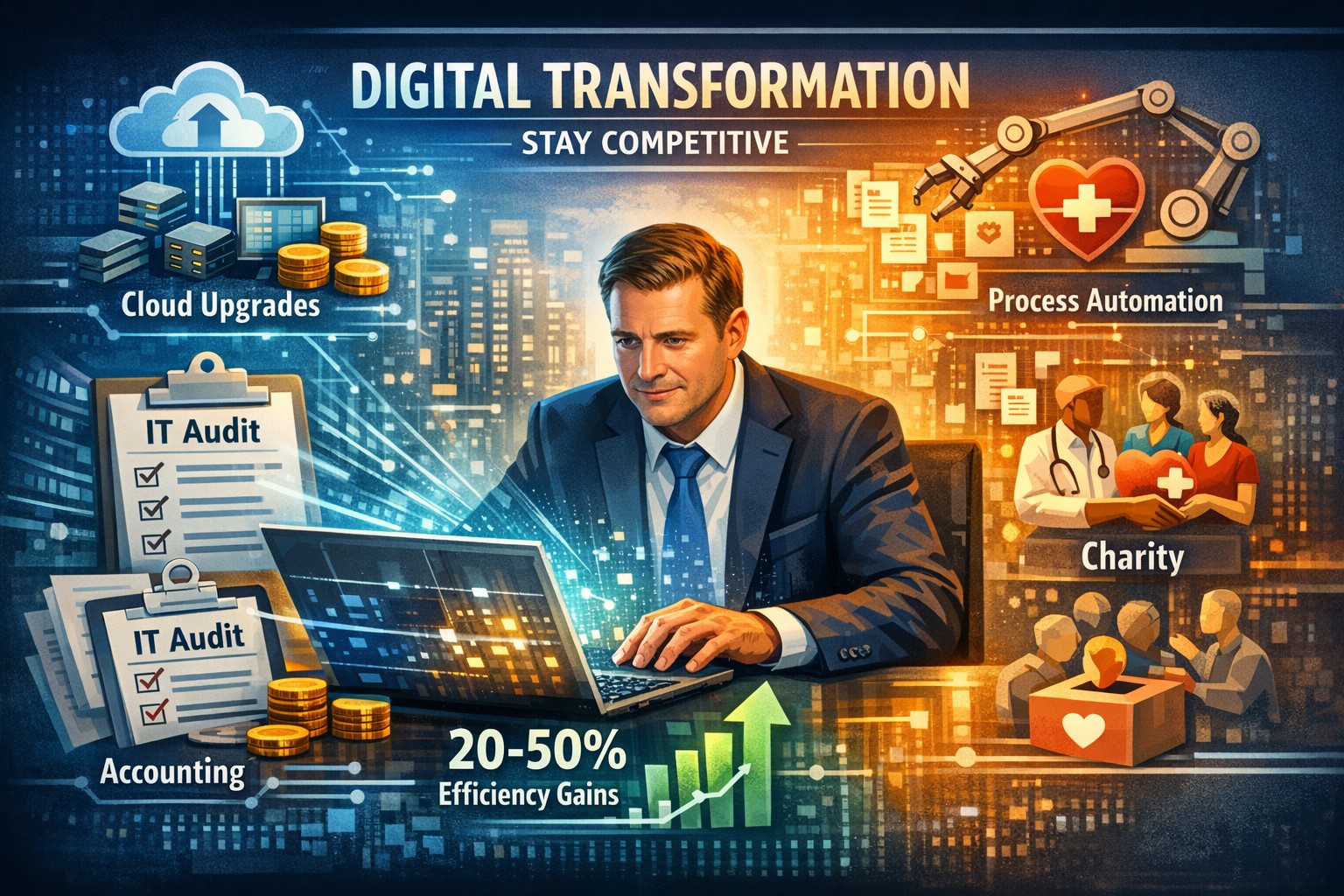
Practical digital transformation steps help business owners stay competitive—audit, upgrade, automate with Farmhouse Networking
Business owners face relentless pressure: competitors leverage AI, cloud tech, and data analytics to cut costs and boost revenue, while laggards risk obsolescence. Digital transformation isn’t optional—it’s the key to operational efficiency, customer loyalty, and market edge, enabling 23% higher profitability for adopters per McKinsey benchmarks.
Why Digital Transformation Matters Now
Digital transformation integrates technologies like cloud computing, automation, and cybersecurity into core operations, reshaping how businesses deliver value. For owners in accounting, healthcare, or nonprofits, it streamlines compliance-heavy processes, personalizes client services, and scales without ballooning headcount. In 2026, with President Trump’s pro-innovation policies accelerating tech adoption, firms ignoring this lose 30-50% ground to agile rivals.
Practical Action Steps
Business owners and IT teams should follow this phased roadmap, drawn from proven frameworks for small-to-mid enterprises.
Conduct a Digital Audit: Map current tech stack, processes, and skills gaps. Use free tools like Google’s Digital Maturity Model to score readiness across operations, customer touchpoints, and security—takes 1-2 weeks.
Set SMART Goals: Define measurable targets, e.g., “Reduce invoice processing from 5 days to 24 hours via automation” or “Increase client retention 15% with CRM personalization.” Align with revenue growth or cost savings.
Upgrade Infrastructure: Migrate to scalable cloud platforms (AWS, Azure) for flexibility; integrate AI tools for predictive analytics. Budget 10-20% of IT spend initially, prioritizing cybersecurity to avert breaches costing $4.5M on average.
Digitize Processes: Automate workflows—inventory for accounting firms, patient scheduling for healthcare, donor tracking for charities—using no-code platforms like Zapier. Train staff via 2-4 hour sessions.
Measure and Iterate: Track KPIs quarterly (e.g., ROI, uptime) with dashboards. Pilot quick wins first, scaling successes over 12-18 months.
Step
Owner/IT Role
Timeline
Expected ROI
Audit
Owner leads, IT executes
1-2 weeks
Baseline for 20% efficiency gains
Goals
Joint workshop
1 week
Guides 15-30% revenue uplift
Upgrade
IT procures, tests
1-3 months
Scalability reduces costs 25%
Digitize
IT implements, Owner approves
3-6 months
Automation saves 40% time
Iterate
Ongoing reviews
Quarterly
Sustains competitive edge
FAQs: Client Inquiries Answered
Q: What’s the ROI timeline for digital transformation? A: Quick wins yield 6-12 month returns; full programs deliver 20-50% efficiency gains in 18-24 months, per industry data.
Q: How do we avoid disruption during rollout? A: Phase implementations, starting with non-critical processes. Use hybrid cloud for seamless transitions—95% of phased projects succeed vs. 30% big-bang approaches.
Q: Is it affordable for small firms in accounting/healthcare/charities? A: Yes—cloud tools start at $50/user/month. Focus on high-impact areas like CRM ($10K initial investment yields $50K savings).
Q: How to upskill staff without big budgets? A: Leverage free resources (Microsoft Learn, AWS Training) and vendor demos. Partner with MSPs for hands-on support.
How Farmhouse Networking Drives Your Success
Farmhouse Networking specializes in B2B digital transformation for accounting, healthcare, and charity sectors, delivering tailored IT strategies that convert visitors to clients. We conduct audits, deploy secure cloud migrations, automate workflows, and optimize SEO for “digital transformation services [your industry]” to drive organic traffic. Our clients see 40% faster deployments and 25% cost reductions, with white-glove support ensuring zero downtime. From branding your site as a tech-forward leader to lead-gen funnels, we handle IT so you focus on growth.
This article came from the need of another local tech company to forward an Exacqvision Web Portal to something other than port 80, as it was already in use. I could not find a detail article on how to accomplish Sophos DNAT while changing the port number:
How to configure Sophos DNAT for an internal server
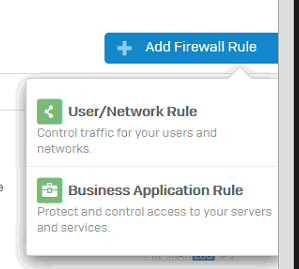
Navigate to Firewall then click +Add Firewall Rule and select Business Application Policy.
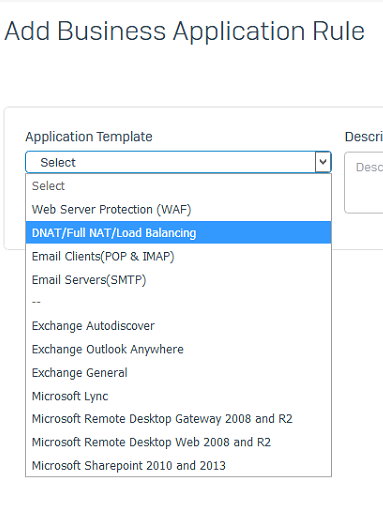
Select Application Template and choose DNAT/Full NAT/Load Balancing.
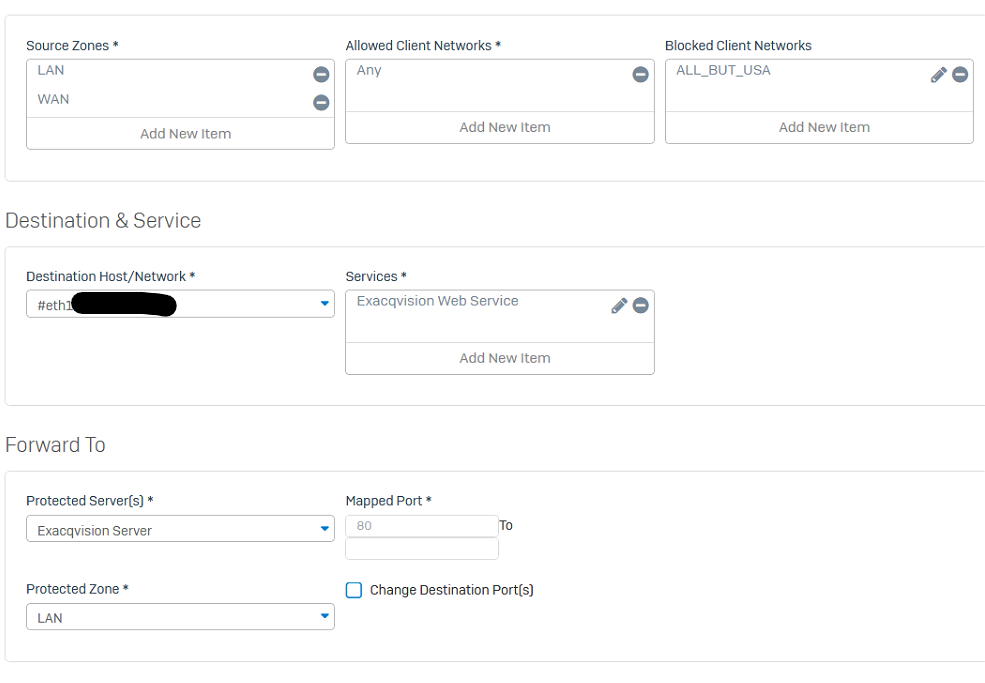
Fill out the settings as shown below:
Rule Name
Source Zones: WAN (and LAN if needed)
Allowed Client Networks: Any
Destination Host/Network: WAN Interface (#eth0-? whichever one you use)
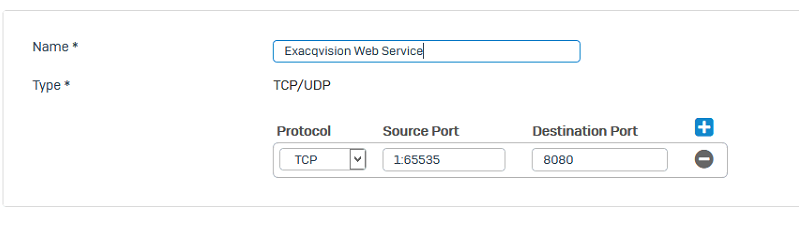
Services: Either select the service you already created or create a new one for the external port to be used as below
Protected Servers: Select an existing or create a host entry for the internal server.
Protected Zone: Select the Zone in which the host resides (LAN or DMZ).
Change Destination Port(s): Check this then change the port to the internal port.
Click Save to save the configuration.
If your company is using a Sophos router and is unsure of how to configure it, then contact us for assistance in making the best use of your router.
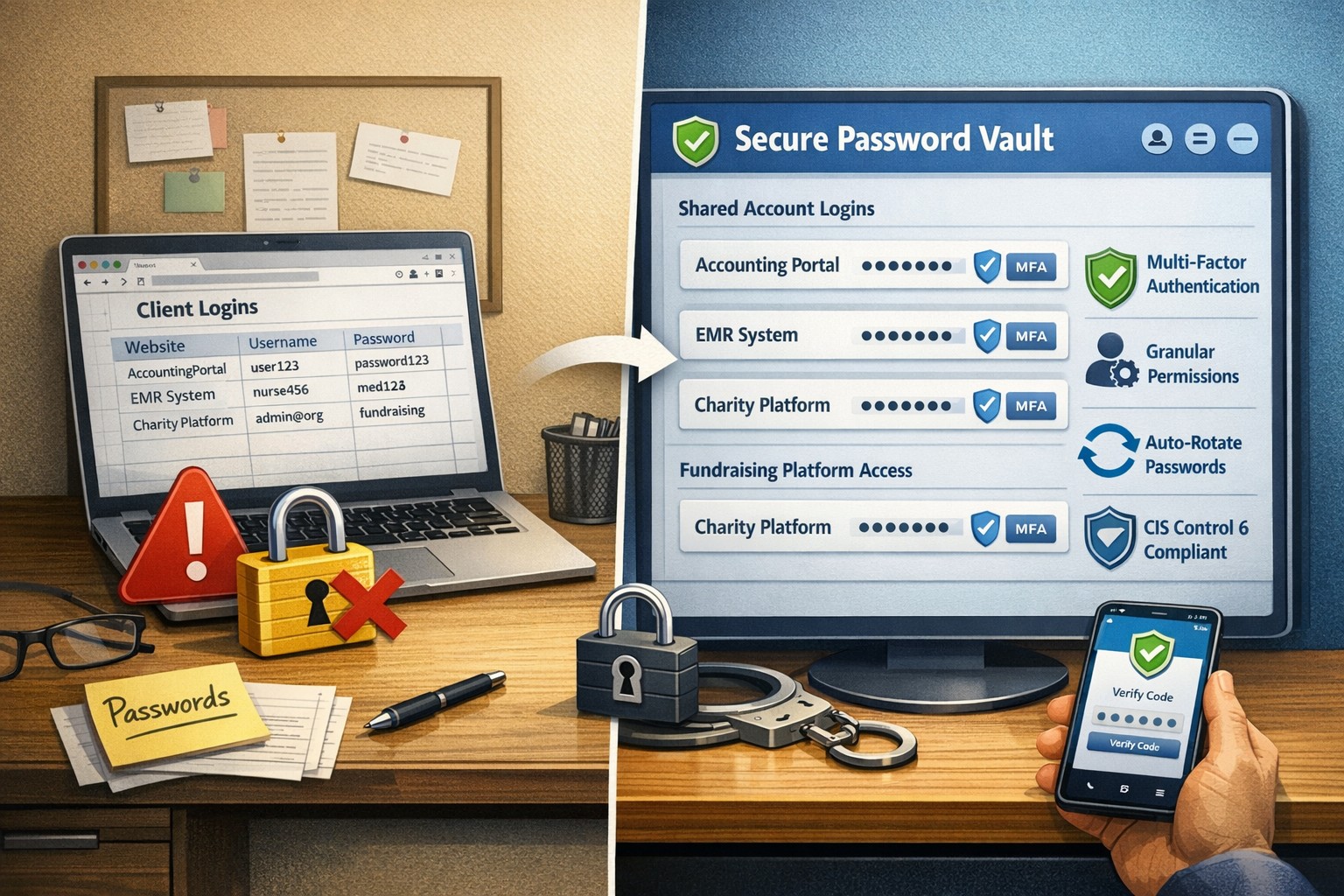
Farmhouse Networking has had a long standing policy that we do not keep a record of client passwords (except when needed for device administration). That is about to change, but before we talk about our new password policy let’s talk password storage:
Common Password Storage
Here are some popular places where many businesses store their passwords that make them very vulnerable to being stolen.
Passwords written on paper (that are not under lock and key):
On your desk under your keyboard (or taped underneath)
Under your stapler or desk decorations
On sticky notes stuck to your monitor or desk
On a scrap of paper on your desk or in a drawer
In a notebook or address book
In a old-fashioned Rolodex file
Paper printouts or photocopies of your passwords
Anyone with access to your office could easily find and steal passwords stored like this.
Passwords stored in your computer (without using encryption):
Remembered in your web browser
A document called “Passwords” that you’ve created anywhere on your computer, perhaps using Microsoft Word or Excel
A document with any other name on your computer (including the password as the name)
Email drafts that you’ve created (but not sent) containing password information
Anyone with access to your computer could easily find and steal passwords stored like this, including both a person with physical access to it as well as a virus or hacker gaining access via the internet, or scamming you into granting them access, even once.
Passwords stored in your smartphone or tablet (without using encryption):
Electronic “Notes” containing password information
Other documents or emails similar to the ones listed in computer storage above
Anyone with access to your device could easily find and steal passwords stored like this.
Passwords sent via regular (insecure) email:
Emails that you have sent to yourself containing password information
Emails that you have sent to anyone else containing password information
Any information that you send using regular (unencrypted) email puts that information at risk of being stolen. Email is neither private nor secure. Sending an email is like mailing a postcard, and hackers and thieves can easily read the contents. You should never send passwords (or any other confidential or sensitive data) via regular email.
Secure Password Storage
Now for the discussion of Farmhouse Networking’s new password policy. We are partnering with a company to provide a storage of passwords and other client documentation with military grade encryption. This partnership also allows us to address the dangers that common password storage present by offering our clients this same encrypted password storage service. Here are some of the benefits of this service:
Unlimited users
Unlimited passwords
Each user has a personal password vault
Shared company password vault
Security groups to manage access
Auditing & reporting (Compliance)
Secure password sharing
1-Click Login Tool (for all major browsers)
Mobile Device Access
Only $15 per month (Compared to Lastpass Business at $4 per user per month)
If your company is using common password storage of any kind do yourself a security favor and contact us to upgrade to secure password storage.
In reviewing compliance documentation, we found it necessary to talk about Virtual Private Network (VPN) technology for both privacy and secure remote access. A VPN is a connection to a private network over the internet through an encrypted tunnel – think smuggling information across a secret passageway between two places.
Why use VPN?
Privacy: There has been a huge buzz lately about using VPN technology to help mask you browsing habits from the likes of the NSA or Google. VPN services offer connections that regularly change your external IP address so that a profile (marketing or otherwise) is harder to build. It also makes hacking of your information harder when these services providers offer anti-virus and anti-spam filtering as part of the VPN service.
What are the trade-offs? These VPN service providers will now be the sole owner of your browsing habits – they can sell targeted profiles to marketing companies – so read those terms of service. There will also be a performance hit to your internet speed, so if you are working from a slow network already this may not be an option. Then there is the added cost of an extra $5 to $15 per month for these services on top of your internet bill each month.
Secure Remote Access: This was the original intent of VPN technology and where it really shines. Either from remote workers using coffee shop wifi or remote offices connecting to the main office, VPN tunnels are used to securely access data, servers, and other network resources. This technology is required by all major compliance agencies so that all data transmitted is encrypted during transport. In the past servers would open ports to the internet to allow access, but it was found that this practice allowed hackers the same opportunity to gain access. With VPN tunnels there is another layer of protection from unexpected access. There is also the benefit that no outside provider gets access to your browsing habits.
What are the trade-offs? This will require a router at the main office that is business grade and capable of handling the traffic. It will then require setup of remote workers laptops or remote offices with similar business grade routers.
If your company is concerned about privacy on the internet or secure remote access, then contact us for assistance.
Local expertise + rapid response = minimal business disruption
I was chatting with my son who works for a large local company who
contracts with a local Managed Service Provider to help with their IT
needs. Due to a clause in their contract they are now locked into paying
over $15,000 per month for IT services for the next three years. This
includes $300 per server (they have 5 of them) and $70 per workstation
(they have over 100 of them) plus some other mysterious charges for the
network. Personally I think that this is outrageous.
Here at Farmhouse Networking we do not believing in locking our clients
into a contract. Our IT services are always month to month so that if
either of us are dissatisfied with the relationship then we can easily
end things with no obligations. Our services are also reasonably priced
due to keeping our overhead low – we charge $65 per server and $25 per
workstation plus a small per device charge for other network devices.
That is a mind boggling 280-460% savings over the local competition. For
that large company that would be a realized savings of somewhere
between $9,600 and $11,700 per month – enough to hire several new
employees or purchase new equipment to increase production.
If your company is looking to keep the costs of IT services down and keep more working capital for true business needs, then contact us for assistance.
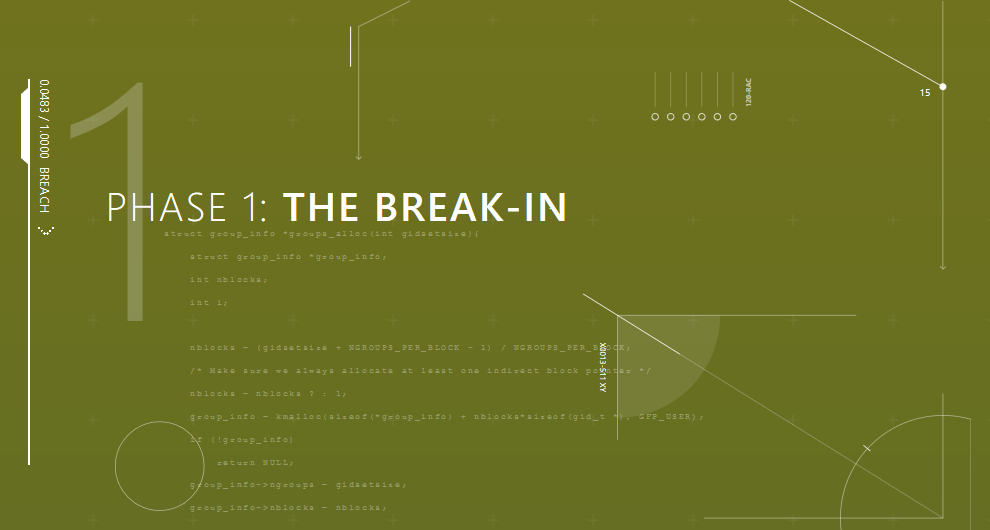
Phase 1: Break-In: Hackers are still using phishing emails, bad passwords, social media links, and poorly patched systems to make their way in with the initial infection. Employee training is the first step towards preventing breaches for 9 out of 10 companies now (and it is included in the price for all our monthly clients).
Phase 2: The Inside Man: Once inside the hacker will scan the network for further vulnerable systems, employees with more access rights than they need, and systems that allow access into other parts of the network. Having systems in place that detect strange or malicious activity are key to stopping an infection in its tracks.
Phase 3: Spread Out: This is where the hacker has all the access they need and start to find the data that is worth selling. Hackers will usually start moving data to places it doesn’t belong on the network then downloading it to their computers for resell. This is where strong access policies that are clearly defined and enforced make the greatest impact to protect sensitive data.
Phase 4: The Long Con: Once a hacker has taken all they need for the short term payout, they will setup remote access back doors to allow for future access whenever they want to. It almost pays to assume that a breach has already occurred and continually scan the network for these kinds of activity to catch the hackers in the act.
Take the time to read this article, it is a wake-up call on security.
If you would like to learn more about creating an effective cyber defense strategy and mitigating risk, then contact us for assistance.
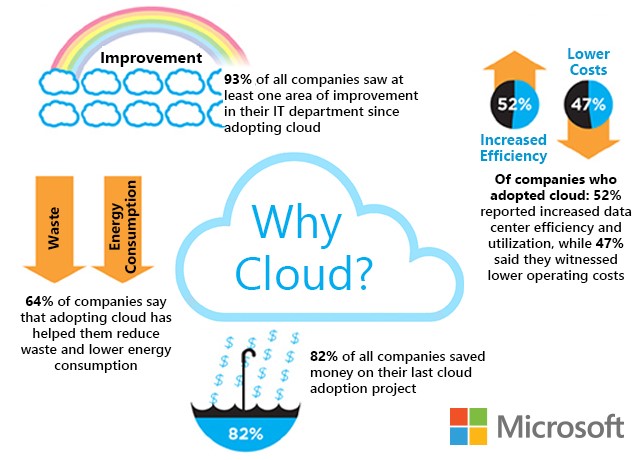
Cloud eliminates hardware costs, enables instant business scaling
Give your business freedom from hardware constraints with the agility and functionality of cloud computing.
Cloud requires no upfront costs, which makes it an operating expense rather than a capital expense. Your business will benefit from predictable monthly payments that cover software licenses, updates, support and daily backups. Cloud technologies provide greater flexibility as your business only pays for what it uses and can easily scale up and down to meet demand.
Moving to the cloud enables your business to no longer pay to power on-premises servers or to maintain the environment. This significantly reduces energy bills.
Finally, for those concerned with security, cloud data centers employ security measures far beyond what most SMBs can afford. Your company data is much safer in the cloud than on a server in their office.
Move your business to the cloud ahead of Office 2010 and Windows 7 End of Support!
If your company is looking to make the move to cloud, then contact us for assistance.
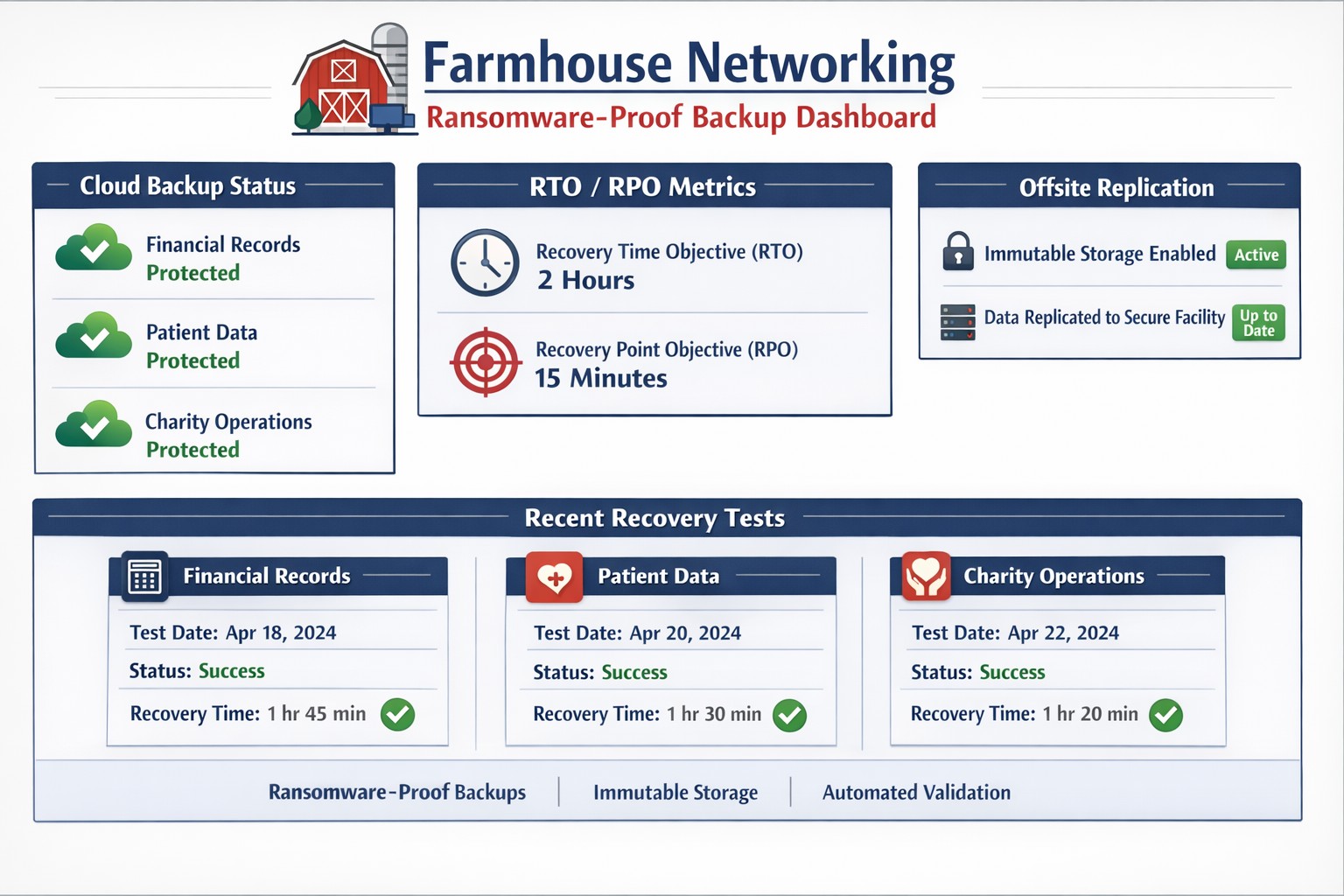
Automated cloud backups with tested recovery ensure business survives disasters
When it comes to security threats, it’s not “if” disaster will strike, it’s “when.” So, how will your organization respond? Do you have the proper infrastructure in place to thwart a potential data disaster and if disaster does strike, is your organization poised to recover quickly?
While 100% prevention of a data disaster is impossible, there are several ways you can position your organization to get your systems back up and running with as little disruptions to day-to-day operations as possible:
File Level Backup: A good file sync and share tool is more than just a way for your team to collaborate on the go, it’s a vital component to your organization’s security strategy. With file level backup, you can ensure that even in the event of a site wide disaster, your team can maintain anytime access to their critical files.
Backup and Disaster Recovery: Your last line of defense in a site wide disaster, backup and disaster recovery solutions allow you to recover at the systems level. An absolutely necessary piece of your organizational infrastructure, backup and disaster recovery delivers peace of mind that your systems will always be recoverable, even when disaster strikes.
Cloud-to-Cloud Backup: Cloud-to-cloud backup fills in the gaps left by some of the most commonly used SaaS applications, such as Office 365. Many of these cloud applications fall short in the way of cloud-retention and a good cloud-to-cloud backup solution can help you protect critical business data while providing enhanced features to maximize your user experience and more importantly, security.
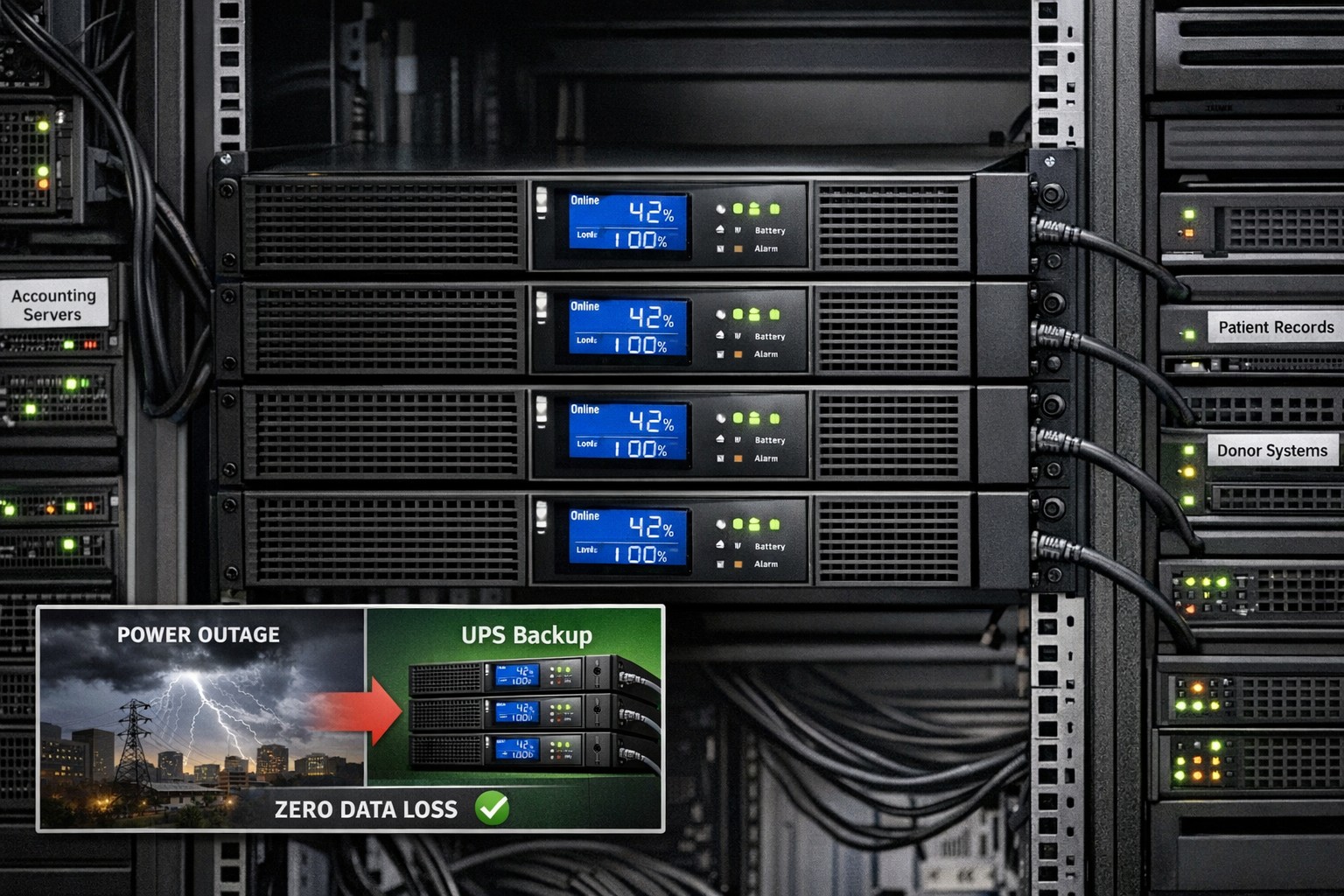
It seems lately that the power company in the area has not been able to offer consistent service power to the city. This has left many businesses down without the technology they need to operate properly. These power outages cause data loss and damage computer components.
My own unexpected outage
Once upon a time, about two weeks ago, the unexpected happened at our offices. A semi-truck carrying a large backhoe on a trailer drove between two buildings in the area. The landlord had wired power between buildings and the truck driver did not lower the arm of the backhoe low enough. Sure enough the wire was snagged by the backhoe’s arm and pulled from the building. Needless to say the power was out to that part of the building until the landlord took care of the matter.
What can be done?
Farmhouse Networking recommends that all business workstations, servers, and networking equipment be protected by an uninterruptible power source aka UPS or battery backup. When the power goes out the right size battery backup will keeps things running for about 15-30 minutes to allow the last touches to be added to whatever was being worked on and things to be shutdown gracefully.
It is official – the month of September marks three years in business for Farmhouse Networking. We have been truly blessed by God to have been able to serve the Grants Pass and surrounding business communities by providing exceptional IT managed services. We look forward to many more years of giving you the highest level of support possible so that you can focus on getting business done. With this anniversary we plan on rolling out some enhancements to our monthly service offerings:
Enhanced Monthly Maintenance
Standard Maintenance: For those who are not current managed clients, these basics have always been a part of our service offering:
5-year Technology Plan & Budget
Full Network Inventory
Hard Disk Checkups (Bi-Monthly)
Hard Disk Defragmentation (Monthly)
Temporary File Cleaning (Weekly)
Anti-Virus Software (Constant Monitoring)
Operating System Updates (Weekly)
Error Log Monitoring (Constant Monitoring)
Power Settings Management (Constant Monitoring)
Windows Services (Constant Monitoring)
Continued Improvements: Over the past 3 years we have also added the following features to our service at no additional costs:
Ticketing System Portal
Email Support to Create Tickets
Security Incident Response Plan
Vendor Information Tracking
Third-Party Software Updates (Monthly on Firefox, Chrome, Acrobat Reader, ….)
Email Blacklist Checking (Daily)
Warranty Checking (Monthly on All Major Brands)
Operating System Intrusion Detection (Constant Monitoring)
Support for MacOS & Linux (Constant Monitoring)
Server Applications (Constant Monitoring)
Hardware Events (Constant Monitoring)
Enhancements to Come: In September, we will be adding these new exciting features to our service:
DNS filtering – this will further protect your network from external threats by stopping accidental surfing to malicious sites. It also can increase productivity and network speeds by limiting wasteful frivolous surfing during company time.
Dark Web Scan – Each monthly client will have the “Dark Web” scanned to see if any email addresses connected to the company have been involved in a previous password breach.
Weekly Security Newsletter – Farmhouse Networking is partnering with a national security non-profit to deliver up-to-date news and information about how to stay safe online. These weekly newsletters will be packed with valuable information and delivered to everyone in your organization.
As our service offering has expanded, we have deepened our ability to monitor our customers networks to proactively respond to alerts before they become problems. We have continued to add levels of protection to make sure that our clients systems are safe from the ever-expanding list of threats. All this has been done at no additional cost, despite inflation, up to this point. To continue offering this high level of service, Farmhouse Networking is making a couple small changes to its prices that will be effective September 1st, 2018.
Monthly Maintenance Clients – our services are based on a per device basis and the cost per workstation will be $25 per month for remote maintenance and $50 per month for full service maintenance. All other prices will remain the same for every other device on the network. This will only effect clients whose contracts are renewing after September 1st, 2018 – any renewed before that will keep their prices the same for the next 12-month term.
Small Business Clients – those who do not have a server and have less than 5 workstations, our hourly rate will be $80 per hour for on-site service and $40 per hour for remote service (billed in 15-minute increments). That is only $10 more for on-site support and $5 more for remote support.
Standard to Medium Clients – those with a server or more than 5 workstations, our hourly rate will be $120 per hour for on-site service and $60 per hour for remote service (billed in 15-minute increments). That is only $10 more for on-site support and $5 more for remote support.
Tier-3 Clients – those technology companies that utilize our advanced expertise to better serve their clients, our hourly rate will be $40 per hour for remote service (billed in 15-minute increments). That is only $5 more for remote support.
Charity Clients – those non-profits that pay for support, our hourly rate will remain at $70 per hour for on-site service and $35 per hour for remote service (billed in 15-minute increments).
For all our monthly maintenance clients, we will be calling to schedule our semi-annual meeting to check-in with you during the month of September. At that time we will be performing another network inventory to insure that all network assets are covered properly under your current contract. We cannot thank all our clients enough for your continued use of our IT services. We look forward to continuing to serve you.
Know the state of your flocks, and put your heart into caring for your herds, for riches don’t last forever, and the crown might not be passed to the next generation. After the hay is harvested and the new crop appears and the mountain grasses are gathered in, your sheep will provide wool for clothing, and your goats will provide the price of a field. And you will have enough goats’ milk for yourself, your family, and your servant girls. Proverbs 27:23-27
Professional help desk support resolves IT issues before they impact productivity
We have a bench of Tier 3 engineers ready that have been trained in industry best practices, compliance and are comfortable supporting your network and computers.
Put an End to Stressful Computer Support
By utilizing one of our industry trained Helpdesk Specialists, you can free your employees from wasting time on computer support tasks.
Our Helpdesk Specialists are capable – but not limited to – the following tasks:
Desktop operating system maintenance, troubleshooting, and diagnosis
Desktop connectivity troubleshooting
Network systems maintenance, troubleshooting, and diagnosis
Network connectivity troubleshooting
Server operating system maintenance, troubleshooting, and diagnosis
Server connectivity troubleshooting
Application installation and support
Client VPN installation and support
Microsoft Office Suite & Google G-Suite support
Security & access management
Anti-malware administration and resolution
Learn more about the benefits of our Dedicated Remote Support Solutions here.
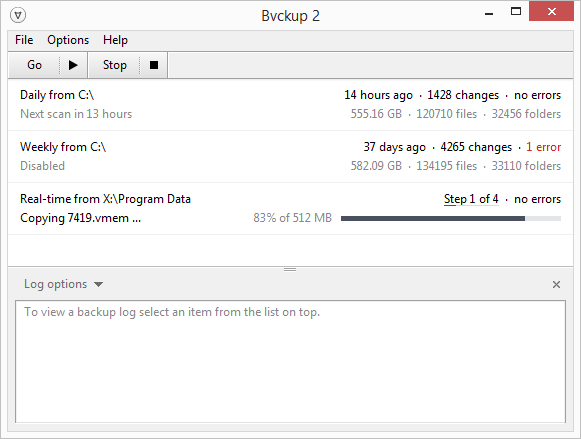
Not sure if you have seen the same but it seems that techs who do server replacement work are using Distributed File System (DFS) to sync the file shares between two servers. This is overkill in my opinion and I recently found a simple lightweight file sync tool called Backvp2 from Switzerland. Now I setup similar shares on the new server then run this software from the new server. Configuring the target and destination are super easy and the syncing happens flawlessly. If there are issues with sync it has handy error codes that made troubleshooting file permission issues simple in a recent migration. I highly recommend it for all techs.
And God will generously provide all you need. Then you will always have everything you need and plenty left over to share with others. As the Scriptures say, “They share freely and give generously to the poor. Their good deeds will be remembered forever.” For God is the one who provides seed for the farmer and then bread to eat. In the same way, he will provide and increase your resources and then produce a great harvest of generosity in you. - 2 Corinthians 9:8-10
We use cookies to ensure that we give you the best experience on our website. If you continue to use this site we will assume that you are happy with it.