As our business continues to grow our focus is on providing white labeled Tier 3 IT support services, RMM as a service, and co-managed IT services. This blog will be highlighting tips for using PowerShell to deploy Synology Active Backup for Business.
Research
Found a support page from Synology that details how to edit the MSI file and deploy it via a Group Policy Object. We are using a similar method to edit the MSI package and deploy it from a local share to all computers via the RMM. You will need to configure a Synology Active Backup for Business template for PCs and download the MSI installer. We use a software called InstEd to edit the MSI installer as follows:
Click Property in the Tables list on the left. Enter the values for the following properties3:
USERNAME: Enter the username for accessing the Synology NAS.
NO_SHORTCUT: Enter “1” if you want to hide the Active Backup for Business Agent’s icon from the main menu of the end user’s device.
ADDRESS: Enter the IP address of the Synology NAS.
PASSWORD: Enter the password for accessing the Synology NAS.
ALLOW_UNTRUST: Enter “1” if you want to connect to the Synology NAS using an IP address instead of a domain or DDNS.
PROXY_ADDR, PROXY_PORT, PROXY_USERNAME, PROXY_PASSWORD: Enter these values only when users have to access your Synology NAS via proxy.
Click File > Save
Once done, upload to the local network share and take note of the share path – i.e. \\192.168.20.10\Support
Variables
$MSIArguments = This will include full file name of the Synology Active Backup for Business MSI installer – i.e. ‘Synology Active Backup for Business Agent-2.7.0-3221-x64.msi’
Script Snippet
Push-Location -Path '\\192.168.20.10\Support' -StackName 'Backup'
Set-Location -StackName 'Backup'

$MSIArguments = "/i Synology Active Backup for Business Agent-2.7.0-3221-x64.msi"

Start-Process "msiexec.exe" -ArgumentList $MSIArguments -Wait -NoNewWindow
The script will take several seconds to minutes to run based on the speed of the computer. The computers will start populating on their own into the Synology Active Backup for Business app.
If your company is a MSP or wants to become one and automation just seems out of reach, then contact usto run your RMM for you.
Cloud backups enable robust DR and BCP for seamless business operations.
Businesses face numerous threats that can disrupt operations and compromise critical data. From natural disasters to cyberattacks, the potential for catastrophic events looms large. This is where comprehensive disaster recovery and business continuity planning comes into play, offering a lifeline for organizations in times of crisis.
The Importance of Preparedness
Disaster recovery (DR) and business continuity planning (BCP) are essential components of any robust IT strategy. While often used interchangeably, these two concepts have distinct focuses:
Disaster Recovery primarily deals with restoring data access and IT infrastructure after a disaster. It’s about getting systems back online and operational as quickly as possible.
Business Continuity focuses on keeping the business operational during a disaster. It ensures that critical functions can continue even in unfavorable circumstances.
When combined, DR and BCP create a powerful shield against potential disruptions, minimizing downtime and protecting valuable data.
Benefits of a Comprehensive Plan
A well-crafted DR and BCP strategy offers numerous advantages:
Ensures Business Continuity: With a solid plan in place, businesses can quickly restart operations after a disaster, reducing costly downtime.
Enhances System Security: Integrated data protection and backup processes limit the impact of security threats like ransomware and malware.
Improves Customer Retention: A swift response to disasters instills confidence in customers, showcasing the organization’s reliability.
Reduces Recovery Costs: By enabling rapid system restoration, a robust plan helps avoid unnecessary financial losses.
Key Components of an Effective Plan
A comprehensive DR and BCP strategy should include:
Clear Communication Protocols: Ensuring all stakeholders know their roles and responsibilities during a crisis.
Regular Data Backups: Implementing backup solutions with both onsite and offsite aka cloud storage options.
Redundant Infrastructure: Establishing backup systems to maintain operations during primary system failures.
Employee Training: Conducting regular drills and awareness programs to prepare staff for potential disasters.
Regular Testing and Updates: Periodically reviewing and updating the plan to address evolving threats and business needs.
The Role of Managed IT Services
Partnering with a managed IT services provider can significantly enhance your DR and BCP efforts. These experts bring specialized knowledge and resources to:
Develop comprehensive strategies tailored to your business needs
Implement resilient backup and recovery solutions
Provide monitoring and rapid incident response
Conduct regular testing and plan updates
By leveraging managed IT services, businesses can ensure they’re prepared for any eventuality, minimizing the risk of prolonged downtime and data loss.
Don’t wait for disaster to strike before taking action. A proactive approach to DR and BCP can mean the difference between a minor setback and a major catastrophe for your business. Contact Farmhouse Networking today to start developing your comprehensive disaster recovery and business continuity plan. Our team of experts will work with you to assess your unique needs, identify potential risks, and create a tailored strategy to keep your business running smoothly, no matter what challenges arise. Don’t leave your business’s future to chance.
Protecting patient data and ensuring the security of your medical practice’s IT infrastructure is more critical than ever. With cyber threats constantly evolving, implementing strong cybersecurity measures is not just a good practice—it’s essential for maintaining patient trust, complying with regulations, and safeguarding your practice’s reputation.
The Growing Threat to Healthcare
Healthcare organizations are prime targets for cybercriminals due to the valuable nature of patient data. In recent years, the healthcare industry has experienced a surge in cyberattacks, with data breaches affecting millions of patients and costing healthcare providers billions of dollars.
Essential Cybersecurity Measures:
To protect your medical practice from these threats, consider implementing the following cybersecurity essentials:
Firewalls: A robust firewall acts as the first line of defense against unauthorized access to your network. It monitors incoming and outgoing traffic, blocking potential threats before they can infiltrate your systems.
Antivirus Software: Comprehensive antivirus solutions are crucial for detecting and preventing malware, ransomware, and other malicious software that could compromise patient data. Modern antivirus programs use advanced techniques like machine learning to identify and neutralize emerging threats in real-time.
Data Encryption: Encrypting sensitive patient information, both at rest and in transit, ensures that even if data is intercepted, it remains unreadable and unusable to unauthorized parties. This is particularly important for maintaining HIPAA compliance.
Regular Software Updates: Keeping all systems and software up-to-date with the latest security patches is vital for addressing known vulnerabilities and protecting against new threats.
Employee Training: Your staff is often the first line of defense against cyberattacks. Regular cybersecurity training can help employees recognize phishing attempts, practice good password hygiene, and follow proper data handling procedures.
The Role of Managed IT Services
While these measures are essential, implementing and maintaining a comprehensive cybersecurity strategy can be challenging for many medical practices. This is where managed IT services come into play. Managed IT service providers, like Farmhouse Networking, offer expertise and resources to ensure your practice’s cybersecurity measures are robust, up-to-date, and compliant with industry regulations. Here’s how managed IT can protect your patient data:
24/7 Monitoring and Threat Detection: Continuous surveillance of your network to identify and respond to potential threats before they cause damage.
Automated Updates and Patch Management: Ensuring all systems and software are current with the latest security updates.
Data Backup and Disaster Recovery: Implementing comprehensive backup solutions and disaster recovery plans to safeguard patient data in case of a breach or system failure.
Compliance Management: Helping your practice stay compliant with HIPAA and other relevant regulations through regular audits and updates to security protocols.
Advanced Security Solutions: Implementing enterprise-grade security measures that might be out of reach for smaller practices managing IT in-house.
In an era where cyber threats are constantly evolving, partnering with a managed IT service provider is one of the most effective ways to ensure your medical practice’s cybersecurity stays ahead of the curve. Farmhouse Networking offers comprehensive IT solutions tailored specifically for healthcare providers, combining local expertise with cutting-edge technology to keep your patient data safe and your practice secure. Don’t wait for a breach to occur before taking action. Call us at (541) 761-9549 or visit our website at www.farmhousenetworking.com to schedule a consultation.
Cloud solutions streamline charity IT for maximum impact and minimal costs.
Charities and nonprofit organizations can significantly enhance their impact and operational efficiency by optimizing their IT infrastructure. By strategically leveraging technology, these organizations can streamline workflow, improve communication, and ultimately better serve their mission and constituents.
Aligning Technology with Organizational Goals
The first step in optimizing IT infrastructure is to ensure that technology initiatives are aligned with the charity’s overall objectives. This alignment is crucial for several reasons:
– It ensures that technology investments directly contribute to the organization’s mission – It helps prioritize IT projects based on their potential impact – It allows for more effective allocation of limited resources
To achieve this alignment, charities should involve key stakeholders, including staff, volunteers, and board members, in the IT strategy development process. This collaborative approach ensures that diverse perspectives are considered and that the resulting strategy addresses the needs of all parts of the organization.
Assessing Current Infrastructure and Capabilities
Before implementing new technologies, it’s essential for charities to evaluate their existing IT infrastructure. This assessment should cover:
– Hardware and software inventory – Network capabilities – Data storage and management systems – Security measures
By understanding the current state of their IT infrastructure, charities can identify gaps, inefficiencies, and areas for improvement. This information forms the foundation for developing a comprehensive IT strategy that addresses the organization’s specific needs and challenges.
Embracing Cloud-Based Solutions
Many nonprofits are transitioning from legacy on-premise systems to cloud-based services, which offer numerous advantages:
– Scalability: Cloud services can easily grow with the organization – Cost-effectiveness: Pay-as-you-go models reduce upfront costs – Flexibility: Access to data and applications from anywhere – Automatic updates: Ensures the organization always has the latest features and security patches
For example, Microsoft Office 365 provides powerful tools for data analysis and collaboration, enabling charities to gain valuable insights from donor data and improve fundraising strategies.
Prioritizing Security and Data Protection
Given the sensitive nature of the data handled by charities, including donor information and financial records, security should be a top priority in their IT strategy. Key security measures to consider include:
– Implementing robust firewalls and next-gen antivirus software – Regularly updating and patching systems – Encrypting sensitive data – Providing staff training on cybersecurity best practices – Developing and enforcing data privacy policies
By prioritizing security, charities can protect their reputation, maintain donor trust, and avoid costly data breaches.
Implementing Effective IT Governance
To ensure the ongoing success of IT initiatives, charities should establish clear governance structures and support mechanisms. This includes:
– Defining roles and responsibilities for IT management – Creating processes for handling IT requests and incidents – Establishing an IT committee or designating a dedicated IT staff member – Developing policies for technology use and data management – Consider out-sourcing IT management to lower maintenance costs
Effective IT governance helps ensure that technology continues to serve the organization’s needs and that resources are used efficiently.
Addressing Technical Debt
Many nonprofits accumulate technical debt over time by choosing quick or cheap solutions over more sustainable options. To address this issue:
– Conduct regular audits of IT infrastructure – Identify and replace outdated or inefficient systems – Invest in modernization to reduce long-term maintenance costs and security risks
While addressing technical debt may require upfront investment, it can lead to significant cost savings and improved performance in the long run.
Navigating the complex world of IT infrastructure optimization can be challenging, especially for charities with limited resources. That’s where Farmhouse Networking comes in. Our team of experts specializes in helping nonprofit organizations leverage technology to maximize their impact and efficiency.
Ready to transform your charity’s IT infrastructure? Here’s how Farmhouse Networking can help:
Conduct a comprehensive assessment of your current IT setup
Develop a tailored strategy aligned with your organizational goals
Implement cost-effective cloud solutions to enhance flexibility and scalability
Strengthen your cybersecurity measures to protect sensitive data
Provide ongoing support and maintenance to ensure optimal performance
Don’t let outdated technology hold your charity back. Contact Farmhouse Networking today to schedule a free consultation. Together, we can harness the power of technology to amplify your mission and make a greater difference in the world. Call us at (541) 761-9549 or visit www.farmhousenetworking.com to get started on your IT optimization journey.
Let’s empower your charity with the right technology solutions. Reach out now and take the first step towards a more efficient, secure, and impactful future.
Use clear metrics like response time, uptime, and customer satisfaction to see if your IT provider is truly doing their job.
Businesses heavily rely on their IT providers to ensure smooth operations, enhance productivity, and safeguard data. However, determining whether your IT provider is doing their job effectively can be challenging. Here are some key indicators and evaluation criteria to help you assess their performance.
Quality of Service
1. Response Time and Resolution: A reliable IT provider should have short response times and lasting resolutions. Track how quickly they respond to issues and how often they resolve problems on the first attempt. Consistent delays or repeat issues may indicate they aren’t able to take care of your business properly.
2. Service Quality and Expertise: Evaluate the technical expertise of your IT provider. They should have a proven track record and relevant industry experience. Their ability to manage complex IT environments and provide innovative solutions is crucial.
Cost and Value
1. Cost Structure: Analyze the cost of your IT services, focus on the overall value of what they provide. A transparent pricing model with no hidden fees is also preferable.
2. Budget Management: Your IT provider should help you maintain a predictable IT budget. Proactive management of IT infrastructure should prevent unexpected costs and downtime.
Reliability and Security
1. Uptime and Availability: Assess the reliability of your IT provider in terms of network uptime and system availability. Downtime can lead to significant business losses, so aim for a provider with strong customer centric service level agreements (SLAs) that guarantee high uptime.
2. Security Measures: Inquire about the provider’s security protocols and compliance with regulations like PCI, CMMC, or HIPAA. A comprehensive security framework is essential to protect sensitive data from cyber threats .
Communication and Support
1. Communication Channels: Evaluate the effectiveness of the provider’s communication. They should offer multiple channels for support and maintain open, proactive communication about system updates or maintenance. You should not have to call them for issue status.
2. Customer Support: A dedicated support team can significantly enhance the user experience. Ensure that your provider offers readily available customer support and is responsive to inquiries .
Strategic Alignment
1. Business Understanding: Your IT provider should demonstrate an interest in your business strategy and goals. They should be involved in strategic discussions and provide technology solutions that align with your long-term objectives.
2. Flexibility and Scalability: The ability to customize services to meet your unique needs and scale them as your business grows is a valuable trait in an IT provider. This flexibility can enhance the overall value of their services. Your company should not have to bend to their technology stack.
Regular assessments and open communication with your provider can help ensure that they continue to meet your evolving needs. If you have doubts about your current IT provider, contact Farmhouse Networking to provide a free network evaluation.
Windows 10 end of life preparation: audit compatibility, plan Windows 11 upgrades, and partner with managed IT before support ends October 14, 2025.
As the end of support for Windows 10 approaches in about a year on October 14, 2025, it’s crucial for businesses to start preparing for the transition. This article will guide you through the essential steps to ensure a smooth and secure move to the next phase of your computing experience.
Understanding Windows 10 End of Life
Windows 10 End of Life (EOL) marks the point when Microsoft will cease providing updates, security patches, and technical support for the operating system. This event is significant because it leaves users vulnerable to security risks, compatibility issues with newer software and hardware, and non-compliant with standards like HIPAA, PCI, and CMMC.
Key Steps to Prepare
Assess Your Current Setup: Before making any changes, take stock of your current system:
Identify all devices running Windows 10
Check hardware specifications to make sure old computers are compatible
List essential software and applications
Evaluate Upgrade Options: Consider these alternatives:
Upgrading to Windows 11 for free (if your hardware supports it)
Purchasing new devices with the latest operating system to replace older ones
Plan for Software Compatibility: Ensure your critical applications will work post-transition:
Check compatibility with newer operating systems
Contact software vendors for upgrade options
Consider alternative software solutions if needed
Train Your Team: If you’re managing a business environment:
Educate employees about the upcoming changes
Provide training on new systems or procedures
Establish a support system for the transition period
Set a Timeline: Create a realistic schedule for your transition:
Set milestones for each phase of the preparation
Allow ample time for testing and troubleshooting
Plan for potential downtime during the switch
Financial Considerations: Budgeting for the transition is crucial:
Allocate funds for new hardware if needed
Account for potential software upgrade costs
Consider the long-term cost benefits of modernizing your IT infrastructure
Security Implications: Understand the risks of running an unsupported OS:
Increased vulnerability to malware and cyber attacks
Potential compliance issues for regulated industries
Lack of technical support for critical issues
Remember, a well-planned transition not only safeguards your system but also opens up opportunities for improved performance and productivity. Take the first step now: conduct an inventory of your Windows 10 devices and begin researching upgrade paths. Your future self will thank you for your foresight and preparation.
Don’t wait until the last minute to prepare for Windows 10 End of Life. Start your transition plan today to ensure a secure and efficient computing environment for the future. Let Farmhouse Networking do the heavy lifting by assessing your needs, exploring your options, and taking proactive steps to protect your digital assets.
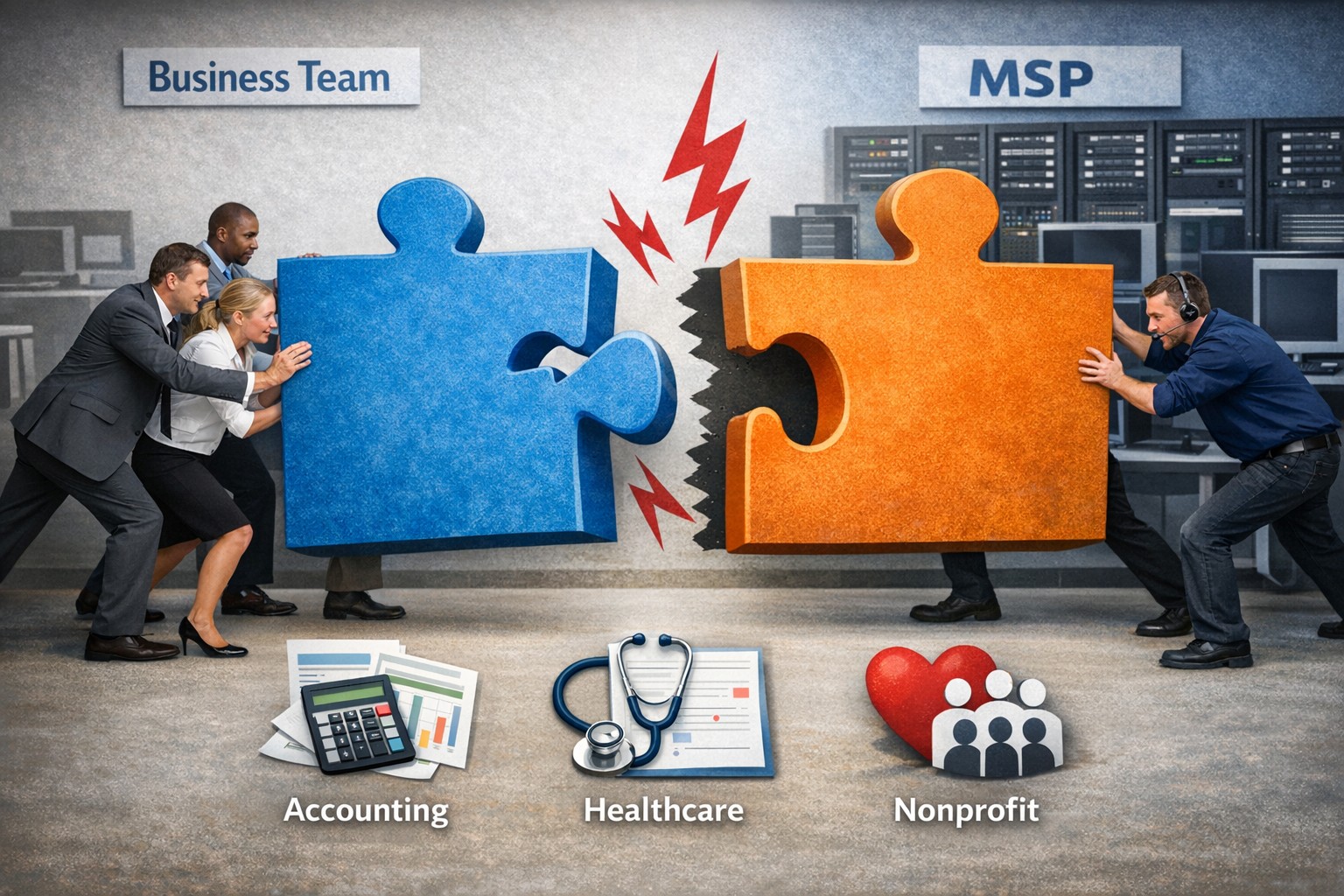
Not every business fits our co-managed IT model—this image shows when the partnership puzzle pieces dont align between your team and ours.
Wanted to take a look at why prospective customers would not want Farmhouse Networking to be their Managed IT Service Provider. This article will be a little tongue-in-cheek, but will hopefully give you a fresh perspective on what to look for in a Managed IT Service Provider.
Why You Don’t Want to Work with Us
We are IT Experts: They will point fingers and blame others instead of taking ownership of your IT problems. Who needs real solutions to problem or to do things the right way the first time – Band-Aid the issues until they go away themselves.
We know your software and hardware: There are lots of other Managed IT Service Providers who are IT generalists who have no experience in your industry who will charge you for their time while they stumble through fixing things.
We live answer our phones: Why would you want to talk to a human who cares when you can simply leave voicemails and hope for a callback? Better yet you can spend your day in the maze of an automated phone menu trying to get to the department that is in charge of your problem.
We communicate: Who really needs to know what is going on with the tickets that are submitted? Isn’t it easier to just make a ticket and have faith in your Managed IT Service Provider to finish the task. It’s even better when they take over your computer and reboot the server before you can save anything.
We only hire the best: There are so many Managed IT Service Providers who are willing to hire just anyone and let them pretend to know how to fix your problems.
We’re local: Who wants to have their computer issues handled by someone in their own country let alone within range to be able to show up quickly when things are really broken? Outsource everything important to your business to the lowest bidder from whatever country and make sure that they are unable to communicate effectively in English.
We’re established and growing: Fly-by-night companies are the way to go. Call up the company that advertises on obscure streaming videos to handle precious customer data.
In all seriousness, take time to think about who is your company’s Managed IT Service Provider and how they are treating you. Consider Farmhouse Networking to take better care of your IT needs.
We saved one client $1600 through targeted server optimization—real results from managed IT that reduces costs without sacrificing performance.
It’s story time again!
This time we will be telling the story of Dr. Nick one of our monthly IT service clients. Back in March, Farmhouse Networking began the process of migrating Dr. Nick’s chiropractic office from their old server to a new one. After carefully preparing the server we contacted their practice management software vendor to get the software moved from the old to the new. The vendor simply asked us to provide them with remote access to the server to allow their techs to do the migration. During this process their tech asked our junior tech who was just there to babysit the process a question about the configuration of the old server. Our tech responded that he was not sure and the software vendor’s tech proceeded to follow his process for setting up the server.
A couple of months go by and we at Farmhouse Networking notice that the new server is not performing as fast as it should be. We investigate the issue and find out that the software vendor’s had installed a free version of a critical piece of the software puzzle instead of re-using the license Dr. Nick had already purchased. Farmhouse Networking then went to the software vendor and explained the issue. We went back and forth with them for months to get them to the point where they finally agreed that they were at fault for the upgrade problem and agreed to pay for the software license to complete the puzzle and fix the speed issue that Dr. Nick and his team were experiencing.
The moral of the story is that Dr. Nick did the right thing by having a support contract with a managed IT service provider, like Farmhouse Networking, who would take ownership of the problem and see it through to the best possible outcome.
Secure your patient data with HIPAA-compliant managed IT: encryption, access controls, and continuous monitoring.
Ensuring the privacy and security of patient information is paramount. The Health Insurance Portability and Accountability Act (HIPAA) sets stringent standards for protecting sensitive patient data. For medical practices, staying compliant with HIPAA regulations can be a daunting task, especially with the increasing complexity of IT systems. This is where a Managed IT Service Provider (MSP) can play a crucial role. In this blog, we’ll explore how partnering with an MSP can help your medical practice remain compliant with HIPAA regulations for data privacy and security.
Understanding HIPAA Compliance
HIPAA compliance involves adhering to a set of rules and regulations designed to safeguard Protected Health Information (PHI). These rules are divided into several key areas:
Privacy Rule: Governs the use and disclosure of PHI.
Security Rule: Establishes standards for protecting electronic PHI (ePHI) through administrative, physical, and technical safeguards.
Breach Notification Rule: Requires covered entities to notify affected individuals, the Secretary of Health and Human Services (HHS), and, in some cases, the media, of a breach of unsecured PHI.
Enforcement Rule: Outlines the penalties for non-compliance and the procedures for investigations and hearings.
The Role of Managed IT in HIPAA Compliance
A Managed IT Service Provider can offer a range of services that help ensure your medical practice remains compliant with HIPAA regulations. Here are some key ways an MSP can assist:
Risk Assessment and Management: HIPAA requires regular risk assessments to identify potential vulnerabilities in your IT systems. An MSP can conduct comprehensive risk assessments to:
Identify and evaluate risks to ePHI.
Implement measures to mitigate identified risks.
Continuously monitor and update risk management strategies.
Data Encryption and Secure Communication: Encrypting ePHI is a critical component of HIPAA compliance. An MSP can implement robust encryption protocols to ensure that data is protected both at rest and in transit. Additionally, they can set up secure communication channels, such as encrypted email, secure messaging platforms, and encrypted file sharing, to protect sensitive information.
Access Control and Authentication: HIPAA mandates strict access controls to ensure that only authorized personnel can access ePHI. An MSP can help by:
Implementing role-based access controls (RBAC).- all users in a group and only specific groups get access to specific things
Setting up multi-factor authentication (MFA) to add an extra layer of security.
Regularly reviewing and updating access permissions.
Backup and Disaster Recovery: Data loss can have severe consequences for HIPAA compliance. An MSP can design and implement a robust backup and disaster recovery plan to ensure that ePHI is regularly backed up and can be quickly restored in the event of data loss or a cyberattack.
Security Awareness Training: Human error is a significant factor in many data breaches. An MSP can provide ongoing security awareness training for your staff to:
Educate them about HIPAA regulations and the importance of data privacy.
Teach best practices for identifying and responding to potential security threats.
Conduct regular phishing simulations to test and improve staff vigilance.
Continuous Monitoring and Incident Response: HIPAA requires continuous monitoring of IT systems to detect and respond to security incidents promptly. An MSP can offer:
24/7 monitoring of your IT infrastructure.
Advanced threat detection and response solutions.
Incident response planning and execution to minimize the impact of security breaches.
Benefits of Partnering with a Managed IT Provider
Partnering with an MSP for HIPAA compliance offers several benefits:
Expertise: MSPs have specialized knowledge and experience in healthcare IT and HIPAA regulations.
Cost-Effectiveness: Outsourcing IT management can be more cost-effective than maintaining an in-house IT team.
Focus on Core Activities: With IT management in the hands of experts, your medical practice can focus on providing quality patient care.
Scalability: MSPs can scale their services to meet the growing needs of your practice.
Ensuring HIPAA compliance is a complex but essential task for any medical practice. By partnering with a Managed IT Service Provider, you can leverage their expertise and resources to safeguard patient data, mitigate risks, and maintain compliance with HIPAA regulations. This not only protects your practice from potential penalties but also builds trust with your patients, knowing their sensitive information is in safe hands. For medical practices looking to navigate the intricacies of HIPAA compliance, a Managed IT Service Provider like Farmhouse Networking can be an invaluable ally in maintaining the highest standards of data privacy and security.
Stepping over dollars to pick up pennies with backup can cost your business more than it saves—invest in reliable online backup instead.
It’s story time again!
This time we are talking about Dave a former client of ours. He decided several years ago to change his accounting practice’s IT support to a national company that produced one of the software packages he used. Dave listened to their sales pitch about a better understanding and support of their software for less money per month. Dave still called us once and awhile to help do things in person because this national company did not have any local presence. It had been almost a year since we had heard from Dave last when we got a phone call from another local computer repair shop asking us for any information we could provide to help them – Dave’s server had crashed and was not booting after a power outage.
It turns out that Dave’s national IT support company did not have any backups of the server. They had no idea how the server was configured and this forced Dave to reach out to the local computer repair shop. We gave them credentials that we had for the backup system we had put in place previously and talked them through reconnecting a network storage device to the server to get the server back to complete functionality. This process took them about a week to complete.
During the time that we did support Dave there was a similar incident with one of his computers. We used the backup system we had recommended to get him back to fully functional in a matter of hours – in the middle of tax season no less.
The moral of the story is that Dave should have stayed with Farmhouse Networking or moved to a managed IT support company that understands both the software and the things that can go wrong in a company like Dave’s account practice so that he could be properly protected.
And God will generously provide all you need. Then you will always have everything you need and plenty left over to share with others. As the Scriptures say, “They share freely and give generously to the poor. Their good deeds will be remembered forever.” For God is the one who provides seed for the farmer and then bread to eat. In the same way, he will provide and increase your resources and then produce a great harvest of generosity in you. - 2 Corinthians 9:8-10
We use cookies to ensure that we give you the best experience on our website. If you continue to use this site we will assume that you are happy with it.