Use clear metrics like response time, uptime, and customer satisfaction to see if your IT provider is truly doing their job.
Businesses heavily rely on their IT providers to ensure smooth operations, enhance productivity, and safeguard data. However, determining whether your IT provider is doing their job effectively can be challenging. Here are some key indicators and evaluation criteria to help you assess their performance.
Quality of Service
1. Response Time and Resolution: A reliable IT provider should have short response times and lasting resolutions. Track how quickly they respond to issues and how often they resolve problems on the first attempt. Consistent delays or repeat issues may indicate they aren’t able to take care of your business properly.
2. Service Quality and Expertise: Evaluate the technical expertise of your IT provider. They should have a proven track record and relevant industry experience. Their ability to manage complex IT environments and provide innovative solutions is crucial.
Cost and Value
1. Cost Structure: Analyze the cost of your IT services, focus on the overall value of what they provide. A transparent pricing model with no hidden fees is also preferable.
2. Budget Management: Your IT provider should help you maintain a predictable IT budget. Proactive management of IT infrastructure should prevent unexpected costs and downtime.
Reliability and Security
1. Uptime and Availability: Assess the reliability of your IT provider in terms of network uptime and system availability. Downtime can lead to significant business losses, so aim for a provider with strong customer centric service level agreements (SLAs) that guarantee high uptime.
2. Security Measures: Inquire about the provider’s security protocols and compliance with regulations like PCI, CMMC, or HIPAA. A comprehensive security framework is essential to protect sensitive data from cyber threats .
Communication and Support
1. Communication Channels: Evaluate the effectiveness of the provider’s communication. They should offer multiple channels for support and maintain open, proactive communication about system updates or maintenance. You should not have to call them for issue status.
2. Customer Support: A dedicated support team can significantly enhance the user experience. Ensure that your provider offers readily available customer support and is responsive to inquiries .
Strategic Alignment
1. Business Understanding: Your IT provider should demonstrate an interest in your business strategy and goals. They should be involved in strategic discussions and provide technology solutions that align with your long-term objectives.
2. Flexibility and Scalability: The ability to customize services to meet your unique needs and scale them as your business grows is a valuable trait in an IT provider. This flexibility can enhance the overall value of their services. Your company should not have to bend to their technology stack.
Regular assessments and open communication with your provider can help ensure that they continue to meet your evolving needs. If you have doubts about your current IT provider, contact Farmhouse Networking to provide a free network evaluation.
Windows 10 end of life preparation: audit compatibility, plan Windows 11 upgrades, and partner with managed IT before support ends October 14, 2025.
As the end of support for Windows 10 approaches in about a year on October 14, 2025, it’s crucial for businesses to start preparing for the transition. This article will guide you through the essential steps to ensure a smooth and secure move to the next phase of your computing experience.
Understanding Windows 10 End of Life
Windows 10 End of Life (EOL) marks the point when Microsoft will cease providing updates, security patches, and technical support for the operating system. This event is significant because it leaves users vulnerable to security risks, compatibility issues with newer software and hardware, and non-compliant with standards like HIPAA, PCI, and CMMC.
Key Steps to Prepare
Assess Your Current Setup: Before making any changes, take stock of your current system:
Identify all devices running Windows 10
Check hardware specifications to make sure old computers are compatible
List essential software and applications
Evaluate Upgrade Options: Consider these alternatives:
Upgrading to Windows 11 for free (if your hardware supports it)
Purchasing new devices with the latest operating system to replace older ones
Plan for Software Compatibility: Ensure your critical applications will work post-transition:
Check compatibility with newer operating systems
Contact software vendors for upgrade options
Consider alternative software solutions if needed
Train Your Team: If you’re managing a business environment:
Educate employees about the upcoming changes
Provide training on new systems or procedures
Establish a support system for the transition period
Set a Timeline: Create a realistic schedule for your transition:
Set milestones for each phase of the preparation
Allow ample time for testing and troubleshooting
Plan for potential downtime during the switch
Financial Considerations: Budgeting for the transition is crucial:
Allocate funds for new hardware if needed
Account for potential software upgrade costs
Consider the long-term cost benefits of modernizing your IT infrastructure
Security Implications: Understand the risks of running an unsupported OS:
Increased vulnerability to malware and cyber attacks
Potential compliance issues for regulated industries
Lack of technical support for critical issues
Remember, a well-planned transition not only safeguards your system but also opens up opportunities for improved performance and productivity. Take the first step now: conduct an inventory of your Windows 10 devices and begin researching upgrade paths. Your future self will thank you for your foresight and preparation.
Don’t wait until the last minute to prepare for Windows 10 End of Life. Start your transition plan today to ensure a secure and efficient computing environment for the future. Let Farmhouse Networking do the heavy lifting by assessing your needs, exploring your options, and taking proactive steps to protect your digital assets.
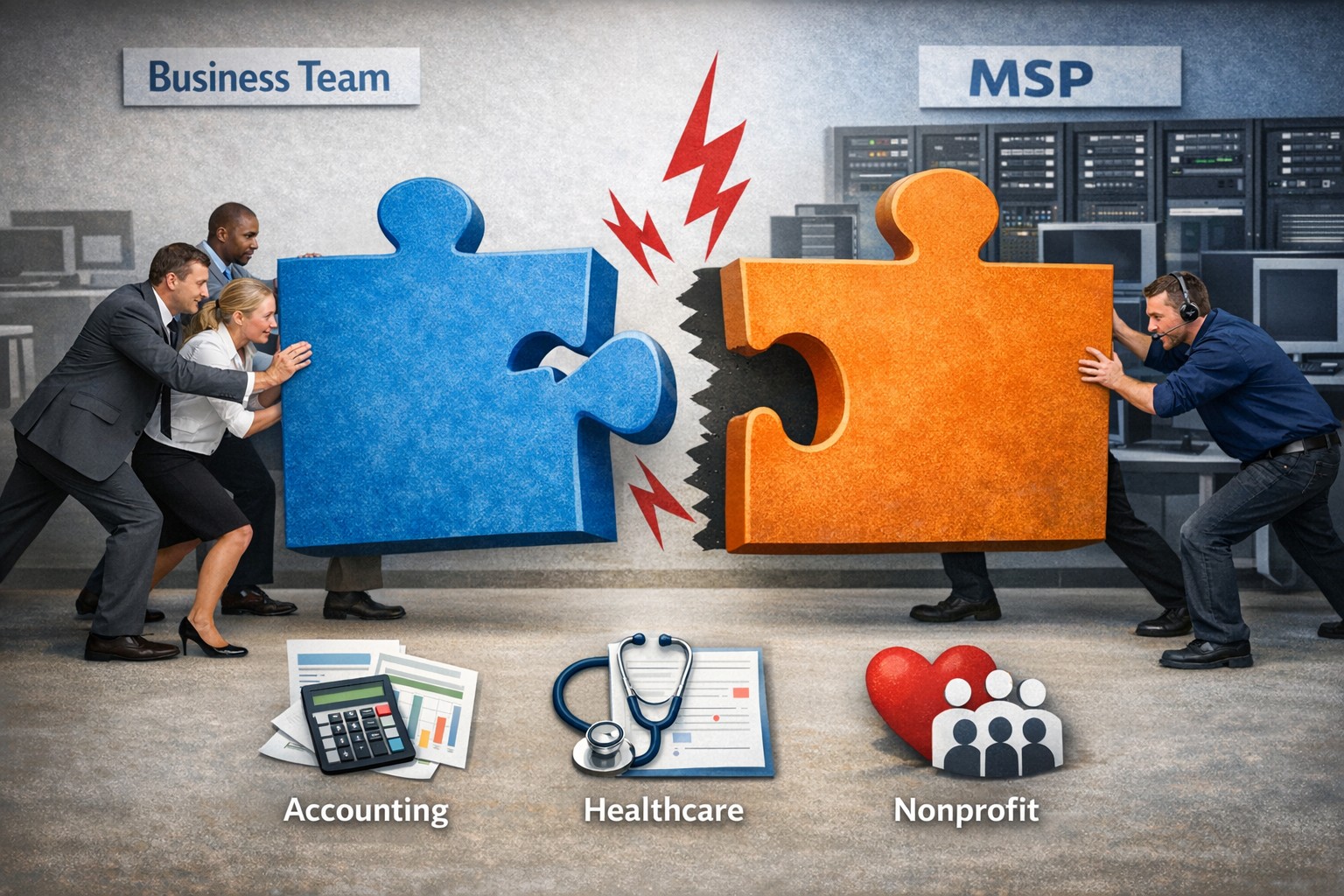
Not every business fits our co-managed IT model—this image shows when the partnership puzzle pieces dont align between your team and ours.
Wanted to take a look at why prospective customers would not want Farmhouse Networking to be their Managed IT Service Provider. This article will be a little tongue-in-cheek, but will hopefully give you a fresh perspective on what to look for in a Managed IT Service Provider.
Why You Don’t Want to Work with Us
We are IT Experts: They will point fingers and blame others instead of taking ownership of your IT problems. Who needs real solutions to problem or to do things the right way the first time – Band-Aid the issues until they go away themselves.
We know your software and hardware: There are lots of other Managed IT Service Providers who are IT generalists who have no experience in your industry who will charge you for their time while they stumble through fixing things.
We live answer our phones: Why would you want to talk to a human who cares when you can simply leave voicemails and hope for a callback? Better yet you can spend your day in the maze of an automated phone menu trying to get to the department that is in charge of your problem.
We communicate: Who really needs to know what is going on with the tickets that are submitted? Isn’t it easier to just make a ticket and have faith in your Managed IT Service Provider to finish the task. It’s even better when they take over your computer and reboot the server before you can save anything.
We only hire the best: There are so many Managed IT Service Providers who are willing to hire just anyone and let them pretend to know how to fix your problems.
We’re local: Who wants to have their computer issues handled by someone in their own country let alone within range to be able to show up quickly when things are really broken? Outsource everything important to your business to the lowest bidder from whatever country and make sure that they are unable to communicate effectively in English.
We’re established and growing: Fly-by-night companies are the way to go. Call up the company that advertises on obscure streaming videos to handle precious customer data.
In all seriousness, take time to think about who is your company’s Managed IT Service Provider and how they are treating you. Consider Farmhouse Networking to take better care of your IT needs.
We saved one client $1600 through targeted server optimization—real results from managed IT that reduces costs without sacrificing performance.
It’s story time again!
This time we will be telling the story of Dr. Nick one of our monthly IT service clients. Back in March, Farmhouse Networking began the process of migrating Dr. Nick’s chiropractic office from their old server to a new one. After carefully preparing the server we contacted their practice management software vendor to get the software moved from the old to the new. The vendor simply asked us to provide them with remote access to the server to allow their techs to do the migration. During this process their tech asked our junior tech who was just there to babysit the process a question about the configuration of the old server. Our tech responded that he was not sure and the software vendor’s tech proceeded to follow his process for setting up the server.
A couple of months go by and we at Farmhouse Networking notice that the new server is not performing as fast as it should be. We investigate the issue and find out that the software vendor’s had installed a free version of a critical piece of the software puzzle instead of re-using the license Dr. Nick had already purchased. Farmhouse Networking then went to the software vendor and explained the issue. We went back and forth with them for months to get them to the point where they finally agreed that they were at fault for the upgrade problem and agreed to pay for the software license to complete the puzzle and fix the speed issue that Dr. Nick and his team were experiencing.
The moral of the story is that Dr. Nick did the right thing by having a support contract with a managed IT service provider, like Farmhouse Networking, who would take ownership of the problem and see it through to the best possible outcome.
Secure your patient data with HIPAA-compliant managed IT: encryption, access controls, and continuous monitoring.
Ensuring the privacy and security of patient information is paramount. The Health Insurance Portability and Accountability Act (HIPAA) sets stringent standards for protecting sensitive patient data. For medical practices, staying compliant with HIPAA regulations can be a daunting task, especially with the increasing complexity of IT systems. This is where a Managed IT Service Provider (MSP) can play a crucial role. In this blog, we’ll explore how partnering with an MSP can help your medical practice remain compliant with HIPAA regulations for data privacy and security.
Understanding HIPAA Compliance
HIPAA compliance involves adhering to a set of rules and regulations designed to safeguard Protected Health Information (PHI). These rules are divided into several key areas:
Privacy Rule: Governs the use and disclosure of PHI.
Security Rule: Establishes standards for protecting electronic PHI (ePHI) through administrative, physical, and technical safeguards.
Breach Notification Rule: Requires covered entities to notify affected individuals, the Secretary of Health and Human Services (HHS), and, in some cases, the media, of a breach of unsecured PHI.
Enforcement Rule: Outlines the penalties for non-compliance and the procedures for investigations and hearings.
The Role of Managed IT in HIPAA Compliance
A Managed IT Service Provider can offer a range of services that help ensure your medical practice remains compliant with HIPAA regulations. Here are some key ways an MSP can assist:
Risk Assessment and Management: HIPAA requires regular risk assessments to identify potential vulnerabilities in your IT systems. An MSP can conduct comprehensive risk assessments to:
Identify and evaluate risks to ePHI.
Implement measures to mitigate identified risks.
Continuously monitor and update risk management strategies.
Data Encryption and Secure Communication: Encrypting ePHI is a critical component of HIPAA compliance. An MSP can implement robust encryption protocols to ensure that data is protected both at rest and in transit. Additionally, they can set up secure communication channels, such as encrypted email, secure messaging platforms, and encrypted file sharing, to protect sensitive information.
Access Control and Authentication: HIPAA mandates strict access controls to ensure that only authorized personnel can access ePHI. An MSP can help by:
Implementing role-based access controls (RBAC).- all users in a group and only specific groups get access to specific things
Setting up multi-factor authentication (MFA) to add an extra layer of security.
Regularly reviewing and updating access permissions.
Backup and Disaster Recovery: Data loss can have severe consequences for HIPAA compliance. An MSP can design and implement a robust backup and disaster recovery plan to ensure that ePHI is regularly backed up and can be quickly restored in the event of data loss or a cyberattack.
Security Awareness Training: Human error is a significant factor in many data breaches. An MSP can provide ongoing security awareness training for your staff to:
Educate them about HIPAA regulations and the importance of data privacy.
Teach best practices for identifying and responding to potential security threats.
Conduct regular phishing simulations to test and improve staff vigilance.
Continuous Monitoring and Incident Response: HIPAA requires continuous monitoring of IT systems to detect and respond to security incidents promptly. An MSP can offer:
24/7 monitoring of your IT infrastructure.
Advanced threat detection and response solutions.
Incident response planning and execution to minimize the impact of security breaches.
Benefits of Partnering with a Managed IT Provider
Partnering with an MSP for HIPAA compliance offers several benefits:
Expertise: MSPs have specialized knowledge and experience in healthcare IT and HIPAA regulations.
Cost-Effectiveness: Outsourcing IT management can be more cost-effective than maintaining an in-house IT team.
Focus on Core Activities: With IT management in the hands of experts, your medical practice can focus on providing quality patient care.
Scalability: MSPs can scale their services to meet the growing needs of your practice.
Ensuring HIPAA compliance is a complex but essential task for any medical practice. By partnering with a Managed IT Service Provider, you can leverage their expertise and resources to safeguard patient data, mitigate risks, and maintain compliance with HIPAA regulations. This not only protects your practice from potential penalties but also builds trust with your patients, knowing their sensitive information is in safe hands. For medical practices looking to navigate the intricacies of HIPAA compliance, a Managed IT Service Provider like Farmhouse Networking can be an invaluable ally in maintaining the highest standards of data privacy and security.
Stepping over dollars to pick up pennies with backup can cost your business more than it saves—invest in reliable online backup instead.
It’s story time again!
This time we are talking about Dave a former client of ours. He decided several years ago to change his accounting practice’s IT support to a national company that produced one of the software packages he used. Dave listened to their sales pitch about a better understanding and support of their software for less money per month. Dave still called us once and awhile to help do things in person because this national company did not have any local presence. It had been almost a year since we had heard from Dave last when we got a phone call from another local computer repair shop asking us for any information we could provide to help them – Dave’s server had crashed and was not booting after a power outage.
It turns out that Dave’s national IT support company did not have any backups of the server. They had no idea how the server was configured and this forced Dave to reach out to the local computer repair shop. We gave them credentials that we had for the backup system we had put in place previously and talked them through reconnecting a network storage device to the server to get the server back to complete functionality. This process took them about a week to complete.
During the time that we did support Dave there was a similar incident with one of his computers. We used the backup system we had recommended to get him back to fully functional in a matter of hours – in the middle of tax season no less.
The moral of the story is that Dave should have stayed with Farmhouse Networking or moved to a managed IT support company that understands both the software and the things that can go wrong in a company like Dave’s account practice so that he could be properly protected.
CrowdStrike Falcon update triggers massive IT outage across cloud services
The recent CrowdStrike IT outage on July 19, 2024, caused by a defective update for Windows, serves as a stark reminder of the importance of managing IT infrastructure and proactive measures to prevent system downtime. While no system is entirely immune to outages, there are several strategies businesses can implement to minimize the risk and impact of such incidents.
Key Strategies to Prevent IT Outages
Improve Continuous Integration / Continuous Deployment (CI/CD) Practices: One of the most effective ways to prevent outages caused by software updates is to enhance CI/CD practices. This approach involves:
Automating the testing and deployment process
Implementing rigorous quality assurance checks
Using staging environments to test updates before full deployment
Gradually rolling out updates to detect issues early
By improving CI/CD practices, businesses can catch potential issues before they affect the entire network, reducing the likelihood of widespread outages.
Implement Comprehensive Load / Failure Testing: Regular load testing is crucial to ensure that systems can handle typical use cases and determine their potential in high use scenarios. A game plan should also be put in place for when systems fail to map out the road to recovery. This involves:
Simulating various levels of user activity
Identifying performance bottlenecks
Optimizing system architecture and configuration
Preparing for crisis scenarios, such as partial resource failures
Practice response to system failures before they become reality
Load / failure testing helps businesses understand their system’s limitations and address potential issues before they lead to outages.
Ensure Proper Scalability: As businesses grow, their IT infrastructure must be able to scale accordingly. This includes:
Designing systems with future growth in mind
Utilizing cloud technologies for flexible resource allocation
Regularly reviewing and updating system architecture
Implementing efficient systems that can handle increased business
Proper scalability ensures that systems can continue to function effectively as demand increases, reducing the risk of outages due to overload.
Enable Automatic Updates with Caution: While automatic updates can help keep systems secure and up-to-date, they should be implemented carefully. Best practices include:
Testing updates in a controlled environment before widespread deployment
Staggering updates across different system components
Having a rollback plan in case of issues
Monitoring systems closely after updates are applied
Automatic updates can help prevent security vulnerabilities, but they must be managed carefully to avoid introducing new issues.
Implement Comprehensive Monitoring: A robust monitoring system is essential for detecting and addressing potential issues before they escalate into outages. This includes:
Using a centralized monitoring platform for all IT infrastructure
Outsourcing it management is resources are not available
Setting up alerts for unusual system behavior or performance metrics
Implementing predictive analytics to identify potential issues early
Regularly reviewing and updating monitoring parameters
Comprehensive monitoring allows businesses to take a proactive approach to system management, reducing the risk of unexpected outages.
Conduct Regular Employee Training: Human error is a common cause of IT outages. Regular employee training can help mitigate this risk. Training should cover:
Best practices for system usage
Recognizing and reporting potential security threats
Proper procedures for applying updates and patches
Emergency response protocols in case of system issues
Well-trained employees are less likely to make mistakes that could lead to outages and are better equipped to respond effectively when issues do occur.
Don’t let IT outages disrupt your business. Take action now to protect your company’s technology infrastructure. Call Farmhouse Networking today at (541) 761-9549 to schedule a comprehensive IT assessment and learn how our expert team can implement strategies to prevent costly downtime. Secure your business’s future with proactive IT management.
Safeguarding your business data is paramount. Cyber threats are ever-evolving, and data breaches can have severe consequences. To fortify your business defenses, consider implementing the following security and encryption tools:
Operating System Encryption
Encryption is the process where normal data is transformed into something unreadable without the keys unlock it. Windows has encryption built in using BitLocker software in conjunction with modern hardware to keep data safe on physical hard drives. In case a computer is stolen or lost the data is unreadable (assuming the password protecting the computer is strong).
Virtual Private Network / Zero Trust Network Access
Whenever employees are remote or working from home they need to be able to connect to company resources without endangering company data. This is best done through Zero Trust Network Access (ZTNA) which is the next-gen replacement for the older virtual private network connection ZTNA assumes that all connections are threats unless proven otherwise and those who are connecting must have their computers tested to make sure they are safe. This approach also only allows users to connect to the resources that are specifically needed to function.
Antivirus / Extended Detection and Response
One key to staying cyber secure is to recognize and repel threats before they do any damage. Utilizing AI and automation extended detection and response (XDR) is the modern replacement for antivirus. It is able to detect behavior patterns that malicious software and hackers use when attacking your systems then automatically undue any changes they have made.
Email Encryption and SPAM Filtering
When sending sensitive data via email it is now the standard to send it via encrypted channels with each message also being encrypted. Most companies that provide encryption also provide SPAM filtering which keeps phishing, spoofing, and malicious emails from targeting employees. This is often the most effective means hackers use to gain a foot hold in networks.
Backups
There will inevitably be times when hackers are able to breach even the best defenses, so the only recourse at that time is to have good backups in multiple locations to recover once the attacker is repelled. Without good backups many companies have had to pay ransoms and hope for a response or go out of business.
Remember, data security is an ongoing process. Combine these tools with user education and strong password practices,. Stay vigilant, adapt to new threats, and invest wisely in protecting your digital assets and reputation. Call Farmhouse Networking to advise you on how to best secure your business.
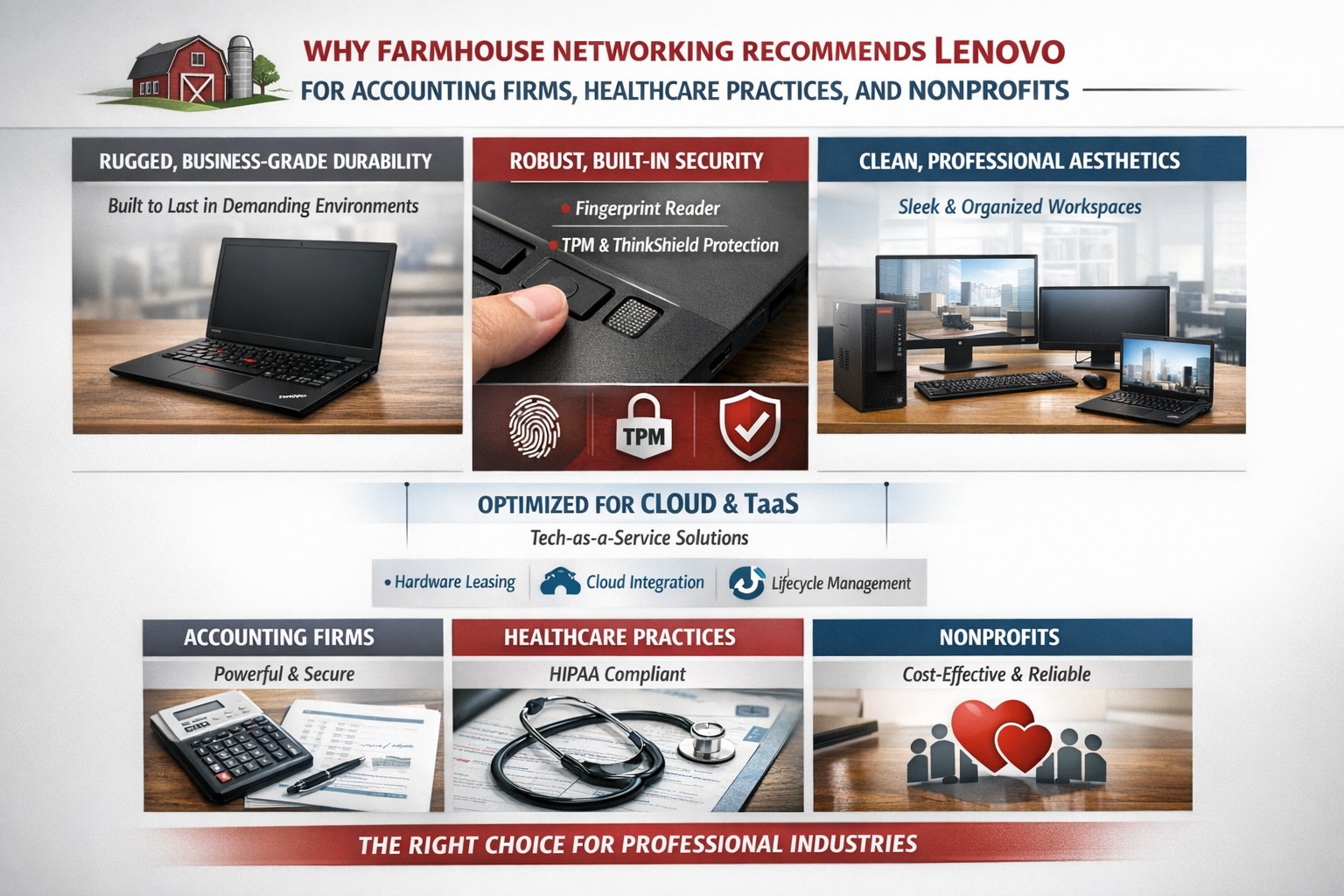
Lenovo ThinkPad laptops and desktops are the best choice for business computers because of durability, security, performance, and easy integration into managed IT and TaaS.
Farmhouse Networking only recommends the best computers for your business and Lenovo stands head and shoulders above the rest. Here are several reasons why Lenovo is the best company for businesses to buy computers from:
Unmatched Reliability and Durability
Lenovo’s ThinkPad series is renowned for its durability and reliability. Originally developed by IBM, ThinkPads have been a staple in the business world for decades. These laptops undergo rigorous MIL-SPEC testing to ensure they can withstand extreme conditions, making them ideal for professionals who need a dependable device.
Superior Performance
Lenovo computers are designed with performance in mind. Whether you need a powerful desktop for complex data analysis or a lightweight laptop for on-the-go productivity, Lenovo offers a range of devices equipped with the latest processors, ample memory, and high-quality graphics. This ensures that your business operations run smoothly and efficiently.
Innovative Features
Lenovo consistently integrates innovative features into their products. For instance, the ThinkPad X1 Carbon Gen 11 offers a sleek design, fast processor options, and a long battery life, making it a versatile choice for any business. Additionally, Lenovo’s business laptops often come with advanced security features, such as biometric authentication and encryption, to protect sensitive business data.
Customizability and Upgradability
One of the standout features of Lenovo computers is their customizability. Businesses can choose from a variety of configurations to meet their specific needs. Moreover, many Lenovo laptops and desktops are designed to be easily upgradable, allowing businesses to extend the lifespan of their devices by upgrading components as needed.
Excellent Support and Warranty
Lenovo offers robust customer support and comprehensive warranty options. This ensures that businesses can get timely assistance and repairs, minimizing downtime and keeping operations running smoothly. Lenovo’s support services are highly rated, providing peace of mind for business owners. We always recommend that our clients sign up for the next business day warranties because they come onsite with parts the day after your first phone call.
Eco-Friendly Initiatives
Lenovo is committed to sustainability and eco-friendly practices. The company has made significant strides in reducing its environmental impact through energy-efficient products and sustainable manufacturing processes. For businesses looking to reduce their carbon footprint, Lenovo’s eco-friendly initiatives are a significant plus.
Spread the Costs with Tech-as-a-Service
Lenovo helps owners spread out the cost of new computers by allowing clients to finance their hardware or setup Tech-as-a-Service plan that turns hardware from a capital expense to an operating expense.
If your company is looking to update your fleet of laptops for remote workers, equip your engineers with the powerful workstations to create product models, or take advantage of the latest innovations to increase productivity – call Farmhouse Networking to let us do the shopping for you.
We pray daily for client prosperity, protection, and thriving businesses
We are a faith forward company and part of our expression of the faith is our interaction with our clients.
Why pray?
We meet with our clients twice a year and during those meetings we discuss what is going on in their business. Part of this discussion is asking our clients if there is anything that we can be praying for their business or personally. Our owner believes in the power of prayer and takes each of these requests to God in prayer each morning. We have seen specific and powerful answers to our prayers, so we give God the credit for that.
If you or your company would like to be prayed for each morning then contact us and we will lift them up in prayer.
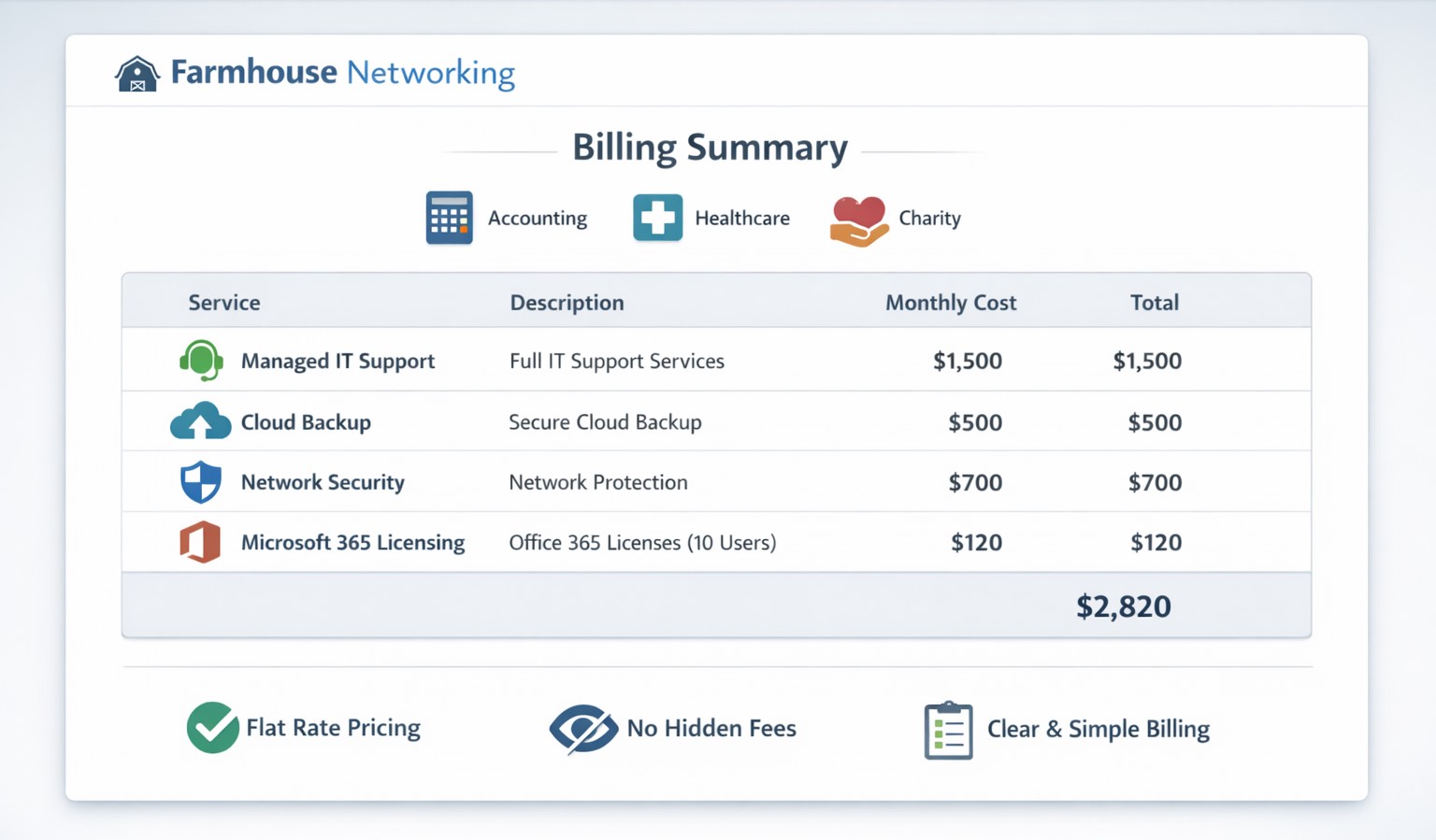
Our billing practices make us unique by offering clear, predictable pricing and no hidden fees for co‑managed IT services.
Our owner, Scott Carr, has been working in the Managed IT Service Provider (MSP) and computer support industry for over 30 years. During that time he owned several different companies and has worked for other larger MSPs. The main take away from this experience is that other companies are out for profit at the expense of the client’s business success. They bill for their time and hardware in ways that make them the most money without concern about whether it is a good fit for the client.
So what are your billing practices?
Hourly billing: Farmhouse Networking has always had the policy that to bill clients for a full hour when only working on the task for couple of minutes is just taking more than our fair share. We decided from the beginning to bill our clients in 15 minute increments to keep billing honest and fair to the companies we serve.
Contracts: For years, Farmhouse Networking would only have month-to-month contracts with all of its monthly managed clients. We recently made the change to shielding our clients from inflationary price increases by having them sign a year contract to lock in prices for that term. We still offer month-to-month contracts for our clients who want the freedom that kind of agreement brings.
Hardware: When Farmhouse Networking takes on the management of a new client, we do not have requirement for clients to change out their hardware to using only the vendors that we recommend. We work with the client to develop a 5-year plan of hardware replacement to spread the costs of keeping equipment up-to-date. We have partnered with several hardware wholesalers to get the best-fit products for our client’s need at the best prices. We cannot compete with major online retailers prices, but trust our clients want to support us and allow us to have the reasonable markup of 15% on the products we sell.
Charity prices: For those companies that meet our charitable donation criteria, Farmhouse Networking offers deeply discounted hourly rates, contract terms, and hardware. We do this so that the causes we believe in are able to better serve those in the deepest need.
If your company is looking to partner with a Managed IT Service Provider that is transparent and fair with their biling practices, then contact Farmhouse Networking to get a free quote.
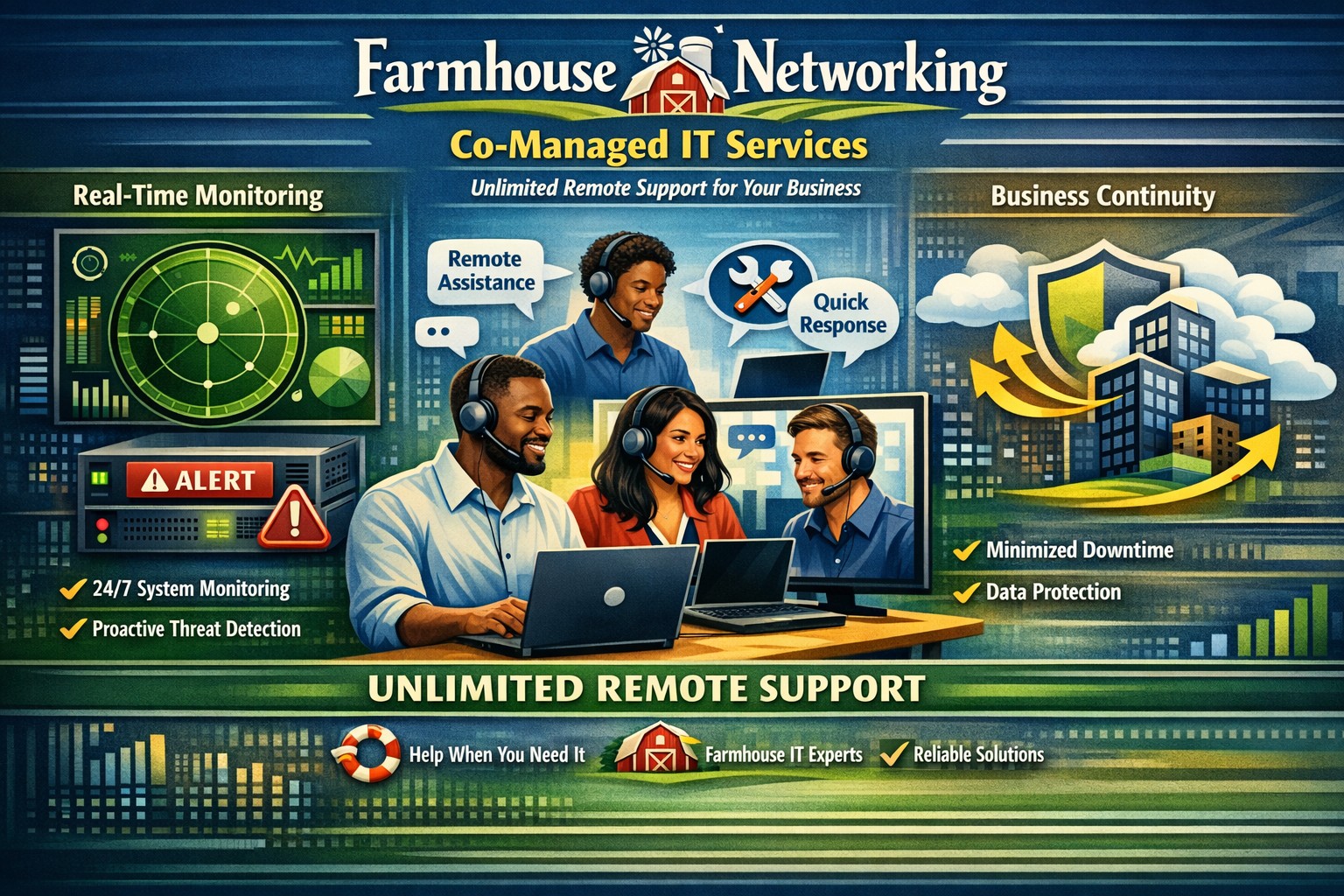
Co-managed IT delivers unlimited remote support to minimize downtime and enhance productivity
Some may wonder why we include unlimited remote support in our most popular monthly IT managed services contracts. The answer is simple. Our founder worked for other MSPs and has kept tabs on the industry standards and does not agree with how they bill their clients.
How the other guys do it
Block Hour Contracts: There are many managed IT service companies out there who use this model which is very similar to the way many attorneys use a retainer – except in this case it is usually a monthly re-occurring charge. You pay a flat fee for a specified number of hours. The draw back of this is there are some months where you are over paying for the amount of time used and other months where you are charged overage fees.
Per User Contracts: The latest trend is to count the number of employees and charge a per user fee. This may seem appealing to companies with small numbers of users and large numbers of devices. The price for this kind of service is usually very high and the services included in the contract are not always clear. There is just too much room for inflated margins here. There can also be caps on the number of remote hours included in the contract which could result in overages.
How Farmhouse Networking does it
Per Device Contract: We take the average cost of supporting a particular device across all our clients then add a small margin to keep the lights on and our employees fed. There are no hidden fees or hour caps to our most popular monthly IT managed service contracts. Call us during business hours, have the phone answered by our professional staff, get fast and effective support, and go on with your work day.
If you are tired of getting the run around from your current IT service provider, call Farmhouse Networking for simple unlimited remote support.
Streamline client maintenance via RMM automation and AI at Farmhouse Networking
Farmhouse Networking (FHN) is constantly looking for ways to enhance the services that we offer to our clients. Automation and artificial intelligence (AI) are two technologies that have emerged to streamline this process.
FHN uses automation to manage tasks that are typically performed manually, such as system configuration, software installation, and server maintenance. By automating these tasks, FHN can prevent human error and ensure that their clients’ systems remain up to date and secure.
In addition, FHN uses AI to monitor clients’ systems for potential issues, such as hardware failure, security breaches, or performance issues. AI-powered systems can analyze data to detect patterns or anomalies that may indicate a problem, allowing FHN to act quickly based on this laser focused data to prevent downtime or data loss.
Contact us today to learn how Farmhouse Networking can future-proof your network with our innovative maintenance solutions.
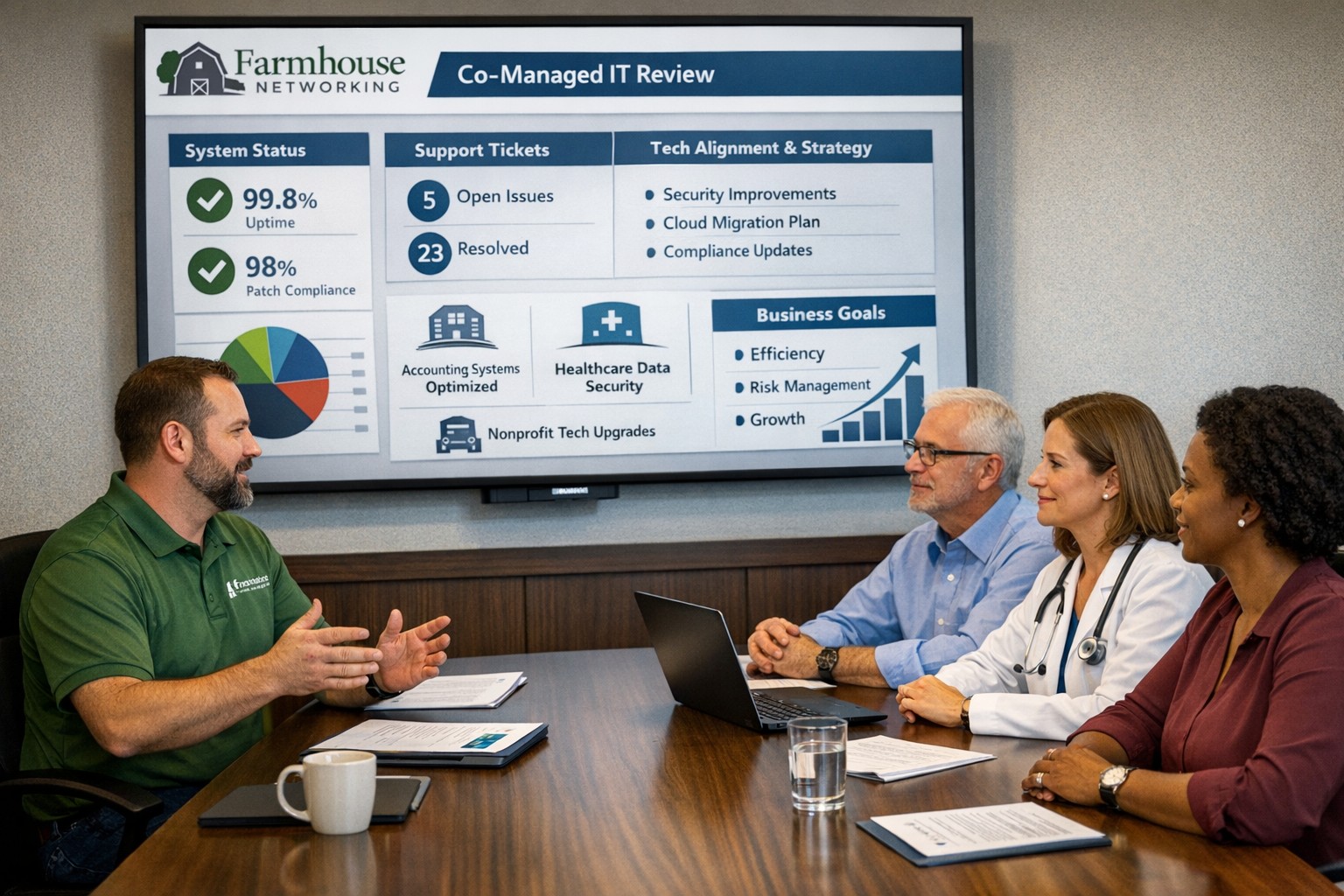
We hold SABR meetings with clients to review IT performance, risks, and strategy, ensuring your business stays aligned, secure, and ahead of issues.
As a Managed Service Provider (MSP), one of our main objectives is to provide our clients with top-notch IT solutions. In order to achieve this, it is essential to have a clear understanding of your client’s needs, goals, and challenges. This is where Semi-Annual Business Review (SABR) meetings come in.
A SABR is a meeting between the Farmhouse Networking and the client, typically held in the Spring and Fall, to review the client’s IT infrastructure, identify areas of improvement, and develop a roadmap for the future. The SABR provides a structured framework for discussing IT needs and aligning them with business goals.
Why does Farmhouse Networking use SABR meetings with their clients?
Improve communication: SABR meetings are an opportunity for Farmhouse Networking to strengthen their relationships with clients. Through regular SABR meetings, Farmhouse Networking can improve communication with the clients, identify pain points, and develop a better understanding of the client’s business operations.
Identify areas for improvement: Regular network inventories and standards compliance reviews provide Farmhouse Networking with a comprehensive view of the client’s IT infrastructure, allowing us to identify areas for improvement, non-alignment with industry standards, and to develop a roadmap for addressing those areas.
Align IT with business goals: The SABR meeting helps align IT objectives with business goals by allowing the client to disclose their vision for the companies future. This ensures that the client’s IT infrastructure is working towards achieving those objectives that are important to the business.
Proactive approach: SABR meetings allow Farmhouse Networking to take a proactive approach to IT management. By identifying potential problems before they occur, Farmhouse Networking can prevent downtime, system crashes, and other issues that can negatively impact the client’s business operations.
By regularly conducting SABR meetings, Farmhouse Networking can ensure that their clients are receiving the best possible IT solutions, positioning them as trusted advisors in their field.
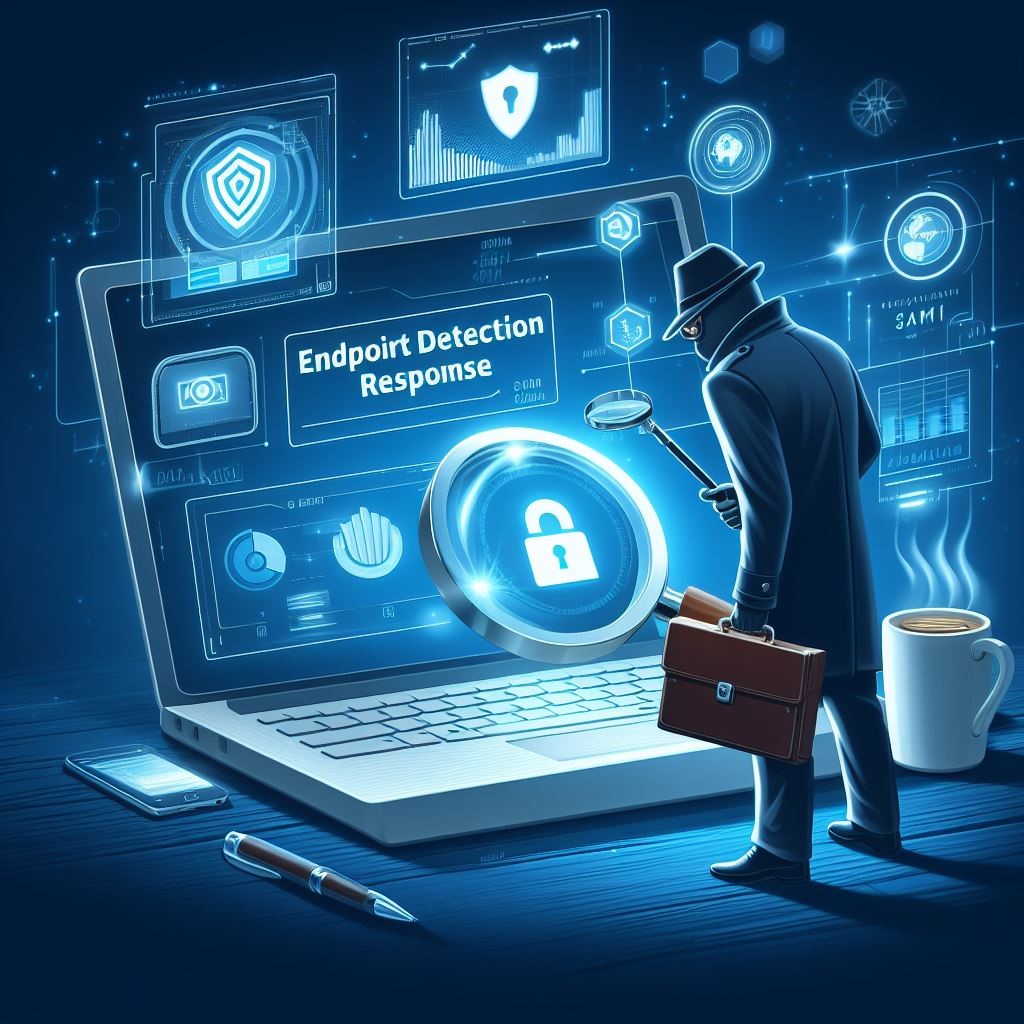
EDR provides SMBs with real-time endpoint monitoring, automatic threat quarantine, and rapid incident response to minimize breaches.
Cybersecurity is more important than ever. Cyber threats are evolving and becoming increasingly sophisticated, making it essential for small and medium-sized businesses (SMBs) to protect their sensitive information. One crucial tool in the cybersecurity arsenal is Endpoint Detection & Response (EDR). In this article, we will explore why SMBs should prioritize EDR and the benefits it brings to their cybersecurity posture.
Understanding Endpoint Detection & Response
Endpoint Detection & Response (EDR) is a proactive cybersecurity solution that focuses on detecting, investigating, and mitigating advanced threats at the endpoint level. Endpoint refers to any device connected to a network, such as laptops, desktops, servers, or even mobile devices. EDR solutions monitor endpoints in real-time, collecting and analyzing data to identify and respond to suspicious activities or potential security breaches.
The Rising Threat Landscape for SMBs
SMBs often mistakenly believe that they aren’t attractive targets for cybercriminals due to their size. However, the reality is quite different. In fact, SMBs are increasingly being targeted by cybercriminals because they often have fewer resources dedicated to cybersecurity, making them an easier target. According to recent studies, nearly half of all cyberattacks target SMBs.
Moreover, the consequences of a successful cyberattack on an SMB can be devastating. From financial loss to reputational damage, the impact can be significant, and in some cases, even cause businesses to shut down. This highlights the urgent need for SMBs to invest in robust cybersecurity measures, such as EDR.
The Benefits of Endpoint Detection & Response for SMBs
Real-time Threat Detection: EDR solutions provide continuous monitoring of endpoint activities, enabling real-time threat detection. By analyzing behavioral patterns and indicators of compromise, EDR can quickly identify potential threats, allowing businesses to respond promptly and mitigate risks before they result in data breaches or system compromises.
Improved Incident Response Capabilities: EDR not only detects threats but also provides valuable insights to aid in incident response. It records endpoint activity logs, allowing security teams to investigate incidents, identify root causes, and take appropriate action to contain and remediate the threat effectively.
Visibility and Control: SMBs often struggle with limited visibility into their IT environments. EDR solutions provide deeper visibility into endpoints across the network, allowing IT teams to identify vulnerabilities, enforce security policies, and ensure compliance with regulatory requirements.
Proactive Threat Hunting: EDR empowers SMBs to take a proactive approach to cybersecurity by actively hunting for potential threats. By leveraging advanced detection techniques and threat intelligence, EDR can identify and mitigate emerging threats even before they have a chance to impact the organization.
Simplified Security Operations: Automating threat detection and response processes frees up valuable time for IT teams, enabling them to focus on other critical tasks. EDR solutions can automatically contain and remediate threats, reducing the burden on IT staff and improving overall efficiency.
Overcoming Challenges in Implementing EDR
While EDR offers immense benefits, implementing and managing EDR solutions can pose challenges for SMBs. Common obstacles include limited budgets and resources, the complexity of deployment, and the need for ongoing monitoring and maintenance. However, by partnering with a reliable cybersecurity provider, like Farmhouse Networking, that understands the unique needs of SMBs, these challenges can be overcome and the full potential of EDR can be realized.
It is not a matter of if you will be targeted, but when. Let Farmhouse Networking take proactive steps to secure your endpoints and fortify your cybersecurity defenses with EDR.
Enhance business cybersecurity defenses using advanced website filtering from Farmhouse Networking.
Businesses are faced with an ever-growing number of cybersecurity threats. One effective method to protect your organization’s sensitive data and network is implementing website filtering. Website filtering solutions offer businesses an essential tool to manage and safeguard their networks, ensuring employees are protected from accessing malicious or inappropriate websites. We will explore the importance of website filtering for business cybersecurity and provide practical insights for implementation.
Understanding Website Filtering:
Website filtering is an advanced security measure that enables organizations to control the websites that can be accessed by their employees. This essential cybersecurity practice helps mitigate risks associated with malware, phishing attacks, and overall data breaches. Through the implementation of website filtering, businesses can proactively manage internet usage, reduce network congestion, and improve productivity.
Benefits of Website Filtering:
Enhanced Network Security: By filtering out potentially harmful websites, businesses can significantly reduce the risk of malware infiltration, phishing attempts, and other cyber threats. Website filtering acts as a vital line of defense, preventing employees from inadvertently accessing websites hosting malicious content and safeguarding sensitive corporate data.
Regulatory Compliance: As the healthcare industry is subject to strict compliance regulations, implementing website filtering can help organizations maintain adherence to industry-specific regulations such as HIPAA. By blocking access to unauthorized websites or content, businesses ensure they are aligning with compliance requirements, reducing the potential for fines or legal repercussions.
Increased Employee Productivity: Unrestricted internet access often leads to time-wasting activities, reducing overall productivity within the organization. With website filtering, businesses can minimize distractions by blocking access to social media platforms, gaming websites, or other non-work-related sites, fostering a more focused work environment.
Bandwidth Optimization: Streaming services and large media files can significantly impact network bandwidth, leading to slower connections and decreased productivity. Website filtering helps alleviate this strain by allowing organizations to control access to bandwidth-intensive websites or file-sharing platforms, optimizing network performance.
Choosing the Right Website Filtering Solution:
When selecting a website filtering solution, organizations should consider the following:
Granular Control: Look for a solution that offers granular control, allowing you to tailor website filtering policies to specific departments or individual users. This flexibility ensures that employees only have access to relevant websites and content necessary for their job roles.
Real-Time Updates: The cybersecurity landscape evolves rapidly, with new threats emerging constantly. Ensure your chosen website filtering solution offers AI powered real-time updates and threat intelligence to protect against the latest risks effectively.
User-Friendly Interface: Implementing a user-friendly website filtering solution simplifies management. Look for a solution with an intuitive interface that enables easy configuration and monitoring of website filtering policies.
Potential Challenges and Mitigation Strategies:
While website filtering can provide numerous benefits, there are potential challenges to consider:
False Positives: Overzealous website filtering policies can sometimes lead to legitimate websites being inaccurately blocked, causing frustration for employees. Regularly review and fine-tune filtering policies to minimize the risk of false positives, striking a balance between security and productivity.
BYOD (Bring Your Own Device) Environments: There is an increasing reliance on personal devices to access corporate networks. Ensure that your website filtering solution extends to cover such devices and effectively enforces security policies, mitigating the risk of potential threats from unsecured devices.
Ongoing Maintenance and Monitoring: Website filtering requires ongoing maintenance and monitoring to ensure optimal performance and adaptability to emerging threats. Assign dedicated IT staff or consider a managed service provider (MSP) like Farmhouse Networking to oversee the implementation, management, and updates of your website filtering solution.
Website filtering is a critical component of any business’s cybersecurity strategy, providing robust protection against web-based threats and enhancing network security. Farmhouse Networking provides website filtering service to all our monthly managed clients at no additional cost. Sign-up today to become cyber secure.
Proactive pentesting safeguards SMBs from cyber threats and ensures compliance
Cyberattacks are on the rise and the cost of data breaches continues to climb – it’s crucial for every organization, regardless of its size, to prioritize cybersecurity. Small and medium-sized businesses (SMBs) often assume they are not attractive targets for hackers due to their perceived limited resources. However, this very assumption can leave them vulnerable to cyber threats. In this blog post, we will explore the value of penetration testing for SMBs and highlight how they can play a crucial role in protecting your business from potential attacks.
Understanding Penetration Tests:
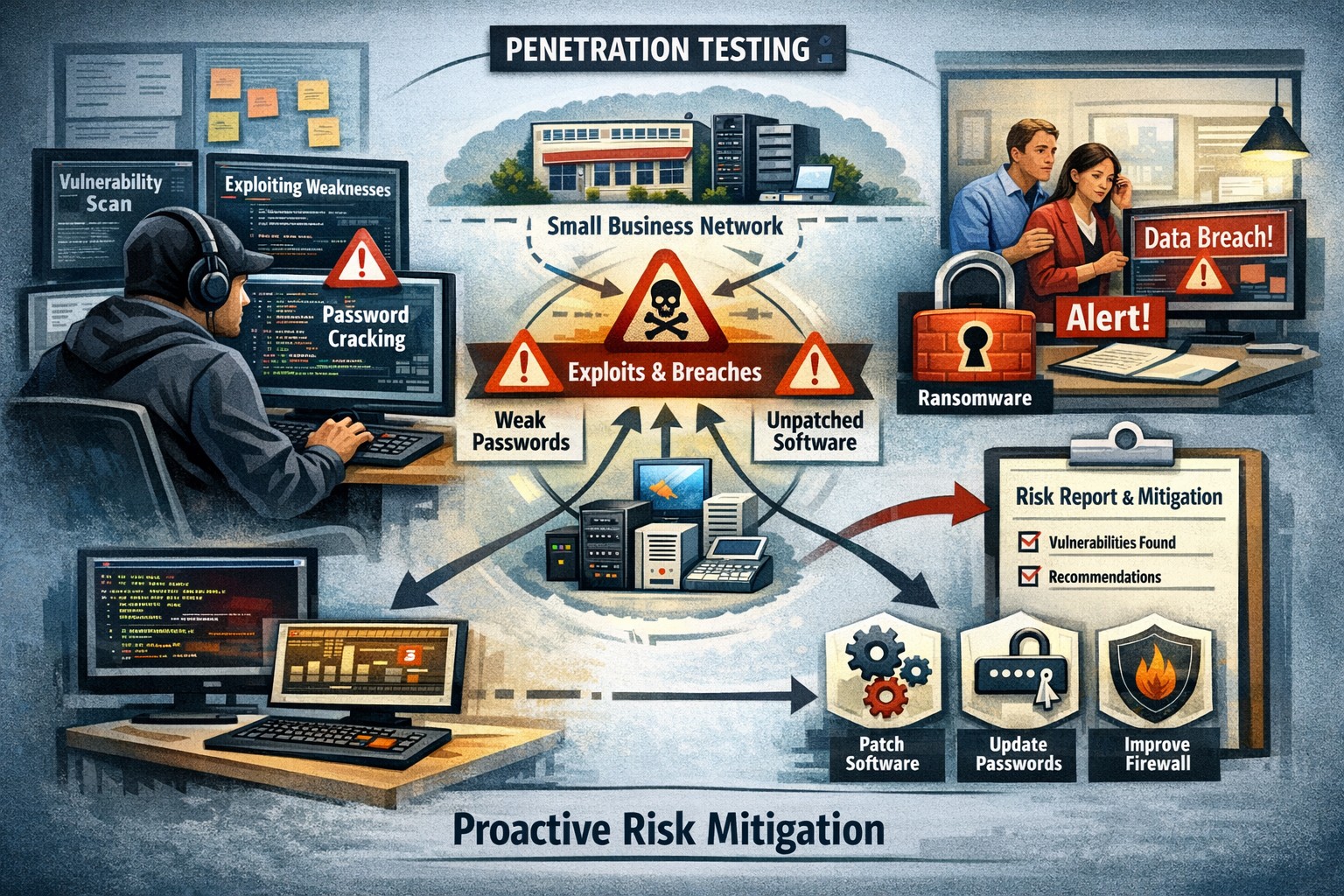
Penetration tests, also known as pentests or ethical hacking, involve simulating real-world cyberattacks on your organization’s systems and networks. This process aims to identify vulnerabilities and weaknesses that could potentially be exploited by malicious actors. By conducting comprehensive testing, you can gain insights into your organization’s security posture, discover any weaknesses, and take proactive measures to mitigate risks.
Value for SMBs:
A common misconception is that penetration tests are only suitable for large enterprises with extensive resources. However, SMBs can significantly benefit from these tests as well. Here are some compelling reasons why penetration tests are valuable for SMBs:
Proactive Defense: Penetration tests allow SMBs to adopt a proactive approach in identifying vulnerabilities and addressing them before malicious actors can exploit them. This helps prevent potential cyberattacks and the subsequent damage to your business, reputation, and customer trust.
Risk Mitigation: SMBs often lack the robust security measures and dedicated teams that larger organizations have. Conducting penetration tests helps identify and prioritize vulnerabilities, allowing you to allocate resources effectively and address the most critical risks within your limited budget.
Compliance Requirements: Many SMBs operate in highly regulated industries such as healthcare, finance, or legal sectors. Compliance standards often require regular security testing, including penetration tests. By conducting such tests, SMBs can demonstrate compliance with industry regulations and avoid potential penalties or legal complications.
Challenges and Considerations:
While penetration tests offer numerous advantages for SMBs, it’s essential to understand and address potential challenges:
Cost: Budget constraints are a common concern for SMBs. However, bear in mind that the potential cost of a data breach or cyberattack can be far more detrimental to your business. Prioritize your security investments wisely and consider partnering with a reputable and cost-effective cybersecurity provider like Farmhouse Networking.
Skill Gap: SMBs may lack in-house expertise to conduct penetration tests. Engaging a skilled and reputable penetration testing firm can provide expert insights and tailor the tests to your specific requirements.
By investing in proactive security measures, SMBs can stay one step ahead of cyber threats and build a resilient foundation for sustained growth and success. Partner with a trusted cybersecurity provider to conduct regular penetration tests and fortify your organization’s security posture.
Follow these steps to make your office paperless and embrace a digital workflow that improves efficiency, reduces clutter, and keeps files secure.
Many businesses are seeking ways to reduce their environmental footprint and optimize operations. One significant step towards achieving these goals is transitioning from a traditional paper file office setup to a paperless environment. This article will explore how to make your office paperless, highlighting the myriad benefits this shift can bring, and providing a step-by-step approach to embracing a digital workflow.
The need for a paperless office
The journey towards a paperless office is not merely a trend; it’s a necessary evolution in the way we conduct business. Traditional office settings, characterized by towering filing cabinets and desks littered with paper, are not only environmentally unsustainable but also inefficient in today’s fast-paced business world. The need for a paperless office stems from the growing awareness of our environmental impact, coupled with the technological advancements that enable more efficient ways to store, share, and manage information. Embracing a digital workflow allows businesses to operate more dynamically, with improved accessibility to information and a significant reduction in physical storage requirements.
The transition to a paperless office also aligns with the increasing demand for remote and flexible work arrangements. In the wake of global shifts towards work from home, having digital systems in place ensures that teams can collaborate effectively, irrespective of their physical location. This not only enhances productivity but also opens up opportunities for businesses to tap into a global talent pool.
Benefits of a paperless office
Transitioning to a paperless office brings a multitude of benefits, far beyond the immediate environmental impact of reducing paper use. Firstly, it leads to significant cost savings. The expenses associated with printing, storing, and disposing of paper documents can accumulate, especially for larger organizations. By cutting down on these costs, businesses can allocate resources more effectively towards growth and development initiatives.
Secondly, a paperless office enhances operational efficiency. Digital documents are easier to search, access, and share, saving employees valuable time that would otherwise be spent on manual filing and retrieval. This streamlined workflow not only boosts productivity but also reduces the likelihood of errors associated with manual handling.
Lastly, adopting a digital workflow improves data security and compliance. Digital documents can be encrypted, backed up, and protected with access controls, ensuring sensitive information is safeguarded against unauthorized access and data breaches. Additionally, digital records facilitate easier compliance with legal and regulatory requirements, as they can be organized and presented more effectively during audits.
Steps to make your office paperless
Embarking on the path to a paperless office requires a strategic approach, beginning with a commitment from leadership and a clear communication of the benefits to all employees. The first step is to conduct an audit of your current paper usage. This involves identifying the types of documents that are routinely printed and understanding the purposes they serve. With this insight, you can pinpoint processes that can be digitized.
The next step is to establish guidelines for digital document management. This includes setting standards for document formatting, naming conventions, and storage protocols. Establishing these guidelines early on ensures consistency and eases the transition for employees.
Another critical step is to invest in the necessary technology. This encompasses both hardware, such as scanners and digital signature pads, and software, like document management systems and collaboration tools. Selecting the right technology stack is crucial for a smooth transition and will be discussed in more detail in the following sections.
Choosing the right tools for a digital workflow
The cornerstone of a successful paperless office is the technology that enables it. When selecting tools for a digital workflow, consider both functionality and usability. The goal is to find solutions that not only meet your business needs but are also easy for your team to adopt and use effectively.
Document management systems (DMS) are at the heart of a paperless office. A robust DMS can store, organize, and manage digital documents, making them easily accessible to authorized users. Features to look for in a DMS include powerful search capabilities, version control, and integration with other tools used in your business, such as email platforms and customer relationship management (CRM) systems.
Collaboration tools are also vital for a paperless office. These tools enable real-time communication, collaboration, and document sharing, which is particularly important for teams that are geographically dispersed. Options range from comprehensive platforms that include video conferencing, messaging, and file sharing, to more specialized tools focused on project management and team collaboration.
Implementing document management systems
Implementing a document management system is a significant step towards a paperless office. The process begins with selecting a DMS that aligns with your business requirements. Consider factors such as the volume of documents you manage, the level of security required, and the specific features that will benefit your workflow.
Once a system is chosen, the next step is to migrate existing documents into the digital realm. This can be a daunting task, especially for businesses with extensive paper archives. Prioritize documents based on their relevance and frequency of use, starting with those that are accessed regularly. Scanning and digitizing these documents not only reduces physical storage needs but also makes them more accessible to your team.
Training is another crucial component of implementing a DMS. Ensure that all employees are familiar with how to use the system effectively. This includes understanding how to upload and retrieve documents, as well as how to use any additional features that the system offers. Regular training sessions and support can help ease the transition and ensure that your team is making the most of the digital tools at their disposal.
Transitioning to digital file storage and organization
Digital file storage and organization are key components of a paperless office. Moving away from physical filing cabinets to digital storage solutions not only saves space but also enhances the accessibility and security of your documents. Cloud-based storage solutions are particularly effective, as they allow files to be accessed from anywhere, at any time, provided there is an internet connection. This is invaluable for businesses with remote teams or those that require access to documents outside of the office.
When transitioning to digital file storage, it’s important to establish a clear organizational structure. This should mimic the structure of your physical filing system as closely as possible, to minimize confusion and ensure a smooth transition. Utilize folders and subfolders to categorize documents, and adhere to the naming conventions and document management guidelines established earlier.
Regular backups are also crucial when relying on digital storage. Ensure that your data is backed up automatically and frequently, to protect against data loss due to technical failures or cyber attacks. Many cloud storage providers offer built-in backup and recovery options, making this process easier to manage.
Ensuring security and compliance in a paperless office
One of the concerns that businesses often have when transitioning to a paperless office is ensuring the security and compliance of their digital documents. This is particularly relevant for industries that handle sensitive information, such as finance and healthcare. Digital documents must be protected with appropriate security measures, including encryption, access controls, and secure authentication methods.
Compliance is another critical consideration. Many industries are subject to regulations regarding the management and retention of documents. Ensure that your digital workflow complies with these requirements, and that documents can be easily retrieved and audited if necessary. This may involve implementing specific features within your document management system, such as audit trails and retention policies.
Training employees on best practices for data security is also essential. This includes using strong passwords, recognizing phishing attempts, and understanding the importance of protecting sensitive information. Regular training sessions and updates on security policies can help maintain a high level of awareness and compliance among your team.
Training and onboarding employees for a digital workflow
Successfully transitioning to a paperless office requires the buy-in and cooperation of your entire team. Training and onboarding employees for a digital workflow are therefore critical components of the process. Start by explaining the benefits of going paperless, both for the business and for employees individually. This can help foster a positive attitude towards the change.
Provide comprehensive training on the tools and systems that will be used in the paperless office. This should cover not only the basic functions but also any advanced features that can enhance productivity and efficiency. Make use of online tutorials, webinars, and live training sessions to accommodate different learning styles and schedules.
It’s also important to offer ongoing support as employees adapt to the new systems. Establish a helpdesk or designate “digital champions” within your team who can provide assistance and answer questions. Encouraging a culture of continuous improvement and openness to feedback can help identify issues early and ensure that your digital workflow evolves to meet the needs of your team.
Overcoming challenges of going paperless
Transitioning to a paperless office is not without its challenges. One of the biggest hurdles can be resistance from employees who are accustomed to traditional ways of working. Addressing concerns and providing adequate training and support can help mitigate this resistance.
Technical issues can also arise, particularly in the early stages of implementation. Choosing reliable tools and systems, and ensuring they are properly set up and integrated, can help minimize these issues. Additionally, maintaining a flexible approach and being prepared to make adjustments as needed can help overcome any obstacles that arise.
Another challenge is ensuring that digital documents are properly organized and managed. This requires a disciplined approach to document management and adherence to the guidelines and protocols established at the outset. Regular audits and reviews can help maintain order and prevent digital clutter from accumulating.
Let Farmhouse Networking show you how to make your business paperless. Our expertise and tailored solutions can help you navigate the transition smoothly and effectively, ensuring your office is equipped for the digital age. Embrace a sustainable and efficient digital workflow today, and propel your business into a future where efficiency and sustainability go hand in hand.
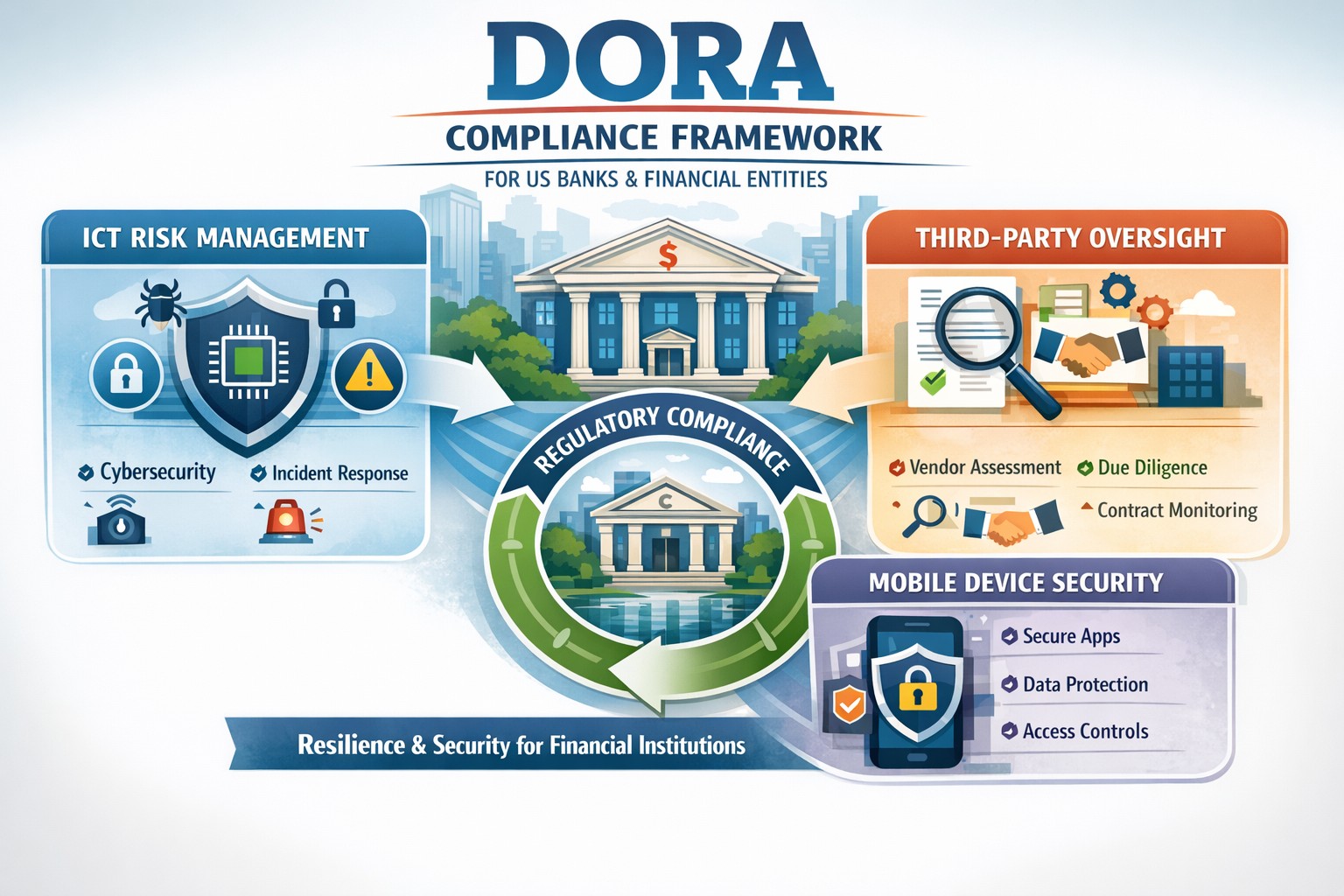
Navigating DORA changes with robust BYOD MDM for financial resilience
For US financial institutions, regulatory frameworks play a pivotal role in shaping operational protocols, enhancing security measures, and ensuring the resilience of the financial sector against a myriad of risks and vulnerabilities. Among these regulatory frameworks, the Digital Operational Resilience Act (DORA) stands out as a beacon of change, heralding a new era of compliance requirements and operational standards for financial entities.
This comprehensive guide aims to demystify the intricacies of DORA, shedding light on its key provisions, compliance requirements, and the broader implications for information and communication technology (ICT) within the financial sector. We will provide actionable insights into navigating these changes, adopting effective strategies for adaptation, overcoming potential challenges, and adhering to best practices for ensuring DORA compliance. As we delve into this exploration, the role of technology in facilitating compliance and the future landscape of US financial institutions under DORA’s influence will also be examined.
Introduction to DORA and its impact on US financial institutions
The introduction of DORA is a testament to the increasing recognition of the critical role that digital operational resilience plays in the stability and security of financial institutions. When cyber threats are looming large and the dependency on ICT infrastructures has become indispensable, DORA emerges as a regulatory response to the need for a harmonized, rigorous framework aimed at bolstering the digital defenses of financial entities. Its impact on US financial institutions is far-reaching, affecting not only the internal processes and technological deployments but also the strategic orientation towards digital operational resilience.
For US financial institutions, DORA represents both a challenge and an opportunity. The challenge lies in the comprehensive nature of the requirements, demanding a thorough reassessment of existing ICT systems, operational policies, and compliance mechanisms. On the other hand, the opportunity emerges from the potential for enhanced operational resilience, reduced vulnerability to cyber incidents, and a stronger competitive position in a digitally driven market. The anticipation of these changes has already begun to shape the strategic planning and investment priorities of financial institutions, with a clear focus on aligning with DORA’s stipulations.
The significance of DORA extends beyond mere compliance. It encapsulates a paradigm shift towards viewing digital operational resilience as a cornerstone of financial stability and consumer trust. As such, the efforts to meet DORA’s requirements are not just about adhering to a regulatory mandate but about embracing a culture of continuous improvement and risk-awareness in the digital domain. This cultural shift is fundamental to navigating the changes brought about by DORA and leveraging them to build a more resilient, trustworthy financial sector.
Understanding the key provisions of DORA
DORA is structured around several key provisions that collectively aim to enhance the digital operational resilience of financial institutions. These provisions cover a broad spectrum of requirements, from ICT risk management and incident reporting to third-party dependency management and testing of digital defenses. Understanding these key provisions is essential for financial institutions to grasp the full extent of DORA’s implications and to formulate a coherent strategy for compliance.
The first of these provisions centers on robust ICT risk management practices. Financial institutions are required to implement comprehensive risk management frameworks that can identify, assess, mitigate, and monitor ICT risks. This entails not only the deployment of advanced security measures and protocols but also the establishment of governance structures that ensure continuous oversight and accountability for ICT risk management.
Another critical provision of DORA pertains to the reporting of significant cyber incidents. Financial institutions must establish mechanisms for timely detection and reporting of such incidents to relevant regulatory authorities. This enhances the collective resilience of the financial sector by enabling a coordinated response to cyber threats and the sharing of critical information that can prevent the propagation of cyberattacks.
Lastly, DORA places a strong emphasis on the management of third-party risks. Given the interconnected nature of today’s financial ecosystem, where institutions rely heavily on external vendors for ICT services, DORA mandates stringent due diligence, monitoring, and contractual safeguards to manage the risks associated with third-party dependencies. This includes the requirement for financial institutions to ensure that their third-party providers adhere to equivalent standards of digital operational resilience.
Implications of DORA on information and communication technology (ICT)
The implications of DORA on ICT within financial institutions are profound, encompassing both the technological infrastructure and the operational processes that underpin the institution’s digital activities. At its core, DORA seeks to ensure that financial institutions have resilient, secure, and efficient ICT systems capable of withstanding a wide range of digital threats and challenges.
One of the primary implications relates to the enhancement of cybersecurity measures. DORA drives financial institutions to adopt state-of-the-art security technologies and practices, from advanced encryption methods and intrusion detection systems to comprehensive data protection protocols. This not only strengthens the institution’s defenses against cyberattacks but also fosters a culture of cybersecurity awareness and vigilance among employees and stakeholders.
Another significant implication is the focus on operational continuity and disaster recovery. DORA mandates that financial institutions develop and test robust business continuity plans (BCPs) and disaster recovery strategies (DRS) that ensure the institution can maintain or quickly resume critical operations in the event of an ICT-related disruption. This requires a careful analysis of critical business functions, the identification of potential vulnerabilities, and the implementation of measures to mitigate these risks.
Additionally, DORA underscores the importance of ICT governance and accountability. Financial institutions are expected to establish clear governance structures that define roles, responsibilities, and accountability for ICT risk management. This involves senior management taking an active role in overseeing ICT strategies, ensuring that digital operational resilience is embedded in the institution’s strategic planning and decision-making processes.
Navigating the changes brought by DORA in the financial sector
Navigating the changes brought by DORA requires a strategic, proactive approach that goes beyond mere compliance. Financial institutions must view these changes as an opportunity to enhance their operational resilience, competitive advantage, and trustworthiness in the digital age. This involves embracing a holistic view of digital operational resilience, integrating it into the institution’s overall strategic framework, and fostering a culture of continuous improvement and innovation.
The first step in this journey is to conduct a comprehensive assessment of the institution’s current ICT landscape and operational practices. This assessment should identify gaps in compliance with DORA’s provisions, areas of vulnerability to digital risks, and opportunities for enhancing digital operational resilience. Based on this assessment, financial institutions can develop a tailored action plan that addresses these gaps, leverages technological innovations, and aligns with the institution’s strategic objectives.
Engagement and collaboration across the organization are also crucial for successfully navigating the changes brought by DORA. This involves fostering an inclusive dialogue among stakeholders, including senior management, ICT professionals, risk managers, and operational staff, to ensure a shared understanding and commitment to digital operational resilience. Training and awareness programs can also play a key role in equipping employees with the knowledge and skills needed to contribute to the institution’s resilience efforts.
Furthermore, financial institutions should leverage the potential of technology to facilitate compliance and enhance operational resilience. This includes exploring advanced technologies such as artificial intelligence (AI), machine learning (ML), and blockchain, which can offer innovative solutions for risk management, incident detection, and secure transactions. Technology can also enable more efficient and effective compliance processes, from automated reporting mechanisms to real-time monitoring of third-party risks.
Strategies for adapting to DORA’s requirements
Adapting to DORA’s requirements necessitates a strategic approach that aligns with the institution’s operational realities and long-term objectives. One effective strategy is to prioritize the institution’s efforts based on the criticality of different ICT systems and processes, focusing initially on areas that present the highest risk or are most crucial for the institution’s operations. This prioritization helps to allocate resources efficiently and achieve significant enhancements in digital operational resilience.
Another key strategy involves fostering partnerships and collaboration both within the financial sector and with external technology providers. Collaborative initiatives can facilitate the sharing of best practices, insights, and experiences related to DORA compliance and digital operational resilience. Engaging with technology providers, like Farmhouse Networking, can also enable financial institutions to access innovative solutions and expertise that support compliance efforts and enhance the institution’s digital capabilities.
Continuous monitoring and evaluation are also essential for adapting to DORA’s requirements. Financial institutions should establish mechanisms for ongoing assessment of their compliance status, digital risk landscape, and the effectiveness of implemented resilience measures. This enables the institution to identify emerging risks, adapt to changes in the regulatory environment, and continuously improve its digital operational resilience.
Key challenges faced by financial institutions in implementing DORA
Implementing DORA presents a range of challenges for financial institutions, from the complexity of compliance requirements to the need for significant investments in technology and skills. One of the primary challenges is the integration of DORA’s provisions into the institution’s existing risk management and operational frameworks. This requires a comprehensive understanding of DORA’s requirements, as well as the ability to align these with the institution’s processes and objectives.
Another significant challenge is the management of third-party risks. The reliance on external providers for critical ICT services introduces a layer of complexity to compliance efforts, necessitating thorough due diligence, effective contractual arrangements, and ongoing monitoring. Ensuring that third-party providers adhere to equivalent standards of digital operational resilience can be a daunting task, requiring dedicated resources and expertise.
Additionally, the rapid pace of technological change and the evolving cyber threat landscape pose challenges for maintaining compliance and ensuring continuous digital operational resilience. Financial institutions must remain agile, constantly updating their risk assessments, cybersecurity measures, and resilience strategies to address new vulnerabilities and threats.
Best practices for ensuring DORA compliance
Ensuring DORA compliance requires a structured, diligent approach that encompasses several best practices. One of the foundational best practices is the establishment of a cross-functional team dedicated to DORA compliance. This team should include representatives from various departments, including ICT, risk management, legal, and operations, ensuring a comprehensive perspective on compliance efforts and facilitating effective coordination across the institution.
Developing a detailed compliance roadmap is another critical best practice. This roadmap should outline the key steps and milestones for achieving compliance, from initial assessments and gap analyses to the implementation of required measures and ongoing monitoring. The roadmap should also include timelines and responsibilities, providing a clear framework for the institution’s compliance efforts.
Continuous training and awareness programs are also essential for ensuring DORA compliance. Financial institutions should invest in educating their employees about the importance of digital operational resilience, the specific requirements of DORA, and their roles and responsibilities in maintaining compliance. Training programs should be regularly updated to reflect changes in the regulatory environment and emerging best practices.
Furthermore, leveraging technology can significantly enhance compliance efforts. Advanced technologies such as AI, ML, and blockchain can offer innovative solutions for risk assessment, incident detection, and secure data management. Financial institutions should explore these technologies, assessing their potential to support compliance objectives and enhance overall digital operational resilience.
The role of technology in facilitating DORA compliance
Technology plays a crucial role in facilitating DORA compliance, offering powerful tools and solutions that can enhance digital operational resilience and streamline compliance processes. One of the key areas where technology can make a significant impact is in risk assessment and management. Advanced analytics, AI, and ML can enable financial institutions to conduct more sophisticated risk assessments, identifying potential vulnerabilities and threats with greater accuracy and efficiency.
Incident detection and response is another area where technology can provide substantial benefits. Automated monitoring systems, intrusion detection technologies, and cybersecurity platforms can help financial institutions to quickly identify and respond to cyber incidents, minimizing their impact and ensuring timely reporting to regulatory authorities.
Technology can also support the management of third-party risks. Platforms and tools for vendor risk management enable financial institutions to conduct thorough due diligence, monitor third-party providers’ compliance with DORA requirements, and manage contractual arrangements more effectively. This facilitates a more robust approach to managing the risks associated with external ICT service providers.
Moreover, technology can enhance the efficiency of compliance processes, from automated reporting mechanisms to digital record-keeping systems. These technologies can reduce the administrative burden of compliance, allowing financial institutions to focus more resources on enhancing their digital operational resilience and providing value to their customers.
For financial institutions seeking to navigate the complexities of DORA compliance and enhance their digital operational resilience, partnering with expert service providers can offer valuable support. Contact Farmhouse Networking to manage your company’s ICT and protect from cyber threats, ensuring you stay ahead of the regulatory changes and build a stronger, more resilient financial institution for the future.
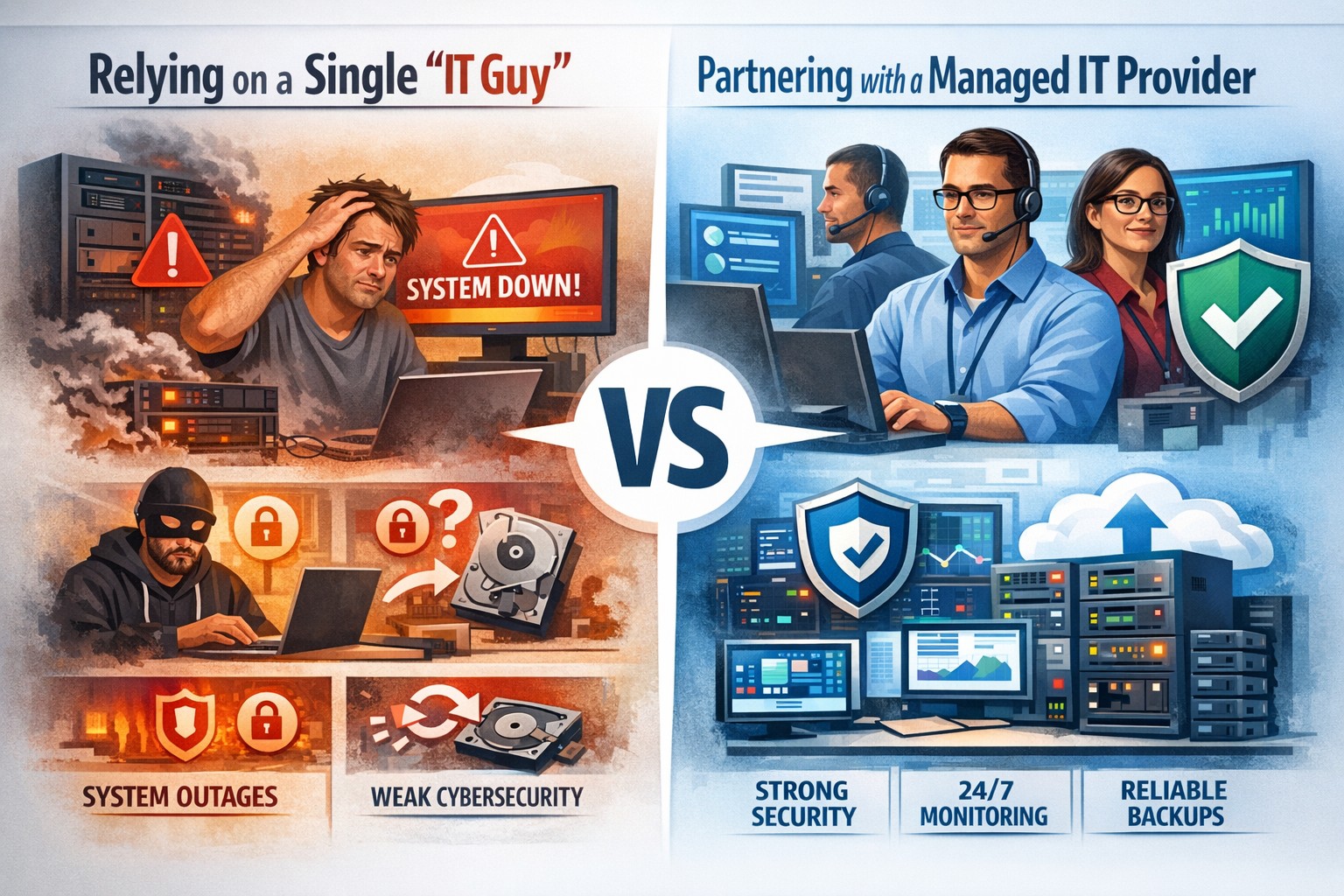
Relying on one IT guy can expose your small business to downtime, data loss, and security vulnerabilities—managed IT services offer stronger protection.
The role of Information Technology (IT) in business success cannot be overstated. IT systems and infrastructure form the backbone of modern businesses, facilitating communication, data management, and efficient workflow. From managing customer databases to ensuring network security, IT plays a crucial role in driving productivity and competitiveness. However, many businesses make the mistake of relying on a single IT guy to handle all their technological needs. In this article, I will discuss the risks associated with this approach and the importance of adopting a team-based approach to IT support.
The risks of relying on a single IT guy
Lack of expertise and knowledge
When you rely on a single IT guy, you are limited to their individual skills and expertise. While they may be knowledgeable in certain areas, they may not possess the breadth of knowledge required to handle all aspects of your business’s IT infrastructure. IT is a vast field that encompasses various domains such as network administration, cybersecurity, software development, and hardware maintenance. By relying on a single guy, you risk missing out on specialized expertise that could greatly benefit your business.
Limited availability and support
Another significant risk of relying on a single IT guy is limited availability and support. IT issues can arise at any time, and if your IT guy is unavailable or overwhelmed with other responsibilities, it can lead to significant downtime and disruptions in your business operations. With a single point of contact, you may have to wait for extended periods before your IT issues are resolved, resulting in decreased productivity and potential financial losses.
Single point of failure
Relying on a single IT guy also means that your business is vulnerable to a single point of failure. If your IT guy falls ill, takes a vacation, or leaves the company, you may be left without any IT support. Singular IT techs often don’t have the time or resources to properly document procedures and critical passwords, so when they go this information is lost. This can be particularly problematic during critical times when you need immediate assistance. Having a backup plan or a team of IT professionals ensures that your business operations can continue uninterrupted, even if one person is unavailable.
The impact of downtime on business operations
Downtime can have severe consequences on your business operations. Every minute your systems are down translates to lost revenue, missed opportunities, and frustrated customers. According to a study conducted by Gartner, the average cost of IT downtime is $5,600 per minute. Imagine the financial implications if your IT guy is unavailable for an extended period. With a team-based approach to IT support, you can minimize downtime and ensure swift resolution of any issues, thereby safeguarding your business’s success.
The importance of a team approach to IT support
Adopting a team approach to IT support offers numerous benefits for your business. Firstly, it provides a diverse set of skills and expertise that can be leveraged to address various IT challenges effectively. Each team member brings their unique knowledge and experience, allowing for comprehensive and well-rounded support. Additionally, with a team, you have the advantage of increased availability and faster response times. By distributing responsibilities among team members, you can ensure that someone is always available to address your IT needs promptly.
The benefits of outsourcing IT support
Outsourcing IT support is a viable solution for businesses looking to avoid the risks associated with relying on a single IT guy. Outsourcing allows you to tap into a pool of talented professionals with specialized expertise in different IT domains. Moreover, outsourcing IT support can often be more cost-effective than hiring a full-time IT staff, especially for small and medium-sized businesses. By partnering with an external IT support provider, like Farmhouse Networking, you can access a wide range of services, including network monitoring, cybersecurity, data backup, and software maintenance, all while enjoying the benefits of a dedicated team.
Finding the right IT support provider
Finding the right IT support provider is crucial to ensuring a successful and secure IT infrastructure. When evaluating potential providers, consider their experience, track record, and the range of services they offer. Look for certifications and qualifications that demonstrate their expertise and commitment to quality. It is also essential to assess their responsiveness and availability to ensure that they can meet your business’s IT needs promptly. Ask them about their record keeping habits, make sure they document everything and keep your information secure with industry standard protocols. By conducting thorough research and seeking recommendations, you can find an IT support provider that aligns with your business goals and requirements.
By adopting a team-based approach to IT support or outsourcing your IT needs, you can mitigate these risks and ensure a successful and secure IT infrastructure. Don’t get stuck when your IT guy no longer responds; contact us to experience the comfort of having a team look after your business IT. With the right IT support provider, you can focus on growing your business while leaving your technological needs in capable hands.
And God will generously provide all you need. Then you will always have everything you need and plenty left over to share with others. As the Scriptures say, “They share freely and give generously to the poor. Their good deeds will be remembered forever.” For God is the one who provides seed for the farmer and then bread to eat. In the same way, he will provide and increase your resources and then produce a great harvest of generosity in you. - 2 Corinthians 9:8-10
We use cookies to ensure that we give you the best experience on our website. If you continue to use this site we will assume that you are happy with it.