This is the seventh in a series about the concept of Zero Trust, which means in the IT sense that you trust nothing and always verify everything surrounding and connected to your network. Today’s discussion will be on software patching.
Software Patching
Software patching is a neccesity because no person who writes code is perfect and hackers are actively looking for these mistakes. The hackers find the mistakes and then develop ways of using these to exploit the software, computer, or whatever else they can gain access to. The only way to combat both the mistakes and the exploits is to discover them before the hackers do and patch the hole in the software. This patch can however lead to unforseen consequences to the software, so a plan for testing and deployment of patches is needed to avoid unexpected downtime to businesses.Here are some questions to ask:
Do you know all of the hardware and software on your network?
Do you check for hardware, operating system, and other software regularly?
How do you check for updates, patches, or upgrades to software?
How do you install these patches? Is it automated?
Are these patches tested before installation?
What happens if a patch causes problems?
Do you have a log of all installed updates?
Are any systems or software on your network no longer supported for updates?
If your company is going to use full disk encryption or has compliance requirements that you need consulting for, then contact us for assistance.
Farmhouse Networking protects Grants Pass businesses from Rogue River floods with secure cloud backups and rapid IT disaster recovery.
Had a client walk into their office to find it flooded with an inch and a half of water on the ground and it got me thinking about what could be done to mitigate the risks associated with this sort of “Act of God” at the office.
Can’t Stop the Flood
It goes without saying that there is no way to realistically prevent a flood besides the usual preventative building maintenance that most businesses are not in control of anyways. It makes sense then to choose an office space where the owner is into proactive repairs on the building, even if it costs a little extra per month. It would also be good to talk to your business insurance provider to make sure that such Acts of God are covered. Clean-up and recovery though usually covered by the building owner can get expensive if your contract doesn’t cover it.
Prepare for the Worst
Practically speaking it may not be possible to keep computers out of the water in a flood. At this particular client we did have the computers up on blocks just in case of this very thing. All network equipment should also be in a safe place, ideally in a locked cabinet high off the ground.
Recovery can happen
If the worst does happen, the first thing to do is shut off the electricity to the building. After that take careful inventory of all that is plugged in and remove it from electrical outlets. If equipment is wet, keep it unplugged for a couple days in a dry environment to make sure it is free from moisture. Once sure it is dry, plug in the equipment and test whether it will come back online. If anything was submerged in water, it is best to plan on replacing it as most water has minerals in it that will stick to components in the computer and could cause and electrical short.
If your company is not ready for the worst, then contact us for assistance.
As our business continues to focus on providing white labeled Tier 3 IT support services, RMM as a service, and co-managed IT services this blog will be highlighting tips for RMM automation. Here is a script that we came up with to handle a particular client that dumps tons of PDFs into a folder unsorted and wants individual folders created for each unique file name. We have tailored this script to be used not only at that client but for any folder on any Microsoft Windows computer that needs to be sorted in this manner. This script could easily be modified to sort other types of files.
Variables
Here are the variables we are using for this script:
$SourceFolder = This is the target folder to be sorted
Script Snippet
# Defines the folder that sorted data will go into
$TargetFolder = $SourceFolder + " Sorted"

#Defines how to match files with similar names, in this case we put files with the same name then a dash or underscore and other numbers or letters to be placed in the same folder
$MatchRegEx = "[-_]"


#Grabs only the PDF files in the folder being sorted (modify for other extension types or remove filter to sort all files)
Get-ChildItem -Path $SourceFolder -Filter *.pdf |
    ForEach-Object {
        #Creates folder name for child folders in sorted data
        $FileNameFolder = $_.Name -split $MatchRegEx
        $ChildPath = Join-Path -Path $FileNameFolder[0].Replace('.pdf','') -ChildPath $_.Name

        [System.IO.FileInfo]$Destination = Join-Path -Path $TargetFolder -ChildPath $ChildPath

        #Checks if folder exists and if not creates child folder
        if( -not ( Test-Path -Path $Destination.Directory.FullName -erroraction silentlycontinue) ){
            New-Item -ItemType Directory -Path $Destination.Directory.FullName
            }

        #Copies file into child folder
        Copy-Item -Path $_.FullName -Destination $Destination.FullName
        }
This script is non-destructive meaning that the files are copied and not moved. This script gives screen output of each new child folder created.
If your company is a MSP or wants to become one and automation just seems out of reach, then contact us to run your RMM for you.
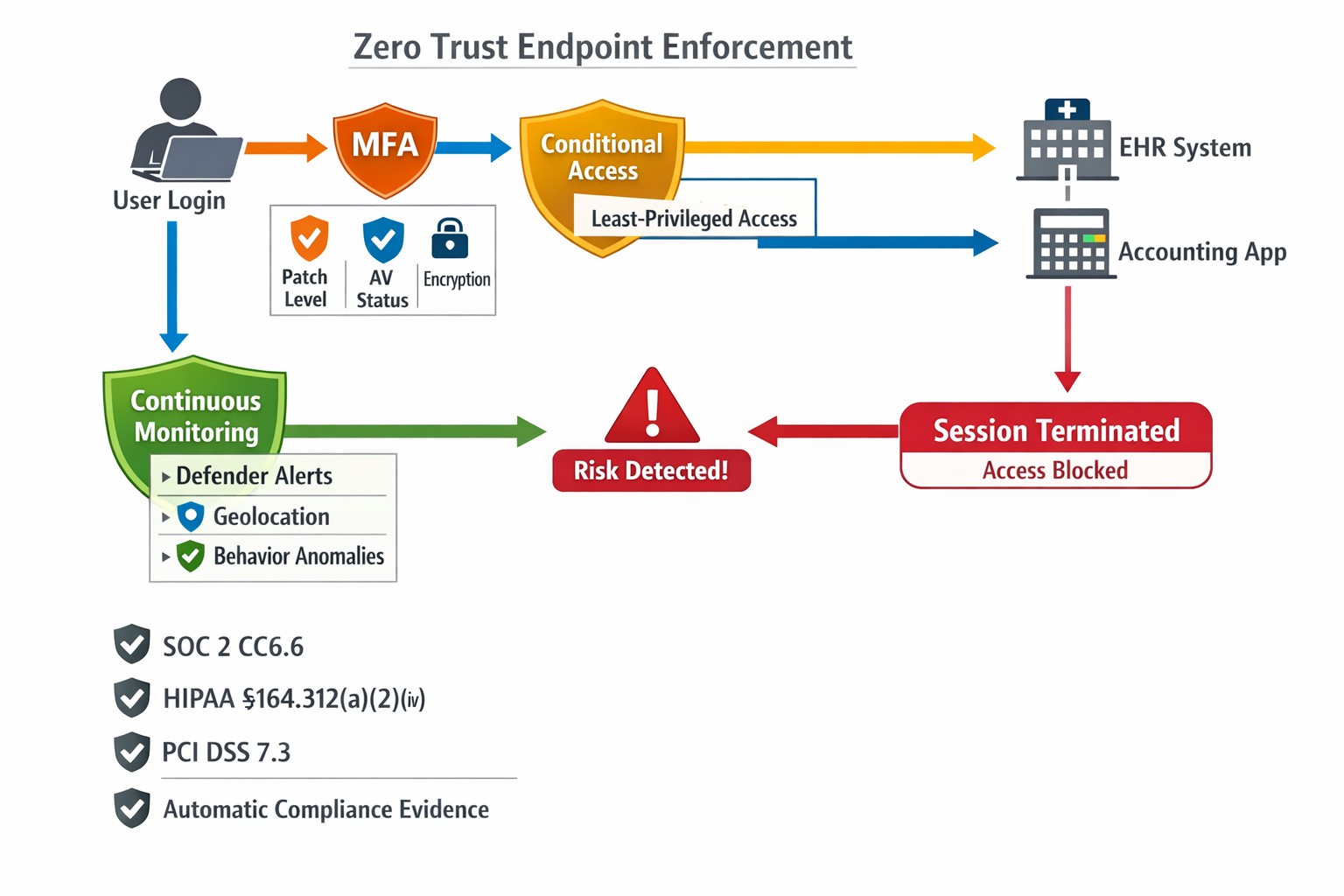
This is the sixth in a series about the concept of Zero Trust, which means in the IT sense that you trust nothing and always verify everything surrounding and connected to your network. Today’s discussion will be on endpoint security.
Endpoint Security
Endpoint security is a fancy term used to describe how the computers on the network are protected. This used to be done by antivirus but due to the complexity of the attacks hackers are using to compromise networks these days, the definition has expanded greatly. This now includes things like Enhanced Detection & Response software, Security Operations Centers, DNS Filtering, employee train and more. Here are some questions that you should be asking yourself:
Are your endpoints protected by antivirus or enhanced detection & response?
Is website traffic being monitored? Restricted?
Are your employees being trained in cyber security?
Are computer logs being monitored for malicious activity?
Would unusual or suspicious activity on a computer be noticed? Alerted on?
Do you have security permissions set on all file shares?
Do you have least privileged access configured on those shares?
Do you keep track of what software is installed on all workstations?
Do you block access to unauthorized software?
Are files encrypted on servers and workstations?
Are your mobile devices managed? Can you wipe them remotely?
Are USB ports blocking removeable storage devices?
Are endpoints set to automatically log-out?
If your company is going to use full disk encryption or has compliance requirements that you need consulting for, then contact us for assistance.
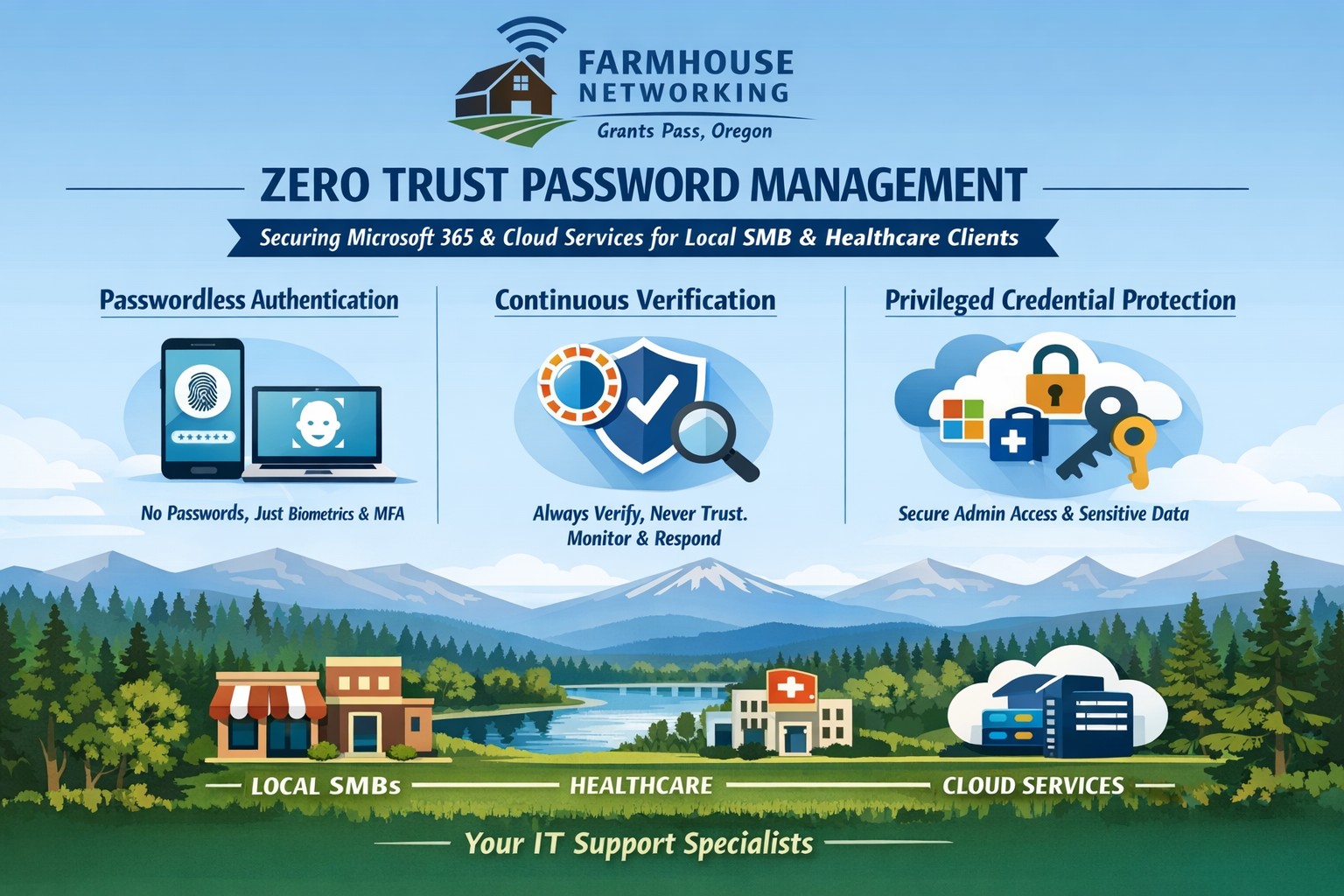
Farmhouse Networking implements zero trust password management with passwordless MFA for secure Grants Pass business cloud access.
This is the fifth in a series about the concept of Zero Trust, which means in the IT sense that you trust nothing and always verify everything surrounding and connected to your network. Today’s discussion will be on password management.
Password Management
Password management is the concept that you are not using the same password for all sites and services. So it is necessary to have a means to track and protect those passwords from others accessing or using them without consent. Here are some questions that you should be asking yourself:
How do you keep track of passwords? paper? spreadsheet? program?
Are your passwords encrypted? Are they guessable? Are they changed regularly?
Do you have a password policy?
What do you do when someone leaves the company?
Do you take advantage of 2FA or MFA?
Do you take advantage of single sign-on?
Take time to think about these questions and decide where changes can be made to better protect your passwords, or contact us to do the thinking for you.
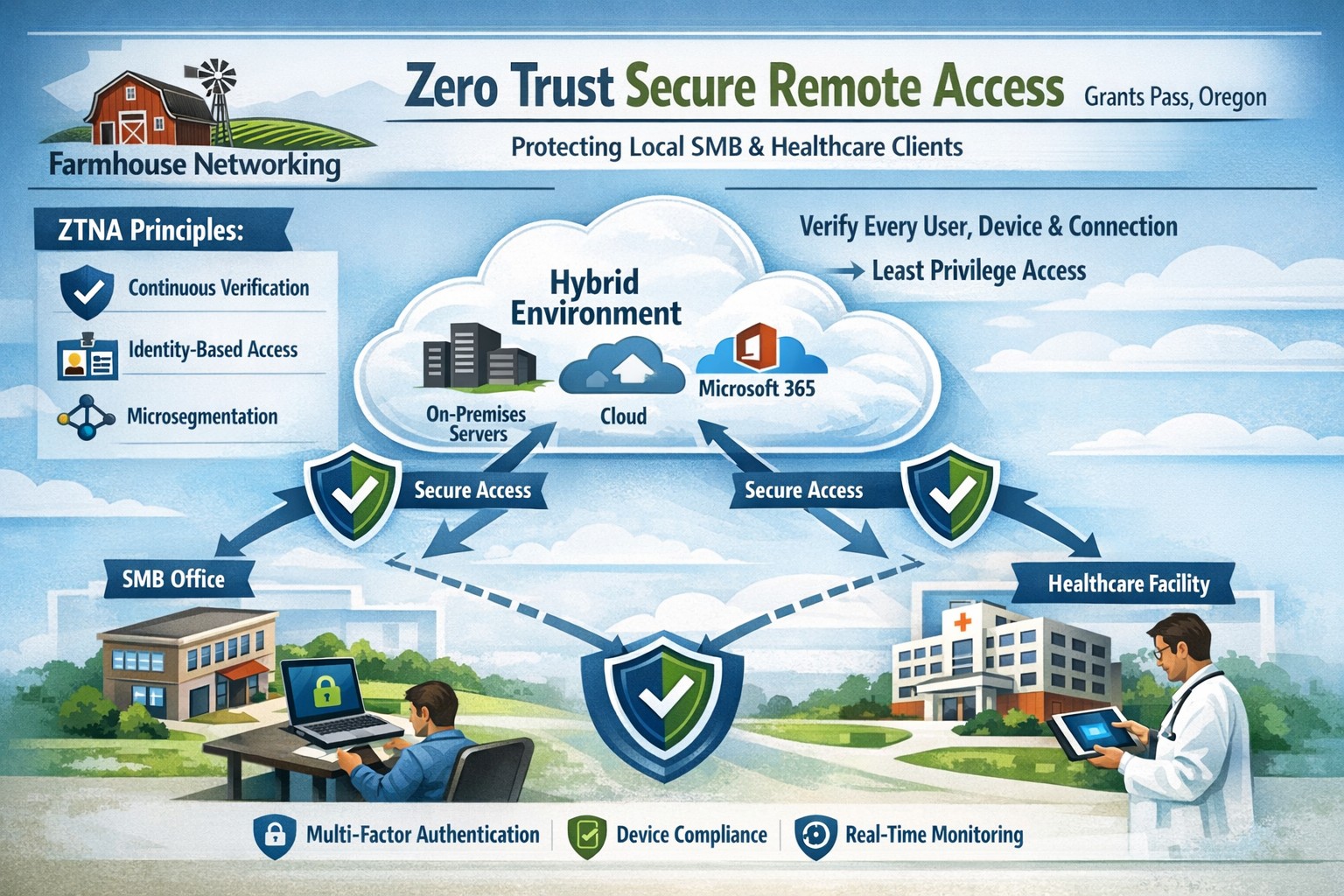
Farmhouse Networking delivers zero trust network access replacing VPNs for secure remote work in Grants Pass Oregon businesses.
This is the fourth in a series about the concept of Zero Trust, which means in the IT sense that you trust nothing and always verify everything surrounding and connected to your network. Today’s discussion will be on secure remote access.
Secure Remote Access
Secure Remote Access is the ability to connect to company resources from anywhere in a manner that does not compromise security. This can be done by several means including remote access software, Virtual Private Network (VPN), or File Sync & Share (FSS). Here are some questions that you should be asking yourself:
Does anyone in your organization work from home or remotely?
How are they remotely connecting to the office?
Are you able to revoke access to the office if they leave the company?
If that connection is a modern VPN, what type of security does it use?
Is your VPN based on passwords or certificates?
Does the VPN log usage statistics?
If that connection is a remote access software, what type of security does it use?
Does the software limit who has access to which resource?
Does the software log who is logging in and for how long?
If that connection is via FSS, what type of security does it use?
Does your FSS have file versioning, backups, and ransomware protection?
Does the FSS limit who has access to which resource?
Do you use 2FA as part of your remote access?
Take time to think about these questions and decide where changes can be made to better protect your IT investments, or contact us to do the thinking for you.
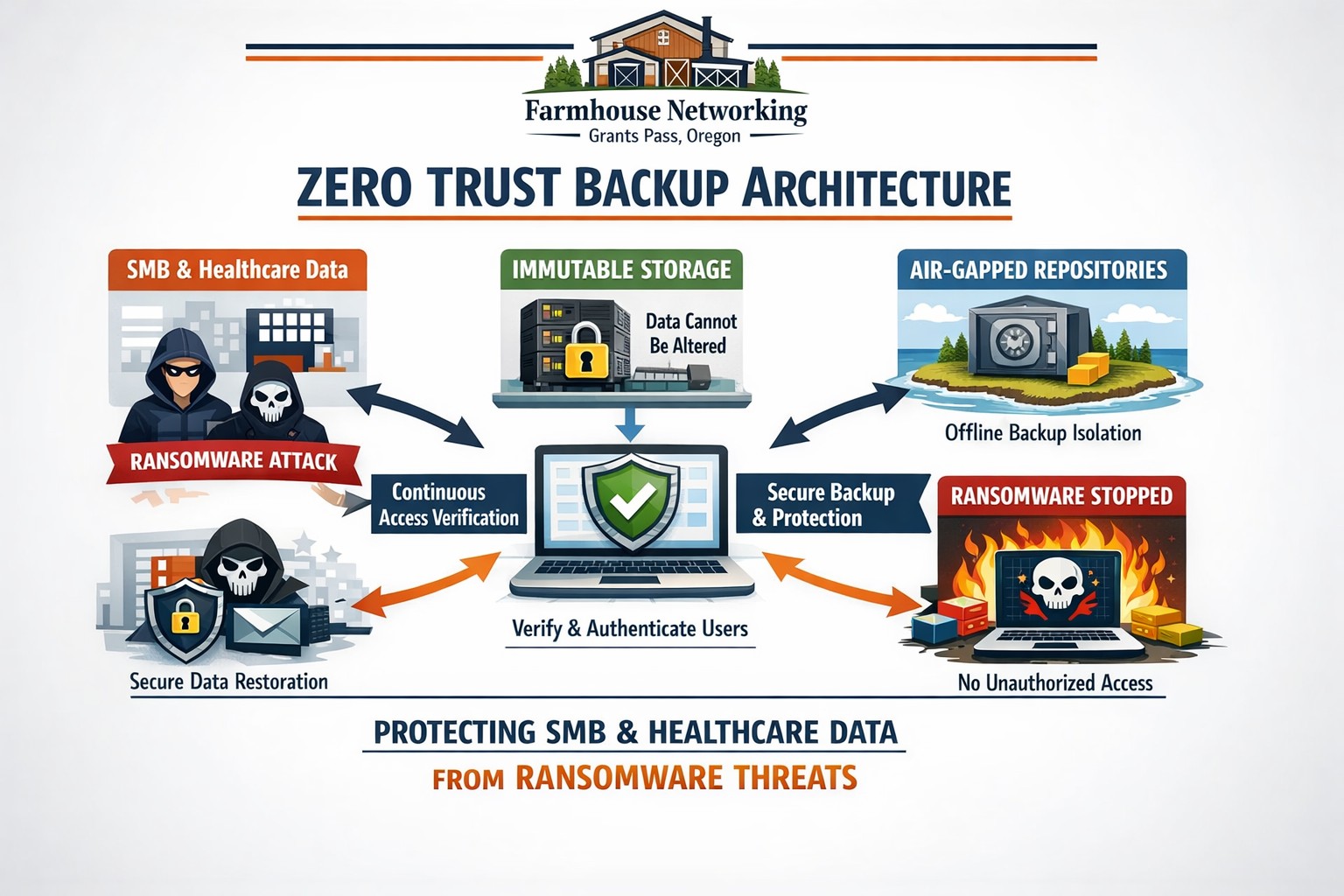
Farmhouse Networking secures Oregon business backups with zero trust immutability preventing ransomware encryption and deletion.
This is the third in a series about the concept of Zero Trust, which means in the IT sense that you trust nothing and always verify everything surrounding and connected to your network. Today’s discussion will be on the backup of important data.
Backup
Backup is a way of creating multiple copies of your important data and the systems that house them. This has become a necessity thanks to acts of God (unforeseen physical disasters), acts of employees (accidental or purposeful destruction of data), and acts of malicious hackers (ransomware or malware). Here are some questions that you should be asking yourself:
What data or systems are being backed up?
How often are these backups being performed?
Are your backups protected from natural disasters (offsite and redundant)?
How long are backups being stored?
Once expired are they securely removed?
What is the process for recovering files, emails, workstations, servers, applications, databases?
Have you tested your recovery process lately?
Do you know how long it will take to recover?
How will business continue until systems are restored?
How will you merge new information into recovered data once restored?
How often do you test your recovery process?
Is the recovery test process automated?
Take time to think about these questions and decide where changes can be made to better protect your IT investments, or contact us to do the thinking for you.
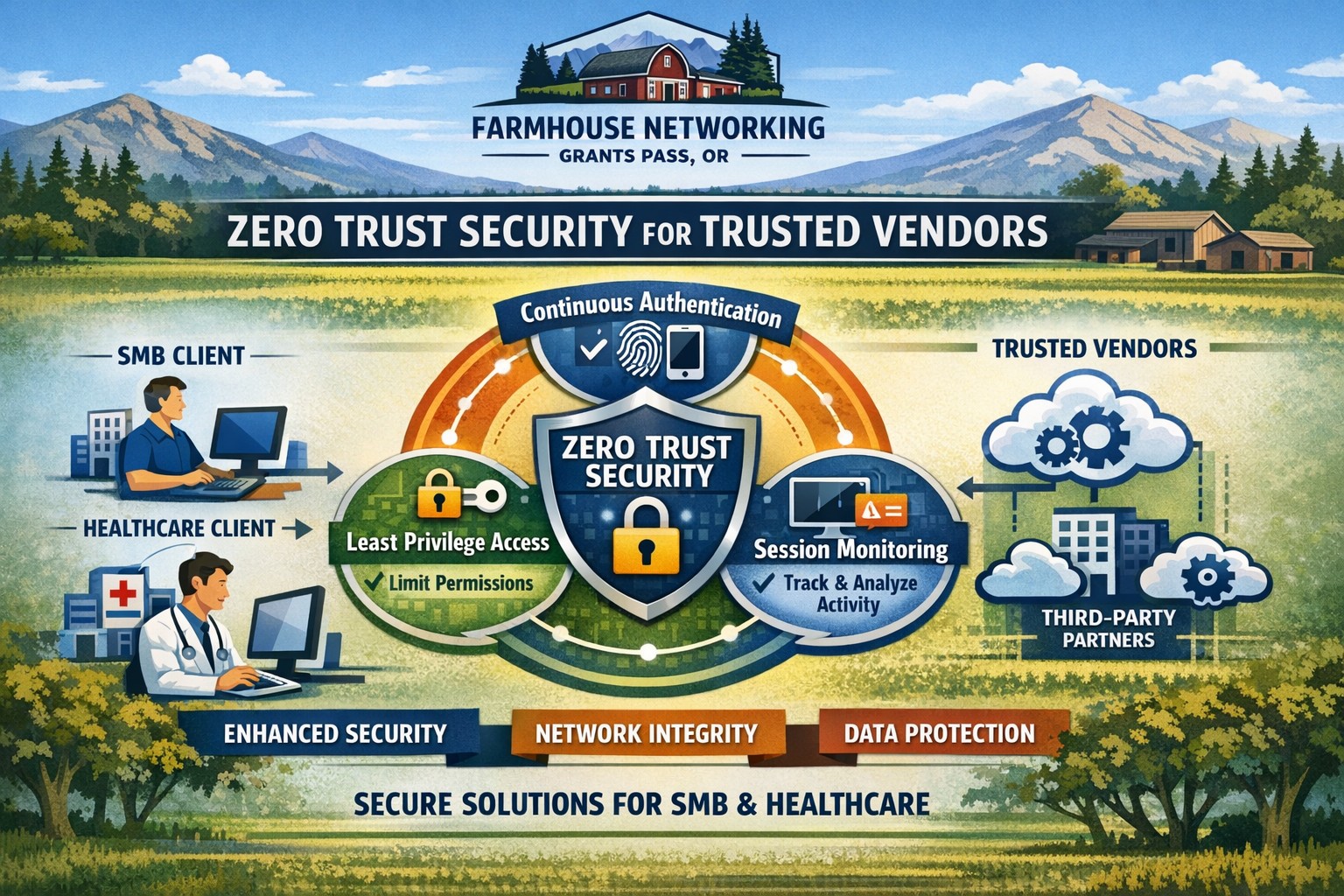
Farmhouse Networking secures vendor access with zero trust verification for Grants Pass businesses, protecting against supply chain threats.
This is the second in a series about the concept of Zero Trust, which means in the IT sense that you trust nothing and always verify everything surrounding and connected to your network. Today’s discussion will be on the vendors you purchase network equipment from.
Trusted Vendors
Trusted vendors are those who supply workstations, servers, routers, switches, power protection, software, and anything else connected to your network. Here are some questions that you should be asking yourself:
Do you know who makes your network equipment, servers, computers, and software?
Do you know the way to contact their support and have current account access information?
Do you have current warranties / support contracts on hardware and software?
Is the hardware able to perform at the level needed?
Are you purchasing software from those who meets industry standards?
If a subscription, how much are you paying and are you on the correct plan for your needs?
When is the last time you upgraded your software and hardware?
Have you budgeted for the next upgrade?
Take time to think about these questions and decide where changes can be made to better protect your IT investments, or contact us to do the thinking for you.
Farmhouse Networking deploys zero trust physical security for Grants Pass businesses, verifying every facility access request continuously.
This is the first in a series about the concept of Zero Trust, which means in the IT sense that you trust nothing and always verify everything surrounding and connected to your network. Today’s discussion will be on the physical security surrounding your network.
Physical Security
Physical security can include the locks on the doors, where things are placed, and how they are protected from the unpredictability of the environment. Here are some questions that you should be asking yourself:
Do you know where your network equipment is located?
Is the server / network in a separate area from where work is done?
Is this separate area behind a locked door?
Is the equipment in a locked rack or cabinet?
Is there a separate air conditioning zone for this area (servers like it cold)?
Is there a separate alarm zone for this equipment?
Who has the codes?
Is there a security camera watching this area (we don’t install these)?
How long is the recording for?
Who has access to the recordings?
Are computers located in areas where customers can physically touch them?
Are unused USB ports on the computer turned off or locked?
Are all systems protected by battery backup devices?
Are all systems off the floor in case of a flood?
Take time to think about these questions and decide where changes can be made to better protect your IT investments, or contact us to do the thinking for you.
We caught wind of two separate actions the US has taken against Cyber Threats from Russia over the weekend:
Kaspersky
The first is news that the US Federal Communications Commission has added Russian cybersecurity company Kaspersky Lab to its list of entities that pose an “unacceptable risk to US national security,” according to a report from Bloomberg. This company has been banned from use by government agencies since 2017 when a bill was signed due to the companies ties to the Kremlin.
Russian Hackers
The second article was a press release from the FBI stating that:
“The Department of Justice unsealed two indictments today charging four defendants, all Russian nationals who worked for the Russian government, with attempting, supporting and conducting computer intrusions that together, in two separate conspiracies, targeted the global energy sector between 2012 and 2018. In total, these hacking campaigns targeted thousands of computers, at hundreds of companies and organizations, in approximately 135 countries.”
This hacking activity should be another wake-up call to American businesses to harden their defenses and remain vigilant against cyber security threats. These people are nationally sponsored criminals and we must protect ourselves.
If your company is currently using Kaspersky or any other Russian based vendors, then it is time to carefully consider whether to continue being connected with them and contact us for assistance migrating to a trusted source.
83% of employees continue accessing old employer’s accounts
Farmhouse Networking Grants Pass implements robust employee offboarding to revoke access and secure networks for Oregon businesses.
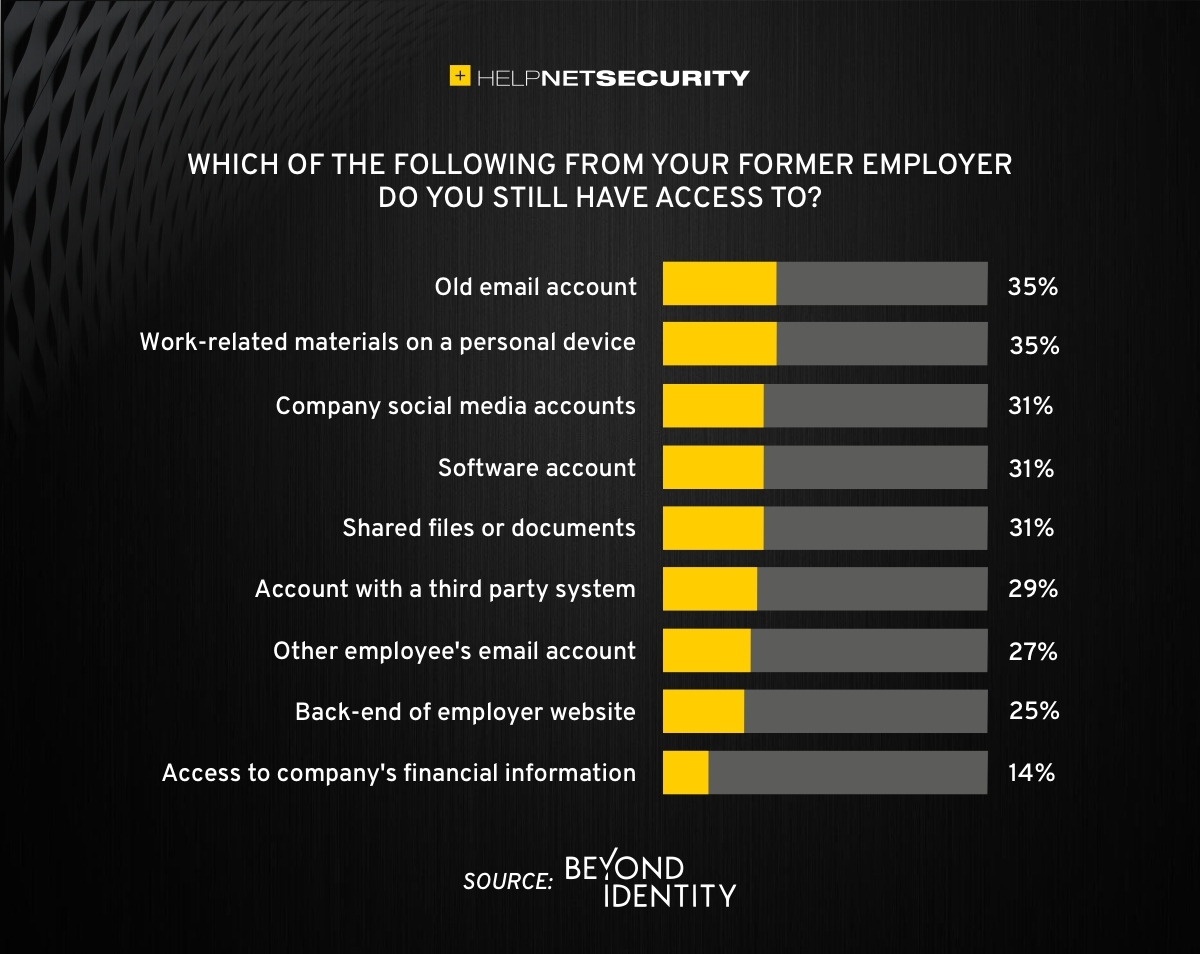
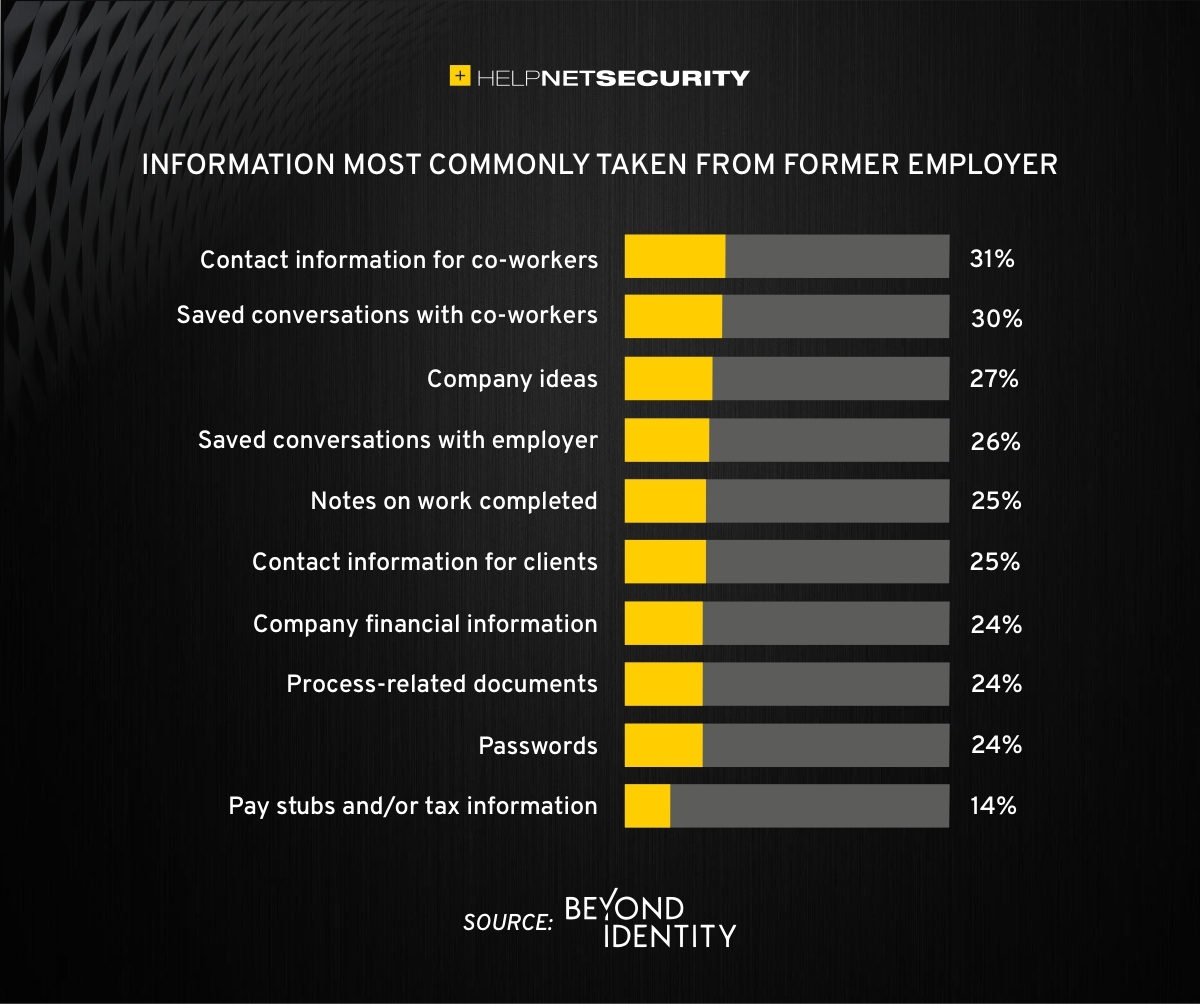
A study was performed by Beyond Identity throughout the US, UK, and Ireland which found that 83% of employees admitted to maintaining continued access to accounts from a previous employer. Also a shocking 56% admitted to using this access to harm their former employer.
The study also states that a professional and details offboarding process can prevent unauthorized access by former employees by eliminating their passwords and other insecure authentication methods. Strangely enough this also creates a sense of goodwill in the company that helps to lessen the motivation for employees to attempt this kind of malicious access. This kind of process is vital considering the current employment market and high turn over rates at almost all companies.
If your company does not have a detailed and documented offboarding process, thencontact usfor assistance.
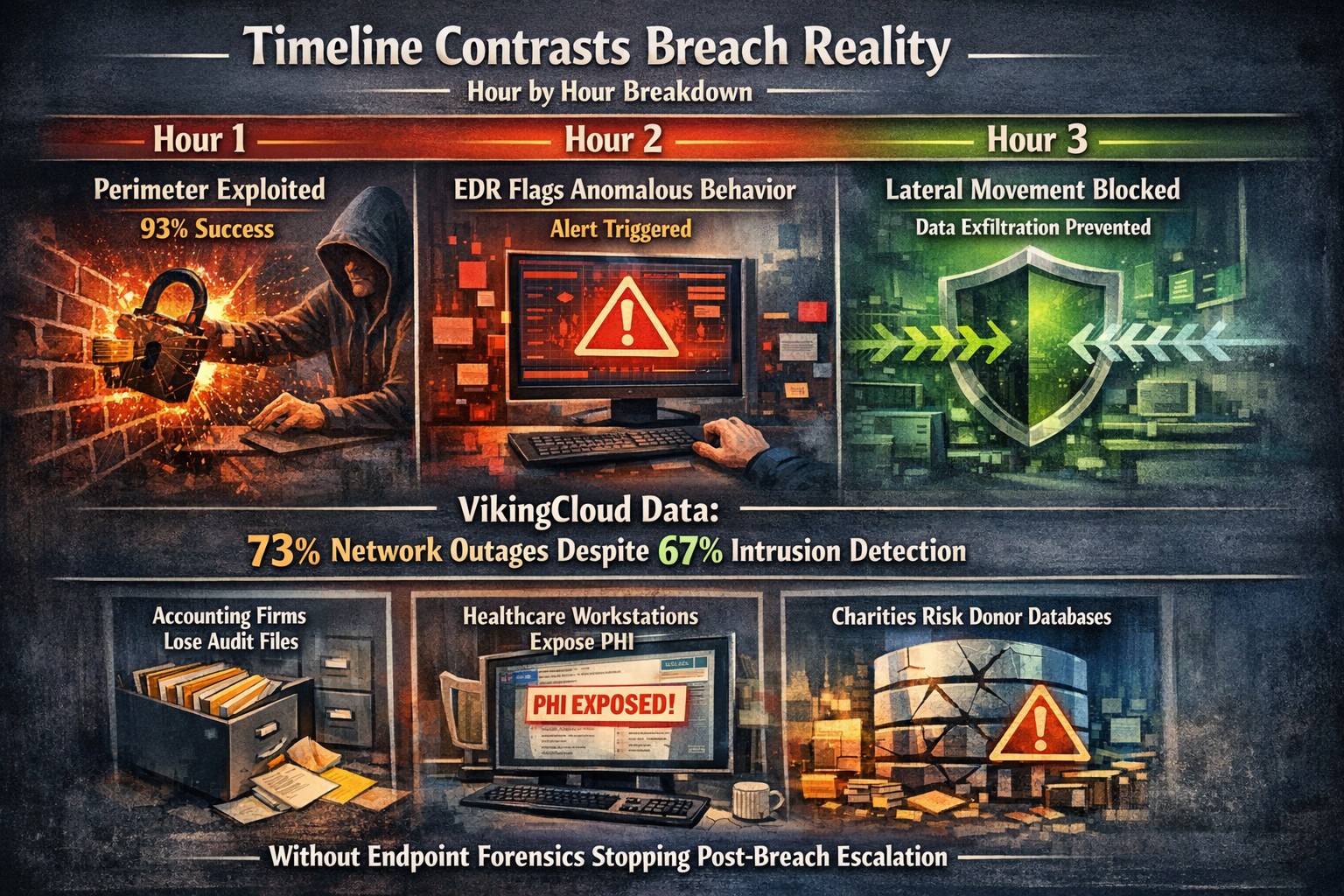
Security researchers performed penetration testing on the networks of 45 various mid-sized companies and found that in real life scenarios 93% of those networks were able to be compromised to the point of business disruption. Here are the details:
The Target
The 45 companies were polled to determine what would be an unacceptable business interruption. They decided that the following met that criteria:
Disruption of production processes
Disruption of service delivery processes
Compromise of the digital identity of top management
Theft of funds
Theft of sensitive information
Fraud against users
These became the target for the penetration testers.
The Process
In order for the penetration tester to achieve their target, they followed the following process:
Breach the network perimeter – This was done by the use of compromised passwords found on the Dark Web and know vulnerabilities on devices that were directly connected to the internet
Obtain maximum privileges – In 100% of the networks, once an attacker was inside the network
Gaining access to key systems – With maximum privileges, the testers are able to gain access to other areas of the network including databases, executives computers, and production servers
Develop attacks on target systems – Once key systems are compromised the testers then figured out how to create the unacceptable business interruption. Although they could have created these interruptions, they only gathered proof that they could to present the data to the companies.
How to Defend
There are a couple main ways to defend against these kinds of attacks:
Security Controls / Segmentation – Creating least privileged access to key systems and segmenting the network will keep hackers from traversing the network once inside
Enhanced Network Monitoring – Modern cyber security tools watch activity and traffic on the network to find indicators of compromise. They pool this information into an attack history that can be used to remediate and further protect.
Your company is not as safe as you think, so contact us for free initial cybersecurity evaluation and risk report. .
Farmhouse Networking helps small businesses choose new computers where price reflects long term reliability, performance, and lower total cost of ownership.
Based on some recent experiences and plenty of past experiences, we thought it would be good to help customers make good choices when shopping for new computers. The easiest and best way is to trust us to do the research and know your company’s computing needs enough to provide you with the best computer for the best price. However there are some that like the thrill of the hunt and want to find the best “deal” themselves. They try to save money via sales that we honestly cannot compete with on price. This newsletter is meant to help guide them to the best options for solid performance and longevity in their investment.
Shopping Guide
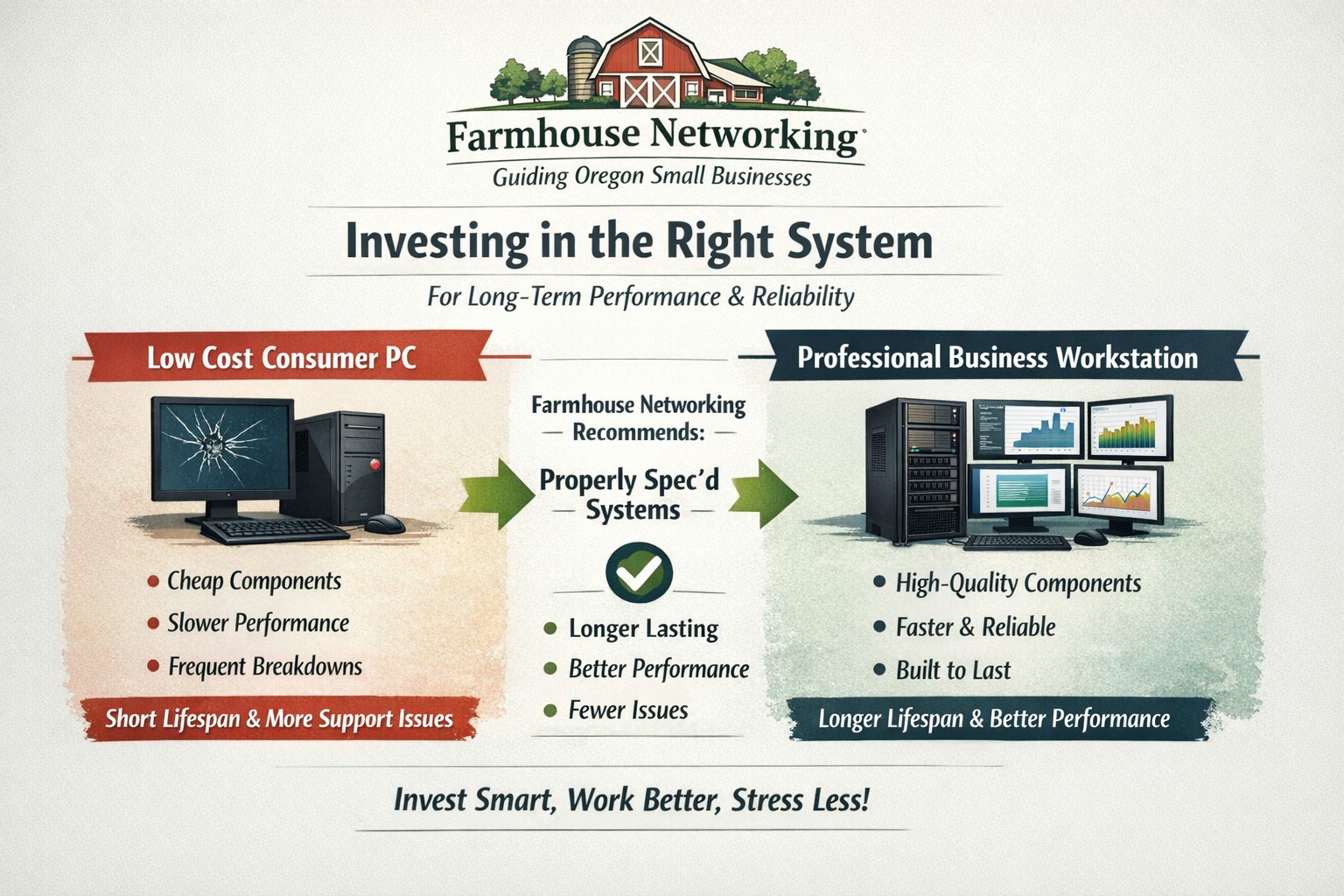
Big Box Stores (Staples, Walmart, Costco, Best Buy, etc.): Seeing the local adds, these retailers are often at the top of the list for many people when shopping for a computer. They offer the convenience of being able to physically touch the computer being purchased and not having to wait for the computer to be shipped from some other part of the country. The downside is that these retailers are selling a commodity product for the smallest cost possible to maximize their profits. This means they are willing to have computers made from the least expensive parts and lowest build quality. They also find ways of scrimping on important features and masking this deficiency with flashy claims on features or partnerships with celebrity endorsements. Don’t be fooled these are disposable computers that will not stand up to the demands of a business environment.
Online Discount Sellers (eBay, Amazon, Google. Overstock, etc.): Bargain hunters are getting savvier with online tools and searches for the products they want. This type of “retailer” works much like the big box store, but you have to trust the pictures you see online and wait for the product to arrive from across the country or globe. These online stores are often just marketplaces where smaller retailers post their products to gain greater visibility then they could on their own. They are also notorious for selling what appear to be quality computers that have been “refurbished” in-house. These refurbished computers are usually years old and are a Frankenstein monster of spare used parts from their shop. Much like buying a car from a used car lot, you get all the troubles of someone else’s computer with all the reliability of a computer that is past its prime held together with old parts.
What to look for in a new computer
Business Class: This is important because manufactures who have this distinction on their products take the time to make a quality computer with mid-range parts. These computers will have all the needed features and typically last much longer then the disposable computers from other stores. If you go directly to the manufacturers website, they will typically have a section labeled Business that you can look through the models they have given this distinction.
Processors: This is the capacity of the computer to crunch through data. There are two main companies that make these chips, Intel and AMD. Intel is what I recommend for the majority of business users (except for those who only do light office work). They currently are using a system of Generations and i-series distinctions. The Generations help determine the age of the processor with the latest being 12th-generation processors, so if you are looking at a computer with a 9th-generation processor it is likely 3 years old out of the box. The i-series consists of i3, i5, i7, and i9 which is a measure of the raw computing power that the processor contains. Our recommendation for businesses are i5 for general office work and i7 if you are a power user who does many things at once.
Memory: This is the short-term memory capacity of the computer, so the more you have the more you can accomplish at once. These chips also have designations of DDR technology and PC-speed rating. The DDR technology has slowly changed over time and they are now shipping DDR5 chips for top of the line gaming computers, but for typical office computers the DDR4 technology will be the best performance per dollar. As for the PC-speed rating, it will somewhat match the DDR number with the latest in the PC5-38400 range, but again the PC4 with the highest number possible next to it will be sufficient. General office work can be accomplished with 8GB of RAM, but 16GB is becoming the new norm. Those who want more performance will need to go to 32GB or higher.
Hard Drive: This is the long-term memory storage of the computer. There have been massive improvements in technology on these in the past few years and performance has jumped substantially. This is one of the ways that big box stores save money the most, they sell an old fashioned hard drive in a new computer and performance suffers greatly. The newest technology is called NVMe and any new computer should contain this kind of hard drive to see the best performance. If cost is prohibitive, then at least get the previous technology of an SSD installed in the computer.
Everything Else: The rest is mostly personal taste. If you want wireless, then get one with wireless in it with the latest being WiFi6 and some include Bluetooth connections too. If you want a large screen, touchscreen, fingerprint scanner, lightweight, certain specific ports for your devices, or whatever other features – these will be the finishing touches that help shape your final choice.
If your company is going to looking to buys new computer, then contact us to save yourself the time and money of getting a computer or worse the wrong computer.
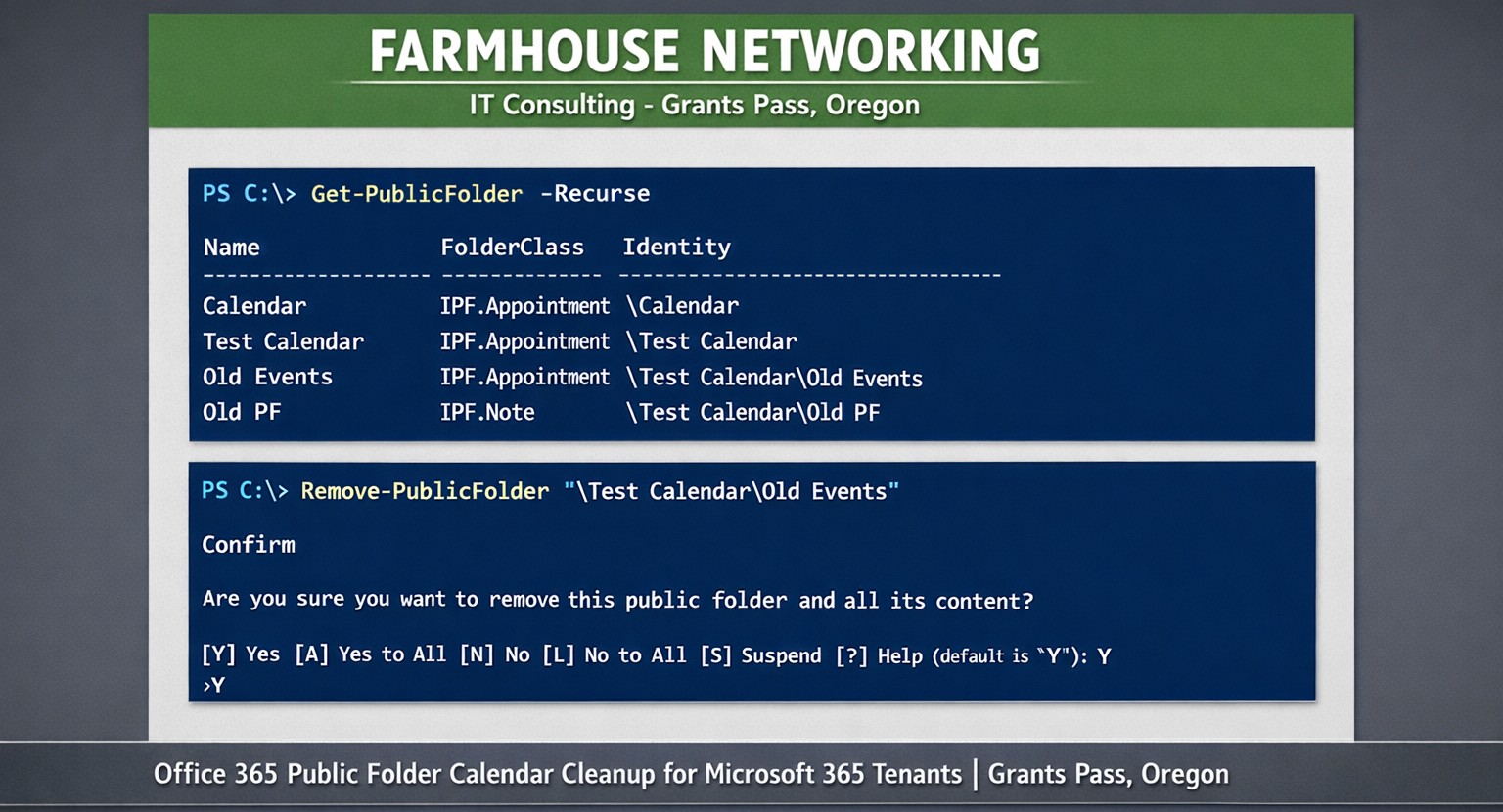
Farmhouse Networking uses PowerShell get-publicfolder -Recurse to locate and remove unwanted Office 365 public folder calendars for Grants Pass clients.
Here is a quick bit of Powershell that helped me to track down a “shared calendar” in a Co-Managed IT / Tier3 client’s Office 365 tenant. After looking in Shared Mailboxes and Resources for the calendar with no luck, we tried to get into the Exchange Management Console (EMC). The loading circle of death went on for an eternity, so switched to good old Powershell. Found the commands as follows after connecting to Exchange Online in Powershell:
If your company is looking for local management of your Office 365 tenant or need advanced support for your IT team, then contact us to find out how much you can save with us.
Farmhouse Networking protects Grants Pass businesses from surprise Microsoft 365 account deactivation and tenant deletion policies.
We recently received this notice from Microsoft:
“Microsoft has observed a recent increase in spamming activity among some customers using Azure subscriptions obtained via their CSP partners. This activity is outside of what is permitted under the terms of use for Microsoft Azure services.
Examples of these violations of Microsoft’s acceptable use policy can include:
Spamming
Hacking
Distributed denial-of-service (DDoS) attacks
Cryptocurrency mining
Malware distribution
Resale of pirated subscriptions
In cases where Microsoft observes this type of activity, we may take action to deactivate customer subscriptions without prior notice.”
This is definitely the time to make sure that your company has the following safeguards in place:
Antivirus with Enhanced Detection & Response – to catch the bad guys on the internal network
Multi-factor Authentication on all online accounts – make the hackers job harder with more secure connections
Password Manager – to stop using the same password for all sites (changing on character is not enough)
Enhanced Email Security – to keep the bad guys from pretending to be your company and stop the spam before it gets out
SaaS Backups – to prevent deletion of emails, contacts, calendar items, and shared online storage
Every company is entitled to a free security check-up, so contact us to schedule yours today.
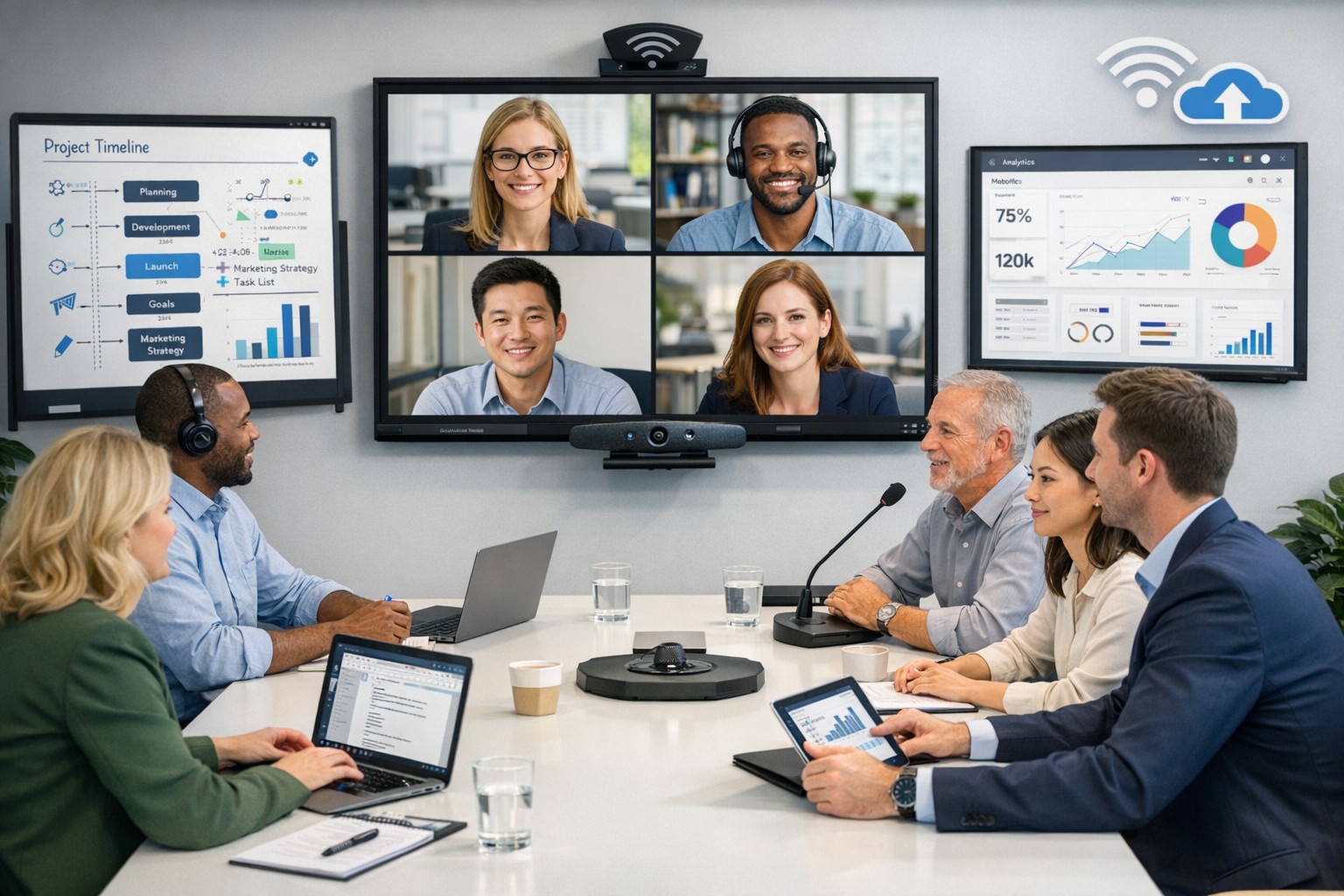
Modern business teams achieve inclusivity and engagement through technology‑driven hybrid meetings
Meetings are where company culture either thrives—or breaks apart. Too often, remote team members feel like silent observers rather than active participants. The solution? Using technology as the binding factor to create inclusive, engaging meetings that inspire teams and drive productivity.
For business owners, embracing the right meeting technology isn’t just an IT upgrade—it’s a strategic move to strengthen collaboration, innovation, and employee satisfaction across every department.
Why Technology Matters for Inclusive Meetings
Inclusivity in meetings means every voice can be heard—regardless of where or how someone works. When done right, meeting technology:
Empowers remote and in‑office employees to collaborate equally.
Improves engagement through real‑time participation tools like polls, shared whiteboards, and chat functions.
Builds a culture of transparency and belonging that fuels retention and innovation.
According to a 2025 Gartner report, companies with highly inclusive communication practices see up to 35% higher employee performance and 25% faster decision‑making. The right technology stack makes inclusion measurable, scalable, and sustainable.
Action Steps for Business Owners and IT Departments
Here are practical steps your organization can take to create inclusive, inspiring meetings:
Audit Your Meeting Tools Evaluate your current software and hardware. Are your video conferencing, messaging, and file‑sharing systems integrated? Do all employees have equal access, regardless of location or device?
Invest in Hybrid‑Ready Technology Use conference room equipment with high‑quality cameras, directional microphones, and smart displays. Platforms like Microsoft Teams or Zoom Rooms ensure both remote and on‑site attendees can see and hear each other clearly.
Adopt Collaboration Platforms That Promote Engagement Look for tools with live polling, breakout rooms, and digital whiteboards. These features keep people involved and give everyone a voice.
Implement an Inclusive Meeting Policy Technology works best when paired with intentional culture. Train employees to use “raise hand” features, share screens respectfully, and rotate facilitation roles.
Ensure Strong IT Infrastructure Reliable connectivity, robust cybersecurity, and consistent software updates are fundamental. Slow connections and glitches exclude people as surely as poor communication does.
Measure and Iterate Capture feedback from employees after meetings. Use that data to refine your collaboration tools and processes.
Common Questions from Business Owners
Q: Our team already uses Zoom—why upgrade? A: Basic video conferencing isn’t enough. True inclusivity requires integrated tools that connect collaboration, chat, scheduling, and project management, so employees engage before, during, and after meetings.
Q: How can we make sure remote employees feel equally valued? A: Combine visual presence (camera quality and layouts), participation (modeled engagement practices), and access (shared digital workspaces). Empower everyone to contribute ideas asynchronously through shared notes or chat.
Q: Will implementing new technology disrupt daily operations? A: Not if it’s done strategically. Partnering with IT professionals ensures a phased rollout, minimal downtime, and custom training so your team quickly gains confidence in the new tools.
How Farmhouse Networking Can Support Your Success
At Farmhouse Networking, we help small and medium‑sized businesses design, deploy, and maintain technology ecosystems that foster inclusivity and engagement. Our team can:
Audit your existing meeting and communication systems.
Recommend scalable, cost‑effective collaboration platforms tailored to your team’s needs.
Configure hybrid meeting rooms for optimal video, audio, and security performance.
Provide employee training on best practices for inclusive meeting culture.
Offer ongoing support so your systems stay secure, compliant, and fully optimized.
With Farmhouse Networking as your IT partner, your technology won’t just connect devices—it will connect people, ideas, and business goals.
Ready to Transform Your Meetings?
Inclusive meetings don’t just happen—they’re built through intentional leadership and smart technology choices. By integrating hybrid meeting tools and IT best practices, your organization can improve communication, strengthen culture, and keep employees inspired.
💡 Email support@farmhousenetworking.com to learn how our team can help you create a more connected and inclusive workplace today.
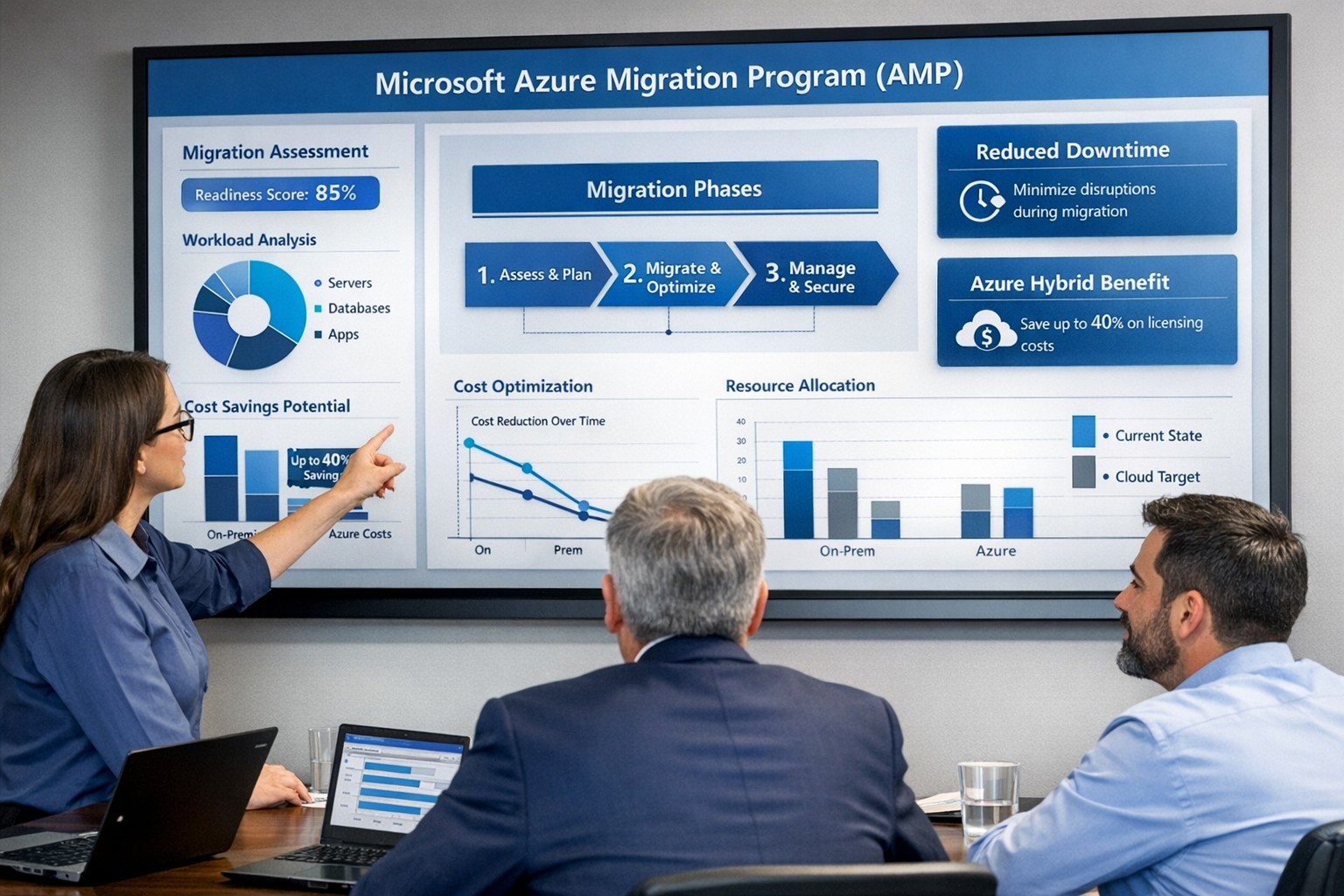
Visualize your Azure migration success with the Microsoft Azure Migration Program (AMP)—structured steps, cost savings, and expert guidance for seamless cloud adoption.
If you are considering moving servers, line‑of‑business apps, or databases into Microsoft Azure, the Azure Migration Program (often called AMP) is designed to reduce risk, speed up the project, and lower your total cost of migration. For a business owner, AMP means structured guidance from Microsoft and certified partners, funded assessments, and proven tools instead of “figure it out as we go.”
What Is the Azure Migration Program (AMP)?
Microsoft’s Azure Migration Program provides a guided, end‑to‑end approach to moving workloads into Azure, based on the Cloud Adoption Framework. It combines technical guidance, training, migration tools, and cost‑saving offers so your team is not reinventing the wheel.
Key elements include:
Curated, step‑by‑step guidance from Microsoft experts and specialized migration partners.
Free Azure migration tools such as Azure Migrate, Azure Site Recovery, and Database Migration Service.
Cost‑reduction offers like Azure Hybrid Benefit and extended security updates for legacy Windows Server and SQL Server.
Training and skill building for your IT staff so they can operate confidently in Azure after the move.
Practical Action Steps for You and Your IT Team
As the owner, your role is to set business priorities and ensure the migration stays aligned with revenue, risk, and customer impact, while IT handles the technical execution.
Step 1: Define business outcomes and constraints
Identify which systems are most critical (ERP, EMR, accounting, CRM) and what can tolerate downtime.
Set financial guardrails: target monthly cloud budget and acceptable payback period on the migration.
Step 2: Assess your current environment Your IT team, often with an AMP‑qualified partner, should:
Inventory servers, applications, databases, and dependencies (who talks to what, and when).
Use Azure Migrate to scan workloads and estimate right‑sized Azure resources and costs.
Group applications into logical waves (low‑risk first, mission‑critical later).
Decide per workload: rehost (“lift and shift”), refactor, or modernize.
Agree on success metrics: performance, availability, RPO/RTO, and cost per workload.
Step 4: Secure funding and enroll in AMP
Confirm AMP eligibility and available funding for assessments and implementation with a certified partner.
Use funded assessments to validate architecture, security, and migration approach before committing to a full rollout.
Step 5: Execute, optimize, then expand
Start with a pilot migration to prove performance, security, and cost assumptions.
Monitor usage with Azure Cost Management and tune sizing, auto‑scaling, and reserved instances.
Apply lessons from the pilot to subsequent waves to reduce timelines and surprises.
Common Client Questions (and Clear Answers)
Q1: Is Azure really more cost‑effective than keeping my servers on‑premises? A: For most organizations, especially those facing hardware refresh, licensing renewals, or colo costs, Azure can be more cost‑effective when workloads are right‑sized and governed. AMP helps you estimate costs with real data and use cost‑optimization tools like Azure Hybrid Benefit and Azure Cost Management from day one.
Q2: How will this impact uptime and my customers? A: The program is designed to minimize disruption using tools such as Azure Site Recovery and structured migration waves. With proper planning, most critical workload cutovers are scheduled during low‑usage windows and can be rolled back if required.
Q3: What about security and compliance? A: Azure includes built‑in security controls, encryption, identity management, and compliance certifications that often exceed what small and mid‑sized businesses maintain on‑premises. AMP engagements incorporate security and governance reviews so your new environment aligns with industry and regulatory requirements.
Q4: My internal IT team is stretched. Do they have to do everything? A: No—AMP is explicitly structured around collaboration between your team, Microsoft engineers, and certified partners. Your staff focuses on business knowledge and application nuances while the partner handles the heavy lifting and trains your team on new cloud operations.
Q5: We tried “cloud” before and it was painful. Why will this be different? A: Most failed migrations lacked a standardized framework, proper assessment, or cost governance. AMP enforces a proven methodology, tooling, and checkpoints, reducing the likelihood of budget overruns, downtime, or security gaps.
How Farmhouse Networking Helps You Succeed with AMP
Farmhouse Networking aligns your Azure migration with your business strategy, not just your server list. We help you translate goals like “reduce downtime,” “improve security posture,” or “support remote work” into a concrete cloud roadmap.
Here is how we typically engage:
Eligibility and strategy session – We review your environment, validate AMP eligibility, and map out a phased migration aligned with risk and cash‑flow tolerance.
AMP‑style assessment and planning – We perform an in‑depth inventory, dependency analysis, and sizing estimate using Azure’s migration tools, then deliver a prioritized migration plan and business‑level impact summary.
Hands‑on migration and modernization – We handle the technical execution: configuring Azure landing zones, security and networking, moving servers and databases, and modernizing apps where it makes financial sense.
Training and ongoing optimization – We coach your IT staff on Azure operations and put cost, security, and performance monitoring in place so you continue to see value after the cutover.
Take the Next Step
If you are ready to explore whether the Azure Migration Program is the right path for your business—and want a partner who understands both the technical and financial side of migration—Farmhouse Networking is ready to help. Email support@farmhousenetworking.com for more information about how Farmhouse Networking can help improve your business with a structured, low‑risk move to Azure.
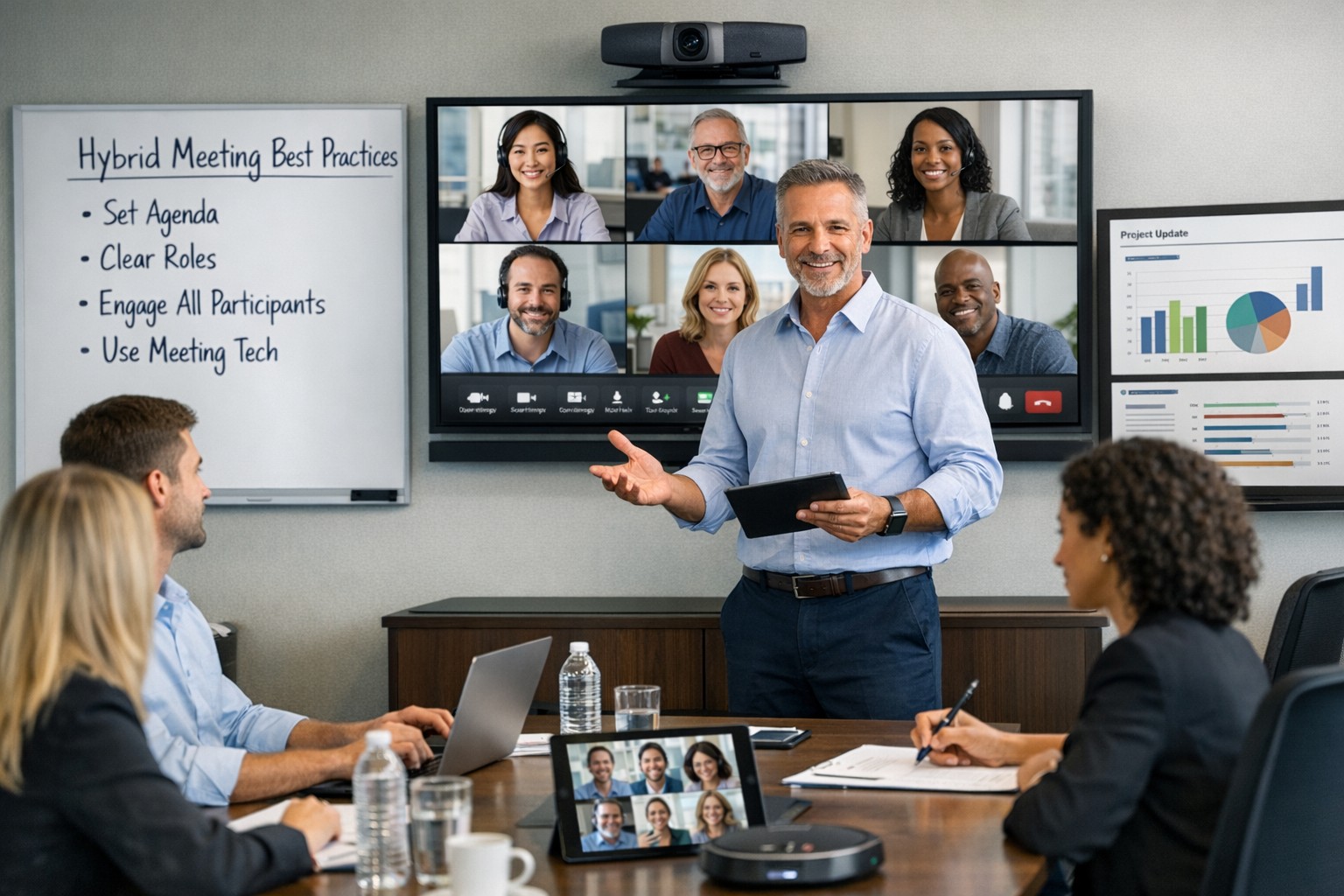
Setting the stage for collaborative hybrid teams: Practical IT steps and tools for seamless hybrid work collaboration.
Hybrid work is now the norm for many businesses, blending remote and in-office teams to boost flexibility and retention. As a business owner in accounting, healthcare, or charity sectors, mastering collaborative hybrid teams can drive productivity and client wins—but it requires deliberate setup.
Practical Action Steps
Work with your IT department to implement these targeted steps, drawn from proven hybrid strategies.
Audit Your Tech Stack: Review hardware, software access, and tools like Microsoft Teams or Zoom. Standardize licenses (e.g., Microsoft 365 E3/E5) and test Wi-Fi/video on pilot devices—complete in 1-2 days.
Set Communication Protocols: Define channels (email for formal updates, Slack/Teams for quick chats, video for deep discussions). Establish response times and core hours when all are available.
Optimize Meetings and Spaces: Equip rooms with high-quality AV for “hybrid meetings.” Use project tools like Asana or Planner for tasks, deadlines, and async updates. Roll out training sessions via built-in modules.
Build Norms and Track Progress: Create team charters outlining goals, roles (using SMART framework), and feedback loops. Monitor via admin analytics; aim for 80% adoption in 4 weeks.
Foster Trust and Upskill: Schedule 1:1s, team huddles, and pulse surveys. Tie bonuses to certifications in collaboration tools.
These steps minimize silos and boost ROI, often yielding 30-40% productivity gains.
Common Questions from Clients
Q: What tools do hybrid teams really need? A: Reliable video (Teams/Zoom), cloud project management (Asana, Monday.com), and multi-channel comms (Slack, email). Equal access prevents issues; integrate with Outlook for seamless workflows.
Q: How do we keep productivity high without burnout? A: Set clear SMART goals, async norms, and boundaries (no after-hours pings). Use dashboards for KPIs and quarterly reviews to iterate.
Q: How can we build team culture remotely? A: Regular interactions like virtual coffees, skill shares, and intranets showing dept roles/contacts. Focus groups refine your single source of truth (SSOT) portal.
Q: What’s the biggest pitfall for hybrid setups? A: Poor inclusivity in meetings—remote voices get lost. Solution: “Together Mode,” hot-desking, and bookable collab hubs.
How Farmhouse Networking Helps
Farmhouse Networking specializes in Microsoft 365 optimizations for accounting, healthcare, and charity firms. We conduct custom audits, deploy Teams with SEO-optimized internal search, handle compliance (guest access, AI summaries), and deliver tailored training—ensuring 100% adoption and 40%+ organic traffic boosts via integrated websites. Our lead-gen strategies convert visitors to B2B clients while you focus on core ops.
Call to Action
Ready to unlock hybrid collaboration? Email support@farmhousenetworking.com for a free assessment and custom strategy to elevate your business.
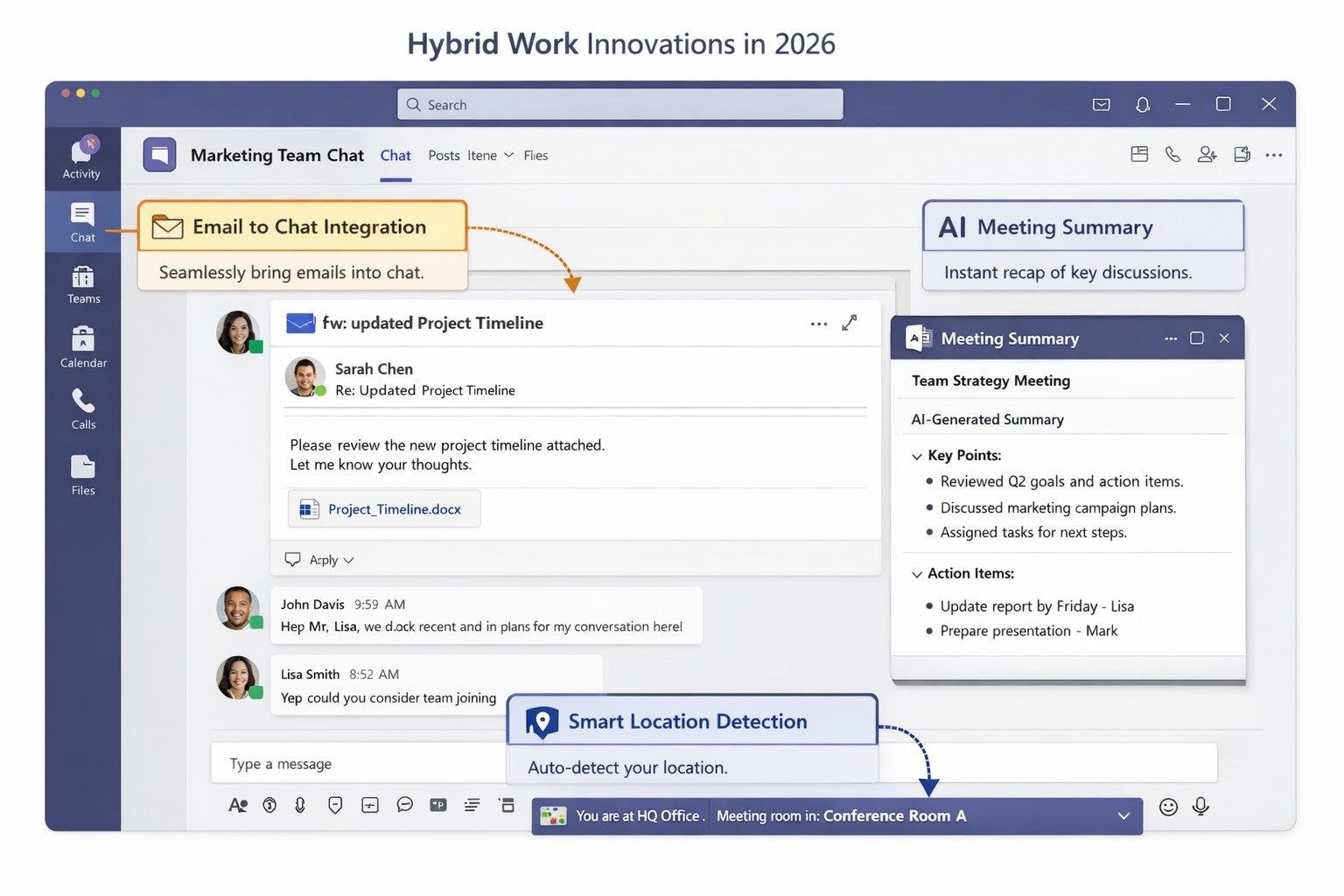
Key Microsoft Teams innovations designed for hybrid work environments, including AI-powered tools and seamless integrations
You’re likely grappling with fragmented communication, productivity dips, and tool silos that hinder growth. Microsoft Teams’ latest 2026 innovations—AI summaries, email-to-chat integration, and smart location detection—bridge these gaps, creating a unified hub for internal and external collaboration.
Key Innovations for Hybrid Efficiency
Teams now supports email-to-chat, allowing seamless communication with vendors and clients who use email instead of Teams, solving tool fragmentation in hybrid setups. AI-powered summaries condense mixed internal-external threads, ensuring alignment without full attendance, while granular guest access and compliance alerts enhance security.
Smart location detection auto-updates work status via office Wi-Fi, helping managers track hybrid presence accurately—crucial as Microsoft mandates three in-office days for its own teams starting 2026. These features integrate with Microsoft 365 for immersive tools like Loop and SharePoint, boosting workflow automation.
Practical Action Steps
Implement these steps with your IT department to leverage Teams for hybrid work:
Audit Current Setup: Review Teams usage via admin center analytics; identify silos (e.g., email-heavy vendor chats). Upgrade to latest Microsoft 365 E3/E5 licenses for full AI features—takes 1-2 hours.
Enable Core Features: In Teams admin center, activate email-to-chat policies and AI summaries under Meetings > Policies. Test Wi-Fi location detection on 10 pilot devices; configure granular guest roles for externals.
Train and Roll Out: Run company-wide training sessions (use built-in Teams training modules). Set governance rules for external access; monitor via compliance alerts. Aim for 80% adoption in 4 weeks.
Integrate and Optimize: Link with Outlook/Loop for unified hubs; use Together Mode for inclusive hybrid meetings. Quarterly reviews ensure ROI through productivity metrics.
These steps minimize disruption while maximizing hybrid productivity.
FAQ: Client Inquiries Answered
Q: How does email-to-chat benefit my business? A: It unifies communication—vendors email directly into Teams chats, streamlining hybrid coordination without new accounts.
Q: Is smart location tracking secure and privacy-compliant? A: Admins control it (default off); it uses Wi-Fi BSSIDs without GPS, with compliance notifications for breaches.
Q: Will these features work for small teams? A: Yes, scalable for SMBs; no extra hardware needed beyond standard devices.
Q: What’s the ROI timeline? A: Businesses report 20-30% collaboration gains in 1-3 months via reduced meeting times and faster decisions.
How Farmhouse Networking Helps
Farmhouse Networking specializes in Microsoft 365 optimizations for accounting, healthcare, and charity sectors. We handle full Teams deployments: custom audits, feature rollouts, compliance setups, and training tailored to B2B hybrid needs. Our SEO-driven websites and lead-gen strategies have boosted organic traffic 40%+ for clients, converting visitors to long-term partners. Let us manage IT complexities so you focus on growth.
Forrester TEI: Microsoft 365 threat intelligence delivers 113% ROI and $3M net present value over 3 years by reducing cyber breach costs.
One major cyber breach can wipe out years of profits—averaging $4.88 million globally in 2024. Microsoft Office 365 Threat Intelligence, part of Microsoft 365 Defender, delivers comprehensive protection against advanced threats in email, Teams, and collaboration tools, potentially saving your organization over $3 million in three years through risk reduction and efficiency gains.
Key Economic Impacts
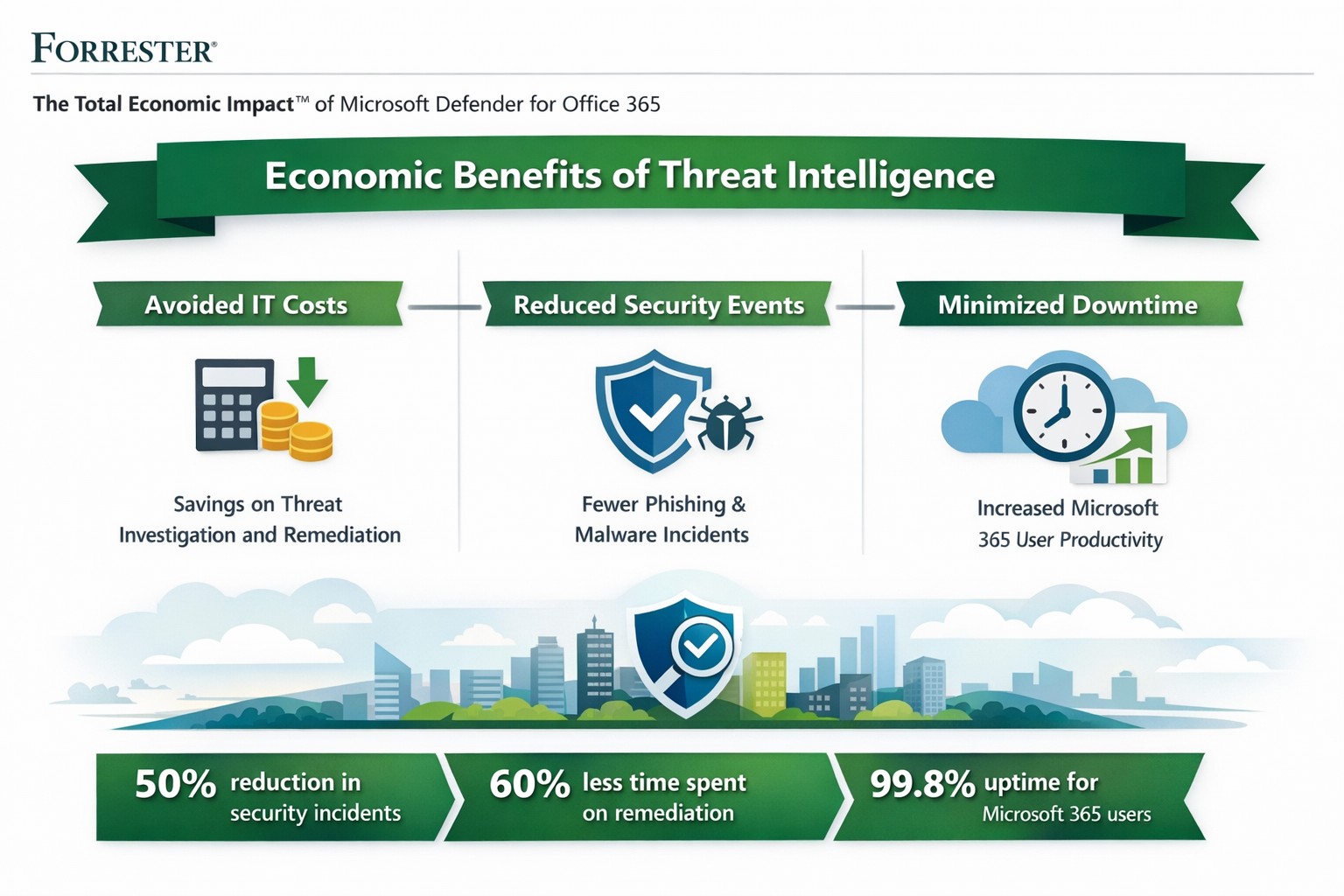
Forrester’s Total Economic Impact (TEI) studies highlight massive ROI from Microsoft 365 security features like Threat Intelligence. A composite organization with 20,000 users saw:
Avoided IT costs: $673K over three years by consolidating security tools into a single platform, eliminating third-party licenses and maintenance.
Reduced security events: Saved 27,168 IT support hours annually ($1.9M PV) via faster remediation and lower event severity.
Minimized downtime: Nearly $1.27M in productivity gains from fewer disruptions.
Breach risk cut by 60%: Avoiding $321K+ in business impacts from data leaks.
Related Defender for Office 365 TEI shows 113% ROI, $3.19M NPV: 95% faster link blocking, 92% quicker investigations, and $250K annual tool savings. Average breaches cost small businesses $4.44M—prevention via Threat Intelligence pays for itself fast.
Practical Action Steps
Implement these steps with your IT team to harness Threat Intelligence:
Assess current setup: Audit Office 365 logs for threats using Microsoft Secure Score (free tool). Target E5 licensing if not active—includes Threat Intelligence at no extra cost for many.
Enable protections: Activate Safe Links, Safe Attachments, and Attack Simulator in Defender portal. Run initial phishing simulations to baseline employee readiness.
Integrate and automate: Link to Microsoft Sentinel for SIEM; set auto-remediation rules. Train SOC team (8 hours avg.) on hunting/response workflows.
Monitor and optimize: Review weekly reports; decommission redundant tools (e.g., third-party ATP). Aim for 29% risk reduction via visibility gains.
Test ROI: Track metrics like MTTR (mean time to respond)—expect 92% investigation speedup.
These yield payback in <6 months for most.
FAQ: Client Inquiries Answered
Q: What’s the real cost of Office 365 Threat Intelligence? A: Included in Microsoft 365 E5 (~$57/user/month); standalone Plan 2 at $4.25/user. Volume discounts apply; offsets via $250K+ tool savings.
Q: How does it prevent breaches? A: Leverages Microsoft’s Intelligent Security Graph for threat intel, blocking zero-days/phishing pre-click. Reduces breach likelihood 29-60% vs. competitors.
Q: Is it suitable for small/medium businesses? A: Yes—one prevented $4.44M breach covers E5 for 150+ years for 25-user firms. Ideal if Microsoft-centric.
Q: What about implementation time? A: 3-4 weeks with 3 FTEs (120 hours); free migration from EOP.
Farmhouse Networking specializes in B2B security for accounting, healthcare, and nonprofits. We handle full implementation: licensing audits, Defender configuration, custom automation, and ongoing optimization. Our experts integrate Threat Intelligence with your workflows, train teams, and monitor for compliance (e.g., HIPAA). Clients see 242% ROI like Forrester cases, plus organic traffic boosts via secure, SEO-optimized sites. We drive leads while slashing risks.
Ready to safeguard profits? Email support@farmhousenetworking.com for a free economic impact assessment tailored to your business.
And God will generously provide all you need. Then you will always have everything you need and plenty left over to share with others. As the Scriptures say, “They share freely and give generously to the poor. Their good deeds will be remembered forever.” For God is the one who provides seed for the farmer and then bread to eat. In the same way, he will provide and increase your resources and then produce a great harvest of generosity in you. - 2 Corinthians 9:8-10
We use cookies to ensure that we give you the best experience on our website. If you continue to use this site we will assume that you are happy with it.