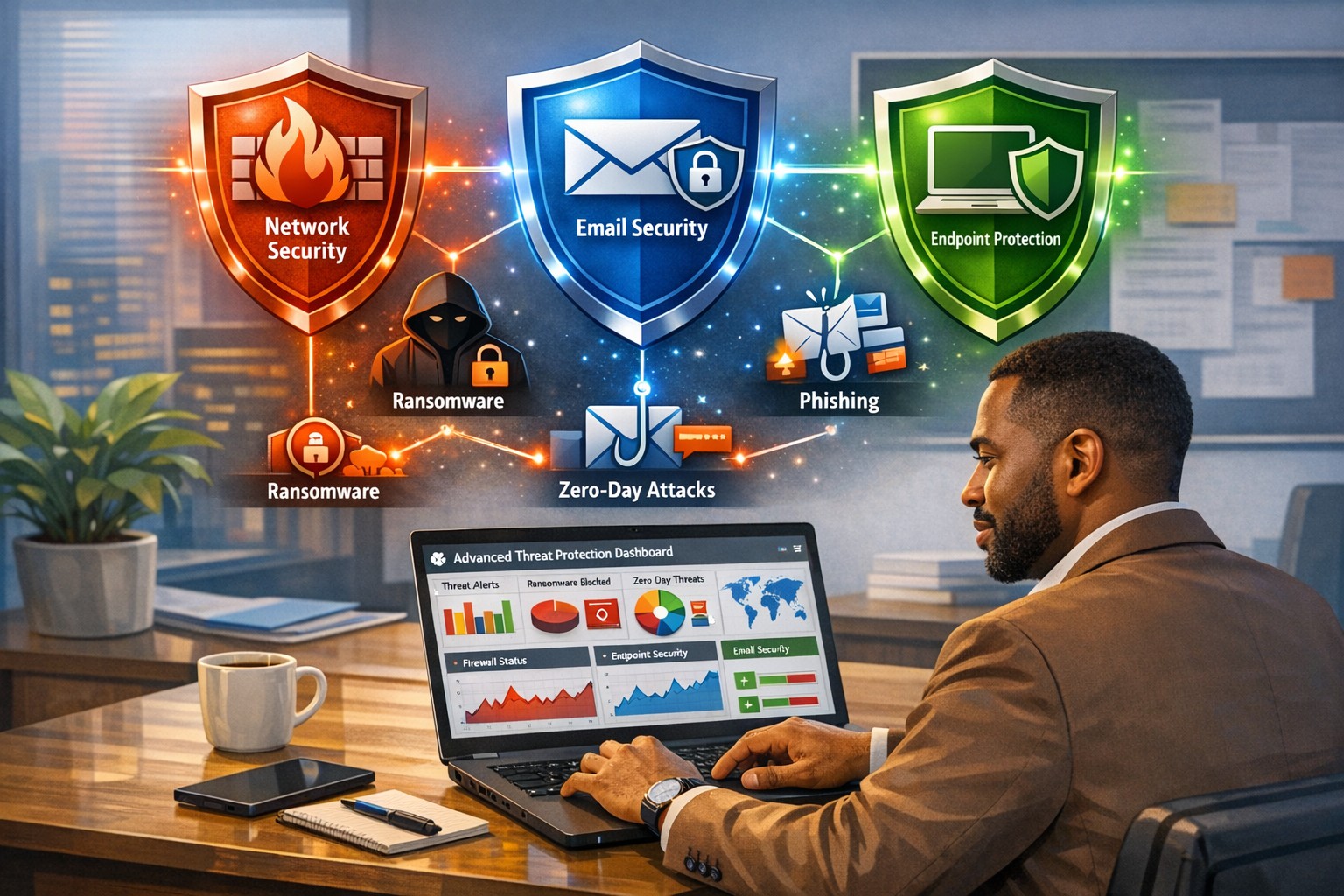
Farmhouse Networking deploys zero trust physical security for Grants Pass businesses, verifying every facility access request continuously.
This is the first in a series about the concept of Zero Trust, which means in the IT sense that you trust nothing and always verify everything surrounding and connected to your network. Today’s discussion will be on the physical security surrounding your network.
Physical Security
Physical security can include the locks on the doors, where things are placed, and how they are protected from the unpredictability of the environment. Here are some questions that you should be asking yourself:
Do you know where your network equipment is located?
Is the server / network in a separate area from where work is done?
Is this separate area behind a locked door?
Is the equipment in a locked rack or cabinet?
Is there a separate air conditioning zone for this area (servers like it cold)?
Is there a separate alarm zone for this equipment?
Who has the codes?
Is there a security camera watching this area (we don’t install these)?
How long is the recording for?
Who has access to the recordings?
Are computers located in areas where customers can physically touch them?
Are unused USB ports on the computer turned off or locked?
Are all systems protected by battery backup devices?
Are all systems off the floor in case of a flood?
Take time to think about these questions and decide where changes can be made to better protect your IT investments, or contact us to do the thinking for you.
We caught wind of two separate actions the US has taken against Cyber Threats from Russia over the weekend:
Kaspersky
The first is news that the US Federal Communications Commission has added Russian cybersecurity company Kaspersky Lab to its list of entities that pose an “unacceptable risk to US national security,” according to a report from Bloomberg. This company has been banned from use by government agencies since 2017 when a bill was signed due to the companies ties to the Kremlin.
Russian Hackers
The second article was a press release from the FBI stating that:
“The Department of Justice unsealed two indictments today charging four defendants, all Russian nationals who worked for the Russian government, with attempting, supporting and conducting computer intrusions that together, in two separate conspiracies, targeted the global energy sector between 2012 and 2018. In total, these hacking campaigns targeted thousands of computers, at hundreds of companies and organizations, in approximately 135 countries.”
This hacking activity should be another wake-up call to American businesses to harden their defenses and remain vigilant against cyber security threats. These people are nationally sponsored criminals and we must protect ourselves.
If your company is currently using Kaspersky or any other Russian based vendors, then it is time to carefully consider whether to continue being connected with them and contact us for assistance migrating to a trusted source.
83% of employees continue accessing old employer’s accounts
Farmhouse Networking Grants Pass implements robust employee offboarding to revoke access and secure networks for Oregon businesses.
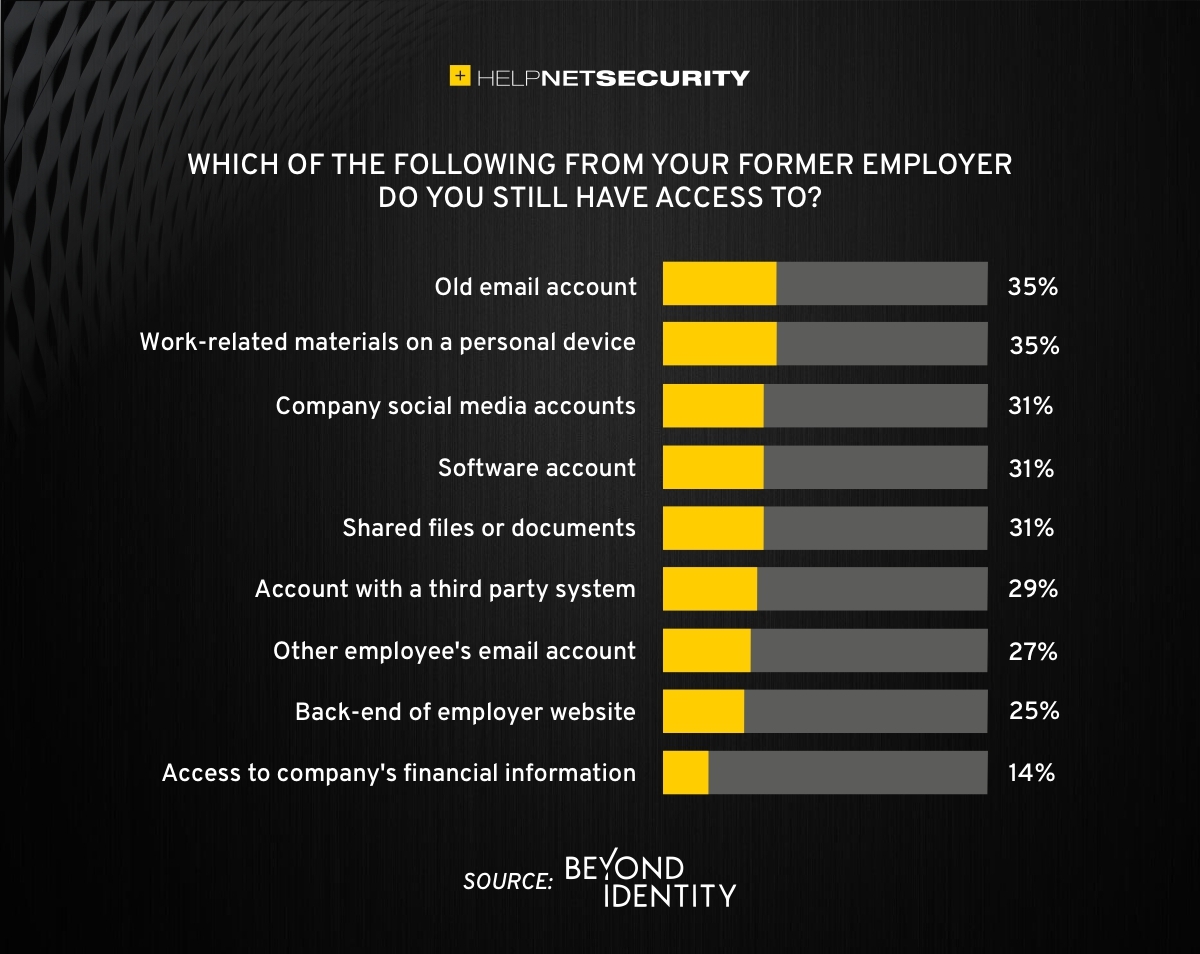
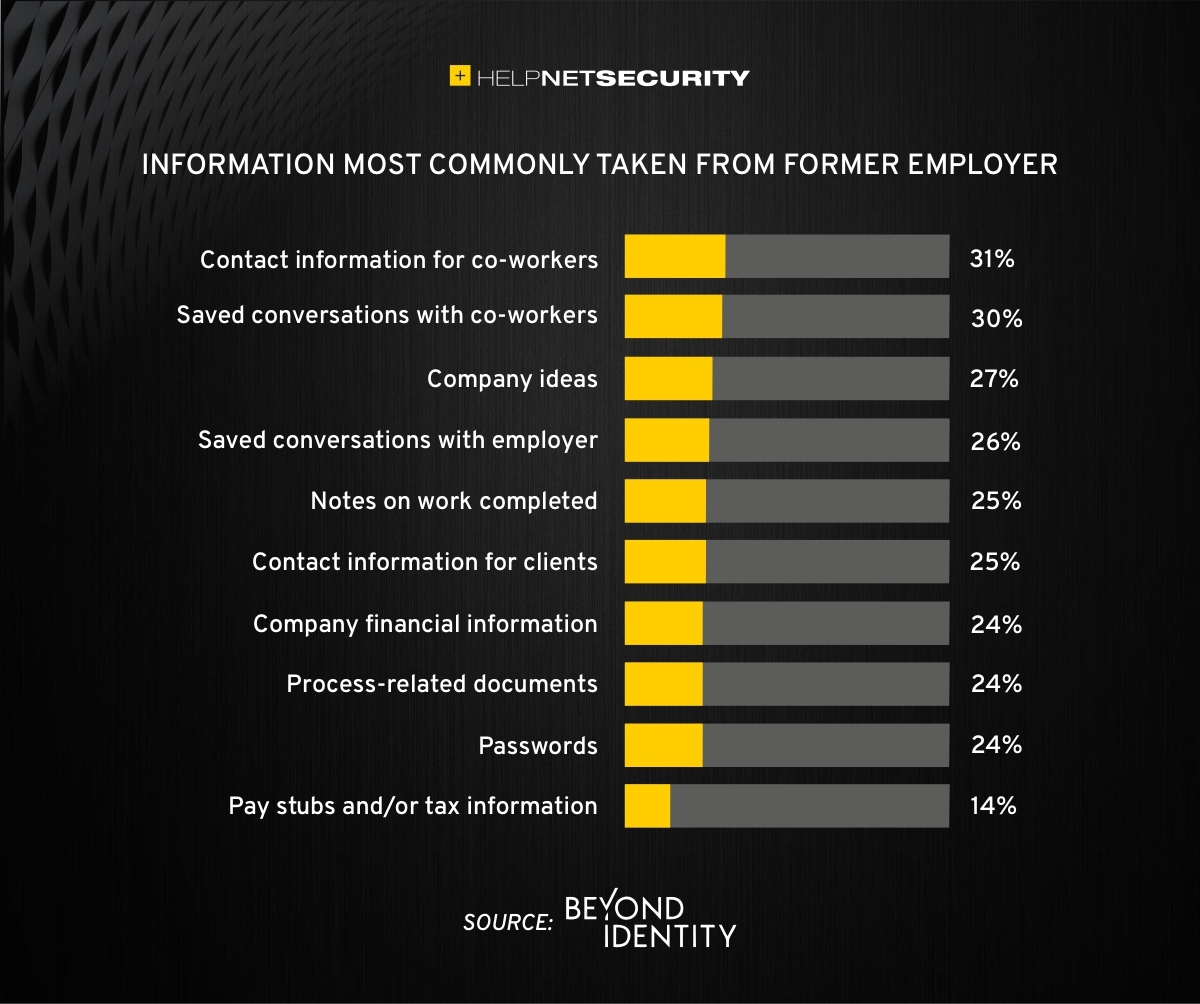
A study was performed by Beyond Identity throughout the US, UK, and Ireland which found that 83% of employees admitted to maintaining continued access to accounts from a previous employer. Also a shocking 56% admitted to using this access to harm their former employer.
The study also states that a professional and details offboarding process can prevent unauthorized access by former employees by eliminating their passwords and other insecure authentication methods. Strangely enough this also creates a sense of goodwill in the company that helps to lessen the motivation for employees to attempt this kind of malicious access. This kind of process is vital considering the current employment market and high turn over rates at almost all companies.
If your company does not have a detailed and documented offboarding process, thencontact usfor assistance.
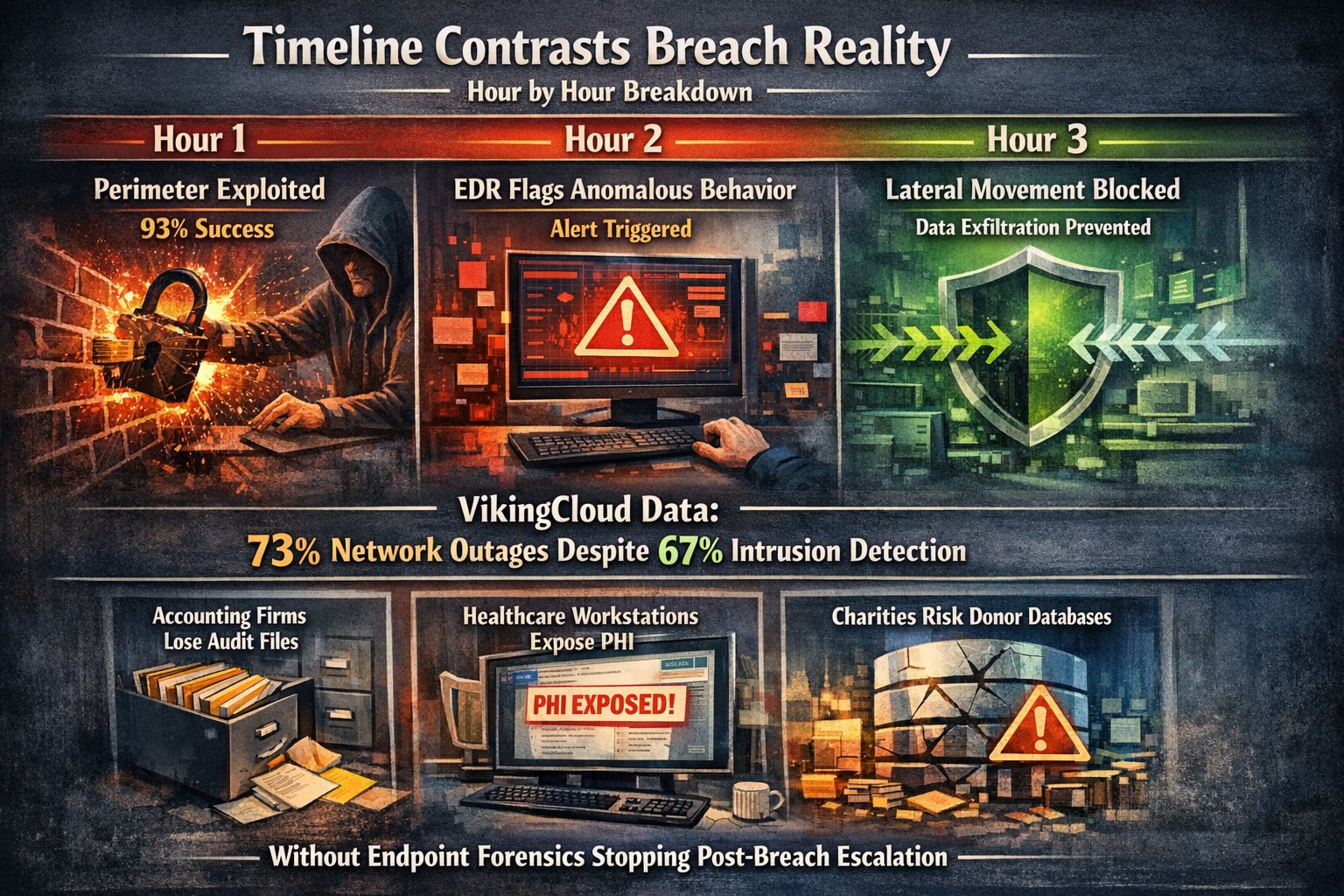
Security researchers performed penetration testing on the networks of 45 various mid-sized companies and found that in real life scenarios 93% of those networks were able to be compromised to the point of business disruption. Here are the details:
The Target
The 45 companies were polled to determine what would be an unacceptable business interruption. They decided that the following met that criteria:
Disruption of production processes
Disruption of service delivery processes
Compromise of the digital identity of top management
Theft of funds
Theft of sensitive information
Fraud against users
These became the target for the penetration testers.
The Process
In order for the penetration tester to achieve their target, they followed the following process:
Breach the network perimeter – This was done by the use of compromised passwords found on the Dark Web and know vulnerabilities on devices that were directly connected to the internet
Obtain maximum privileges – In 100% of the networks, once an attacker was inside the network
Gaining access to key systems – With maximum privileges, the testers are able to gain access to other areas of the network including databases, executives computers, and production servers
Develop attacks on target systems – Once key systems are compromised the testers then figured out how to create the unacceptable business interruption. Although they could have created these interruptions, they only gathered proof that they could to present the data to the companies.
How to Defend
There are a couple main ways to defend against these kinds of attacks:
Security Controls / Segmentation – Creating least privileged access to key systems and segmenting the network will keep hackers from traversing the network once inside
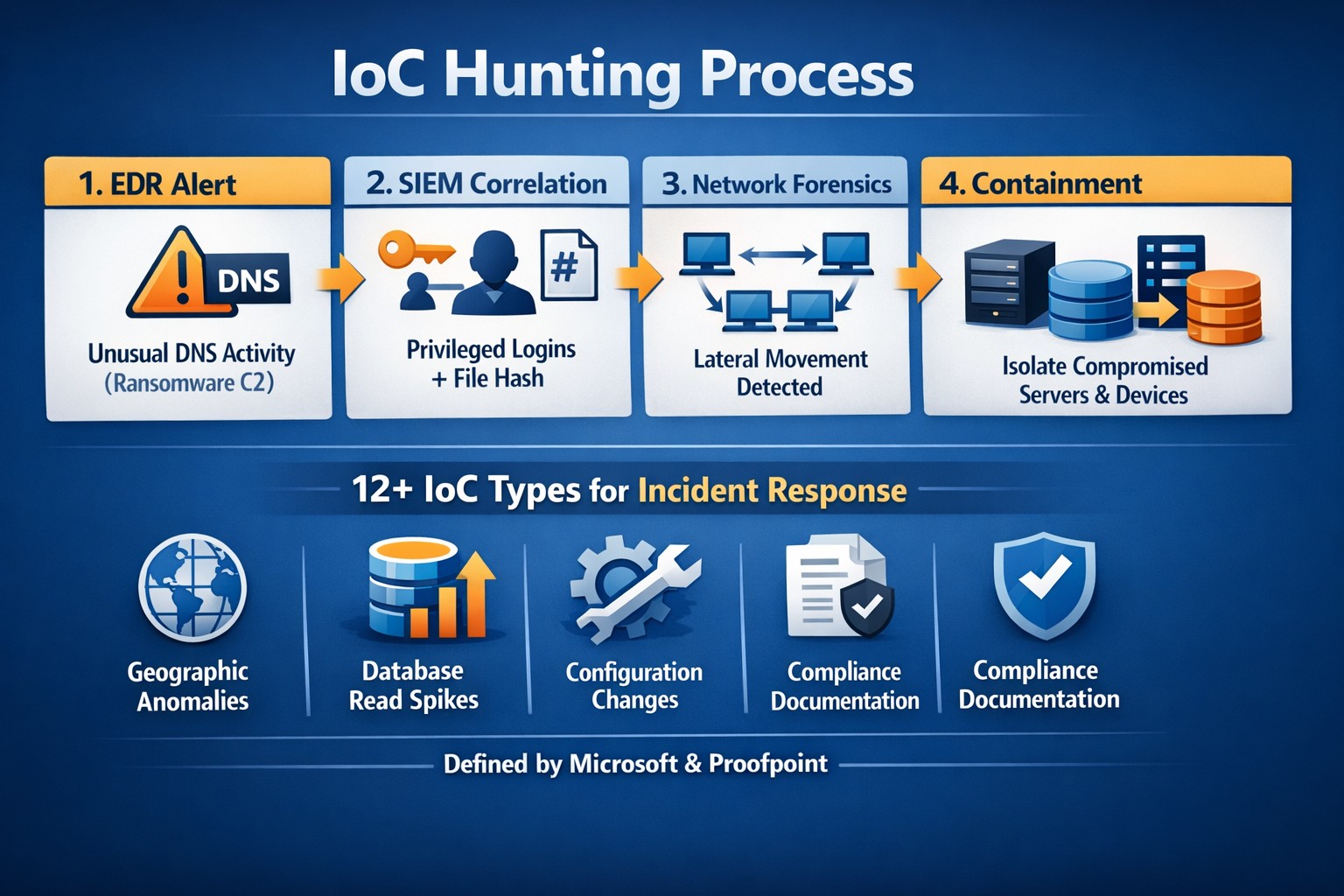
Enhanced Network Monitoring – Modern cyber security tools watch activity and traffic on the network to find indicators of compromise. They pool this information into an attack history that can be used to remediate and further protect.
Your company is not as safe as you think, so contact us for free initial cybersecurity evaluation and risk report. .
Forrester TEI: Microsoft 365 threat intelligence delivers 113% ROI and $3M net present value over 3 years by reducing cyber breach costs.
One major cyber breach can wipe out years of profits—averaging $4.88 million globally in 2024. Microsoft Office 365 Threat Intelligence, part of Microsoft 365 Defender, delivers comprehensive protection against advanced threats in email, Teams, and collaboration tools, potentially saving your organization over $3 million in three years through risk reduction and efficiency gains.
Key Economic Impacts
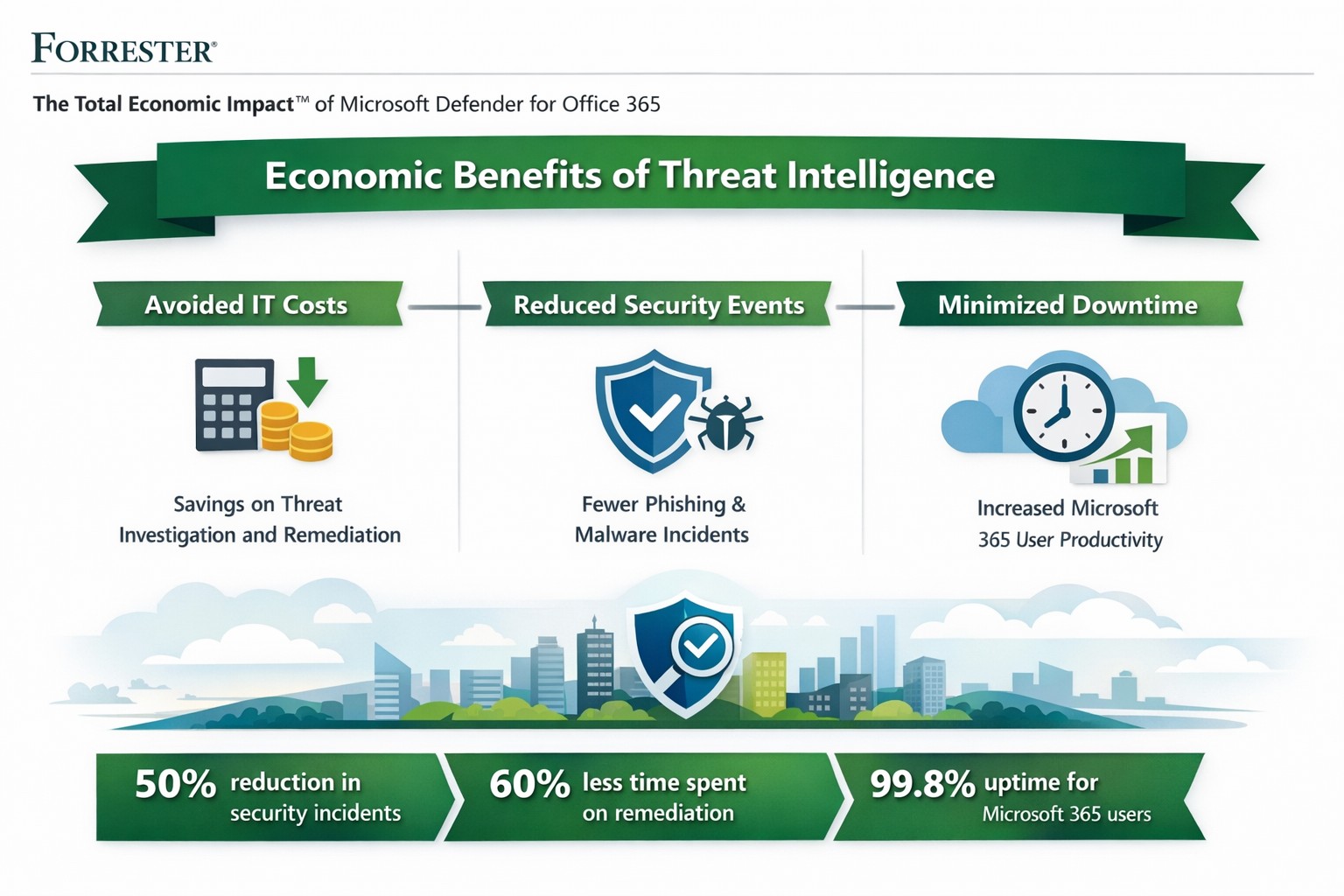
Forrester’s Total Economic Impact (TEI) studies highlight massive ROI from Microsoft 365 security features like Threat Intelligence. A composite organization with 20,000 users saw:
Avoided IT costs: $673K over three years by consolidating security tools into a single platform, eliminating third-party licenses and maintenance.
Reduced security events: Saved 27,168 IT support hours annually ($1.9M PV) via faster remediation and lower event severity.
Minimized downtime: Nearly $1.27M in productivity gains from fewer disruptions.
Breach risk cut by 60%: Avoiding $321K+ in business impacts from data leaks.
Related Defender for Office 365 TEI shows 113% ROI, $3.19M NPV: 95% faster link blocking, 92% quicker investigations, and $250K annual tool savings. Average breaches cost small businesses $4.44M—prevention via Threat Intelligence pays for itself fast.
Practical Action Steps
Implement these steps with your IT team to harness Threat Intelligence:
Assess current setup: Audit Office 365 logs for threats using Microsoft Secure Score (free tool). Target E5 licensing if not active—includes Threat Intelligence at no extra cost for many.
Enable protections: Activate Safe Links, Safe Attachments, and Attack Simulator in Defender portal. Run initial phishing simulations to baseline employee readiness.
Integrate and automate: Link to Microsoft Sentinel for SIEM; set auto-remediation rules. Train SOC team (8 hours avg.) on hunting/response workflows.
Monitor and optimize: Review weekly reports; decommission redundant tools (e.g., third-party ATP). Aim for 29% risk reduction via visibility gains.
Test ROI: Track metrics like MTTR (mean time to respond)—expect 92% investigation speedup.
These yield payback in <6 months for most.
FAQ: Client Inquiries Answered
Q: What’s the real cost of Office 365 Threat Intelligence? A: Included in Microsoft 365 E5 (~$57/user/month); standalone Plan 2 at $4.25/user. Volume discounts apply; offsets via $250K+ tool savings.
Q: How does it prevent breaches? A: Leverages Microsoft’s Intelligent Security Graph for threat intel, blocking zero-days/phishing pre-click. Reduces breach likelihood 29-60% vs. competitors.
Q: Is it suitable for small/medium businesses? A: Yes—one prevented $4.44M breach covers E5 for 150+ years for 25-user firms. Ideal if Microsoft-centric.
Q: What about implementation time? A: 3-4 weeks with 3 FTEs (120 hours); free migration from EOP.
Farmhouse Networking specializes in B2B security for accounting, healthcare, and nonprofits. We handle full implementation: licensing audits, Defender configuration, custom automation, and ongoing optimization. Our experts integrate Threat Intelligence with your workflows, train teams, and monitor for compliance (e.g., HIPAA). Clients see 242% ROI like Forrester cases, plus organic traffic boosts via secure, SEO-optimized sites. We drive leads while slashing risks.
Ready to safeguard profits? Email support@farmhousenetworking.com for a free economic impact assessment tailored to your business.
How an integrated advanced threat protection solution helps business owners monitor and block cyber threats in real time
Cyberattacks are no longer “someone else’s problem.” From ransomware to phishing‑laden emails and zero‑day exploits, modern threats are designed to bypass traditional antivirus and basic firewalls. As a business owner, your core concern is simple: keep data safe, keep operations running, and protect your reputation. An integrated advanced threat protection (ATP) solution is exactly the kind of security framework that turns reactive panic into proactive control.
What Is Advanced Threat Protection?
Advanced threat protection (ATP) is a unified cybersecurity strategy that combines multiple technologies—such as AI‑driven analytics, behavioral monitoring, sandboxes, next‑generation firewalls, and endpoint detection—into a single, coordinated system. Instead of relying on isolated tools, ATP monitors your entire digital ecosystem (email, web, cloud, endpoints, and network) and blocks sophisticated threats before they can disrupt your business.
For a business owner, this means fewer surprises, faster incident response, and less downtime when—if—something does slip through.
What Your Business Needs to Do
An effective ATP rollout isn’t just an IT project; it’s a strategic decision you steer. Here are practical action steps you and your IT team should take:
1. Map Your Risk and Critical Assets
Identify which data, systems, and third‑party services are most critical (client records, accounting, PHI if in healthcare, donor data if nonprofit).
Document access controls and where third‑party vendors touch your network.
2. Upgrade Core Security Infrastructure
Replace legacy firewalls and antivirus with next‑generation firewalls and advanced endpoint protection that use behavioral analysis and AI.
Enable email‑layer ATP to filter phishing, malicious links, and infected attachments before they reach inboxes.
3. Implement Visibility and Centralized Monitoring
Deploy tools that give real‑time visibility across endpoints, network traffic, and cloud services (SIEM‑style logging or managed EDR).
Use a centralized management console so your IT team can view threats, alerts, and responses from one place.
4. Harden Access and Policies
Roll out multi‑factor authentication (MFA) for email, cloud apps, and any system with sensitive data.
Enforce strong password policies, device‑management rules, and safe‑browsing guidelines for staff.
5. Train Employees and Build an Incident Playbook
Run regular, short cybersecurity training focused on spotting phishing, avoiding risky downloads, and reporting suspicious activity.
Draft a simple incident‑response plan that includes isolation steps, communication protocols, and points of contact.
Common Questions Business Owners Ask
Q: If we already have a firewall and antivirus, isn’t that enough? Traditional tools are designed for known, signature‑based threats. Modern attackers use zero‑day exploits, fileless malware, and spear‑phishing that slip past these defenses. ATP adds behavioral analysis, sandboxing, and AI‑driven threat‑hunting that traditional tools simply can’t match.
Q: Won’t ATP slow down our systems and network? Most modern ATP platforms are engineered for performance and often run in the cloud or as lightweight agents. When configured correctly, users rarely notice slowdowns, while the security gains are very visible.
Q: Can small or mid‑sized businesses afford ATP? Yes. Many ATP solutions are tiered by company size, and managed ATP services allow you to outsource the heavy lifting rather than hiring a full‑time security team.
Q: How much effort does ATP require to maintain? Once deployed, ATP is largely automated. Your IT team (or your managed‑security partner) still need to monitor alerts, tune policies, and respond to incidents—but the platform does the heavy lifting of detection and many remediation steps.
How Farmhouse Networking Can Help
Farmhouse Networking helps businesses like yours bridge the gap between “we’re doing our best” and “we’re actually secure.” Our services focus on:
Assessment and planning: We audit your current setup, identify your biggest exposure points, and design an ATP‑ready roadmap tailored to your industry (accounting, healthcare, or nonprofit).
Deployment and integration: We help you deploy or upgrade to next‑generation firewalls, endpoint protection, and email‑layer ATP, ensuring all pieces work together seamlessly.
Managed monitoring and response: If you lack in‑house expertise, we can provide ongoing monitoring, alert triage, and coordinated incident response so threats are contained quickly.
Training and policy support: We assist with policy templates and staff training so your team becomes part of your defense, not the weakest link.
You don’t need to become a cybersecurity expert overnight. You just need a partner who can translate ATP into clear, manageable steps that protect your business without over‑complicating your day‑to‑day operations.
Take the Next Step
If you’re ready to treat cybersecurity as a strategic investment instead of an afterthought, now is the time to explore an integrated advanced threat protection solution. Farmhouse Networking can help you design, deploy, and manage ATP tailored to your specific risks and budget.
For more information, email us at support@farmhousenetworking.com and we’ll schedule a call to walk through your current setup, your biggest concerns, and the practical steps you can take next.
Secure your business with Microsoft Defender for Office 365: Advanced Threat Protection against phishing and malware.
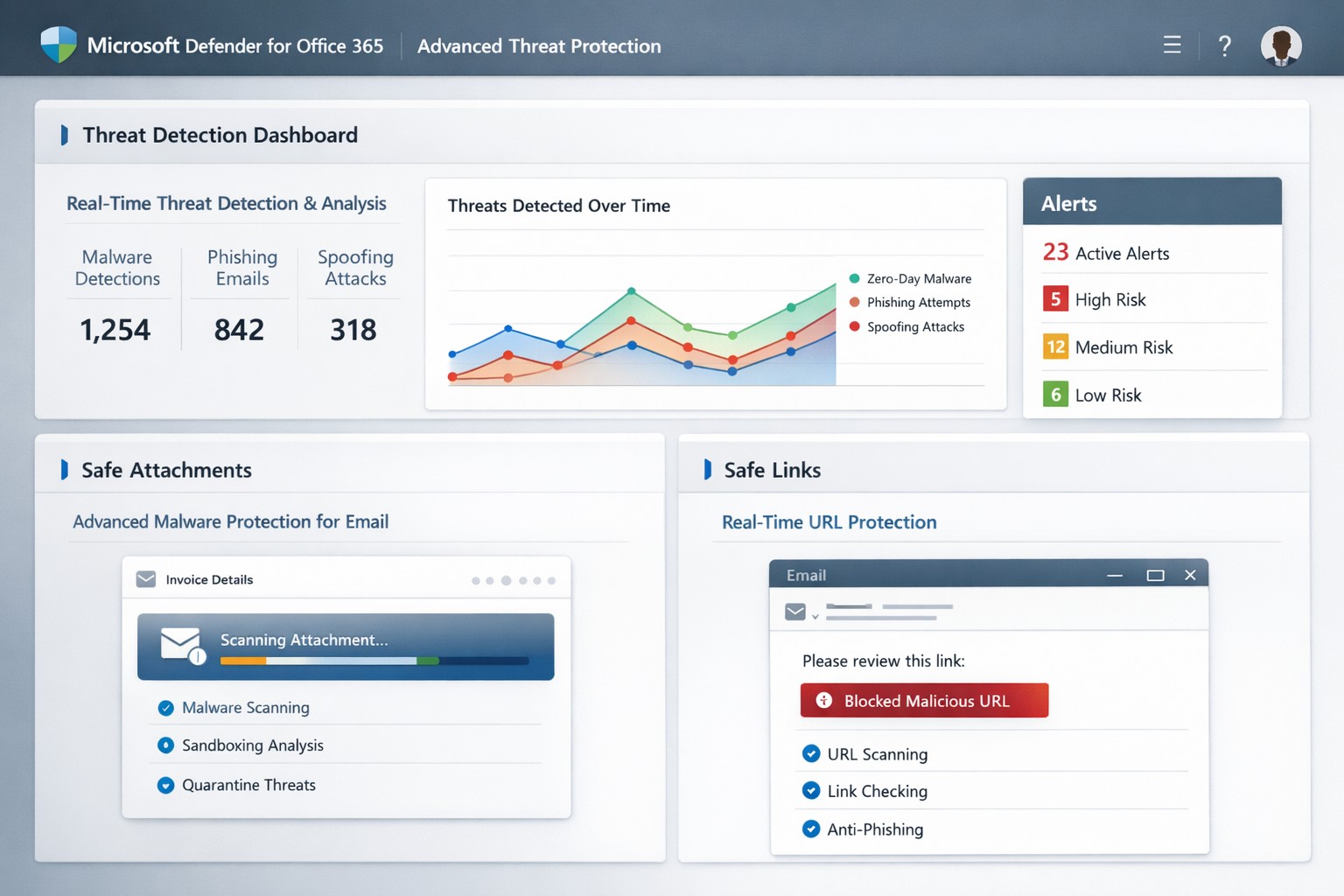
One phishing email or malicious attachment can cripple operations, steal sensitive data, or halt revenue. Microsoft Defender for Office 365 (formerly Office 365 Advanced Threat Protection or ATP) delivers cloud-based defenses against zero-day malware, phishing, and spoofing in email, Teams, SharePoint, and OneDrive—essential for protecting your accounting, healthcare, or charity operations.
Core Features of Advanced Threat Protection
Defender for Office 365 scans attachments via Safe Attachments, detonating them in a sandbox to block malware before delivery. Safe Links rewrites and checks URLs in real-time, preventing phishing site access, while anti-spoofing intelligence flags impersonation attempts.
It integrates with Exchange Online Protection for layered defense, offering automated investigation tools to prioritize alerts and suggest remediations like quarantining threats. Reporting tracks blocked attacks, user click risks, and trends, helping refine policies organization-wide.
Practical Action Steps for Implementation
Business owners and IT teams can activate these protections quickly via the Microsoft 365 Defender portal (security.microsoft.com). Here’s a step-by-step guide:
Verify Licensing: Confirm Microsoft 365 Business Premium, E3/E5, or standalone Defender for Office 365 Plan 1/2. Upgrade if needed via admin.microsoft.com.
Access Policies: Log into the Microsoft Defender portal > Policies & rules > Threat policies. Enable Safe Attachments: Set to “Block” for high-risk or “Dynamic Delivery” to release clean files fast.
Configure Safe Links: Turn on URL rewriting and real-time scanning. Apply to all users/domains via “Automatically include the domains I own.”
Set Anti-Phishing Policies: Enable spoof intelligence and impersonation protection. Test with strict/block modes first.
Review & Train: Use Threat Explorer for alerts. Conduct staff training on recognizing warnings—ATP reports highlight repeat offenders.
Monitor Ongoing: Schedule weekly reviews; adjust policies based on attack data.
These steps take under an hour initially but scale automatically.
FAQs: Client Questions Answered
What threats does it stop? Primarily zero-day malware in attachments/URLs, phishing, spoofing, and malicious files in collaboration tools. It caught ransomware vectors in 2021 spam surges.
Is it included in my plan? Yes, in Business Premium or E5; otherwise, add via Microsoft. No extra hardware needed—fully cloud-based.
How effective is it post-delivery? Safe Links protects clicks after delivery; automated response quarantines threats across tenants.
Can it handle guest users in Teams? Yes, scans uploads/downloads in SharePoint, OneDrive, Teams for contractors/partners.
What if we have on-premises servers? Offloads protection to cloud; keep EOP/ATP on alongside legacy tools.
How Farmhouse Networking Boosts Your ATP Success
At Farmhouse Networking, we specialize in tailored Microsoft 365 security for accounting firms tracking client finances, healthcare providers safeguarding PHI, and charities protecting donor data. Our team audits your current setup, implements ATP policies optimized for your industry (e.g., HIPAA-compliant configs), and integrates with branding/SEO strategies to secure client portals.
We handle risk assessments, employee training via custom simulations, and ongoing monitoring—reducing alert fatigue by 50% for clients. Plus, our lead-gen expertise ensures secure sites convert visitors to B2B partnerships seamlessly.
Call to Action
Ready to fortify your business against advanced threats? Email support@farmhousenetworking.com for a free ATP assessment and custom strategy.
Microsoft Threat Protection unified portal: Centralized view of threats across endpoints, email, and identities—essential for business owners implementing MTP security
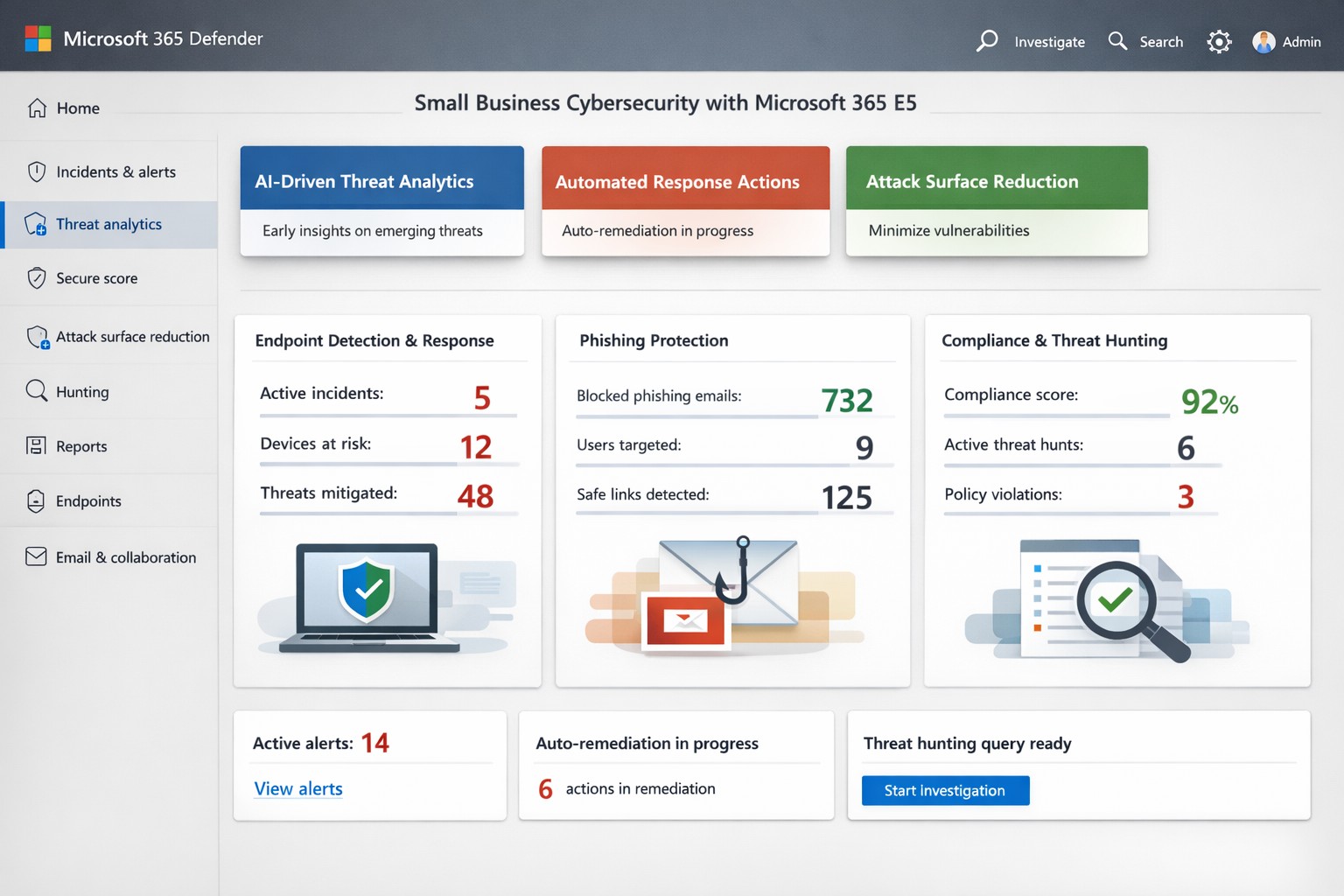
Cyber threats target businesses relentlessly, with ransomware and phishing costing small firms millions annually. Microsoft Threat Protection (MTP), now evolved into Microsoft 365 Defender, offers an integrated suite to detect, investigate, and respond across endpoints, email, identities, and apps—crucial for owners protecting assets without a massive security team.
Key Features Overview
MTP unifies tools like Microsoft Defender for Endpoint, Office 365, and Entra ID Protection into a single portal for real-time visibility. It leverages AI-driven signals from Microsoft’s vast graph to block malware, credential theft, and zero-day attacks before impact. Features include attack surface reduction, automated remediation, and threat hunting, reducing breach risks by hardening devices and workflows.
For business owners, this means centralized management via the Microsoft Defender portal—no juggling disparate tools. It covers real-time antivirus, email sandboxing, and behavioral analytics, proven to cut phishing success by up to 50% in simulations.
Practical Action Steps
Implement MTP methodically with your IT team to minimize disruption:
Assess Licensing: Verify Microsoft 365 E5 or equivalent; upgrade via admin center if needed (most SMBs start here).
Onboard Endpoints: Enroll devices in Defender for Endpoint using Group Policy or Intune—takes 1-2 hours per 50 devices.
Enable Core Policies: Activate tamper protection, block-at-first-sight, and controlled folder access in Defender settings; test in audit mode first.
Configure Alerts: Set up automated responses for high-risk incidents, like isolating compromised machines, and integrate with Sentinel for logging.
Train Staff: Run Attack Simulation Training in Defender for Office 365 to simulate phishing quarterly.
Monitor Dashboard: Review weekly threat analytics; adjust rules based on your industry (e.g., healthcare HIPAA compliance).
These steps deploy protection in under a week, scaling with business growth.
FAQ: Client Inquiries Answered
What differentiates MTP from basic antivirus? Unlike standalone AV, MTP correlates threats across your ecosystem—e.g., linking email phishing to endpoint behavior—for faster response.
How much does it cost for a 50-person firm? Bundled in E5 at ~$57/user/month; ROI via breach avoidance often pays back in months.
Is setup complex for non-tech owners? Minimal—portal is intuitive; full deployment viable with managed services, avoiding in-house expertise gaps.
Does it cover cloud apps like SaaS? Yes, protects identities via Entra and apps via Defender for Cloud Apps.
What if we’re hit despite MTP? Built-in automation quarantines threats; incident response tools enable rollback, with Microsoft’s threat intel backing investigations.
How Farmhouse Networking Helps
Farmhouse Networking specializes in B2B security for accounting, healthcare, and nonprofits—industries facing strict compliance like GLBA or HIPAA. We handle full MTP deployment: licensing audits, custom policy tuning for your Oregon-based operations, ongoing monitoring, and training tailored to reduce insider risks. Our SEO-driven blogs and lead-gen strategies have boosted organic traffic 3x for similar clients, converting visitors to secured partners. Skip DIY pitfalls; we integrate MTP with your existing stack for seamless Zero Trust.
Nobody wants to be hacked, breached, compromised, or whatever else they are calling it now. Here is a quick list of things to think about to keep your company safe:
Compromise Prevention
Keep track of your inventory, both software and hardware.
Make sure to properly dispose of these things (recycle or responsible destruction)
Scan your network for vulnerabilities
Patch or remediate everything you find
Manage your antivirus & keep it up-to-date
Keep your passwords complex & safely stored
Remove all users / accounts when no longer in use
Look at best practices to harden your computers / network to attacks
Monitor your network for strange activity (indicators of compromise)
If your company is concerned about security, then contact us to take care of it for you.
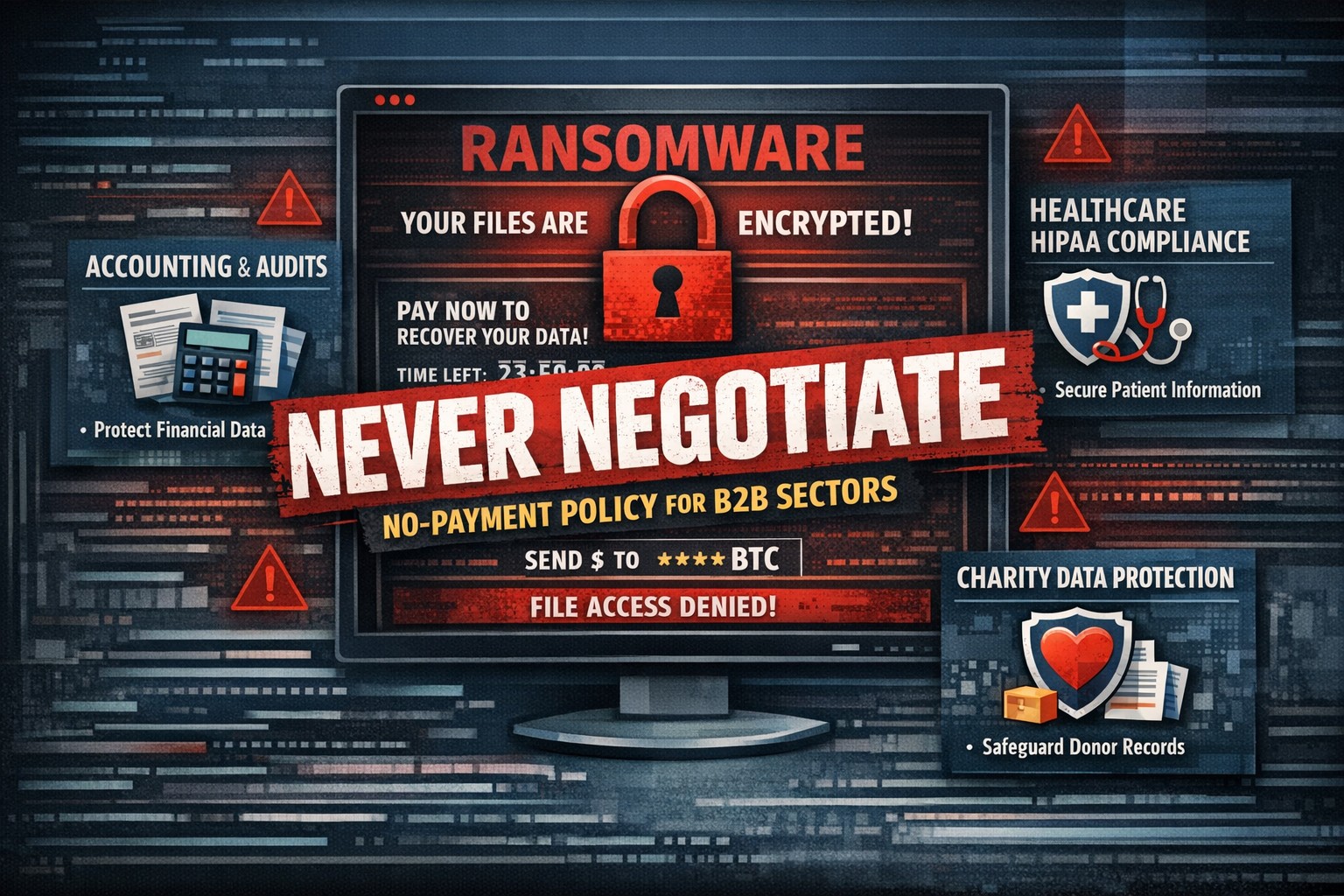
Farmhouse Networking’s zero trust security model prevents lateral movement
There has been a recent trend for companies to “negotiate” with the criminal terrorists behind wave of ransomware attacks across the world by paying the ransom. In a recent study some alarming statistics have been released:
Current Ransomware Stats
If Ransom is Paid: The global findings also show that only 8% of organizations manage to get back all of their data after paying a ransom, with 29% getting back no more than half of their data.
Cost of Ransom: The average ransom paid was $170,404. While $3.2 million was the highest payment out of those surveyed, the most common payment was $10,000. Ten organizations paid ransoms of $1 million or more.
Who is Paying the Ransom: The number of organizations that paid the ransom increased from 26% in 2020 to 32% in 2021.
The Brighter Side: While the number of organizations that experienced a ransomware attack fell from 51% of respondents surveyed in 2020 to 37% in 2021, and fewer organizations suffered data encryption as the result of a significant attack (54% in 2021 compared to 73% in 2020).
What is Being Done
There are now organizations trying to create a common framework to address this threat. The Institute for Security and Technology has created a Ransomware Task Force. This task force has been working to develop this framework and has published some guidance. Even though this is just the foundation work, it is good to see that efforts are being made.
If your company is worried about the threat of ransomware, then contact us for assistance setting up a multiple layer approach to security.
And God will generously provide all you need. Then you will always have everything you need and plenty left over to share with others. As the Scriptures say, “They share freely and give generously to the poor. Their good deeds will be remembered forever.” For God is the one who provides seed for the farmer and then bread to eat. In the same way, he will provide and increase your resources and then produce a great harvest of generosity in you. - 2 Corinthians 9:8-10
We use cookies to ensure that we give you the best experience on our website. If you continue to use this site we will assume that you are happy with it.