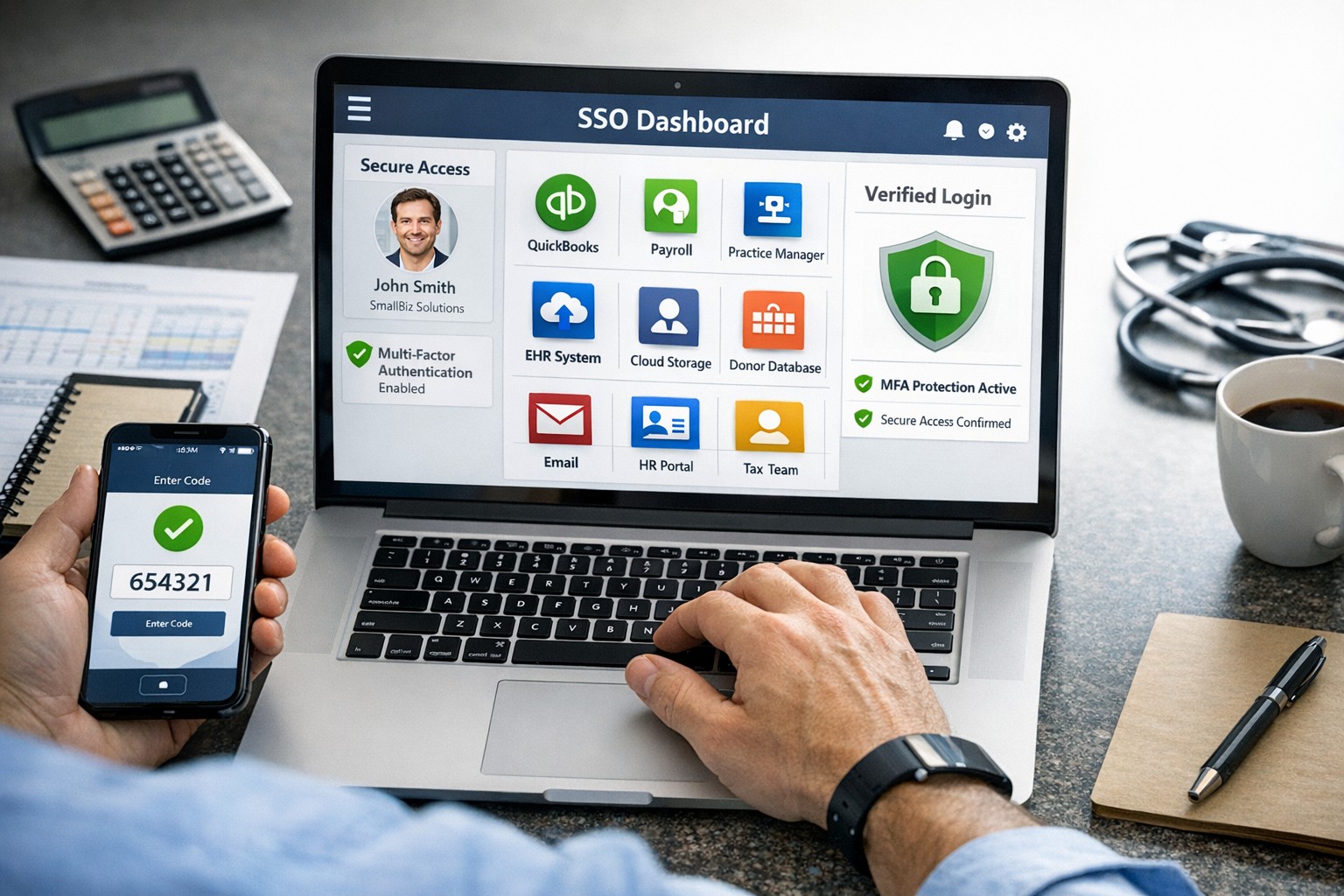
SSO for BYOD provides secure, convenient single sign-on access across apps on personal devices for small business teams.
Individuals and organizations rely heavily on various online platforms and services, the need for a secure and convenient way to access these resources is paramount. This is where SSO Single Sign-On comes into play. SSO Single Sign-On is a powerful authentication method that allows users to securely sign in to multiple applications and platforms using just one set of credentials. In this article, we will explore the benefits of SSO Single Sign-On, its implementation, and how it enhances security while streamlining the user experience.
Understanding SSO Single Sign-On
What is SSO Single Sign-On? SSO Single Sign-On is an authentication process that enables users to access multiple applications and platforms using a single set of login credentials. With SSO Single Sign-On, users only need to remember one username and password, eliminating the hassle of managing multiple credentials for different services. This not only saves time but also enhances convenience for users.
How does SSO Single Sign-On work? SSO Single Sign-On works by establishing a trust relationship between an identity provider (IdP) and the various service providers (SPs). When a user attempts to access a service, the IdP verifies the user’s identity and provides a token to the SP, which grants the user access without requiring additional authentication. This seamless process simplifies the login experience and eliminates the need for users to repeatedly enter their credentials.
Benefits of SSO Single Sign-On
Enhanced Security: One of the key advantages of SSO Single Sign-On is its ability to enhance security. By consolidating login credentials into a single set, users are less likely to resort to weak passwords or reuse passwords across multiple platforms. This reduces the risk of password-related security breaches. Additionally, SSO Single Sign-On allows for stronger authentication methods, such as two-factor authentication, further bolstering security without requiring multiple accounts.
Streamlined User Experience: With SSO Single Sign-On, users no longer have to remember and enter multiple sets of login credentials. This significantly reduces the login friction and streamlines the user experience. Users can seamlessly navigate between different applications and platforms without the need for repetitive logins. This convenience not only saves time but also improves productivity.
Centralized Access Management: SSO Single Sign-On provides organizations with centralized access management capabilities. Administrators can easily control user access to various applications and platforms from a centralized dashboard. This simplifies user provisioning and deprovisioning, ensuring that employees have timely access to the resources they need while maintaining security and compliance.
Cost and Time Savings: Implementing SSO Single Sign-On can lead to cost and time savings for organizations. By reducing the number of password-related support requests, IT teams can focus on more strategic initiatives. Additionally, the streamlined login experience reduces the time spent by employees on authentication, leading to increased productivity and efficiency.
Implementing SSO Single Sign-On
To implement SSO Single Sign-On, organizations need to follow a few key steps:
Evaluate SSO Solutions: Begin by evaluating various SSO solutions available in the market. Consider factors such as compatibility with existing systems, scalability, security features, and ease of integration.
Choose an Identity Provider: Select an identity provider that aligns with your organization’s requirements. The identity provider will be responsible for authenticating users and issuing tokens for accessing service providers. Office 365 and Google Workspace are usually the best, most prolific IdP sources to use.
Configure Service Providers: Configure the service providers that you want to integrate with SSO Single Sign-On. This involves establishing trust relationships between the identity provider and the service providers.
User Provisioning and Deprovisioning: Implement a user provisioning and deprovisioning process to ensure that users have the necessary access to the applications and platforms they require. This process should be integrated with the SSO Single Sign-On solution to maintain centralized access management.
Test and Monitor: Thoroughly test the SSO Single Sign-On implementation to ensure its functionality and security. Regularly monitor the system to identify and address any potential issues or vulnerabilities.
Best Practices for SSO Single Sign-On Implementation
When implementing SSO Single Sign-On, it is essential to follow best practices to maximize security and usability:
Strong Authentication: Implement strong authentication methods such as two-factor authentication or biometric authentication to enhance security.
Regular Auditing: Conduct regular audits of user access rights and permissions to ensure compliance and detect any unauthorized access.
User Education: Educate users about the benefits of SSO Single Sign-On and best practices for password management to promote secure behavior.
Continuous Monitoring: Implement a robust monitoring system to detect and respond to any suspicious activities or potential security threats.
Regular Updates: Keep the SSO Single Sign-On solution and all integrated applications up to date with the latest security patches and updates.
Remember, security should never be compromised, and SSO Single Sign-On provides a robust solution to protect user identities and streamline access to applications and platforms. Embrace the power of SSO Single Sign-On and enjoy the benefits of enhanced security and convenience.
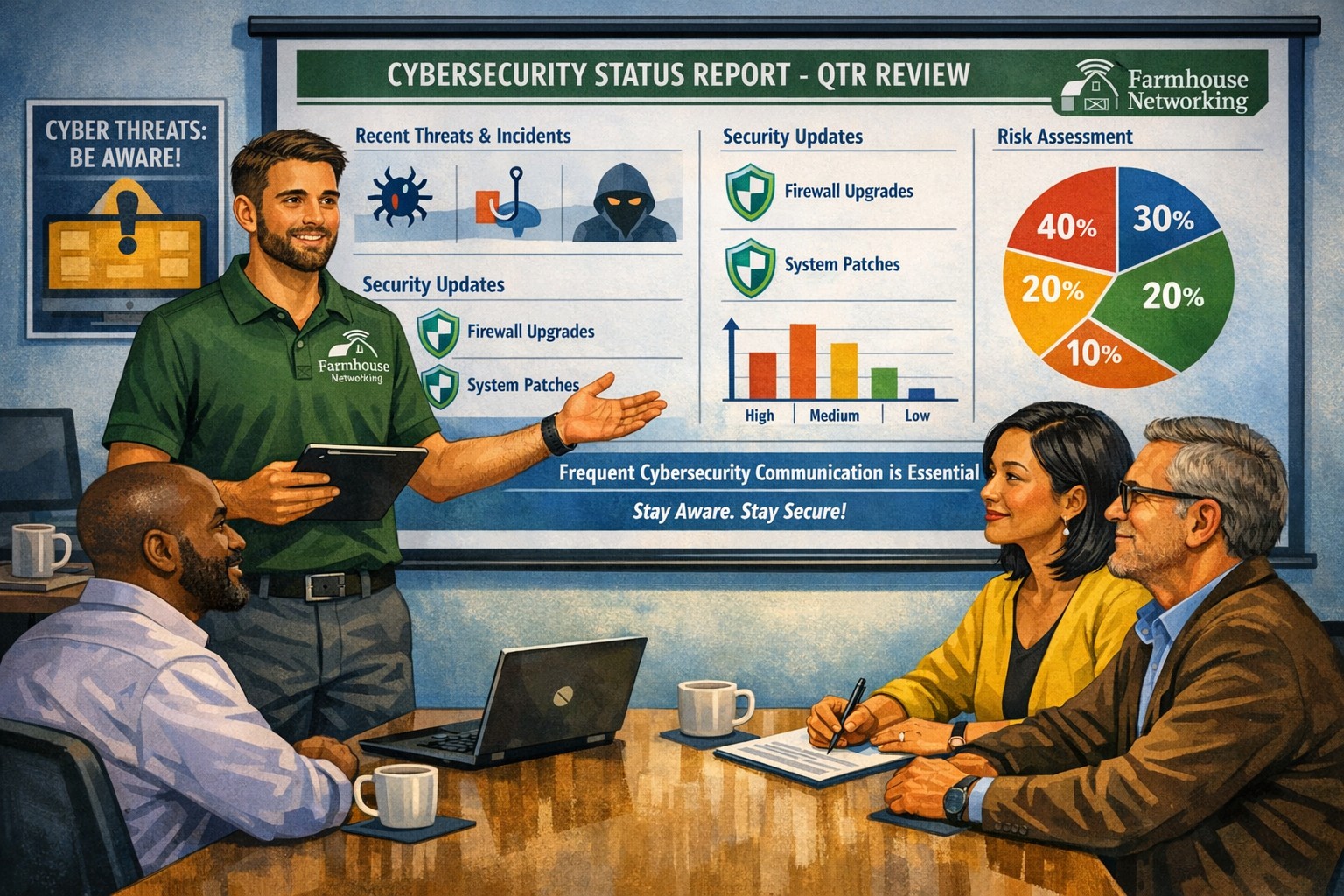
Business meeting between IT provider and client discussing cybersecurity threats and protection strategies
Cyber threats continue to evolve and become increasingly sophisticated, so the importance of robust cybersecurity measures cannot be overstated. Cybersecurity is a critical aspect of any company’s IT infrastructure, as it safeguards company / client data and ensures uninterrupted operations. However, one aspect that often gets overlooked is the proactive communication from IT providers about cybersecurity. This blog article aims to remind IT professionals and decision-makers of the significance of regular discussions with their IT providers regarding cybersecurity, and the potential risks they could be exposed to by neglecting this crucial dialogue.
Importance of Regular Cybersecurity Discussions:
Cybercriminals are continuously developing new attack vectors and exploring vulnerabilities in software, networks, and devices. Cybersecurity is not a one-time fix; it requires ongoing monitoring, updating, and adaptations to counter new threats.
Unfortunately, many organizations assume that by employing an IT provider to manage their systems, they are automatically protected against cyber threats. However, this assumption can lead to complacency, leaving vulnerabilities unaddressed. Regular conversations with your IT provider regarding cybersecurity ensure that your organization is consistently assessing and improving its defense against threats.
Addressing Emerging Threats:
Cybercriminals are constantly adapting their tactics, making it essential for IT providers to stay ahead by implementing proactive security measures. By engaging in frequent discussions, your IT provider can inform you about emerging threats and share strategies to mitigate risk. These discussions should cover topics such as:
Vulnerability Scanning / Penetration Testing: Testing your IT infrastructure to find the weak points is crucial to minimizing the available attack surface for a hacker and decreasing the impact of a breach. Reviewing these findings with your IT provider quarterly is vital to keeping your network safe.
Threat Detection: Standard antivirus software is no longer good enough to stop hackers. Talking with your IT provider about advanced threat detection software to make sure that both local and cloud resources are sufficiently protected from all kinds of attacks.
Patch Management: Ensuring that all software and systems are up-to-date with the latest security patches is crucial. Regular communication will allow your IT provider to inform you about critical patches or upgrades and discuss their implementation to keep your systems secure.
Employee Training: Cybersecurity is a collective effort, and employees play a vital role in maintaining a strong defense. Regular discussions about employee training will ensure that everyone in the organization is aware of best practices, such as identifying phishing emails or avoiding suspicious websites.
Data Backup and Recovery: Regular conversations with your IT company can help you establish and review comprehensive data backup and recovery strategies, minimizing the impact of potential cybersecurity incidents.
Incident Response Planning: In the unfortunate event of a cybersecurity incident, having a well-defined incident response plan is crucial. Meet with your IT provider at least annually to ensure that your plan is up to date, reflecting any changes in your IT infrastructure or evolving threat landscape.
When it comes to cybersecurity, communication is key. If your IT provider has not talked to you recently about cybersecurity, then it is time to call Farmhouse Networking. We are huge on communication and meet regularly with our clients to discuss 42 different IT related categories.
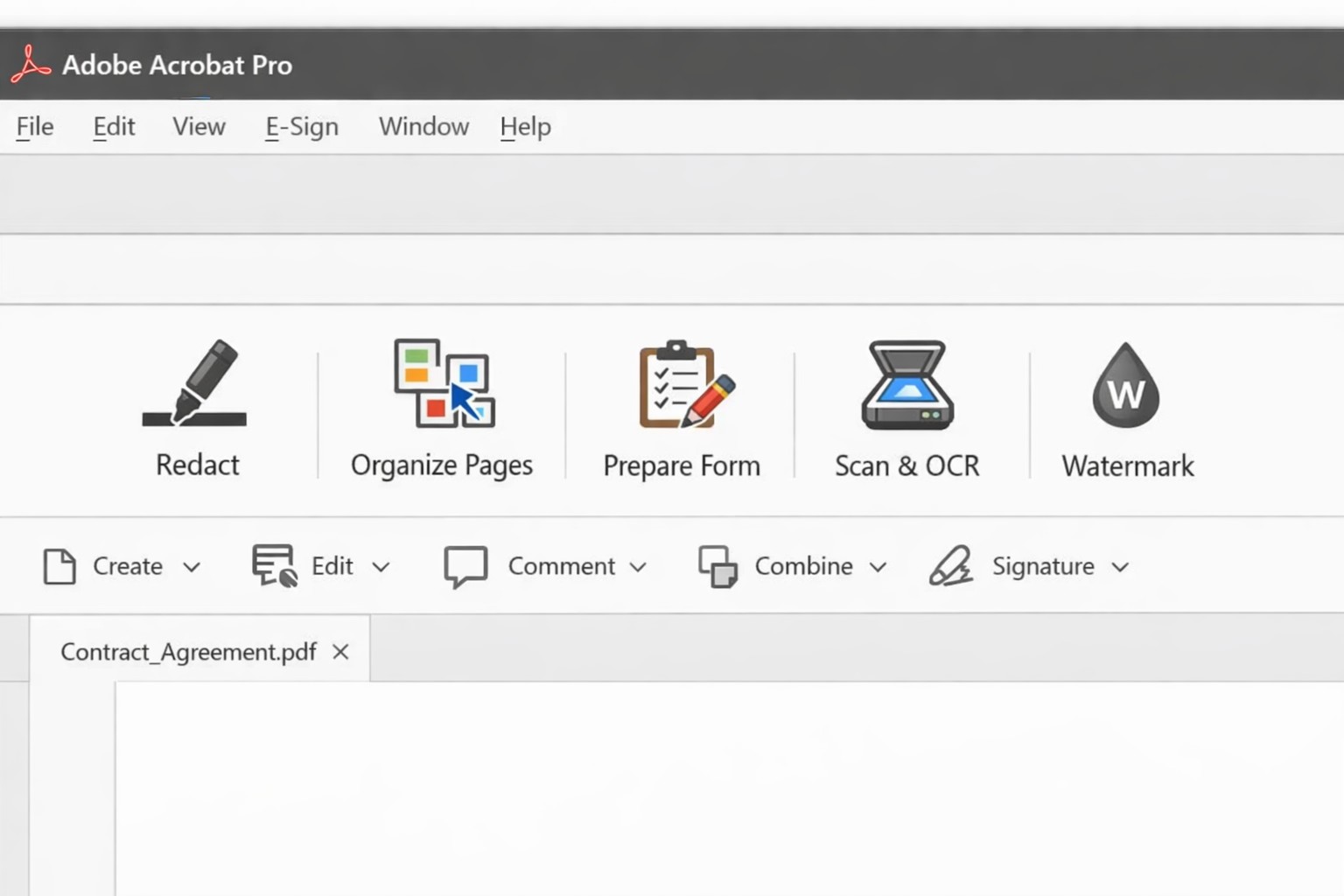
Acrobat Pro tools panel: redact combine edit OCR workflow actions.
Businesses are increasingly reliant on digital documents. From contracts to invoices, these important files need to be easily shared and accessible across different platforms and devices. This is where Adobe Acrobat comes in. Adobe Acrobat is a powerful tool that allows you to create, edit, and secure PDFs effectively. To help you make the most of this software, we have compiled a list of useful tips:
Create Interactive Forms
One of the key features of Adobe Acrobat is its ability to create interactive forms. Rather than wasting paper on printing out forms and having people fill them out manually, you can create digital forms that can be filled out electronically. This not only saves time and the planet but also reduces errors and allows you to collect data more efficiently.
Edit PDFs on the Go
With the Adobe Acrobat app, you can edit PDFs directly on your mobile device. This is incredibly useful for business owners who are constantly on the go and need to make quick edits to their documents. Whether it’s adding text, resizing images, or rearranging pages, you can do it all from the convenience of your phone or tablet.
Combine Multiple Files into a Single PDF
If you have multiple files that you want to combine into a single PDF, Adobe Acrobat makes it easy. You can simply drag and drop the files into Acrobat, rearrange them, and save them as a single PDF. This feature is ideal for business owners who often need to merge multiple documents into one proposal, contract, or report.
Protect your PDFs with Encryption
Security needs to be a top priority for businesses, especially when it comes to sensitive documents. Adobe Acrobat allows you to protect your PDFs by adding encryption. You can set passwords and permissions to ensure that only authorized individuals can access, print, or modify your files. This level of security is crucial for protecting confidential business and customer information.
Optimize PDFs for Web Viewing
PDFs can easily become large files, which can slow down loading times when viewing them online. Adobe Acrobat offers a feature called “Optimize for Web” that reduces the file size while preserving the document’s quality. This is particularly useful when sharing PDFs on your website or via email. When customers have to wait for things to load they are more likely to go somewhere else for what they are looking for.
Collaborate and Review Documents
Adobe Acrobat has collaboration features that allow multiple users to work on the same PDF simultaneously. You can easily share documents with colleagues, clients, or partners and track changes made by each. This streamlines the review and approval process, reducing the need for endless email threads and ensuring everyone is on the same page.
Automate Workflows with Adobe Sign
Adobe Sign, a component of Adobe Acrobat, enables you to send, sign, and track important documents online. It eliminates the need for paper-based signatures and accelerates the approval process. With Adobe Sign, you can automate workflows, whether it’s obtaining client signatures, approving contracts, or completing employee onboarding documents. This tool can streamline your business processes and save you a significant amount of time.
By familiarizing yourself with Adobe Acrobat, you can harness the full potential of this software and enhance your business’s productivity and efficiency. As an Adobe partner, Farmhouse Networking can help your company get the most out of its PDFs.
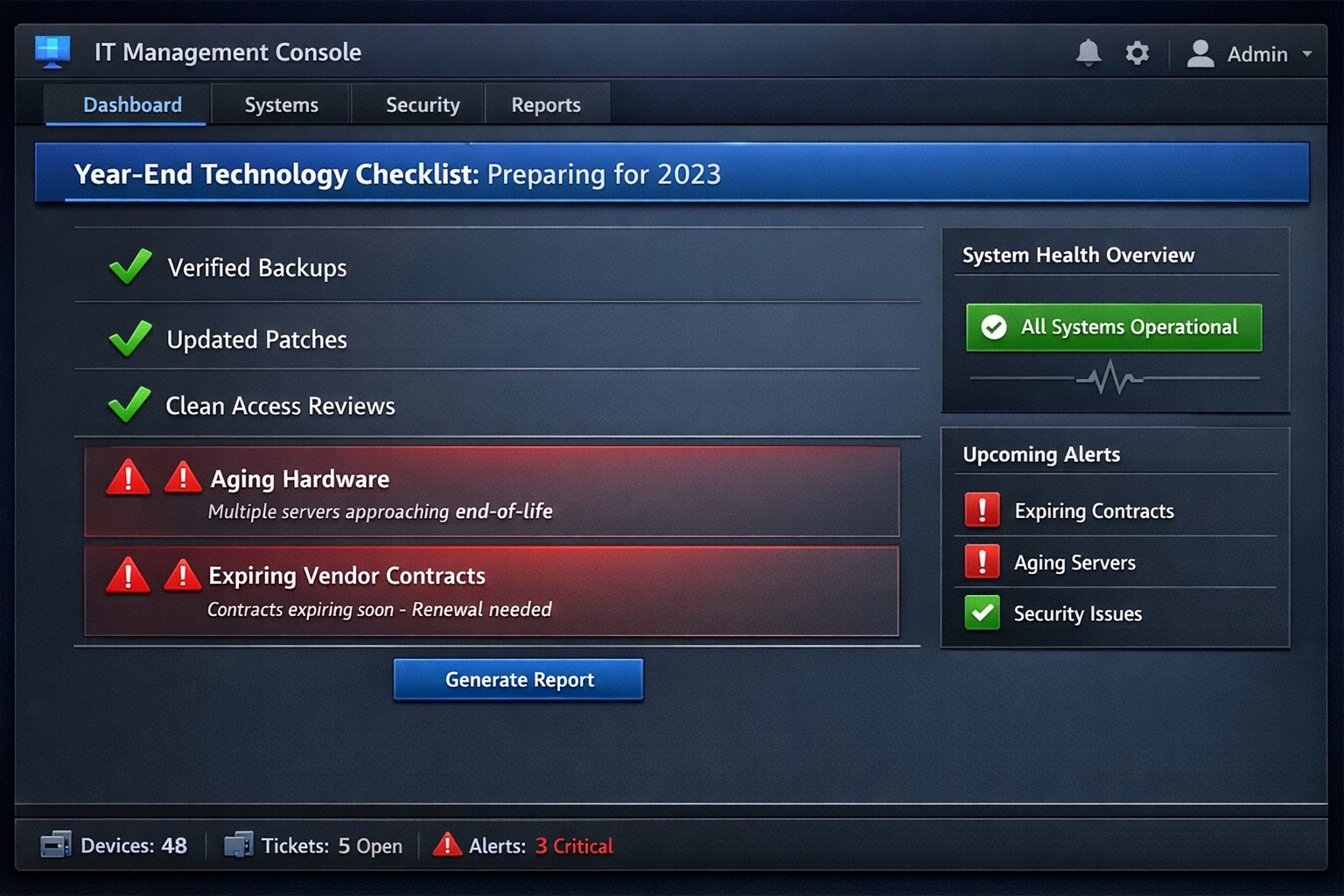
Year-end technology audit dashboard with critical tasks and compliance status.
As the year comes to a close, we at Farmhouse Networking want to ensure that your business technology is in optimal shape for a successful transition into the new year. We’ve put together a checklist to help you wrap up the year on a technologically high note. Some of these items we will work on together, and others will be the responsibility of your team.
Items we will work on together:
Asset Inventory: We have recently conducted a thorough review of your technology assets, including hardware, software, and networking equipment. We updated your inventory list to account for any additions or retirements of assets throughout the year. You should be receiving an invite to our new system called Narmada which gives you constant access to our replacement recommendations.
Password Security: Prompt your team to implement multi-factor authentication for critical systems and applications. This will help to enhance password security. This is not something that should be put off till later. Get it setup on every site possible. It can be made easier with a password manager.
Software Updates: We ensure that standard software applications, operating systems, and antivirus programs are up to date with the latest patches and updates. If you have industry specific software it would be a good time to check with them on the status of your support contract and if there are needed updates.
Data Backups: Verify that your data backup systems are functioning correctly. Test the restoration process to confirm that your business can recover essential data in the event of a disaster. If you don’t have backups in place now is the time to get this critical technology in place.
Security Assessment: Conduct a Security Risk Assessment to identify and address potential vulnerabilities. Ensure that your cybersecurity measures are up to date to protect against evolving threats. Many companies don’t realize that current compliance standards require this.
Employee Training: Provide cybersecurity training to employees to reinforce best practices and raise awareness about potential threats. This should be mandated by your team’s management.
Items you should work on with your team:
Subscription Reviews: Review and audit all software and service subscriptions to ensure they align with your business needs. Cancel any unnecessary subscriptions to optimize costs.
Budget Review: Evaluate your technology budget for the year and identify any areas where adjustments may be needed for the upcoming year.
Technology Roadmap: Develop or update your technology roadmap for the coming year, aligning it with your business goals and objectives.
Compliance Check: Ensure that your technology practices comply with industry regulations and standards applicable to your business.
Communication Plan: Communicate any upcoming changes or upgrades to your team to ensure a smooth transition without disruptions.
Policies & Procedures: Review current documentation to make sure that it includes all needed items like disaster recovery, incident response, computer use, BYOD, and AI usage.
Once you have determined some of your goals and budget, we should meet to discuss the implementation plan for any changes. We will be contacting you in February to setup our next Semi-Annual Business Review (SABR) meetings to discuss this years plan.
If you have any questions or need assistance with any of these items, please don’t hesitate to reach out to our support team. We’re here to help you navigate the year-end process and ensure a seamless start to the new year.
IT tax deductions: Section 179 bonus depreciation cybersecurity software.
It’s that time of year, business owners need to start thinking about tax deductions and ways to maximize profit protection. One area not to be overlooked is IT expenses since IT plays a crucial role in every business. The good news is that many IT expenses can be deducted from your taxes. From hardware and software purchases to cybersecurity measures and cloud services, there are several essential IT tax deductions that can help you lower your tax bill and keep more money in your profit column.
IT Tax Deductions for Business Owners
As a business owner, it is crucial to recognize the importance of taking advantage of IT tax deductions before the end of the year. These deductions can significantly impact your bottom line. By deducting IT expenses, you are not only reducing your tax liability but also creating funds to re-invest in the growth of your business and upgrading to the latest technology, which positions your business for long-term success.
IT Tax Deductions to Maximize Your Savings
Take advantage of these IT tax deductions to maximize their profit savings:
Software and Hardware Expenses: Deducting the cost of industry specific software and hardware purchases is an excellent way to save on taxes. Whether you invested in new computer systems or upgraded your existing software, remember to include these expenses in your deductions as capital expenditures. Profit savings can be compounded by taking the amount saved through IT tax deductions and spending it on further software and hardware purchases.
Cybersecurity Measures: With the increasing threat of cyberattacks, investing in cybersecurity measures is crucial. These expenses can also be deducted from your taxes. From firewalls to antivirus software, make sure to claim any cybersecurity investments you have made throughout the year.
Cloud Services: Many businesses have moved to using cloud services for their storage and daily operations. These operational expenses are also eligible for tax deductions. Whether you use cloud computing, backup services, or cloud-based software, remember to include these costs in your deductions.
By focusing on these essential IT tax deductions, you will minimize your tax liability and position your business for success in the coming year.
Consulting with a Certified Public Accountant
While it’s important to have a basic understanding of the IT tax deductions for your business, it is equally important to consult with a certified public accountant. A knowledgeable CPA can provide you with personalized financial advice and guidance based on your company’s unique situation.
Tax laws and regulations are constantly changing, and it can be challenging to keep up with all the updates. By working closely with a CPA, you can stay updated on the latest deductions and strategies to maximize your savings while staying compliant with the law. They can review your financial records, identify missed deductions, and help you make informed decisions that positively impact your bottom line.
Remember, seeking advice from a tax professional will not only help you optimize your profit savings but also give you peace of mind knowing that your tax returns are accurate and in line with the regulations.
Keeping Detailed Records
One essential practice for maximizing your IT tax deductions is keeping detailed records of your IT expenses. Maintaining accurate and organized records throughout the year can help you claim all eligible deductions at tax time.
Start by creating a system to track and categorize your IT expenses. This can include items like software and hardware purchases, IT services, website development costs, and data storage fees. Keep receipts, invoices, and any supporting documents for each expense. Having detailed records allows you to easily identify and calculate eligible deductions. It also provides evidence and documentation if you ever face an audit or need to justify your deductions to the IRS.
Consider using accounting software or cloud-based platforms to streamline the record-keeping process. These tools can help you track expenses, generate reports, and ensure accuracy in your financial records. By maintaining detailed records of your IT expenses, you not only ensure that you are taking full advantage of available deductions, but you also create a solid foundation for your overall tax strategy.
Utilizing Section 179 Deductions
Section 179 of the tax code allows businesses to deduct the full purchase price of qualifying equipment and software purchased or financed during the tax year. By utilizing Section 179, you can deduct the entire cost of eligible technology investments in the year they are purchased. This deduction can help reduce your overall tax liability, allowing you to maximize your profit savings.
To qualify for Section 179 deductions, the equipment or software must be used for business purposes more than 50% of the time. This deduction is particularly beneficial for businesses investing in technology upgrades or replacements, as it encourages the adoption of new and improved IT systems. Be sure to consult with a tax professional to determine the eligibility of your IT investments for Section 179 deductions and to ensure you are maximizing this deduction for your business.
Bonus Depreciation for IT Purchases
Business owners can also benefit from bonus depreciation for their IT purchases. Bonus depreciation allows businesses to deduct a percentage of the cost of qualifying assets in the year they are placed in service. Under the Tax Cuts and Jobs Act, businesses can take an 80% bonus depreciation deduction for qualified property acquired and placed into service in 2023, then depreciate the remaining 20% over the course of several years.
To qualify for bonus depreciation, the property must have a recovery period of 20 years or less and be purchased for business use. This deduction is particularly valuable for businesses that are investing in new IT equipment or upgrading their existing technology infrastructure.
By timing your IT purchases strategically, you can take full advantage of bonus depreciation and significantly reduce your tax liability. However, it’s important to note that bonus depreciation is subject to change based on tax laws and regulations, so consulting with a CPA is crucial to ensure compliance and maximize your savings.
Research and Development Tax Credit
While bonus depreciation and Section 179 deductions are great for maximizing your tax deductions when it comes to IT purchases, there is another valuable tax credit that often goes unnoticed – the Research and Development (R&D) tax credit.
The R&D tax credit is designed to incentivize businesses to invest in innovation and development activities. Many business owners mistakenly believe that this credit is only applicable to scientific or technological research. However, the R&D tax credit is much broader than that and can apply to a wide range of industries and activities.
To make the most of the R&D tax credit, it’s important to keep detailed records of your qualifying activities and expenses. Consult with a tax professional who specializes in this area to ensure that you are maximizing your tax savings while staying compliant with the IRS requirements.
To make best use of your IT tax deduction spending, contact us to discuss new purchases and upgrades.
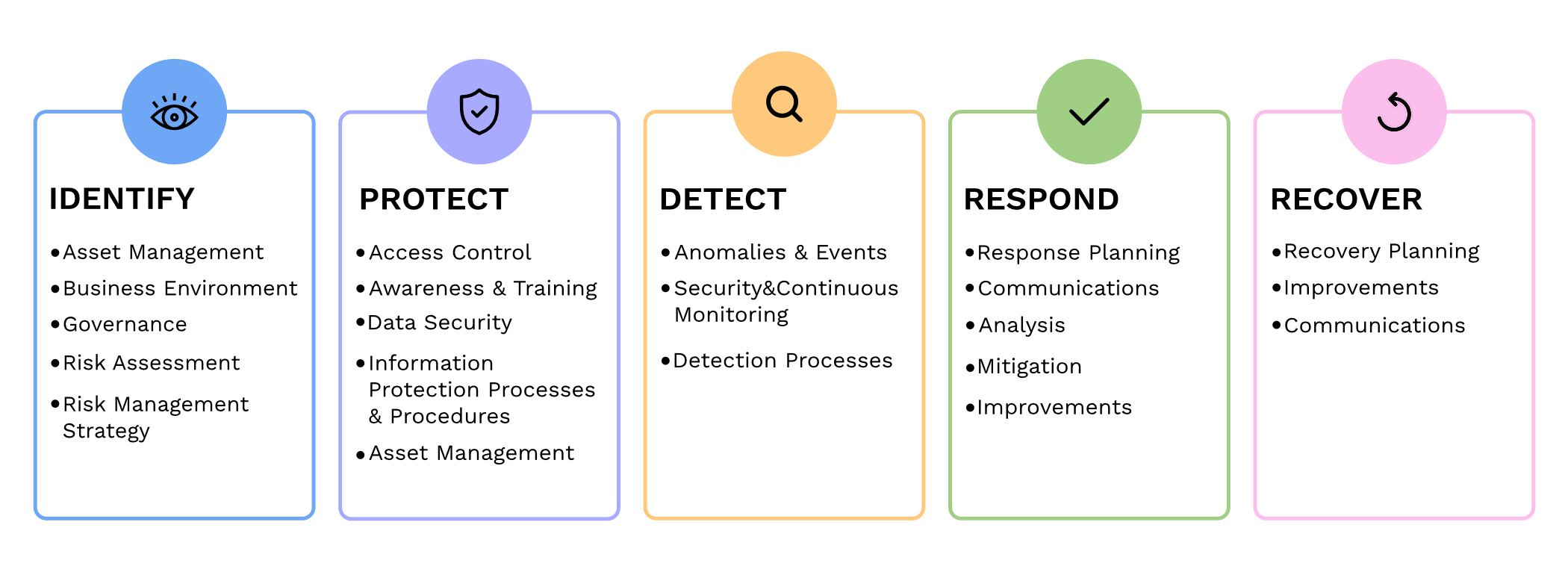
It has become increasingly crucial for businesses to prioritize cybersecurity. We all need to be proactive in safeguarding sensitive information and protecting against cyber threats. The National Institute of Standards and Technology (NIST) has been providing standards for cybersecurity practices. We will now delve into the updates and key changes in the fourth revision of the renowned NIST 800-53 publication.
Expanded Scope: NIST 800-53 Revision 4 broadens the standards scope to include private sector organizations dealing with sensitive information. This expansion reflects the need for all companies to implement cybersecurity best practices.
Threats and Vulnerabilities: This revision incorporates emerging threats and vulnerabilities faced by organizations today, such as advanced persistent threats, insider threats, supply chain risks, and cloud computing challenges. It emphasizes the importance of a comprehensive approach to identify and mitigate these risks effectively.
Security and Privacy: NIST 800-53 Revision 4 highlights the connection between security and privacy. The guidelines provided help organizations maintain the delicate balance of ensuring data protection while respecting privacy rights.
Continuous Monitoring and Assessment: One significant change is the emphasis on continuous monitoring. Instead of periodic assessments, companies are urged to implement an ongoing, systematic approach to monitor security, identify vulnerabilities, and respond to them in real-time. This proactive approach helps in detecting and mitigating threats promptly.
Role-Based Access Controls (RBAC): Another notable addition is the strengthening of Role-Based Access Controls (RBAC). This approach ensures that users only have access to the information and functions that are needed to complete their jobs. Implementing effective RBAC helps minimize the risk of unauthorized access, privilege escalation, and data breaches.
Supply Chain Risk Management (SCRM): Revision 4 also emphasizes the need for proper Supply Chain Risk Management (SCRM) practices. It recommends involving suppliers and stakeholders in security assessments and due diligence processes to mitigate risks associated with third party software, hardware, and services.
Remember, cybersecurity is a journey, not a one-time event. Stay vigilant, adapt to evolving threats, and contact us to create a comprehensive cybersecurity strategy to safeguard your business assets and reputation.
Third-party doctrine: No privacy expectation in cloud data shared with providers.
Businesses are increasingly relying on online platforms to store and process sensitive customer and business data. However, this convenience comes with the potential risk of compromising digital privacy. As a business owner, it is essential to be aware of the Third-Party Doctrine and its implications for safeguarding your company’s data.
What is the Third-Party Doctrine?
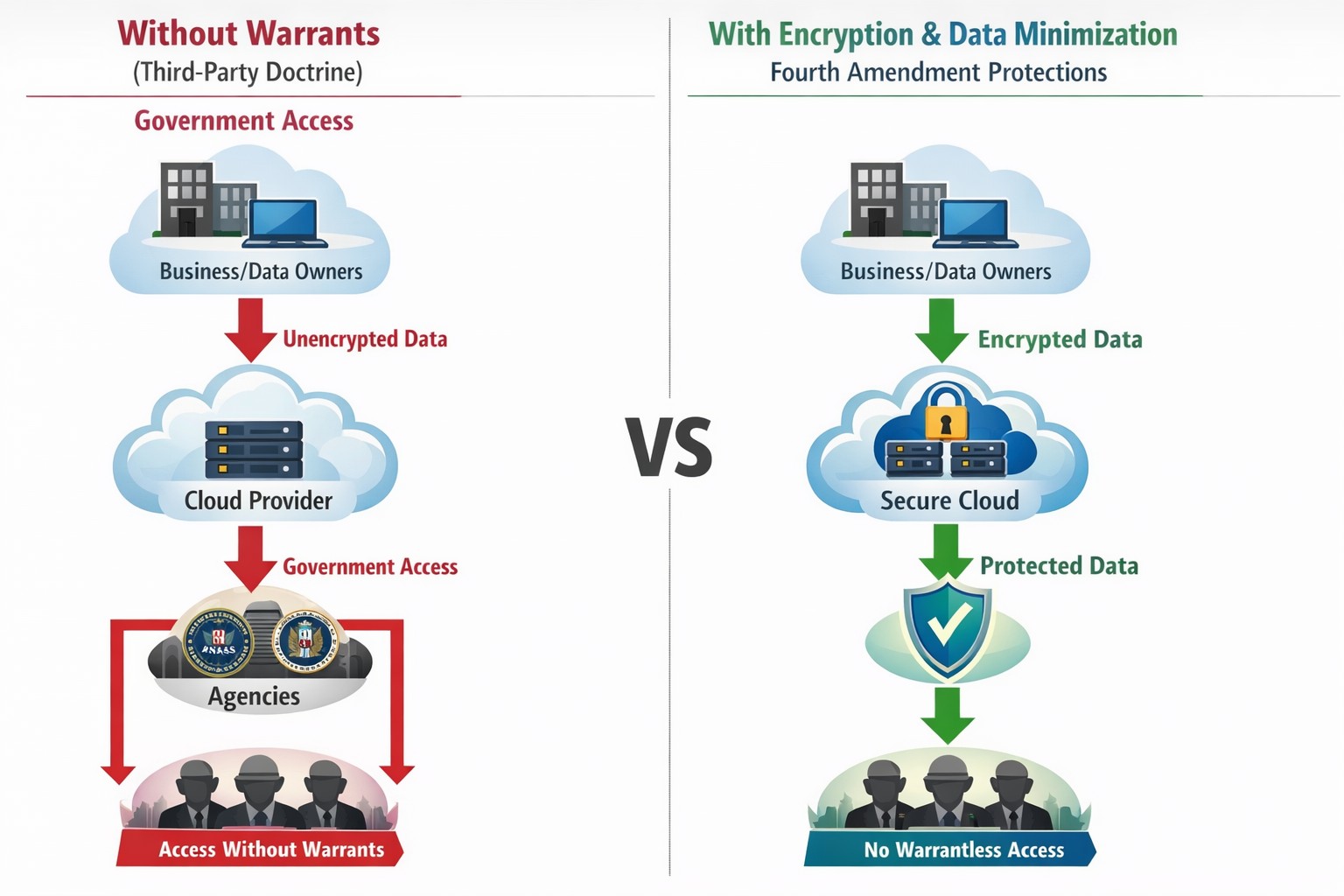
The Third-Party Doctrine is a legal principle that originated from court decisions in the United States. It states that there is no reasonable expectation of privacy for information voluntarily shared with third parties. In other words, when you share data with a third party, such as cloud software providers or social media platforms, you may lose control over the privacy of that data.
Implications for Businesses:
Businesses generate and store vast amounts of data that often get entrusted to third-party service providers. This data can include customer information, financial records, employee data, and proprietary business strategies. Understanding how the Third-Party Doctrine impacts your digital privacy is crucial for protecting sensitive company data.
Challenges Ahead:
While cloud software and third-party services offer significant benefits, they also pose potential threats to data privacy. The Third-Party Doctrine allows those service providers to re-sell information gathered to other companies who want to market to you or gain competitive advantage through research. Government authorities also have to access your data without a warrant through legal processes such as subpoenas, search warrants, or court orders. This raises concerns over the security and confidentiality of information stored in the cloud or with other service providers.
Protecting Business Data Privacy:
Given the potential risks, it is vital for business owners to prioritize digital privacy and take appropriate measures to protect sensitive data. Here are a few essential steps to consider:
Conduct a Privacy Audit: Assess the types of data your business collects and shares with third parties. Identify areas where privacy may be compromised and develop strategies to mitigate risks.
Choose Reliable Third-Party Service Providers: Before partnering with service providers, carefully review their privacy policies and practices. Look for industry-standard security measures, encryption protocols, and data protection commitments. Make sure that even they cannot look at your sensitive company data.
Implement Strong Security Measures: Safeguard your business data by leveraging encryption techniques, multi-factor authentication, and regular security updates. Regularly train employees on best practices for data protection, such as creating strong passwords and being aware of phishing attempts.
Limit Data Collection: Only collect data necessary for your business operations and refrain from collecting sensitive information that is unrelated to your business needs. Minimizing data collection can help reduce the amount of information at risk.
Understanding the Third-Party Doctrine and its implications for digital privacy is vital for protecting your business data in an evolving digital landscape. By implementing measures to safeguard data, carefully selecting third-party service providers, and educating employees on privacy best practices, business owners can mitigate the risks associated with the loss of privacy rights. Prioritizing digital privacy not only protects the interests of your business but also fosters trust among customers and stakeholders.
If your company is worried about your data privacy and security, then contact us for assistance.
Businesses face a growing number of cybersecurity threats. Cybercriminals are constantly evolving their tactics, making it imperative to prioritize their organization’s security. One crucial step in fortifying your business against potential breaches is conducting a comprehensive security risk assessment. Let’s look at the significance of security risk assessments and how they can shield your valuable data from falling into the hands of malicious actors on the dark web.
Understanding Security Risk Assessments:
A security risk assessment is an in-depth evaluation of your organization’s digital infrastructure, systems, and processes. It aims to identify vulnerabilities and potential threats that could compromise the confidentiality, integrity, and availability of your sensitive data. By analyzing your current security measures, a risk assessment helps you gauge your organization’s resilience to cyber threats, enabling you to implement targeted mitigation strategies.
Why Security Risk Assessments Matter:
Proactive Threat Identification: Hackers often exploit vulnerabilities that go unnoticed until it’s too late. A security risk assessment enables you to proactively identify and address potential weak points in your network, applications, and data storage. By uncovering vulnerabilities before cybercriminals do, you can take preventive measures to mitigate risks and prevent unauthorized access.
Compliance and Regulatory Requirements: Depending on your industry, you may be subject to various compliance regulations that mandate data protection measures. Conducting a security risk assessment ensures that your business aligns with these requirements, helping you avoid costly penalties and reputational damage.
Data Protection and Client Trust: Data breaches can have severe consequences, including financial loss, legal ramifications, and damage to your brand’s reputation. By investing in security risk assessments, you demonstrate your commitment to protecting your clients’ sensitive information, fostering trust and long-term relationships.
Dark Web Threat Mitigation: The dark web has become a thriving marketplace for stolen data, offering cybercriminals a platform to sell and exploit compromised information. By conducting regular security risk assessments, you can identify vulnerabilities that may expose your data to the dark web. This knowledge empowers you to implement robust security measures, reducing the likelihood of your data being discovered and abused in illicit activities.
Securing your organization’s digital assets is of paramount importance. By conducting regular security risk assessments, you gain crucial insights into potential threats and vulnerabilities, which allows you to implement targeted security measures.
Protect your data from ending up on the dark web with a proactive and comprehensive approach. We can help!
Dark web stolen passwords Russian Market BreachForums accounting healthcare charity credentials
The Dark Web is a part of the internet that requires special software to access. Often used by individuals who are looking to conceal their identities and activities, it has become the ideal environment for cybercriminals seeking to carry out illicit activities. They can move anonymously in this part of the internet often engaging in criminal activities such as the sale of stolen data, hacking tools, illegal drugs, counterfeit documents, and even illicit services.
Why Should You Be Aware of It?
While the Dark Web may seem distant and irrelevant to your everyday business operations, it poses serious risks that can have far-reaching consequences. Here’s why you need to be aware of it:
Stolen Data Trade: The Dark Web serves as a marketplace for cybercriminals to sell stolen data, including usernames, passwords, financial information, and sensitive business data. By purchasing this data, hackers can launch targeted attacks against organizations like yours, leading to data breaches, financial loss, and reputational damage.
Credential Stuffing and Account Takeovers: Cybercriminals often utilize compromised login credentials from data breaches to carry out credential stuffing attacks. By leveraging automated tools, they attempt to gain unauthorized access to your business accounts. Once inside, they can exploit your resources, compromise customer data, and cause significant disruption.
Sale of Exploit Kits and Malware: The Dark Web provides a platform for the sale of malicious software, exploit kits, and hacking tools. These tools can empower cybercriminals to launch sophisticated attacks against your business, including ransomware, phishing campaigns, and network infiltration.
Insider Threats and Employee Monitoring: Employees with malicious intent may leverage the Dark Web to collaborate with external criminals or sell sensitive company information. Awareness of the Dark Web can help you implement appropriate security measures to detect and mitigate insider threats.
Reputational Damage: In the event of a data breach or cyberattack, information about your business may end up on the Dark Web. This can severely damage your reputation, erode customer trust, and lead to potential legal and financial repercussions.
What Can You Do? To protect your business from the risks associated with the Dark Web, we recommend the following actions:
Strengthen Your Security: Implement robust cybersecurity measures, such as multi-factor authentication, strong password policies, regular software updates, and network monitoring. Conduct security awareness training for your employees to educate them about the dangers of the Dark Web and how to identify potential threats.
Dark Web Monitoring: Engage with Farmhouse Networking to incorporate Dark Web monitoring solutions. These services scan the Dark Web for mentions of your business’s critical information and alert you if any compromised data is discovered.
Incident Response Planning: Develop an incident response plan that includes protocols for handling potential Dark Web-related incidents. This plan should outline steps for containing, investigating, and recovering from a data breach or cyberattack.
Regular Vulnerability Assessments: Perform periodic vulnerability assessments and penetration testing to identify and address potential weaknesses in your network infrastructure and applications.
The Dark Web is a part of the internet that requires special software to access. Often used by individuals who are looking to conceal their identities and activities, it has become the ideal environment for cybercriminals seeking to carry out illicit activities. They can move anonymously in this part of the internet often engaging in criminal activities such as the sale of stolen data, hacking tools, illegal drugs, counterfeit documents, and even illicit services.
Why Should You Be Aware of It?
While the Dark Web may seem distant and irrelevant to your everyday business operations, it poses serious risks that can have far-reaching consequences. Here’s why you need to be aware of it:
Stolen Data Trade: The Dark Web serves as a marketplace for cybercriminals to sell stolen data, including usernames, passwords, financial information, and sensitive business data. By purchasing this data, hackers can launch targeted attacks against organizations like yours, leading to data breaches, financial loss, and reputational damage.
Credential Stuffing and Account Takeovers: Cybercriminals often utilize compromised login credentials from data breaches to carry out credential stuffing attacks. By leveraging automated tools, they attempt to gain unauthorized access to your business accounts. Once inside, they can exploit your resources, compromise customer data, and cause significant disruption.
Sale of Exploit Kits and Malware: The Dark Web provides a platform for the sale of malicious software, exploit kits, and hacking tools. These tools can empower cybercriminals to launch sophisticated attacks against your business, including ransomware, phishing campaigns, and network infiltration.
Insider Threats and Employee Monitoring: Employees with malicious intent may leverage the Dark Web to collaborate with external criminals or sell sensitive company information. Awareness of the Dark Web can help you implement appropriate security measures to detect and mitigate insider threats.
Reputational Damage: In the event of a data breach or cyberattack, information about your business may end up on the Dark Web. This can severely damage your reputation, erode customer trust, and lead to potential legal and financial repercussions.
What Can You Do? To protect your business from the risks associated with the Dark Web, we recommend the following actions:
Strengthen Your Security: Implement robust cybersecurity measures, such as multi-factor authentication, strong password policies, regular software updates, and network monitoring. Conduct security awareness training for your employees to educate them about the dangers of the Dark Web and how to identify potential threats.
Dark Web Monitoring: Engage with Farmhouse Networking to incorporate Dark Web monitoring solutions. These services scan the Dark Web for mentions of your business’s critical information and alert you if any compromised data is discovered.
Incident Response Planning: Develop an incident response plan that includes protocols for handling potential Dark Web-related incidents. This plan should outline steps for containing, investigating, and recovering from a data breach or cyberattack.
Regular Vulnerability Assessments: Perform periodic vulnerability assessments and penetration testing to identify and address potential weaknesses in your network infrastructure and applications.
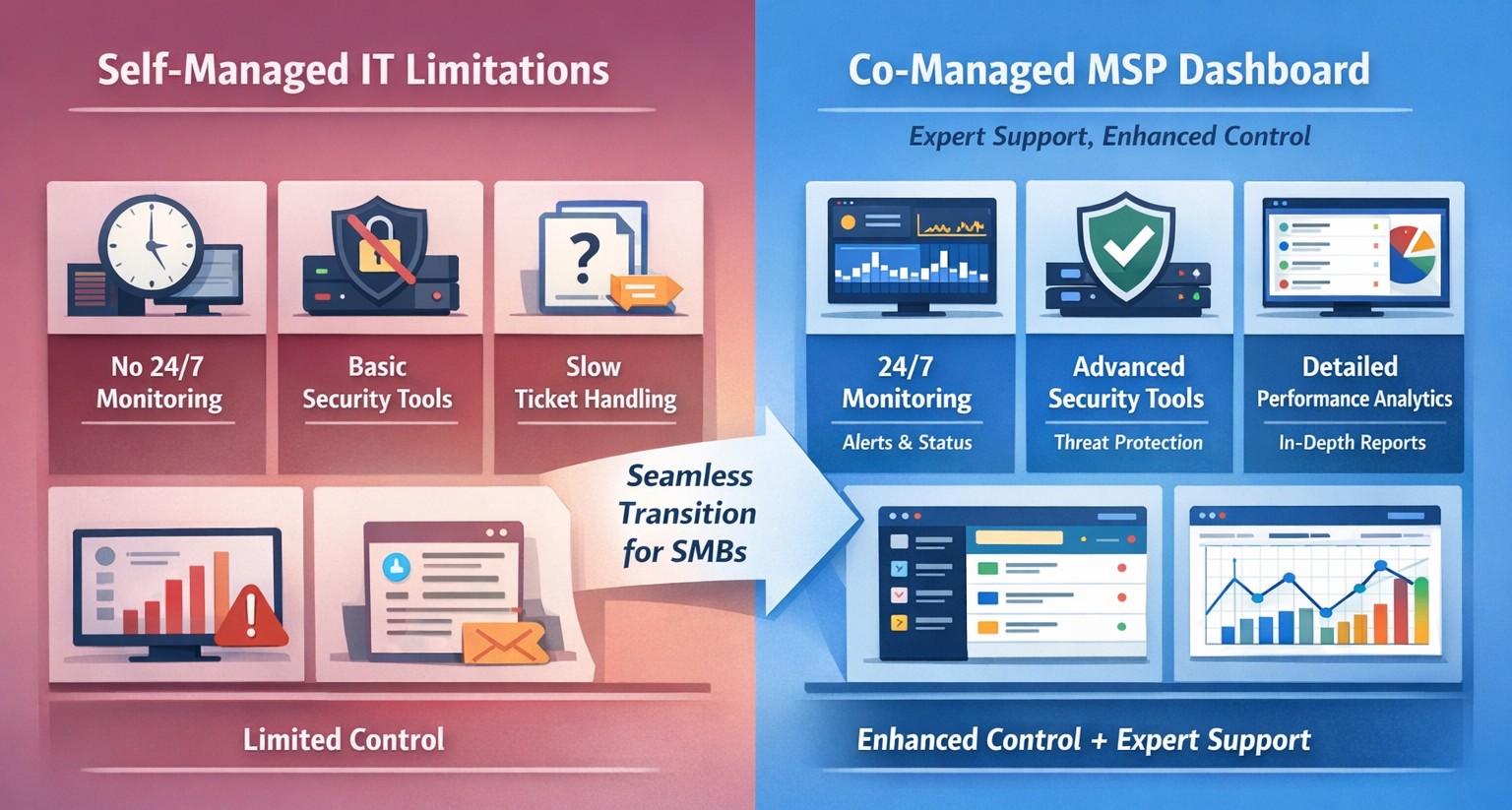
Co-managed IT dashboard with MSP monitoring supplementing internal team.
Managing IT can be a daunting task, especially for businesses that lack dedicated IT personnel or the expertise to handle today’s complex technology. In recent years, more and more organizations have recognized the benefits of outsourcing their IT management to Managed Service Providers (MSPs).
What is an MSP?
A Managed Service Provider, or MSP, is a company that offers a range of IT services to businesses. These services can include network monitoring, infrastructure management, data backup, cybersecurity, and more. By partnering with an MSP, businesses can offload their IT responsibilities to professionals with deep expertise and industry-best practices.
The Challenges of Self-Managed IT
Self-managing your IT can be a significant challenge. Here are some of the common pain points that organizations face:
Lack of Expertise: IT is a complex and ever-evolving field. Keeping up with the latest technologies, security threats, and best practices can be overwhelming, especially for businesses without dedicated IT staff.
Resource Constraints: Managing IT requires time, manpower, and financial resources. Small and medium-sized businesses often struggle to allocate these resources effectively, leading to inefficiencies, downtime, and security vulnerabilities.
Limited Scalability: Growing businesses often find it difficult to scale their IT infrastructure to meet increased demand. Self-managing your IT environment may require significant investments in hardware, software, and additional staff, which can strain budgets and hinder growth.
Cybersecurity Risks: Data breaches and cyber-attacks are on the rise. Without proper security measures in place, businesses face significant financial and reputational risks. Implementing and maintaining robust cybersecurity protocols can be challenging for organizations without the necessary expertise.
The Benefits of MSP-Managed IT
Switching to an MSP-managed IT environment offers several benefits:
Expertise and Support: MSPs have a team of experienced professionals who specialize in different aspects of IT management. They stay up-to-date with the latest industry trends and best practices, providing businesses with access to a breadth of knowledge and expertise.
Proactive Monitoring and Maintenance: MSPs utilize advanced tools and technologies to monitor your IT infrastructure 24/7. They identify potential issues before they become critical, minimizing downtime and ensuring smooth operations.
Scalability and Flexibility: MSPs provide scalable solutions tailored to your business needs. Whether you’re experiencing rapid growth or need to downsize, an MSP can quickly adapt your IT infrastructure to meet changing requirements without additional investments or resources.
Enhanced Security: MSPs employ robust security measures to protect your systems, networks, and data from cyber threats. They implement industry-standard security practices, conduct regular security audits, and ensure compliance with data protection regulations.
Cost Savings: By outsourcing IT management to an MSP, businesses can reduce the overhead costs associated with maintaining an in-house IT department. MSPs work on a subscription-based model, allowing organizations to pay for the services they need, when they need them.
Strategic Planning: MSPs can act as your virtual chief information officer providing project planning services that keep IT spend spread across the years to make the IT budget easier to manage.
Consider making the switch to an MSP today and unlock the benefits of professional IT management, contact us to get started.
And God will generously provide all you need. Then you will always have everything you need and plenty left over to share with others. As the Scriptures say, “They share freely and give generously to the poor. Their good deeds will be remembered forever.” For God is the one who provides seed for the farmer and then bread to eat. In the same way, he will provide and increase your resources and then produce a great harvest of generosity in you. - 2 Corinthians 9:8-10
We use cookies to ensure that we give you the best experience on our website. If you continue to use this site we will assume that you are happy with it.