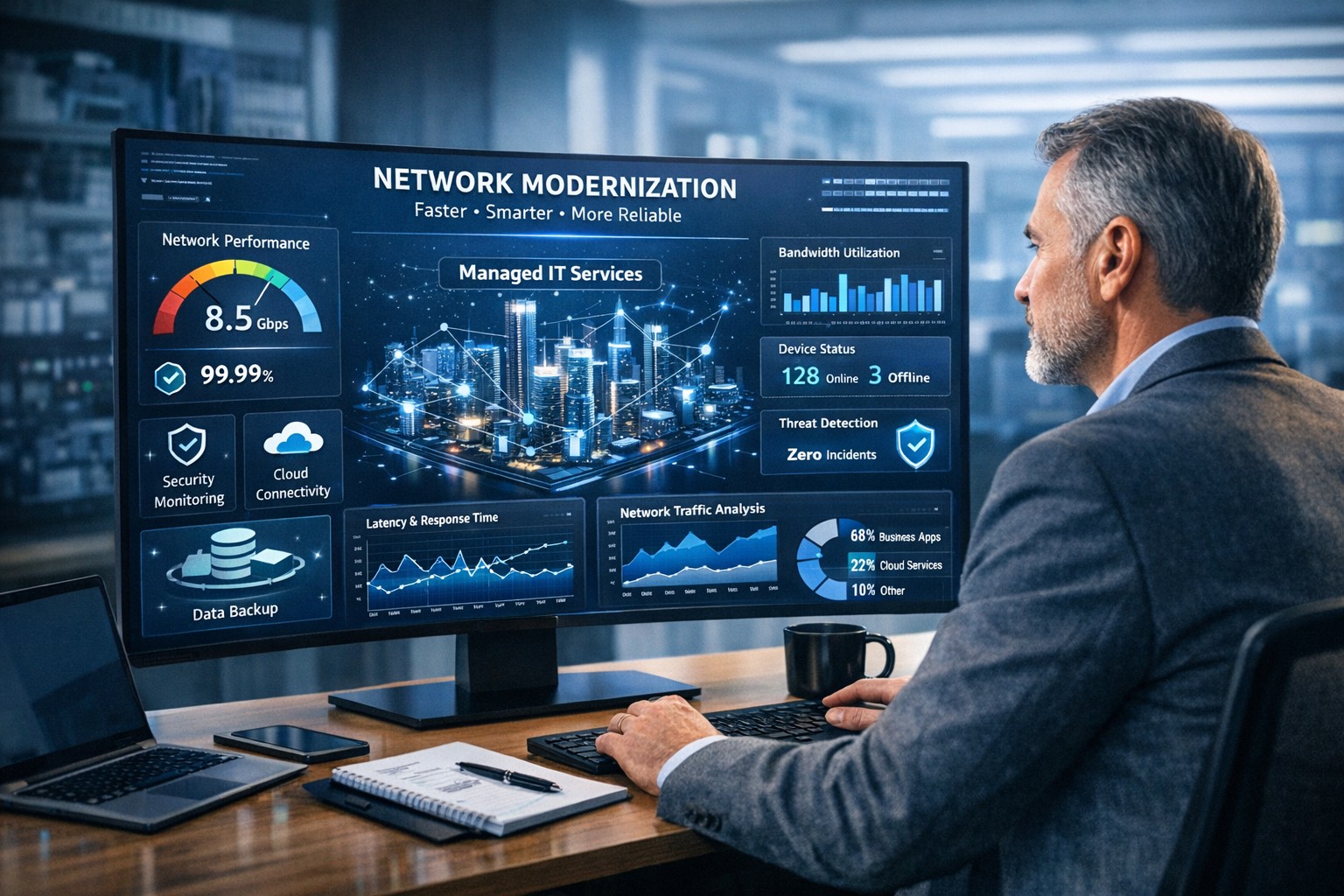
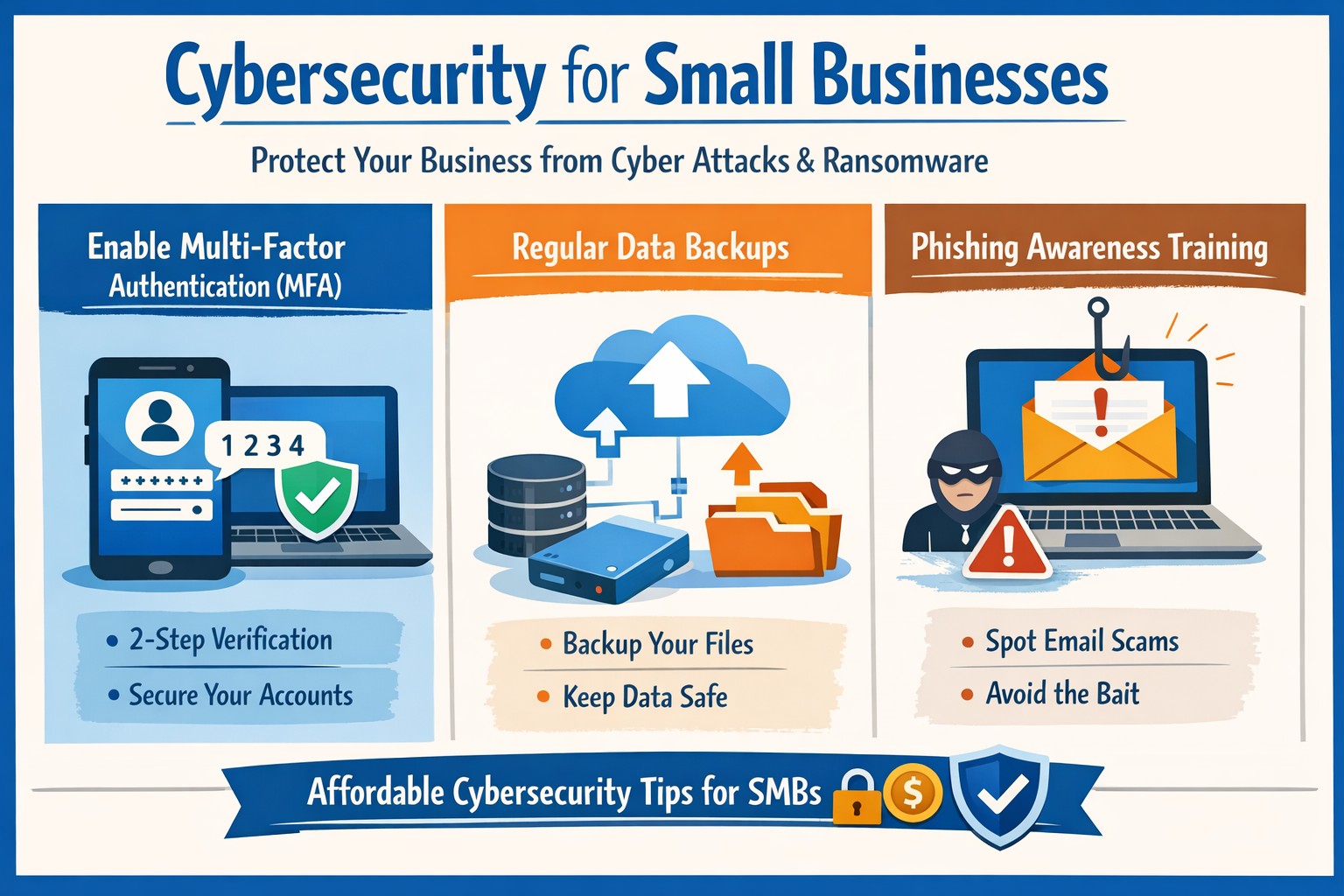
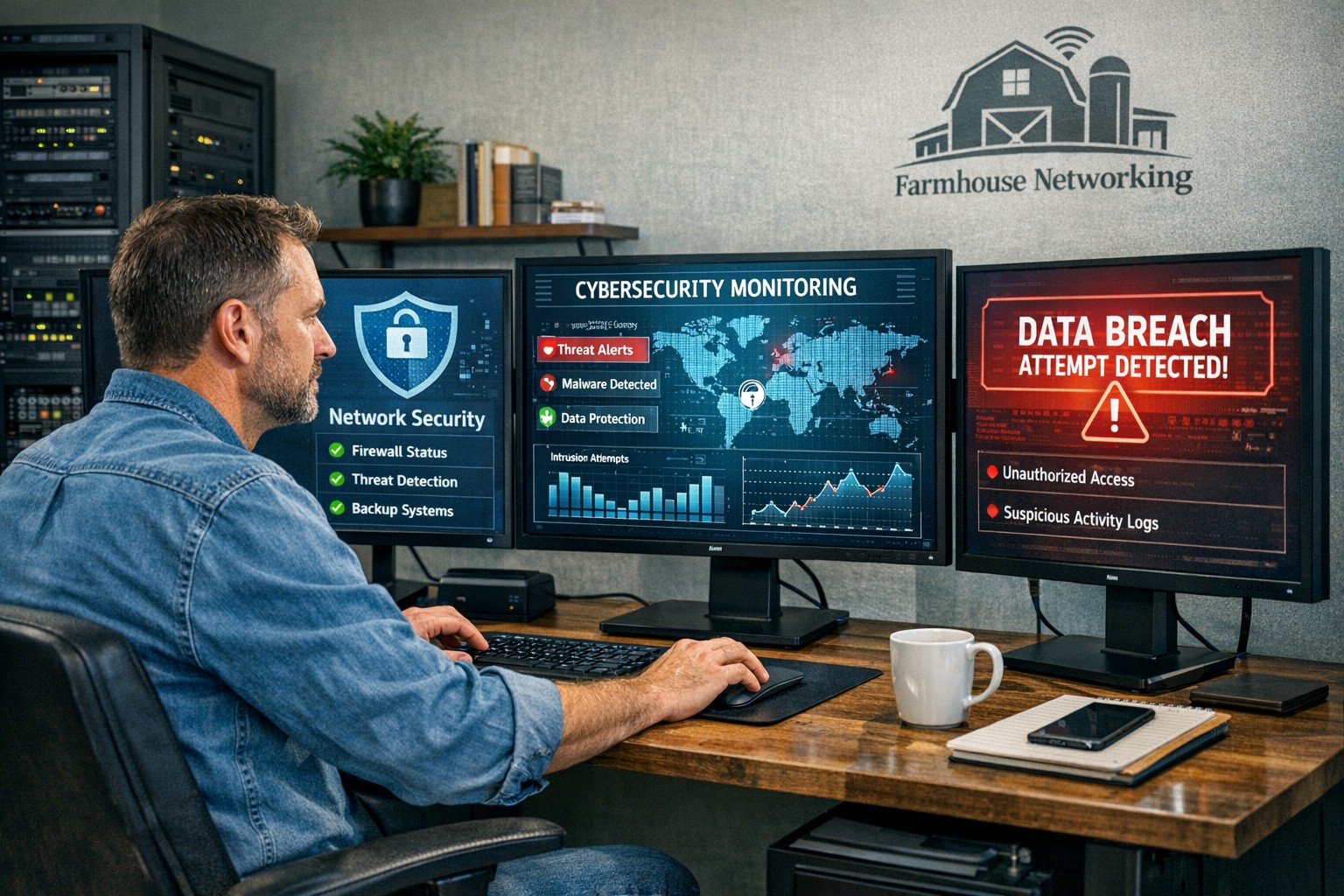
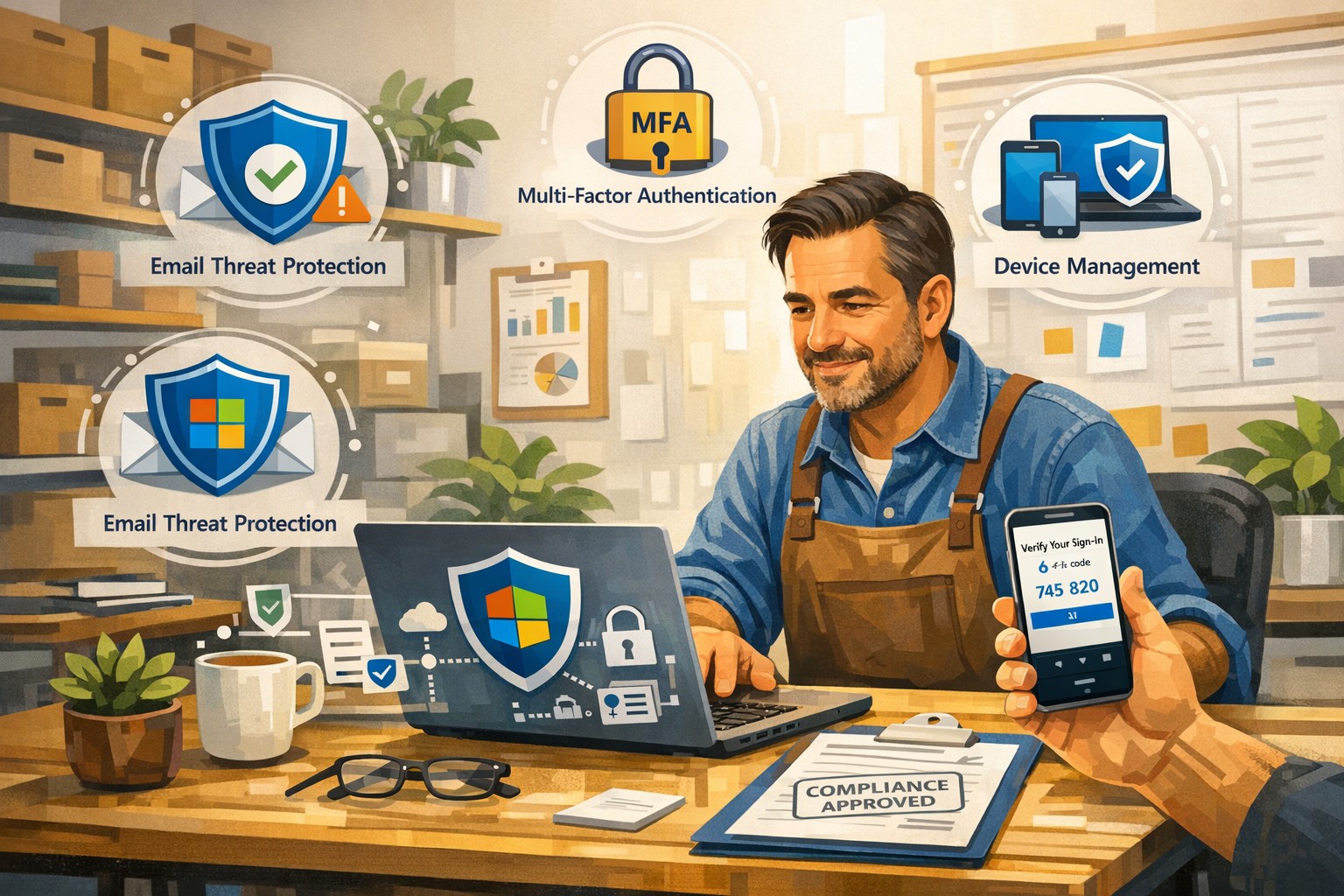
Farmhouse Networking helps businesses modernize their networks for faster performance, smarter automation, and secure connectivity.
The business world is moving at the speed of data. From cloud applications to video conferencing and smart devices, modern companies thrive on connectivity — and that means your network must be faster, more reliable, and intelligent enough to adapt. The days of “good enough” internet are gone. The next-generation network is faster, closer to your customers, and smarter in the way it predicts and manages performance.
Why “Faster, Closer, Smarter” Matters for Every Business Owner
A few years ago, network upgrades were viewed as an IT luxury. Today they’re a business necessity. Productivity, customer experience, and profit margins increasingly depend on how efficiently your systems communicate across multiple sites and cloud services.
Faster: Applications like video meetings, VoIP, and cloud storage demand low latency and high bandwidth. Slow connections mean lost opportunities.
Closer: Edge computing brings resources and data processing nearer to users, reducing lag and improving responsiveness for remote teams and mobile customers.
Smarter: Artificial intelligence (AI)–driven networks detect issues before they cause downtime, automatically direct traffic, and protect against cyber threats.
Business growth in 2020 and beyond will favor companies that embrace these technologies early — and that’s where proactive planning makes all the difference.
Action Steps for Business Owners and IT Teams
Modernizing your network doesn’t have to be complicated. Here are practical steps to future-proof your infrastructure:
Audit your current network. Identify bottlenecks, aging hardware, and underperforming Wi-Fi zones. Tools like traffic analyzers or managed network assessments can pinpoint areas for improvement.
Move critical workloads to the cloud wisely. Hybrid cloud environments balance flexibility and security — but only when configured with responsive bandwidth and monitored connections.
Invest in network automation and AI-based monitoring. Smart analytics help your IT team spot anomalies before employees notice performance issues.
Upgrade for speed and reliability. Fiber-optic connectivity, gigabit routers, and Wi-Fi 6 access points deliver measurable performance boosts.
Secure everything. With more connected devices comes more risk. Integrated firewalls, endpoint protection, and regular patch management are essential defenses.
Partner with a managed services provider (MSP). Outsourcing these functions ensures around-the-clock monitoring and proactive support so your internal staff can focus on core business priorities.
Common Client Questions — Answered
Q: “Is upgrading my network really worth the cost?” A: Absolutely. Slow or unreliable connectivity costs more in downtime and lost productivity than the upgrade itself. Modern networks reduce maintenance time, prevent outages, and improve customer satisfaction.
Q: “What about security? Doesn’t a smarter network mean more risk?” A: Actually, the opposite. With automated patching, real-time threat detection, and AI-powered monitoring, a smarter network significantly strengthens protection.
Q: “How do I know what network capacity I’ll need?” A: Your ideal bandwidth depends on your business applications, remote workers, and cloud services. A professional assessment from an MSP can provide accurate data and recommendations tailored to your growth goals.
How Farmhouse Networking Can Help
At Farmhouse Networking, we specialize in helping businesses modernize their IT infrastructure with practical, budget-conscious solutions. Whether you need a network assessment, faster connectivity, smart automation, or enhanced cybersecurity, our team brings years of expertise in network design, implementation, and ongoing support.
We work with local businesses to:
Audit existing network performance and identify inefficiencies.
Implement cloud and edge computing solutions.
Automate monitoring through intelligent network management tools.
Strengthen IT security to protect sensitive data and client trust.
Our mission is to make enterprise-grade technology accessible to your small or mid-sized business — keeping your network running faster, closer, and smarter than ever before.
Ready to Upgrade Your Network?
Don’t let outdated systems slow you down in 2020’s fast-moving digital economy. Future-proof your business with a smarter, more efficient network built for growth.
Email support@farmhousenetworking.com today to learn how Farmhouse Networking can help your business stay connected, secure, and competitive.
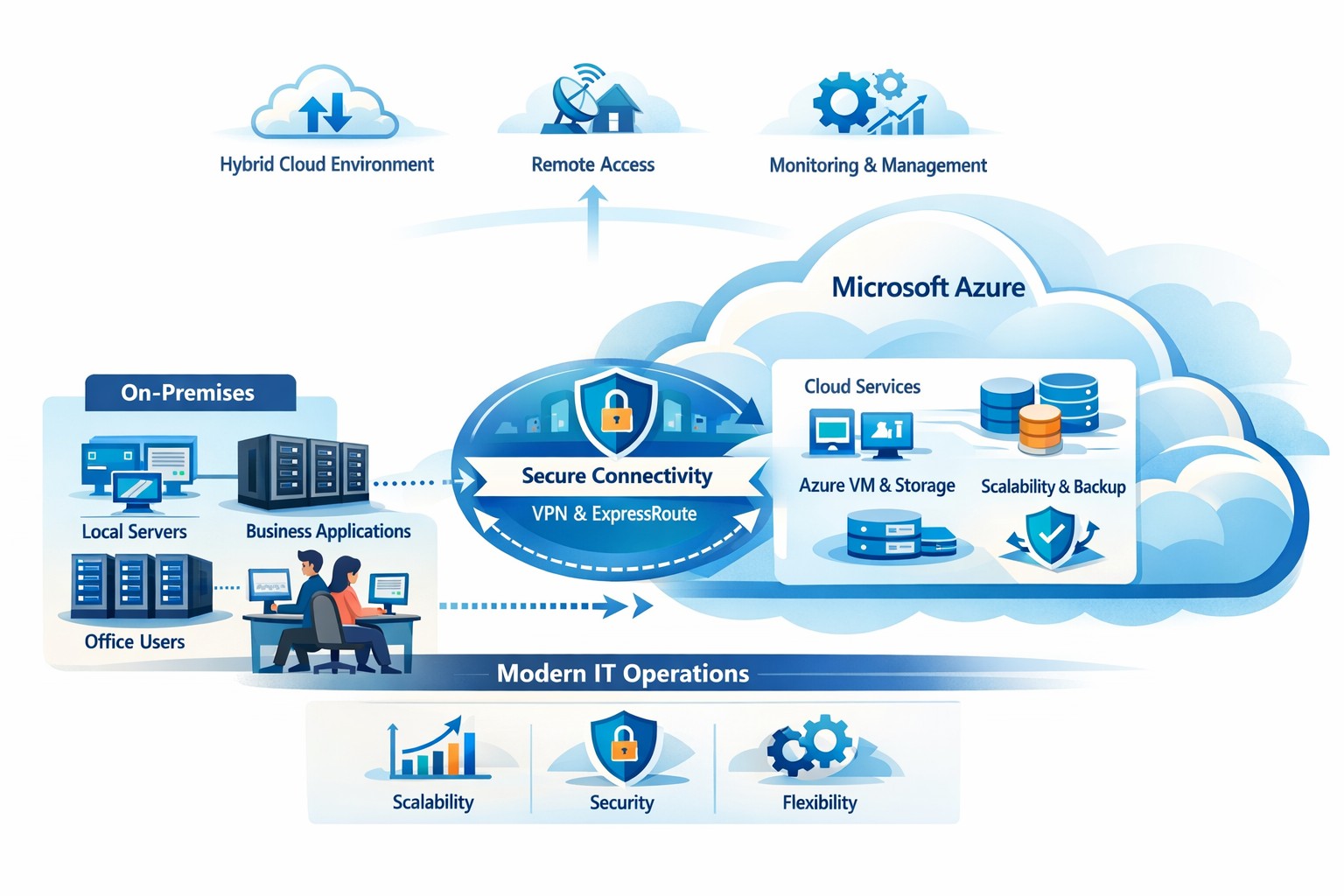
How your business can connect on‑premises servers and workloads to Microsoft Azure for scalable, secure, and compliant cloud computing
The cloud is no longer a “nice‑to‑have”—it’s the backbone of modern operations. Moving to Microsoft Azure gives you enterprise‑grade security, scalability, and cost control without the burden of managing your own data center. In this post, you’ll learn why the cloud matters, why Azure in particular is the right fit for many businesses, and—most importantly—how Farmhouse Networking can guide you through each step of the journey.
Why the cloud matters for your business
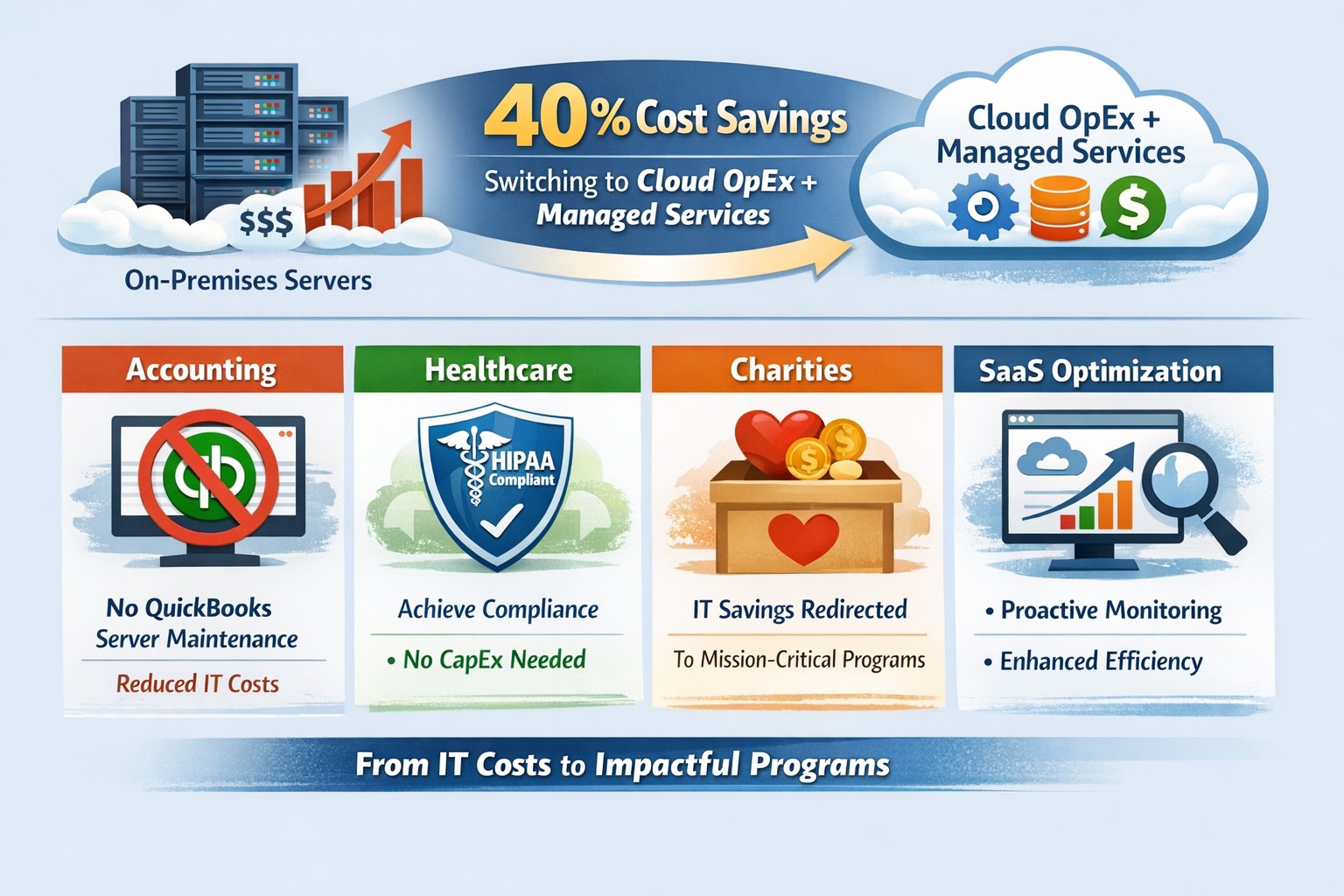
The cloud lets you turn capital‑heavy IT (servers, routers, on‑site backups) into a predictable operating expense. Instead of buying and maintaining hardware, you pay for what you use, when you use it. This model is especially powerful for companies with seasonal spikes, hybrid workforces, or plans to grow into new markets.
For business owners, the cloud means:
Lower upfront costs and easier budgeting.
Faster innovation and deployment of new tools or applications.
Built‑in disaster recovery and business continuity capabilities.
Azure, in particular, is trusted by 90% of Fortune 500 companies and offers a globally distributed, secure platform tightly integrated with familiar Microsoft tools like Microsoft 365, Entra ID, and Dynamics 365.
Why choose Microsoft Azure?
Azure stands out for three reasons relevant to owners and IT teams:
Security and compliance Azure provides enterprise‑level protection, identity management, and compliance certifications that small‑ and mid‑sized businesses can leverage without hiring a full‑time security team.
Scalability and flexibility You can scale compute, storage, and networking up or down in minutes—perfect for handling seasonal demand, new projects, or unexpected growth.
Seamless integration with Microsoft tools If your team already uses Microsoft 365, Teams, or Windows‑based applications, Azure simplifies integration and reduces complexity in permissions, patching, and remote access.
Practical steps for your business and IT team
Making the move to Azure doesn’t have to be disruptive. Here’s a realistic, phased roadmap:
Assess your current environment
Inventory servers, applications, and data.
Identify which workloads are good candidates for the cloud (e.g., file servers, backups, certain line‑of‑business apps). Farmhouse Networking can perform a free infrastructure assessment to help you classify and prioritize workloads.
Define your cloud strategy and goals
Decide what “success” looks like: better uptime, remote work support, cost savings, faster backups, etc.
Set a timeline (e.g., 6–18 months for a phased migration).
Start with low‑risk, high‑impact workloads
Migrate backups, archival storage, or non‑critical applications first.
Use Azure Backup and Azure Site Recovery to test disaster‑recovery scenarios without disrupting production.
Build identity and security foundations
Sync your on‑premises directories (or move entirely) to Microsoft Entra ID.
Implement multi‑factor authentication (MFA) and conditional access policies for remote users and admins. Farmhouse Networking can help design and deploy these policies with minimal friction for your team.
Train and support your internal team
Provide basic Azure operations training for your IT staff.
Set up monitoring dashboards so your team can track costs, performance, and security events.
Client questions and answers
Here are some typical questions business owners and clients might ask:
Q: Is the cloud really more secure than our own servers? A: When properly configured, Azure offers better security than most on‑premises environments, including advanced threat detection, encryption at rest and in transit, and continuous Microsoft‑led security updates. Azure also meets many industry‑specific compliance standards that can be difficult and expensive to maintain in‑house.
Q: Will migrating to Azure be expensive and disruptive? A: Migrations can be staged so core operations stay online. You shift from large capital investments to predictable monthly costs, and you often achieve savings by retiring aging hardware and consolidating tools. A phased approach, with Farmhouse Networking managing the planning and execution, keeps disruption low.
Q: What happens if we need to move back on‑premises someday? A: Azure supports hybrid scenarios, so you can keep some workloads on‑site and others in the cloud. Azure’s hybrid tools (such as Azure Stack, VPNs, and ExpressRoute) make it possible to move workloads back or between environments as business needs change.
How Farmhouse Networking can help
Farmhouse Networking acts as your strategic partner for cloud adoption, not just a vendor. We help you:
Conduct a current‑state assessment and build a tailored Azure roadmap aligned with your growth goals.
Manage the technical migration with minimal disruption to your team and clients.
Implement security, governance, and monitoring so you retain control while Azure does the heavy lifting.
By partnering with us, you get a clear, documented plan and ongoing support—so you can focus on running your business while your systems stay secure, available, and scalable.
Ready to explore Azure for your business?
If you’re wondering whether the cloud—and specifically Microsoft Azure—is the right fit for your organization, let’s start the conversation. Email us at support@farmhousenetworking.com to schedule a consultation, and we’ll walk through your current environment, your goals, and a practical next step toward a smarter, more resilient IT foundation.
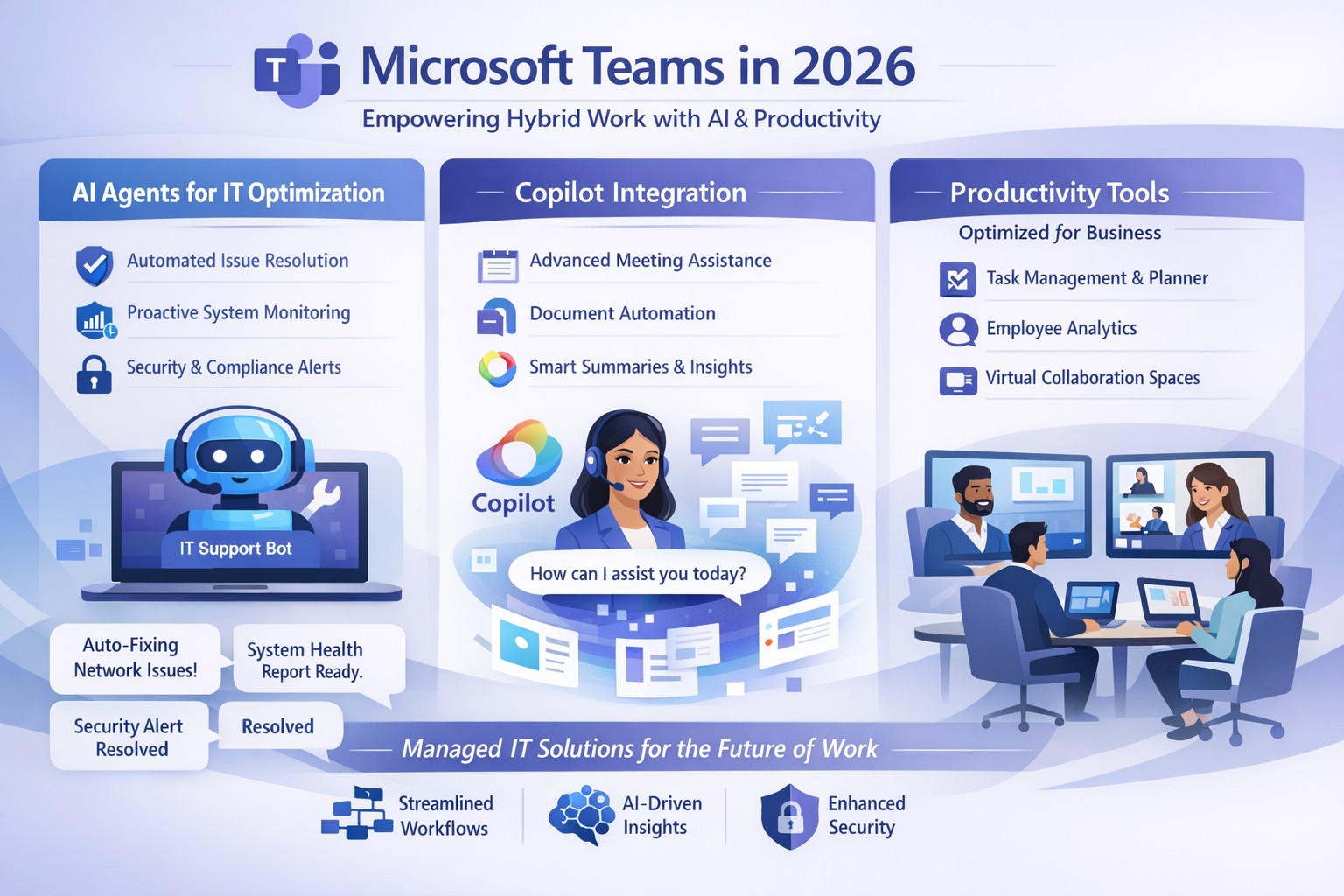
Microsoft Teams 2026 AI-powered features like intelligent agents and screen-aware Copilot transforming business collaboration.
Staying ahead of Microsoft Teams’ rapid evolution is critical for team productivity and competitive edge. 2026 brings AI-powered updates like intelligent agents, screen-aware Copilot, and smarter recaps that transform Teams from a chat tool into a strategic hub—directly impacting your bottom line through reduced meeting time and better decisions.
Key Future Features in Teams 2026
Microsoft Teams’ 2026 roadmap emphasizes AI integration via Copilot, making collaboration proactive. Highlights include AI agents joining meetings to answer questions and track agendas in real-time; Copilot analyzing shared screens for context-aware insights; enhanced chat summaries extracting decisions from threads; and meeting recaps auto-posting to SharePoint for searchable knowledge bases. Interactive annotations let all participants mark up shared content, boosting hybrid brainstorming. These features cut manual work by 30-50%, per early adopter reports, freeing teams for high-value tasks.
Practical Action Steps
Implement these steps with your IT department to leverage Teams’ future features.
Audit Current Setup: Review Teams licenses—upgrade to Microsoft 365 Copilot or Teams Premium for AI access. IT: Run Microsoft 365 admin center audit for usage gaps.
Enable AI Agents and Copilot: In Teams admin center, activate Copilot Studio for custom agents and screen analysis. Test in pilot meetings; train leaders via 15-minute sessions.
Optimize Meetings and Chats: Configure recap templates with visual references; set SharePoint auto-sync. IT: Deploy policies for resizable galleries and multilingual captions.
Secure and Scale: Apply external user trust badges; integrate with frontline tools. Monitor via analytics dashboard, targeting 20% productivity gains quarterly.
Train and Measure: Roll out via Viva Learning modules; track adoption with usage reports.
These steps ensure seamless rollout, minimizing disruption.
Client FAQs on Teams Future Features
Q: How do AI agents impact small business operations? A: Agents handle real-time summaries and nudges, saving 1-2 hours weekly per team on notes—ideal for lean operations without dedicated admins.
Q: What about security with screen analysis? A: Copilot processes data in your tenant with enterprise-grade encryption; admins control via sensitivity labels, compliant with GDPR and HIPAA.
Q: Will these features work for hybrid teams? A: Yes—interactive annotations and resizable views enhance remote participation; automatic language detection supports global clients.
Q: How much do upgrades cost? A: Copilot adds $30/user/month to E3/E5 plans; ROI comes from 25% faster decision-making, per Microsoft benchmarks.
Q: Can we customize recaps? A: Fully—preset templates or Copilot prompts tailor outputs to your workflows, integrating with SharePoint for persistence.
How Farmhouse Networking Helps
Farmhouse Networking specializes in managed IT for accounting, healthcare, and charity sectors, delivering Microsoft Teams optimization as your strategic partner. We handle full audits, Copilot deployments, custom AI agent builds, and compliance setups—reducing your IT overhead by 40%. Our experts integrate Teams with existing systems, train your staff, and monitor performance via proactive dashboards. For seamless adoption of 2026 features, we provide tailored roadmaps that drive organic growth and B2B conversions.
Ready to future-proof your Teams? Email support@farmhousenetworking.com today for a free consultation on boosting business efficiency.
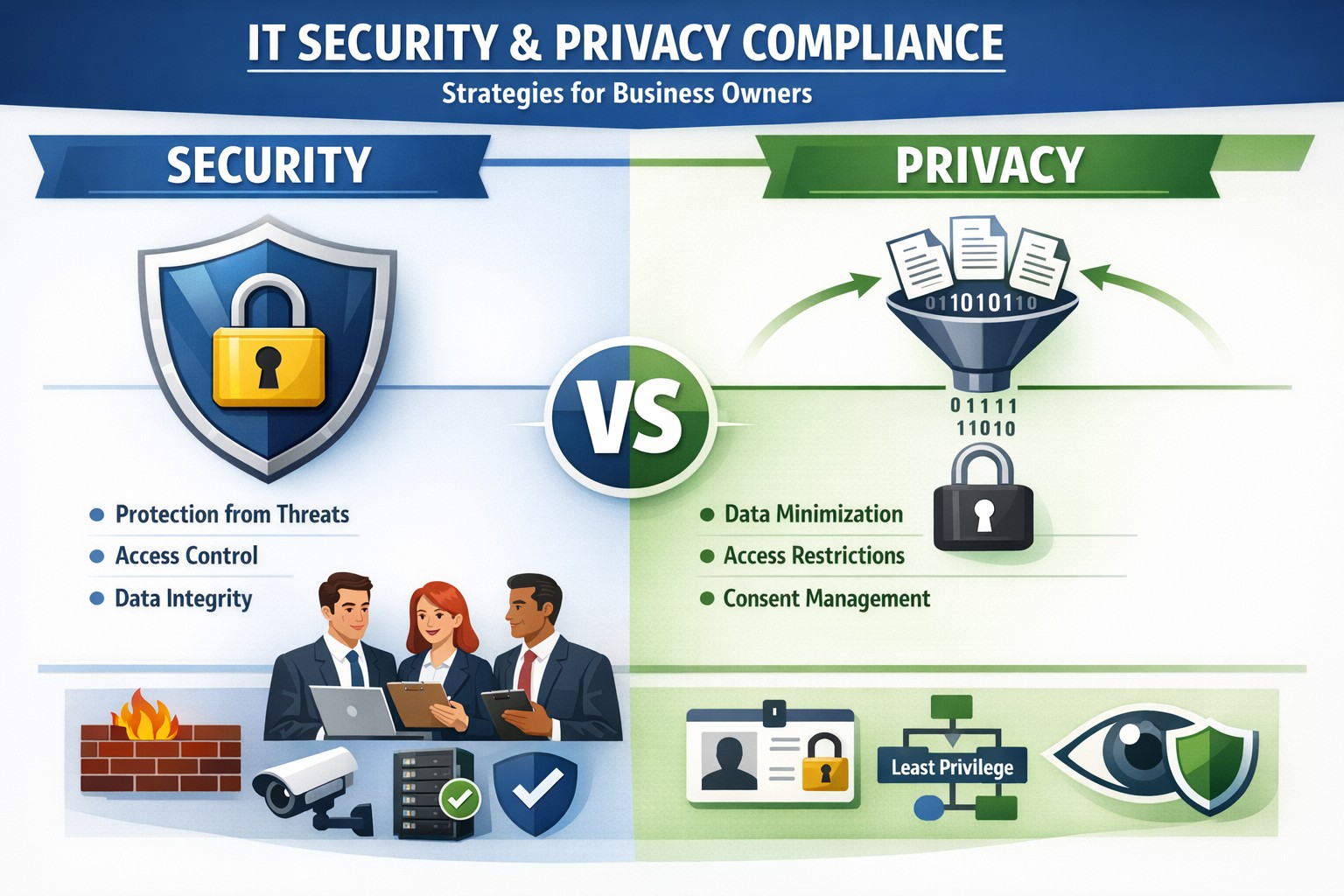
Security locks down access; privacy controls usage—both essential for business data protection.
Many business owners assume that if their data is secure, it’s also private. Unfortunately, that assumption is both costly and dangerous. Security is not privacy—and understanding the difference could mean the survival of your business in an age of relentless breaches, compliance audits, and customer scrutiny.
Security vs. Privacy: What’s the Difference?
Let’s break this down in plain terms:
Security is about protecting data from unauthorized access, theft, or damage. It involves firewalls, encryption, antivirus systems, and strict access control.
Privacy, on the other hand, is about controlling how data is used, shared, or sold—even if it’s technically “secure.” It defines who can see what and why.
Think of it this way: building a lock on your front door is security. Deciding who gets a key—and what they can do inside—is privacy. You need both to protect your business reputation, client trust, and compliance with laws like HIPAA, GDPR, or the CCPA.
Why Businesses Can’t Afford to Confuse Security and Privacy
Failing to distinguish between the two often leads to:
Compliance penalties. Many regulations now focus on privacy controls, not just security infrastructure.
Reputation damage. Customers care deeply about how you handle their data—not just whether it’s encrypted.
Internal risk. Employees with overly broad access can accidentally or intentionally misuse private client data.
For example, a healthcare provider may have state-of-the-art cybersecurity tools, but if patient data is shared without explicit consent, that’s a privacy breach—and legally actionable.
Practical Steps to Protect Both Security and Privacy
Here are key actions every business owner and IT department should take:
Map your data flows. Identify what sensitive data you collect, where it’s stored, and who has access. This forms the foundation of an effective privacy program.
Establish data-use policies. Create clear internal rules for how customer and employee data can be accessed, shared, and retained.
Implement least-privilege access controls. Limit system access to only those who need it for their role. Review permissions regularly.
Train your team. Human error remains the leading cause of breaches. Conduct ongoing security and privacy awareness training tailored to your staff.
Perform audits. Conduct periodic compliance and security audits to catch and correct gaps before regulators or hackers do.
Partner with experts. Small to mid-sized businesses often lack internal resources to manage both privacy governance and IT security at scale. That’s where a managed IT partner like Farmhouse Networking comes in.
Common Questions Business Owners Ask
Q: Isn’t data encryption enough to protect customer privacy? A: No. Encryption protects data from unauthorized access (security), but privacy requires policies that dictate who is authorized in the first place, why they can view data, and how it is used.
Q: Do small businesses really need privacy policies? A: Absolutely. Privacy isn’t just a corporate concern anymore. Even small firms now collect sensitive client information—emails, payment data, medical details, or demographics. If that data is mishandled, it can lead to fines or lawsuits.
Q: What’s the best first step if I’ve never had a privacy audit? A: Start by reviewing your data-handling processes. Determine where personal data lives, how it’s shared, and whether your systems meet relevant regulations. A technology partner like Farmhouse Networking can assist with this process, ensuring both technical and legal compliance.
How Farmhouse Networking Helps You Protect Both Fronts
At Farmhouse Networking, we specialize in helping business owners close the gap between IT security and privacy compliance.
Our tailored solutions include:
Privacy and data protection assessments.
Secure network configuration and monitoring.
Identity and access management (IAM) controls.
Staff training for both cybersecurity and privacy best practices.
Ongoing compliance reporting and audit preparation.
By combining practical security tools with thoughtful privacy governance, we help you create a data environment that safeguards both your business and your customers’ trust.
Take Action Today
Don’t wait for a breach or audit to learn the difference between privacy and security. Protect your data, your customers, and your company’s reputation today.
➡ Email support@farmhousenetworking.com to schedule a consultation and discover how our experts can help you implement privacy-focused security strategies that fit your organization’s needs.
Essential cybersecurity for small businesses—lock down your operations with our proven guide to MFA, backups, and threat prevention
A single cyber breach could wipe out years of hard work—lost data, stolen funds, or regulatory fines that small operations can’t absorb. Recent stats show 43% of cyberattacks target small businesses, with average recovery costs exceeding $25,000. This guide delivers practical steps to secure your operations, answer common concerns, and position your business for growth.
Why Small Businesses Need Cybersecurity Now
Small businesses face unique risks: limited budgets mean weaker defenses, and owners often juggle IT duties without expertise. Cybercriminals exploit this—phishing, ransomware, and weak passwords account for 80% of breaches. Proactive cybersecurity isn’t optional; it’s essential for protecting customer trust, complying with laws like HIPAA or PCI-DSS, and avoiding downtime that kills revenue. Implementing basics now prevents 95% of common attacks.
Practical Action Steps for Owners and IT Teams
Follow these prioritized steps to build a robust defense. Owners oversee policy and budget; IT executes technical controls.
Conduct a Risk Assessment: Inventory all devices, apps, and data flows. Identify crown jewels (customer records, financials). Use free NIST frameworks to score vulnerabilities—takes 1-2 days. Reassess quarterly.
Enforce Multi-Factor Authentication (MFA): Activate MFA on email, cloud apps (e.g., Google Workspace, QuickBooks), and VPNs. Blocks 99% of account takeover attempts. Roll out via group policy; train staff in 30 minutes.
Secure Endpoints and Networks: Install endpoint detection (e.g., Microsoft Defender or CrowdStrike Falcon for SMBs). Set up firewalls, segment networks (guest Wi-Fi separate from core systems), and patch software monthly—automate via WSUS or Intune.
Backup Religiously: Adopt 3-2-1 rule: 3 copies, 2 media types, 1 offsite (cloud like Backblaze). Test restores quarterly. Ransomware can’t win without backups.
Train Your Team: Run phishing simulations monthly (e.g., KnowBe4 free tier). Cover password hygiene (16+ characters, no reuse) and social engineering. Owners lead by example.
Monitor and Respond: Deploy SIEM lite (e.g., Splunk Cloud free tier) or managed detection. Document incidents in a playbook for quick isolation.
Budget tip: Start under $500/month with open-source tools like pfSense firewall and ClamAV antivirus, scaling to pro services as revenue grows.
FAQ: Client Questions Answered
Q: How much does cybersecurity cost for a 10-person business? A: Basic setup runs $50-200/user/year (software + training). Managed services add $100-300/user/month. ROI hits via breach avoidance—downtime alone costs $8,000/hour for small firms.
Q: What if we don’t store sensitive data? A: Attackers use you as a gateway to suppliers/partners. One compromised vendor email can cascade. Even basic ops need protection.
Q: How do I know if we’re compliant? A: Map to frameworks like CIS Controls (free). For payments, PCI scan quarterly via tools like Qualys. Document everything for audits.
Q: Ransomware hit—now what? A: Isolate infected systems, restore from backups, notify authorities if data breached. Don’t pay—fuels crime. Engage experts within 24 hours.
Q: Is cloud safer than on-prem? A: Cloud providers (AWS, Azure) offer enterprise-grade security if configured right (e.g., IAM roles, encryption). Misconfigs cause 80% of cloud breaches—audit permissions monthly.
How Farmhouse Networking Elevates Your Security
Farmhouse Networking specializes in tailored cybersecurity for small businesses in accounting, healthcare, and nonprofits—industries we know inside out. We handle assessments, deployments, and 24/7 monitoring so you focus on growth.
Our approach:
Custom audits pinpoint gaps missed by generic tools.
Managed services include proactive threat hunting and compliance reporting (HIPAA, SOC 2 ready).
SEO-optimized client portals deliver real-time dashboards, building trust that converts leads.
We’ve helped Oregon firms cut breach risk by 90% while boosting uptime 99.9%. No jargon—just results.
Take Control Today
Don’t wait for a breach to act. Email support@farmhousenetworking.com for a free risk assessment and custom roadmap. Secure your business legacy now.
Proactive cybersecurity measures help business owners protect critical data and prevent costly security breaches.
One security breach can cost your business more than money — it can cost your reputation. From phishing scams to ransomware attacks, data security threats are becoming more sophisticated each year. But here’s the good news: with the right protection strategies, you can dramatically reduce your risk.
Whether you’re running a small company or a growing enterprise, protecting business data is no longer optional — it’s a core part of your business strategy.
Why Business Data Security Matters
Cybercriminals target businesses of all sizes — especially small and midsize companies that often have fewer security defenses. According to IBM’s Cost of a Data Breach Report, the average small business breach costs over $4 million when factoring in downtime, lost trust, and legal fees.
Beyond financial losses, breaches can leak customer information, expose proprietary data, and permanently erode credibility. In short: the most successful companies treat cybersecurity as an investment, not an expense.
Action Steps to Protect Your Business Data
Here are practical steps you and your IT team can take today to guard your systems from digital threats:
Implement Multi-Factor Authentication (MFA) Require MFA across all systems — especially for email, remote access, and cloud platforms. It adds an extra layer of defense beyond passwords.
Keep Software and Devices Updated Outdated systems are one of the easiest entry points for cyberattacks. Regularly patch software, update firmware, and remove unsupported devices from your network.
Encrypt Sensitive Data Data encryption ensures that even if files are stolen, they’re unreadable without authorization. Use encryption for files both at rest (stored) and in transit (sent).
Train Employees on Cybersecurity Best Practices Human error accounts for nearly 9 in 10 breaches. Conduct regular training on phishing awareness, password hygiene, and safe device handling.
Back Up Data Securely and Frequently Maintain automated backups stored in secure, isolated environments. Test your recovery process regularly to ensure data can be restored quickly.
Use Endpoint Protection and Firewalls Deploy advanced endpoint protection tools that include antivirus, intrusion detection, and behavior analysis. Combine this with a next-generation firewall to monitor network traffic.
Establish an Incident Response Plan Have a clearly documented procedure for detecting, reporting, and containing breaches. This reduces downtime and ensures a coordinated response if an attack occurs.
Client Questions and Expert Answers
Q: What’s the biggest cybersecurity risk for small businesses today? A: Phishing attacks remain the top threat. Cybercriminals trick employees into revealing passwords or installing malicious software via deceptive emails. Continuous employee training is the best defense.
Q: How often should we audit our security systems? A: At least once per year — but ideally every six months. Regular security assessments can uncover vulnerabilities before they evolve into costly breaches.
Q: We already use antivirus software. Isn’t that enough? A: Unfortunately, antivirus alone can’t detect modern threats like ransomware or insider attacks. A layered approach — combining advanced endpoint protection, MFA, and encrypted backups — provides broader coverage.
Q: What if we don’t have an in-house IT team? A: Partnering with a managed IT provider, like Farmhouse Networking, ensures your security systems are monitored, updated, and optimized by professionals without needing to hire full time staff.
How Farmhouse Networking Can Help
At Farmhouse Networking, we specialize in helping businesses strengthen their cybersecurity from the ground up. Our team provides proactive services that protect your data, improve network reliability, and ensure compliance with today’s data protection standards.
Here’s how we can support your efforts:
Comprehensive Security Audits: Identify weaknesses and design customized security improvements.
Managed IT & Monitoring: 24/7 system monitoring and rapid-threat response to prevent downtime.
Employee Security Training: Ongoing education sessions to keep your team prepared against the latest threats.
Data Backup and Recovery Planning: Secure cloud backup solutions designed to safeguard business continuity.
With Farmhouse Networking, you gain a trusted partner who’s dedicated to protecting your systems so you can focus on running your business with confidence.
Take the Next Step
Your business data deserves protection that’s proactive, not reactive. Don’t wait until an attack happens — act now to build a secure digital foundation.
Email support@farmhousenetworking.com to learn how Farmhouse Networking can help secure your data, reduce risk, and keep your operations running smoothly.
A small business owner uses Microsoft 365 Business to protect email, files, and devices with advanced security features like MFA and device management.
You’re a target whether you have 5 employees or 150. A single compromised email account, lost laptop, or bogus invoice can cost more than a year of IT budget. Microsoft 365 Business (especially Business Premium) includes advanced security—multi-factor authentication, threat protection, and device management—that, when configured correctly, can dramatically reduce your risk without slowing your team down.
Why Microsoft 365 Security Matters to Owners
Microsoft 365 Business plans include built-in protections for email, files, identities, and devices, not just productivity tools. They provide anti-phishing, anti-spam, and anti-malware for cloud mailboxes, plus additional capabilities in Business Premium such as endpoint protection, data loss prevention, and advanced email threat protection. These capabilities are designed specifically for small and mid-sized businesses with up to about 300 users.
For you as an owner, the business outcomes are clear: fewer successful phishing attacks, protection if a device is lost or stolen, better control over who can see what, and evidence you’re taking reasonable steps for compliance and cyber insurance.
Practical Action Steps for You and Your IT
Below is a prioritized, owner-friendly checklist you can drive with your IT provider or internal IT lead.
1. Lock down accounts and logins
Owner responsibilities:
Require multi-factor authentication (MFA) for all staff, especially executives and finance.
Make it policy that shared accounts (info@, billing@) are tightly controlled and monitored.
Approve a standard for strong passwords and password reset processes.
IT responsibilities:
Turn on MFA for all users and admins and enforce it with security defaults or Conditional Access.
Protect admin accounts (separate admin IDs, no email or browsing from admin accounts, strong MFA).
Disable legacy authentication protocols that bypass modern security controls.
2. Harden email and collaboration
Owner responsibilities:
Decide which types of sensitive information must never be sent unencrypted (SSNs, health info, financials, donor lists, etc.).
Set expectations that staff must report suspicious emails instead of clicking or deleting quietly.
IT responsibilities:
Enable advanced anti-phishing, Safe Links, and Safe Attachments if you have Business Premium or Defender add-ons.
Configure preset security policies for Exchange Online to enforce consistent spam and malware filtering.
Enable email encryption policies for sensitive communications and configure data loss prevention (DLP) rules for critical data types.
3. Protect laptops, desktops, and mobile devices
Owner responsibilities:
Require all company devices to be enrolled in device management before accessing business data.
Decide whether personal (BYOD) phones can access company data and under what conditions.
IT responsibilities:
Use mobile device management and mobile app management to enforce PIN/biometric locks and device encryption.
Configure endpoint protection (Microsoft Defender for Business) on Windows devices and ensure automatic security updates.
Enable the ability to remotely wipe corporate data from lost or stolen devices.
4. Control access to files and data
Owner responsibilities:
Define which departments or roles should have access to which data (HR, finance, operations, executive, etc.).
Nominate “data owners” in each area who approve access changes.
IT responsibilities:
Use role-based access and groups to control who can see what in SharePoint, OneDrive, and Teams.
Implement sensitivity labels (e.g., Public, Internal, Confidential) to classify and protect documents and emails.
Set file-sharing policies (internal-only for sensitive data, restricted external sharing where needed).
5. Train people and monitor the environment
Owner responsibilities:
Mandate short, recurring security awareness training and phishing simulations.
Make it clear that reporting a mistake early is rewarded, not punished.
IT responsibilities:
Turn on security dashboards/secure score reporting and review them routinely.
Run regular phishing simulations and track improvement over time.
Document an incident response plan: who does what in the first hour of a suspected breach.
Common Client Questions and Straightforward Answers
Q1: Isn’t Microsoft 365 secure “out of the box”? A: It’s secure by default compared to many platforms, but critical features like MFA, device policies, and data loss prevention must be deliberately configured. Think of it like a building with locks installed—you still have to decide who gets keys and when doors stay locked.
Q2: Will all this security make it harder for my employees to work? A: Done properly, most changes are almost invisible after setup. MFA adds a few seconds at sign-in but can drastically cut account takeovers; device policies and automatic updates run in the background.
Q3: We’re a small business. Are we really a target? A: Yes. Automated attacks scan the internet for easy targets regardless of size, and small businesses are often seen as “soft” targets with weaker controls.
Q4: Do we need Business Premium, or is Basic/Standard enough? A: Basic and Standard include core email protections and collaboration tools, but Business Premium adds advanced threat protection, full device management, and better data protection—those are often required to meet cyber insurance and compliance expectations.
Q5: How long does it take to put all this in place? A: A phased rollout is typical: MFA and email protection in days, device and data controls over a few weeks, followed by ongoing tuning and training.
How Farmhouse Networking Helps You Implement This
Farmhouse Networking specializes in turning Microsoft 365 Business into a practical, business-grade security platform tailored for small and mid-sized organizations in accounting, healthcare, and nonprofit sectors.
Here is what implementation looks like with us:
Security assessment and roadmap We review your current Microsoft 365 tenant, licensing, and security posture, then build a prioritized, owner-friendly roadmap focused on quick wins (MFA, admin protection, baseline email security) and longer-term improvements (device management, DLP, labeling).
Secure configuration and deployment We configure MFA, Conditional Access, advanced email security, device protection, and file-sharing policies following Microsoft best practices, while aligning with your industry-specific requirements and compliance pressures.
Data classification and access design We work with you to define which information is most sensitive, who should access it, and how to label and protect it across email, SharePoint, OneDrive, and Teams.
User training and ongoing support We provide concise training for your staff, phishing simulations, and ongoing monitoring so that your security posture keeps improving instead of drifting over time.
Coordination with your IT team If you already have internal IT, we act as a specialist partner, focusing on Microsoft 365 security design, documentation, and escalation support while your team handles day-to-day operations.
Call to Action
If you want to turn Microsoft 365 Business into a true security shield for your organization—not just an email and Office subscription—Farmhouse Networking can design and implement a right-sized security program for you.
Email support@farmhousenetworking.com for more information about how Farmhouse Networking can help improve your business and better protect it with advanced security from Microsoft 365 Business.
Unlock productivity: Microsoft remote work solutions let your team collaborate from anywhere on any device.
Business owners face mounting pressure to enable flexible work while maintaining productivity and security. Microsoft technology delivers seamless remote access across devices, transforming how your team operates from virtually any location. This post outlines actionable steps, answers key questions, and shows how Farmhouse Networking can streamline your implementation.
Core Microsoft Tools for Remote Work
Microsoft 365, Teams, Intune, and Azure Virtual Desktop form the backbone of device-agnostic remote work. These tools support real-time collaboration, secure file access, and centralized management without on-premises hardware dependency. For instance, Teams integrates chat, video, VoIP, and file sharing into one hub, boosting efficiency for distributed teams.
Intune enables IT to enforce policies on employee devices remotely, while Azure ensures scalable cloud infrastructure. This setup minimizes downtime and scales with business growth.
Practical Action Steps
Follow these steps with your IT department to deploy Microsoft remote work capabilities.
Assess Current Infrastructure: Inventory devices, apps, and workflows. Identify gaps in security (e.g., MFA) and collaboration tools. Use Microsoft’s free assessment tools in the 365 admin center.
Subscribe to Microsoft 365: Choose Business Premium or E3/E5 plans for Intune, Teams, and Entra ID. Enable SSO and MFA via Entra ID for secure access.
Configure Device Management: Deploy Intune for endpoint management. Enroll devices (Windows, macOS, iOS, Android) and set compliance policies like encryption and app restrictions.
Set Up Teams and Communication: Migrate PBX to Teams Phone System for enterprise voice. Integrate OneDrive for secure file sync and SharePoint for team sites.
Test and Train: Run pilot with 10-20 users. Provide training via Microsoft Viva or custom sessions. Monitor adoption with Teams analytics.
Scale and Secure: Implement Zero Trust with Azure AD Conditional Access. Regularly audit via Microsoft Defender for endpoints.
These steps typically take 4-8 weeks, reducing setup costs by leveraging cloud-native features.
FAQ: Client Inquiries Answered
Q: What devices are supported? A: Microsoft tools work on Windows, macOS, iOS, Android, and even Linux via web apps. Intune manages all, ensuring consistent policies.
Q: How secure is remote access? A: Zero Trust model verifies every access with MFA, device health checks, and AI-driven threat detection in Defender. Data stays encrypted end-to-end.
Q: Will it integrate with our existing PBX? A: Yes, Teams Calling extends or replaces PBX systems, supporting auto-attendants and call analytics without hardware changes.
Q: What’s the cost for a 50-person team? A: Microsoft 365 Business Premium starts at $22/user/month, including all tools. Add-ons like Teams Phone run $8-15/user/month. ROI comes from 20-30% productivity gains.
Q: How do we handle user adoption? A: Use built-in training modules, Teams champions, and help desk integration. Adoption rates hit 90% with structured onboarding.
How Farmhouse Networking Accelerates Your Setup
Farmhouse Networking specializes in Microsoft deployments for accounting, healthcare, and charity sectors. We handle custom assessments, Intune configurations, Teams migrations, and ongoing help desk support—shortening timelines from months to weeks. Our experts ensure HIPAA/GDPR compliance for healthcare and secure donor data for charities, while optimizing for accounting firms’ audit trails. We’ve boosted remote productivity 40% for similar clients via tailored QuickStarts.
Call to Action
Ready to enable seamless remote work? Email support@farmhousenetworking.com for a free Microsoft readiness audit and custom strategy.
Switch to OpEx IT—slash costs without sacrificing reliability
Here are some quick tips to save money on IT expenses during these tough times.
Ways to cut IT expenses
Software Licensing: Take an inventory of all software licensing that is either auto-renewal or subscription based to determine if you actually need all the features that you are purchasing. There may be a license that is less expensive with less features that you can use instead. It is also good to regularly check for un-used licensing for users that are no longer with the company also. Let us do a full evaluation on your software licensing at no cost.
Paperless: By not printing you save the environment and save on money. Less toner and less paper equal more money in the reserves. It also saves on maintenance or replacement costs on those expensive large multi-function printer devices.
Phone Service: Take a look at the phone bill to see if your carrier has recently changed your pricing from the original discounted price to their standard pricing. Also consider how many lines you have and if they all need separate phone numbers. These kinds of service can often cost more money. It might be time to start shopping for a new vendor to get better rates and Farmhouse Networking is there to help with low rates and no setup charges.
Hardware Consolidation: Multiple servers and extra network equipment due to improper wiring can be an unseen extra expense on the electric bill and increase cooling costs in the office. Using virtual server technology or migrating to the cloud can help lessen the impact of servers in your office. Centralizing / consolidating servers and network equipment will decrease the overall cooling expenses for the building too.
Support Contracts: Are you paying for IT support on a monthly basis? Are you sure you are getting the best deal and only the services you need to keep business functioning? Let us take a look at your contract to see if there are any cuts that can be made to decrease support contract costs.
If your company is going through a tough time financially and looking to save money on IT expenses, then contact us for assistance.
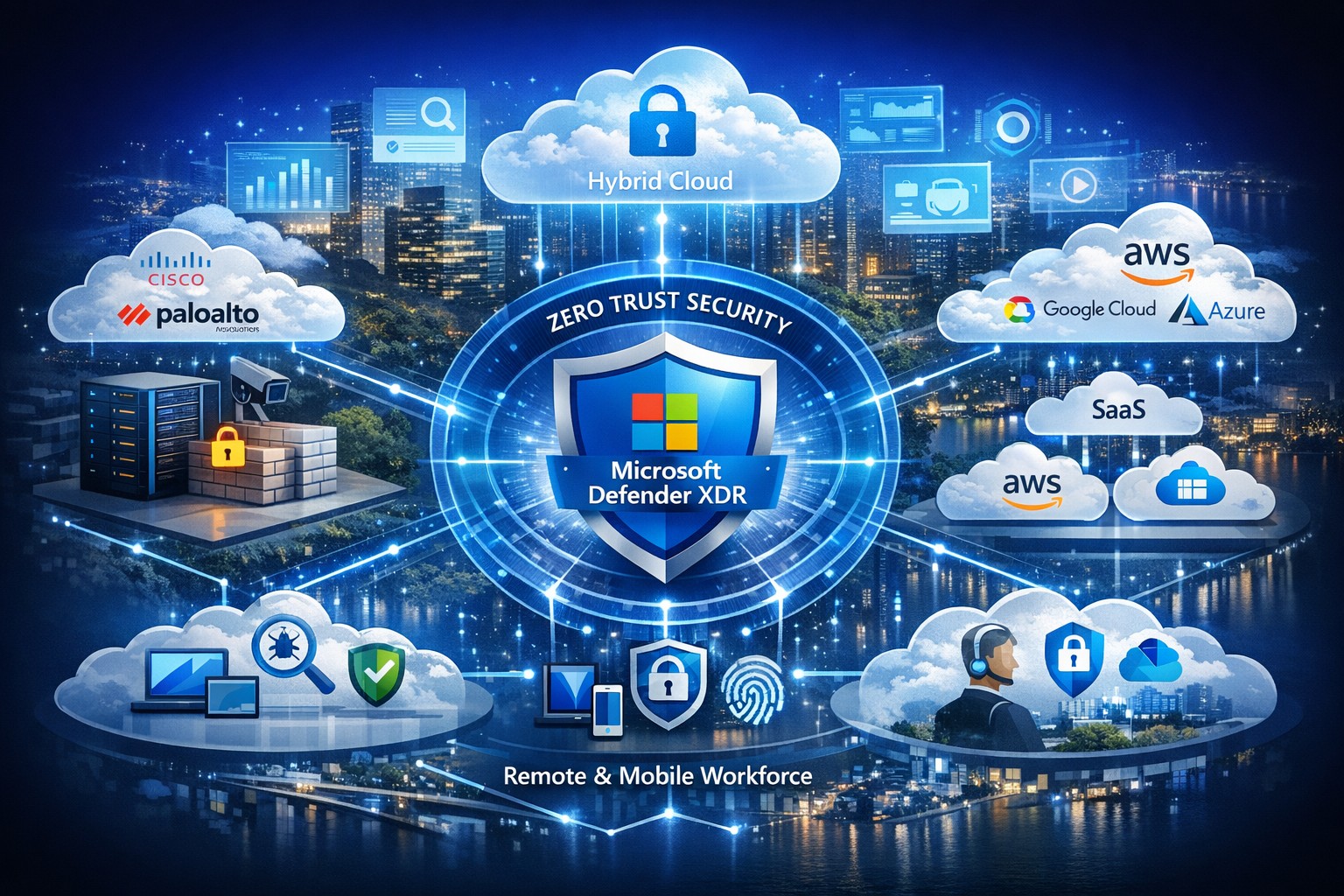
Managing security across solutions from multiple vendors often feels like herding cats—fragmented tools create blind spots, alert fatigue, and compliance headaches. Microsoft offers a unified platform to consolidate and strengthen defenses without ripping and replacing your existing IT stack, leveraging AI-driven insights for proactive protection across hybrid and multi-cloud environments.
Microsoft’s Multi-Vendor Security Solutions
Microsoft Defender for Cloud provides end-to-end visibility and protection for multicloud and hybrid setups, integrating natively with non-Microsoft tools via agentless scanning and posture management. Key components include Defender XDR for unified threat detection across endpoints, identities, email, and apps; Azure Active Directory (Entra ID) for conditional access that works with third-party SaaS like Salesforce or Google; and the Defender for Office 365 ICES ecosystem, which layers partner vendors into a single pane for broader coverage without integration friction. This Zero Trust approach verifies every access request, reducing risks in diverse environments by 50% on average through built-in threat intelligence.
Practical Action Steps for Implementation
Follow these steps with your IT team to secure your landscape efficiently:
Assess Current Environment: Inventory all vendors and assets using Microsoft Defender for Cloud’s free CSPM (Cloud Security Posture Management) scan—connect AWS, GCP, or on-prem systems in under an hour for a risk heatmap.
Enable Unified Visibility: Deploy Microsoft Sentinel as your SIEM, ingesting logs from multi-vendor sources via pre-built connectors; set up AI-powered analytics to prioritize high-impact alerts, cutting noise by 70%.
Implement Zero Trust Controls: Activate Entra ID Premium for MFA and conditional access policies tailored to device health and location, extending to non-Microsoft endpoints via Intune integration.
Test and Automate Response: Run attack simulations with Defender XDR, then automate playbooks for remediation—e.g., isolate compromised endpoints across vendors automatically.
Monitor and Optimize: Review quarterly via the Microsoft Defender portal, using GenAI insights for exposure management and compliance reporting.
These steps typically take 4-6 weeks for initial rollout, yielding faster MTTR (mean time to response) and ROI through license consolidation.
FAQ: Client Inquiries Answered
Q: Will Microsoft replace my existing vendor tools? A: No—Microsoft emphasizes integration, not replacement. Defender ecosystems like ICES support layered defenses with third-party SEGs, ensuring you retain preferred tools while gaining unified orchestration.
Q: How does this handle hybrid/multi-cloud setups? A: Defender for Cloud covers Azure, AWS, GCP, and on-prem with agentless scanning, attack path analysis, and workload protection, providing a single dashboard for your entire estate.
Q: What’s the cost for a mid-sized business? A: Pricing starts at pay-as-you-go (e.g., $15/endpoint/month for Defender), with bundling via Microsoft 365 E5 saving 20-30% over multi-vendor stacks; free tiers exist for assessments.
Q: How secure is data across vendors? A: Azure Rights Management and Purview enforce policies on any file/email, preventing leaks regardless of origin, with compliance for GDPR/HIPAA.
Q: Can we pilot this without commitment? A: Yes—30-day trials via Azure portal let you test integrations risk-free.
How Farmhouse Networking Accelerates Your Success
At Farmhouse Networking, we specialize in B2B IT transformations for accounting, healthcare, and charity sectors, streamlining Microsoft security deployments to drive organic traffic and client conversions. Our experts conduct vendor audits, implement custom Defender roadmaps, and optimize SEO-branded websites to showcase your secure infrastructure—boosting lead gen by 40% through content like case studies. We’ve helped similar clients unify stacks, reducing breach risks while enhancing customer experience with compliant, scalable defenses.
Ready to secure your digital landscape? Email support@farmhousenetworking.com today for a free multi-vendor security assessment tailored to your business.
IT Heroes Shielding Your Business from Cyber Threats
Cyber threats like ransomware and phishing can halt operations and expose sensitive data—threats escalating in 2026 with AI-driven attacks. Your IT team are the unsung heroes defending against these risks, ensuring continuity amid rising incidents targeting your industry. This post outlines actionable cybersecurity steps, answers key questions, and shows how Farmhouse Networking bolsters your defenses.
Key Cyber Threats in 2026
Businesses face sophisticated ransomware hitting accounting apps, supply chain attacks disrupting healthcare, and donor data theft in charities. Phishing mimics IRS notices or fake donation pages, while cloud misconfigurations expose data across sectors. Small firms with limited IT budgets are prime targets, but proven defenses like encryption and MFA block most incursions.
Practical Action Steps
Implement these prioritized steps with your IT department to fortify defenses—tailored for accounting firms handling tax data, healthcare protecting patient records, and charities safeguarding donor info.
Enable Multi-Factor Authentication (MFA): Require on all accounts, especially email, cloud services, and accounting software; use passkeys for high-risk access.
Encrypt Sensitive Data: Protect client files, patient records, and donor lists at rest and in transit; pair with Data Loss Prevention tools.
Deploy Firewalls and Network Segmentation: Use business-grade firewalls with WPA3 Wi-Fi; isolate accounting servers or EHR systems via VLANs.
Automate Updates and Patching: Enforce on all devices and software to close vulnerabilities exploited in phishing and ransomware.
Follow 3-2-1 Backup Rule: Maintain 3 data copies on 2 media types, 1 offsite/cloud; test quarterly for ransomware recovery.
Conduct Vulnerability Assessments: Scan networks semi-annually; review third-party vendors for compliance like HIPAA or PCI.
Train Staff on Phishing: Run simulations targeting industry lures (e.g., fake IRS emails for accountants); enforce least-privilege access.
These steps reduce breach risk by 80-90% when combined, per industry benchmarks.
FAQ: Client Inquiries Answered
How often should we test backups? Quarterly restores ensure usability against ransomware; offline copies prevent encryption.
Is MFA enough against AI phishing? No—combine with training and endpoint detection; deepfakes target credentials in 2026.
What about cloud risks for nonprofits? Audit configurations monthly; segment donor CRMs and use encryption to block supply chain exploits.
How to handle vendor threats in healthcare? Demand SOC reports and limit access; 87% of supply attacks disrupt care.
Can small businesses afford cybersecurity? Yes—managed services fit budgets, allocating 5-10% of IT spend yields high ROI via downtime prevention.
How Farmhouse Networking Helps
Farmhouse Networking delivers managed IT and cybersecurity tailored for accounting, healthcare, and charity clients in Oregon and nationwide. We handle vulnerability assessments, network segmentation, encryption, HIPAA/PCI compliance, backups, and penetration testing—freeing you to focus on growth. Our semi-annual business reviews align tech with your 5-year plan, while 24/7 monitoring stops threats proactively. Proven for fast-growing practices and firms, we optimize Office 365 migrations, secure remote access, and provide outsourced CIO expertise.
Call to Action
Ready to unleash your IT heroes? Email support@farmhousenetworking.com today for a free cybersecurity assessment and customized strategy to defend, protect, and secure your business.
Cyberattacks aren’t just targeting large corporations anymore — small and mid-sized businesses are in the crosshairs, often because attackers assume you have weaker defenses. One click on a malicious email or one unpatched system can open the door to ransomware, data theft, or business downtime that costs thousands.
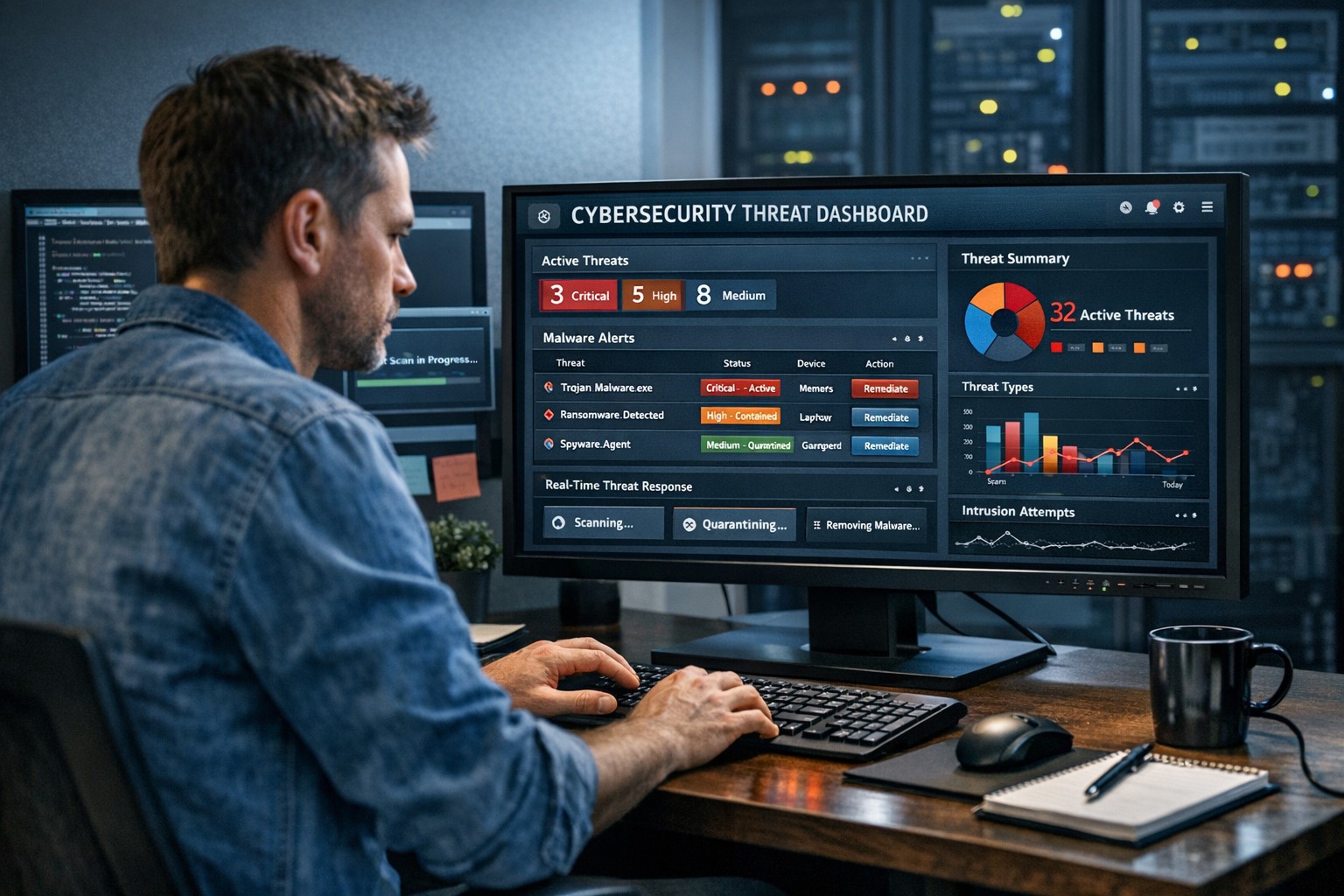
As a business owner, you can’t afford to wait until something goes wrong. The key is being proactive: discover threats quickly, remediate issues immediately, and mitigate the impact of malware and breaches before they spiral out of control.
Why Quick Detection and Response Matters
Every minute counts when it comes to cybersecurity. According to IBM’s 2025 Cost of a Data Breach Report, the average time to identify and contain a breach is 207 days — and the faster a business can detect and respond, the lower the cost and damage.
For small businesses, early detection can mean the difference between minor disruption and major data loss. Automated tools, continuous system monitoring, and staff cybersecurity training all play vital roles in keeping your operations safe.
Practical Steps to Protect Your Business
Here are actionable steps you and your IT department can take to strengthen your cybersecurity posture today:
Implement Continuous Threat Monitoring Use endpoint detection and response (EDR) tools or managed detection and response (MDR) services to monitor your systems 24/7. These tools use AI to identify suspicious activity before it becomes a breach.
Keep Systems and Software Updated Outdated software is a hacker’s best friend. Schedule regular updates and patches for operating systems, firewalls, and applications to close known vulnerabilities.
Use Multi-Factor Authentication (MFA) Protect user accounts with multiple verification layers. MFA stops 99% of automated attacks, even if passwords are leaked.
Create a Clear Incident Response Plan Develop a step-by-step playbook for how your team will respond to a security incident — including who to contact, how to isolate affected systems, and how to communicate with clients.
Backup Data Regularly (and Securely) Use automated, encrypted backups stored both onsite and offsite. Test restores regularly to ensure reliability during an emergency.
Train Employees on Cyber Hygiene Human error causes most breaches. Run regular phishing simulations and cybersecurity awareness sessions so your team can spot risks early.
Engage a Trusted IT Partner Collaborate with professionals who specialize in threat detection and breach response. A managed IT provider can bring enterprise-level security to your SMB without the enterprise-level price.
Clients Often Ask…
Q: What’s the best way to know if a threat is active in my network? A: Real-time monitoring is the gold standard. Tools like EDR or SOC-as-a-Service actively scan your endpoints, networks, and cloud systems for anomalies so you catch incidents before data is compromised.
Q: How do we remediate a breach once it’s detected? A: First, isolate affected systems to stop the spread. Next, identify the source, remove the malware, and restore clean backups. Finally, perform a full post-incident review to close the gap that allowed the breach.
Q: Is all this cybersecurity really affordable for small businesses? A: Yes — scalable managed IT services make advanced protection accessible. Think of it as business insurance that pays for itself by preventing downtime and data loss.
Q: How do I explain cybersecurity investments to my leadership team or board? A: Focus on the financial impact — downtime, lost data, and reputational damage often cost far more than preventative cybersecurity services. Showing this risk-to-cost ratio makes the business case clear.
How Farmhouse Networking Can Help
At Farmhouse Networking, we’ve helped Oregon SMBs stay secure, compliant, and productive through tailored cybersecurity solutions designed for real-world small business needs.
Here’s what we offer to help you discover, remediate, and mitigate threats effectively:
24/7 Threat Monitoring: Managed detection and response (MDR) tools that catch threats before they cause harm.
Rapid Remediation Support: Our specialists act fast to contain and remove threats as soon as they appear.
Comprehensive Incident Response Planning: From establishing protocols to training your team, we help you prepare for the unexpected.
Data Backup and Recovery Solutions: Automated, encrypted backups ensure you can restore your systems quickly after an incident.
Employee Training Programs: Interactive sessions help staff recognize phishing attempts and adopt safe online habits.
We don’t just sell tools — we partner with your business to strengthen your defenses and give you peace of mind.
Stay Ahead of Cyber Threats
Cyber threats evolve every day, but your business doesn’t have to face them alone. With the right combination of proactive monitoring, smart response, and expert guidance, you can keep operations smooth and your data secure.
Ready to protect your business? Email support@farmhousenetworking.com today to learn how Farmhouse Networking can help you stop threats before they stop your business.
Data breaches strike mid-sized businesses every day, costing millions in downtime, fines, and lost trust. As a business owner, you can’t eliminate risks entirely, but you can build defenses that minimize damage and keep operations running.
Why Mid-Sized Firms Face Heightened Risks
Mid-sized organizations (50-500 employees) often lack enterprise-level resources yet handle sensitive data like client records and financials, making them prime targets for ransomware and phishing. Recent trends show attackers exploiting hybrid work setups and third-party vendors. Proactive steps turn vulnerability into resilience.
Practical Action Steps for Owners and IT Teams
Implement these prioritized steps to fortify your defenses. Assign IT leads for execution, with owner oversight on budgets and compliance.
Enforce Multi-Factor Authentication (MFA): Require MFA on email, remote access, and cloud apps. Separate admin accounts from daily use to block credential theft, a top entry point.
Adopt Zero Trust Architecture: Verify every user, device, and access request. Inventory identities, disable dormant accounts, and apply conditional access based on location and behavior. Shorten session times.
Deploy Endpoint Detection and Response (EDR): Install EDR on all devices for real-time threat monitoring. Combine with XDR for unified visibility across endpoints, networks, and cloud.
Secure Backups and Incident Response: Create immutable, offline backups of critical systems. Develop a playbook with escalation paths, containment actions, and recovery protocols. Test via tabletop exercises quarterly.
Patch Management and Vulnerability Scans: Automate updates and scans for unpatched software. Segment networks to isolate finance or HR systems. Review firewall rules annually.
Employee Training and Vendor Audits: Run phishing simulations and awareness programs. Inventory third parties, limit their access, and test integrations in staging environments.
These steps reduce breach likelihood by up to 99% when layered properly, per industry benchmarks.
Step
Owner/IT Role
Timeline
Expected Impact
MFA Rollout
IT: Deploy; Owner: Approve budget
1-2 weeks
Blocks 80% of account takeovers
Zero Trust Setup
IT: Inventory & configure
1 month
Limits lateral movement
EDR/XDR Implementation
IT: Install & monitor
2-4 weeks
Speeds detection by 50%
Backup Playbook
Joint: Develop & test
Ongoing
Ensures <24hr recovery
Q&A: Client Inquiries Answered
Q: How much will these measures cost a mid-sized firm? A: Basic MFA and training start under $10/user/year; EDR/XDR scales to $50-100/endpoint annually. ROI comes from avoiding $4.5M average breach costs. Prioritize high-impact basics first.
Q: What if we already had a breach? A: Isolate affected systems, notify per regulations (e.g., Notifiable Data Breaches), and audit for persistence. Engage experts for forensics to prevent recurrence.
Q: How do we stay compliant with regs like HIPAA or GDPR? A: Document data handling, audit access logs, and align with frameworks like NIST or ACSC Essential Eight. Link to cyber insurance for lower premiums.
Q: Can small IT teams manage XDR/EDR? A: Yes—automation handles alerts, reducing workload. Start with managed services for 24/7 monitoring.
How Farmhouse Networking Supports Your Efforts
Farmhouse Networking specializes in mid-sized business cybersecurity, delivering tailored IT solutions for accounting, healthcare, and charity sectors. We handle EDR/XDR deployments, zero trust setups, and playbook development, integrating with your existing infrastructure.
Our team conducts vulnerability assessments, runs training simulations, and provides ongoing monitoring—freeing your IT staff for core tasks. We’ve helped similar firms cut breach risks by 70% through scalable, compliant strategies that boost SEO-friendly client trust signals like security badges.
Take Control Today
Breaches happen, but preparation wins. Email support@farmhousenetworking.com now for a free cybersecurity audit and personalized roadmap to safeguard your mid-sized organization.
Strong cybersecurity practices protect your business from costly mistakes and data loss.
Your focus is growth, customers, and operations—not fending off invisible cyber threats. Yet common cybersecurity mistakes expose 43% of small businesses to attacks annually, often leading to data loss, fines, or closure. This guide reveals the top pitfalls and gives you a clear action plan to safeguard your company.
Mistake #1: Weak Passwords and No Multi-Factor Authentication
Many owners reuse simple passwords like “password123” across accounts, making breaches easy. Hackers crack these in seconds, accessing emails, banking, and client data.
Action Steps:
Enforce 12+ character passwords with numbers, symbols, and letters via a manager like LastPass.
Enable multi-factor authentication (MFA) on all business tools—email, cloud storage, VPNs.
IT Task: Audit passwords quarterly; train staff via a 15-minute workshop.
Mistake #2: Skipping Employee Training
Phishing emails trick 90% of targets because staff click suspicious links without thinking. Untrained teams become your weakest link.
Action Steps:
Run monthly phishing simulations using free tools like Google’s Phishing Quiz.
Create a one-page policy: “Verify sender, hover before clicking, report suspicious emails.”
IT Task: Schedule 30-minute quarterly trainings; track completion rates.
Mistake #3: Unpatched Software and Outdated Systems
Running old Windows or unupdated apps leaves known vulnerabilities open—attackers exploit these daily.
Action Steps:
Enable auto-updates for all software, browsers, and OS.
Use a patch management tool like Ninite for bulk updates.
IT Task: Scan monthly with free tools like Nessus Essentials; prioritize critical patches.
Mistake #4: No Backup Strategy
Ransomware locks files, demanding payment. Without backups, you’re forced to pay or lose everything.
IT Task: Automate daily backups to encrypted cloud like Backblaze.
Mistake #5: Ignoring Network Security
Open Wi-Fi or misconfigured firewalls let intruders roam freely, stealing data unnoticed.
Action Steps:
Switch to WPA3-encrypted Wi-Fi; segment guest networks.
Install a next-gen firewall (e.g., pfSense free version).
IT Task: Run network scans with Wireshark; block unused ports.
Mistake #6: Storing Unnecessary Data
Keeping old client files invites bigger breach impacts under laws like GDPR or CCPA.
Action Steps:
Inventory data: Delete anything over 2 years old unless required.
Use tools like Eraser for secure deletion.
IT Task: Implement retention policies in your CRM.
Mistake #7: No Incident Response Plan
When breached, panic delays response—average downtime costs $9K/minute.
Action Steps:
Draft a 1-page plan: Who to call, steps to isolate, notify authorities.
Test with a tabletop exercise yearly.
IT Task: Assign roles; store contacts securely.
Mistake
Risk Level
Quick Fix Priority
Weak Passwords
High
Immediate
No Training
High
1 Week
Unpatched Software
High
Ongoing
No Backups
Critical
1 Day
Poor Network Security
Medium
2 Weeks
Excess Data
Medium
1 Month
No Response Plan
High
1 Week
Q&A: Client Questions Answered
Q: How much does cybersecurity cost for a small business? A: Basic protections (MFA, training, backups) cost under $50/month. Advanced managed services start at $100/user—far less than a breach’s $25K average small business cost.
Q: What if I’m not tech-savvy? A: Start with free checklists from CISA.gov. Focus on people/processes over tools—80% of breaches are preventable without fancy tech.
Q: How do I know if we’re already compromised? A: Check for slow networks, unknown logins, or odd emails. Run free scans with Malwarebytes; monitor with Google Alerts for your domain.
Q: Ransomware hit—now what? A: Isolate devices, restore from backups, notify clients/law enforcement. Never pay— it funds more crime.
How Farmhouse Networking Helps
Farmhouse Networking specializes in cybersecurity for accounting, healthcare, and charity sectors. We conduct vulnerability audits, deploy automated protections, and train your team—reducing risk by 95% for clients. Our managed IT includes 24/7 monitoring, compliance setup (HIPAA/SOC2), and custom strategies that scale with your growth. No jargon, just results.
Local expertise + rapid response = minimal business disruption
I was chatting with my son who works for a large local company who
contracts with a local Managed Service Provider to help with their IT
needs. Due to a clause in their contract they are now locked into paying
over $15,000 per month for IT services for the next three years. This
includes $300 per server (they have 5 of them) and $70 per workstation
(they have over 100 of them) plus some other mysterious charges for the
network. Personally I think that this is outrageous.
Here at Farmhouse Networking we do not believing in locking our clients
into a contract. Our IT services are always month to month so that if
either of us are dissatisfied with the relationship then we can easily
end things with no obligations. Our services are also reasonably priced
due to keeping our overhead low – we charge $65 per server and $25 per
workstation plus a small per device charge for other network devices.
That is a mind boggling 280-460% savings over the local competition. For
that large company that would be a realized savings of somewhere
between $9,600 and $11,700 per month – enough to hire several new
employees or purchase new equipment to increase production.
If your company is looking to keep the costs of IT services down and keep more working capital for true business needs, then contact us for assistance.
Farmhouse Networking has been looking into expanding the ways that we serve our customers. After having a major global Voice-over-IP provider reached out to us, taking a long look at their product offering, and looking at the current phone bills of a few of our clients – we have decided to resell their internet-based telephone services. So what does that mean for you:
Business Class Phones.
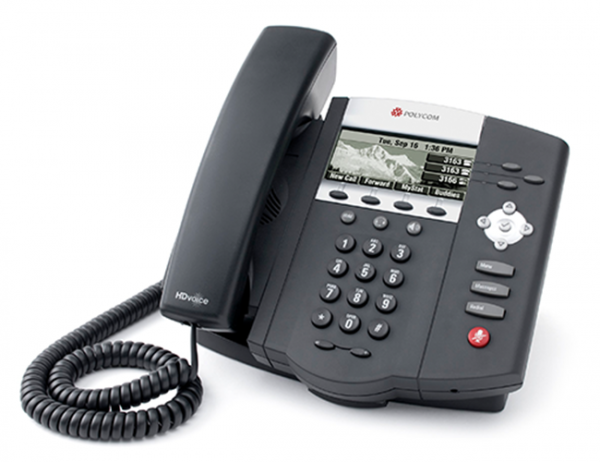
Our customers will get the option to purchase or lease VoIP phones from the top manufactures. These include options for wireless phones and cordless headsets.
Limitless Features.
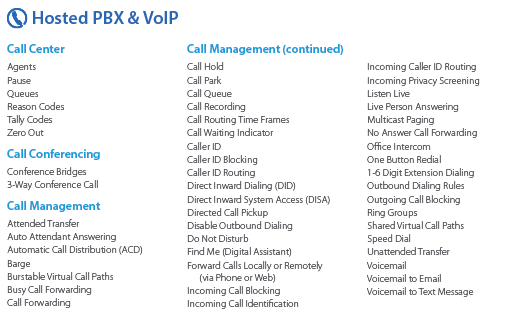
All the features that you have come to expect from quality telephone service are here in our new hosted system and we are also able to provide telephone service to your existing on-premise phone systems. There are also some other exciting features to keep business running like cellphone fail-over if the power ever goes out again.
Simple Pricing.
After reviewing several phone bills from the local internet and telephone providers, Farmhouse Networking has developed a simplified pricing structure with all the usual features a business needs. It is based on the number of phone lines with unlimited minutes within the United States.
Get Started Today.
All we need is a copy of your current phone bill to start seeing if we can save you a bunch of money too. Send one now!
It is official – the month of September marks three years in business for Farmhouse Networking. We have been truly blessed by God to have been able to serve the Grants Pass and surrounding business communities by providing exceptional IT managed services. We look forward to many more years of giving you the highest level of support possible so that you can focus on getting business done. With this anniversary we plan on rolling out some enhancements to our monthly service offerings:
Enhanced Monthly Maintenance
Standard Maintenance: For those who are not current managed clients, these basics have always been a part of our service offering:
5-year Technology Plan & Budget
Full Network Inventory
Hard Disk Checkups (Bi-Monthly)
Hard Disk Defragmentation (Monthly)
Temporary File Cleaning (Weekly)
Anti-Virus Software (Constant Monitoring)
Operating System Updates (Weekly)
Error Log Monitoring (Constant Monitoring)
Power Settings Management (Constant Monitoring)
Windows Services (Constant Monitoring)
Continued Improvements: Over the past 3 years we have also added the following features to our service at no additional costs:
Ticketing System Portal
Email Support to Create Tickets
Security Incident Response Plan
Vendor Information Tracking
Third-Party Software Updates (Monthly on Firefox, Chrome, Acrobat Reader, ….)
Email Blacklist Checking (Daily)
Warranty Checking (Monthly on All Major Brands)
Operating System Intrusion Detection (Constant Monitoring)
Support for MacOS & Linux (Constant Monitoring)
Server Applications (Constant Monitoring)
Hardware Events (Constant Monitoring)
Enhancements to Come: In September, we will be adding these new exciting features to our service:
DNS filtering – this will further protect your network from external threats by stopping accidental surfing to malicious sites. It also can increase productivity and network speeds by limiting wasteful frivolous surfing during company time.
Dark Web Scan – Each monthly client will have the “Dark Web” scanned to see if any email addresses connected to the company have been involved in a previous password breach.
Weekly Security Newsletter – Farmhouse Networking is partnering with a national security non-profit to deliver up-to-date news and information about how to stay safe online. These weekly newsletters will be packed with valuable information and delivered to everyone in your organization.
As our service offering has expanded, we have deepened our ability to monitor our customers networks to proactively respond to alerts before they become problems. We have continued to add levels of protection to make sure that our clients systems are safe from the ever-expanding list of threats. All this has been done at no additional cost, despite inflation, up to this point. To continue offering this high level of service, Farmhouse Networking is making a couple small changes to its prices that will be effective September 1st, 2018.
Monthly Maintenance Clients – our services are based on a per device basis and the cost per workstation will be $25 per month for remote maintenance and $50 per month for full service maintenance. All other prices will remain the same for every other device on the network. This will only effect clients whose contracts are renewing after September 1st, 2018 – any renewed before that will keep their prices the same for the next 12-month term.
Small Business Clients – those who do not have a server and have less than 5 workstations, our hourly rate will be $80 per hour for on-site service and $40 per hour for remote service (billed in 15-minute increments). That is only $10 more for on-site support and $5 more for remote support.
Standard to Medium Clients – those with a server or more than 5 workstations, our hourly rate will be $120 per hour for on-site service and $60 per hour for remote service (billed in 15-minute increments). That is only $10 more for on-site support and $5 more for remote support.
Tier-3 Clients – those technology companies that utilize our advanced expertise to better serve their clients, our hourly rate will be $40 per hour for remote service (billed in 15-minute increments). That is only $5 more for remote support.
Charity Clients – those non-profits that pay for support, our hourly rate will remain at $70 per hour for on-site service and $35 per hour for remote service (billed in 15-minute increments).
For all our monthly maintenance clients, we will be calling to schedule our semi-annual meeting to check-in with you during the month of September. At that time we will be performing another network inventory to insure that all network assets are covered properly under your current contract. We cannot thank all our clients enough for your continued use of our IT services. We look forward to continuing to serve you.
Know the state of your flocks, and put your heart into caring for your herds, for riches don’t last forever, and the crown might not be passed to the next generation. After the hay is harvested and the new crop appears and the mountain grasses are gathered in, your sheep will provide wool for clothing, and your goats will provide the price of a field. And you will have enough goats’ milk for yourself, your family, and your servant girls. Proverbs 27:23-27
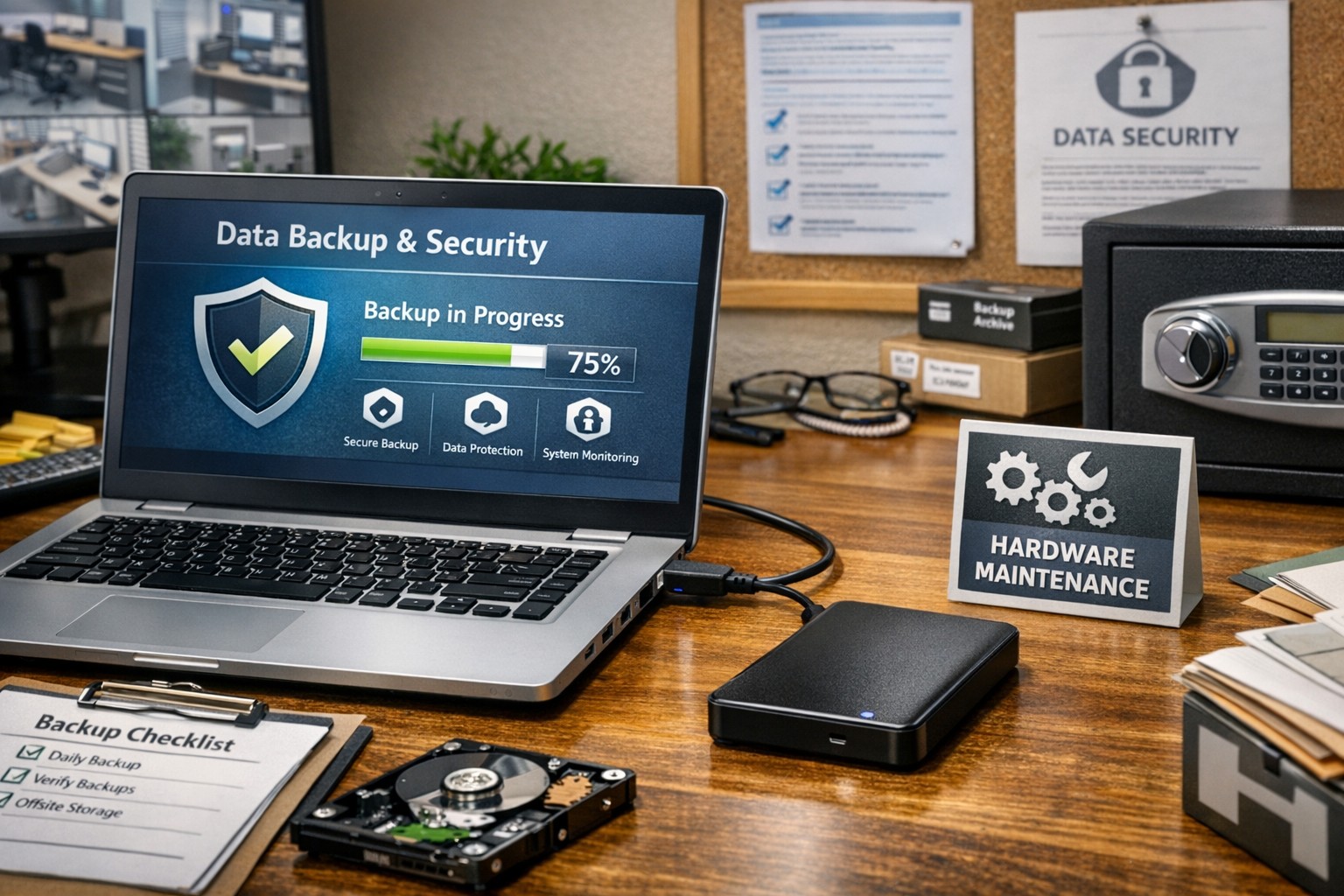
Proper care and maintenance of external hard drives keeps small business data secure and ensures reliable backup performance.
Your external hard drives are more than just storage devices—they’re the backbone of your backup and disaster recovery strategy. Whether you’re safeguarding financial records, client data, or project files, keeping these drives in top condition is crucial to prevent data loss and ensure smooth operations. Yet, many small- to medium-sized businesses (SMBs) neglect proper external hard drive care until it’s too late.
This guide outlines practical steps your business and IT team can take to maintain your external drives, answers common questions, and explains how Farmhouse Networking can help you protect your data investment.
Step-by-Step External Hard Drive Care for Businesses
1. Store Drives Safely and Strategically Keep your external hard drives in a cool, dry environment away from heat sources, direct sunlight, and moisture. Avoid stacking them or placing them near magnets or heavy equipment. A temperature-controlled office with minimal dust exposure reduces the risk of drive failure.
2. Use Regular Backup and Testing Routines Set up scheduled backups (daily, weekly, or monthly) depending on how often your business data changes. Test your backups regularly by restoring sample files to confirm they’re not corrupted. This extra step ensures your data will be recoverable when it truly counts.
3. Avoid Unplugging During Use Never disconnect an external hard drive while it’s transferring data. Doing so can interrupt write processes, causing data corruption or even physical disk damage. Always use the “Safely Remove Hardware” option before unplugging.
4. Protect Against Electrical Surges Use surge protectors or uninterruptible power supplies (UPS) to prevent sudden voltage spikes or power failures from damaging your drives. Power fluctuations are one of the leading causes of hardware failure.
5. Label and Track Your Drives For businesses using multiple backups or rotating drives, label each device clearly with its backup date, purpose, and drive ID. Maintain a simple log so your IT team can easily identify which drive holds which data.
6. Encrypt and Password-Protect Sensitive Data Even if your drives are physically safe, data security remains a top priority. Enable encryption and use strong passwords to protect sensitive company and client information, especially for industries handling confidential data or regulated information.
7. Monitor Drive Health Use disk-monitoring software to check drive health indicators like temperature, bad sectors, or read/write errors. Common tools include CrystalDiskInfo or SMART monitoring utilities—many of which can integrate directly into business IT systems for proactive alerts.
Common Questions About External Hard Drive Maintenance
Q: How often should my business replace external drives? Generally, replace drives every 3–5 years, depending on usage and storage environment. Drives used for daily backups may wear faster than those used occasionally for archiving.
Q: What’s the best file system for business backups? For Windows users, NTFS offers stability and large file support. Cross-platform users (macOS and Windows) may prefer exFAT. The choice depends on your backup software and workflow.
Q: How can I tell if my external hard drive is failing? Warning signs include slower performance, clicking or grinding noises, frequent disconnections, or error messages. At the first sign of trouble, stop using the drive immediately and back up data elsewhere to prevent further damage.
Q: Are SSD external drives better than HDDs? Solid-state drives (SSDs) are faster and more durable (no moving parts), but typically more expensive per gigabyte. SMBs focused on speed and portability often find them worth the investment.
How Farmhouse Networking Can Help
At Farmhouse Networking, we partner with small- and medium-sized businesses to create comprehensive data protection plans that go beyond just devices. Our team offers:
Automated backup solutions that reduce the risk of human error.
Drive health monitoring systems to detect early signs of failure.
Data encryption and security compliance consulting to safeguard sensitive information.
Disaster recovery services that ensure your business can bounce back quickly from any data loss event.
We understand how critical reliable storage is to your operations. Our IT experts can assess your current backup process, recommend appropriate external drives, secure your devices, and set up reliable offsite backups or cloud redundancy.
Keep Your Data Safe — Start Today
External hard drives are a dependable and affordable part of any SMB’s data management strategy, but they require proper care to remain effective. By following the steps above and partnering with a trusted IT service provider like Farmhouse Networking, you can extend the life of your drives, reduce risk, and maintain business continuity.
Ready to strengthen your backup strategy or troubleshoot your current storage setup? Email support@farmhousenetworking.com today to learn how Farmhouse Networking can help protect your business from data loss.
Modern businesses are transitioning from break-fix computer repair to proactive IT management for stability, security, and growth.
You’re not imagining it: the computer repair industry is changing fast—but it’s not dying. It’s splitting. Traditional “fix my broken PC” walk-in work is declining, while managed IT services, cybersecurity, cloud support, and strategic consulting are growing.
Below is a concise, SEO-optimized guide to help you decide how to adapt.
Is the Computer Repair Industry Growing or Declining?
For break-fix computer repair (one-off repairs, virus removal, hardware swaps), demand is largely declining:
Hardware is cheaper and more disposable, especially laptops and consumer desktops.
Cloud and SaaS reduce local software issues.
Remote work and remote management tools mean many problems never reach a local shop.
However, the broader “computer support and IT services” industry is growing:
Global managed services market is projected to grow in the high single to low double digits annually over the next few years, driven by cybersecurity, cloud, and remote monitoring.
Cybersecurity demand continues to rise as attacks target small and mid-sized businesses, healthcare, and financial firms.
Compliance and data protection requirements are pushing organizations to formalize IT management rather than rely on ad-hoc repair.
In practice: the industry isn’t disappearing—it’s shifting from repair to proactive, managed, and strategic IT.
What This Means for Your Business
If your organization still thinks of IT as “call someone when the computer breaks,” you are operating in the declining part of the market.
To stay competitive, you and your IT team must:
Move from break-fix to proactive maintenance and monitoring.
Treat IT as a business function, not a cost center or emergency service.
Build resilience: backups, security, and business continuity.
This shift directly affects how you work with outside providers and how your internal IT department is structured.
Practical Action Steps for Owners and IT Departments
Here’s a focused roadmap to move from “computer repair” thinking to “managed IT” thinking.
Audit your current IT and risk exposure
List all critical systems: servers, workstations, line-of-business apps, cloud services.
Identify single points of failure (one server, one person, one outdated backup).
Review your last 12–24 months of issues: downtime, security problems, lost data, slow performance.
Quantify the business impact
Estimate the cost per hour of downtime: lost revenue, staff idle time, reputational damage.
Compare that cost against what you currently spend on one-off repairs or underpowered internal IT.
Use this data to justify a more robust, proactive IT model.
Implement proactive monitoring and maintenance
Deploy remote monitoring and management (RMM) tools across all endpoints.
Standardize patching schedules, antivirus/EDR, and firmware updates.
Establish regular health reports to leadership so you see trends before they become crises.
Upgrade your security posture
Enforce multi-factor authentication (MFA) on all critical systems and email.
Implement managed endpoint protection, email filtering, and DNS filtering.
Create and test an incident response plan so you know exactly what to do when—not if—an attack occurs.
Strengthen backup and disaster recovery
Move from “we think we have backups” to verified, automated, versioned backups.
Follow the 3-2-1 rule: 3 copies of data, on 2 different media, 1 offsite.
Test restore procedures quarterly and document recovery time objectives (RTOs).
Redefine your relationship with IT providers
Replace hourly, ticket-based “repair” work with a managed services agreement with clear SLAs.
Hold regular IT business reviews: security posture, risks, and upcoming technology needs.
Communicate the shift to your staff
Explain that IT is now about prevention, security, and productivity—not just repairs.
Train employees on security basics: phishing, password hygiene, remote work best practices.
Encourage staff to report issues early rather than wait until something is “completely broken.”
Common Client Questions (With Straight Answers)
Q1: “If hardware is cheaper, why not just replace instead of repair?” A: For many low-cost devices, replacement is more economical than component-level repair. The real value is in protecting data, uptime, and security, which is where managed IT, backup, and cybersecurity services matter far more than a one-time fix.
Q2: “Do we still need an internal IT person?” A: Often, a hybrid model works best. Your internal IT can focus on business processes, line-of-business apps, and staff support, while a managed services provider handles monitoring, security, infrastructure, and strategic planning. This reduces single-person risk and expands your capabilities.
Q3: “Can’t our cloud provider handle all of this?” A: Cloud providers secure their infrastructure, but you are still responsible for user access, configuration, data governance, and endpoint security. Most breaches happen at the user or configuration level, not in the cloud provider’s core systems.
Q4: “Isn’t proactive IT more expensive than calling for repairs?” A: On paper, a monthly fee can look higher than a few repair invoices. But when you factor in downtime, lost productivity, security incidents, and emergency project work, proactive IT usually lowers your total cost of ownership—and gives you predictability in your budget.
Q5: “How do we know if our current IT provider is still in ‘repair mode’?” A: Warning signs include: no regular reporting, no documented roadmap, no written security policies, mostly reactive ticket work, and limited visibility into your environment. A modern provider will talk business outcomes, not just fixes.
How Farmhouse Networking Helps You Move Beyond Repairs
Farmhouse Networking is built around the growing side of the “computer repair” industry: proactive, secure, business-focused managed IT.
Here’s how we can support your transition:
Environment and risk assessment We perform a detailed review of your current infrastructure, security, backups, and workflows, then deliver a clear, business-friendly risk report and prioritized remediation plan.
Managed IT and proactive monitoring We deploy RMM tools, automate patching, monitor endpoints and servers 24/7, and address issues before they impact your staff. You get consistent performance and fewer surprises.
Cybersecurity and compliance support We implement layered security (endpoint protection, MFA, email filtering, DNS filtering, and more) and help align your practices with industry expectations—especially important for healthcare, financial, and other regulated sectors.
Backup, disaster recovery, and business continuity We design and manage robust backup strategies, test restores regularly, and document realistic recovery times so leadership knows exactly what to expect in an incident.
Strategic IT guidance and roadmapping We partner with you on lifecycle planning, cloud adoption, budgeting, and technology alignment with your growth goals so IT stops being a headache and becomes a competitive advantage.
In short: instead of just fixing what’s broken, we help you build an IT foundation that is resilient, secure, and aligned with your business strategy.
Take the Next Step
If you’re concerned about whether you’re stuck in the declining “repair-only” world—or ready to move into proactive, modern IT management—Farmhouse Networking can guide that transition.
Email support@farmhousenetworking.com for more information about how Farmhouse Networking can help improve your business, reduce downtime, and turn IT into a strategic asset instead of a recurring problem.
“What’s the best browser?” sounds like a simple IT question, but it’s really a strategic decision about security, productivity, and supportability. The right answer is not one perfect browser for everyone, but a deliberate choice based on your tools, risk profile, and how your team actually works.
Why “Best Browser” Is the Wrong Question
Instead of asking “Which browser is best?”, it’s more useful to ask “Which browser is best for our stack and our security model?” Key factors include:
Existing ecosystem:
Microsoft 365 / Windows-centric shops often gain the most from Microsoft Edge because of tight integration and management tooling.
Google Workspace organizations often benefit from Chrome’s deep integration and extension ecosystem.
Security and compliance:
Enterprise features like centralized policy management, password monitoring, tracking protection, and secure profiles are now standard expectations, not bonuses.
Hardware and performance:
Older workstations may perform better with leaner browsers like Firefox or optimized Chromium-based builds.
In practice, most modern businesses standardize on one primary browser, with one backup for special use cases (e.g., legacy apps).
Practical Action Steps for Owners and IT
Here’s a concrete, owner-level plan you can hand to your IT team.
Define your browser strategy in plain language
Decide: “We will standardize on Browser X, with Browser Y as backup for legacy/edge cases.”
Align that choice with your core platform (Microsoft 365 vs Google Workspace vs mixed).
Inventory your current reality
Ask IT to audit:
Which browsers are currently installed
Which line-of-business apps require specific browsers (including any that still need “Internet Explorer mode”)
Add-ons and extensions in use, especially anything touching passwords or sensitive data.
Evaluate security and management capabilities Have IT compare your candidate browsers on:
Preconfigured favorites/portals for key business apps
Profile separation (e.g., work profile vs personal) where supported
Remove or deprecate unused/unsupported browsers to reduce attack surface.
Optimize for productivity
Have IT:
Pre-load extensions that actually improve work (password managers, SSO helpers, approved collaboration tools).
Configure PDF handling, “new tab” layouts, and default search engines to match how your team works.
Train your staff
Short, focused training on:
Which browser to use for what
How to spot dangerous extensions and phishing warnings
How to use profiles or sign-in correctly for business accounts
Review annually
At least once a year, have IT re-check: security features, management capabilities, and compatibility with your evolving app stack.
Common Client Questions (with Owner-Friendly Answers)
Q1: Why can’t staff just use whatever browser they like? A: Uncontrolled browser choice complicates security, support, and compliance. Standardizing gives IT one set of policies, one update path, and a predictable user experience to support.
Q2: Is Chrome always the safest choice because it’s popular? A: Chrome is powerful and widely used, but popularity doesn’t automatically mean “safest.” Enterprise security depends more on how the browser is managed, what ecosystem you’re in, and which controls are enforced.
Q3: We’re a Microsoft 365 shop. Should we switch to Edge? A: Edge often makes sense in a Microsoft-first environment because it integrates tightly with Windows, Microsoft 365, and endpoint management tools, and even supports Internet Explorer mode for legacy apps.
Q4: We use Google Workspace. Do we have to use Chrome? A: You don’t have to, but Chrome typically delivers the smoothest experience and strongest management story in a Google-centric stack. Other browsers can work, but may lack some admin or integration capabilities.
Q5: Is it okay to run multiple browsers? A: Yes—but with intent. Many businesses standardize on one browser for daily work and keep a second, controlled browser for specialized or legacy applications, with clear rules about when to use each.
How Farmhouse Networking Can Help
Farmhouse Networking can guide you from “random browser chaos” to a secure, documented browser strategy that matches your infrastructure and risk profile.
Here’s how we support owners and their IT teams:
Browser strategy & selection
Analyze your environment (Windows vs macOS, Microsoft 365 vs Google Workspace, on-prem vs cloud apps) and recommend a primary and secondary browser strategy.
Hardened configuration & deployment
Design and implement secure, centrally managed browser configurations: policies, extensions, update channels, and integration with your identity and endpoint management tools.
Legacy and line-of-business app support
Identify applications that require specific engines or “IE mode” and ensure they are handled cleanly without weakening the overall security posture.
Staff training and documentation
Create simple, branded “Which browser do I use?” guides and short trainings so your team knows exactly what to do, reducing tickets and confusion.
Ongoing monitoring and review
Periodic checkups to adjust policies as browsers evolve, new threats emerge, or your stack changes.
If you’re ready to turn browser choice from an ad-hoc habit into a secure, productive standard for your business, Farmhouse Networking can lead the process and support your IT team end to end. Email support@farmhousenetworking.com for more information about how Farmhouse Networking can help improve your business.
And God will generously provide all you need. Then you will always have everything you need and plenty left over to share with others. As the Scriptures say, “They share freely and give generously to the poor. Their good deeds will be remembered forever.” For God is the one who provides seed for the farmer and then bread to eat. In the same way, he will provide and increase your resources and then produce a great harvest of generosity in you. - 2 Corinthians 9:8-10
We use cookies to ensure that we give you the best experience on our website. If you continue to use this site we will assume that you are happy with it.